child lock LINCOLN MKC 2019 User Guide
[x] Cancel search | Manufacturer: LINCOLN, Model Year: 2019, Model line: MKC, Model: LINCOLN MKC 2019Pages: 581, PDF Size: 5.41 MB
Page 39 of 581
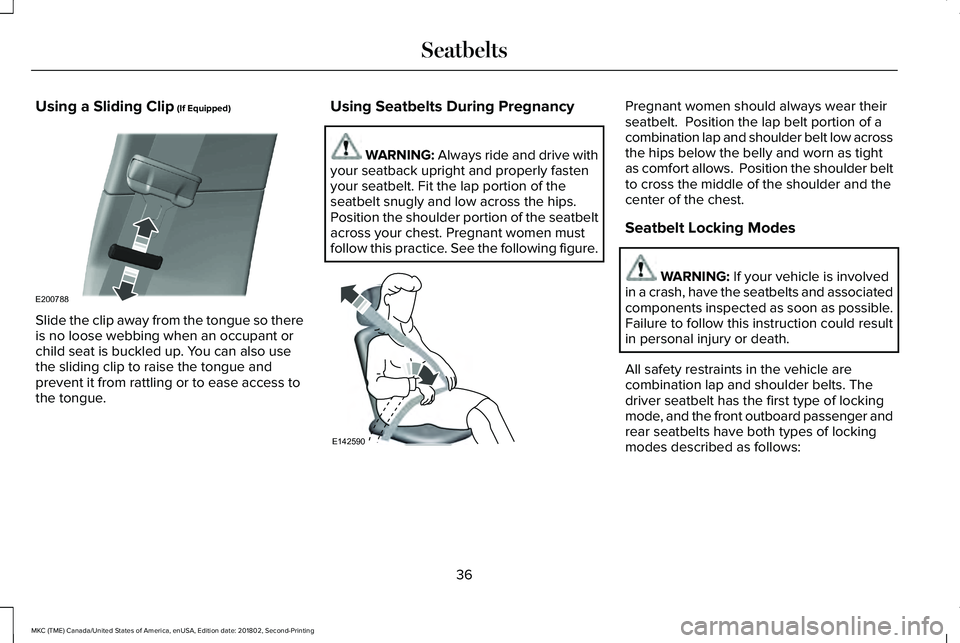
Using a Sliding Clip (If Equipped)
Slide the clip away from the tongue so thereis no loose webbing when an occupant orchild seat is buckled up. You can also usethe sliding clip to raise the tongue andprevent it from rattling or to ease access tothe tongue.
Using Seatbelts During Pregnancy
WARNING: Always ride and drive withyour seatback upright and properly fastenyour seatbelt. Fit the lap portion of theseatbelt snugly and low across the hips.Position the shoulder portion of the seatbeltacross your chest. Pregnant women mustfollow this practice. See the following figure.
Pregnant women should always wear theirseatbelt. Position the lap belt portion of acombination lap and shoulder belt low acrossthe hips below the belly and worn as tightas comfort allows. Position the shoulder beltto cross the middle of the shoulder and thecenter of the chest.
Seatbelt Locking Modes
WARNING: If your vehicle is involvedin a crash, have the seatbelts and associatedcomponents inspected as soon as possible.Failure to follow this instruction could resultin personal injury or death.
All safety restraints in the vehicle arecombination lap and shoulder belts. Thedriver seatbelt has the first type of lockingmode, and the front outboard passenger andrear seatbelts have both types of lockingmodes described as follows:
36
MKC (TME) Canada/United States of America, enUSA, Edition date: 201802, Second-Printing
SeatbeltsE200788 E142590
Page 40 of 581
Vehicle Sensitive Mode
This is the normal retractor mode, whichallows free shoulder belt length adjustmentto your movements and locking in responseto vehicle movement. For example, if thedriver brakes suddenly or turns a cornersharply, or the vehicle receives an impact ofabout 5 mph (8 km/h) or more, thecombination seatbelts lock to help reduceforward movement of the driver andpassengers.
In addition, the retractor is designed to lockif you pull the webbing out too quickly. If theseatbelt retractor locks, slowly lower theheight adjuster to allow the seatbelt toretract. If the retractor does not unlock, pullthe seatbelt out slowly then feed a smalllength of webbing back toward the stowedposition. For rear seatbelts, recline the rearseat backrest or push the seat backrestcushion away from the seatbelt. Feed a smalllength of webbing back toward the stowedposition.
Automatic Locking Mode
In this mode, the shoulder belt automaticallypre-locks. The belt still retracts to removeany slack in the shoulder belt. The automaticlocking mode is not available on the driverseatbelt.
When to Use the Automatic Locking Mode
Use this mode any time a child safety seat,except a booster, is installed in passengerfront or rear seating positions. Properlyrestrain children 12 years old and under in arear seating position whenever possible.See Child Safety (page 20).
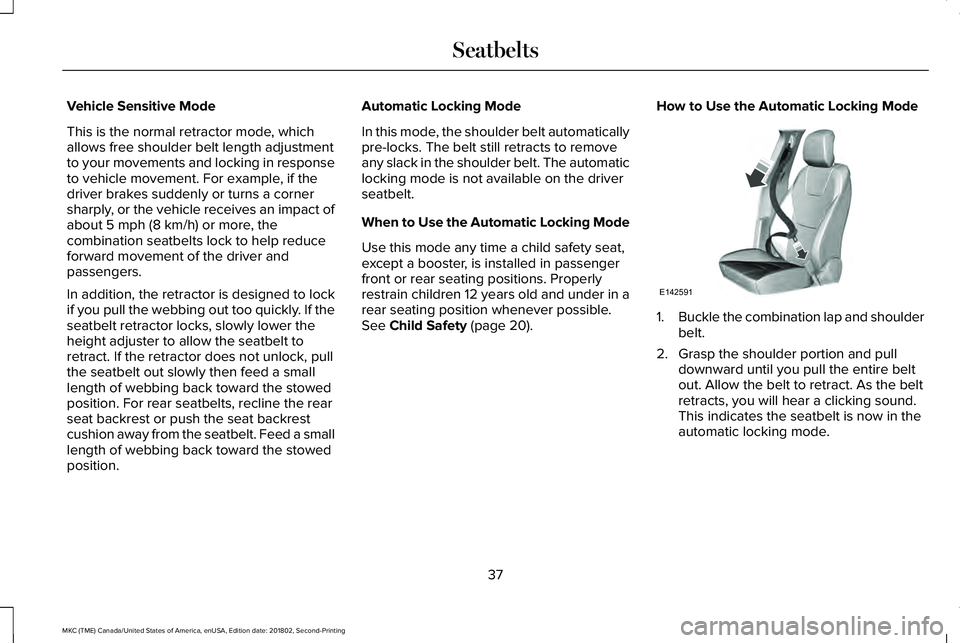
How to Use the Automatic Locking Mode
1.Buckle the combination lap and shoulderbelt.
2. Grasp the shoulder portion and pulldownward until you pull the entire beltout. Allow the belt to retract. As the beltretracts, you will hear a clicking sound.This indicates the seatbelt is now in theautomatic locking mode.
37
MKC (TME) Canada/United States of America, enUSA, Edition date: 201802, Second-Printing
SeatbeltsE142591
Page 99 of 581
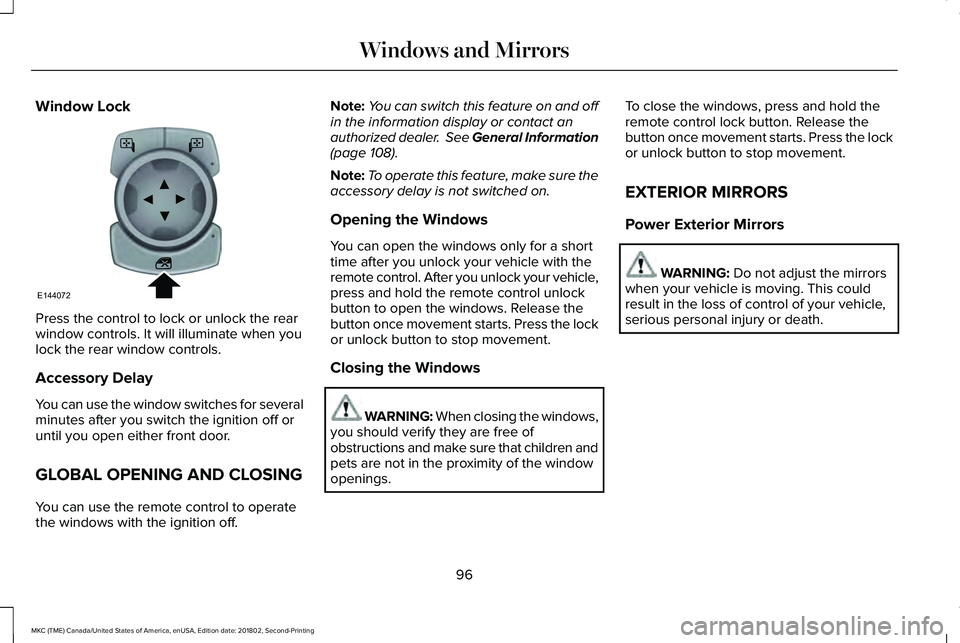
Window Lock
Press the control to lock or unlock the rearwindow controls. It will illuminate when youlock the rear window controls.
Accessory Delay
You can use the window switches for severalminutes after you switch the ignition off oruntil you open either front door.
GLOBAL OPENING AND CLOSING
You can use the remote control to operatethe windows with the ignition off.
Note:You can switch this feature on and offin the information display or contact anauthorized dealer. See General Information(page 108).
Note:To operate this feature, make sure theaccessory delay is not switched on.
Opening the Windows
You can open the windows only for a shorttime after you unlock your vehicle with theremote control. After you unlock your vehicle,press and hold the remote control unlockbutton to open the windows. Release thebutton once movement starts. Press the lockor unlock button to stop movement.
Closing the Windows
WARNING: When closing the windows,you should verify they are free ofobstructions and make sure that children andpets are not in the proximity of the windowopenings.
To close the windows, press and hold theremote control lock button. Release thebutton once movement starts. Press the lockor unlock button to stop movement.
EXTERIOR MIRRORS
Power Exterior Mirrors
WARNING: Do not adjust the mirrorswhen your vehicle is moving. This couldresult in the loss of control of your vehicle,serious personal injury or death.
96
MKC (TME) Canada/United States of America, enUSA, Edition date: 201802, Second-Printing
Windows and MirrorsE144072
Page 123 of 581
Doors and Locks
ActionMessage
The door(s) listed is not completely closed.X Door Ajar
The luggage compartment is not completely closed.Trunk Ajar
The hood is not completely closed.Hood Ajar
The system has disabled the door switches.Switches Inhibited Security Mode
There is a system malfunction with the child locks. Contact an authorized dealer as soon aspossible.Child Lock Malfunction Service Required
The factory keypad code displays in the information display after system resets the keypad.See Keyless Entry (page 70).Factory Keypad Code {X X X X X}
Driver Alert
ActionMessage
Stop and rest as soon as it is safe to do so.Driver Alert Warning Rest Now
Take a rest soon.Driver Alert Warning Rest Suggested
120
MKC (TME) Canada/United States of America, enUSA, Edition date: 201802, Second-Printing
Information Displays
Page 570 of 581
Rear Window Wiper Blade...............................300
Checking MyKey System Status.................62MyKey Distance....................................................62Number of Admin Keys.......................................63Number of MyKeys...............................................63
Checking the Wiper Blades.......................299Child Restraint and SeatbeltMaintenance...................................................41Child Restraint Positioning............................31Child Safety......................................................20General Information.............................................20
Child Safety Locks..........................................32Left-Hand Side.......................................................33Right-Hand Side....................................................33
Cleaning Leather Seats................................311Cleaning Products.......................................305Materials...............................................................305
Cleaning the Engine....................................308Cleaning the Exterior..................................306Cleaning the Headlamps.................................306Exterior Chrome Parts.......................................307Exterior Plastic Parts..........................................307Stripes or Graphics.............................................307Underbody...........................................................307Under Hood.........................................................307
Cleaning the Instrument Panel andInstrument Cluster Lens.............................311
Cleaning the Interior...................................309Cleaning Black Label or PresidentialInterior..............................................................309
Cleaning the Wheels....................................312Cleaning the Windows and WiperBlades...........................................................308Clearing All MyKeys.......................................62Climate............................................................420Accessing Rear Climate Controls..................422Accessing the Climate Control Menu...........420Directing the Airflow..........................................420Rear Climate Control Lock Indicator.............423Setting the Blower Motor Speed.....................421Setting the Temperature....................................421Switching Auto Mode On and Off...................421Switching Dual Zone Mode On and Off........421Switching Maximum Air Conditioning On andOff......................................................................422Switching Maximum Defrost On andOff......................................................................422Switching Rear Auto Mode On and Off........423Switching Recirculated Air On and Off.........422Switching the Air Conditioning On andOff.......................................................................421Switching the Climate Controlled Seats Onand Off...............................................................421Switching the Climate Control On andOff.......................................................................421
Switching the Heated Exterior Mirrors On andOff......................................................................422Switching the Heated Rear Window On andOff......................................................................422Switching the Heated Seats On and Off......422Switching the Heated Steering Wheel On andOff......................................................................422Switching the Rear Climate Controlled SeatsOn and Off.......................................................423Switching the Rear Heated Seats On andOff......................................................................423Switching the Rear Ventilated Seats On andOff......................................................................423Switching the Ventilated Seats On andOff......................................................................422
Climate Control..............................................132Climate Controlled Seats.............................147Cooled Seats........................................................147
Coolant CheckSee: Engine Coolant Check............................292
Crash Sensors and Airbag Indicator..........53Creating a MyKey............................................61Programming or Changing ConfigurableSettings...............................................................62
Cross Traffic Alert.........................................228Blocked Sensors..................................................231Switching the System Off and On...................231System Errors.......................................................231
567
MKC (TME) Canada/United States of America, enUSA, Edition date: 201802, Second-Printing
Index
Page 571 of 581
System Lights, Messages and AudibleAlerts..................................................................231System Limitations..............................................231Using the Cross Traffic Alert System............228
Cruise Control..................................................83Principle of Operation........................................210
Cruise controlSee: Using Cruise Control................................210
Customer Assistance..................................260
D
Data Recording................................................10Comfort, Convenience and EntertainmentData.......................................................................12Event Data................................................................11Service Data............................................................10Services That Third Parties Provide..................12Services That We Provide...................................12Vehicles With a Modem.......................................12Vehicles With SYNC..............................................13
Daytime Running Lamps...............................90Type One - Conventional(Non-Configurable)...........................................91Type Two - Configurable......................................91
Digital Radio...................................................370HD Radio Reception and StationTroubleshooting..............................................371
Direction Indicators........................................92Doors and Locks.............................................65Drive Control..................................................237Lincoln Drive Control.........................................237
Driver Alert......................................................219PRINCIPLE OF OPERATION.............................219USING DRIVER ALERT......................................220
Driver and Passenger Airbags....................45Children and Airbags...........................................46Proper Driver and Front Passenger SeatingAdjustment.........................................................46
Driver Knee Airbag..........................................51Driving Aids....................................................219Driving Hints...................................................251Driving Through Water................................251DRLSee: Daytime Running Lamps...........................90
E
Economical Driving.......................................251Electric Parking Brake..................................189Applying the electric parking brake...............189Applying the electric parking brake when thevehicle is moving............................................190Battery With No Charge.....................................191Releasing the electric parking brake.............190
Electromagnetic Compatibility...................519
Emission Law..................................................173Noise Emissions Warranty, ProhibitedTampering Acts and Maintenance..............174Tampering With a Noise Control System......173
End User License Agreement...................524VEHICLE SOFTWARE END USER LICENSEAGREEMENT (EULA) ....................................524
Engine Block Heater.....................................161Using the Engine Block Heater........................161
Engine Coolant Check................................292Adding Engine Coolant....................................293Checking the Engine Coolant.........................292Recycled Engine Coolant.................................294Severe Climates.................................................294What You Should Know About Fail-SafeCooling.............................................................294
Engine Emission Control.............................173Engine ImmobilizerSee: Passive Anti-Theft System.........................77
Engine Oil Check.........................................290Adding Engine Oil...............................................291
Engine Oil Dipstick......................................290Engine Specifications - 2.0L......................344Drivebelt Routing................................................344
Engine Specifications - 2.3L......................345Drivebelt Routing................................................345
Entertainment................................................406AM/FM Radio.......................................................409
568
MKC (TME) Canada/United States of America, enUSA, Edition date: 201802, Second-Printing
Index
Page 574 of 581
Traction Control...................................................128Trailer......................................................................129Transmission.........................................................129
Installing Child Restraints.............................22Child Restraints.....................................................22Using Lap and Shoulder Belts...........................22Using Lower Anchors and Tethers forCHildren (LATCH).............................................25Using Tether Straps..............................................27
Instrument Cluster........................................102Instrument Lighting Dimmer........................90Instrument Panel Overview...........................18Interior Lamps..................................................93Front Interior Lamp...............................................93Rear Interior Lamp................................................94
Interior Mirror...................................................99Auto-Dimming Mirror...........................................99
Introduction.........................................................7
J
Jump Starting the Vehicle..........................256To Connect the Booster Cables.....................257To Start the Engine............................................258
K
Keyless Entry....................................................70SECURICODE™ KEYLESS ENTRYKEYPAD...............................................................70
Keyless Starting.............................................157Ignition Modes......................................................157
Keys and Remote Controls..........................55
L
Lane Keeping System..................................221Switching the System On and Off..................222
Liftgate...............................................................73Lighting Control...............................................88Flashing the Headlamp High Beam.................89Headlamp High Beam.........................................89
Lighting..............................................................88General Information.............................................88
Lincoln Automotive Financial Services......14Lincoln Protect..............................................484Lincoln Protect (CANADA ONLY)...................485Lincoln Protect Extended Service Plans (U.S.Only)..................................................................484
Load CarriersSee: Roof Racks and Load Carriers...............239
Load Carrying................................................239
Load Limit.......................................................240Special Loading Instructions for Owners ofPick-up Trucks and Utility-typeVehicles............................................................244Vehicle Loading - with and without aTrailer................................................................240
Locking and Unlocking.................................65Activating Intelligent Access..............................67Autolock..................................................................68Autounlock.............................................................68Battery Saver.........................................................69Illuminated Entry...................................................69Illuminated Exit......................................................69Mechanical Key.....................................................66Opening a Rear Door from Inside.....................67Power Door Locks................................................65Remote Control.....................................................65Smart Unlocks........................................................67Welcome Lighting.................................................69
Luggage Covers...........................................239Lug NutsSee: Changing a Road Wheel.........................336
M
Maintenance..................................................287General Information...........................................287
571
MKC (TME) Canada/United States of America, enUSA, Edition date: 201802, Second-Printing
Index