climate settings LINCOLN MKC 2019 User Guide
[x] Cancel search | Manufacturer: LINCOLN, Model Year: 2019, Model line: MKC, Model: LINCOLN MKC 2019Pages: 581, PDF Size: 5.41 MB
Page 409 of 581
DescriptionVoice command
The system does not confirm before placing a call.Call Confirmation Off
The system displays a short list of available commands.Voice Command Lists On
The system does not display the list of commands.Voice Command Lists Off
You can use the volume control to adjust thevolume of the system voice prompts. Whileprompt is active, adjust the volume controlup or down to your desired setting.
Note:Depending on the current climatecontrol settings, the fan speed mayautomatically go down while issuing voicecommands or while making and receivingphone calls via SYNC to reduce the amountof background noise in the vehicle. The fanspeed will automatically return to normaloperation once the voice session ends. Youcan adjust the fan speed during a voicesession, simply press the fan buttons (or turnthe fan knob) to increase or decrease thefan speed to the setting you prefer.
To disable this automatic fan speedreduction feature during voice sessions,press and hold the climate control AC andRecirculated air buttons simultaneously,release and then increase fan speed within2 seconds. To re-enable this feature, repeatthe above sequence.
ENTERTAINMENT
406
MKC (TME) Canada/United States of America, enUSA, Edition date: 201802, Second-Printing
SYNC™ 3
Page 423 of 581
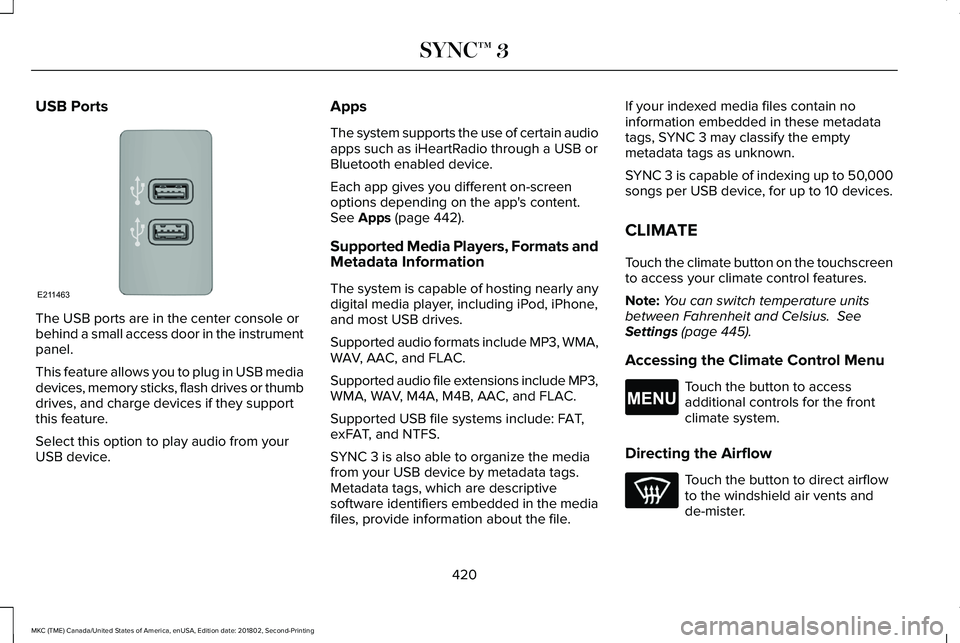
USB Ports
The USB ports are in the center console orbehind a small access door in the instrumentpanel.
This feature allows you to plug in USB mediadevices, memory sticks, flash drives or thumbdrives, and charge devices if they supportthis feature.
Select this option to play audio from yourUSB device.
Apps
The system supports the use of certain audioapps such as iHeartRadio through a USB orBluetooth enabled device.
Each app gives you different on-screenoptions depending on the app's content.See Apps (page 442).
Supported Media Players, Formats andMetadata Information
The system is capable of hosting nearly anydigital media player, including iPod, iPhone,and most USB drives.
Supported audio formats include MP3, WMA,WAV, AAC, and FLAC.
Supported audio file extensions include MP3,WMA, WAV, M4A, M4B, AAC, and FLAC.
Supported USB file systems include: FAT,exFAT, and NTFS.
SYNC 3 is also able to organize the mediafrom your USB device by metadata tags.Metadata tags, which are descriptivesoftware identifiers embedded in the mediafiles, provide information about the file.
If your indexed media files contain noinformation embedded in these metadatatags, SYNC 3 may classify the emptymetadata tags as unknown.
SYNC 3 is capable of indexing up to 50,000songs per USB device, for up to 10 devices.
CLIMATE
Touch the climate button on the touchscreento access your climate control features.
Note:You can switch temperature unitsbetween Fahrenheit and Celsius. SeeSettings (page 445).
Accessing the Climate Control Menu
Touch the button to accessadditional controls for the frontclimate system.
Directing the Airflow
Touch the button to direct airflowto the windshield air vents andde-mister.
420
MKC (TME) Canada/United States of America, enUSA, Edition date: 201802, Second-Printing
SYNC™ 3E211463 E265038
Page 424 of 581
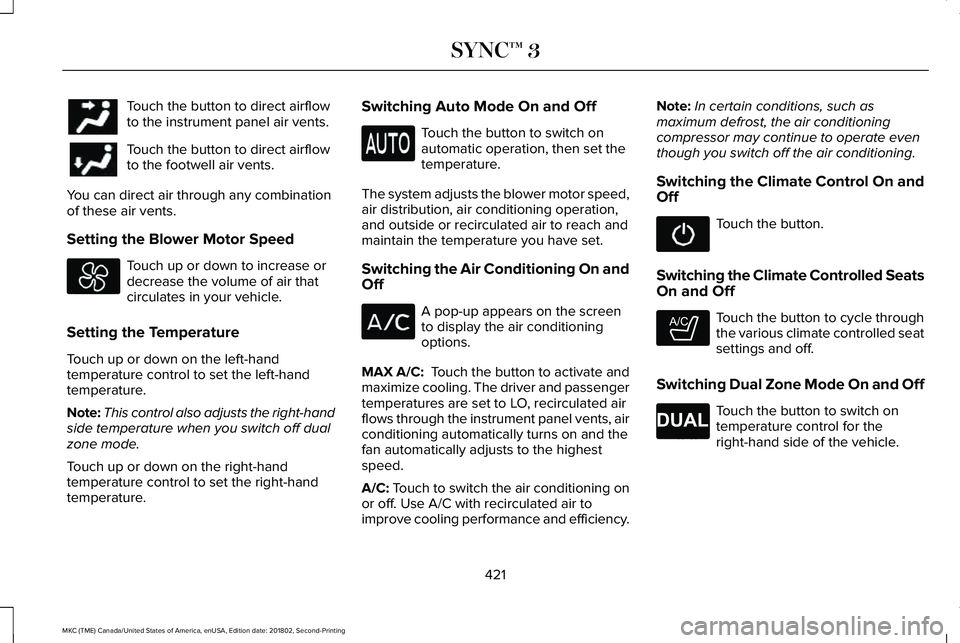
Touch the button to direct airflowto the instrument panel air vents.
Touch the button to direct airflowto the footwell air vents.
You can direct air through any combinationof these air vents.
Setting the Blower Motor Speed
Touch up or down to increase ordecrease the volume of air thatcirculates in your vehicle.
Setting the Temperature
Touch up or down on the left-handtemperature control to set the left-handtemperature.
Note:This control also adjusts the right-handside temperature when you switch off dualzone mode.
Touch up or down on the right-handtemperature control to set the right-handtemperature.
Switching Auto Mode On and Off
Touch the button to switch onautomatic operation, then set thetemperature.
The system adjusts the blower motor speed,air distribution, air conditioning operation,and outside or recirculated air to reach andmaintain the temperature you have set.
Switching the Air Conditioning On andOff
A pop-up appears on the screento display the air conditioningoptions.
MAX A/C: Touch the button to activate andmaximize cooling. The driver and passengertemperatures are set to LO, recirculated airflows through the instrument panel vents, airconditioning automatically turns on and thefan automatically adjusts to the highestspeed.
A/C: Touch to switch the air conditioning onor off. Use A/C with recirculated air toimprove cooling performance and efficiency.
Note:In certain conditions, such asmaximum defrost, the air conditioningcompressor may continue to operate eventhough you switch off the air conditioning.
Switching the Climate Control On andOff
Touch the button.
Switching the Climate Controlled SeatsOn and Off
Touch the button to cycle throughthe various climate controlled seatsettings and off.
Switching Dual Zone Mode On and Off
Touch the button to switch ontemperature control for theright-hand side of the vehicle.
421
MKC (TME) Canada/United States of America, enUSA, Edition date: 201802, Second-Printing
SYNC™ 3 E265282 E265280
Page 425 of 581
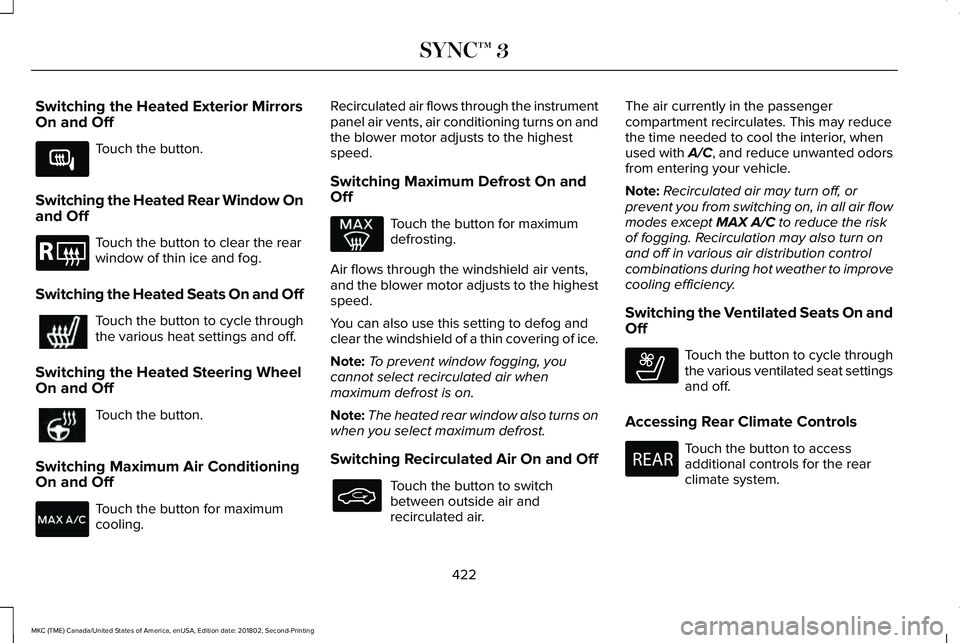
Switching the Heated Exterior MirrorsOn and Off
Touch the button.
Switching the Heated Rear Window Onand Off
Touch the button to clear the rearwindow of thin ice and fog.
Switching the Heated Seats On and Off
Touch the button to cycle throughthe various heat settings and off.
Switching the Heated Steering WheelOn and Off
Touch the button.
Switching Maximum Air ConditioningOn and Off
Touch the button for maximumcooling.
Recirculated air flows through the instrumentpanel air vents, air conditioning turns on andthe blower motor adjusts to the highestspeed.
Switching Maximum Defrost On andOff
Touch the button for maximumdefrosting.
Air flows through the windshield air vents,and the blower motor adjusts to the highestspeed.
You can also use this setting to defog andclear the windshield of a thin covering of ice.
Note:To prevent window fogging, youcannot select recirculated air whenmaximum defrost is on.
Note:The heated rear window also turns onwhen you select maximum defrost.
Switching Recirculated Air On and Off
Touch the button to switchbetween outside air andrecirculated air.
The air currently in the passengercompartment recirculates. This may reducethe time needed to cool the interior, whenused with A/C, and reduce unwanted odorsfrom entering your vehicle.
Note:Recirculated air may turn off, orprevent you from switching on, in all air flowmodes except MAX A/C to reduce the riskof fogging. Recirculation may also turn onand off in various air distribution controlcombinations during hot weather to improvecooling efficiency.
Switching the Ventilated Seats On andOff
Touch the button to cycle throughthe various ventilated seat settingsand off.
Accessing Rear Climate Controls
Touch the button to accessadditional controls for the rearclimate system.
422
MKC (TME) Canada/United States of America, enUSA, Edition date: 201802, Second-Printing
SYNC™ 3E266189 E184884 E268558 E270447
Page 426 of 581
Rear Climate Control Lock Indicator
Touch the button.
When on, you can only operate therear passenger settings throughthe front controls.
Switching Rear Auto Mode On and Off
Touch the button to switch on rearautomatic operation, then set thetemperature.
Switching the Rear Climate ControlledSeats On and Off
Touch the button to cycle throughthe various climate controlled seatsettings and off.
Switching the Rear Heated Seats Onand Off
Touch the button to cycle throughthe various heat settings and off.
Switching the Rear Ventilated SeatsOn and Off
Touch the button to cycle throughthe various ventilated seat settingsand off.
PHONE
WARNING: Driving while distractedcan result in loss of vehicle control, crashand injury. We strongly recommend that youuse extreme caution when using any devicethat may take your focus off the road. Yourprimary responsibility is the safe operationof your vehicle. We recommend against theuse of any hand-held device while drivingand encourage the use of voice-operatedsystems when possible. Make sure you areaware of all applicable local laws that mayaffect the use of electronic devices whiledriving.
Hands-free calling is one of the main featuresof the system. Once you pair your cell phone,you can access many options using thetouchscreen or voice commands. While thesystem supports a variety of features, manyare dependent on your cell phone’sfunctionality.
Pairing Your Cell Phone for the FirstTime
Pair your Bluetooth enabled phone with thesystem before using the functions inhands-free mode.
Switch on Bluetooth on your device to beginpairing. See your phone’s manual ifnecessary.
To add a phone, select:
Menu Item
Add Phone
1. Follow the on-screen instructions.
2. A prompt alerts you to search for thesystem on your phone.
423
MKC (TME) Canada/United States of America, enUSA, Edition date: 201802, Second-Printing
SYNC™ 3E265289 E265282 E268558
Page 569 of 581
Power......................................................................134Recirculated Air....................................................133Right-hand Temperature Control.....................133
Automatic High Beam Control.....................91Automatic High Beam Indicator........................92Switching the System On and Off....................92
Automatic Transmission...............................177Automatic Transmission AdaptiveLearning............................................................182Brake-Shift Interlock Override..........................181If Your Vehicle Gets Stuck In Mud orSnow..................................................................182Push Button Shift Transmission........................177SelectShift Automatic™ Transmission.............179
Automatic Transmission FluidCheck...........................................................296Auto-Start-Stop..............................................163Disabling Auto-Start-Stop..................................164Enabling Auto-Start-Stop...................................163
Autowipers.......................................................85Autowipers Settings.............................................85
Auxiliary Power Points.................................154110 Volt AC Power Point.....................................15412 Volt DC Power Point......................................154USB Port and Power Point Locations.............154
AWDSee: All-Wheel Drive...........................................183
B
BatterySee: Changing the 12V Battery.......................297
Blind Spot Information System.................226Switching the System Off and On..................228System Errors......................................................228Using the Blind Spot InformationSystem..............................................................227
BLISSee: Blind Spot Information System..............226
Body Styling Kits............................................314Bonnet LockSee: Opening and Closing the Hood............287
Booster Seats..................................................28Types of Booster Seats.......................................29
Brake Fluid Check.......................................296Brakes..............................................................188General Information............................................188
Breaking-In......................................................251Bulb Specification Chart.............................363
C
Cabin Air Filter...............................................136Capacities and Specifications - 2.0L.......350Alternative Engine Oil for Extremely ColdClimates...........................................................355
Specifications.......................................................351
Capacities and Specifications - 2.3L.......356Alternative Engine Oil for Extremely ColdClimates...........................................................362Specifications......................................................358
Capacities and Specifications...................344Car WashSee: Cleaning the Exterior...............................306
Catalytic Converter.......................................174On-Board Diagnostics (OBD-II)........................175Readiness for Inspection and Maintenance(I/M) Testing......................................................176
Center Console.............................................156Changing a Bulb............................................301Front Direction Indicator..................................302High Intensity Discharge Headlamp.............302LED Lamps...........................................................302License Plate Lamp...........................................302
Changing a Fuse..........................................284Fuses.....................................................................284
Changing a Road Wheel.............................336Dissimilar Spare Wheel and Tire AssemblyInformation.......................................................337Tire Change Procedure....................................338
Changing the 12V Battery..........................297Changing the Engine Air Filter.................302Changing the Wiper Blades......................299Front Wiper Blades............................................299
566
MKC (TME) Canada/United States of America, enUSA, Edition date: 201802, Second-Printing
Index
Page 570 of 581
Rear Window Wiper Blade...............................300
Checking MyKey System Status.................62MyKey Distance....................................................62Number of Admin Keys.......................................63Number of MyKeys...............................................63
Checking the Wiper Blades.......................299Child Restraint and SeatbeltMaintenance...................................................41Child Restraint Positioning............................31Child Safety......................................................20General Information.............................................20
Child Safety Locks..........................................32Left-Hand Side.......................................................33Right-Hand Side....................................................33
Cleaning Leather Seats................................311Cleaning Products.......................................305Materials...............................................................305
Cleaning the Engine....................................308Cleaning the Exterior..................................306Cleaning the Headlamps.................................306Exterior Chrome Parts.......................................307Exterior Plastic Parts..........................................307Stripes or Graphics.............................................307Underbody...........................................................307Under Hood.........................................................307
Cleaning the Instrument Panel andInstrument Cluster Lens.............................311
Cleaning the Interior...................................309Cleaning Black Label or PresidentialInterior..............................................................309
Cleaning the Wheels....................................312Cleaning the Windows and WiperBlades...........................................................308Clearing All MyKeys.......................................62Climate............................................................420Accessing Rear Climate Controls..................422Accessing the Climate Control Menu...........420Directing the Airflow..........................................420Rear Climate Control Lock Indicator.............423Setting the Blower Motor Speed.....................421Setting the Temperature....................................421Switching Auto Mode On and Off...................421Switching Dual Zone Mode On and Off........421Switching Maximum Air Conditioning On andOff......................................................................422Switching Maximum Defrost On andOff......................................................................422Switching Rear Auto Mode On and Off........423Switching Recirculated Air On and Off.........422Switching the Air Conditioning On andOff.......................................................................421Switching the Climate Controlled Seats Onand Off...............................................................421Switching the Climate Control On andOff.......................................................................421
Switching the Heated Exterior Mirrors On andOff......................................................................422Switching the Heated Rear Window On andOff......................................................................422Switching the Heated Seats On and Off......422Switching the Heated Steering Wheel On andOff......................................................................422Switching the Rear Climate Controlled SeatsOn and Off.......................................................423Switching the Rear Heated Seats On andOff......................................................................423Switching the Rear Ventilated Seats On andOff......................................................................423Switching the Ventilated Seats On andOff......................................................................422
Climate Control..............................................132Climate Controlled Seats.............................147Cooled Seats........................................................147
Coolant CheckSee: Engine Coolant Check............................292
Crash Sensors and Airbag Indicator..........53Creating a MyKey............................................61Programming or Changing ConfigurableSettings...............................................................62
Cross Traffic Alert.........................................228Blocked Sensors..................................................231Switching the System Off and On...................231System Errors.......................................................231
567
MKC (TME) Canada/United States of America, enUSA, Edition date: 201802, Second-Printing
Index
Page 573 of 581
Why Maintain Your Vehicle at YourDealership?......................................................487
Getting Assistance Outside the U.S. andCanada.........................................................264Getting the Services You Need................260Away From Home..............................................260
Global Opening and Closing.......................96Closing the Windows...........................................96Opening the Windows.........................................96
H
Hazard Flashers...........................................255Headlamp AdjustingSee: Adjusting the Headlamps.......................300
Headlamp Exit Delay.....................................90Headlamp RemovalSee: Removing a Headlamp.............................301
HeadrestSee: Head Restraints..........................................138
Head Restraints.............................................138Adjusting the Head Restraint...........................139
Heated Exterior Mirrors...............................135Heated Rear Window...................................135Heated Seats..................................................145Front Seats............................................................145Rear Seats.............................................................146
Heated Steering Wheel.................................83
Heated Windshield.......................................135Windshield Wiper De-Icer.................................135
HeatingSee: Climate Control..........................................132
Hill Start Assist................................................191Switching the System On and Off...................192Using Hill Start Assist.........................................192
Hints on Controlling the InteriorClimate..........................................................134Defogging the Side Windows in ColdWeather.............................................................135General Hints........................................................134Quickly Cooling the Interior..............................135Quickly Heating the Interior.............................135Recommended Settings for Cooling..............135Recommended Settings for Heating..............135
Hints on Driving With Anti-LockBrakes...........................................................189Home Screen................................................394Hood LockSee: Opening and Closing the Hood............287
I
In California (U.S. Only)................................261Information Display Control.........................83Information Displays.....................................108General Information............................................108
Information Messages...................................113Active Park.............................................................113Adaptive Cruise Control.....................................114AdvanceTrac™........................................................115Airbag......................................................................115Alarm.......................................................................115All-Wheel Drive.....................................................116Automatic Engine Shutdown.............................116Auto Start-Stop......................................................117Battery and Charging System...........................118Blind Spot Information and Cross Traffic AlertSystem................................................................119Collision Warning System..................................119Doors and Locks.................................................120Driver Alert............................................................120Fuel..........................................................................121Hill Start Assist......................................................121Keys and Intelligent Access...............................121Lane Keeping System........................................122Maintenance.........................................................123MyKey.....................................................................124Park Aid..................................................................125Park Brake.............................................................125Power Steering....................................................126Remote Start.........................................................127Seats.......................................................................127Starting System ...................................................127Tire Pressure Monitoring System....................128
570
MKC (TME) Canada/United States of America, enUSA, Edition date: 201802, Second-Printing
Index
Page 579 of 581
Climate Voice Commands...............................399Mobile App Voice Commands........................404Navigation Voice Commands.........................402Phone Voice Commands..................................399SiriusXM Traffic and Travel Link VoiceCommands......................................................404Voice Settings Commands..............................405
Utilizing the Mediation/Arbitration Program(Canada Only).............................................263
V
Vehicle Care..................................................305General Information...........................................305
Vehicle Certification Label.........................348Vehicle Identification Number..................348Vehicle Storage..............................................313Battery....................................................................314Body........................................................................313Brakes.....................................................................314Cooling system....................................................314Engine.....................................................................313Fuel system...........................................................313General...................................................................313Miscellaneous.......................................................314Removing Vehicle From Storage.....................314Tires........................................................................314
VentilationSee: Climate Control..........................................132
VINSee: Vehicle Identification Number...............348
Voice Control...................................................82
W
Warning Lamps and Indicators..................103Adaptive Cruise Control Indicator..................104Airbag Warning Lamp.........................................104Anti-Lock Brake System Warning Lamp........104Auto Hold Active.................................................104Auto Hold Unavailable.......................................104Automatic Headlamp High BeamIndicator............................................................104Auto-Start-Stop Indicator...................................104Battery....................................................................104Blind Spot Information System Indicator.......104Brake System Warning Lamp...........................105Cruise Control Indicator....................................105Direction Indicator..............................................105Door Ajar...............................................................105Electric Park Brake..............................................105Engine Coolant Temperature WarningLamp..................................................................105Fasten Seatbelt Warning Lamp.......................105Front Fog Lamp Indicator..................................105
Headlamp High Beam Indicator......................106Heads Up Display...............................................106Hood Ajar..............................................................106Lane Keeping System Lamp.............................106Low Fuel Level Warning Lamp.........................106Low Tire Pressure Warning Lamp...................106Low Washer Fluid Level Warning Lamp........106Oil Pressure Warning Lamp..............................106Parking Lamps.....................................................106Powertrain Fault..................................................106Service Engine Soon..........................................107Stability Control and Traction ControlIndicator.............................................................107Stability Control and Traction Control OffWarning Lamp..................................................107
Washer Fluid Check....................................296WashersSee: Cleaning the Exterior...............................306
Waxing.............................................................307Welcome Lighting...........................................93Wheel NutsSee: Changing a Road Wheel.........................336
Wheels and Tires...........................................315General Information............................................315Technical Specifications....................................341
Windows and Mirrors.....................................95Windshield Washers......................................86Front Camera Washer..........................................86
576
MKC (TME) Canada/United States of America, enUSA, Edition date: 201802, Second-Printing
Index