power steering LINCOLN MKC 2019 Owner's Manual
[x] Cancel search | Manufacturer: LINCOLN, Model Year: 2019, Model line: MKC, Model: LINCOLN MKC 2019Pages: 581, PDF Size: 5.41 MB
Page 390 of 581
Note:If your vehicle is not equipped withnavigation, compass appears in the displayinstead of navigation. If you press the rightarrow to go into the compass menu, you cansee the compass graphic. The compassdisplays the direction in which the vehicle istraveling, not true direction (for example, ifthe vehicle is traveling west, the middle ofthe compass graphic displays west; northdisplays to the left of west though its truedirection is to the right of west).
Using the Steering Wheel Controls
Depending on your vehicle and optionpackage, you can use different controls onyour steering wheel to interact with thetouchscreen system in different ways.
VOL: Control the volume of audio output.
Mute: Mute the audio output.
Voice: Press to start a voice session. Pressagain to stop the voice prompt andimmediately begin speaking. Press and holdto end a voice session.
SEEK NEXT:
•While in radio mode, press to seekbetween memory presets.
•While in USB, Bluetooth Audio or CDmode, press to seek between songs orpress and hold to fast seek.
SEEK PREVIOUS:
•While in radio mode, press to seekbetween memory presets.
•While in USB, Bluetooth Audio or CDmode, press to seek between songs orpress and hold to fast seek.
PHONE ACCEPT: Press to answer a call orswitch between calls.
PHONE REJECT: Press to end a call or rejectan incoming call.
Note:On some models, SEEK NEXT may becombined with PHONE REJECT and SEEKPREVIOUS may be combined with PHONEACCEPT.
M: Touch the control repeatedly to switchbetween media sources (modes).
See Steering Wheel (page 80).
Using Your Bezel Controls
Depending on your vehicle and optionpackage, you may also have these controlson your instrument panel:
•Power: Switch the audio system on andoff.
•VOL: Control the volume of playingaudio.
•Seek and Tune: Use as you normallywould in audio modes.
•Eject: Eject a CD from the audio system.
•SOURCE or MEDIA: Press repeatedly toadvance through available media modes.
•SOUND: Press to access the Soundmenu where you can adjust sound andother audio settings.
•1-6: Press and hold to store or press toselect an AM, FM or SIRIUS memorypreset. See Audio System (page 366).
387
MKC (TME) Canada/United States of America, enUSA, Edition date: 201802, Second-Printing
SYNC™ 3
Page 392 of 581
To make sure that 911 Assist works correctly:
•SYNC must be powered and workingproperly at the time of the incident andthroughout feature activation and use.
•The 911 Assist feature must be set onbefore the incident.
•You must pair and connect aBluetooth-enabled and compatible cellphone to SYNC.
•A connected Bluetooth-enabled phonemust have the ability to make andmaintain an outgoing call at the time ofthe incident.
•A connected Bluetooth-enabled phonemust have adequate network coverage,battery power and signal strength.
•The vehicle must have battery power andbe located in the U.S., Canada or in aterritory in which 911 is the emergencynumber.
In the Event of a Crash
Not all crashes will deploy an airbag oractivate the fuel pump shut-off (the triggersfor 911 Assist). If a connected cell phonesustains damage or loses its connection toSYNC during a crash, SYNC will search forand try to connect to a previously paired cellphone; SYNC will then attempt to call theemergency services.
Before making the call:
•SYNC provides a short window of time(about 10 seconds) to cancel the call. Ifyou fail to cancel the call, SYNC attemptsto dial 911.
•SYNC says the following, or a similarmessage: "SYNC will attempt to call 911,to cancel the call, press Cancel on yourscreen or press and hold the phonebutton on your steering wheel."
If you do not cancel the call, and SYNCmakes a successful call, a pre-recordedmessage plays for the 911 operator, and thenthe occupant(s) in your vehicle is able to talkwith the operator. Be prepared to provideyour name, phone number and locationimmediately, because not all 911 systems arecapable of receiving this informationelectronically.
911 Assist May Not Work If
•Your cellular phone or 911 Assisthardware sustains damage in a crash.
•The vehicle's battery or the SYNC systemhas no power.
•The phone(s) thrown from your vehicleare the ones paired and connected tothe system.
911 Assist Privacy Notice
When you switch on 911 Assist, it maydisclose to emergency services that yourvehicle has been in a crash involving thedeployment of an airbag or activation of thefuel pump shut-off. Certain versions orupdates to 911 Assist may also be capable
389
MKC (TME) Canada/United States of America, enUSA, Edition date: 201802, Second-Printing
SYNC™ 3
Page 568 of 581
A
A/CSee: Climate Control..........................................132
About This Manual............................................7ABSSee: Brakes...........................................................188
ABS driving hintsSee: Hints on Driving With Anti-LockBrakes................................................................189
Accessories...................................................482Exterior Style.......................................................482Interior Style.........................................................482Lifestyle.................................................................482Peace of Mind.....................................................482
AccessoriesSee: Replacement Parts Recommendation.....14
ACCSee: Using Adaptive Cruise Control...............211
Active Park Assist........................................200Deactivating the Active Park AssistFeature.............................................................204Parallel Parking, Parallel Park OutAssist................................................................200Troubleshooting the System...........................205
Adjusting the Headlamps..........................300Horizontal Aim Adjustment...............................301Vertical Aim Adjustment...................................300
Adjusting the Steering Wheel - VehiclesWith: Manual Adjustable SteeringColumn...........................................................80Adjusting the Steering Wheel - VehiclesWith: Power Adjustable SteeringColumn...........................................................80End of Travel Position...........................................81Memory Feature.....................................................81
Airbag Disposal...............................................54Air ConditioningSee: Climate Control..........................................132
Air FilterSee: Changing the Engine Air Filter..............302
AlarmSee: Anti-Theft Alarm...........................................78
All-Wheel Drive..............................................183Ambient Lighting.............................................94Adjusting the Brightness.....................................94Changing the Color..............................................94Switching Ambient Lighting Off........................94Switching Ambient Lighting On........................94
Anti-Theft Alarm..............................................78Arming the Alarm..................................................78Disarming the Alarm.............................................78
Appendices.....................................................519Apps.................................................................442.................................................................................442SiriusXM Traffic and Travel Link......................443
At a Glance........................................................18Audible Warnings and Indicators..............107Headlamps On Warning Chime.......................107Keyless Warning Alert........................................107Parking Brake On Warning Chime..................107
Audio Control..................................................82Seek, Next or Previous........................................82
Audio System................................................366General Information...........................................366
Audio Unit......................................................368Seek, Fast Forward and Reverse...................370Tune ......................................................................370Volume and Power.............................................370
Auto Hold........................................................192Using Auto Hold..................................................194
Autolamps.........................................................89Windshield Wiper Activated Headlamps........90
Automatic Climate Control..........................132A/C...........................................................................133Auto ........................................................................134Climate Controlled Seats...................................133Defrost....................................................................134Dual.........................................................................134Fan Speed Control..............................................133Heated Rear Window.........................................134Heated Seats........................................................133Left-hand Temperature Control.......................133MAX A/C................................................................133
565
MKC (TME) Canada/United States of America, enUSA, Edition date: 201802, Second-Printing
Index
Page 573 of 581
Why Maintain Your Vehicle at YourDealership?......................................................487
Getting Assistance Outside the U.S. andCanada.........................................................264Getting the Services You Need................260Away From Home..............................................260
Global Opening and Closing.......................96Closing the Windows...........................................96Opening the Windows.........................................96
H
Hazard Flashers...........................................255Headlamp AdjustingSee: Adjusting the Headlamps.......................300
Headlamp Exit Delay.....................................90Headlamp RemovalSee: Removing a Headlamp.............................301
HeadrestSee: Head Restraints..........................................138
Head Restraints.............................................138Adjusting the Head Restraint...........................139
Heated Exterior Mirrors...............................135Heated Rear Window...................................135Heated Seats..................................................145Front Seats............................................................145Rear Seats.............................................................146
Heated Steering Wheel.................................83
Heated Windshield.......................................135Windshield Wiper De-Icer.................................135
HeatingSee: Climate Control..........................................132
Hill Start Assist................................................191Switching the System On and Off...................192Using Hill Start Assist.........................................192
Hints on Controlling the InteriorClimate..........................................................134Defogging the Side Windows in ColdWeather.............................................................135General Hints........................................................134Quickly Cooling the Interior..............................135Quickly Heating the Interior.............................135Recommended Settings for Cooling..............135Recommended Settings for Heating..............135
Hints on Driving With Anti-LockBrakes...........................................................189Home Screen................................................394Hood LockSee: Opening and Closing the Hood............287
I
In California (U.S. Only)................................261Information Display Control.........................83Information Displays.....................................108General Information............................................108
Information Messages...................................113Active Park.............................................................113Adaptive Cruise Control.....................................114AdvanceTrac™........................................................115Airbag......................................................................115Alarm.......................................................................115All-Wheel Drive.....................................................116Automatic Engine Shutdown.............................116Auto Start-Stop......................................................117Battery and Charging System...........................118Blind Spot Information and Cross Traffic AlertSystem................................................................119Collision Warning System..................................119Doors and Locks.................................................120Driver Alert............................................................120Fuel..........................................................................121Hill Start Assist......................................................121Keys and Intelligent Access...............................121Lane Keeping System........................................122Maintenance.........................................................123MyKey.....................................................................124Park Aid..................................................................125Park Brake.............................................................125Power Steering....................................................126Remote Start.........................................................127Seats.......................................................................127Starting System ...................................................127Tire Pressure Monitoring System....................128
570
MKC (TME) Canada/United States of America, enUSA, Edition date: 201802, Second-Printing
Index
Page 577 of 581
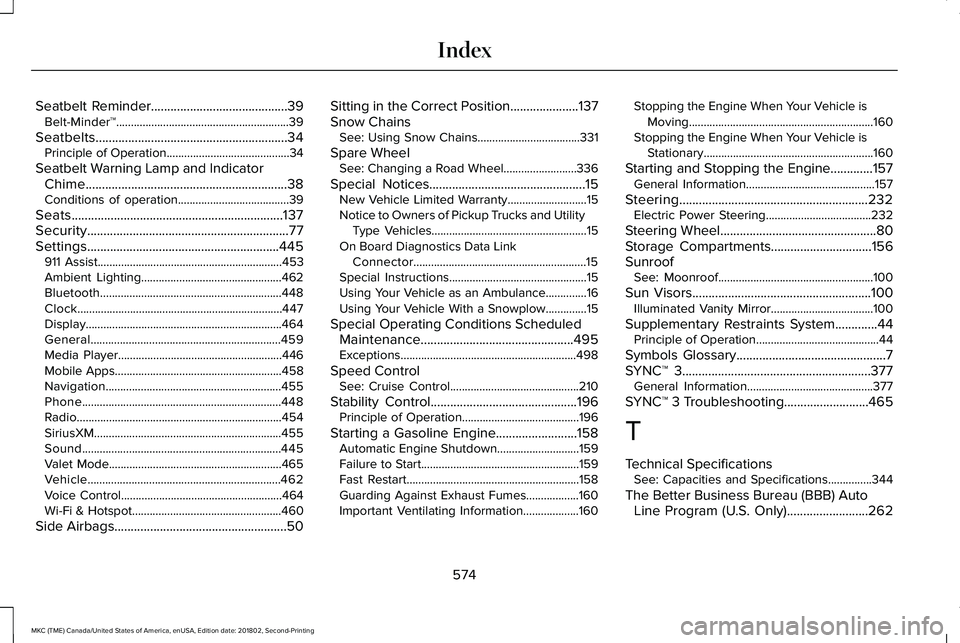
Seatbelt Reminder..........................................39Belt-Minder™...........................................................39
Seatbelts...........................................................34Principle of Operation..........................................34
Seatbelt Warning Lamp and IndicatorChime..............................................................38Conditions of operation......................................39
Seats.................................................................137Security..............................................................77Settings...........................................................445911 Assist...............................................................453Ambient Lighting................................................462Bluetooth..............................................................448Clock......................................................................447Display...................................................................464General.................................................................459Media Player........................................................446Mobile Apps.........................................................458Navigation............................................................455Phone....................................................................448Radio......................................................................454SiriusXM................................................................455Sound....................................................................445Valet Mode...........................................................465Vehicle..................................................................462Voice Control.......................................................464Wi-Fi & Hotspot...................................................460
Side Airbags.....................................................50
Sitting in the Correct Position.....................137Snow ChainsSee: Using Snow Chains...................................331
Spare WheelSee: Changing a Road Wheel.........................336
Special Notices................................................15New Vehicle Limited Warranty...........................15Notice to Owners of Pickup Trucks and UtilityType Vehicles.....................................................15On Board Diagnostics Data LinkConnector...........................................................15Special Instructions...............................................15Using Your Vehicle as an Ambulance..............16Using Your Vehicle With a Snowplow..............15
Special Operating Conditions ScheduledMaintenance...............................................495Exceptions............................................................498
Speed ControlSee: Cruise Control............................................210
Stability Control.............................................196Principle of Operation........................................196
Starting a Gasoline Engine.........................158Automatic Engine Shutdown............................159Failure to Start......................................................159Fast Restart...........................................................158Guarding Against Exhaust Fumes..................160Important Ventilating Information...................160
Stopping the Engine When Your Vehicle isMoving...............................................................160Stopping the Engine When Your Vehicle isStationary..........................................................160
Starting and Stopping the Engine.............157General Information............................................157
Steering..........................................................232Electric Power Steering....................................232
Steering Wheel................................................80Storage Compartments...............................156SunroofSee: Moonroof.....................................................100
Sun Visors.......................................................100Illuminated Vanity Mirror...................................100
Supplementary Restraints System.............44Principle of Operation..........................................44
Symbols Glossary..............................................7SYNC™ 3..........................................................377General Information...........................................377
SYNC™ 3 Troubleshooting..........................465
T
Technical SpecificationsSee: Capacities and Specifications...............344
The Better Business Bureau (BBB) AutoLine Program (U.S. Only).........................262
574
MKC (TME) Canada/United States of America, enUSA, Edition date: 201802, Second-Printing
Index