Fuel LINCOLN MKS 2009 User Guide
[x] Cancel search | Manufacturer: LINCOLN, Model Year: 2009, Model line: MKS, Model: LINCOLN MKS 2009Pages: 323, PDF Size: 2.58 MB
Page 85 of 323
In the event of a multiple warning situation, the message center will
cycle the display to show all warnings by displaying each one for several
seconds.
The message center will display the last selected feature if there are no
more warning messages. This allows you to use the full functionality of
the message center after you acknowledge the warning by pressing the
RESET control and clearing the warning message.
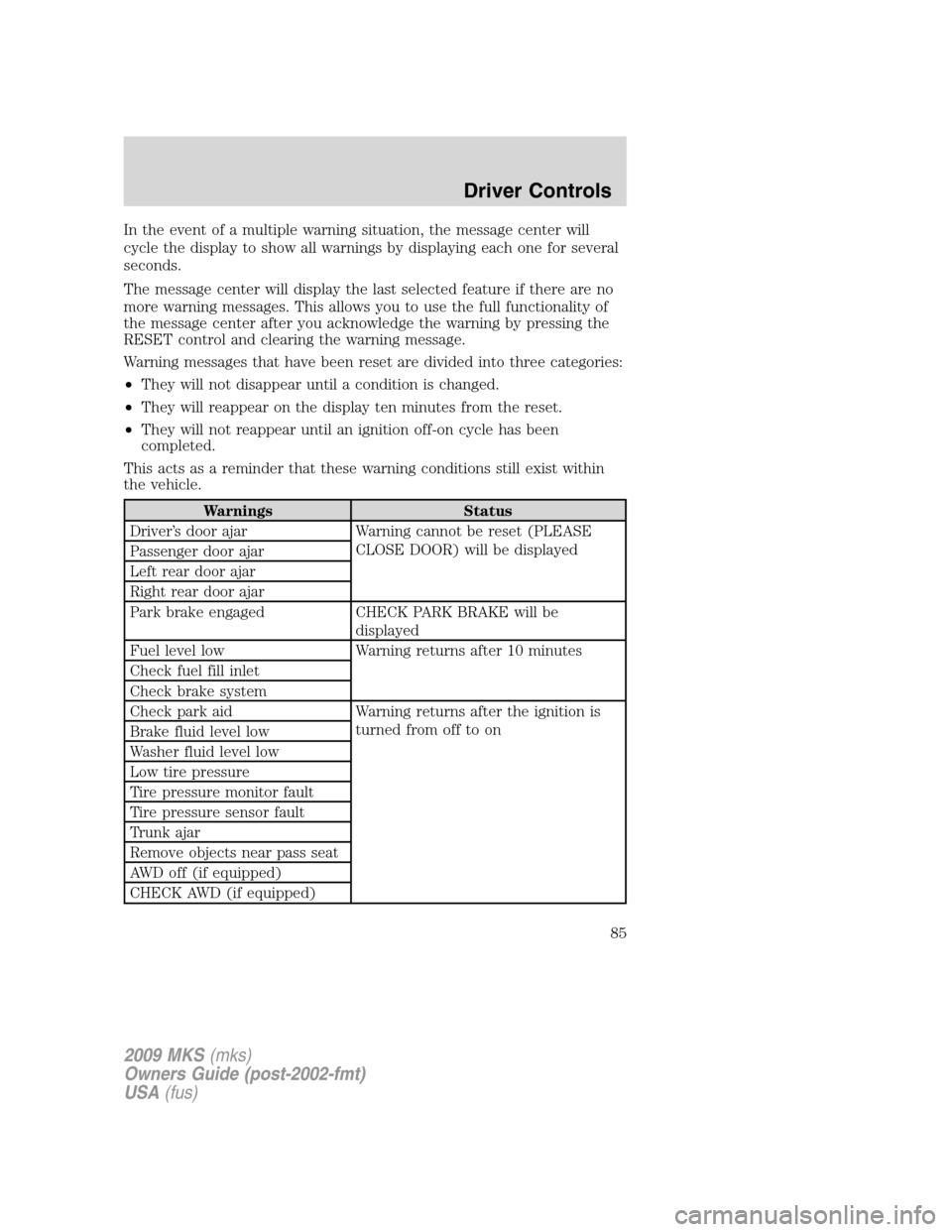
Warning messages that have been reset are divided into three categories:
•They will not disappear until a condition is changed.
•They will reappear on the display ten minutes from the reset.
•They will not reappear until an ignition off-on cycle has been
completed.
This acts as a reminder that these warning conditions still exist within
the vehicle.
Warnings Status
Driver’s door ajar Warning cannot be reset (PLEASE
CLOSE DOOR) will be displayed
Passenger door ajar
Left rear door ajar
Right rear door ajar
Park brake engaged CHECK PARK BRAKE will be
displayed
Fuel level low Warning returns after 10 minutes
Check fuel fill inlet
Check brake system
Check park aid Warning returns after the ignition is
turned from off to on
Brake fluid level low
Washer fluid level low
Low tire pressure
Tire pressure monitor fault
Tire pressure sensor fault
Trunk ajar
Remove objects near pass seat
AWD off (if equipped)
CHECK AWD (if equipped)
2009 MKS(mks)
Owners Guide (post-2002-fmt)
USA(fus)
Driver Controls
85
Page 87 of 323
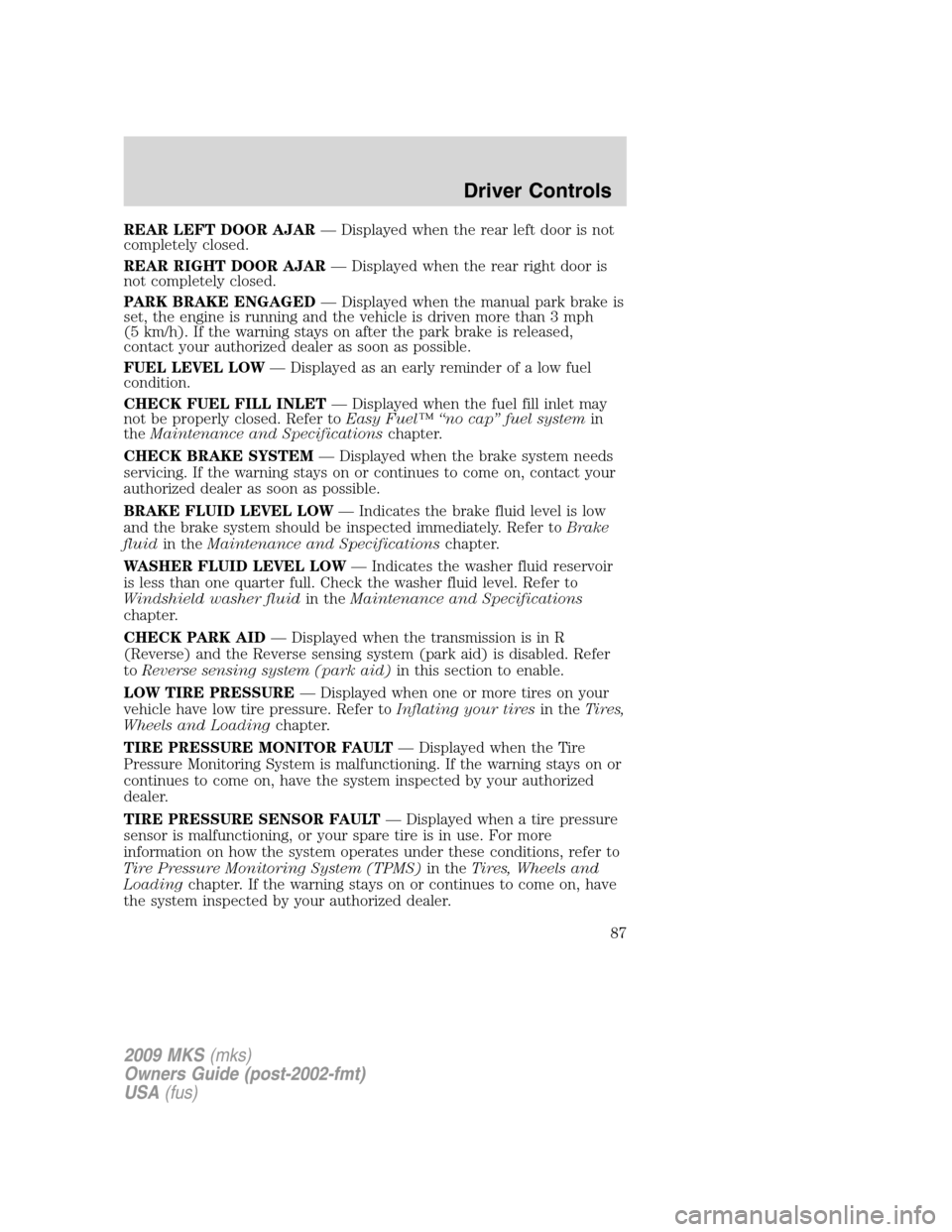
REAR LEFT DOOR AJAR— Displayed when the rear left door is not
completely closed.
REAR RIGHT DOOR AJAR— Displayed when the rear right door is
not completely closed.
PARK BRAKE ENGAGED— Displayed when the manual park brake is
set, the engine is running and the vehicle is driven more than 3 mph
(5 km/h). If the warning stays on after the park brake is released,
contact your authorized dealer as soon as possible.
FUEL LEVEL LOW— Displayed as an early reminder of a low fuel
condition.
CHECK FUEL FILL INLET— Displayed when the fuel fill inlet may
not be properly closed. Refer toEasy Fuel™ “no cap” fuel systemin
theMaintenance and Specificationschapter.
CHECK BRAKE SYSTEM— Displayed when the brake system needs
servicing. If the warning stays on or continues to come on, contact your
authorized dealer as soon as possible.
BRAKE FLUID LEVEL LOW— Indicates the brake fluid level is low
and the brake system should be inspected immediately. Refer toBrake
fluidin theMaintenance and Specificationschapter.
WASHER FLUID LEVEL LOW— Indicates the washer fluid reservoir
is less than one quarter full. Check the washer fluid level. Refer to
Windshield washer fluidin theMaintenance and Specifications
chapter.
CHECK PARK AID— Displayed when the transmission is in R
(Reverse) and the Reverse sensing system (park aid) is disabled. Refer
toReverse sensing system (park aid)in this section to enable.
LOW TIRE PRESSURE— Displayed when one or more tires on your
vehicle have low tire pressure. Refer toInflating your tiresin theTires,
Wheels and Loadingchapter.
TIRE PRESSURE MONITOR FAULT— Displayed when the Tire
Pressure Monitoring System is malfunctioning. If the warning stays on or
continues to come on, have the system inspected by your authorized
dealer.
TIRE PRESSURE SENSOR FAULT— Displayed when a tire pressure
sensor is malfunctioning, or your spare tire is in use. For more
information on how the system operates under these conditions, refer to
Tire Pressure Monitoring System (TPMS)in theTires, Wheels and
Loadingchapter. If the warning stays on or continues to come on, have
the system inspected by your authorized dealer.
2009 MKS(mks)
Owners Guide (post-2002-fmt)
USA(fus)
Driver Controls
87
Page 192 of 323
TIRE PRESSURE MONITORING SYSTEM (TPMS)
Each tire, including the spare (if
provided), should be checked
monthly when cold and inflated to
the inflation pressure recommended
by the vehicle manufacturer on the
vehicle placard or tire inflation pressure label. (If your vehicle has tires
of a different size than the size indicated on the vehicle placard or tire
inflation pressure label, you should determine the proper tire inflation
pressure for those tires.)
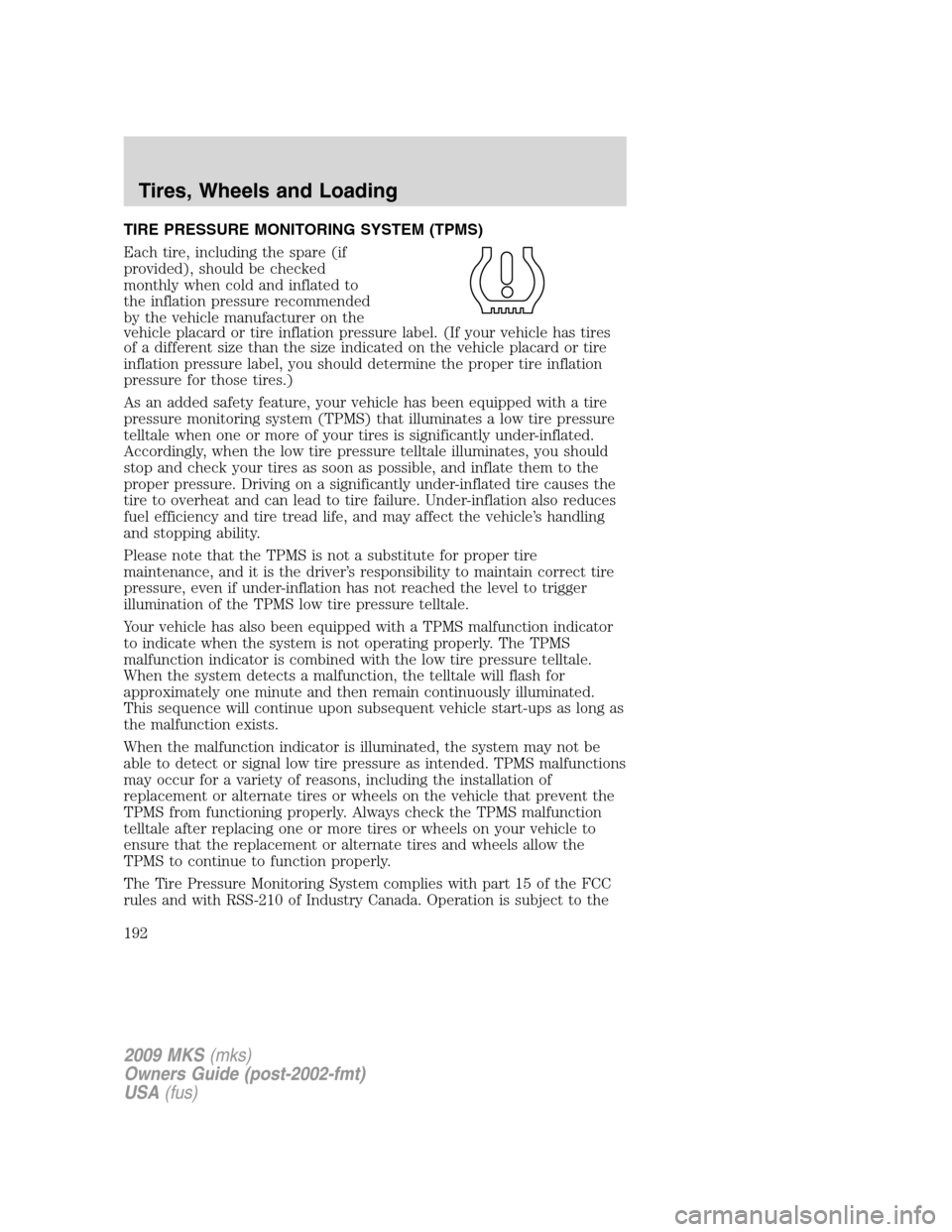
As an added safety feature, your vehicle has been equipped with a tire
pressure monitoring system (TPMS) that illuminates a low tire pressure
telltale when one or more of your tires is significantly under-inflated.
Accordingly, when the low tire pressure telltale illuminates, you should
stop and check your tires as soon as possible, and inflate them to the
proper pressure. Driving on a significantly under-inflated tire causes the
tire to overheat and can lead to tire failure. Under-inflation also reduces
fuel efficiency and tire tread life, and may affect the vehicle’s handling
and stopping ability.
Please note that the TPMS is not a substitute for proper tire
maintenance, and it is the driver’s responsibility to maintain correct tire
pressure, even if under-inflation has not reached the level to trigger
illumination of the TPMS low tire pressure telltale.
Your vehicle has also been equipped with a TPMS malfunction indicator
to indicate when the system is not operating properly. The TPMS
malfunction indicator is combined with the low tire pressure telltale.
When the system detects a malfunction, the telltale will flash for
approximately one minute and then remain continuously illuminated.
This sequence will continue upon subsequent vehicle start-ups as long as
the malfunction exists.
When the malfunction indicator is illuminated, the system may not be
able to detect or signal low tire pressure as intended. TPMS malfunctions
may occur for a variety of reasons, including the installation of
replacement or alternate tires or wheels on the vehicle that prevent the
TPMS from functioning properly. Always check the TPMS malfunction
telltale after replacing one or more tires or wheels on your vehicle to
ensure that the replacement or alternate tires and wheels allow the
TPMS to continue to function properly.
The Tire Pressure Monitoring System complies with part 15 of the FCC
rules and with RSS-210 of Industry Canada. Operation is subject to the
2009 MKS(mks)
Owners Guide (post-2002-fmt)
USA(fus)
Tires, Wheels and Loading
192
Page 197 of 323
any tire is under-inflated, carefully drive the vehicle to the nearest
location where air can be added to the tires. Inflate all the tires to the
recommended inflation pressure.
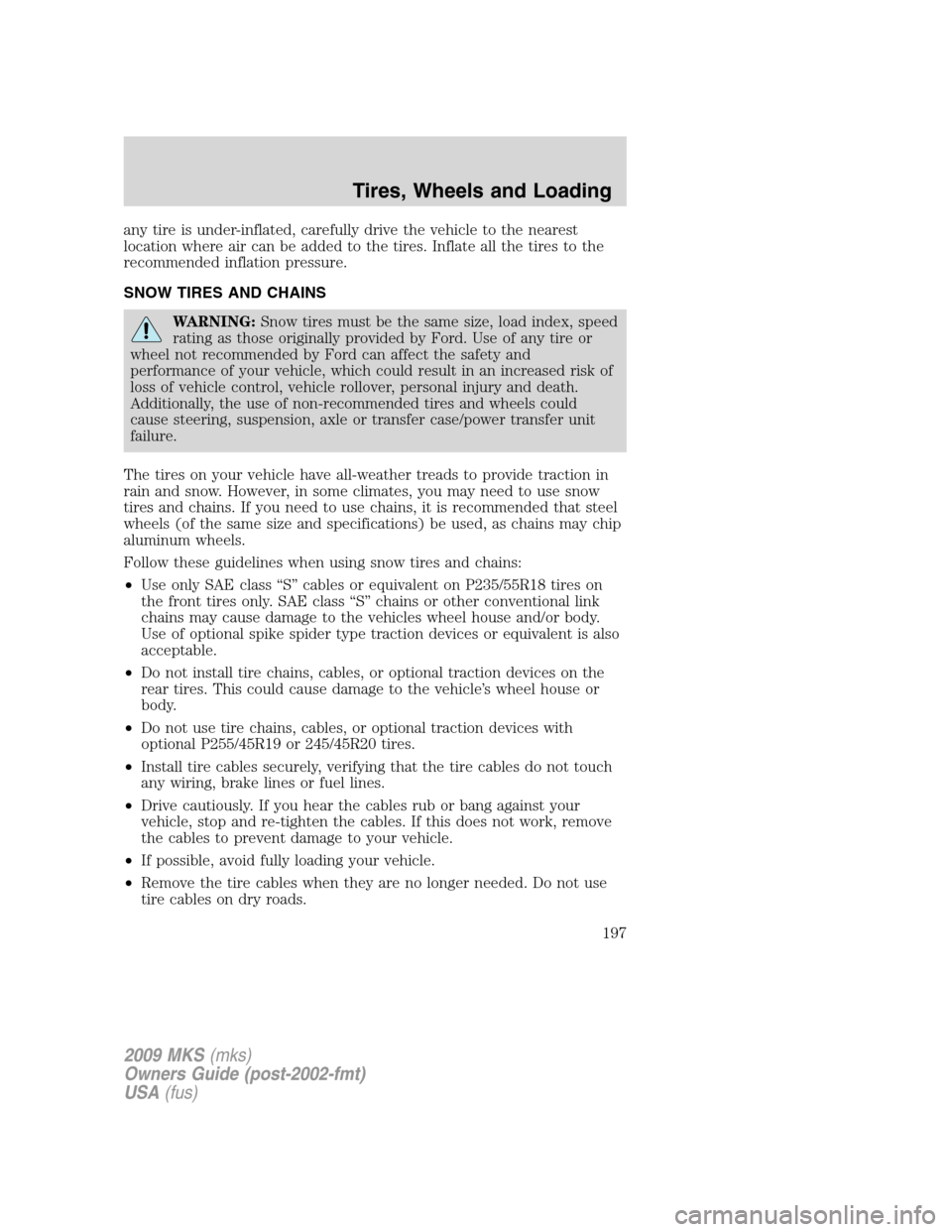
SNOW TIRES AND CHAINS
WARNING:Snow tires must be the same size, load index, speed
rating as those originally provided by Ford. Use of any tire or
wheel not recommended by Ford can affect the safety and
performance of your vehicle, which could result in an increased risk of
loss of vehicle control, vehicle rollover, personal injury and death.
Additionally, the use of non-recommended tires and wheels could
cause steering, suspension, axle or transfer case/power transfer unit
failure.
The tires on your vehicle have all-weather treads to provide traction in
rain and snow. However, in some climates, you may need to use snow
tires and chains. If you need to use chains, it is recommended that steel
wheels (of the same size and specifications) be used, as chains may chip
aluminum wheels.
Follow these guidelines when using snow tires and chains:
•Use only SAE class “S” cables or equivalent on P235/55R18 tires on
the front tires only. SAE class “S” chains or other conventional link
chains may cause damage to the vehicles wheel house and/or body.
Use of optional spike spider type traction devices or equivalent is also
acceptable.
•Do not install tire chains, cables, or optional traction devices on the
rear tires. This could cause damage to the vehicle’s wheel house or
body.
•Do not use tire chains, cables, or optional traction devices with
optional P255/45R19 or 245/45R20 tires.
•Install tire cables securely, verifying that the tire cables do not touch
any wiring, brake lines or fuel lines.
•Drive cautiously. If you hear the cables rub or bang against your
vehicle, stop and re-tighten the cables. If this does not work, remove
the cables to prevent damage to your vehicle.
•If possible, avoid fully loading your vehicle.
•Remove the tire cables when they are no longer needed. Do not use
tire cables on dry roads.
2009 MKS(mks)
Owners Guide (post-2002-fmt)
USA(fus)
Tires, Wheels and Loading
197
Page 198 of 323
•The suspension insulation and bumpers will help prevent vehicle
damage. Do not remove these components from your vehicle when
using snow tires and chains.
•Do not exceed 30 mph (48 km/h) with tire cables on your vehicle.
VEHICLE LOADING – WITH AND WITHOUT A TRAILER
This section will guide you in the proper loading of your vehicle and/or
trailer, to keep your loaded vehicle weight within its design rating
capability, with or without a trailer. Properly loading your vehicle will
provide maximum return of vehicle design performance. Before loading
your vehicle, familiarize yourself with the following terms for determining
your vehicle’s weight ratings, with or without a trailer, from the vehicle’s
Tire Label or Safety Compliance Certification Label:
Base Curb Weight– is the weight of the vehicle including a full tank of
fuel and all standard equipment. It does not include passengers, cargo, or
optional equipment.
Vehicle Curb Weight– is the weight of your new vehicle when you
picked it up from your authorized dealer plus any aftermarket
equipment.
2009 MKS(mks)
Owners Guide (post-2002-fmt)
USA(fus)
Tires, Wheels and Loading
198
Page 207 of 323
RECREATIONAL TOWING
Follow these guidelines for your specific powertrain combination to tow
your vehicle for personal travel (such as behind a motor home or a
truck).
In case of roadside emergency with a disabled vehicle, please refer to
Wrecker towingin theRoadside Emergencieschapter.
These guidelines are designed to prevent damage to your vehicle.
Front Wheel Drive (FWD) vehicles:
Tow your Front Wheel Drive vehicle with all four wheels on the ground
or with the front wheels off the ground by using a tow dolly. If you are
using a tow dolly follow the instructions specified by the equipment
provider.
All Wheel Drive (AWD) vehicles:
Tow your All Wheel Drive vehicle with all four wheels on the ground or
with all four wheels off the ground using a vehicle transport trailer.Do
not tow your All Wheel Drive vehicle with the front wheels off
the ground (by using a tow dolly) and the rear wheels on the
ground.This will cause damage to your AWD system. If you are using a
vehicle transport trailer, follow the instruction specified by the
equipment provider.
Note:If you tow your vehicle with all four wheels on the ground, follow
these instructions:
•Tow only in the forward direction.
•Release the parking brake.
•Place the transmission shift lever in (N) Neutral.
•Place the ignition in the accessory position (refer toStartingin the
Drivingchapter).
•Do not exceed 65 mph (105 km/h)
•Start the engine and allow it to run for five minutes at the beginning
of each day and at each fuel stop.
2009 MKS(mks)
Owners Guide (post-2002-fmt)
USA(fus)
Tires, Wheels and Loading
207
Page 208 of 323
STARTING
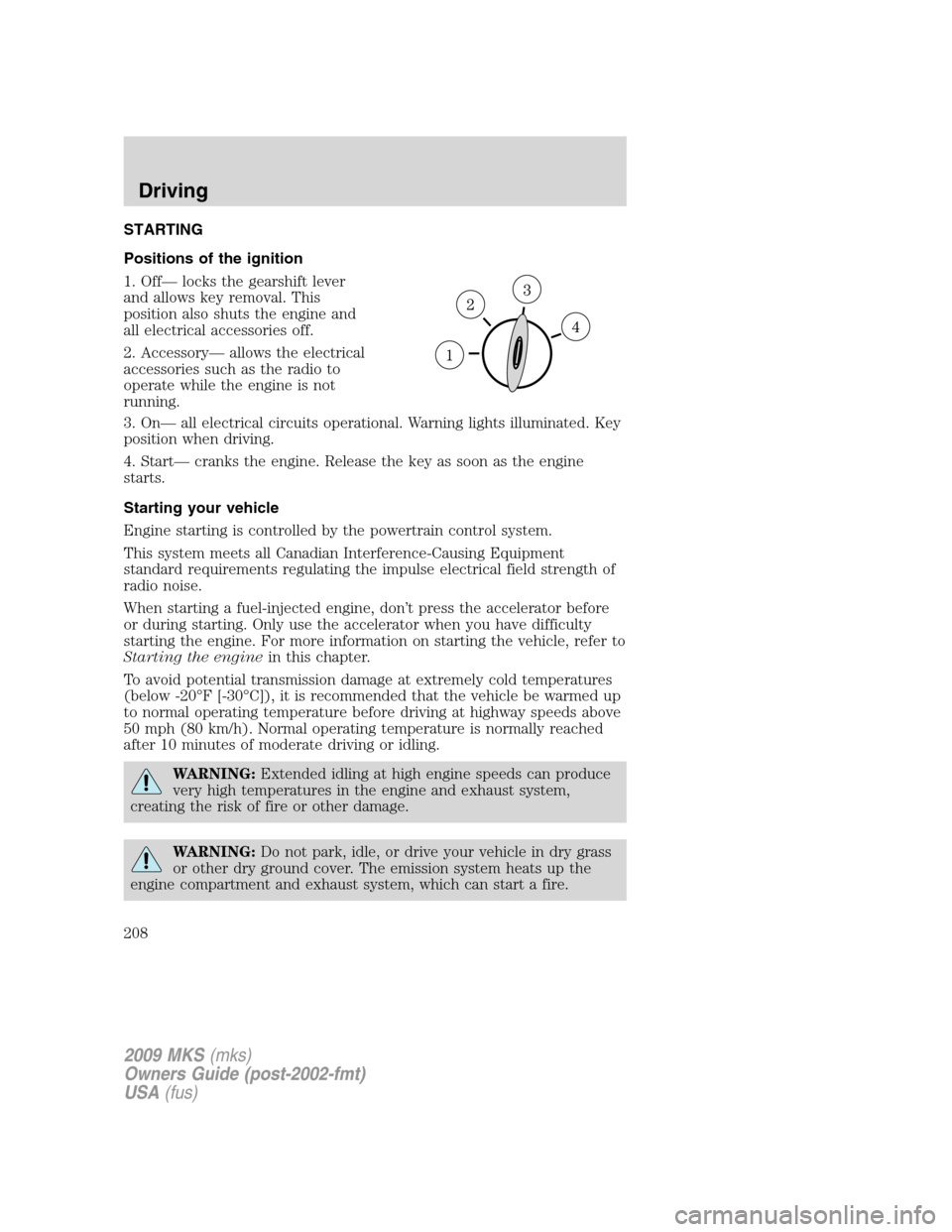
Positions of the ignition
1. Off— locks the gearshift lever
and allows key removal. This
position also shuts the engine and
all electrical accessories off.
2. Accessory— allows the electrical
accessories such as the radio to
operate while the engine is not
running.
3. On— all electrical circuits operational. Warning lights illuminated. Key
position when driving.
4. Start— cranks the engine. Release the key as soon as the engine
starts.
Starting your vehicle
Engine starting is controlled by the powertrain control system.
This system meets all Canadian Interference-Causing Equipment
standard requirements regulating the impulse electrical field strength of
radio noise.
When starting a fuel-injected engine, don’t press the accelerator before
or during starting. Only use the accelerator when you have difficulty
starting the engine. For more information on starting the vehicle, refer to
Starting the enginein this chapter.
To avoid potential transmission damage at extremely cold temperatures
(below -20°F [-30°C]), it is recommended that the vehicle be warmed up
to normal operating temperature before driving at highway speeds above
50 mph (80 km/h). Normal operating temperature is normally reached
after 10 minutes of moderate driving or idling.
WARNING:Extended idling at high engine speeds can produce
very high temperatures in the engine and exhaust system,
creating the risk of fire or other damage.
WARNING:Do not park, idle, or drive your vehicle in dry grass
or other dry ground cover. The emission system heats up the
engine compartment and exhaust system, which can start a fire.
2009 MKS(mks)
Owners Guide (post-2002-fmt)
USA(fus)
Driving
208
Page 211 of 323
3. After idling for a few seconds, apply the brake, shift into gear and
drive.
Note:If the engine does not start on the first try, turn the key to the off
position, wait 10 seconds and try step 2 again. If the engine still fails to
start, press the accelerator to the floor and try step 2 again, keeping the
accelerator on the floor until the engine begins to accelerate above
cranking speeds; this will allow the engine to crank with the fuel shut off
in case the engine is flooded with fuel.
Push button start system (if equipped)
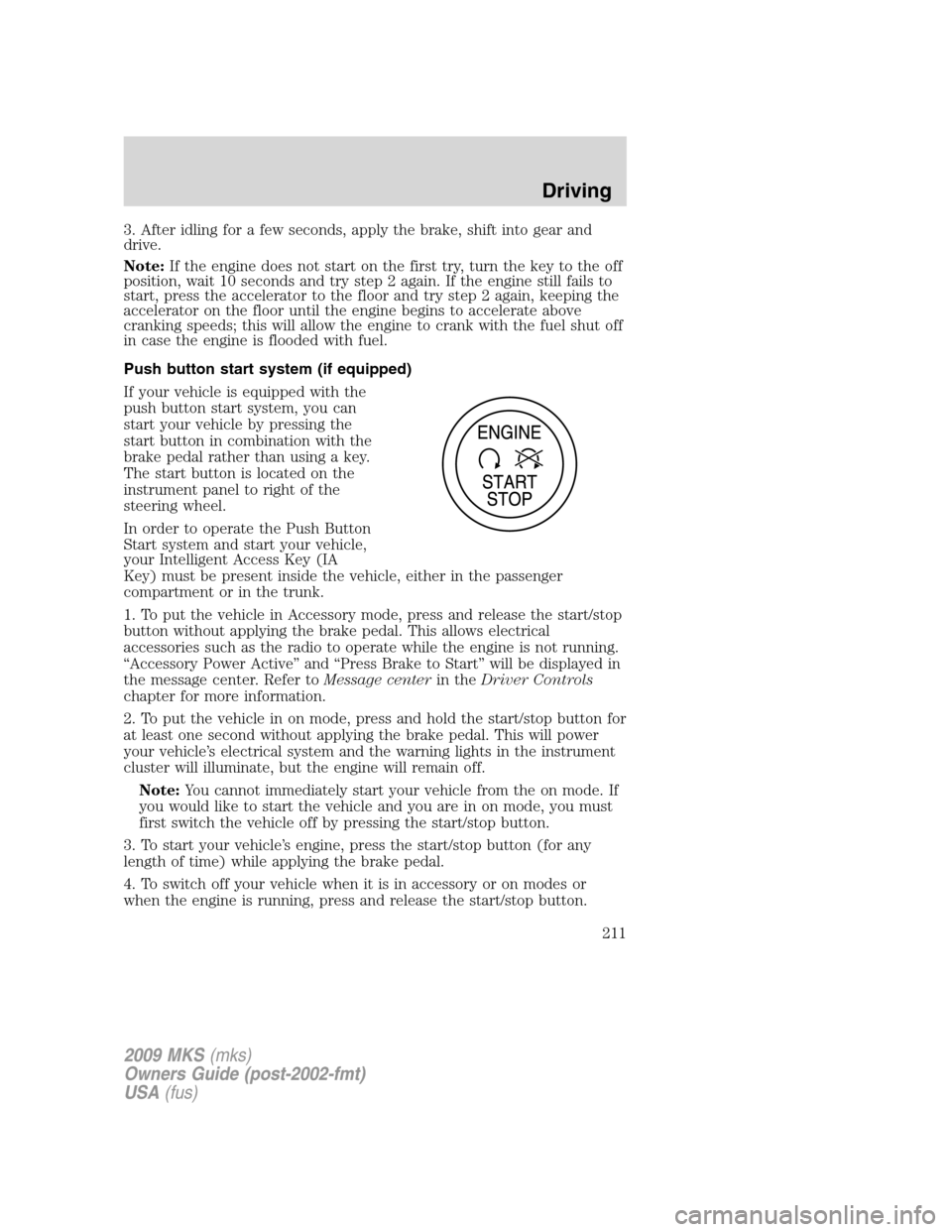
If your vehicle is equipped with the
push button start system, you can
start your vehicle by pressing the
start button in combination with the
brake pedal rather than using a key.
The start button is located on the
instrument panel to right of the
steering wheel.
In order to operate the Push Button
Start system and start your vehicle,
your Intelligent Access Key (IA
Key) must be present inside the vehicle, either in the passenger
compartment or in the trunk.
1. To put the vehicle in Accessory mode, press and release the start/stop
button without applying the brake pedal. This allows electrical
accessories such as the radio to operate while the engine is not running.
“Accessory Power Active” and “Press Brake to Start” will be displayed in
the message center. Refer toMessage centerin theDriver Controls
chapter for more information.
2. To put the vehicle in on mode, press and hold the start/stop button for
at least one second without applying the brake pedal. This will power
your vehicle’s electrical system and the warning lights in the instrument
cluster will illuminate, but the engine will remain off.
Note:You cannot immediately start your vehicle from the on mode. If
you would like to start the vehicle and you are in on mode, you must
first switch the vehicle off by pressing the start/stop button.
3. To start your vehicle’s engine, press the start/stop button (for any
length of time) while applying the brake pedal.
4. To switch off your vehicle when it is in accessory or on modes or
when the engine is running, press and release the start/stop button.
2009 MKS(mks)
Owners Guide (post-2002-fmt)
USA(fus)
Driving
211
Page 217 of 323
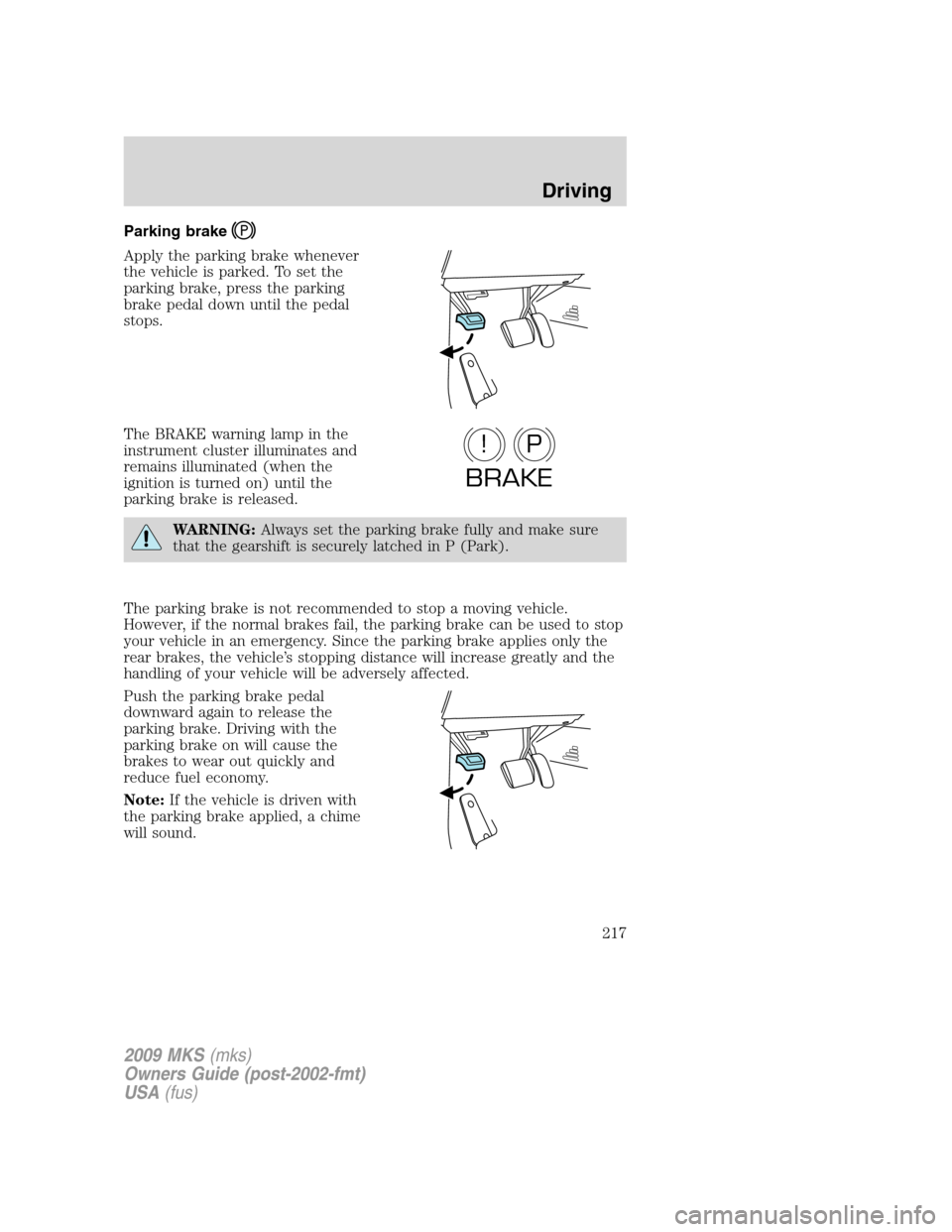
Parking brake
Apply the parking brake whenever
the vehicle is parked. To set the
parking brake, press the parking
brake pedal down until the pedal
stops.
The BRAKE warning lamp in the
instrument cluster illuminates and
remains illuminated (when the
ignition is turned on) until the
parking brake is released.
WARNING:Always set the parking brake fully and make sure
that the gearshift is securely latched in P (Park).
The parking brake is not recommended to stop a moving vehicle.
However, if the normal brakes fail, the parking brake can be used to stop
your vehicle in an emergency. Since the parking brake applies only the
rear brakes, the vehicle’s stopping distance will increase greatly and the
handling of your vehicle will be adversely affected.
Push the parking brake pedal
downward again to release the
parking brake. Driving with the
parking brake on will cause the
brakes to wear out quickly and
reduce fuel economy.
Note:If the vehicle is driven with
the parking brake applied, a chime
will sound.
P!
BRAKE
2009 MKS(mks)
Owners Guide (post-2002-fmt)
USA(fus)
Driving
217
Page 224 of 323
WARNING:Always set the parking brake fully and make sure
the gearshift is latched in P (Park). Switch the ignition off and
remove the key whenever you leave your vehicle.
R (Reverse)
With the gearshift lever in R (Reverse), the vehicle will move backward.
Always come to a complete stop before shifting into and out of R
(Reverse).
N (Neutral)
With the gearshift lever in N (Neutral), the vehicle can be started and is
free to roll. Hold the brake pedal down while in this position.
D (Drive) with Overdrive
The normal driving position for the best fuel economy. Transmission
operates in gears one through six.
D (Drive) with Overdrive Cancel and Grade Assist
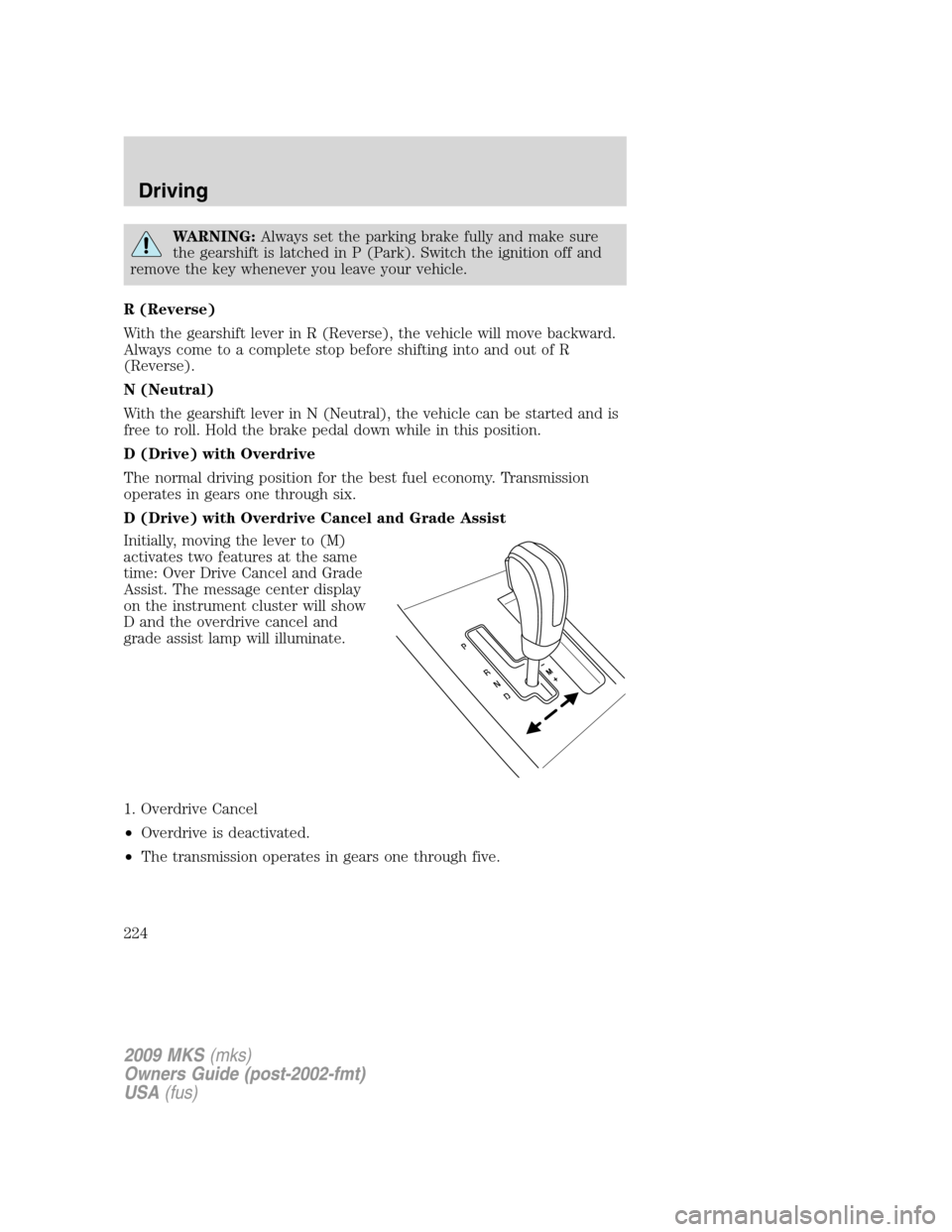
Initially, moving the lever to (M)
activates two features at the same
time: Over Drive Cancel and Grade
Assist. The message center display
on the instrument cluster will show
D and the overdrive cancel and
grade assist lamp will illuminate.
1. Overdrive Cancel
•Overdrive is deactivated.
•The transmission operates in gears one through five.
2009 MKS(mks)
Owners Guide (post-2002-fmt)
USA(fus)
Driving
224