lock LINCOLN MKS 2009 Service Manual
[x] Cancel search | Manufacturer: LINCOLN, Model Year: 2009, Model line: MKS, Model: LINCOLN MKS 2009Pages: 323, PDF Size: 2.58 MB
Page 105 of 323
The battery saver feature will turn off the interior lamps 10 minutes after
the ignition is turned off.
Two stage unlocking may be disabled or re-enabled by simultaneously
pressing the
andcontrols on the transmitter for four seconds
(disabling two stage unlock allows all vehicle doors to unlock
simultaneously). The turn lamps will flash twice to indicate that
two-stage unlock was enabled or disabled.
If equipped with Intelligent Access Key, when two stage unlocking is
disabled, Intelligent Access at the driver’s door results in an unlock of all
doors (not just the driver door).
Locking the doors
1. Pressand release to lock all the doors. The turn lamps will flash.
2. Press
and release again within three seconds to confirm that all
the doors are closed.Note:The doors will lock again, the horn will chirp
and the turn lamps will flash once if all the doors and trunk are closed.
Note:If any door or the trunk is not closed, the horn will chirp twice
and the lamps will not flash.
Car finder
Press
twice within three seconds. The horn will chirp and the turn
lamps will flash. It is recommended that this method be used to locate
your vehicle, rather than using the panic alarm.
Sounding a panic alarm
Press
to activate the alarm. The horn will sound and the turn lamps
will flash for a maximum of three minutes. Press again or turn the
ignition on to deactivate, or wait for the alarm to time out in three
minutes.
Note:The panic alarm will only operate when the ignition is off.
Opening the trunk
Press
twice within three seconds to open the trunk.
•Ensure that the trunk is closed and latched before driving your
vehicle. Failure to properly latch the trunk may cause objects to fall
out or block the driver’s rear view.
The remote entry system allows you to open the trunk while the ignition
is in any position. However, if the ignition is on and the gearshift is in D
(Drive), the trunk will only open if the vehicle is moving 3 mph (5 km/h)
or slower.
2009 MKS(mks)
Owners Guide (post-2002-fmt)
USA(fus)
Locks and Security
105
Page 106 of 323
Memory seats/power mirrors/steering column
The Integrated Keyhead Transmitter IKT or Intelligent Access Key allows
you to recall the memory seat/power mirrors/steering column feature.
Press
on the transmitter or activate the Intelligent Access feature to
automatically move the seat, mirrors and steering column to the desired
memory position.
Note:The seat will not travel to its final position if the key is not in the
ignition (if equipped) and the easy entry feature is enabled.
Activating the memory feature
To activate this feature:
1. Position the seat, mirrors, and steering column to the desired
positions.
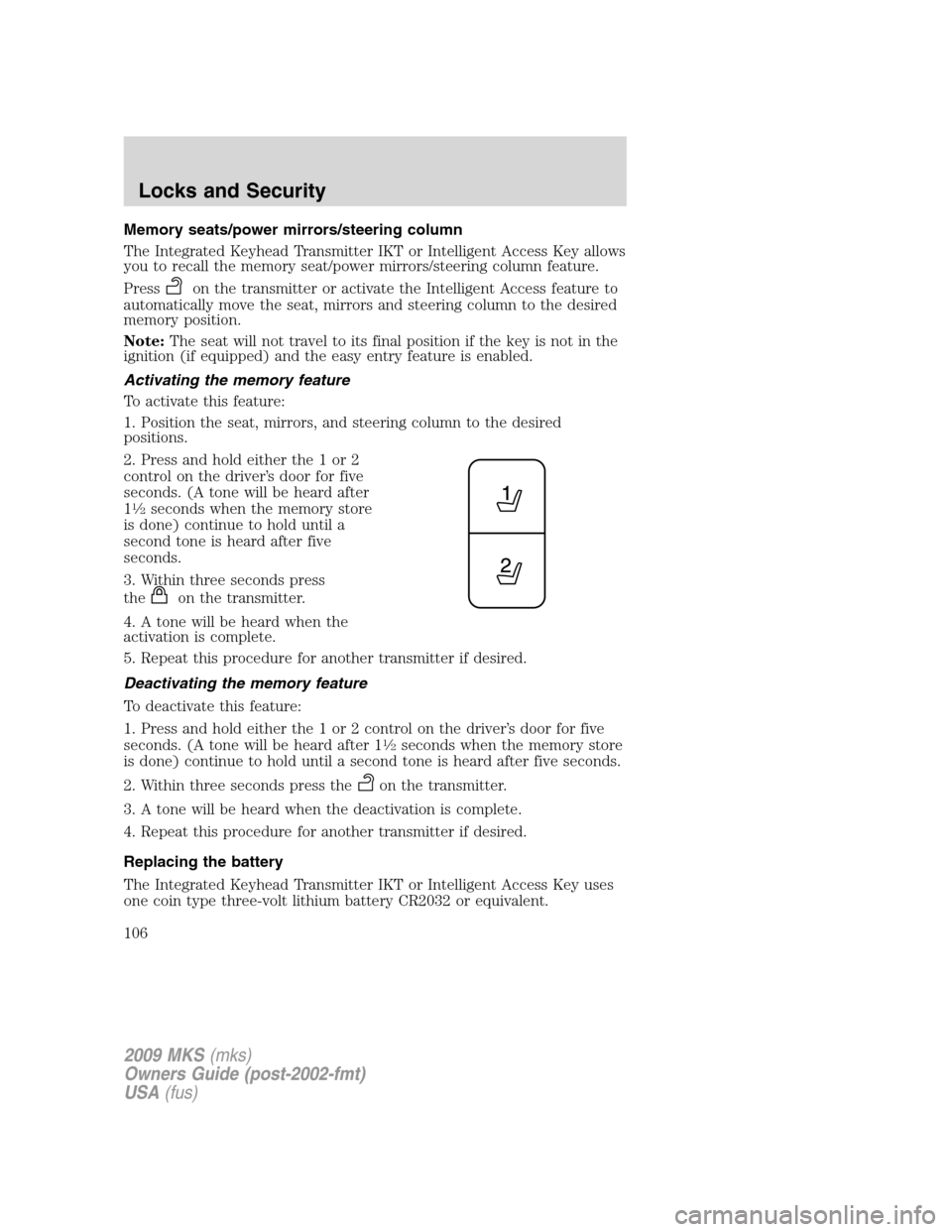
2. Press and hold either the 1 or 2
control on the driver’s door for five
seconds. (A tone will be heard after
1
12seconds when the memory store
is done) continue to hold until a
second tone is heard after five
seconds.
3. Within three seconds press
the
on the transmitter.
4. A tone will be heard when the
activation is complete.
5. Repeat this procedure for another transmitter if desired.
Deactivating the memory feature
To deactivate this feature:
1. Press and hold either the 1 or 2 control on the driver’s door for five
seconds. (A tone will be heard after 1
12seconds when the memory store
is done) continue to hold until a second tone is heard after five seconds.
2. Within three seconds press the
on the transmitter.
3. A tone will be heard when the deactivation is complete.
4. Repeat this procedure for another transmitter if desired.
Replacing the battery
The Integrated Keyhead Transmitter IKT or Intelligent Access Key uses
one coin type three-volt lithium battery CR2032 or equivalent.
2009 MKS(mks)
Owners Guide (post-2002-fmt)
USA(fus)
Locks and Security
106
Page 107 of 323
To replace the battery:
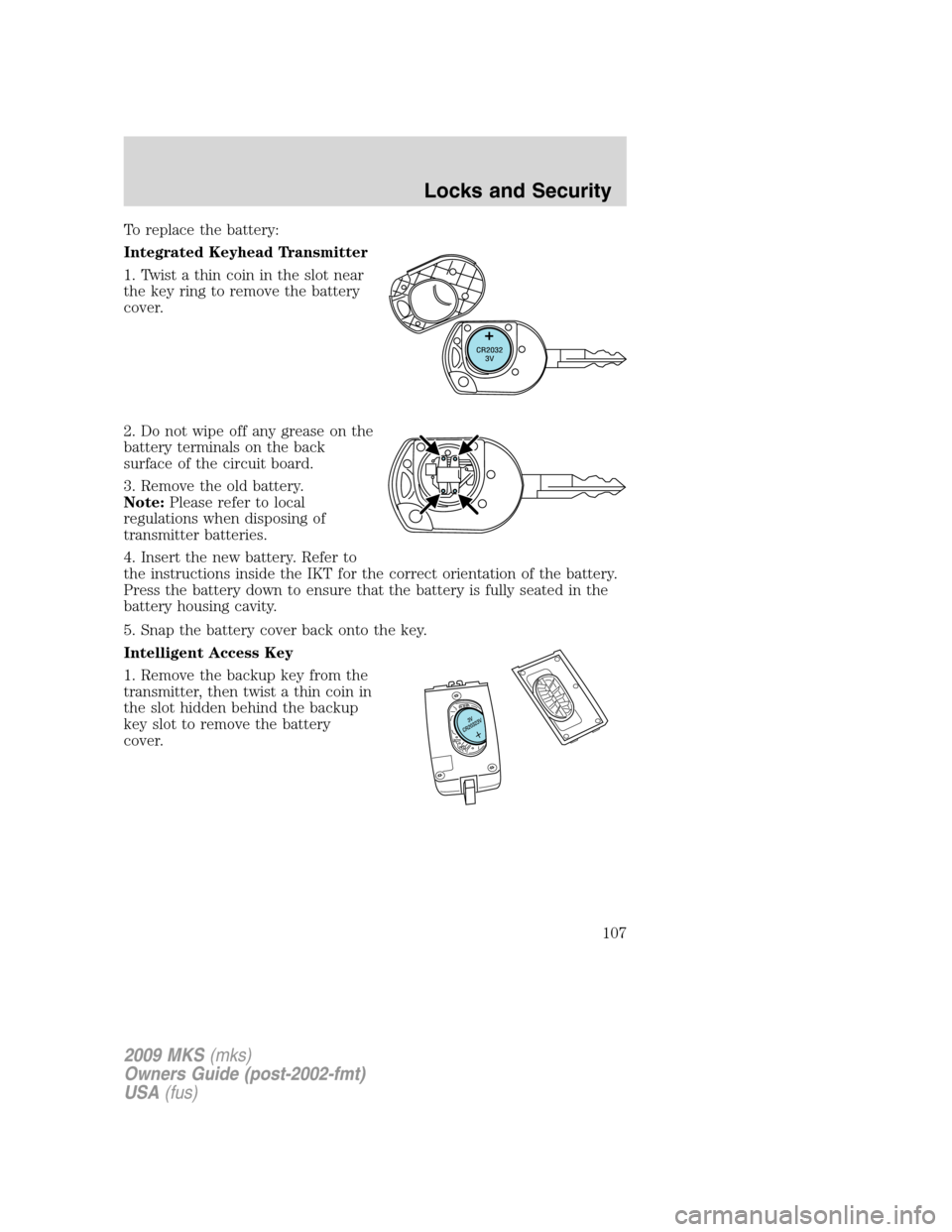
Integrated Keyhead Transmitter
1. Twist a thin coin in the slot near
the key ring to remove the battery
cover.
2. Do not wipe off any grease on the
battery terminals on the back
surface of the circuit board.
3. Remove the old battery.
Note:Please refer to local
regulations when disposing of
transmitter batteries.
4. Insert the new battery. Refer to
the instructions inside the IKT for the correct orientation of the battery.
Press the battery down to ensure that the battery is fully seated in the
battery housing cavity.
5. Snap the battery cover back onto the key.
Intelligent Access Key
1. Remove the backup key from the
transmitter, then twist a thin coin in
the slot hidden behind the backup
key slot to remove the battery
cover.
2009 MKS(mks)
Owners Guide (post-2002-fmt)
USA(fus)
Locks and Security
107
Page 108 of 323

2. Do not wipe off any grease on the
battery terminals or on the back
surface of the circuit board.
3. Remove the old battery.
Note:Please refer to local
regulations when disposing of
transmitter batteries.
4. Insert the new battery. Refer to
the instructions inside the
Intelligent Access Key for the
correct orientation of the battery. Press the battery down to ensure that
the battery is fully seated in the battery housing cavity.
5. Snap the battery cover back onto the transmitter and install the
backup key.
Note:Replacement of the battery willnotcause the Integrated Keyhead
Transmitter or Intelligent Access Key to become deprogrammed from
your vehicle. They should operate normally after battery replacement.
Replacing lost Integrated Keyhead Transmitters (IKTs) or Intelligent
Access Keys
If you would like to have your Integrated Keyhead Transmitters or
Intelligent Access Keys reprogrammed because you lost one, or would
like to buy additional transmitters you can either reprogram them
yourself, or takeall transmittersto your authorized dealer for
reprogramming.
How to reprogram your Integrated Keyhead Transmitters (IKTs) or
Intelligent Access Keys
To program a new Integrated Keyhead Transmitter or Intelligent Access
Keys yourself, refer toSecuriLock™ passive anti-theftsection of this
chapter.Note:At least two already programmed transmitters are
required to perform this procedure yourself.
Illuminated entry
The interior lamps and puddle lamps (if equipped) illuminate when the
Integrated Keyhead Transmitter or Intelligent Access Keys or the keyless
entry system keypad or Intelligent Access feature is used to unlock the
door(s).
The illuminated entry system will turn off the interior lights if:
•the ignition is turned on, or
2009 MKS(mks)
Owners Guide (post-2002-fmt)
USA(fus)
Locks and Security
108
Page 109 of 323
•thecontrol on the transmitter is pressed, or
•the vehicle is locked using the keyless entry keypad, or
•the vehicle is locked using the key in the driver door cylinder, or
•after 25 seconds of illumination.
The inside lights will not turn off if:
•they have been turned on with the dimmer control, or
•any door is open.
Perimeter lamps illuminated entry
With the remote entry system, the following items will illuminate when
the
control on the transmitter is pressed:
•Headlamps
•Park lamps
•Tail lamps
The lamps will automatically turn off:
•if the ignition switch is turned on, or
•the
control on the transmitter is pressed, or
•the vehicle is locked using the keyless entry keypad, or
•the vehicle is locked using the key in the driver door cylinder, or
•after 25 seconds of illumination.
Note:On some vehicles, the perimeter lamps illuminated entry feature
will not activate in daylight conditions.
Deactivating/activating perimeter lamps illuminated entry
You may enable/disable this feature by having your vehicle serviced by
your authorized dealer.
You may also perform the following power door lock sequence to
enable/disable the perimeter lamps feature.Note:Before starting, ensure
the ignition is off and all vehicle doors are closed. You must complete
Steps 1–5 within 30 seconds or the procedure will have to be repeated. If
the procedure needs to be repeated, wait a minimum of 30 seconds
before beginning again.
2009 MKS(mks)
Owners Guide (post-2002-fmt)
USA(fus)
Locks and Security
109
Page 110 of 323
1. Turn the ignition on.
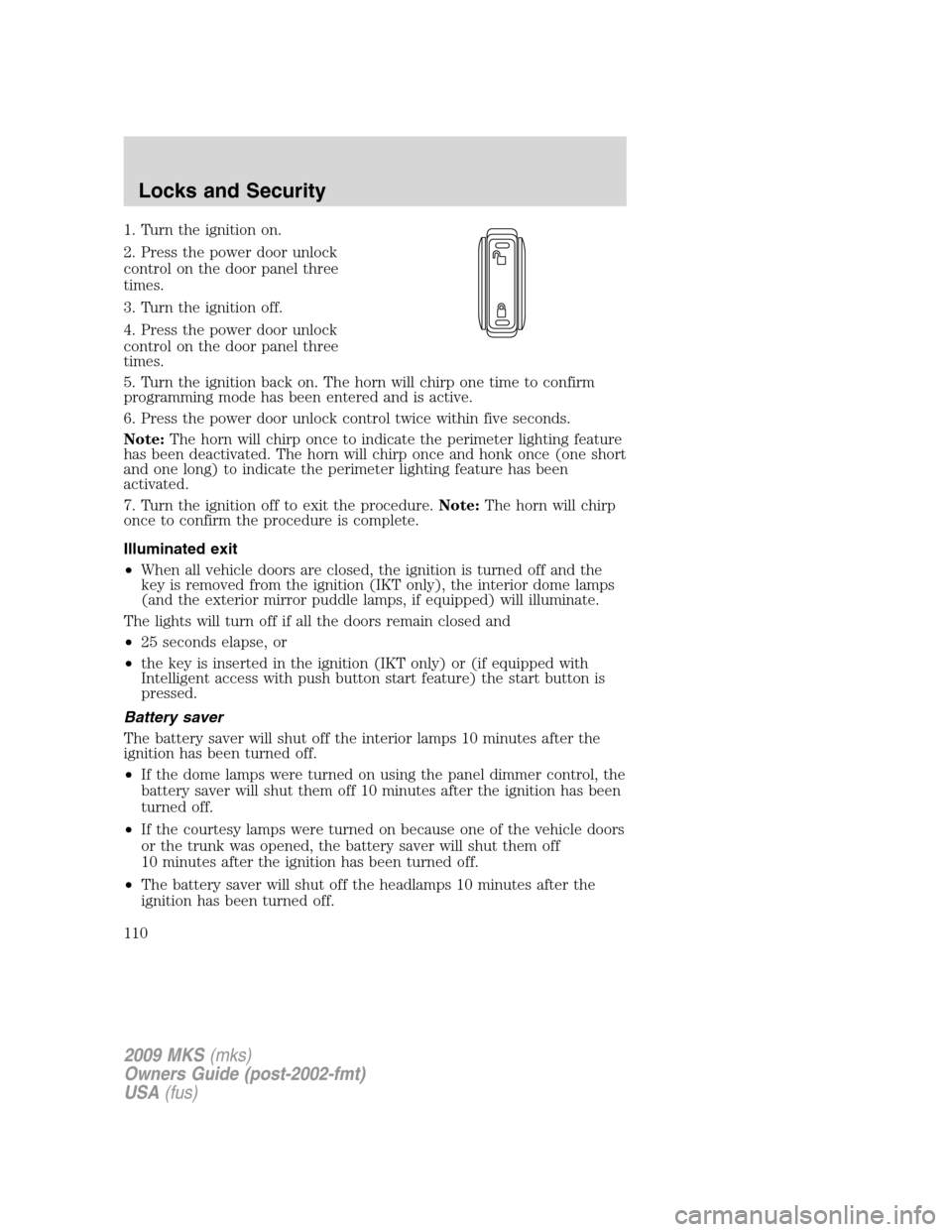
2. Press the power door unlock
control on the door panel three
times.
3. Turn the ignition off.
4. Press the power door unlock
control on the door panel three
times.
5. Turn the ignition back on. The horn will chirp one time to confirm
programming mode has been entered and is active.
6. Press the power door unlock control twice within five seconds.
Note:The horn will chirp once to indicate the perimeter lighting feature
has been deactivated. The horn will chirp once and honk once (one short
and one long) to indicate the perimeter lighting feature has been
activated.
7. Turn the ignition off to exit the procedure.Note:The horn will chirp
once to confirm the procedure is complete.
Illuminated exit
•When all vehicle doors are closed, the ignition is turned off and the
key is removed from the ignition (IKT only), the interior dome lamps
(and the exterior mirror puddle lamps, if equipped) will illuminate.
The lights will turn off if all the doors remain closed and
•25 seconds elapse, or
•the key is inserted in the ignition (IKT only) or (if equipped with
Intelligent access with push button start feature) the start button is
pressed.
Battery saver
The battery saver will shut off the interior lamps 10 minutes after the
ignition has been turned off.
•If the dome lamps were turned on using the panel dimmer control, the
battery saver will shut them off 10 minutes after the ignition has been
turned off.
•If the courtesy lamps were turned on because one of the vehicle doors
or the trunk was opened, the battery saver will shut them off
10 minutes after the ignition has been turned off.
•The battery saver will shut off the headlamps 10 minutes after the
ignition has been turned off.
2009 MKS(mks)
Owners Guide (post-2002-fmt)
USA(fus)
Locks and Security
110
Page 111 of 323
SECURICODE™ KEYLESS ENTRY SYSTEM
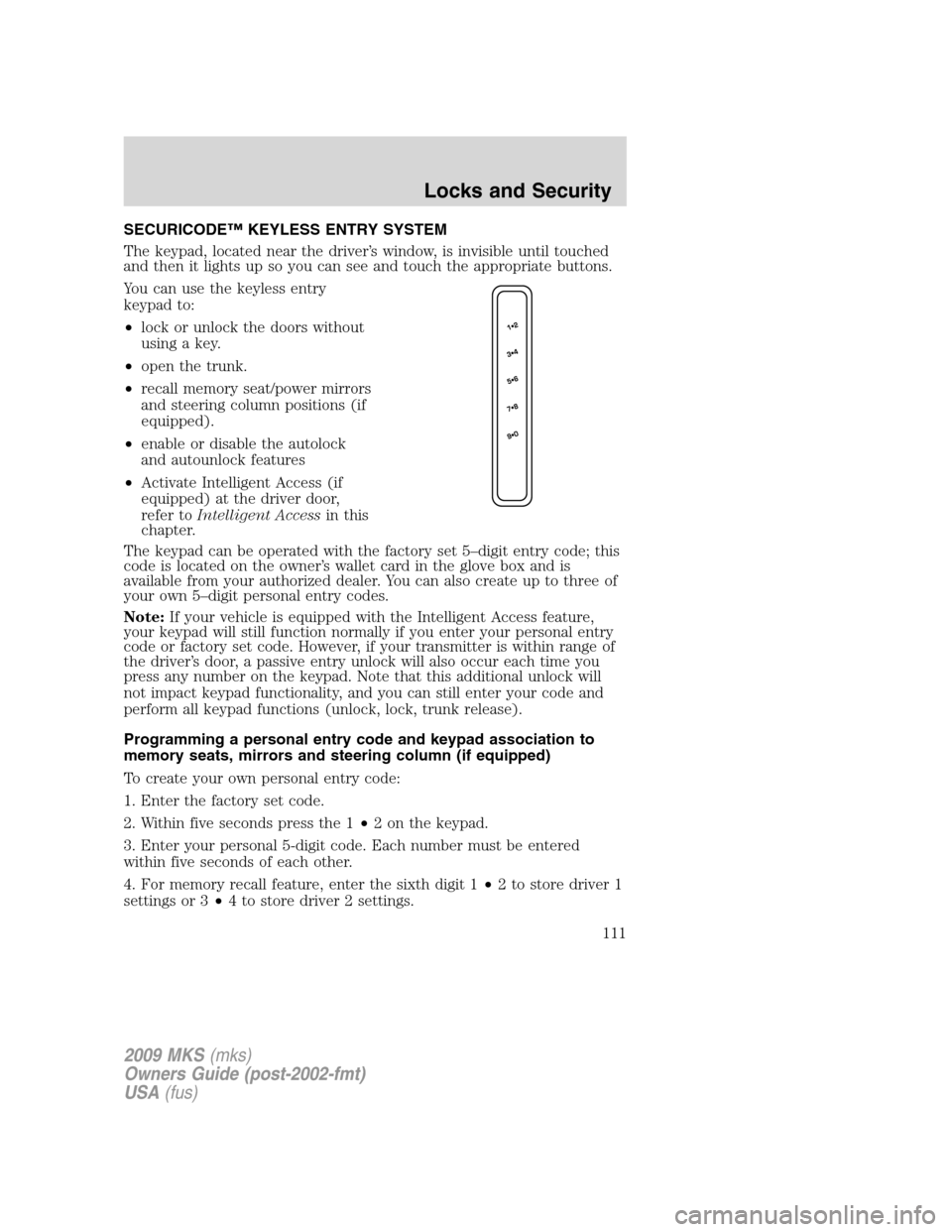
The keypad, located near the driver’s window, is invisible until touched
and then it lights up so you can see and touch the appropriate buttons.
You can use the keyless entry
keypad to:
•lock or unlock the doors without
using a key.
•open the trunk.
•recall memory seat/power mirrors
and steering column positions (if
equipped).
•enable or disable the autolock
and autounlock features
•Activate Intelligent Access (if
equipped) at the driver door,
refer toIntelligent Accessin this
chapter.
The keypad can be operated with the factory set 5–digit entry code; this
code is located on the owner’s wallet card in the glove box and is
available from your authorized dealer. You can also create up to three of
your own 5–digit personal entry codes.
Note:If your vehicle is equipped with the Intelligent Access feature,
your keypad will still function normally if you enter your personal entry
code or factory set code. However, if your transmitter is within range of
the driver’s door, a passive entry unlock will also occur each time you
press any number on the keypad. Note that this additional unlock will
not impact keypad functionality, and you can still enter your code and
perform all keypad functions (unlock, lock, trunk release).
Programming a personal entry code and keypad association to
memory seats, mirrors and steering column (if equipped)
To create your own personal entry code:
1. Enter the factory set code.
2. Within five seconds press the 1•2 on the keypad.
3. Enter your personal 5-digit code. Each number must be entered
within five seconds of each other.
4. For memory recall feature, enter the sixth digit 1•2 to store driver 1
settings or 3•4 to store driver 2 settings.
2009 MKS(mks)
Owners Guide (post-2002-fmt)
USA(fus)
Locks and Security
111
Page 112 of 323
Note:Touching 5•6, 7•8, or 9•0 keypad numbers as a sixth digit
will not recall a driver memory setting.
Note:The factory-set code cannot be associated with a memory setting.
5. The doors will lock then unlock to confirm that your personal entry
code has been programmed to the module.
Tips:
•Do not set a code that uses five of the same number.
•Do not use five numbers in sequential order.
•The factory set code will work even if you have set your own personal
code.
Erasing personal code
1. Enter the factory set 5–digit code.
2. Within five seconds, press the 1•2 on the keypad and release.
3. Press and hold the 1•2 for two seconds. This must be done within
five seconds of completing Step 2.
All personal codes are now erased and only the factory set 5–digit code
will work.
Anti-scan feature
If the wrong code has been entered seven times (35 consecutive button
presses), the keypad will go into an anti-scan mode. This mode disables
the keypad for one minute and the keypad lamp will flash.
The anti-scan feature will turn off after:
•one minute of keypad inactivity.
•pressing the
control on your transmitter.
•the ignition is turned on.
•the door is unlocked with a key
Unlocking and locking the doors using keyless entry
To unlock the driver’s door,enter the factory set 5-digit code or your
personal code. Each number must be pressed within five seconds of each
other. The interior lamps will illuminate.Note:If the two-stage unlocking
feature is disabled, all doors will unlock; for more information regarding
two-stage unlocking, refer to theCentral Unlocking/Two stage
unlockingsection earlier in this chapter.
To unlock all doors,enter the factory set code or your personal code,
then press the 3•4 control within five seconds.
2009 MKS(mks)
Owners Guide (post-2002-fmt)
USA(fus)
Locks and Security
112
Page 113 of 323

Note:If equipped with Intelligent Access, if the Intelligent Access Key is
within 3 feet (1 meter) of the driver door, your keyless entry keypad
code will still function the same way, but the driver’s door will also
unlock with each keypad button press.
To open the trunk,enter the factory set code or your personal code,
then press the 5•6 control within five seconds.
To lock all doors,press and hold the 7•8 and the 9•0 at the same
time (with the driver’s door closed) for 2 seconds will lock all doors. You
do notneed to enter the keypad code first.
SECURILOCK™ PASSIVE ANTI-THEFT SYSTEM
SecuriLock™ passive anti-theft system is an engine immobilization
system. This system is designed to help prevent the engine from being
started unless acoded Integrated Keyhead Transmitter (IKT) or
Intelligent Access Keys programmed to your vehicleis used. The
use of the wrong type of coded key may lead to a “no-start” condition.
Your vehicle comes with two coded Integrated Keyhead Transmitters or
Intelligent Access Keys; additional coded transmitters may be purchased
from your authorized dealer. The authorized dealer can program your
spare transmitters to your vehicle or you can program then yourself.
Refer toProgramming spare Integrated Keyhead Transmitters or
Programming Spare Intelligent Access Keysfor instructions on how to
program the coded key.
For Integrated Keyhead Transmitter (IKT), the Standard SecuriLock™
keys without remote entry transmitter functionality can also be
purchased from your authorized dealer if desired.
Note:The SecuriLock™ passive anti-theft system is not compatible with
non-Ford aftermarket remote start systems. Use of these systems may
result in vehicle starting problems and a loss of security protection.
Note:Large metallic objects, electronic devices that are used to
purchase gasoline or similar items, or a second coded key on the same
key chain may cause vehicle starting issues. You need to prevent these
objects from touching the coded key while starting the engine. These
objects will not cause damage to the coded key, but may cause a
momentary issue if they are too close to the key when starting the
engine. If a problem occurs, turn the ignition off, remove all objects on
the key chain away from the coded key and restart the engine.
Note: Do not leave a duplicate coded key in the vehicle. Always
take your keys and lock all doors when leaving the vehicle.
2009 MKS(mks)
Owners Guide (post-2002-fmt)
USA(fus)
Locks and Security
113
Page 114 of 323
Anti-theft indicator (If equipped)
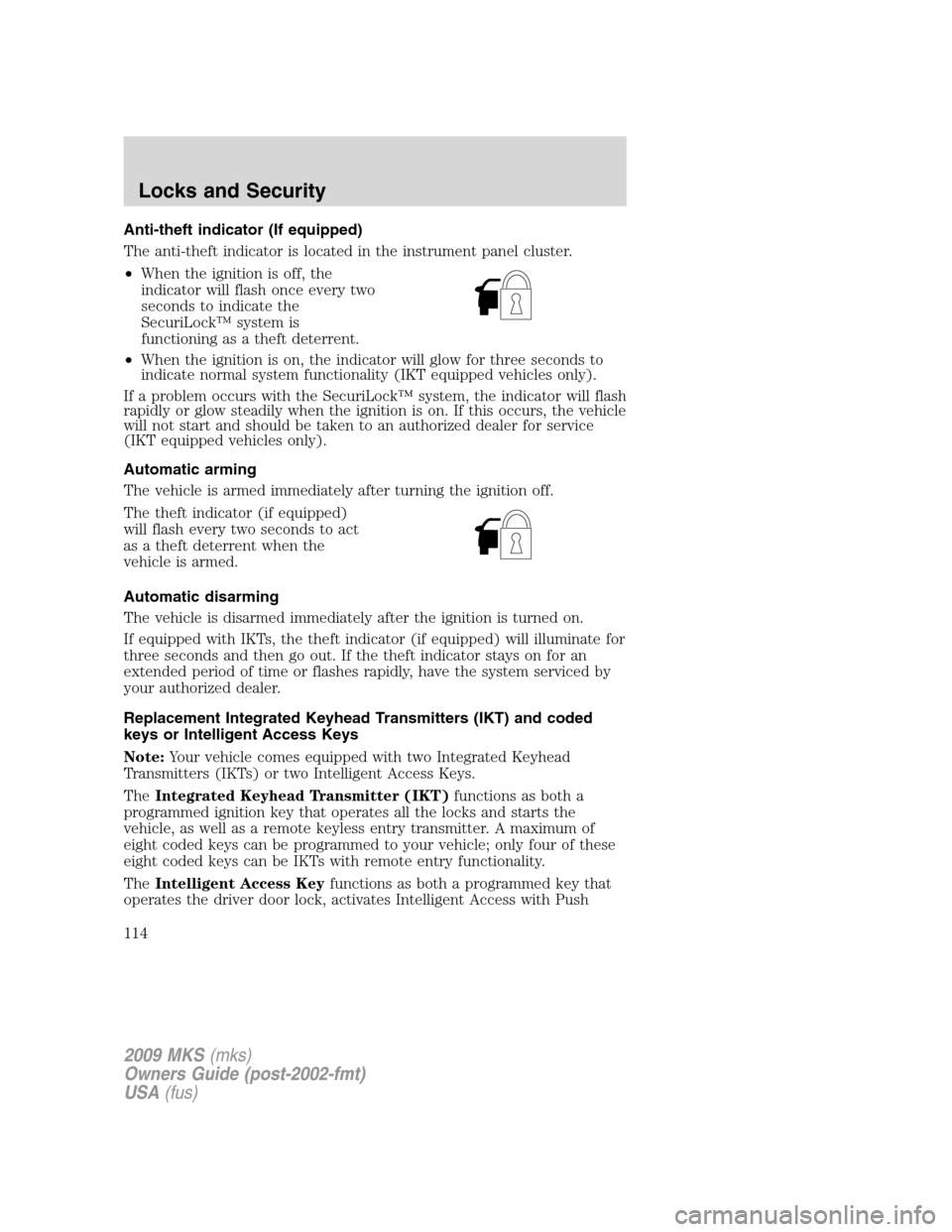
The anti-theft indicator is located in the instrument panel cluster.
•When the ignition is off, the
indicator will flash once every two
seconds to indicate the
SecuriLock™ system is
functioning as a theft deterrent.
•When the ignition is on, the indicator will glow for three seconds to
indicate normal system functionality (IKT equipped vehicles only).
If a problem occurs with the SecuriLock™ system, the indicator will flash
rapidly or glow steadily when the ignition is on. If this occurs, the vehicle
will not start and should be taken to an authorized dealer for service
(IKT equipped vehicles only).
Automatic arming
The vehicle is armed immediately after turning the ignition off.
The theft indicator (if equipped)
will flash every two seconds to act
as a theft deterrent when the
vehicle is armed.
Automatic disarming
The vehicle is disarmed immediately after the ignition is turned on.
If equipped with IKTs, the theft indicator (if equipped) will illuminate for
three seconds and then go out. If the theft indicator stays on for an
extended period of time or flashes rapidly, have the system serviced by
your authorized dealer.
Replacement Integrated Keyhead Transmitters (IKT) and coded
keys or Intelligent Access Keys
Note:Your vehicle comes equipped with two Integrated Keyhead
Transmitters (IKTs) or two Intelligent Access Keys.
TheIntegrated Keyhead Transmitter (IKT)functions as both a
programmed ignition key that operates all the locks and starts the
vehicle, as well as a remote keyless entry transmitter. A maximum of
eight coded keys can be programmed to your vehicle; only four of these
eight coded keys can be IKTs with remote entry functionality.
TheIntelligent Access Keyfunctions as both a programmed key that
operates the driver door lock, activates Intelligent Access with Push
2009 MKS(mks)
Owners Guide (post-2002-fmt)
USA(fus)
Locks and Security
114