warning LINCOLN MKS 2010 Owners Manual
[x] Cancel search | Manufacturer: LINCOLN, Model Year: 2010, Model line: MKS, Model: LINCOLN MKS 2010Pages: 358, PDF Size: 2.37 MB
Page 240 of 358
•uneven tire wear
•loose or worn suspension components
•loose or worn steering components
•improper vehicle alignment
A high crown in the road or high crosswinds may also make the steering
seem to wander/pull.
BRAKE-SHIFT INTERLOCK
This vehicle is equipped with a brake-shift interlock feature that prevents
the gearshift lever from being moved from P (Park) when the ignition is
in the on position unless the brake pedal is applied. If you cannot move
the gearshift lever out of P (Park) when the ignition is on and the brake
pedal applied, it is possible that a fuse has blown or the vehicle’s brake
lamps are not operating properly. Refer toFuses and relaysin the
Roadside Emergencieschapter.
If the fuse is not blown and the brakelamps are working properly, you
will need to have your vehicle towed to an authorized dealer.
WARNING:Do not drive your vehicle until you verify that the
brakelamps are working.
WARNING:Always set the parking brake fully and make sure
the gearshift is latched in P (Park). Switch the ignition to off,
and remove the key whenever you leave your vehicle.
WARNING:If the parking brake is fully released, but the brake
warning lamp remains illuminated, the brakes may not be
working properly. See your authorized dealer.
AUTOMATIC TRANSMISSION OPERATION
Understanding the gearshift positions of the 6–speed automatic
transmission
Your vehicle has been designed to improve fuel economy by reducing
fuel usage while coasting or decelerating. When you take your foot off
the accelerator pedal and the vehicle begins to slow down the torque
converter clutch locks up and aggressively shuts off fuel flow to the
engine while decelerating. This fuel economy benefit may be perceived
as a light to medium braking sensation when removing your foot from
the accelerator pedal.
Driving
240
2010 MKS(mks)
Owners Guide(own2002), 1st Printing
USA(fus)
Page 241 of 358
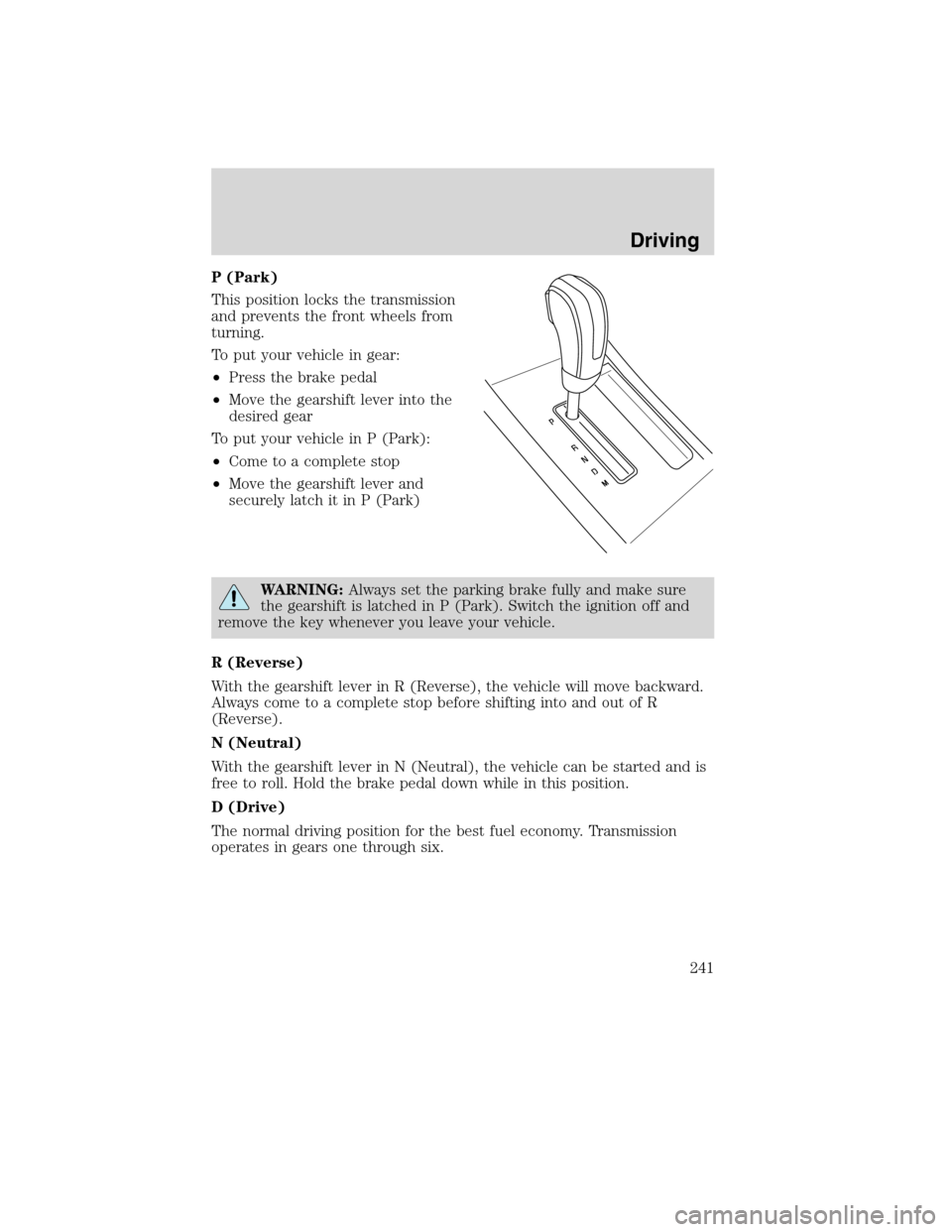
P (Park)
This position locks the transmission
and prevents the front wheels from
turning.
To put your vehicle in gear:
•Press the brake pedal
•Move the gearshift lever into the
desired gear
To put your vehicle in P (Park):
•Come to a complete stop
•Move the gearshift lever and
securely latch it in P (Park)
WARNING:Always set the parking brake fully and make sure
the gearshift is latched in P (Park). Switch the ignition off and
remove the key whenever you leave your vehicle.
R (Reverse)
With the gearshift lever in R (Reverse), the vehicle will move backward.
Always come to a complete stop before shifting into and out of R
(Reverse).
N (Neutral)
With the gearshift lever in N (Neutral), the vehicle can be started and is
free to roll. Hold the brake pedal down while in this position.
D (Drive)
The normal driving position for the best fuel economy. Transmission
operates in gears one through six.
Driving
241
2010 MKS(mks)
Owners Guide(own2002), 1st Printing
USA(fus)
Page 245 of 358
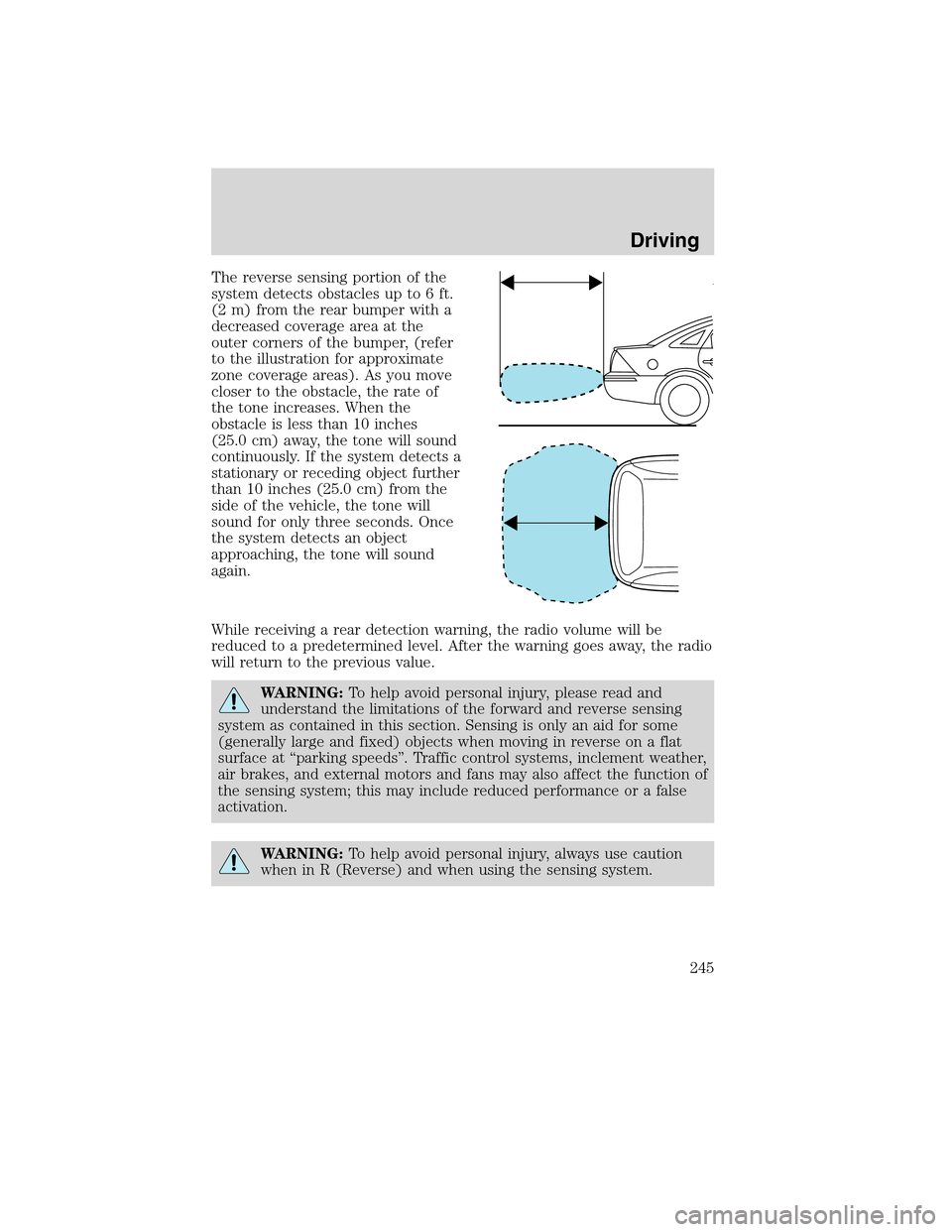
The reverse sensing portion of the
system detects obstacles up to 6 ft.
(2 m) from the rear bumper with a
decreased coverage area at the
outer corners of the bumper, (refer
to the illustration for approximate
zone coverage areas). As you move
closer to the obstacle, the rate of
the tone increases. When the
obstacle is less than 10 inches
(25.0 cm) away, the tone will sound
continuously. If the system detects a
stationary or receding object further
than 10 inches (25.0 cm) from the
side of the vehicle, the tone will
sound for only three seconds. Once
the system detects an object
approaching, the tone will sound
again.
While receiving a rear detection warning, the radio volume will be
reduced to a predetermined level. After the warning goes away, the radio
will return to the previous value.
WARNING:To help avoid personal injury, please read and
understand the limitations of the forward and reverse sensing
system as contained in this section. Sensing is only an aid for some
(generally large and fixed) objects when moving in reverse on a flat
surface at “parking speeds”. Traffic control systems, inclement weather,
air brakes, and external motors and fans may also affect the function of
the sensing system; this may include reduced performance or a false
activation.
WARNING:To help avoid personal injury, always use caution
when in R (Reverse) and when using the sensing system.
Driving
245
2010 MKS(mks)
Owners Guide(own2002), 1st Printing
USA(fus)
Page 246 of 358
WARNING:This system is not designed to prevent contact with
small or moving objects. The system is designed to provide a
warning to assist the driver in detecting large stationary objects to
avoid damaging the vehicle. The system may not detect smaller
objects, particularly those close to the ground.
WARNING:Certain add-on devices such as large trailer hitches,
bike or surfboard racks and any device that may block the
normal detection zone of the forward and reverse sensing system may
create false beeps.
The system will sound a tone to warn the driver of obstacles near either
bumper in the following manner:
•The front sensors will sound a high pitched tone which will appear to
come from the dashboard
•The rear sensors will sound a lower pitched tone which will appear to
come from the rear interior of the vehicle
•The sensing system will report the obstacle which is closest to the
front or rear of the vehicle. For example, if an obstacle is 12 inches
(30 cm) from the front of the vehicle and, at the same time, an
obstacle is only six inches (15 cm) from the rear of the vehicle, the
lower pitched tone will sound.
The reverse sensing portion of the system will assist the driver in
detecting certain objects while:
•the vehicle is in R (Reverse) and moving toward a stationary object at
a speed of 3 mph (5 km/h) or less.
•the vehicle is in R (Reverse) but not moving, and a moving object is
approaching the front or rear of the vehicle at a speed of 3 mph
(5 km/h) or less.
•the vehicle is in R (Reverse) and moving at a speed of less than
3 mph (5 km/h) and a moving object is approaching the rear of the
vehicle at a speed of less than 3 mph (5 km/h).
The system is automatically enabled when the gearshift lever is placed in
D (Drive) or R (Reverse) and the ignition is on. A control in the message
center allows the driver to disable the forward (if equipped) and/or
reverse system. Refer toMessage centerin theInstrument Cluster
chapter for more information. The message center will indicate a failure
in the forward or reverse system and will not allow the driver to switch
the faulted system on.
Driving
246
2010 MKS(mks)
Owners Guide(own2002), 1st Printing
USA(fus)
Page 248 of 358
Use the side mirrors and rearview mirror to get better coverage on both
sides and rear of the vehicle.
After shifting out of R (Reverse) and into any gear other than P (Park),
the image will remain until the vehicle speed reaches five mph (8 km/h),
only if the rear camera delay feature is on, or until any navigation radio
button is pressed.
Note:The default setting for the rear camera delay is off. Press the
“Settings” button found on the navigation screen to set the rear camera
delay feature to on or off.
The camera lens for the camera is located on the trunk, above the
license plate. Keep the lens clean so that the video image remains clear
and undistorted. Clean the lens with a soft, lint-free cloth and
non-abrasive cleaner.
Note:If the camera system image is not clear or seems distorted, it may
be covered with water droplets, snow, mud or any other substance. If
this occurs, clean the camera lens before using the camera system.
WARNING:The camera system is a reverse aid supplement
device that still requires the driver to use it in conjunction with
the rearview mirror and the side mirrors for maximum coverage.
WARNING:Objects that are close to either corner of the
bumper or under the bumper, might not be seen on the screen
due to the limited coverage of the camera system.
WARNING:Backup as slow as possible since higher speeds
might limit your reaction time to stop the vehicle.
WARNING:Do not use the camera system with the trunk open.
If the back end of the vehicle is hit or damaged, then check with your
authorized dealer to have your rear video system checked for proper
coverage and operation.
Driving
248
2010 MKS(mks)
Owners Guide(own2002), 1st Printing
USA(fus)
Page 249 of 358
Night time and dark area use
At night time or in dark areas, the camera system relies on the reverse
lamp lighting to produce an image. Therefore it is necessary that both
reverse lamps are operating in order to get a clear image in the dark. If
either of the lamps are not operating, stop using the camera system, at
least in the dark, until the lamp(s) are replaced and functioning.
Servicing
•If the image comes on while the vehicle is not in R (Reverse), have
the system inspected by your authorized dealer.
•If the image is not clear, then check if there is anything covering the
lens such as dirt, mud, ice, snow, etc. If the image is still not clear
after cleaning, have your system inspected by your authorized dealer.
COLLISION WARNING SYSTEM (IF EQUIPPED)
The Collision Warning with Brake Support, is designed to alert the driver
of certain collision risks with a red warning light located above the
dashboard and an audible warning chime. The brake support helps
assists the driver in reducing the collision speed, by pre-charging the
brakes.
WARNING:This system is designed to be a supplementary
driving aid. It is not intended to replace the driver’s attention,
and judgement, or the need to apply the brakes. This system does NOT
activate the brakes automatically. Failure to press the brake pedal to
activate the brakes may result in a collision.
WARNING:The Collision Warning System with Brake Support
cannot help prevent all collisions. Do not rely on this system to
replace driver judgment and the need to maintain distance and speed.
Note:The Collision Warning with Brake Support will not detect, warn, or
respond to potential collisions with vehicles to the rear or sides of the
vehicle.
Driving
249
2010 MKS(mks)
Owners Guide(own2002), 1st Printing
USA(fus)
Page 250 of 358
Operation
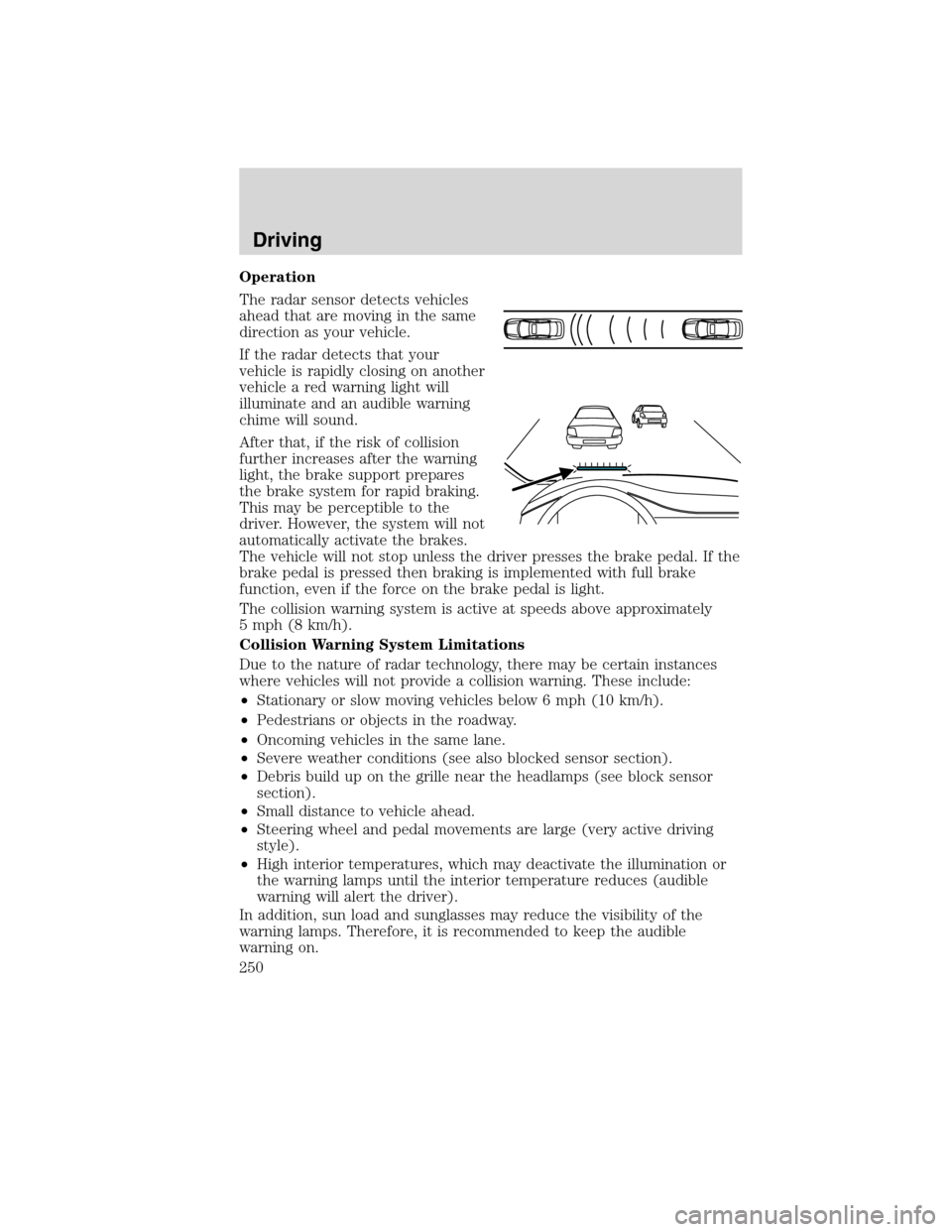
The radar sensor detects vehicles
ahead that are moving in the same
direction as your vehicle.
If the radar detects that your
vehicle is rapidly closing on another
vehicle a red warning light will
illuminate and an audible warning
chime will sound.
After that, if the risk of collision
further increases after the warning
light, the brake support prepares
the brake system for rapid braking.
This may be perceptible to the
driver. However, the system will not
automatically activate the brakes.
The vehicle will not stop unless the driver presses the brake pedal. If the
brake pedal is pressed then braking is implemented with full brake
function, even if the force on the brake pedal is light.
The collision warning system is active at speeds above approximately
5 mph (8 km/h).
Collision Warning System Limitations
Due to the nature of radar technology, there may be certain instances
where vehicles will not provide a collision warning. These include:
•Stationary or slow moving vehicles below 6 mph (10 km/h).
•Pedestrians or objects in the roadway.
•Oncoming vehicles in the same lane.
•Severe weather conditions (see also blocked sensor section).
•Debris build up on the grille near the headlamps (see block sensor
section).
•Small distance to vehicle ahead.
•Steering wheel and pedal movements are large (very active driving
style).
•High interior temperatures, which may deactivate the illumination or
the warning lamps until the interior temperature reduces (audible
warning will alert the driver).
In addition, sun load and sunglasses may reduce the visibility of the
warning lamps. Therefore, it is recommended to keep the audible
warning on.
Driving
250
2010 MKS(mks)
Owners Guide(own2002), 1st Printing
USA(fus)
Page 251 of 358
WARNING:The collision warning system’s brake support can
only help reduce the speed at which a collision occurs if the
driver applies the vehicle’s brakes. The brake pedal must be pressed
just like for any typical braking situation.
Blocked sensor
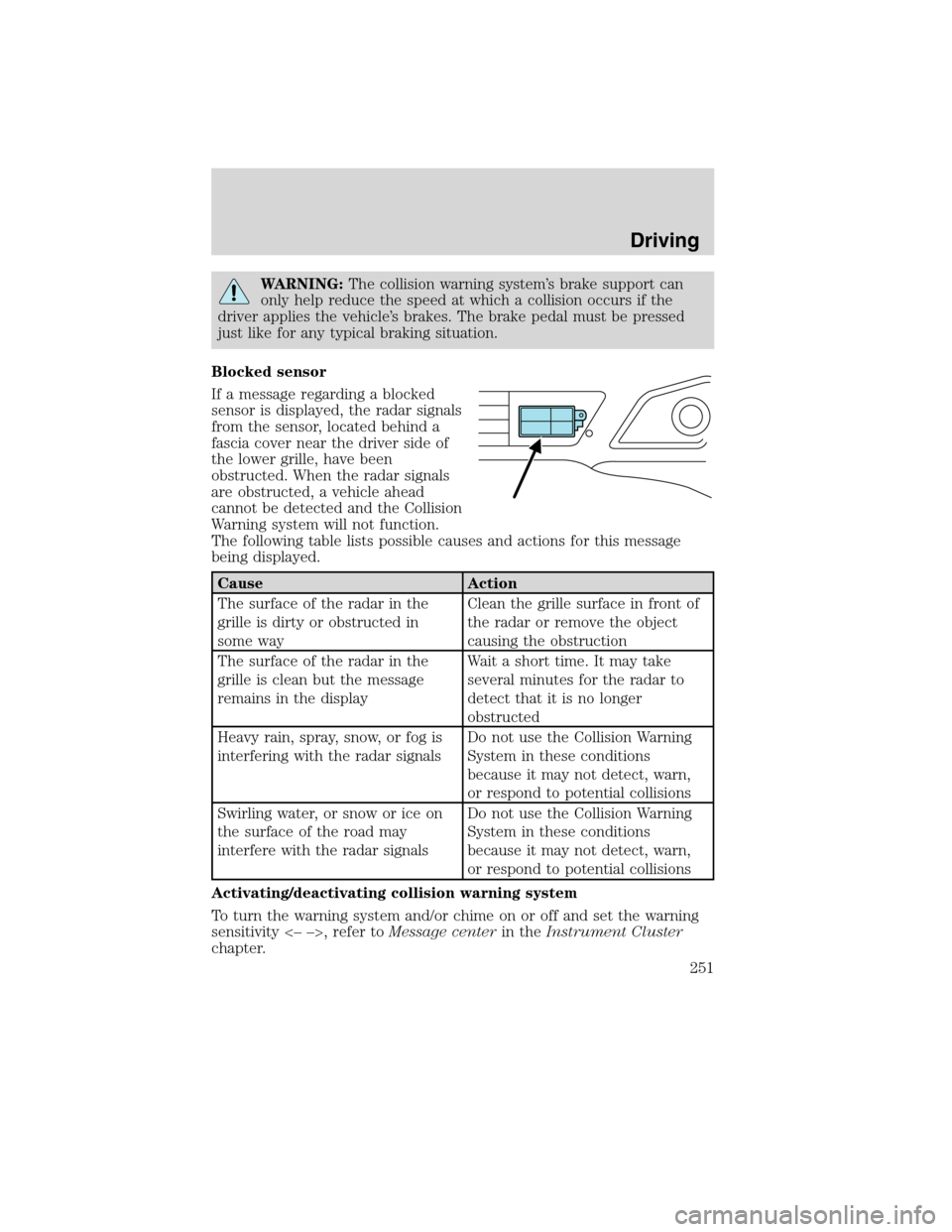
If a message regarding a blocked
sensor is displayed, the radar signals
from the sensor, located behind a
fascia cover near the driver side of
the lower grille, have been
obstructed. When the radar signals
are obstructed, a vehicle ahead
cannot be detected and the Collision
Warning system will not function.
The following table lists possible causes and actions for this message
being displayed.
Cause Action
The surface of the radar in the
grille is dirty or obstructed in
some wayClean the grille surface in front of
the radar or remove the object
causing the obstruction
The surface of the radar in the
grille is clean but the message
remains in the displayWait a short time. It may take
several minutes for the radar to
detect that it is no longer
obstructed
Heavy rain, spray, snow, or fog is
interfering with the radar signalsDo not use the Collision Warning
System in these conditions
because it may not detect, warn,
or respond to potential collisions
Swirling water, or snow or ice on
the surface of the road may
interfere with the radar signalsDo not use the Collision Warning
System in these conditions
because it may not detect, warn,
or respond to potential collisions
Activating/deactivating collision warning system
To turn the warning system and/or chime on or off and set the warning
sensitivity <– –>, refer toMessage centerin theInstrument Cluster
chapter.
Driving
251
2010 MKS(mks)
Owners Guide(own2002), 1st Printing
USA(fus)
Page 252 of 358
Note:If the system cannot be turned off in a MyKey™ equipped vehicle,
refer toMyKey™in theLocks and Securitychapter for more
information.
Note:If collision warnings are perceived as being too frequent or
disturbing then the warning sensitivity can be reduced, though the
manufacturer recommends using the highest sensitivity setting where
possible. Setting lower sensitivity would lead to fewer and later system
warnings. Refer to theMessage centerin theInstrument Cluster
chapter for instructions on reducing the sensitivity.
ACTIVE PARK ASSIST (APA) (IF EQUIPPED)
Active Park Assist (APA) will detect an available parallel parking space
and automatically steer the vehicle into the space (hands free) while you
control the accelerator, gearshift and brakes. The system will visually
and/or audibly instruct the driver to park the vehicle.
WARNING:This system is designed to be a supplementary park
aid. It is not intended to replace the driver’s attention and
judgment. The driver is responsible for avoiding hazards and
maintaining a safe distance and speed, even when the APA is in use.
Automatic Search for Parking Space
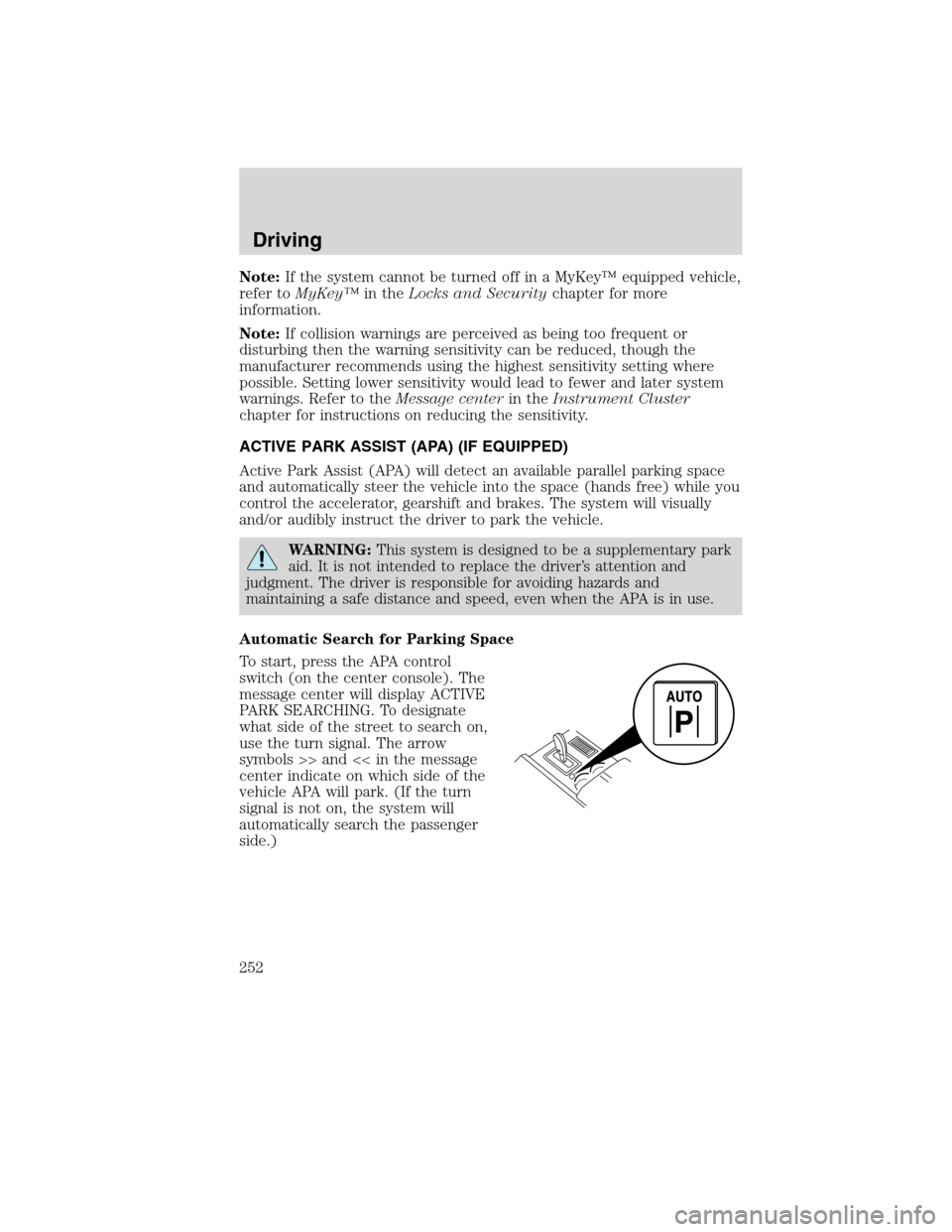
To start, press the APA control
switch (on the center console). The
message center will display ACTIVE
PARK SEARCHING. To designate
what side of the street to search on,
use the turn signal. The arrow
symbols >> and << in the message
center indicate on which side of the
vehicle APA will park. (If the turn
signal is not on, the system will
automatically search the passenger
side.)
Driving
252
2010 MKS(mks)
Owners Guide(own2002), 1st Printing
USA(fus)
Page 257 of 358
Driving with blind spot mirrors
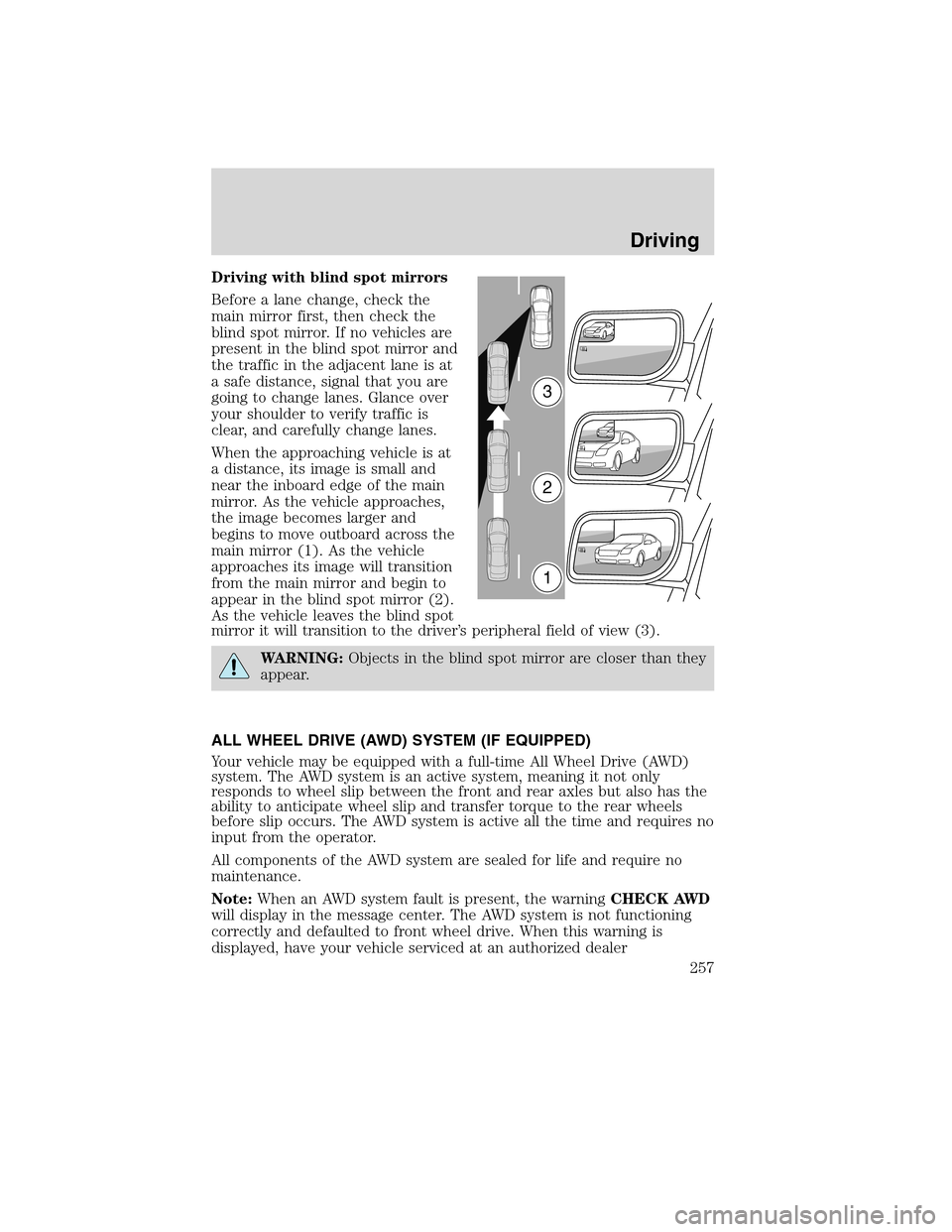
Before a lane change, check the
main mirror first, then check the
blind spot mirror. If no vehicles are
present in the blind spot mirror and
the traffic in the adjacent lane is at
a safe distance, signal that you are
going to change lanes. Glance over
your shoulder to verify traffic is
clear, and carefully change lanes.
When the approaching vehicle is at
a distance, its image is small and
near the inboard edge of the main
mirror. As the vehicle approaches,
the image becomes larger and
begins to move outboard across the
main mirror (1). As the vehicle
approaches its image will transition
from the main mirror and begin to
appear in the blind spot mirror (2).
As the vehicle leaves the blind spot
mirror it will transition to the driver’s peripheral field of view (3).
WARNING:Objects in the blind spot mirror are closer than they
appear.
ALL WHEEL DRIVE (AWD) SYSTEM (IF EQUIPPED)
Your vehicle may be equipped with a full-time All Wheel Drive (AWD)
system. The AWD system is an active system, meaning it not only
responds to wheel slip between the front and rear axles but also has the
ability to anticipate wheel slip and transfer torque to the rear wheels
before slip occurs. The AWD system is active all the time and requires no
input from the operator.
All components of the AWD system are sealed for life and require no
maintenance.
Note:When an AWD system fault is present, the warningCHECK AWD
will display in the message center. The AWD system is not functioning
correctly and defaulted to front wheel drive. When this warning is
displayed, have your vehicle serviced at an authorized dealer
3
2
1
Driving
257
2010 MKS(mks)
Owners Guide(own2002), 1st Printing
USA(fus)