remote control LINCOLN MKS 2014 Owner's Manual
[x] Cancel search | Manufacturer: LINCOLN, Model Year: 2014, Model line: MKS, Model: LINCOLN MKS 2014Pages: 461, PDF Size: 5.98 MB
Page 96 of 461
Closing the Windows
WARNING:Before operating power windows and moonroof, you
should verify that they are free of obstructions and ensure that
children and/or pets are not in the proximity of window openings.
Press and hold the lock button on the remote control to begin closing
the windows and moonroof (if equipped).
Press the lock or unlock button the remote control to stop motion.
Bounce-Back
The window will stop automatically while closing and reverse some
distance if there is an obstacle in the way.
Overriding the Bounce-Back Feature
WARNING:When you override the bounce-back feature the
window will not reverse if it detects an obstacle. Take care when
closing the windows to avoid personal injury or damage to your vehicle.
Pull up the window switch and hold within two seconds of the window
reaching the bounce-back position. The window will travel up with no
bounce-back protection. The window will stop if you release the switch
before the window is fully closed.
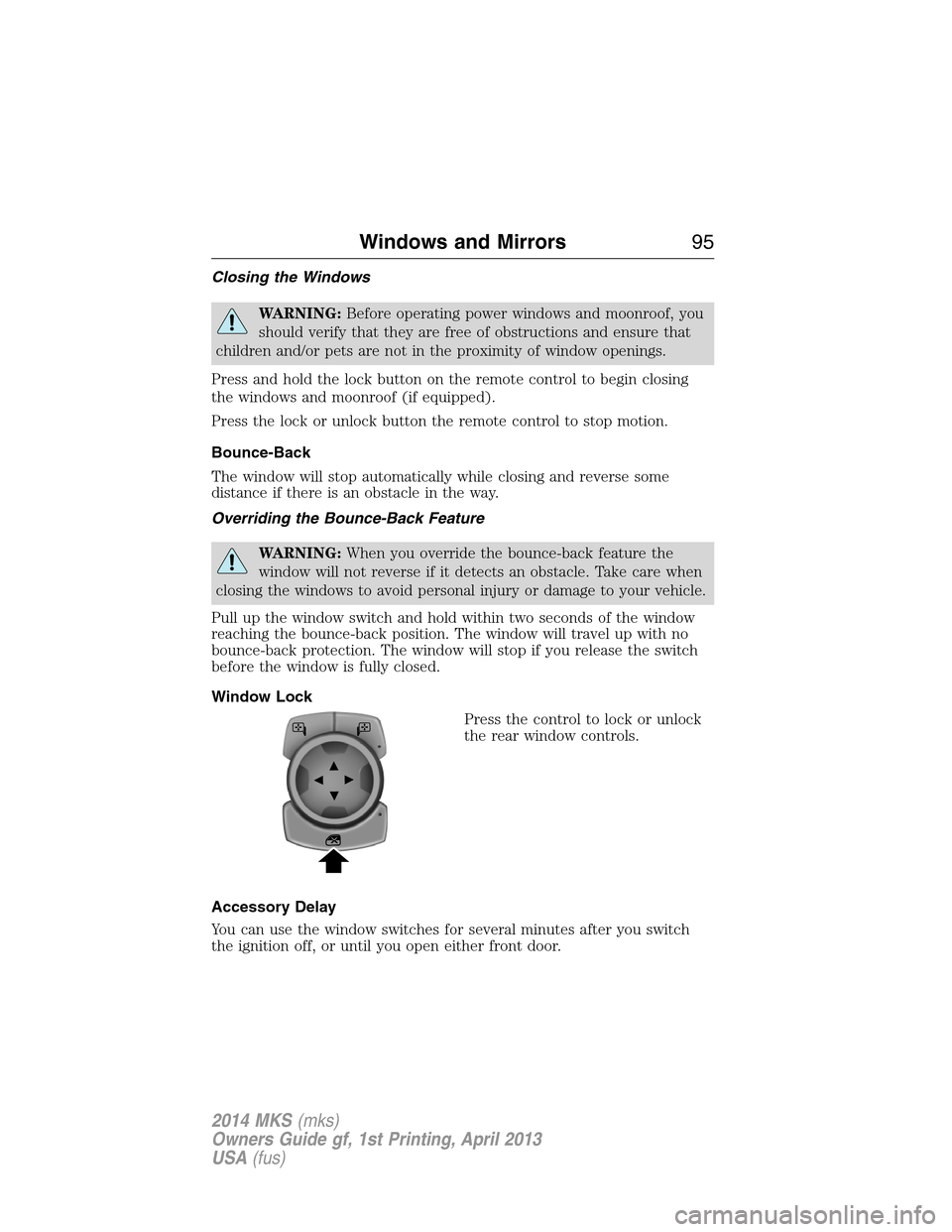
Window Lock
Press the control to lock or unlock
the rear window controls.
Accessory Delay
You can use the window switches for several minutes after you switch
the ignition off, or until you open either front door.
Windows and Mirrors95
2014 MKS(mks)
Owners Guide gf, 1st Printing, April 2013
USA(fus)
Page 113 of 461
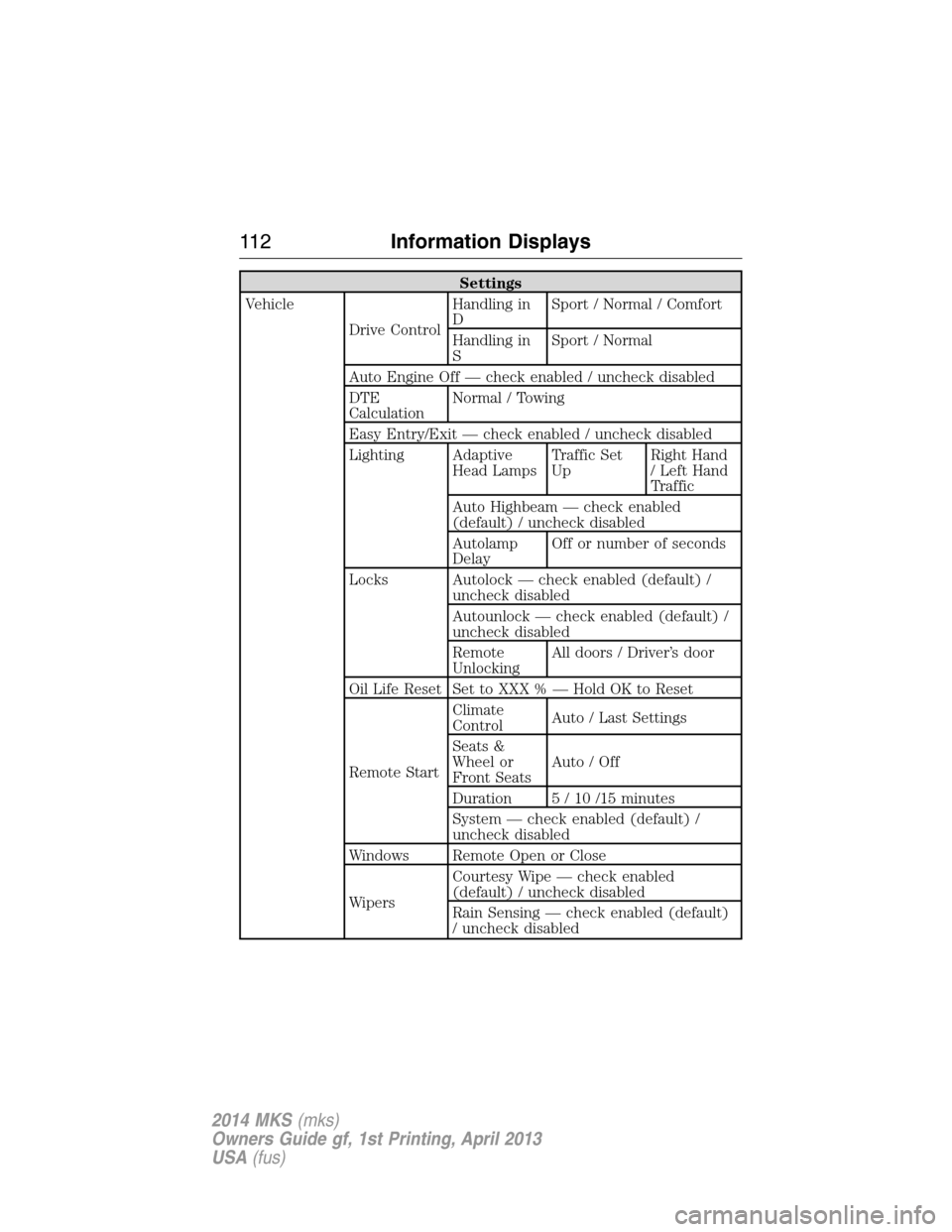
Settings
Vehicle
Drive ControlHandling in
DSport / Normal / Comfort
Handling in
SSport / Normal
Auto Engine Off — check enabled / uncheck disabled
DTE
CalculationNormal / Towing
Easy Entry/Exit — check enabled / uncheck disabled
Lighting Adaptive
Head LampsTraffic Set
UpRight Hand
/ Left Hand
Traffic
Auto Highbeam — check enabled
(default) / uncheck disabled
Autolamp
DelayOff or number of seconds
Locks Autolock — check enabled (default) /
uncheck disabled
Autounlock — check enabled (default) /
uncheck disabled
Remote
UnlockingAll doors / Driver’s door
Oil Life Reset Set to XXX % — Hold OK to Reset
Remote StartClimate
ControlAuto / Last Settings
Seats &
Wheel or
Front SeatsAuto / Off
Duration 5 / 10 /15 minutes
System — check enabled (default) /
uncheck disabled
Windows Remote Open or Close
WipersCourtesy Wipe — check enabled
(default) / uncheck disabled
Rain Sensing — check enabled (default)
/ uncheck disabled
11 2Information Displays
2014 MKS(mks)
Owners Guide gf, 1st Printing, April 2013
USA(fus)
Page 127 of 461
CABIN AIR FILTER
Note:A cabin air filter must be installed at all times to prevent foreign
objects from entering the system. Running the system without a filter in
place could result in degradation or damage to the system.
Your vehicle is equipped with a cabin air filter, which is located just in
front of the windshield under the cowl grille on the passenger side of the
vehicle.
The particulate air filtration system is designed to reduce the
concentration of airborne particles, such as dust, spores and pollen, in
the air being supplied to the interior of the vehicle. The particulate
filtration system gives the following benefits to customers:
•Improves the customer’s driving comfort by reducing particle
concentration.
•Improves the interior compartment cleanliness.
•Protects the climate control components from particle deposits.
For more information regarding the interval at which you should replace
the cabin air filter, see theScheduled Maintenancechapter.
For additional cabin air filter information, or to replace the filter, see an
authorized dealer.
REMOTE START CLIMATE OPERATION (IF EQUIPPED)
The climate control system adjusts the cabin temperature during remote
start.
You cannot adjust the system during remote start operation. Turn the
ignition on to return the system to its previous settings. You can now
make adjustments. You will need to turn certain vehicle-dependent
features back on, such as:
•heated seats
•cooled seats
•heated steering wheel
•heated mirrors
•heated rear window.
You can adjust the settings using the information display controls. See
theInformation Displayschapter.
126Climate Control
2014 MKS(mks)
Owners Guide gf, 1st Printing, April 2013
USA(fus)
Page 128 of 461
Automatic Climate Systems
Automatic Settings
You can set the climate control to operate in AUTO mode through the
information display setting: Remote Start > Climate Control > Heater –
A/C > Auto. The climate control system automatically sets the interior
temperature to 72°F (22°C).
In hot weather, the system is set to 72°F (22°C). Cooled seats are set to
high (if available, and selected to AUTO in the information display).
In moderate weather, the system either heats or cools (based on
previous settings). The rear defroster, heated mirrors and heated/cooled
seats are not automatically turned on.
In cold weather, the system is set to 72°F (22°C). The heated seats and
heated steering wheel are set to high (if available, and selected to AUTO
in the information display). The rear defroster and heated mirrors are
automatically turned on.
Last Settings
You can set the climate control to operate using the last climate control
settings through the information display setting: Remote Start > Climate
Control > Heater – A/C > Last Settings. The climate control system
automatically uses the settings last selected before the vehicle was
turned off.
Heated and Cooled Devices
The climate control system controls other heated and cooled devices
inside the vehicle. These devices (if available, and selected to AUTO in
the information displays) may also be switched on during remote start.
Heated devices are typically switched on during cold weather, and cooled
devices during hot weather.
Climate Control127
2014 MKS(mks)
Owners Guide gf, 1st Printing, April 2013
USA(fus)
Page 135 of 461
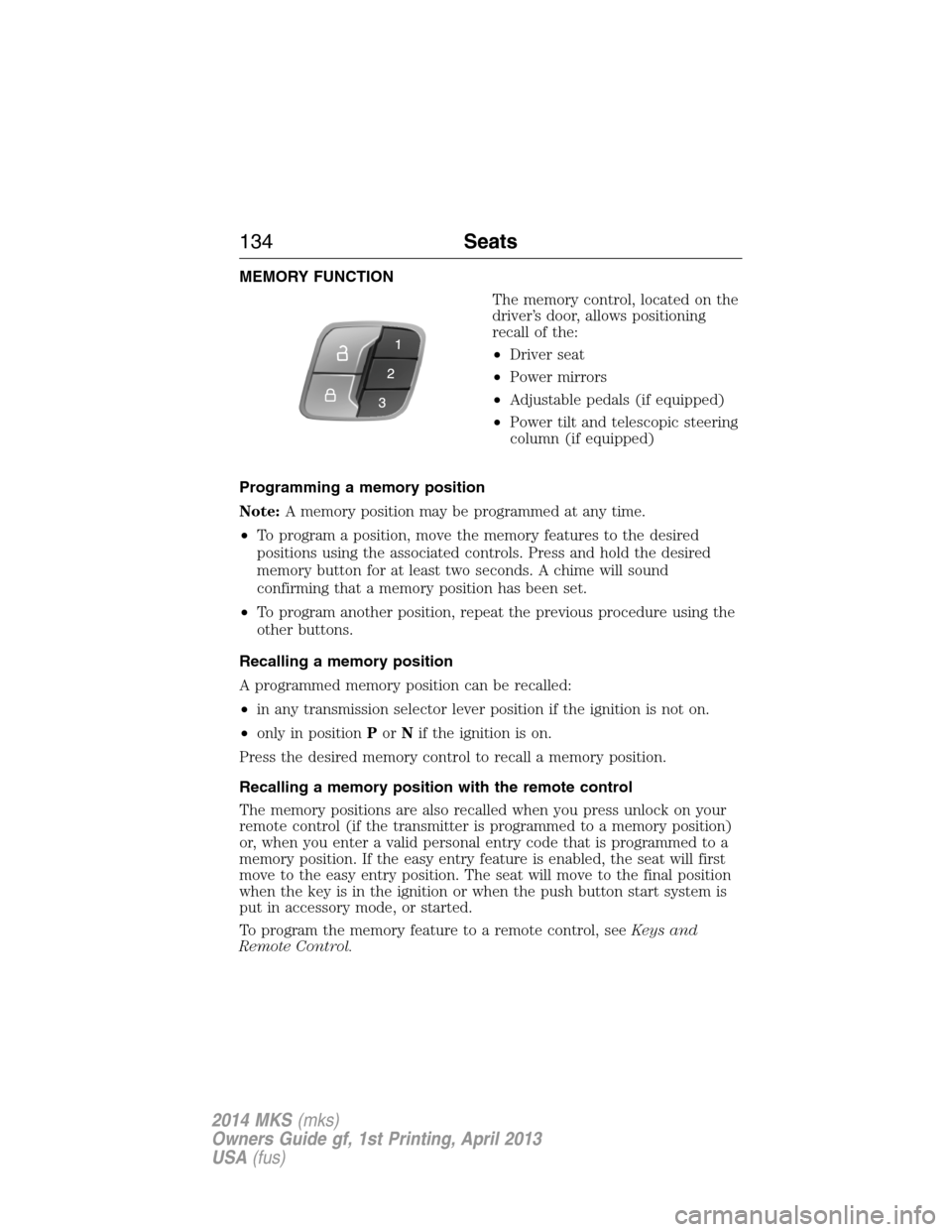
MEMORY FUNCTION
The memory control, located on the
driver’s door, allows positioning
recall of the:
•Driver seat
•Power mirrors
•Adjustable pedals (if equipped)
•Power tilt and telescopic steering
column (if equipped)
Programming a memory position
Note:A memory position may be programmed at any time.
•To program a position, move the memory features to the desired
positions using the associated controls. Press and hold the desired
memory button for at least two seconds. A chime will sound
confirming that a memory position has been set.
•To program another position, repeat the previous procedure using the
other buttons.
Recalling a memory position
A programmed memory position can be recalled:
•in any transmission selector lever position if the ignition is not on.
•only in positionPorNif the ignition is on.
Press the desired memory control to recall a memory position.
Recalling a memory position with the remote control
The memory positions are also recalled when you press unlock on your
remote control (if the transmitter is programmed to a memory position)
or, when you enter a valid personal entry code that is programmed to a
memory position. If the easy entry feature is enabled, the seat will first
move to the easy entry position. The seat will move to the final position
when the key is in the ignition or when the push button start system is
put in accessory mode, or started.
To program the memory feature to a remote control, seeKeys and
Remote Control.
134Seats
2014 MKS(mks)
Owners Guide gf, 1st Printing, April 2013
USA(fus)
Page 141 of 461
HOMELINK® WIRELESS CONTROL SYSTEM (IF EQUIPPED)
WARNING:Make sure that the garage door and security device
are free from obstruction when you are programming. Do not
program the system with the vehicle in the garage.
WARNING:Do not use the system with any garage door opener
that does not have the safety stop and reverse feature as
required by U.S. Federal Safety Standards (this includes any garage
door opener manufactured before April 1, 1982).
Note:Make sure you keep the original remote control transmitter for
use in other vehicles as well as for future system programming.
Note:We recommend that upon the sale or lease termination of your
vehicle, you erase the programmed function buttons for security reasons.
SeeErasing the function button codeslater in this section.
Note:You can program a maximum of three devices. To change or
replace any of the three devices after it has been initially programmed,
you must first erase the current settings. SeeErasing the function
button codeslater in this section.
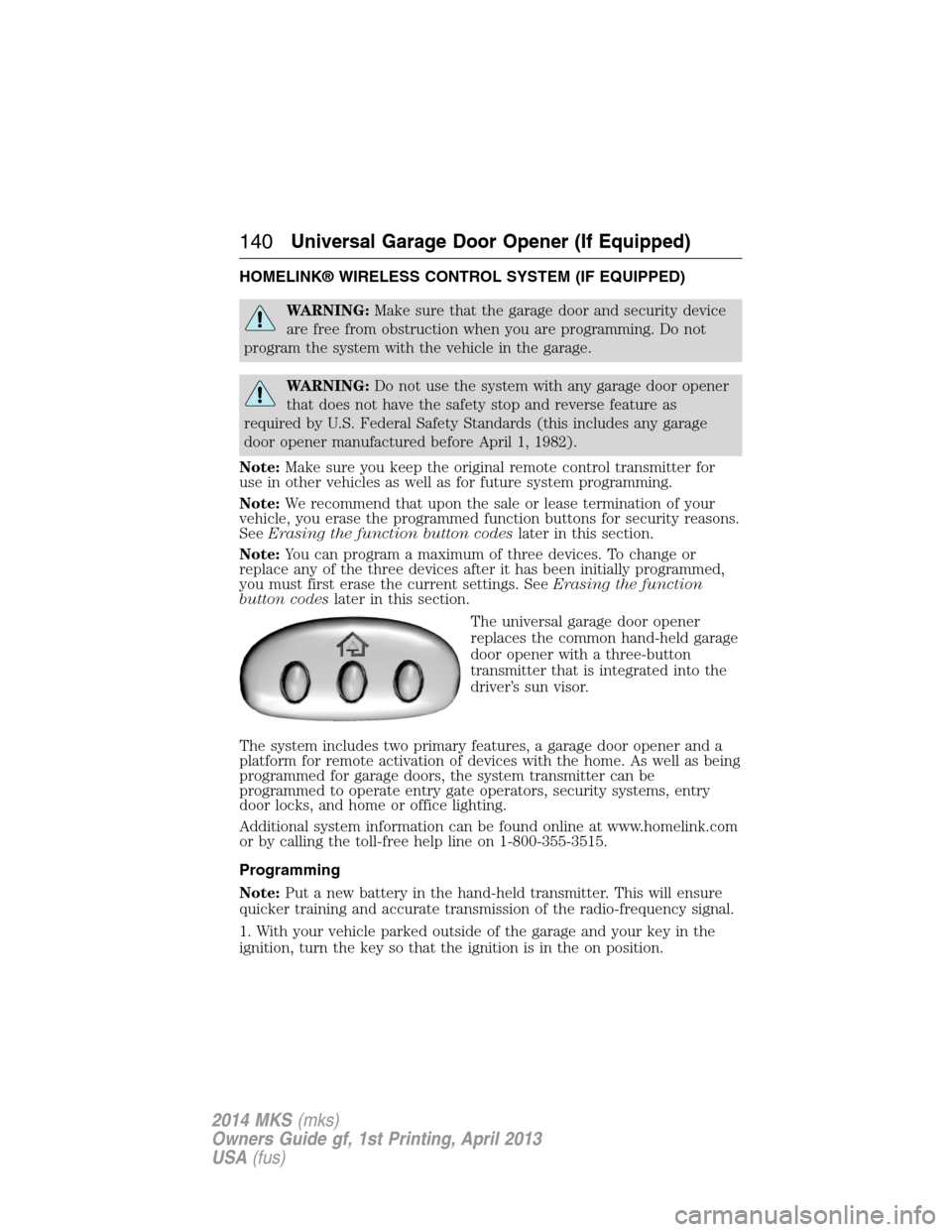
The universal garage door opener
replaces the common hand-held garage
door opener with a three-button
transmitter that is integrated into the
driver’s sun visor.
The system includes two primary features, a garage door opener and a
platform for remote activation of devices with the home. As well as being
programmed for garage doors, the system transmitter can be
programmed to operate entry gate operators, security systems, entry
door locks, and home or office lighting.
Additional system information can be found online at www.homelink.com
or by calling the toll-free help line on 1-800-355-3515.
Programming
Note:Put a new battery in the hand-held transmitter. This will ensure
quicker training and accurate transmission of the radio-frequency signal.
1. With your vehicle parked outside of the garage and your key in the
ignition, turn the key so that the ignition is in the on position.
140Universal Garage Door Opener (If Equipped)
2014 MKS(mks)
Owners Guide gf, 1st Printing, April 2013
USA(fus)
Page 148 of 461
GENERAL INFORMATION
WARNING:Extended idling at high engine speeds can produce
very high temperatures in the engine and exhaust system,
creating the risk of fire or other damage.
WARNING:Do not park, idle, or drive your vehicle on dry grass
or other dry ground cover. The emission system heats up the
engine compartment and exhaust system, which can start a fire.
WARNING:Do not start your vehicle in a closed garage or in
other enclosed areas. Exhaust fumes can be toxic. Always open
the garage door before you start the engine.
WARNING:If you smell exhaust fumes inside your vehicle, have
your vehicle checked by an authorized dealer immediately. Do
not drive if you smell exhaust fumes.
If you disconnect the battery, your vehicle may exhibit some unusual
driving characteristics for approximately 5 miles (8 kilometers) after you
connect it. This is because the engine management system must realign
itself with the engine. You may disregard any unusual driving
characteristics during this period.
The powertrain control system meets all Canadian interference-causing
equipment standard requirements regulating the impulse electrical field
or radio noise.
Do not press the accelerator pedal while starting the engine. If you have
difficulty starting the engine, seeFailure to startlater in this section.
KEYLESS STARTING
WARNING:The keyless starting system may not function if the key
is close to metal objects or electronic devices such as mobile phones.
Note:A valid passive key must be located inside the vehicle to switch
the ignition on and start the engine.
Note:When locking your vehicle, any remote controls left inside the
vehicle may become disabled. A message may appear in the information
display indicating that there is no key detected if you try to start the
engine. Press the unlock button on the remote control to enable it, and
then start the engine.
Starting and Stopping the Engine147
2014 MKS(mks)
Owners Guide gf, 1st Printing, April 2013
USA(fus)
Page 204 of 461
Cause Action
The surface of the radar in the
grille is dirty or obstructed in
some way.Clean the grille surface in front of
the radar or remove the object
causing the obstruction.
The surface of the radar in the
grille is clean but the message
remains in the display.Wait a short time. It may take
several minutes for the radar to
detect that it is no longer
obstructed.
Heavy rain or snow is interfering
with the radar signals.Do not use the system in these
conditions because it may not
detect any vehicle ahead.
Swirling water, or snow or ice on
the surface of the road may
interfere with the radar signals.Do not use system in these
conditions because it may not
detect any vehicle ahead.
You are in a desert or remote area
with no other vehicles and no
roadside objects.Wait a short time or switch to
normal cruise control.
Due to the nature of radar technology, it is possible to get a blockage
warning and not be blocked. This can happen, for example, when driving
in sparse rural or desert environments. A false blocked condition will
either self-clear or clear after a key cycle.
Switching to Normal Cruise Control
WARNING:Normal cruise control will not brake due to slower
vehicles. Always be aware of which mode is selected and apply
the brakes when necessary.
You can manually change from adaptive cruise control to normal cruise
control through the information display.
The cruise control indicator light will replace the adaptive
cruise control indicator light if normal cruise control is selected.
The gap setting will not be displayed, the system will not
automatically respond to lead vehicles and automatic braking will not be
activated. The system will default to adaptive cruise control when the
engine is started.
Cruise Control203
2014 MKS(mks)
Owners Guide gf, 1st Printing, April 2013
USA(fus)
Page 309 of 461
Tire Replacement Requirements
WARNING:Only use replacement tires and wheels that are the
same size, load index, speed rating and type (such as P-metric
versus LT-metric or all-season versus all-terrain) as those originally
provided by Ford. The recommended tire and wheel size may be found on
either the Safety Compliance Certification Label (affixed to either the door
hinge pillar, door-latch post, or the door edge that meets the door-latch
post, next to the driver’s seating position), or the Tire Label which is
located on the B-Pillar or edge of the driver’s door. If this information is
not found on these labels, then you should contact your authorized dealer
as soon as possible. Use of any tire or wheel not recommended by Ford
can affect the safety and performance of your vehicle, which could result
in an increased risk of loss of vehicle control, vehicle rollover, personal
injury and death. Additionally the use of non-recommended tires and
wheels could cause steering, suspension, axle, transfer case or power
transfer unit failure. If you have questions regarding tire replacement,
contact your authorized dealer as soon as possible.
WARNING:To reduce the risk of serious injury, when mounting
replacement tires and wheels, you should not exceed the
maximum pressure indicated on the sidewall of the tire to set the beads
without additional precautions listed below. If the beads do not seat at
the maximum pressure indicated, re-lubricate and try again.
When inflating the tire for mounting pressures up to 20 psi (1.38 bar)
greater than the maximum pressure on the tire sidewall, the following
precautions must be taken to protect the person mounting the tire:
1. Make sure that you have the correct tire and wheel size.
2. Lubricate the tire bead and wheel bead seat area again.
3. Stand at a minimum of 12 feet (3.66 meters) away from the tire
wheel assembly.
4. Use both eye and ear protection.
For a mounting pressure more than 20 psi (1.38 bar) greater than the
maximum pressure, a Ford dealer or other tire service professional
should do the mounting.
Always inflate steel carcass tires with a remote air fill with the person
inflating standing at a minimum of 12 feet (3.66 meters) away from the
tire wheel assembly.
308Wheels and Tires
2014 MKS(mks)
Owners Guide gf, 1st Printing, April 2013
USA(fus)
Page 461 of 461
Tires ...........................296–297, 316
alignment ................................310
care ..........................................296
changing ..........................316, 318
checking the pressure ............306
inflating ...................................304
label .........................................303
replacing ..................................308
rotating ....................................310
safety practices .......................309
sidewall information ...............299
snow tires and chains ............311
spare tire .................................316
terminology .............................297
tire grades ...............................297
treadwear ........................296, 306
Touchscreen features
(climate) ....................................404
Towing .......................229, 233–234
recreational towing .................234
trailer towing ..........................229
wrecker ....................................233
Traction control ........................179
Traffic preferences ...................411
Transaxle
fluid, refill capacities ..............324
lubricant specifications ..........324
Transmission
brake-shift interlock (BSI) ....168
fluid, checking and adding
(automatic) .............................272Trunk .....................................74–75
remote release ..........................69
Turn signal ..................................93
U
USB port ............................339, 366
V
Vehicle health report ................390
Vehicle Identification Number
(VIN) ..........................................328
Vehicle loading ..........................222
Ventilating your vehicle ...........151
Voice recognition ......................347
W
Warning lights (see Lights) .....102
Washer fluid ..............................277
Water, Driving through .............237
Windows
power .........................................94
Windshield washer fluid and
wipers ..........................................85
checking and adding fluid .....277
replacing wiper blades ...........280
Wrecker towing .........................233
460Index
2014 MKS(mks)
Owners Guide gf, 1st Printing, April 2013
USA(fus)