tow LINCOLN MKS 2015 User Guide
[x] Cancel search | Manufacturer: LINCOLN, Model Year: 2015, Model line: MKS, Model: LINCOLN MKS 2015Pages: 424, PDF Size: 3.96 MB
Page 73 of 424
Note:
Wet or winter driving conditions with
ice, snow or salty road mist can cause
inconsistent and unexpected wiping or
smearing.
In these conditions, you can do the following
to help keep your windshield clear:
• Lower the sensitivity of the autowipers
to reduce the amount of smearing.
• Adjust the rotary control to normal or
high-speed wipe.
• Switch off the autowipers.
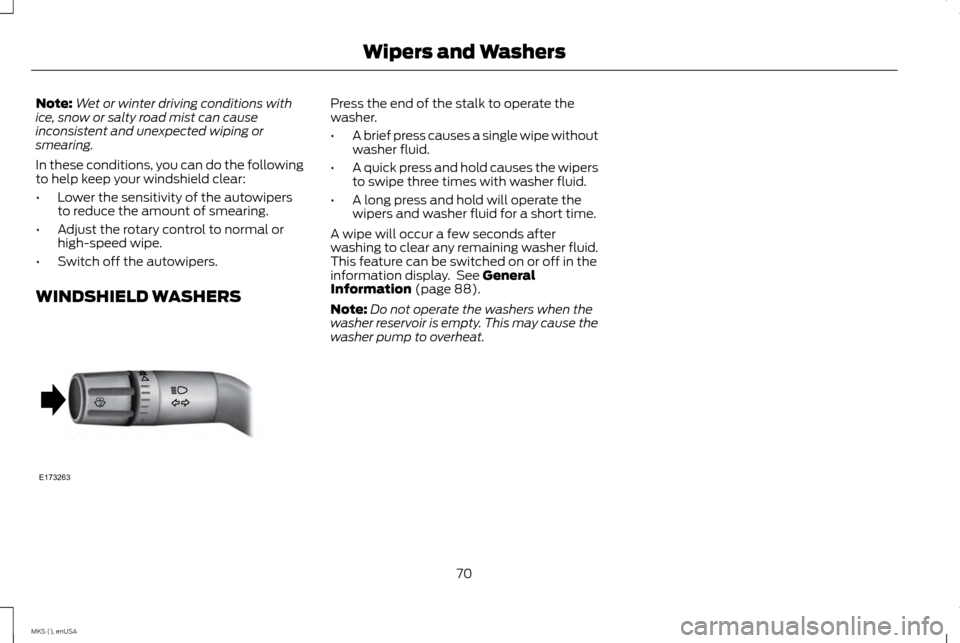
WINDSHIELD WASHERS Press the end of the stalk to operate the
washer.
•
A brief press causes a single wipe without
washer fluid.
• A quick press and hold causes the wipers
to swipe three times with washer fluid.
• A long press and hold will operate the
wipers and washer fluid for a short time.
A wipe will occur a few seconds after
washing to clear any remaining washer fluid.
This feature can be switched on or off in the
information display. See General
Information (page 88).
Note: Do not operate the washers when the
washer reservoir is empty. This may cause the
washer pump to overheat.
70
MKS (), enUSA Wipers and WashersE173263
Page 74 of 424
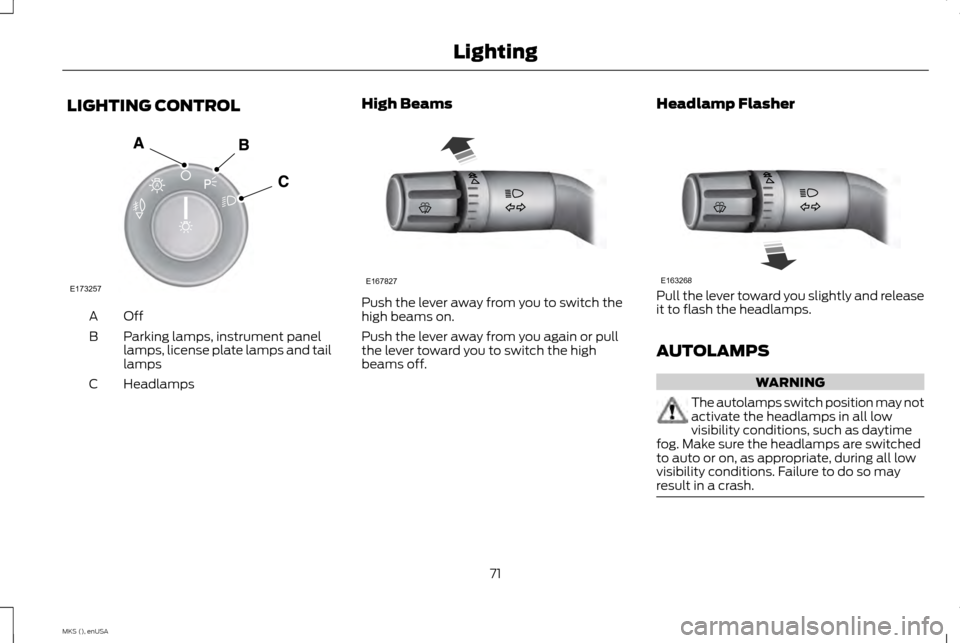
LIGHTING CONTROL
OffA
Parking lamps, instrument panel
lamps, license plate lamps and tail
lamps
B
Headlamps
C High Beams Push the lever away from you to switch the
high beams on.
Push the lever away from you again or pull
the lever toward you to switch the high
beams off.
Headlamp Flasher Pull the lever toward you slightly and release
it to flash the headlamps.
AUTOLAMPS
WARNING
The autolamps switch position may not
activate the headlamps in all low
visibility conditions, such as daytime
fog. Make sure the headlamps are switched
to auto or on, as appropriate, during all low
visibility conditions. Failure to do so may
result in a crash. 71
MKS (), enUSA LightingE173257
A E167827 E163268
Page 75 of 424
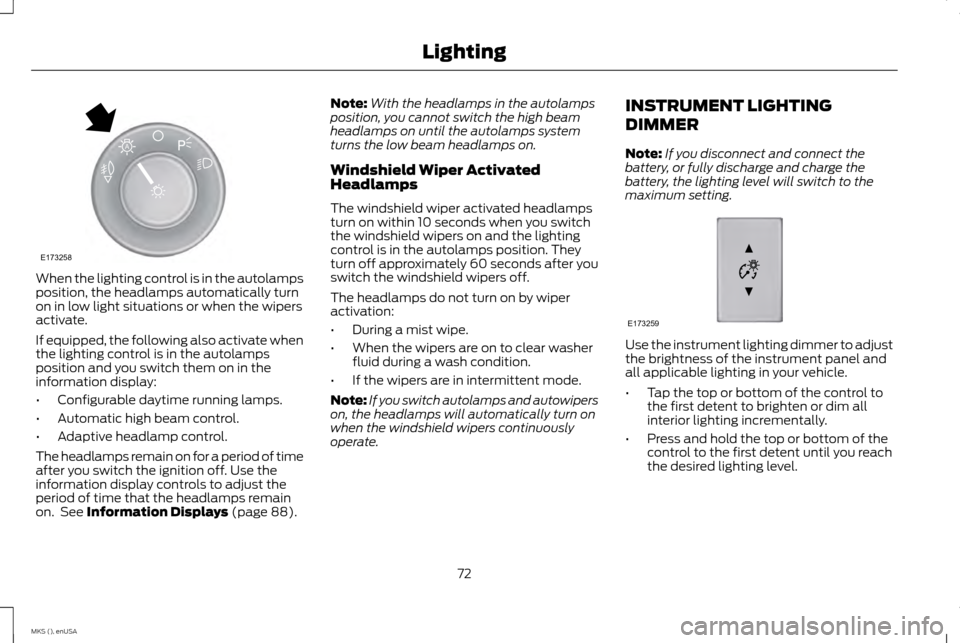
When the lighting control is in the autolamps
position, the headlamps automatically turn
on in low light situations or when the wipers
activate.
If equipped, the following also activate when
the lighting control is in the autolamps
position and you switch them on in the
information display:
•
Configurable daytime running lamps.
• Automatic high beam control.
• Adaptive headlamp control.
The headlamps remain on for a period of time
after you switch the ignition off. Use the
information display controls to adjust the
period of time that the headlamps remain
on. See Information Displays (page 88). Note:
With the headlamps in the autolamps
position, you cannot switch the high beam
headlamps on until the autolamps system
turns the low beam headlamps on.
Windshield Wiper Activated
Headlamps
The windshield wiper activated headlamps
turn on within 10 seconds when you switch
the windshield wipers on and the lighting
control is in the autolamps position. They
turn off approximately 60 seconds after you
switch the windshield wipers off.
The headlamps do not turn on by wiper
activation:
• During a mist wipe.
• When the wipers are on to clear washer
fluid during a wash condition.
• If the wipers are in intermittent mode.
Note: If you switch autolamps and autowipers
on, the headlamps will automatically turn on
when the windshield wipers continuously
operate. INSTRUMENT LIGHTING
DIMMER
Note:
If you disconnect and connect the
battery, or fully discharge and charge the
battery, the lighting level will switch to the
maximum setting. Use the instrument lighting dimmer to adjust
the brightness of the instrument panel and
all applicable lighting in your vehicle.
•
Tap the top or bottom of the control to
the first detent to brighten or dim all
interior lighting incrementally.
• Press and hold the top or bottom of the
control to the first detent until you reach
the desired lighting level.
72
MKS (), enUSA LightingE173258
A E173259
Page 76 of 424
•
Press and hold the top of the control to
the second detent to switch the interior
lights on.
• Press and hold the bottom of the control
to the second detent to switch the interior
lights off.
HEADLAMP EXIT DELAY
After you switch the ignition off, you can
switch the headlamps on by pulling the
direction indicator lever toward you. You will
hear a short tone. The headlamps will switch
off automatically after three minutes with
any door open or 30 seconds after the last
door has been closed. You can cancel this
feature by pulling the direction indicator
toward you again or switching the ignition on. DAYTIME RUNNING LAMPS (If
Equipped) WARNING
The daytime running lamps system
does not activate the tail lamps and
may not provide adequate lighting
during low visibility driving conditions. Also,
the autolamps switch position may not
activate the headlamps in all low visibility
conditions, such as daytime fog. Always
ensure that your headlamps are switched to
auto or on, as appropriate, during all low
visibility conditions. Failure to do so may
result in a collision. Type 1 - Conventional (Non-
Configurable)
When you switch the ignition to the on
position and the lighting control is in the off,
autolamps or parking lamp position, the
daytime running lamps will turn on whenever
the headlamps are off. They turn off only
when the headlamps are on.Type 2 - Configurable
Note:
If this type is equipped, you are able to
switch the daytime running lamps on or off
using the information display controls. See
Information Displays
(page 88).
When the daytime running lamps are
switched on in the information display and
you switch the ignition to the on position with
the lighting control in the autolamps position,
the daytime running lamps turn on whenever
the headlamps are off.
The other lighting control switch positions
do not activate the daytime running lamps
and can be used to temporarily override
autolamp control.
When switched off in the information display,
the daytime running lamps are off in all
lighting control switch positions.
73
MKS (), enUSA Lighting
Page 78 of 424
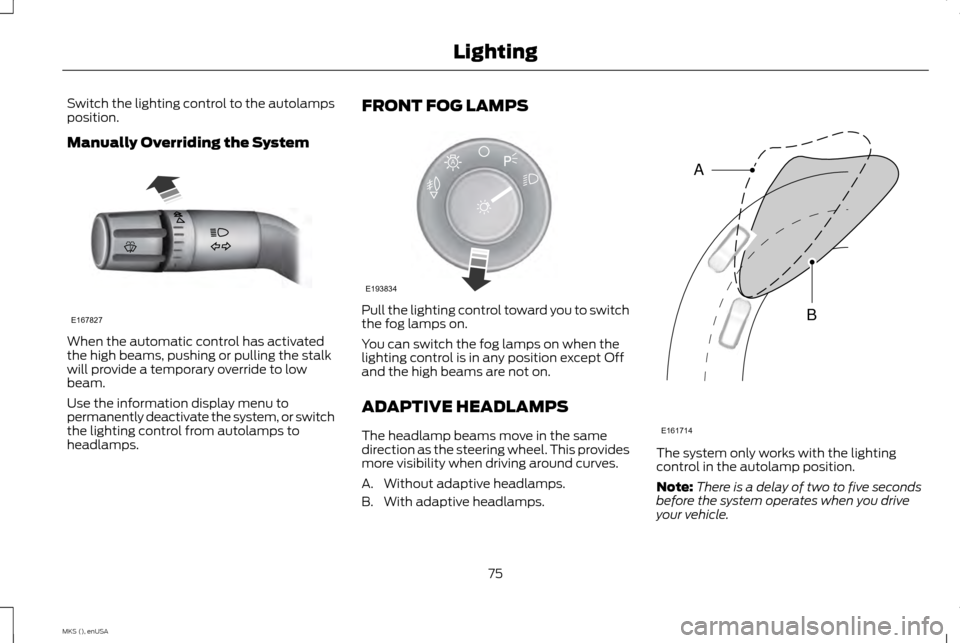
Switch the lighting control to the autolamps
position.
Manually Overriding the System
When the automatic control has activated
the high beams, pushing or pulling the stalk
will provide a temporary override to low
beam.
Use the information display menu to
permanently deactivate the system, or switch
the lighting control from autolamps to
headlamps. FRONT FOG LAMPS
Pull the lighting control toward you to switch
the fog lamps on.
You can switch the fog lamps on when the
lighting control is in any position except Off
and the high beams are not on.
ADAPTIVE HEADLAMPS
The headlamp beams move in the same
direction as the steering wheel. This provides
more visibility when driving around curves.
A. Without adaptive headlamps.
B. With adaptive headlamps.
The system only works with the lighting
control in the autolamp position.
Note:
There is a delay of two to five seconds
before the system operates when you drive
your vehicle.
75
MKS (), enUSA LightingE167827 E193834
A E161714
B
A
Page 82 of 424
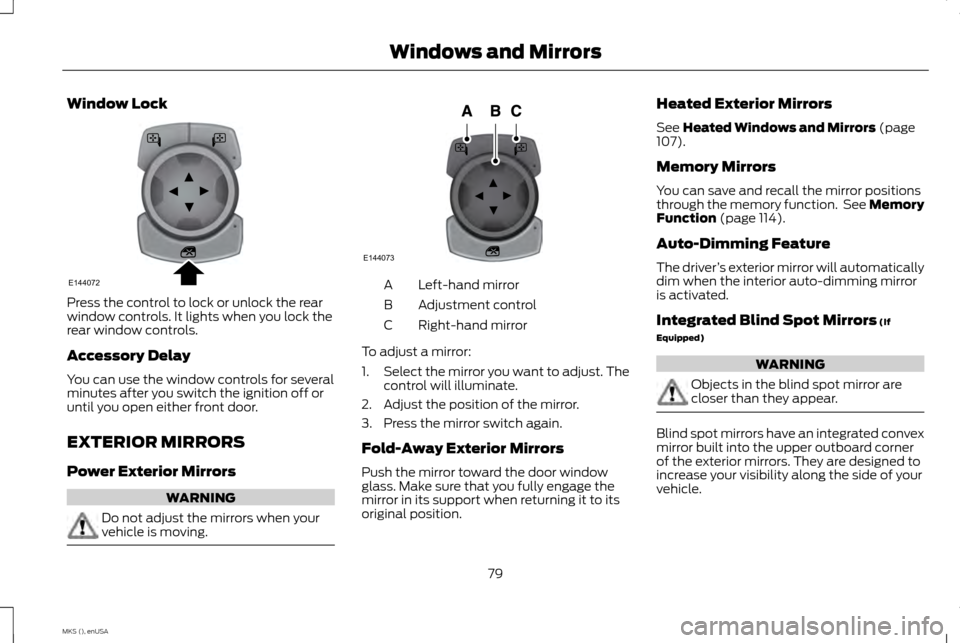
Window Lock
Press the control to lock or unlock the rear
window controls. It lights when you lock the
rear window controls.
Accessory Delay
You can use the window controls for several
minutes after you switch the ignition off or
until you open either front door.
EXTERIOR MIRRORS
Power Exterior Mirrors
WARNING
Do not adjust the mirrors when your
vehicle is moving. Left-hand mirror
A
Adjustment control
B
Right-hand mirror
C
To adjust a mirror:
1. Select the mirror you want to adjust. The
control will illuminate.
2. Adjust the position of the mirror.
3. Press the mirror switch again.
Fold-Away Exterior Mirrors
Push the mirror toward the door window
glass. Make sure that you fully engage the
mirror in its support when returning it to its
original position. Heated Exterior Mirrors
See Heated Windows and Mirrors (page
107).
Memory Mirrors
You can save and recall the mirror positions
through the memory function. See Memory
Function
(page 114).
Auto-Dimming Feature
The driver ’s exterior mirror will automatically
dim when the interior auto-dimming mirror
is activated.
Integrated Blind Spot Mirrors
(If
Equipped) WARNING
Objects in the blind spot mirror are
closer than they appear.
Blind spot mirrors have an integrated convex
mirror built into the upper outboard corner
of the exterior mirrors. They are designed to
increase your visibility along the side of your
vehicle.
79
MKS (), enUSA Windows and MirrorsE144072 E144073
Page 84 of 424
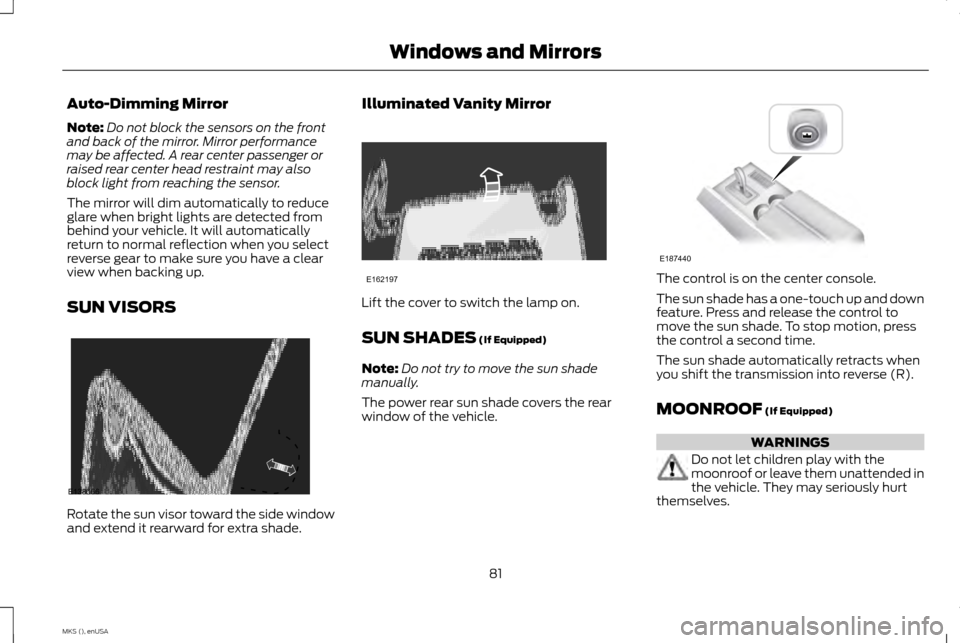
Auto-Dimming Mirror
Note:
Do not block the sensors on the front
and back of the mirror. Mirror performance
may be affected. A rear center passenger or
raised rear center head restraint may also
block light from reaching the sensor.
The mirror will dim automatically to reduce
glare when bright lights are detected from
behind your vehicle. It will automatically
return to normal reflection when you select
reverse gear to make sure you have a clear
view when backing up.
SUN VISORS Rotate the sun visor toward the side window
and extend it rearward for extra shade. Illuminated Vanity Mirror
Lift the cover to switch the lamp on.
SUN SHADES (If Equipped)
Note: Do not try to move the sun shade
manually.
The power rear sun shade covers the rear
window of the vehicle. The control is on the center console.
The sun shade has a one-touch up and down
feature. Press and release the control to
move the sun shade. To stop motion, press
the control a second time.
The sun shade automatically retracts when
you shift the transmission into reverse (R).
MOONROOF
(If Equipped)
WARNINGS
Do not let children play with the
moonroof or leave them unattended in
the vehicle. They may seriously hurt
themselves.
81
MKS (), enUSA Windows and MirrorsE138666 E162197 E187440
Page 95 of 424
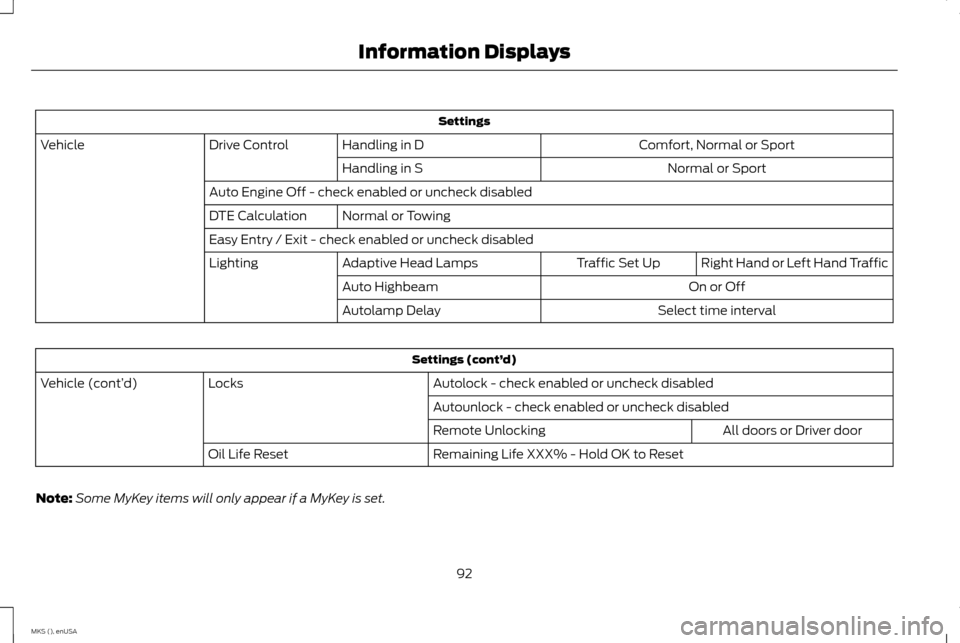
Settings
Comfort, Normal or Sport
Handling in D
Drive Control
Vehicle
Normal or Sport
Handling in S
Auto Engine Off - check enabled or uncheck disabled Normal or Towing
DTE Calculation
Easy Entry / Exit - check enabled or uncheck disabled
Right Hand or Left Hand Traffic
Traffic Set Up
Adaptive Head Lamps
Lighting
On or Off
Auto Highbeam
Select time interval
Autolamp Delay Settings (cont’
d)
Autolock - check enabled or uncheck disabled
Locks
Vehicle (cont’ d)
Autounlock - check enabled or uncheck disabledAll doors or Driver door
Remote Unlocking
Remaining Life XXX% - Hold OK to Reset
Oil Life Reset
Note: Some MyKey items will only appear if a MyKey is set.
92
MKS (), enUSA Information Displays
Page 110 of 424
Note:
If you select AUTO during cold outside
temperatures, the system directs airflow to
the windshield and side window vents. In
addition, the fan may run at a slower speed
until the engine warms up.
Note: If you select
AUTO during hot outside
temperatures, or when the inside of the vehicle
is hot, the system automatically uses
recirculated air to maximize interior cooling.
When the interior reaches the selected
temperature, the system automatically
switches to using outside air.
Heating the Interior Quickly
1. Press the
AUTO button.
2. Adjust the temperature control to the desired setting.
Recommended Settings for Heating
1. Press the
AUTO button.
2. Adjust the temperature control to the desired setting. Use 72°F (22°C) as a
starting point, then adjust the setting as
necessary.
Cooling the Interior Quickly
Press the
MAX A/C button. Recommended Settings for Cooling
1. Press the
AUTO button.
2. Adjust the temperature control to the desired setting. Use 72°F (22°C) as a
starting point, then adjust the setting as
necessary.
Side Window Defogging in Cold
Weather
1. Press the defrost button.
2. Adjust the temperature control to the desired setting. Use 72°F (22°C) as a
starting point, then adjust the setting as
necessary.
3. Direct the instrument panel side air vents
toward the side windows.
4. Close the instrument panel vents.
HEATED WINDOWS AND
MIRRORS
Heated Rear Window
Note: Make sure the engine is running before
operating the heated windows. Press the button to clear the
heated rear window of thin ice and
fog. Press the button to switch the
system off. The heated rear window will
automatically turn off after a short period of
time.
Do not use razor blades or other sharp
objects to clean or remove decals from
the inside of the heated rear window. This
may cause damage to the heated rear
window grid lines. The vehicle warranty
does not cover damage caused to the
heated rear window grid lines.
Heated Exterior Mirror
Note: Do not remove ice from the mirrors with
a scraper or adjust the mirror glass when it is
frozen in place. These actions could cause
damage to the glass and mirrors.
Note: Do not clean the mirror housing or glass
with harsh abrasives, fuel or other
petroleum-based cleaning products.
The heated exterior mirrors will remove ice,
mist and fog. When you switch the heated
rear window on, the heated exterior mirrors
will automatically turn on.
107
MKS (), enUSA Climate ControlE72507
Page 114 of 424
Installing the Head Restraint
Align the steel stems into the guide sleeves
and push the head restraint down until it
locks.
Folding the Head Restraint
1. Press and hold button D.
2. Pull it back up to reset.
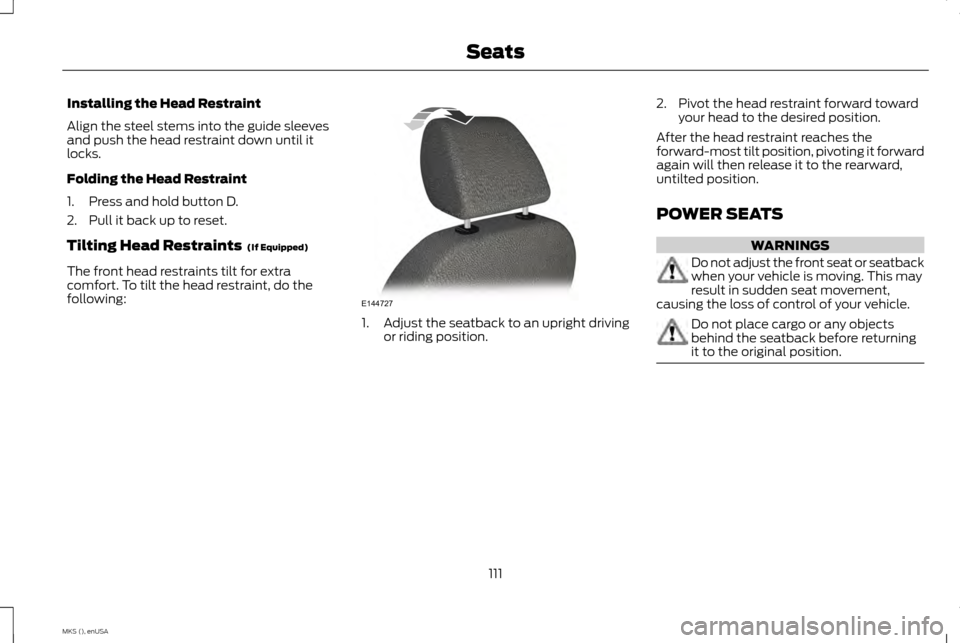
Tilting Head Restraints (If Equipped)
The front head restraints tilt for extra
comfort. To tilt the head restraint, do the
following: 1.
Adjust the seatback to an upright driving
or riding position. 2. Pivot the head restraint forward toward
your head to the desired position.
After the head restraint reaches the
forward-most tilt position, pivoting it forward
again will then release it to the rearward,
untilted position.
POWER SEATS WARNINGS
Do not adjust the front seat or seatback
when your vehicle is moving. This may
result in sudden seat movement,
causing the loss of control of your vehicle. Do not place cargo or any objects
behind the seatback before returning
it to the original position.
111
MKS (), enUSA SeatsE144727