turn signal LINCOLN MKS 2015 Owners Manual
[x] Cancel search | Manufacturer: LINCOLN, Model Year: 2015, Model line: MKS, Model: LINCOLN MKS 2015Pages: 424, PDF Size: 3.96 MB
Page 50 of 424
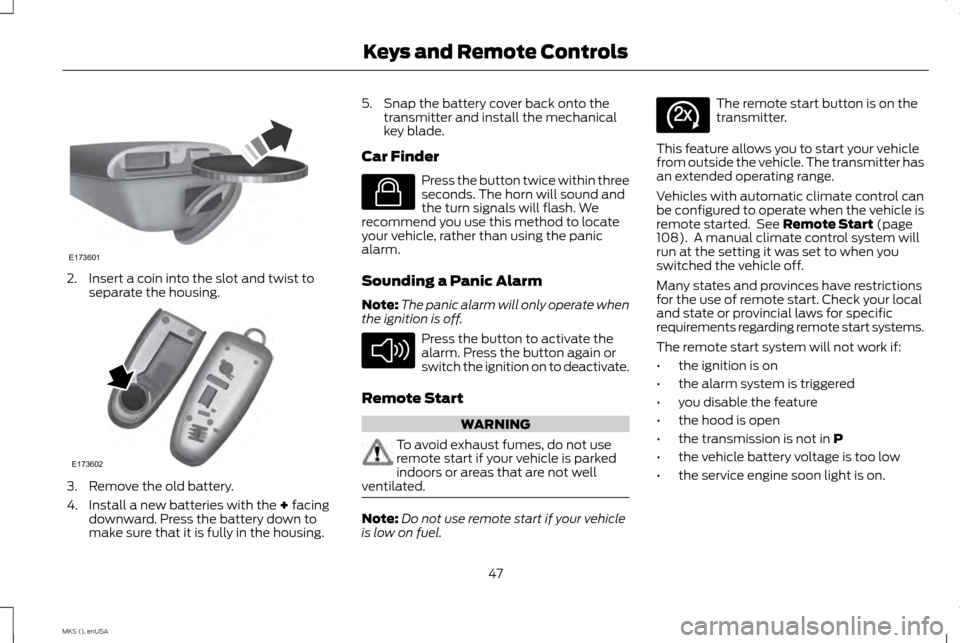
2. Insert a coin into the slot and twist to
separate the housing. 3. Remove the old battery.
4. Install a new batteries with the + facing
downward. Press the battery down to
make sure that it is fully in the housing. 5. Snap the battery cover back onto the
transmitter and install the mechanical
key blade.
Car Finder Press the button twice within three
seconds. The horn will sound and
the turn signals will flash. We
recommend you use this method to locate
your vehicle, rather than using the panic
alarm.
Sounding a Panic Alarm
Note: The panic alarm will only operate when
the ignition is off. Press the button to activate the
alarm. Press the button again or
switch the ignition on to deactivate.
Remote Start WARNING
To avoid exhaust fumes, do not use
remote start if your vehicle is parked
indoors or areas that are not well
ventilated. Note:
Do not use remote start if your vehicle
is low on fuel. The remote start button is on the
transmitter.
This feature allows you to start your vehicle
from outside the vehicle. The transmitter has
an extended operating range.
Vehicles with automatic climate control can
be configured to operate when the vehicle is
remote started. See
Remote Start (page
108). A manual climate control system will
run at the setting it was set to when you
switched the vehicle off.
Many states and provinces have restrictions
for the use of remote start. Check your local
and state or provincial laws for specific
requirements regarding remote start systems.
The remote start system will not work if:
• the ignition is on
• the alarm system is triggered
• you disable the feature
• the hood is open
• the transmission is not in
P
• the vehicle battery voltage is too low
• the service engine soon light is on.
47
MKS (), enUSA Keys and Remote ControlsE173601 E173602 E138623 E138624 E138625
Page 59 of 424
LOCKING AND UNLOCKING
You can use the power door lock control or
the remote control to lock and unlock your
vehicle.
Power Door Locks
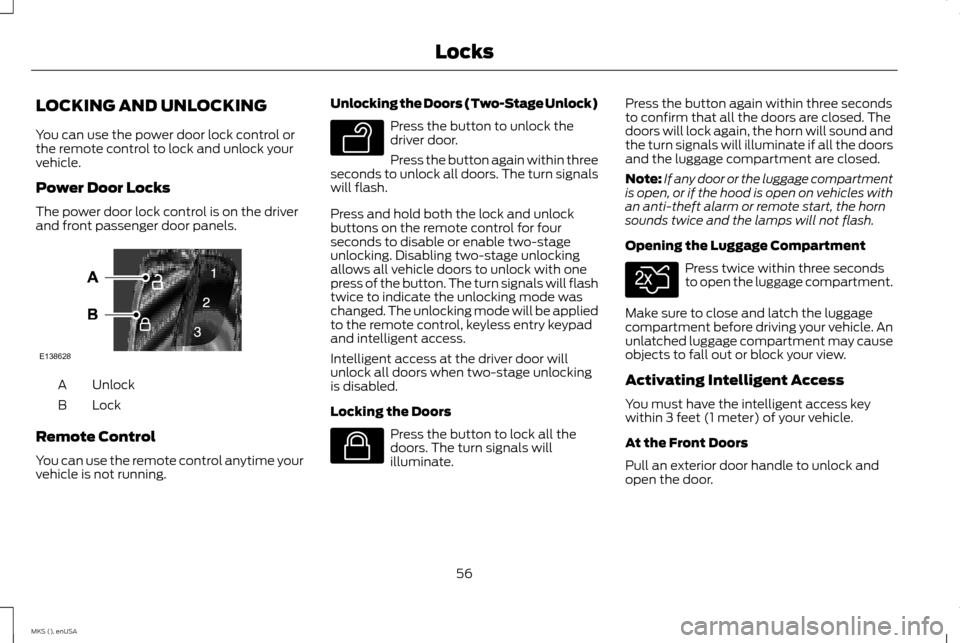
The power door lock control is on the driver
and front passenger door panels.
Unlock
A
Lock
B
Remote Control
You can use the remote control anytime your
vehicle is not running. Unlocking the Doors (Two-Stage Unlock) Press the button to unlock the
driver door.
Press the button again within three
seconds to unlock all doors. The turn signals
will flash.
Press and hold both the lock and unlock
buttons on the remote control for four
seconds to disable or enable two-stage
unlocking. Disabling two-stage unlocking
allows all vehicle doors to unlock with one
press of the button. The turn signals will flash
twice to indicate the unlocking mode was
changed. The unlocking mode will be applied
to the remote control, keyless entry keypad
and intelligent access.
Intelligent access at the driver door will
unlock all doors when two-stage unlocking
is disabled.
Locking the Doors Press the button to lock all the
doors. The turn signals will
illuminate.Press the button again within three seconds
to confirm that all the doors are closed. The
doors will lock again, the horn will sound and
the turn signals will illuminate if all the doors
and the luggage compartment are closed.
Note:
If any door or the luggage compartment
is open, or if the hood is open on vehicles with
an anti-theft alarm or remote start, the horn
sounds twice and the lamps will not flash.
Opening the Luggage Compartment Press twice within three seconds
to open the luggage compartment.
Make sure to close and latch the luggage
compartment before driving your vehicle. An
unlatched luggage compartment may cause
objects to fall out or block your view.
Activating Intelligent Access
You must have the intelligent access key
within 3 feet (1 meter) of your vehicle.
At the Front Doors
Pull an exterior door handle to unlock and
open the door.
56
MKS (), enUSA LocksE138628 E138629 E138623 E138630
Page 67 of 424
Make sure that your vehicle is off before
beginning this procedure. Make sure that you
close all the doors before beginning and that
they remain closed throughout the procedure.
Perform all steps within 30 seconds of
starting the sequence. Stop and wait for at
least one minute before starting again if you
perform any steps out of sequence.
Read and understand the entire procedure
before you begin.
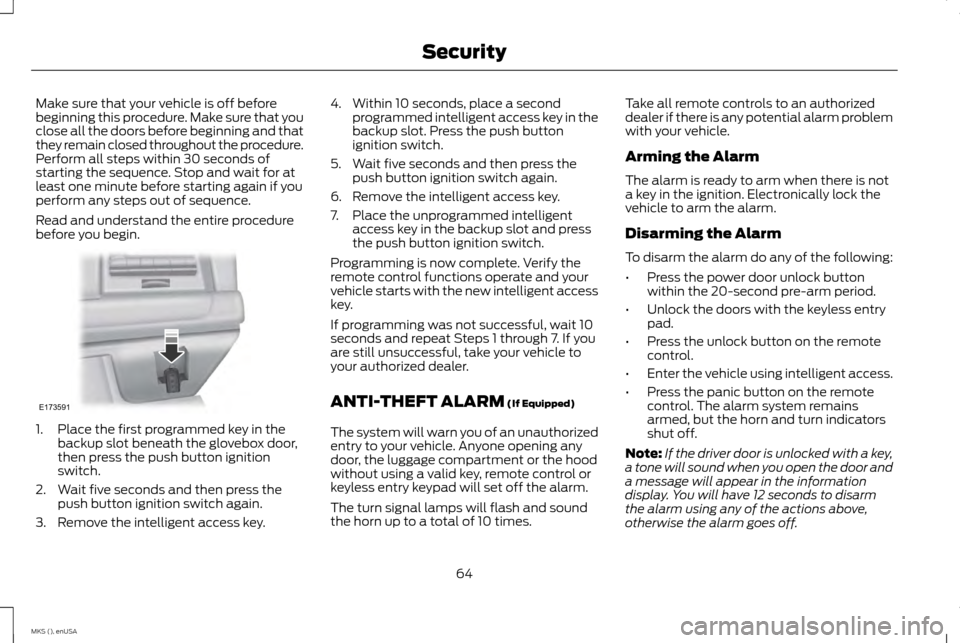
1. Place the first programmed key in the
backup slot beneath the glovebox door,
then press the push button ignition
switch.
2. Wait five seconds and then press the push button ignition switch again.
3. Remove the intelligent access key. 4. Within 10 seconds, place a second
programmed intelligent access key in the
backup slot. Press the push button
ignition switch.
5. Wait five seconds and then press the push button ignition switch again.
6. Remove the intelligent access key.
7. Place the unprogrammed intelligent access key in the backup slot and press
the push button ignition switch.
Programming is now complete. Verify the
remote control functions operate and your
vehicle starts with the new intelligent access
key.
If programming was not successful, wait 10
seconds and repeat Steps 1 through 7. If you
are still unsuccessful, take your vehicle to
your authorized dealer.
ANTI-THEFT ALARM (If Equipped)
The system will warn you of an unauthorized
entry to your vehicle. Anyone opening any
door, the luggage compartment or the hood
without using a valid key, remote control or
keyless entry keypad will set off the alarm.
The turn signal lamps will flash and sound
the horn up to a total of 10 times. Take all remote controls to an authorized
dealer if there is any potential alarm problem
with your vehicle.
Arming the Alarm
The alarm is ready to arm when there is not
a key in the ignition. Electronically lock the
vehicle to arm the alarm.
Disarming the Alarm
To disarm the alarm do any of the following:
•
Press the power door unlock button
within the 20-second pre-arm period.
• Unlock the doors with the keyless entry
pad.
• Press the unlock button on the remote
control.
• Enter the vehicle using intelligent access.
• Press the panic button on the remote
control. The alarm system remains
armed, but the horn and turn indicators
shut off.
Note: If the driver door is unlocked with a key,
a tone will sound when you open the door and
a message will appear in the information
display. You will have 12 seconds to disarm
the alarm using any of the actions above,
otherwise the alarm goes off.
64
MKS (), enUSA SecurityE173591
Page 87 of 424
WARNING LAMPS AND
INDICATORS
The following warning lamps and indicators
will alert you to a vehicle condition that may
become serious. Some lamps will illuminate
when you start your vehicle to make sure they
work. If any lamps remain on after starting
your vehicle, refer to the respective system
warning lamp for further information.
Note:
Some warning indicators appear in the
information display and function the same as
a warning lamp, but do not display when you
start your vehicle.
Adaptive Cruise Control (If Equipped) The speed control system indicator
light changes color to indicate
what mode the system is in:
See
Using Adaptive Cruise Control (page 164).
On (white light): Illuminates when the
adaptive cruise control system is turned on.
Turns off when the speed control system is
turned off.
Engaged (green light): Illuminates when the
adaptive cruise control system is engaged.
Turns off when the speed control system is
disengaged. Anti-Lock Braking System If it illuminates when you are
driving, this indicates a
malfunction. You will continue to
have the normal braking system (without
ABS) unless the brake system warning lamp
is also illuminated. Have the system checked
by your authorized dealer.
Battery If it illuminates while driving, it
indicates a malfunction. Switch off
all unnecessary electrical
equipment and have the system checked by
your authorized dealer immediately.
Brake System It will illuminate when you engage
the parking brake with the ignition
on.
If it illuminates when you are driving, check
that the parking brake is not engaged. If the
parking brake is not engaged, this indicates
low brake fluid level or a brake system
malfunction. Have the system checked
immediately by your authorized dealer. WARNING
Driving your vehicle with the warning
lamp on is dangerous. A significant
decrease in braking performance may
occur. It will take you longer to stop your
vehicle. Have your vehicle checked by your
authorized dealer immediately. Driving
extended distances with the parking brake
engaged can cause brake failure and the risk
of personal injury. Cruise Control
(If Equipped)
It will illuminate when you switch
this feature on.
Direction Indicator Illuminates when the left or right
turn signal or the hazard warning
flasher is turned on. If the indicators
stay on or flash faster, check for a burned out
bulb. See
Changing a Bulb (page 252).
Door Ajar Displays when the ignition is on and
any door is not completely closed.
84
MKS (), enUSA Instrument ClusterE144524 E144522 E71340
Page 122 of 424
HomeLink Wireless Control System
(If Equipped)
WARNING
Do not use the system with any garage
door opener that does not have the
safety stop and reverse feature as
required by U.S. Federal Safety Standards
(this includes any garage door opener
manufactured before April 1, 1982). A garage
door opener which cannot detect an object,
signaling the door to stop and reverse, does
not meet current federal safety standards.
Using a garage door opener without these
features increases the risk of serious injury or
death. Note:
Make sure that the garage door and
security device are free from obstruction when
you are programming. Do not program the
system with the vehicle in the garage.
Note: Make sure you keep the original remote
control transmitter for use in other vehicles as
well as for future system programming.
Note: We recommend that upon the sale or
lease termination of your vehicle, you erase
the programmed function buttons for security
reasons. See Erasing the function button codes
later in this section. Note:
You can program a maximum of three
devices. To change or replace any of the three
devices after it has been initially programmed,
you must first erase the current settings. See
Erasing the function button codes later in this
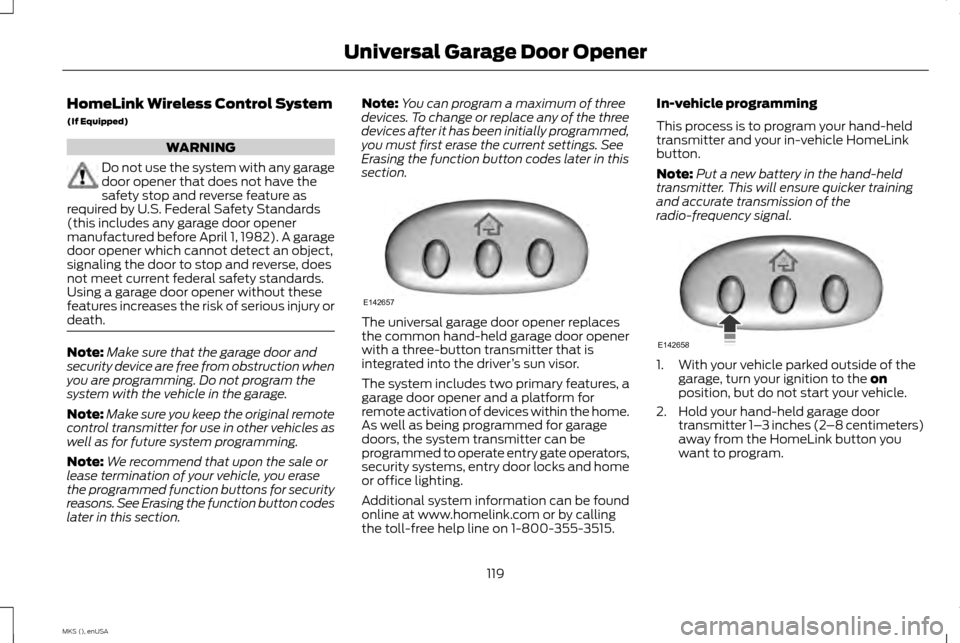
section. The universal garage door opener replaces
the common hand-held garage door opener
with a three-button transmitter that is
integrated into the driver
’s sun visor.
The system includes two primary features, a
garage door opener and a platform for
remote activation of devices within the home.
As well as being programmed for garage
doors, the system transmitter can be
programmed to operate entry gate operators,
security systems, entry door locks and home
or office lighting.
Additional system information can be found
online at www.homelink.com or by calling
the toll-free help line on 1-800-355-3515. In-vehicle programming
This process is to program your hand-held
transmitter and your in-vehicle HomeLink
button.
Note:
Put a new battery in the hand-held
transmitter. This will ensure quicker training
and accurate transmission of the
radio-frequency signal. 1. With your vehicle parked outside of the
garage, turn your ignition to the on
position, but do not start your vehicle.
2. Hold your hand-held garage door transmitter 1– 3 inches (2–8 centimeters)
away from the HomeLink button you
want to program.
119
MKS (), enUSA Universal Garage Door OpenerE142657 E142658
Page 123 of 424
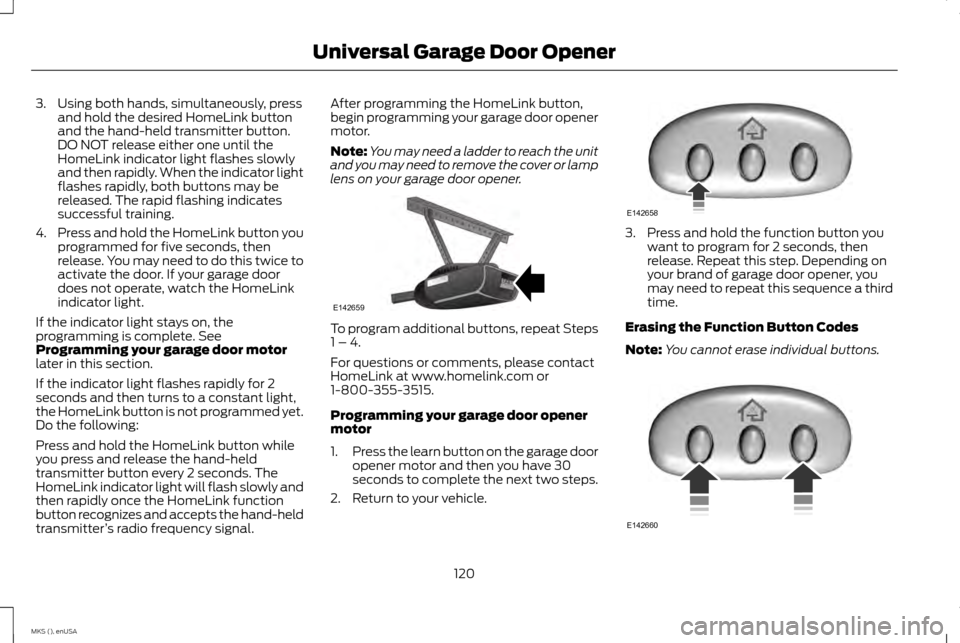
3. Using both hands, simultaneously, press
and hold the desired HomeLink button
and the hand-held transmitter button.
DO NOT release either one until the
HomeLink indicator light flashes slowly
and then rapidly. When the indicator light
flashes rapidly, both buttons may be
released. The rapid flashing indicates
successful training.
4. Press and hold the HomeLink button you
programmed for five seconds, then
release. You may need to do this twice to
activate the door. If your garage door
does not operate, watch the HomeLink
indicator light.
If the indicator light stays on, the
programming is complete. See
Programming your garage door motor
later in this section.
If the indicator light flashes rapidly for 2
seconds and then turns to a constant light,
the HomeLink button is not programmed yet.
Do the following:
Press and hold the HomeLink button while
you press and release the hand-held
transmitter button every 2 seconds. The
HomeLink indicator light will flash slowly and
then rapidly once the HomeLink function
button recognizes and accepts the hand-held
transmitter ’s radio frequency signal. After programming the HomeLink button,
begin programming your garage door opener
motor.
Note:
You may need a ladder to reach the unit
and you may need to remove the cover or lamp
lens on your garage door opener. To program additional buttons, repeat Steps
1 – 4.
For questions or comments, please contact
HomeLink at www.homelink.com or
1-800-355-3515.
Programming your garage door opener
motor
1.
Press the learn button on the garage door
opener motor and then you have 30
seconds to complete the next two steps.
2. Return to your vehicle. 3. Press and hold the function button you
want to program for 2 seconds, then
release. Repeat this step. Depending on
your brand of garage door opener, you
may need to repeat this sequence a third
time.
Erasing the Function Button Codes
Note: You cannot erase individual buttons. 120
MKS (), enUSA Universal Garage Door OpenerE142659 E142658 E142660
Page 168 of 424
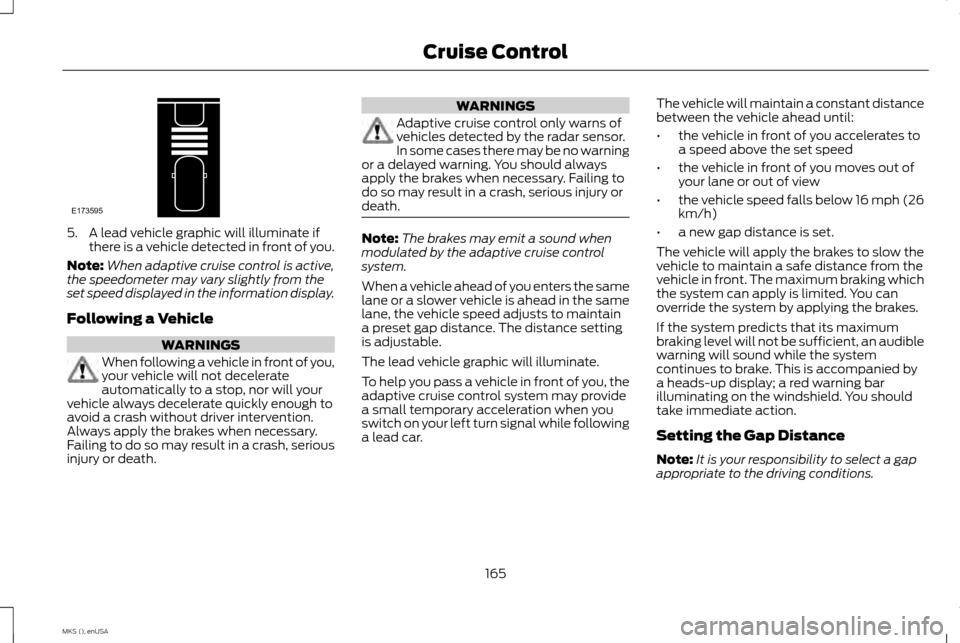
5. A lead vehicle graphic will illuminate if
there is a vehicle detected in front of you.
Note: When adaptive cruise control is active,
the speedometer may vary slightly from the
set speed displayed in the information display.
Following a Vehicle WARNINGS
When following a vehicle in front of you,
your vehicle will not decelerate
automatically to a stop, nor will your
vehicle always decelerate quickly enough to
avoid a crash without driver intervention.
Always apply the brakes when necessary.
Failing to do so may result in a crash, serious
injury or death. WARNINGS
Adaptive cruise control only warns of
vehicles detected by the radar sensor.
In some cases there may be no warning
or a delayed warning. You should always
apply the brakes when necessary. Failing to
do so may result in a crash, serious injury or
death. Note:
The brakes may emit a sound when
modulated by the adaptive cruise control
system.
When a vehicle ahead of you enters the same
lane or a slower vehicle is ahead in the same
lane, the vehicle speed adjusts to maintain
a preset gap distance. The distance setting
is adjustable.
The lead vehicle graphic will illuminate.
To help you pass a vehicle in front of you, the
adaptive cruise control system may provide
a small temporary acceleration when you
switch on your left turn signal while following
a lead car. The vehicle will maintain a constant distance
between the vehicle ahead until:
•
the vehicle in front of you accelerates to
a speed above the set speed
• the vehicle in front of you moves out of
your lane or out of view
• the vehicle speed falls below 16 mph (26
km/h)
• a new gap distance is set.
The vehicle will apply the brakes to slow the
vehicle to maintain a safe distance from the
vehicle in front. The maximum braking which
the system can apply is limited. You can
override the system by applying the brakes.
If the system predicts that its maximum
braking level will not be sufficient, an audible
warning will sound while the system
continues to brake. This is accompanied by
a heads-up display; a red warning bar
illuminating on the windshield. You should
take immediate action.
Setting the Gap Distance
Note: It is your responsibility to select a gap
appropriate to the driving conditions.
165
MKS (), enUSA Cruise ControlE173595
Page 183 of 424
When you remove a blockage, you can reset
the system two ways:
•
While driving, the system detects at least
two objects.
• You cycle the ignition from on to off and
then back on.
If the blockage is still present after the key
cycle and driving in traffic, check again for a
blockage. Reasons for messages being displayed
Clean the fascia area in frontof the radar or remove the obstruction.
The radar
surface is dirty or
obstructed
Drive normally in traffic for afew minutes to allow theradar to detect passing
vehicles so it can clear the blocked state.
The radar
surface is
not dirty or
obstructed
No action required. The
system automatically resets to an unblocked state oncethe rainfall or snowfall rate decreases or stops. Do not
use BLIS or Cross Traffic Alert in these conditions.
Heavy rain-
fall or snow- fall inter-
feres with the radar signals System Limitations
The Blind Spot Information and Cross Traffic
Alert systems do have their limitations;
situations such as severe weather conditions
or debris build-up on the sensor area may
limit vehicle detection.
The following are other situations that may
limit the Blind Spot Information System:
•
Certain maneuvering of vehicles entering
and exiting the blind zone.
• Vehicles passing through the blind zone
at very fast rates.
• When several vehicles forming a convoy
pass through the blind zone.
The following are other situations that may
limit the Cross Traffic Alert system:
• Adjacently parked vehicles or objects
obstructing the sensors.
• Approaching vehicles passing at speeds
greater than 15 mph (24 km/h).
• Driving in reverse faster than
3 mph
(5 km/h).
• Backing out of an angled parking spot. False Alerts
Note:
If your vehicle has a factory equipped
tow bar and it is towing a trailer, the sensors
detect the trailer and turn the Blind Spot
Information and Cross Traffic Alert systems
off to avoid false alerts. For non-factory
equipped tow bars, you may want to switch
the Blind Spot Information System off
manually.
There may be certain instances when there
is a false alert by either the Blind Spot
Information or the Cross Traffic Alert systems
that illuminates the alert indicator with no
vehicle in the coverage zone. Some amount
of false alerts are normal; they are temporary
and self-correct.
System Errors
If either system senses a problem with the
left or right sensor, the Blind Spot Information
System telltale illuminates and a message
appears in the information display. See
Information Messages (page 94).
All other system faults only display with a
message in the information display.
180
MKS (), enUSA Driving Aids
Page 203 of 424
ESSENTIAL TOWING CHECKS
Follow these guidelines for safe towing:
•
Do not tow a trailer until you drive your
vehicle at least 1000 miles (1600
kilometers).
• Consult your local motor vehicle laws for
towing a trailer.
• See the instructions included with towing
accessories for the proper installation
and adjustment specifications.
• Service your vehicle more frequently if
you tow a trailer. See your scheduled
maintenance information.
• If you use a rental trailer, follow the
instructions the rental agency gives you.
You can find information on load
specification terms found on the tire label
and Safety Compliance label as well as
instructions on calculating your vehicle's load
in the Load Carrying chapter. See Load Limit
(page 187).
Remember to account for the trailer tongue
weight as part of your vehicle load when
calculating the total vehicle weight. Hitches
Do not use a hitch that either clamps onto
the bumper or attaches to the axle.
Distribute the trailer load so 10-15% of the
total trailer weight is on the tongue.
Safety Chains
Note:
Never attach safety chains to the
bumper.
Always connect the safety chains to the hook
retainers of your vehicle hitch.
To connect the safety chains, cross them
under the trailer tongue and allow enough
slack for turning tight corners. Do not allow
the chains to drag on the ground.
Trailer Brakes WARNING
Do not connect a trailer's hydraulic
brake system directly to your vehicle's
brake system. Your vehicle may not
have enough braking power and your chances
of having a collision greatly increase. Electric brakes and manual, automatic or
surge-type trailer brakes are safe if you install
them properly and adjust them to the
manufacturer's specifications. The trailer
brakes must meet local and federal
regulations.
The rating for the tow vehicle's braking
system operation is at the gross vehicle
weight rating, not the gross combined
weight rating.
Trailer Lamps
WARNING
Never connect any trailer lamp wiring
to the vehicle's tail lamp wiring; this
may damage the electrical system
resulting in fire. Contact your authorized
dealer as soon as possible for assistance in
proper trailer tow wiring installation.
Additional electrical equipment may be
required. Trailer lamps are required on most towed
vehicles. Make sure all running lights, brake
lights, turn signals and hazard lights are
working.
200
MKS (), enUSA Towing
Page 214 of 424
3. Remove the jumper cable from the
positive (+) terminal of the booster
vehicle's battery.
4. Remove the jumper cable from the positive (+) terminal of the disabled
vehicle's battery.
After the disabled vehicle has been started
and the jumper cables removed, allow it to
idle for several minutes so the battery can
recharge.
POST-CRASH ALERT SYSTEM
The system flashes the turn signal lamps and
sounds the horn (intermittently) in the event
of a serious impact that deploys an airbag
(front, side, side curtain or Safety Canopy)
or the safety belt pretensioners.
The horn and lamps will turn off when:
• You press the hazard control button.
• You press the panic button on the remote
entry transmitter (if equipped).
• Your vehicle runs out of power.
211
MKS (), enUSA Roadside Emergencies