transmission LINCOLN MKS 2016 Owners Manual
[x] Cancel search | Manufacturer: LINCOLN, Model Year: 2016, Model line: MKS, Model: LINCOLN MKS 2016Pages: 382, PDF Size: 3.81 MB
Page 6 of 382
Refueling...............................................................134
Fuel Consumption............................................136
Emission Control System...............................137
Transmission
Automatic Transmission
................................140
All-Wheel Drive
Using All-Wheel Drive.....................................143
Brakes
General Information
.........................................150
Hints on Driving With Anti-Lock Brakes................................................................150
Parking Brake
.......................................................151
Hill Start Assist
....................................................151
Traction Control
Principle of Operation......................................153
Using Traction Control
.....................................153
Stability Control
Principle of Operation.....................................154
Using Stability Control....................................155 Parking Aids
Principle of Operation.....................................156
Rear Parking Aid................................................156
Front Parking Aid
...............................................157
Active Park Assist..............................................158
Rear View Camera
............................................162
Cruise Control
Principle of Operation
.....................................166
Using Cruise Control........................................166
Using Adaptive Cruise Control.....................167
Driving Aids
Driver Alert
............................................................174
Lane Keeping System......................................175
Blind Spot Information System
...................179
Cross Traffic Alert..............................................182
Steering................................................................186
Collision Warning System..............................187
Drive Control
.......................................................190
Load Carrying
Load Limit............................................................192
Towing
Towing a Trailer
..................................................201 Recommended Towing Weights................202
Essential Towing Checks..............................204
Transporting the Vehicle...............................206
Towing the Vehicle on Four Wheels.........206
Driving Hints
Breaking-In.........................................................208
Economical Driving
.........................................208
Driving Through Water...................................208
Floor Mats
...........................................................209
Roadside Emergencies
Roadside Assistance
.........................................211
Hazard Warning Flashers................................212
Fuel Shutoff
.........................................................212
Jump Starting the Vehicle..............................213
Post-Crash Alert System................................215
Customer Assistance
Getting the Services You Need....................216
In California (U.S. Only)...................................217
The Better Business Bureau (BBB) Auto Line Program (U.S. Only)...........................218
Utilizing the Mediation/Arbitration Program (Canada Only)
...............................................219
Getting Assistance Outside the U.S. and Canada..............................................................219
3
MKS (CLE) Canada/United States of America, enUSA, First Printing Table of Contents
Page 7 of 382
Ordering Additional Owner's
Literature.........................................................220
Reporting Safety Defects (U.S. Only).......220
Reporting Safety Defects (Canada Only)...................................................................221
Fuses
Fuse Specification Chart...............................223
Changing a Fuse................................................237
Maintenance
General Information
.......................................240
Opening and Closing the Hood..................240
Under Hood Overview - 3.5L Ecoboost™.....................................................242
Under Hood Overview - 3.7L........................244
Engine Oil Dipstick...........................................245
Engine Oil Check...............................................245
Oil Change Indicator Reset...........................246
Engine Coolant Check.....................................247
Automatic Transmission Fluid Check......250
Brake Fluid Check.............................................254
Power Steering Fluid Check.........................254
Washer Fluid Check
.........................................254
Fuel Filter
.............................................................255
Changing the 12V Battery..............................255
Checking the Wiper Blades...........................257 Changing the Wiper Blades..........................257
Adjusting the Headlamps.............................258
Changing a Bulb
...............................................259
Bulb Specification Chart
...............................260
Changing the Engine Air Filter.....................262
Vehicle Care
General Information........................................263
Cleaning Products............................................263
Cleaning the Exterior
......................................264
Waxing
..................................................................265
Cleaning the Engine........................................265
Cleaning the Windows and Wiper Blades
...............................................................265
Cleaning the Interior
.......................................266
Cleaning the Instrument Panel and Instrument Cluster Lens............................266
Cleaning Leather Seats..................................267
Repairing Minor Paint Damage...................267
Cleaning the Alloy Wheels...........................268
Vehicle Storage
.................................................268
Wheels and Tires
Tire Care...............................................................270
Using Snow Chains
..........................................285
Tire Pressure Monitoring System...............286 Changing a Road Wheel................................289
Technical Specifications...............................294
Capacities and Specifications
Engine Specifications - 3.5L
Ecoboost™....................................................296
Engine Specifications - 3.7L.........................297
Motorcraft Parts - 3.5L Ecoboost™..........298
Motorcraft Parts - 3.7L...................................299
Vehicle Identification Number....................299
Vehicle Certification Label...........................300
Transmission Code Designation..................301
Capacities and Specifications - 3.5L Ecoboost™....................................................302
Capacities and Specifications - 3.7L.........307
Audio System
General Information.........................................313
Audio Unit - Vehicles With: Premium AM/ FM/CD...............................................................314
Media Hub
............................................................316
Accessories
Accessories..........................................................317
Extended Service Plan (ESP)
Extended Service Plan (ESP).......................319
4
MKS (CLE) Canada/United States of America, enUSA, First Printing Table of Contents
Page 37 of 382
Deactivating and Activating the
Belt-Minder Feature
WARNING
While the system allows you to
deactivate it, this system is designed
to improve your chances of being safely
belted and surviving an accident. We
recommend you leave the system activated
for yourself and others who may use the
vehicle. Note:
The driver and front passenger warnings
switch on and off independently. When you
perform this procedure for one seating
position, do not buckle the other position as
this will terminate the process.
Read Steps 1 - 4 thoroughly before
proceeding with the programming procedure.
Before following the procedure, make sure
that:
• The parking brake is set.
• The transmission is in park (P) or neutral
(N).
• The ignition is off.
• The driver and front passenger safety
belts are unbuckled. 1. Switch the ignition on. Do not start the
vehicle.
2. Wait until the safety belt warning light turns off (about one minute). After Step
2, wait an additional 5 seconds before
proceeding with Step 3. Once you start
Step 3, you must complete the procedure
within 30 seconds.
3. For the seating position you are switching
off, buckle then unbuckle the safety belt
three times at a moderate speed, ending
in the unbuckled state. After Step 3, the
safety belt warning light turns on.
4. While the safety belt warning light is on, buckle and then unbuckle the safety belt.
After Step 4, the safety belt warning light
flashes for confirmation.
• This will switch the feature off for that
seating position if it is currently on.
• This will switch the feature on for that
seating position if it is currently off. CHILD RESTRAINT AND
SEATBELT MAINTENANCE
Inspect the vehicle safety belts and child
safety seat systems periodically to make sure
they work properly and are not damaged.
Inspect the vehicle and child seat safety belts
to make sure there are no nicks, tears or cuts.
Replace if necessary. All vehicle safety belt
assemblies, including retractors, buckles,
front safety belt buckle assemblies, buckle
support assemblies (slide bar-if equipped),
shoulder belt height adjusters (if equipped),
shoulder belt guide on seat back (if
equipped), rear inflatable safety belts (if
equipped), child safety seat LATCH and
tether anchors, and attaching hardware,
should be inspected after a crash. Read the
child restraint manufacturer's instructions
for additional inspection and maintenance
information specific to the child restraint.
We recommend that all safety belt
assemblies in use in vehicles involved in a
crash be replaced. However, if the crash was
minor and an authorized dealer finds that the
belts do not show damage and continue to
operate properly, they do not need to be
replaced. Safety belt assemblies not in use
during a crash should also be inspected and
replaced if either damage or improper
operation is noted.
34
MKS (CLE) Canada/United States of America, enUSA, First Printing Seatbelts
Page 51 of 382
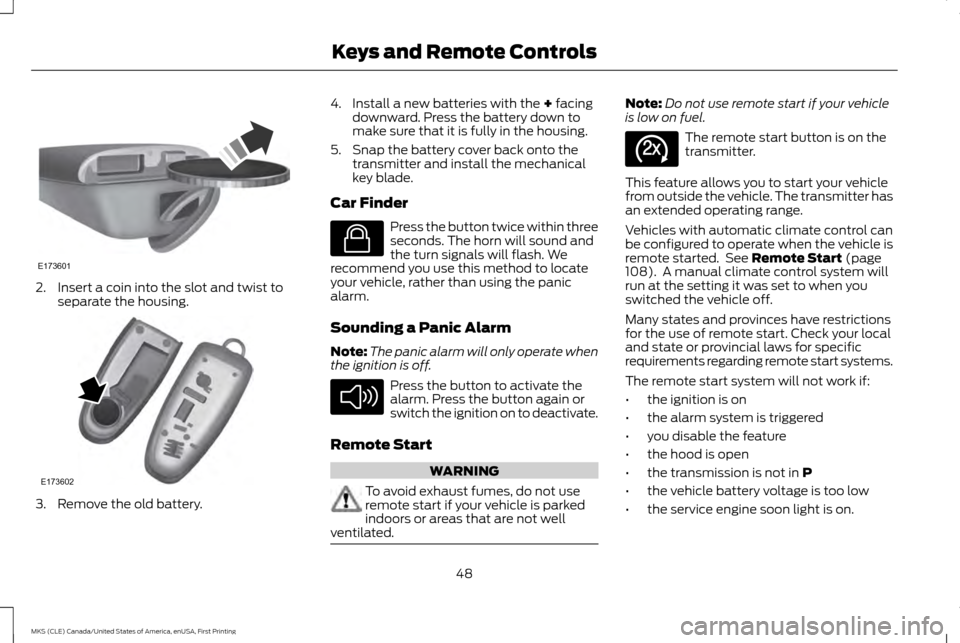
2. Insert a coin into the slot and twist to
separate the housing. 3. Remove the old battery. 4. Install a new batteries with the + facing
downward. Press the battery down to
make sure that it is fully in the housing.
5. Snap the battery cover back onto the transmitter and install the mechanical
key blade.
Car Finder Press the button twice within three
seconds. The horn will sound and
the turn signals will flash. We
recommend you use this method to locate
your vehicle, rather than using the panic
alarm.
Sounding a Panic Alarm
Note: The panic alarm will only operate when
the ignition is off. Press the button to activate the
alarm. Press the button again or
switch the ignition on to deactivate.
Remote Start WARNING
To avoid exhaust fumes, do not use
remote start if your vehicle is parked
indoors or areas that are not well
ventilated. Note:
Do not use remote start if your vehicle
is low on fuel. The remote start button is on the
transmitter.
This feature allows you to start your vehicle
from outside the vehicle. The transmitter has
an extended operating range.
Vehicles with automatic climate control can
be configured to operate when the vehicle is
remote started. See
Remote Start (page
108). A manual climate control system will
run at the setting it was set to when you
switched the vehicle off.
Many states and provinces have restrictions
for the use of remote start. Check your local
and state or provincial laws for specific
requirements regarding remote start systems.
The remote start system will not work if:
• the ignition is on
• the alarm system is triggered
• you disable the feature
• the hood is open
• the transmission is not in
P
• the vehicle battery voltage is too low
• the service engine soon light is on.
48
MKS (CLE) Canada/United States of America, enUSA, First Printing Keys and Remote ControlsE173601 E173602 E138623 E138624 E138625
Page 60 of 382
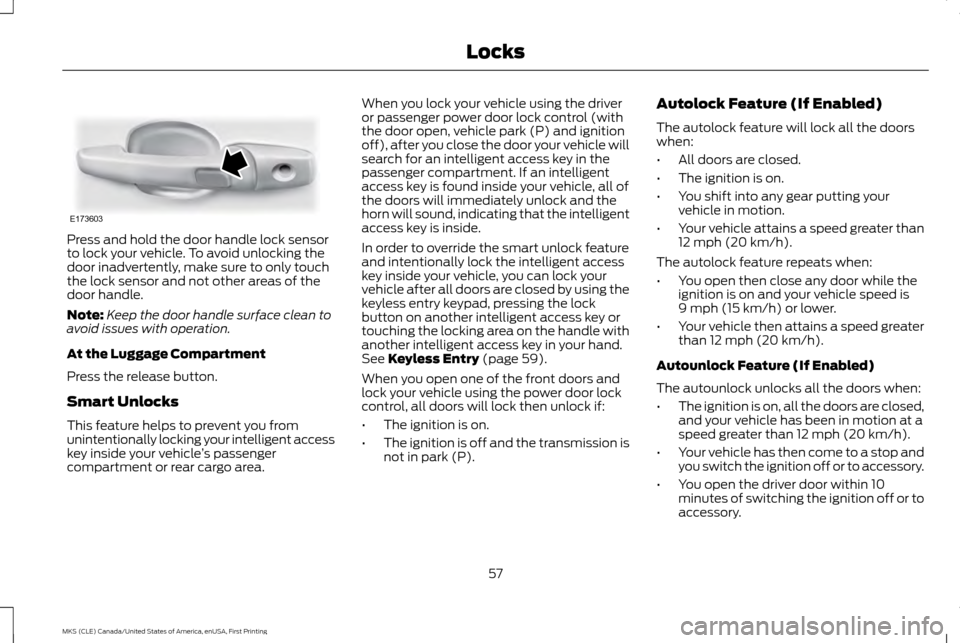
Press and hold the door handle lock sensor
to lock your vehicle. To avoid unlocking the
door inadvertently, make sure to only touch
the lock sensor and not other areas of the
door handle.
Note:
Keep the door handle surface clean to
avoid issues with operation.
At the Luggage Compartment
Press the release button.
Smart Unlocks
This feature helps to prevent you from
unintentionally locking your intelligent access
key inside your vehicle ’s passenger
compartment or rear cargo area. When you lock your vehicle using the driver
or passenger power door lock control (with
the door open, vehicle park (P) and ignition
off), after you close the door your vehicle will
search for an intelligent access key in the
passenger compartment. If an intelligent
access key is found inside your vehicle, all of
the doors will immediately unlock and the
horn will sound, indicating that the intelligent
access key is inside.
In order to override the smart unlock feature
and intentionally lock the intelligent access
key inside your vehicle, you can lock your
vehicle after all doors are closed by using the
keyless entry keypad, pressing the lock
button on another intelligent access key or
touching the locking area on the handle with
another intelligent access key in your hand.
See Keyless Entry (page 59).
When you open one of the front doors and
lock your vehicle using the power door lock
control, all doors will lock then unlock if:
• The ignition is on.
• The ignition is off and the transmission is
not in park (P). Autolock Feature (If Enabled)
The autolock feature will lock all the doors
when:
•
All doors are closed.
• The ignition is on.
• You shift into any gear putting your
vehicle in motion.
• Your vehicle attains a speed greater than
12 mph (20 km/h)
.
The autolock feature repeats when:
• You open then close any door while the
ignition is on and your vehicle speed is
9 mph (15 km/h)
or lower.
• Your vehicle then attains a speed greater
than
12 mph (20 km/h).
Autounlock Feature (If Enabled)
The autounlock unlocks all the doors when:
• The ignition is on, all the doors are closed,
and your vehicle has been in motion at a
speed greater than
12 mph (20 km/h).
• Your vehicle has then come to a stop and
you switch the ignition off or to accessory.
• You open the driver door within 10
minutes of switching the ignition off or to
accessory.
57
MKS (CLE) Canada/United States of America, enUSA, First Printing LocksE173603
Page 85 of 382
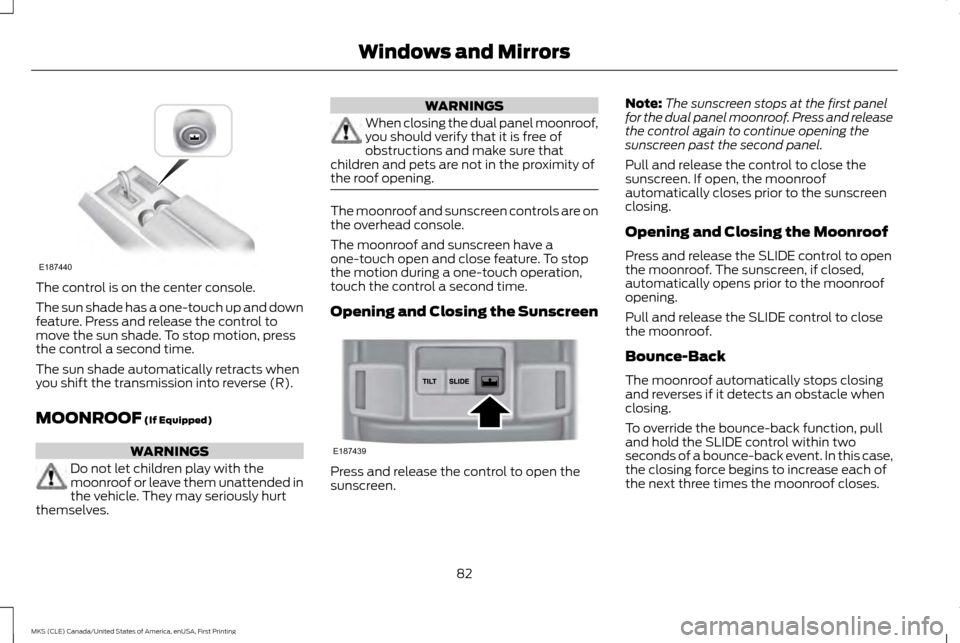
The control is on the center console.
The sun shade has a one-touch up and down
feature. Press and release the control to
move the sun shade. To stop motion, press
the control a second time.
The sun shade automatically retracts when
you shift the transmission into reverse (R).
MOONROOF (If Equipped)
WARNINGS
Do not let children play with the
moonroof or leave them unattended in
the vehicle. They may seriously hurt
themselves. WARNINGS
When closing the dual panel moonroof,
you should verify that it is free of
obstructions and make sure that
children and pets are not in the proximity of
the roof opening. The moonroof and sunscreen controls are on
the overhead console.
The moonroof and sunscreen have a
one-touch open and close feature. To stop
the motion during a one-touch operation,
touch the control a second time.
Opening and Closing the Sunscreen
Press and release the control to open the
sunscreen.Note:
The sunscreen stops at the first panel
for the dual panel moonroof. Press and release
the control again to continue opening the
sunscreen past the second panel.
Pull and release the control to close the
sunscreen. If open, the moonroof
automatically closes prior to the sunscreen
closing.
Opening and Closing the Moonroof
Press and release the SLIDE control to open
the moonroof. The sunscreen, if closed,
automatically opens prior to the moonroof
opening.
Pull and release the SLIDE control to close
the moonroof.
Bounce-Back
The moonroof automatically stops closing
and reverses if it detects an obstacle when
closing.
To override the bounce-back function, pull
and hold the SLIDE control within two
seconds of a bounce-back event. In this case,
the closing force begins to increase each of
the next three times the moonroof closes.
82
MKS (CLE) Canada/United States of America, enUSA, First Printing Windows and MirrorsE187440 E187439
Page 93 of 382
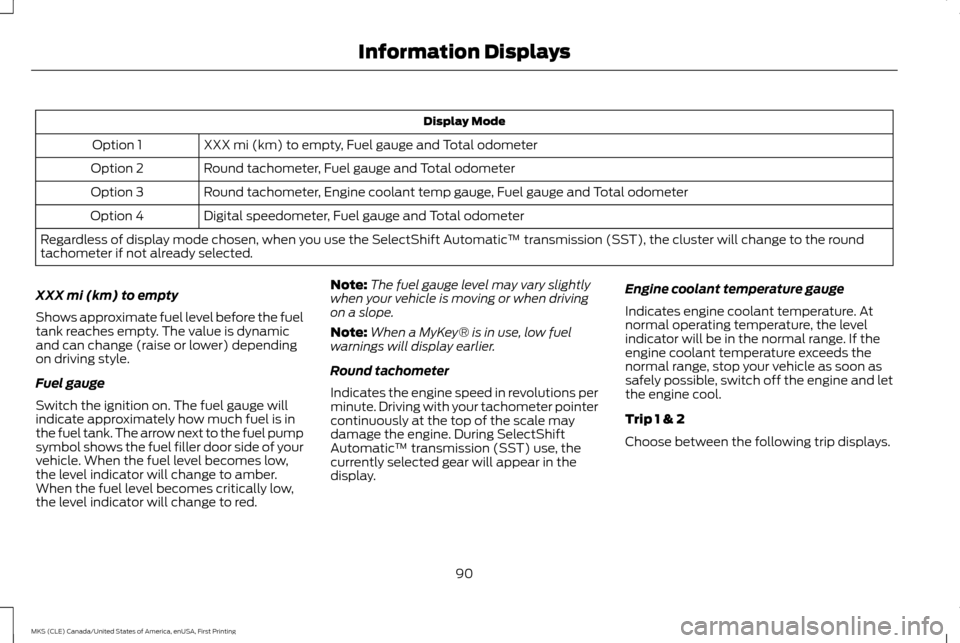
Display Mode
XXX mi (km) to empty, Fuel gauge and Total odometer
Option 1
Round tachometer, Fuel gauge and Total odometer
Option 2
Round tachometer, Engine coolant temp gauge, Fuel gauge and Total odometer
Option 3
Digital speedometer, Fuel gauge and Total odometer
Option 4
Regardless of display mode chosen, when you use the SelectShift Automatic ™ transmission (SST), the cluster will change to the round
tachometer if not already selected.
XXX mi (km) to empty
Shows approximate fuel level before the fuel
tank reaches empty. The value is dynamic
and can change (raise or lower) depending
on driving style.
Fuel gauge
Switch the ignition on. The fuel gauge will
indicate approximately how much fuel is in
the fuel tank. The arrow next to the fuel pump
symbol shows the fuel filler door side of your
vehicle. When the fuel level becomes low,
the level indicator will change to amber.
When the fuel level becomes critically low,
the level indicator will change to red. Note:
The fuel gauge level may vary slightly
when your vehicle is moving or when driving
on a slope.
Note: When a MyKey® is in use, low fuel
warnings will display earlier.
Round tachometer
Indicates the engine speed in revolutions per
minute. Driving with your tachometer pointer
continuously at the top of the scale may
damage the engine. During SelectShift
Automatic ™ transmission (SST) use, the
currently selected gear will appear in the
display. Engine coolant temperature gauge
Indicates engine coolant temperature. At
normal operating temperature, the level
indicator will be in the normal range. If the
engine coolant temperature exceeds the
normal range, stop your vehicle as soon as
safely possible, switch off the engine and let
the engine cool.
Trip 1 & 2
Choose between the following trip displays.
90
MKS (CLE) Canada/United States of America, enUSA, First Printing Information Displays
Page 107 of 382
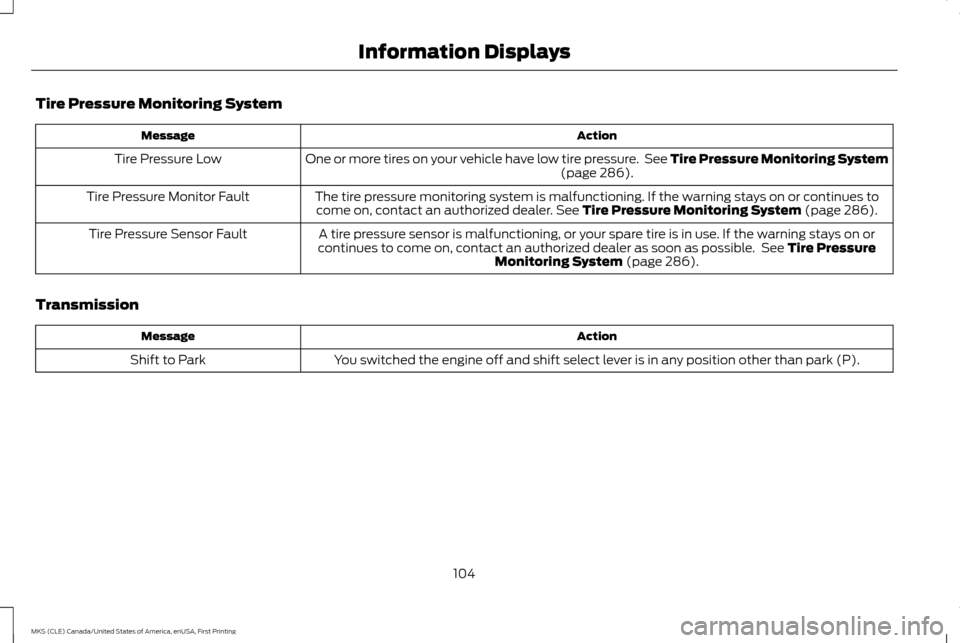
Tire Pressure Monitoring System
Action
Message
One or more tires on your vehicle have low tire pressure. See Tire Pressure Monitoring System (page 286).
Tire Pressure Low
The tire pressure monitoring system is malfunctioning. If the warning stays on or continues tocome on, contact an authorized dealer.
See Tire Pressure Monitoring System (page 286).
Tire Pressure Monitor Fault
A tire pressure sensor is malfunctioning, or your spare tire is in use. If the warning stays on or
continues to come on, contact an authorized dealer as soon as possible. See
Tire Pressure
Monitoring System (page 286).
Tire Pressure Sensor Fault
Transmission Action
Message
You switched the engine off and shift select lever is in any position other than park (P).
Shift to Park
104
MKS (CLE) Canada/United States of America, enUSA, First Printing Information Displays
Page 122 of 382
HomeLink Wireless Control System
WARNINGS
Make sure that the garage door and
security device are free from
obstruction when you are
programming. Do not program the system
with the vehicle in the garage. Do not use the system with any garage
door opener that does not have the
safety stop and reverse feature as
required by U.S. Federal Safety Standards
(this includes any garage door opener
manufactured before April 1, 1982). A garage
door opener which cannot detect an object,
signaling the door to stop and reverse, does
not meet current federal safety standards.
Using a garage door opener without these
features increases the risk of serious injury or
death. Note:
Make sure you keep the original remote
control transmitter for use in other vehicles as
well as for future system programming.
Note: We recommend that upon the sale or
lease termination of your vehicle, you erase
the programmed function buttons for security
reasons. See Erasing the Function Button
Codes. Note:
You can program a maximum of three
devices. To change or replace any of the three
devices after it has been initially programmed,
you must first erase the current settings. See
Erasing the Function Button Codes
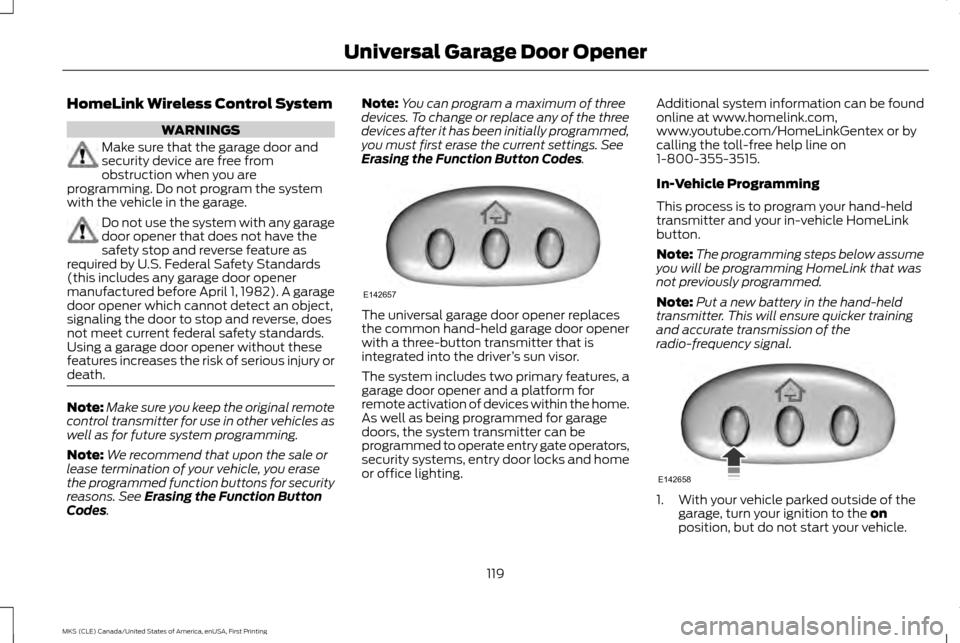
. The universal garage door opener replaces
the common hand-held garage door opener
with a three-button transmitter that is
integrated into the driver
’s sun visor.
The system includes two primary features, a
garage door opener and a platform for
remote activation of devices within the home.
As well as being programmed for garage
doors, the system transmitter can be
programmed to operate entry gate operators,
security systems, entry door locks and home
or office lighting. Additional system information can be found
online at www.homelink.com,
www.youtube.com/HomeLinkGentex or by
calling the toll-free help line on
1-800-355-3515.
In-Vehicle Programming
This process is to program your hand-held
transmitter and your in-vehicle HomeLink
button.
Note:
The programming steps below assume
you will be programming HomeLink that was
not previously programmed.
Note: Put a new battery in the hand-held
transmitter. This will ensure quicker training
and accurate transmission of the
radio-frequency signal. 1. With your vehicle parked outside of the
garage, turn your ignition to the
on
position, but do not start your vehicle.
119
MKS (CLE) Canada/United States of America, enUSA, First Printing Universal Garage Door OpenerE142657 E142658
Page 123 of 382
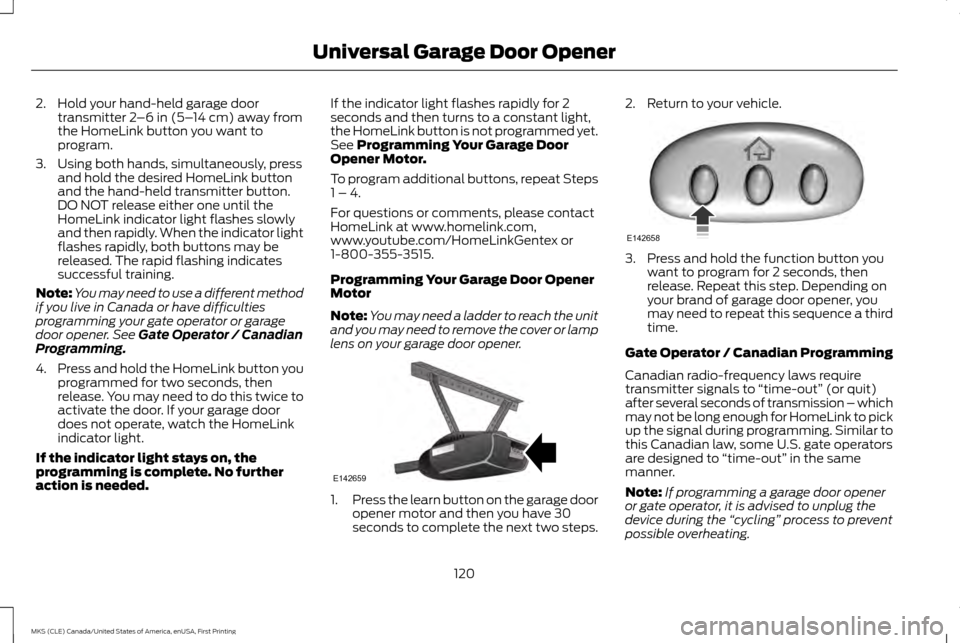
2. Hold your hand-held garage door
transmitter 2–6 in (5– 14 cm) away from
the HomeLink button you want to
program.
3. Using both hands, simultaneously, press and hold the desired HomeLink button
and the hand-held transmitter button.
DO NOT release either one until the
HomeLink indicator light flashes slowly
and then rapidly. When the indicator light
flashes rapidly, both buttons may be
released. The rapid flashing indicates
successful training.
Note: You may need to use a different method
if you live in Canada or have difficulties
programming your gate operator or garage
door opener. See
Gate Operator / Canadian
Programming.
4. Press and hold the HomeLink button you
programmed for two seconds, then
release. You may need to do this twice to
activate the door. If your garage door
does not operate, watch the HomeLink
indicator light.
If the indicator light stays on, the
programming is complete. No further
action is needed. If the indicator light flashes rapidly for 2
seconds and then turns to a constant light,
the HomeLink button is not programmed yet.
See
Programming Your Garage Door
Opener Motor.
To program additional buttons, repeat Steps
1 – 4.
For questions or comments, please contact
HomeLink at www.homelink.com,
www.youtube.com/HomeLinkGentex or
1-800-355-3515.
Programming Your Garage Door Opener
Motor
Note: You may need a ladder to reach the unit
and you may need to remove the cover or lamp
lens on your garage door opener. 1.
Press the learn button on the garage door
opener motor and then you have 30
seconds to complete the next two steps. 2. Return to your vehicle.
3. Press and hold the function button you
want to program for 2 seconds, then
release. Repeat this step. Depending on
your brand of garage door opener, you
may need to repeat this sequence a third
time.
Gate Operator / Canadian Programming
Canadian radio-frequency laws require
transmitter signals to “time-out” (or quit)
after several seconds of transmission – which
may not be long enough for HomeLink to pick
up the signal during programming. Similar to
this Canadian law, some U.S. gate operators
are designed to “time-out” in the same
manner.
Note: If programming a garage door opener
or gate operator, it is advised to unplug the
device during the “cycling” process to prevent
possible overheating.
120
MKS (CLE) Canada/United States of America, enUSA, First Printing Universal Garage Door OpenerE142659 E142658