Rear screen LINCOLN MKT 2012 Owner's Manual
[x] Cancel search | Manufacturer: LINCOLN, Model Year: 2012, Model line: MKT, Model: LINCOLN MKT 2012Pages: 437, PDF Size: 3.56 MB
Page 111 of 437
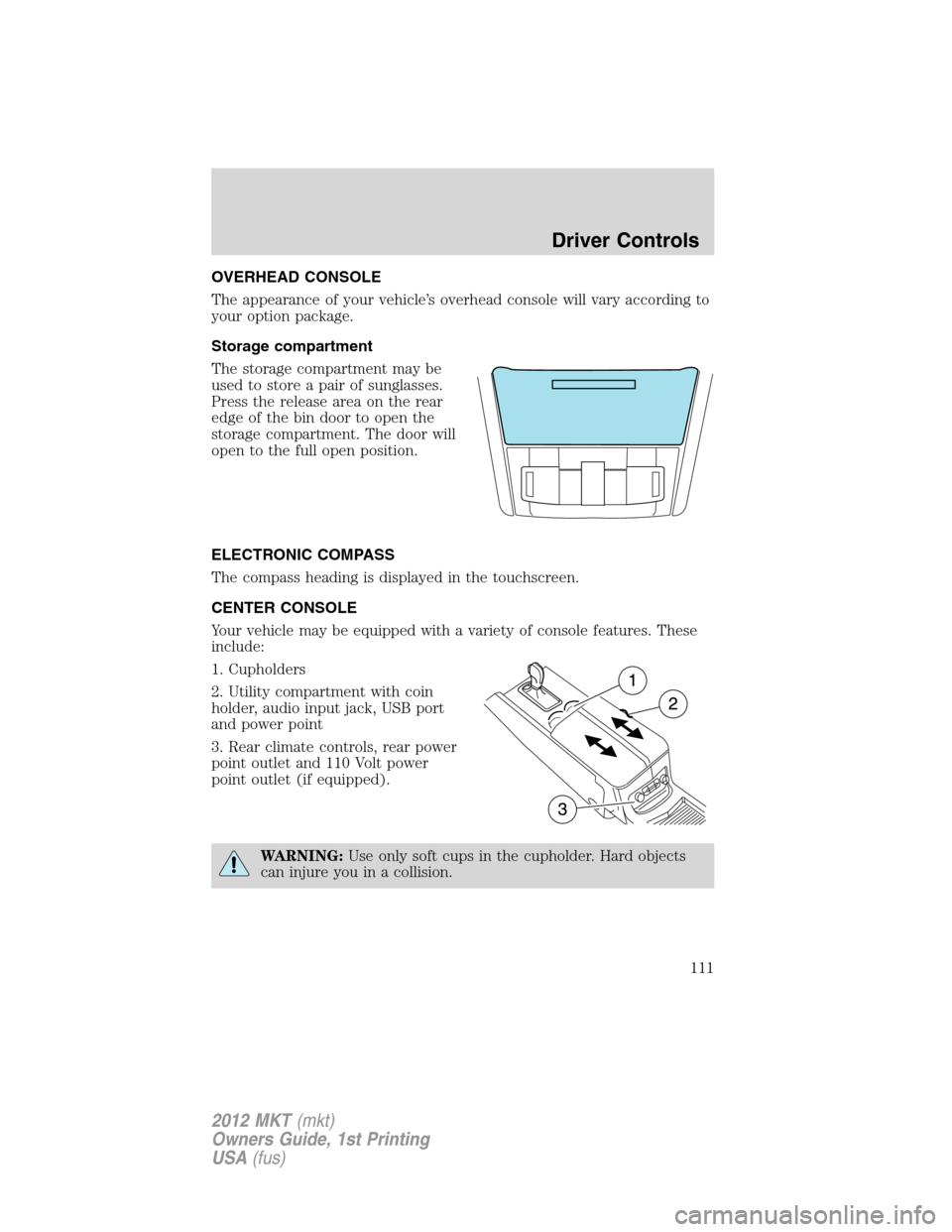
OVERHEAD CONSOLE
The appearance of your vehicle’s overhead console will vary according to
your option package.
Storage compartment
The storage compartment may be
used to store a pair of sunglasses.
Press the release area on the rear
edge of the bin door to open the
storage compartment. The door will
open to the full open position.
ELECTRONIC COMPASS
The compass heading is displayed in the touchscreen.
CENTER CONSOLE
Your vehicle may be equipped with a variety of console features. These
include:
1. Cupholders
2. Utility compartment with coin
holder, audio input jack, USB port
and power point
3. Rear climate controls, rear power
point outlet and 110 Volt power
point outlet (if equipped).
WARNING:Use only soft cups in the cupholder. Hard objects
can injure you in a collision.
Driver Controls
111
2012 MKT(mkt)
Owners Guide, 1st Printing
USA(fus)
Page 291 of 437
REARVIEW CAMERA SYSTEM
The rearview camera system,
located on the liftgate, provides a
video image, which appears on the
navigation system screen, of the
area behind the vehicle. It adds
assistance to the driver while
reversing or reverse parking the
vehicle.
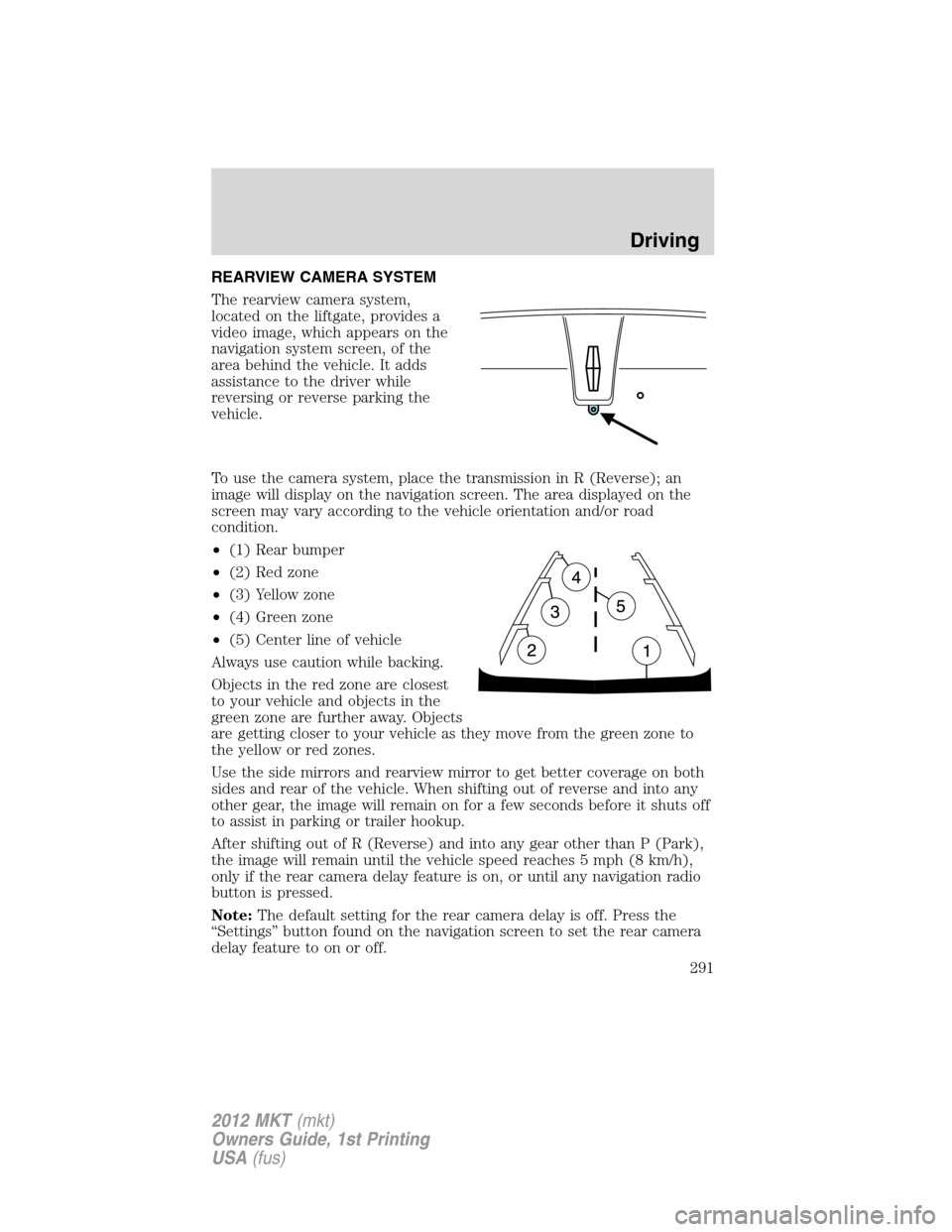
To use the camera system, place the transmission in R (Reverse); an
image will display on the navigation screen. The area displayed on the
screen may vary according to the vehicle orientation and/or road
condition.
•(1) Rear bumper
•(2) Red zone
•(3) Yellow zone
•(4) Green zone
•(5) Center line of vehicle
Always use caution while backing.
Objects in the red zone are closest
to your vehicle and objects in the
green zone are further away. Objects
are getting closer to your vehicle as they move from the green zone to
the yellow or red zones.
Use the side mirrors and rearview mirror to get better coverage on both
sides and rear of the vehicle. When shifting out of reverse and into any
other gear, the image will remain on for a few seconds before it shuts off
to assist in parking or trailer hookup.
After shifting out of R (Reverse) and into any gear other than P (Park),
the image will remain until the vehicle speed reaches 5 mph (8 km/h),
only if the rear camera delay feature is on, or until any navigation radio
button is pressed.
Note:The default setting for the rear camera delay is off. Press the
“Settings” button found on the navigation screen to set the rear camera
delay feature to on or off.
Driving
291
2012 MKT(mkt)
Owners Guide, 1st Printing
USA(fus)
Page 292 of 437
When towing, the camera system will only see what is being towed behind
the vehicle; this might not provide adequate coverage as it usually provides
in normal operation and some objects might not be seen.
The camera lens for the camera is located on the liftgate. Keep the lens
clean so the video image remains clear and undistorted. Clean the lens
with a soft, lint-free cloth and non-abrasive cleaner.
Note:If the camera system image is not clear or seems distorted, it may
be covered with water droplets, snow, mud or any other substance. If
this occurs, clean the camera lens before using the camera system.
WARNING:The camera system is a reverse aid supplement
device that still requires the driver to use it in conjunction with
the rearview mirror and the side mirrors for maximum coverage.
WARNING:Objects that are close to either corner of the
bumper or under the bumper, might not be seen on the screen
due to the limited coverage of the camera system.
WARNING:Backup as slow as possible since higher speeds
might limit your reaction time to stop the vehicle.
WARNING:Do not use the camera system with the liftgate open.
If the back end of the vehicle is hit or damaged, then check with your
authorized dealer to have your rear video system checked for proper
coverage and operation.
Night time and dark area use
At night time or in dark areas, the camera system relies on the reverse
lamp lighting to produce an image. Therefore it is necessary that both
reverse lamps are operating in order to get a clear image in the dark. If
either of the lamps are not operating, stop using the camera system, at
least in the dark, until the lamp(s) are replaced and functioning.
Servicing
•If the image comes on while the vehicle is not in R (Reverse), have
the system inspected by your authorized dealer.
•If the image is not clear, then check if there is anything covering the
lens such as dirt, mud, ice, snow, etc. If the image is still not clear
after cleaning, have your system inspected by your authorized dealer.
Driving
292
2012 MKT(mkt)
Owners Guide, 1st Printing
USA(fus)