warning LINCOLN MKT 2012 Owner's Manual
[x] Cancel search | Manufacturer: LINCOLN, Model Year: 2012, Model line: MKT, Model: LINCOLN MKT 2012Pages: 437, PDF Size: 3.56 MB
Page 59 of 437
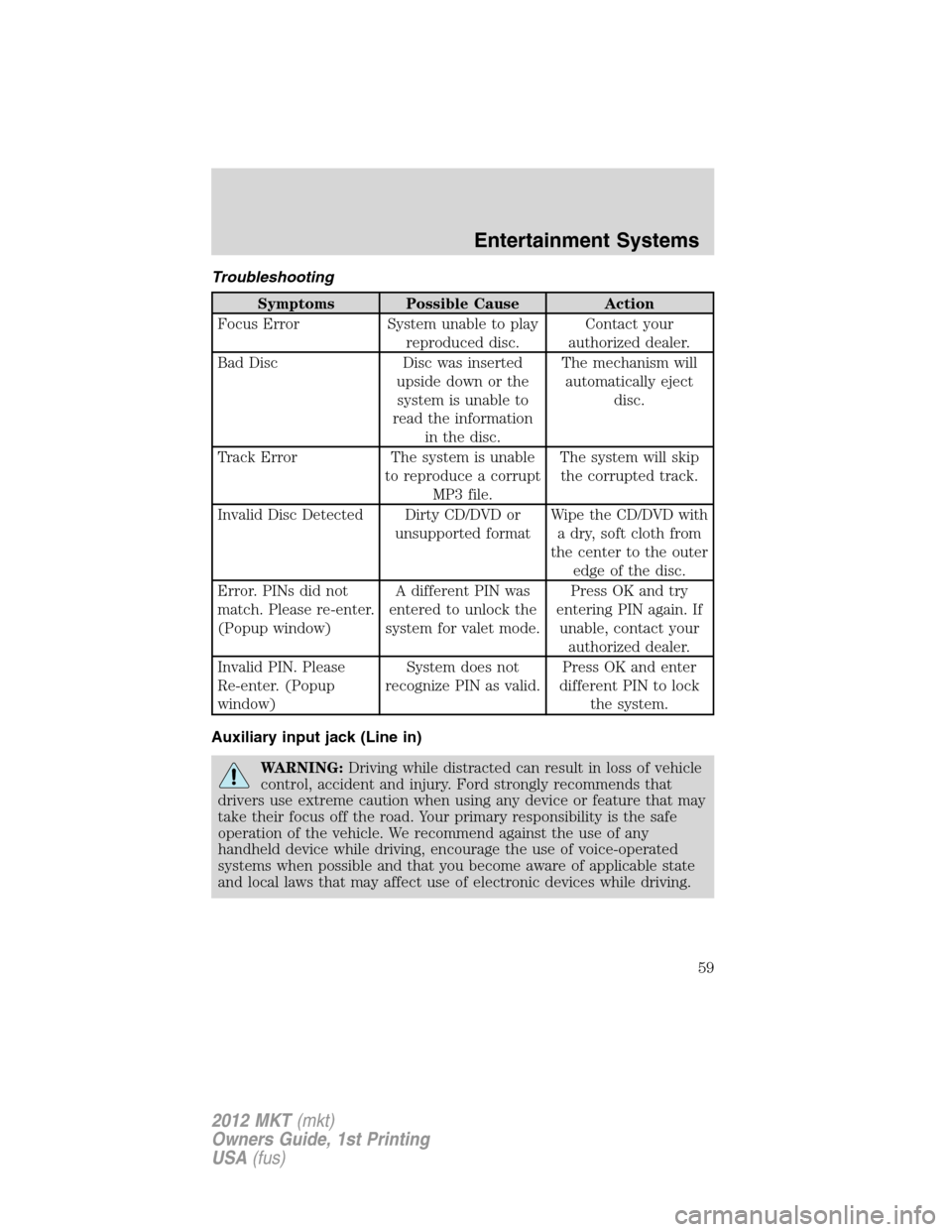
Troubleshooting
Symptoms Possible Cause Action
Focus Error System unable to play
reproduced disc.Contact your
authorized dealer.
Bad Disc Disc was inserted
upside down or the
system is unable to
read the information
in the disc.The mechanism will
automatically eject
disc.
Track Error The system is unable
to reproduce a corrupt
MP3 file.The system will skip
the corrupted track.
Invalid Disc Detected Dirty CD/DVD or
unsupported formatWipe the CD/DVD with
a dry, soft cloth from
the center to the outer
edge of the disc.
Error. PINs did not
match. Please re-enter.
(Popup window)A different PIN was
entered to unlock the
system for valet mode.Press OK and try
entering PIN again. If
unable, contact your
authorized dealer.
Invalid PIN. Please
Re-enter. (Popup
window)System does not
recognize PIN as valid.Press OK and enter
different PIN to lock
the system.
Auxiliary input jack (Line in)
WARNING:Driving while distracted can result in loss of vehicle
control, accident and injury. Ford strongly recommends that
drivers use extreme caution when using any device or feature that may
take their focus off the road. Your primary responsibility is the safe
operation of the vehicle. We recommend against the use of any
handheld device while driving, encourage the use of voice-operated
systems when possible and that you become aware of applicable state
and local laws that may affect use of electronic devices while driving.
Entertainment Systems
59
2012 MKT(mkt)
Owners Guide, 1st Printing
USA(fus)
Page 61 of 437
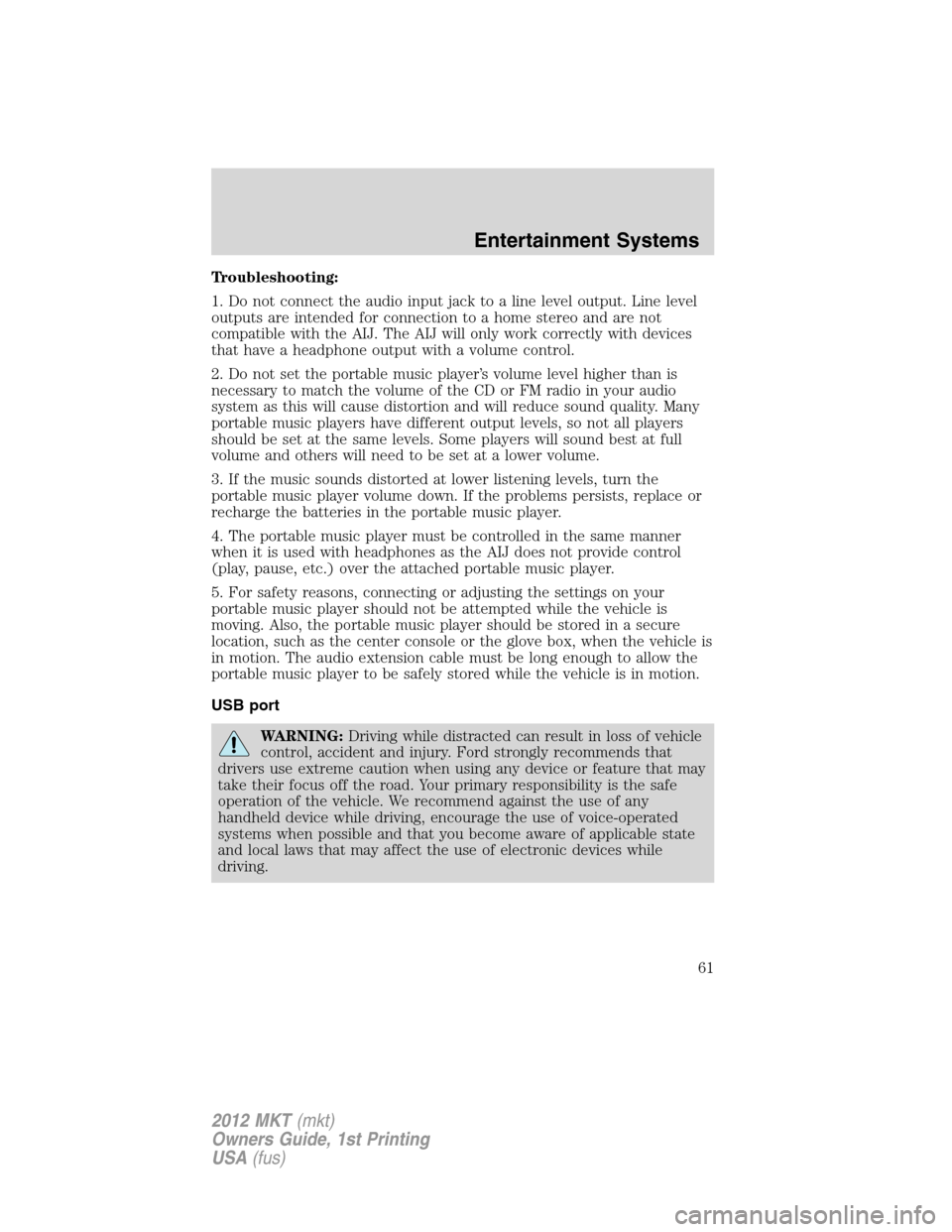
Troubleshooting:
1. Do not connect the audio input jack to a line level output. Line level
outputs are intended for connection to a home stereo and are not
compatible with the AIJ. The AIJ will only work correctly with devices
that have a headphone output with a volume control.
2. Do not set the portable music player’s volume level higher than is
necessary to match the volume of the CD or FM radio in your audio
system as this will cause distortion and will reduce sound quality. Many
portable music players have different output levels, so not all players
should be set at the same levels. Some players will sound best at full
volume and others will need to be set at a lower volume.
3. If the music sounds distorted at lower listening levels, turn the
portable music player volume down. If the problems persists, replace or
recharge the batteries in the portable music player.
4. The portable music player must be controlled in the same manner
when it is used with headphones as the AIJ does not provide control
(play, pause, etc.) over the attached portable music player.
5. For safety reasons, connecting or adjusting the settings on your
portable music player should not be attempted while the vehicle is
moving. Also, the portable music player should be stored in a secure
location, such as the center console or the glove box, when the vehicle is
in motion. The audio extension cable must be long enough to allow the
portable music player to be safely stored while the vehicle is in motion.
USB port
WARNING:Driving while distracted can result in loss of vehicle
control, accident and injury. Ford strongly recommends that
drivers use extreme caution when using any device or feature that may
take their focus off the road. Your primary responsibility is the safe
operation of the vehicle. We recommend against the use of any
handheld device while driving, encourage the use of voice-operated
systems when possible and that you become aware of applicable state
and local laws that may affect the use of electronic devices while
driving.
Entertainment Systems
61
2012 MKT(mkt)
Owners Guide, 1st Printing
USA(fus)
Page 67 of 437
FAMILY ENTERTAINMENT DVD SYSTEM (IF EQUIPPED)
WARNING:Driving while distracted can result in loss of vehicle
control, accident and injury. Ford strongly recommends that
drivers use extreme caution when using any device or feature that may
take their focus off the road. Your primary responsibility is the safe
operation of the vehicle. We recommend against the use of any
handheld device while driving, encourage the use of voice-operated
systems when possible and that you become aware of applicable state
and local laws that may affect use of electronic devices while driving.
Your vehicle may be equipped with a Family Entertainment System (FES)
which allows you to listen to audio CDs, MP3 discs, watch DVDs and to
plug in and play a variety of standard video game systems. The
headrest-mounted DVD players are capable of playing standard DVDs, CDs,
MP3s and are compatible with Video CD, HDCD, Hybrid SACD (play CD
layer only), SVCD, DVD-video, JPEGs, up to MPEG-4 files, MP3 files and
WMA media. Please review this material to become familiar with the FES
features and controls as well as the very important safety information.
Quick start
Your family entertainment system includes two headrest-mounted DVD
player/screens, two sets of wireless infrared (IR) headphones and a
wireless infrared (IR) remote control capable of controlling either DVD
player. Both DVD players are capable of playing their own independent
media, or they can both watch the same media.
When in single play mode, the headrest video sources that have been
selected at each headrest will play through the speakers, but no audio is
available through the headphones.
To play a DVD
1. Insert a DVD into the system, label side facing the rear passengers.
The disc slot indicator lights will illuminate. The system will
automatically load the disc and it will begin to play. LOADING will
appear in the screen.
2. If there is already a disc in the system, press the power button on the
DVD system and then press
(Play) to begin to play the disc.
Entertainment Systems
67
2012 MKT(mkt)
Owners Guide, 1st Printing
USA(fus)
Page 75 of 437
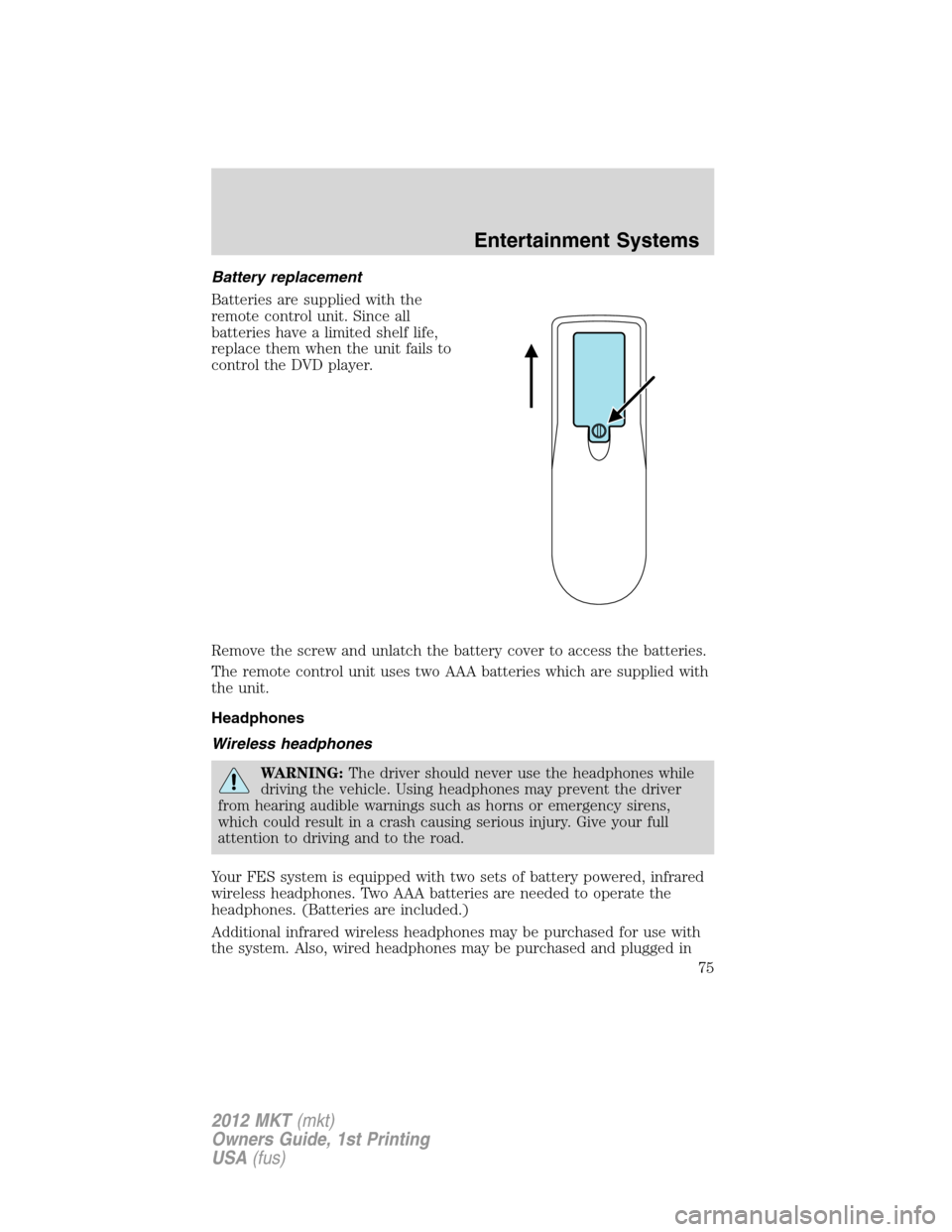
Battery replacement
Batteries are supplied with the
remote control unit. Since all
batteries have a limited shelf life,
replace them when the unit fails to
control the DVD player.
Remove the screw and unlatch the battery cover to access the batteries.
The remote control unit uses two AAA batteries which are supplied with
the unit.
Headphones
Wireless headphones
WARNING:The driver should never use the headphones while
driving the vehicle. Using headphones may prevent the driver
from hearing audible warnings such as horns or emergency sirens,
which could result in a crash causing serious injury. Give your full
attention to driving and to the road.
Your FES system is equipped with two sets of battery powered, infrared
wireless headphones. Two AAA batteries are needed to operate the
headphones. (Batteries are included.)
Additional infrared wireless headphones may be purchased for use with
the system. Also, wired headphones may be purchased and plugged in
Entertainment Systems
75
2012 MKT(mkt)
Owners Guide, 1st Printing
USA(fus)
Page 77 of 437
Ensure that the headphones are turned off when not in use. After
approximately one minute of not being in use (no infrared signal is
received), the wireless headphones will automatically turn off. They will
also turn off after two hours of continuous use as a power save feature.
If this happens, simply turn the headphones on again and continue use.
Wired headphones
WARNING:Do not leave children unattended in the vehicle and
do not let children operate the system while unsupervised. If
wired headphones or auxiliary systems are used, children may become
entangled in the cords and seriously injure themselves.
WARNING:The driver should never use the headphones while
driving the vehicle. Using headphones may prevent the driver
from hearing audible warnings such as horns or emergency sirens,
which could result in a crash causing serious injury. Give your full
attention to driving and to the road.
Wired headphone jacks on the FES (Family Entertainment System) are
universal so you may purchase and use additional wired headphones for
your system. Plug them into the 3.5 mm headphone jack(s) located
behind the trim covers on the face of each monitor. These headphones
will be active when in Dual Play mode.
To listen to the audio on wired headphones (not included), connect the
wired headphones into the monitor headphone jacks. Available wired
headphone sources are limited to the sources available to whichever
monitor is being listened to. Adjust the volume using the volume control
on the DVD system remote control.
Operation
Single play/dual play
Your DVD and audio system work together with the infrared headphones
and wired headphones (not included) to allow the rear seat passengers
to listen to the radio (and other media sources) over the headphones.
This enables the front and rear seat passengers to listen to a variety of
sources a variety of ways.
Single Play:Single play consists of all occupants in the vehicle listening
to the same playing media over the front and rear speakers. When the
DVD system is on and in single play, the same source will play through
all vehicle speakers.
Entertainment Systems
77
2012 MKT(mkt)
Owners Guide, 1st Printing
USA(fus)
Page 85 of 437
Safety information
WARNING:Driving while distracted can result in loss of vehicle
control, accident and injury. Ford strongly recommends that
drivers use extreme caution when using any device or feature that may
take their focus off the road. Your primary responsibility is the safe
operation of the vehicle. We recommend against the use of any handheld
device while driving, encourage the use of voice-operated systems when
possible and that you become aware of applicable state and local laws
that may affect the use of electronic devices while driving.
Read all of the safety and operating instructions before operating the
system and retain for future reference.
Do not attempt to service, repair or modify the Family Entertainment
System (FES). See your dealer.
Do not insert foreign objects into the DVD compartment.
WARNING:Do not leave children unattended in the vehicle and
do not let children operate the system while unsupervised. If
wired headphones or auxiliary systems are used, children may become
entangled in the cords and seriously injure themselves.
WARNING:The front glass on the liquid crystal display (LCD)
flip-down screen may break when hit with a hard surface. If the
glass breaks, do not touch the liquid crystalline material. In case of
contact with skin, wash immediately with soap and water.
WARNING:The driver should not attempt to operate any
function of the DVD system while the vehicle is in motion. Give
full attention to driving and to the road. Pull off the road in a safe
place before inserting or extracting DVDs from the system. A remote
control is included in the system to allow the rear seat occupants to
operate the FES functions without distracting the driver.
Do not expose the liquid crystal display (LCD) flip-down screen
to direct sunlight or intensive ultraviolet rays for extensive
periods of time. Ultraviolet rays deteriorate the liquid crystal.
Be sure to review User Manuals for video games and video game
equipment when used as auxiliary inputs for your Family Entertainment
System (FES).
Entertainment Systems
85
2012 MKT(mkt)
Owners Guide, 1st Printing
USA(fus)
Page 101 of 437
Daytime running lamps (DRL) (if equipped)
Turns the front fog lamps on.
To activate:
•the ignition must be in the on position,
•the headlamp control is in the off, autolamps or parking lamp position
and
•the transmission must be out of the P (Park) position.
WARNING:Always remember to turn on your headlamps at
dusk or during inclement weather. The Daytime Running Lamp
(DRL) system does not activate the tail lamps and generally may not
provide adequate lighting during these conditions. Failure to activate
your headlamps under these conditions may result in a collision.
PANEL DIMMER CONTROL
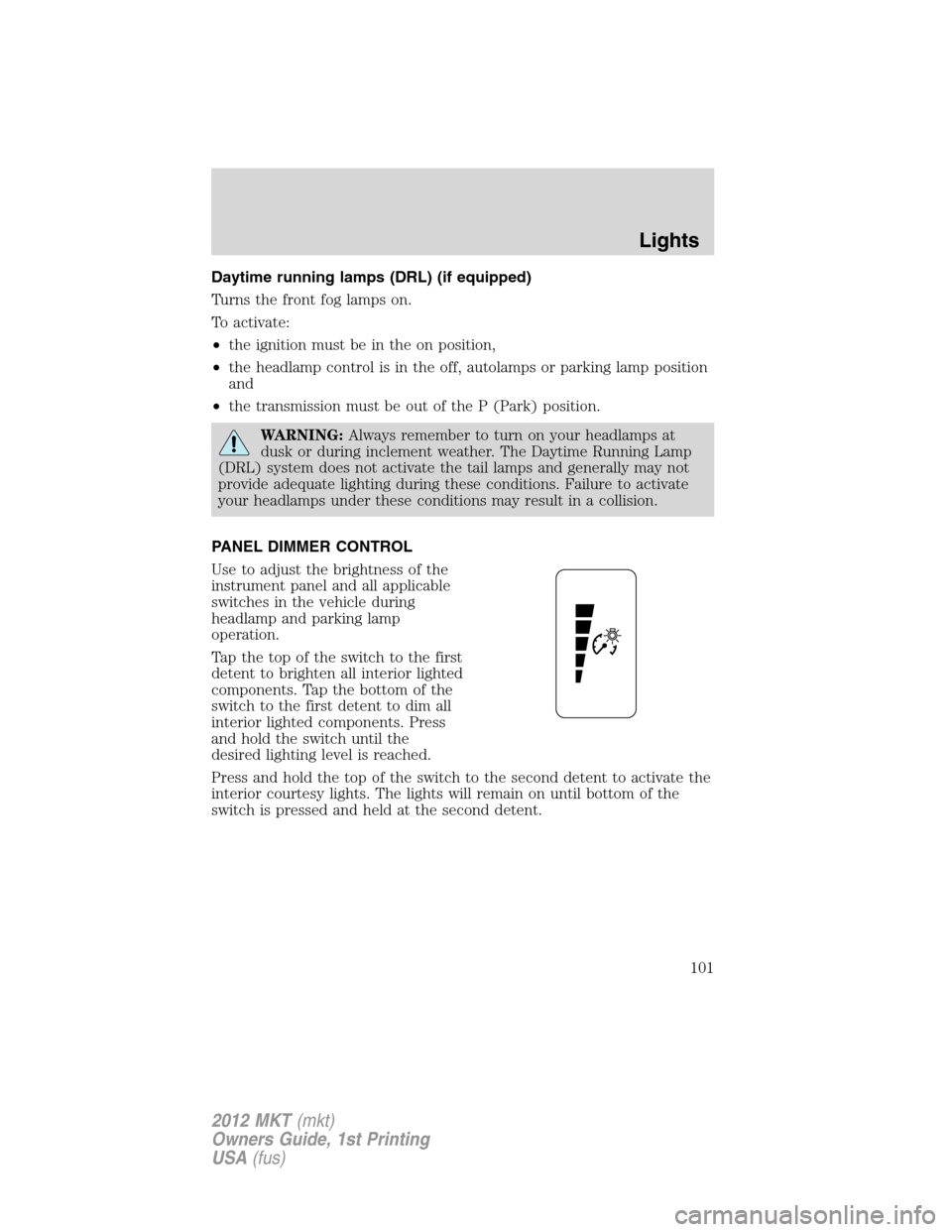
Use to adjust the brightness of the
instrument panel and all applicable
switches in the vehicle during
headlamp and parking lamp
operation.
Tap the top of the switch to the first
detent to brighten all interior lighted
components. Tap the bottom of the
switch to the first detent to dim all
interior lighted components. Press
and hold the switch until the
desired lighting level is reached.
Press and hold the top of the switch to the second detent to activate the
interior courtesy lights. The lights will remain on until bottom of the
switch is pressed and held at the second detent.
Lights
101
2012 MKT(mkt)
Owners Guide, 1st Printing
USA(fus)
Page 110 of 437
POWER TILT/TELESCOPE STEERING COLUMN
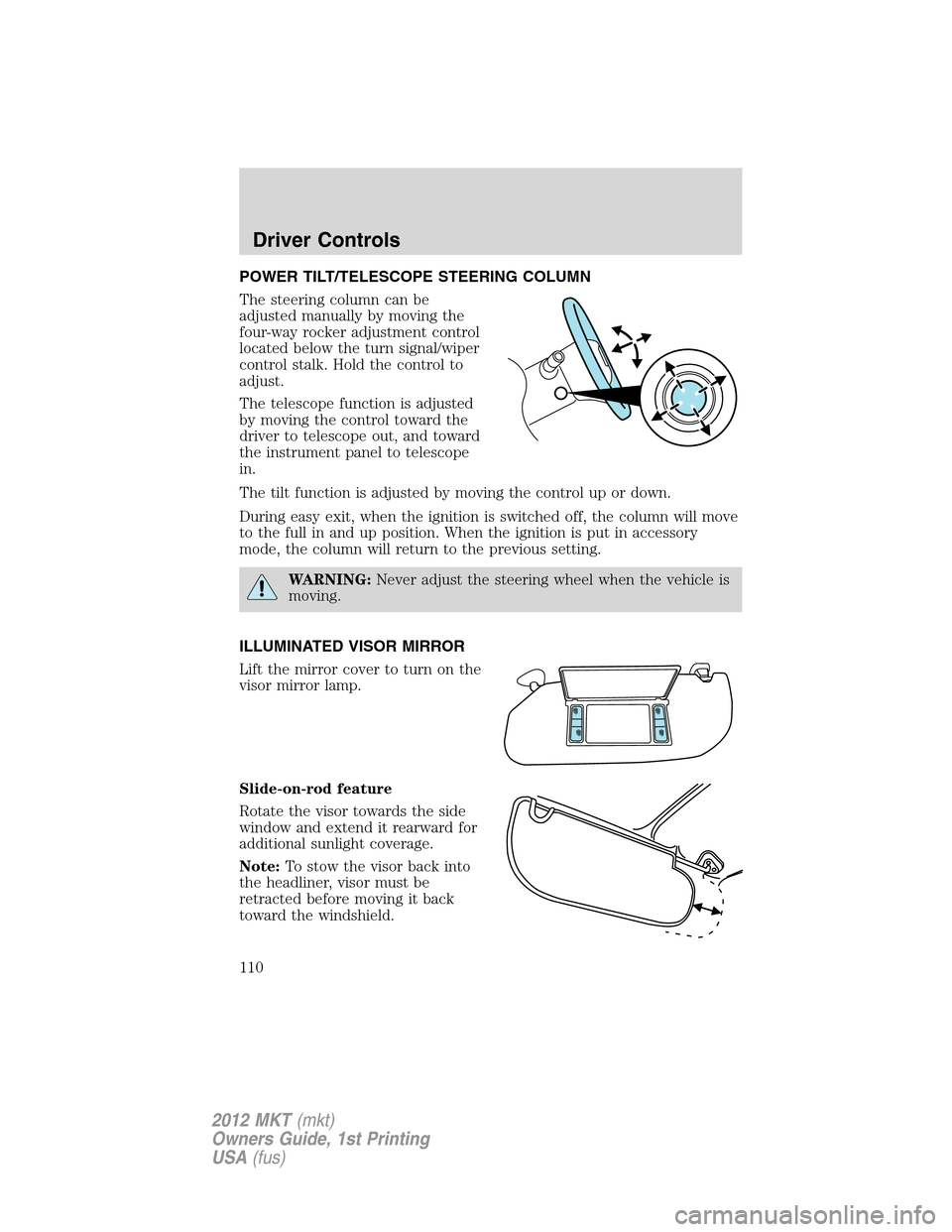
The steering column can be
adjusted manually by moving the
four-way rocker adjustment control
located below the turn signal/wiper
control stalk. Hold the control to
adjust.
The telescope function is adjusted
by moving the control toward the
driver to telescope out, and toward
the instrument panel to telescope
in.
The tilt function is adjusted by moving the control up or down.
During easy exit, when the ignition is switched off, the column will move
to the full in and up position. When the ignition is put in accessory
mode, the column will return to the previous setting.
WARNING:Never adjust the steering wheel when the vehicle is
moving.
ILLUMINATED VISOR MIRROR
Lift the mirror cover to turn on the
visor mirror lamp.
Slide-on-rod feature
Rotate the visor towards the side
window and extend it rearward for
additional sunlight coverage.
Note:To stow the visor back into
the headliner, visor must be
retracted before moving it back
toward the windshield.
Driver Controls
110
2012 MKT(mkt)
Owners Guide, 1st Printing
USA(fus)
Page 111 of 437
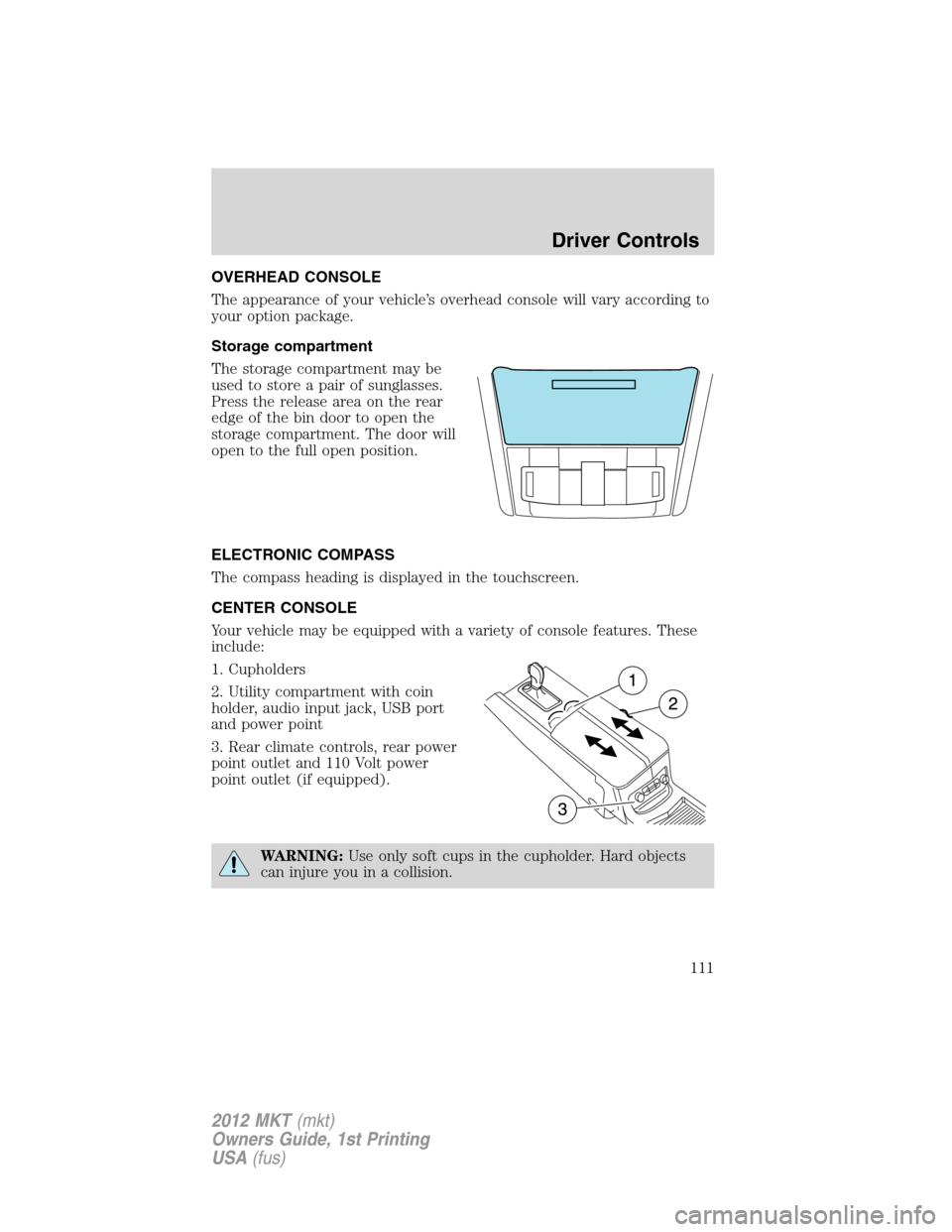
OVERHEAD CONSOLE
The appearance of your vehicle’s overhead console will vary according to
your option package.
Storage compartment
The storage compartment may be
used to store a pair of sunglasses.
Press the release area on the rear
edge of the bin door to open the
storage compartment. The door will
open to the full open position.
ELECTRONIC COMPASS
The compass heading is displayed in the touchscreen.
CENTER CONSOLE
Your vehicle may be equipped with a variety of console features. These
include:
1. Cupholders
2. Utility compartment with coin
holder, audio input jack, USB port
and power point
3. Rear climate controls, rear power
point outlet and 110 Volt power
point outlet (if equipped).
WARNING:Use only soft cups in the cupholder. Hard objects
can injure you in a collision.
Driver Controls
111
2012 MKT(mkt)
Owners Guide, 1st Printing
USA(fus)
Page 112 of 437
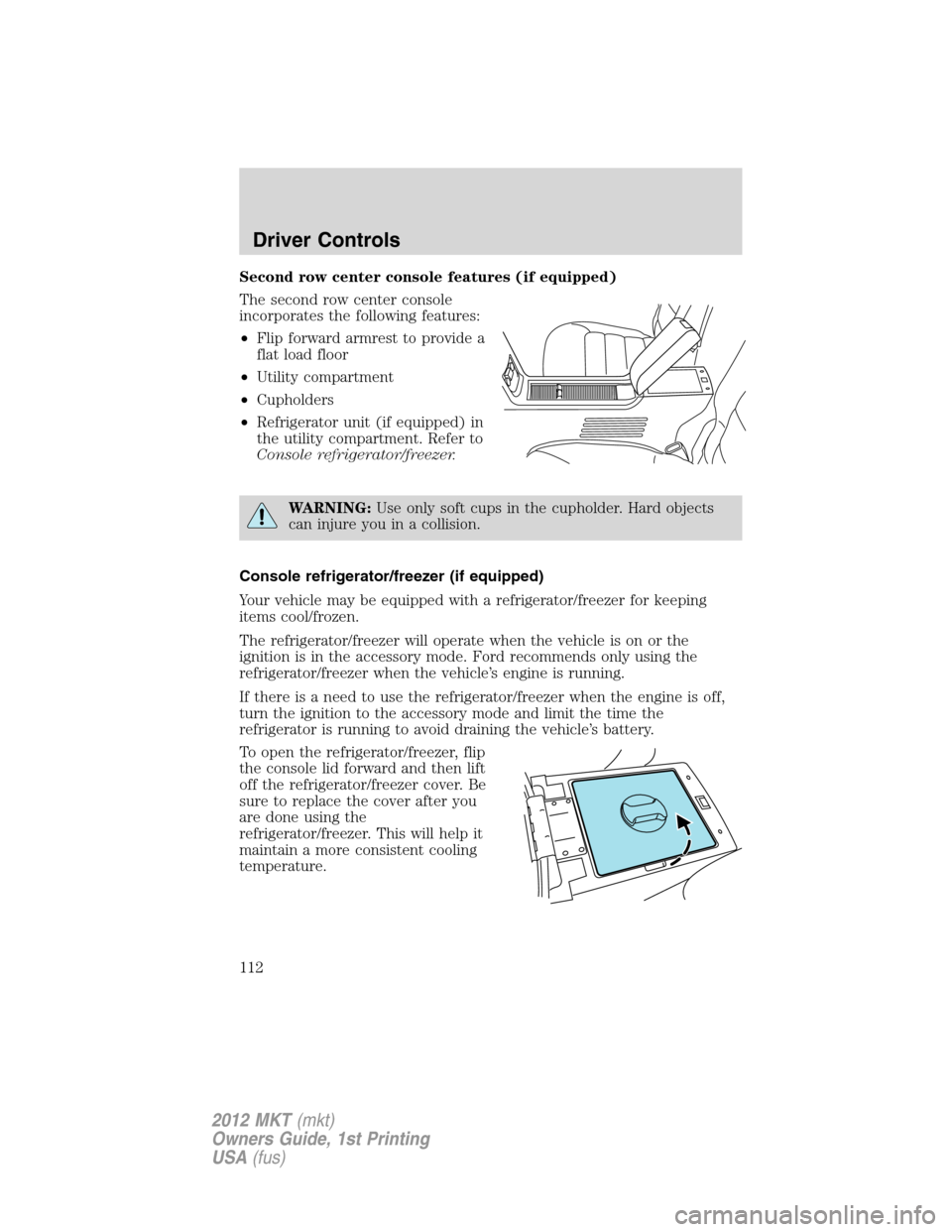
Second row center console features (if equipped)
The second row center console
incorporates the following features:
•Flip forward armrest to provide a
flat load floor
•Utility compartment
•Cupholders
•Refrigerator unit (if equipped) in
the utility compartment. Refer to
Console refrigerator/freezer.
WARNING:Use only soft cups in the cupholder. Hard objects
can injure you in a collision.
Console refrigerator/freezer (if equipped)
Your vehicle may be equipped with a refrigerator/freezer for keeping
items cool/frozen.
The refrigerator/freezer will operate when the vehicle is on or the
ignition is in the accessory mode. Ford recommends only using the
refrigerator/freezer when the vehicle’s engine is running.
If there is a need to use the refrigerator/freezer when the engine is off,
turn the ignition to the accessory mode and limit the time the
refrigerator is running to avoid draining the vehicle’s battery.
To open the refrigerator/freezer, flip
the console lid forward and then lift
off the refrigerator/freezer cover. Be
sure to replace the cover after you
are done using the
refrigerator/freezer. This will help it
maintain a more consistent cooling
temperature.
Driver Controls
112
2012 MKT(mkt)
Owners Guide, 1st Printing
USA(fus)