Seat LINCOLN MKT 2014 Owners Manual
[x] Cancel search | Manufacturer: LINCOLN, Model Year: 2014, Model line: MKT, Model: LINCOLN MKT 2014Pages: 498, PDF Size: 7.3 MB
Page 341 of 498
Tire Replacement Requirements
WARNING:Only use replacement tires and wheels that are the
same size, load index, speed rating and type (such as P-metric
versus LT-metric or all-season versus all-terrain) as those originally
provided by Ford. The recommended tire and wheel size may be found
on either the Safety Compliance Certification Label (affixed to either
the door hinge pillar, door-latch post, or the door edge that meets the
door-latch post, next to the driver’s seating position), or the Tire Label
which is located on the B-Pillar or edge of the driver’s door. If this
information is not found on these labels, then you should contact your
authorized dealer as soon as possible. Use of any tire or wheel not
recommended by Ford can affect the safety and performance of your
vehicle, which could result in an increased risk of loss of vehicle
control, vehicle rollover, personal injury and death. Additionally the use
of non-recommended tires and wheels could cause steering, suspension,
axle, transfer case or power transfer unit failure. If you have questions
regarding tire replacement, contact your authorized dealer as soon as
possible.
340Wheels and Tires
2014 MKT(mkt)
Owners Guide gf, 1st Printing, April 2013
USA(fus)
Page 342 of 498
WARNING:To reduce the risk of serious injury, when mounting
replacement tires and wheels, you should not exceed the
maximum pressure indicated on the sidewall of the tire to set the beads
without additional precautions listed below. If the beads do not seat at
the maximum pressure indicated, re-lubricate and try again.
When inflating the tire for mounting pressures up to 20 psi (1.38 bar)
greater than the maximum pressure on the tire sidewall, the following
precautions must be taken to protect the person mounting the tire:
1. Make sure that you have the correct tire and wheel size.
2. Lubricate the tire bead and wheel bead seat area again.
3. Stand at a minimum of 12 feet (3.66 meters) away from the tire
wheel assembly.
4. Use both eye and ear protection.
For a mounting pressure more than 20 psi (1.38 bar) greater than the
maximum pressure, a Ford dealer or other tire service professional
should do the mounting.
Always inflate steel carcass tires with a remote air fill with the person
inflating standing at a minimum of 12 feet (3.66 meters) away from the
tire wheel assembly.
Your vehicle is equipped with tires designed to provide a safe ride and
handling capability.
Important:Remember to replace the wheel valve stems when the road
tires are replaced on your vehicle.
The two front tires or two rear tires should generally be replaced as a
pair.
The tire pressure sensors mounted in the wheels (originally installed on
your vehicle) are not designed to be used in aftermarket wheels.
The use of wheels or tires not recommended by Ford Motor Company
may affect the operation of your tire pressure monitoring system.
If the tire pressure monitoring system indicator is flashing, the system is
malfunctioning. Your replacement tire might be incompatible with your
tire pressure monitoring system, or some component of the system may
be damaged.
Wheels and Tires341
2014 MKT(mkt)
Owners Guide gf, 1st Printing, April 2013
USA(fus)
Page 353 of 498
WARNING:Always use the jack provided as original equipment
with your vehicle. If using a jack other than the one provided as
original equipment with your vehicle, make sure the jack capacity is
adequate for the vehicle weight, including any vehicle cargo or
modifications.
Note:Passengers should not remain in the vehicle when the vehicle is
being jacked.
1. Park on a level surface, set the parking brake and activate the hazard
flashers.
2. Place the transmission selector lever in positionPand turn the engine
off.
Non-limousine: If the third row seat is stowed in the floor, you will need
to unstow it to access the spare tire and jack.
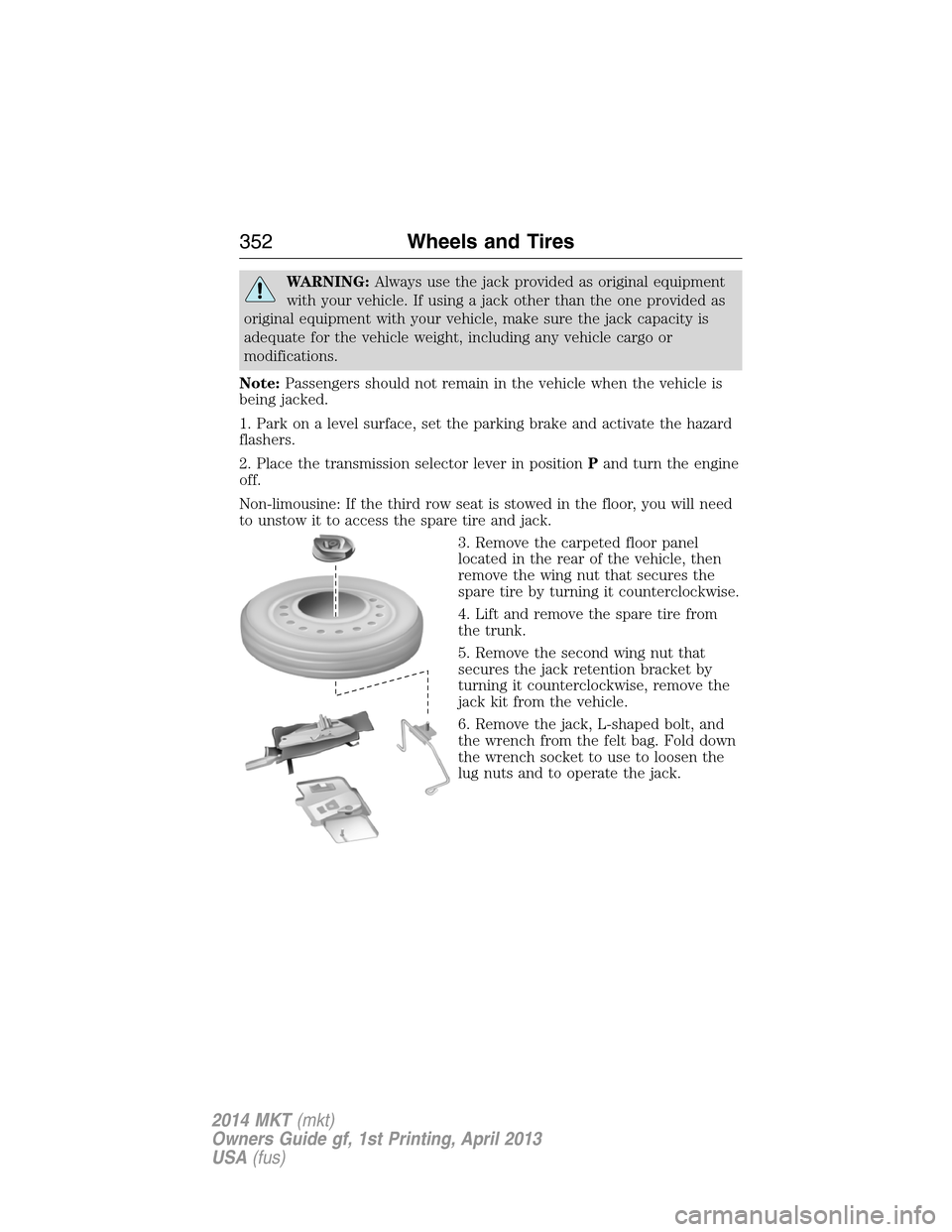
3. Remove the carpeted floor panel
located in the rear of the vehicle, then
remove the wing nut that secures the
spare tire by turning it counterclockwise.
4. Lift and remove the spare tire from
the trunk.
5. Remove the second wing nut that
secures the jack retention bracket by
turning it counterclockwise, remove the
jack kit from the vehicle.
6. Remove the jack, L-shaped bolt, and
the wrench from the felt bag. Fold down
the wrench socket to use to loosen the
lug nuts and to operate the jack.
352Wheels and Tires
2014 MKT(mkt)
Owners Guide gf, 1st Printing, April 2013
USA(fus)
Page 357 of 498
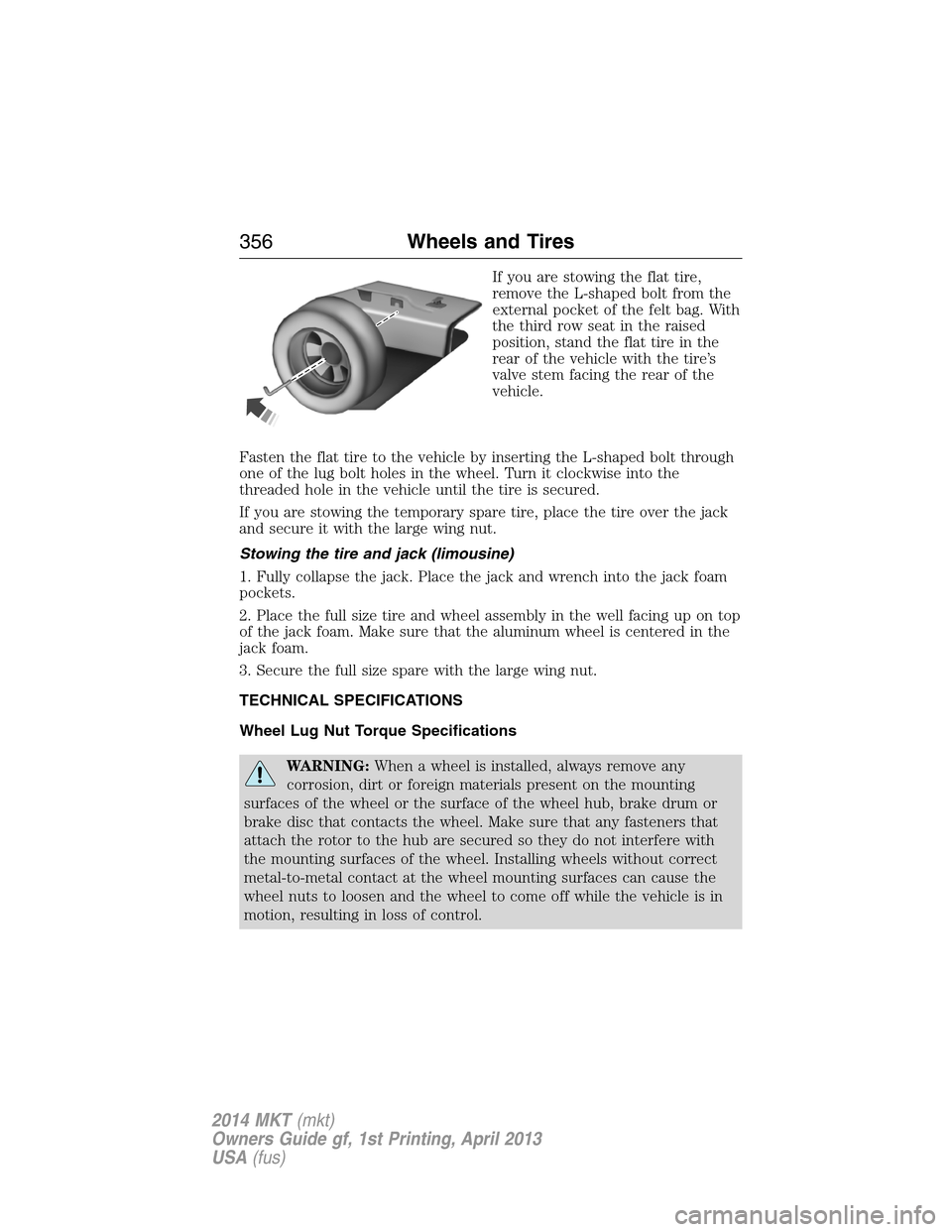
If you are stowing the flat tire,
remove the L-shaped bolt from the
external pocket of the felt bag. With
the third row seat in the raised
position, stand the flat tire in the
rear of the vehicle with the tire’s
valve stem facing the rear of the
vehicle.
Fasten the flat tire to the vehicle by inserting the L-shaped bolt through
one of the lug bolt holes in the wheel. Turn it clockwise into the
threaded hole in the vehicle until the tire is secured.
If you are stowing the temporary spare tire, place the tire over the jack
and secure it with the large wing nut.
Stowing the tire and jack (limousine)
1. Fully collapse the jack. Place the jack and wrench into the jack foam
pockets.
2. Place the full size tire and wheel assembly in the well facing up on top
of the jack foam. Make sure that the aluminum wheel is centered in the
jack foam.
3. Secure the full size spare with the large wing nut.
TECHNICAL SPECIFICATIONS
Wheel Lug Nut Torque Specifications
WARNING:When a wheel is installed, always remove any
corrosion, dirt or foreign materials present on the mounting
surfaces of the wheel or the surface of the wheel hub, brake drum or
brake disc that contacts the wheel. Make sure that any fasteners that
attach the rotor to the hub are secured so they do not interfere with
the mounting surfaces of the wheel. Installing wheels without correct
metal-to-metal contact at the wheel mounting surfaces can cause the
wheel nuts to loosen and the wheel to come off while the vehicle is in
motion, resulting in loss of control.
356Wheels and Tires
2014 MKT(mkt)
Owners Guide gf, 1st Printing, April 2013
USA(fus)
Page 361 of 498

TECHNICAL SPECIFICATIONS
Items CapacityFord Part Name or
equivalentFord Part Number /
Ford Specification
Brake fluid
1
Between MAX and
MIN on reservoirMotorcraft DOT 4 LV
High Performance Motor
Vehicle Brake FluidPM-20 /
WSS-M6C65-A2 and ISO
4925 Class 6
Door latch, hood latch,
auxiliary hood latch,
seat tracks, trunk and
liftgate latches—Multi-Purpose Grease
(Lithium grease)XG-4 or XL-5 or
equivalent /
ESA-M1C93-B
Lock cylinders —Motorcraft Penetrating
and Lock LubricantXL-1 /
None
Automatic transmission
fluid
2,3
9.0 quarts (8.5L)
(6F35)
Motorcraft
MERCON LV ATFXT-10-QLV /
MERCON™ LV 10.9 quarts
(10.3L)
(6F50)
11.6 quarts
(11.0L)
(6F55)
Rear differential (AWD)
fluid1.3 pints (0.615L)Motorcraft SAE 80W-90
Premium Rear Axle
LubricantXY-80W90-QL /
WSP-M2C197-A
Power Transfer Unit
(PTU) fluid (AWD)
4
18 ounces (0.53L)Motorcraft SAE 75W-140
Synthetic Rear Axle
LubricantXY-75W140-QL /
WSL-M2C192-A
360Capacities and Specifications
2014 MKT(mkt)
Owners Guide gf, 1st Printing, April 2013
USA(fus)
Page 365 of 498
MOTORCRAFT® PART NUMBERS
Component 3.7L V6 Engine3.5L V6
EcoBoost
Engine2.0L EcoBoost
Engine
Engine air filter
elementFA-1884 FA-1884 FA-1884
Battery BXT-65-750 BXT-65-750 BXT-65-750
Oil filter FL-500-S FL-500-S FL-910-S
Spark Plugs
1SP-411 SP-520 SP-527
Cabin air filter FP68 FP68 FP68
Seat air filter FS104 FS104 FS104
Windshield
wiper bladeWW-2401-PF (driver side)
WW-2201-PF (passenger side)
WW-1201-PF (rear)
1For spark plug replacement, see your authorized dealer. Refer to
scheduled maintenance informationfor the appropriate intervals for
changing the spark plugs.
Note:Replace the spark plugs with ones that meet Ford material and
design specifications for your vehicle, such as Motorcraft® or equivalent
replacement parts. The customer warranty may be void for any damage
to the engine if such spark plugs are not used.
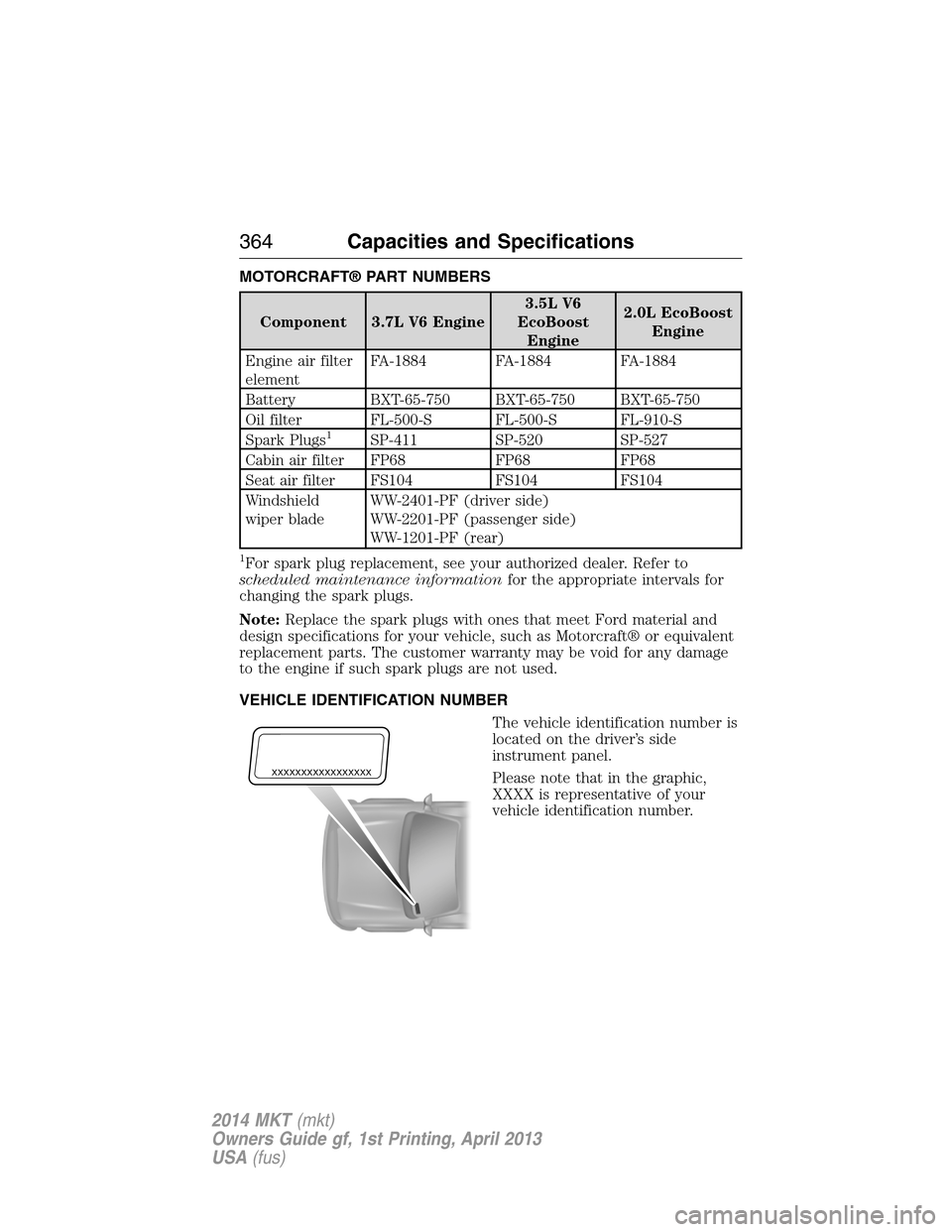
VEHICLE IDENTIFICATION NUMBER
The vehicle identification number is
located on the driver’s side
instrument panel.
Please note that in the graphic,
XXXX is representative of your
vehicle identification number.
XXXXXXXXXXXXXXXXX
364Capacities and Specifications
2014 MKT(mkt)
Owners Guide gf, 1st Printing, April 2013
USA(fus)
Page 366 of 498
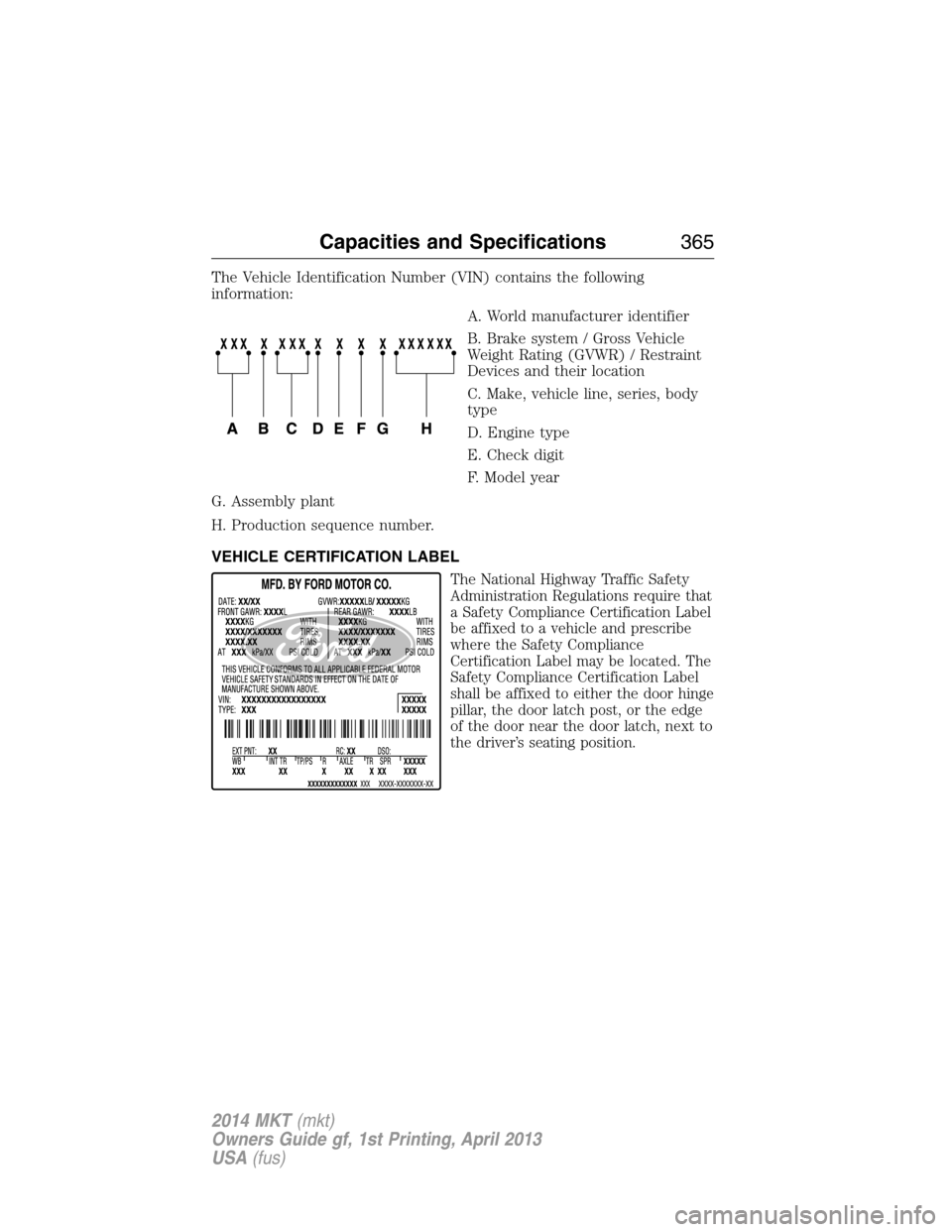
The Vehicle Identification Number (VIN) contains the following
information:
A. World manufacturer identifier
B. Brake system / Gross Vehicle
Weight Rating (GVWR) / Restraint
Devices and their location
C. Make, vehicle line, series, body
type
D. Engine type
E. Check digit
F. Model year
G. Assembly plant
H. Production sequence number.
VEHICLE CERTIFICATION LABEL
The National Highway Traffic Safety
Administration Regulations require that
a Safety Compliance Certification Label
be affixed to a vehicle and prescribe
where the Safety Compliance
Certification Label may be located. The
Safety Compliance Certification Label
shall be affixed to either the door hinge
pillar, the door latch post, or the edge
of the door near the door latch, next to
the driver’s seating position.
Capacities and Specifications365
2014 MKT(mkt)
Owners Guide gf, 1st Printing, April 2013
USA(fus)
Page 368 of 498
ACCESSORIES
For a complete listing of the accessories that are available for your
vehicle, please contact your dealer or visit our online store at:
Accessories.Lincoln.com(U.S. only).
Lincoln Custom Accessories are available for your vehicle through your
local Lincoln or Lincoln of Canada dealer. Lincoln Motor Company will
repair or replace any properly dealer-installed Lincoln Custom
Accessories found to be defective in factory-supplied materials or
workmanship during the warranty period, as well as any component
damaged by the defective accessories. The accessories will be warranted
for whichever provides you the greatest benefit:
•12 months or 12000 miles (20000 kilometers) (whichever occurs first),
or
•the remainder of your new vehicle limited warranty.
Contact your dealer for details and a copy of the warranty.
Exterior style
•Side window deflectors
Interior style
•Floor mats•Rear seat entertainment*
Lifestyle
•Ash cup / smoker’s package•Cargo organization and
management
•Conversation mirror•Trailer towing accessories
Peace of mind
•Remote start•Wheel locks
•Vehicle security•Locking fuel plug for capless fuel
system
*Lincoln Licensed Accessories are warranted by the accessory
manufacturer’s warranty. Lincoln Licensed Accessories are fully designed
and developed by the accessory manufacturer and have not been
designed or tested to Ford Motor Company engineering requirements.
Contact your local Lincoln dealer for details regarding the manufacturer’s
limited warranty and/or a copy of the Lincoln Licensed Accessories
product limited warranty offered by the accessory manufacturer.
Accessories367
2014 MKT(mkt)
Owners Guide gf, 1st Printing, April 2013
USA(fus)
Page 382 of 498
In Canada, call: 1–800–565–3673
Times are subject to change due to holidays.
SYNC Owner Account
Why do I need a SYNC owner account?
•Required to activate Vehicle Health Report and to view the reports
online.
•Required to activate the subscription-based SYNC Services and to
personalize your Saved Points and Favorites.
•Essential for keeping up with the latest software downloads available
for SYNC.
•Access to customer support for any questions you may have.
Safety information
WARNING:Driving while distracted can result in loss of vehicle
control, accident and injury. Ford strongly recommends that
drivers use extreme caution when using any device that may take their
focus off the road. Your primary responsibility is the safe operation of
the vehicle. We recommend against the use of any handheld device
while driving, encourage the use of voice-operated systems when
possible and that you become aware of applicable state and local laws
that may affect use of electronic devices while driving.
•Do not attempt to service or repair SYNC®. See your authorized
dealer.
•Do not operate playing devices if the power cords and/or cables are
broken, split or damaged. Carefully place cords and/or cables where
they will not be stepped on or interfere with the operation of pedals,
seats and/or compartments, or safe driving abilities.
•Do not leave playing devices in the vehicle in extreme conditions as it
could cause damage to your device. Refer to your device’s user guide
for further information.
•For your safety, some SYNC® functions are speed dependent and
cannot be performed when the vehicle is traveling at speeds greater
than 3 mph (5 km/h).
•Ensure that you review your device’s user guide before using with
SYNC®.
MyLincoln Touch™381
2014 MKT(mkt)
Owners Guide gf, 1st Printing, April 2013
USA(fus)
Page 441 of 498
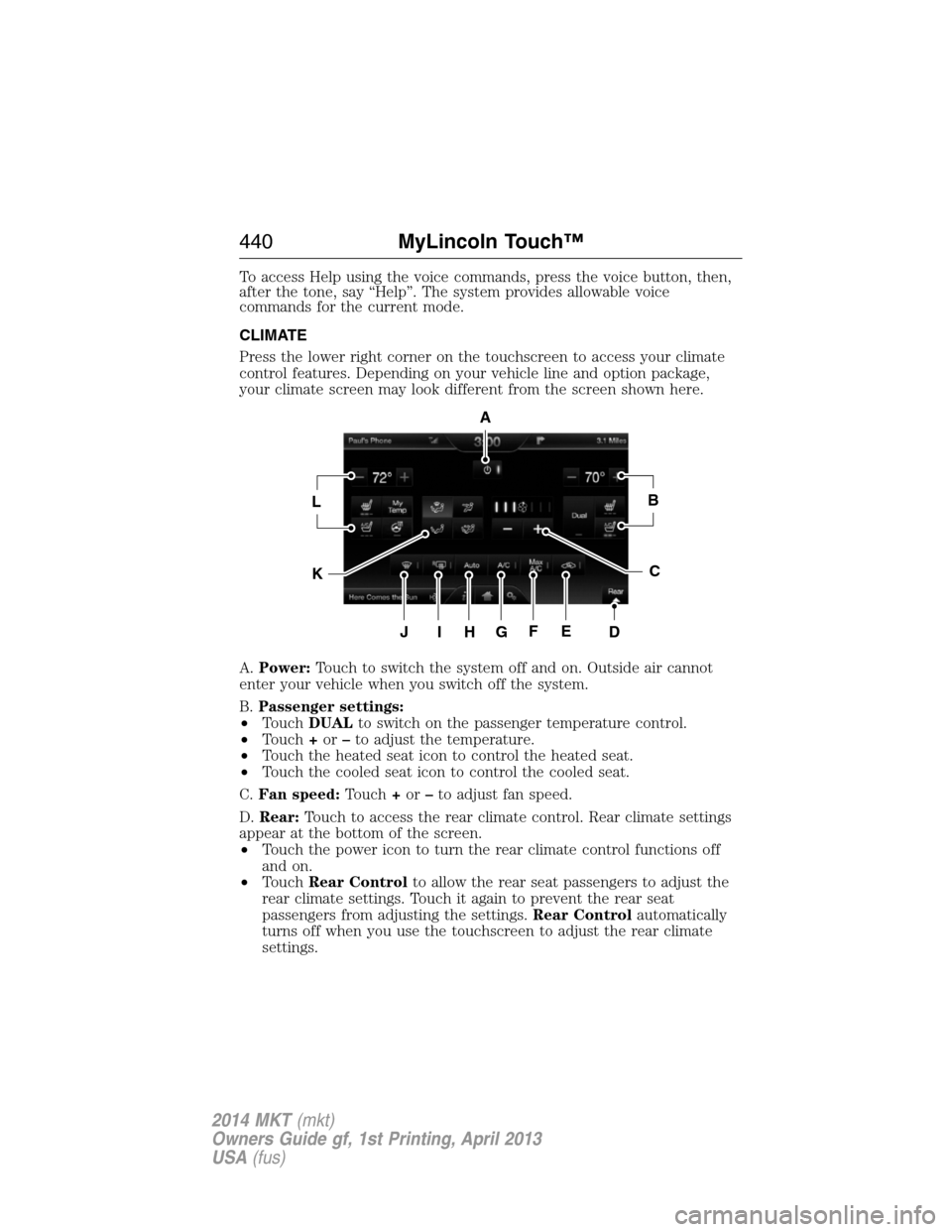
To access Help using the voice commands, press the voice button, then,
after the tone, say “Help”. The system provides allowable voice
commands for the current mode.
CLIMATE
Press the lower right corner on the touchscreen to access your climate
control features. Depending on your vehicle line and option package,
your climate screen may look different from the screen shown here.
A.Power:Touch to switch the system off and on. Outside air cannot
enter your vehicle when you switch off the system.
B.Passenger settings:
•TouchDUALto switch on the passenger temperature control.
•Touch+or–to adjust the temperature.
•Touch the heated seat icon to control the heated seat.
•Touch the cooled seat icon to control the cooled seat.
C.Fan speed:Touch+or–to adjust fan speed.
D.Rear:Touch to access the rear climate control. Rear climate settings
appear at the bottom of the screen.
•Touch the power icon to turn the rear climate control functions off
and on.
•TouchRear Controlto allow the rear seat passengers to adjust the
rear climate settings. Touch it again to prevent the rear seat
passengers from adjusting the settings.Rear Controlautomatically
turns off when you use the touchscreen to adjust the rear climate
settings.
A
LB
KC
JIHGFED
440MyLincoln Touch™
2014 MKT(mkt)
Owners Guide gf, 1st Printing, April 2013
USA(fus)