clock LINCOLN MKT 2014 User Guide
[x] Cancel search | Manufacturer: LINCOLN, Model Year: 2014, Model line: MKT, Model: LINCOLN MKT 2014Pages: 498, PDF Size: 7.3 MB
Page 357 of 498
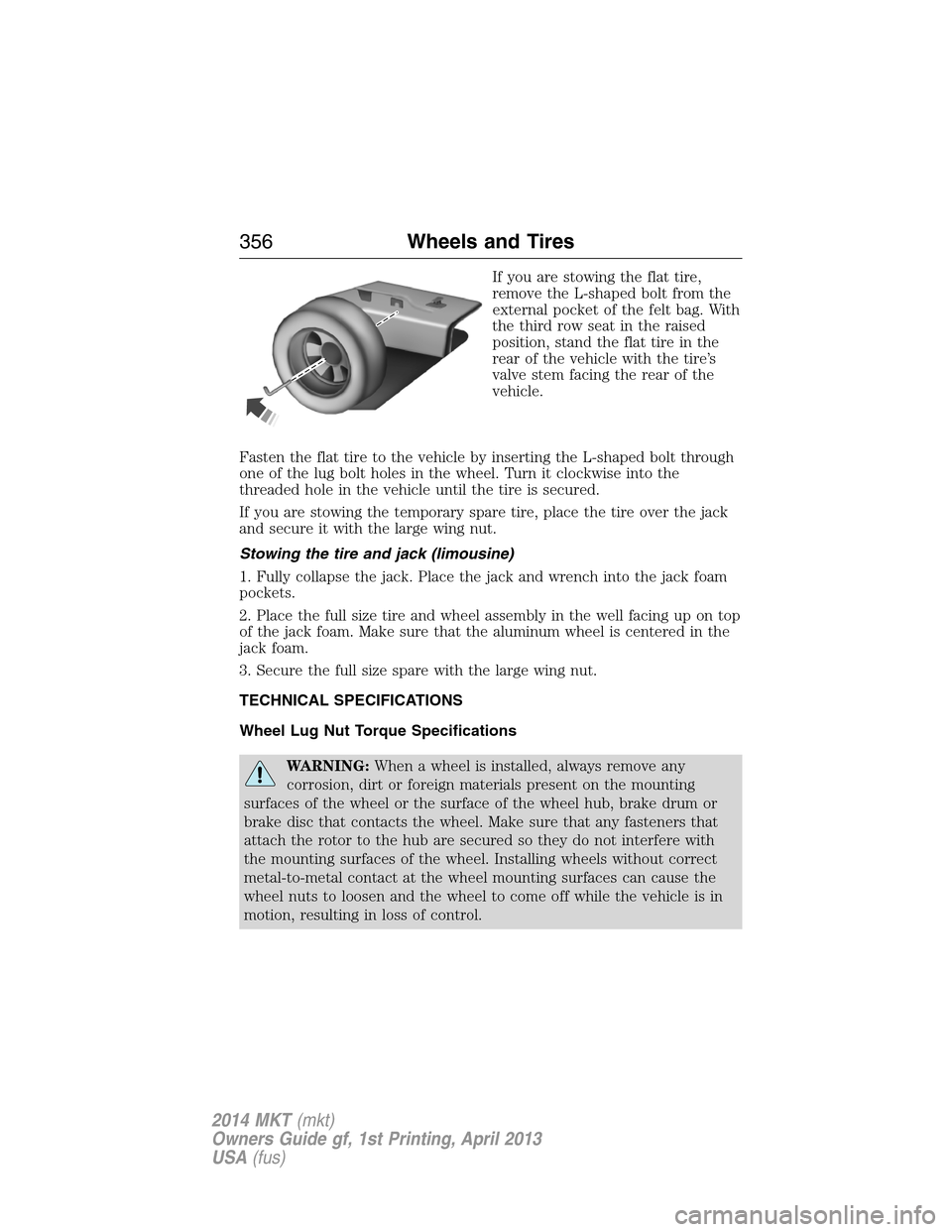
If you are stowing the flat tire,
remove the L-shaped bolt from the
external pocket of the felt bag. With
the third row seat in the raised
position, stand the flat tire in the
rear of the vehicle with the tire’s
valve stem facing the rear of the
vehicle.
Fasten the flat tire to the vehicle by inserting the L-shaped bolt through
one of the lug bolt holes in the wheel. Turn it clockwise into the
threaded hole in the vehicle until the tire is secured.
If you are stowing the temporary spare tire, place the tire over the jack
and secure it with the large wing nut.
Stowing the tire and jack (limousine)
1. Fully collapse the jack. Place the jack and wrench into the jack foam
pockets.
2. Place the full size tire and wheel assembly in the well facing up on top
of the jack foam. Make sure that the aluminum wheel is centered in the
jack foam.
3. Secure the full size spare with the large wing nut.
TECHNICAL SPECIFICATIONS
Wheel Lug Nut Torque Specifications
WARNING:When a wheel is installed, always remove any
corrosion, dirt or foreign materials present on the mounting
surfaces of the wheel or the surface of the wheel hub, brake drum or
brake disc that contacts the wheel. Make sure that any fasteners that
attach the rotor to the hub are secured so they do not interfere with
the mounting surfaces of the wheel. Installing wheels without correct
metal-to-metal contact at the wheel mounting surfaces can cause the
wheel nuts to loosen and the wheel to come off while the vehicle is in
motion, resulting in loss of control.
356Wheels and Tires
2014 MKT(mkt)
Owners Guide gf, 1st Printing, April 2013
USA(fus)
Page 376 of 498
D.TUNE + and TUNE - :
•In radio mode, press these buttons to manually search through the
radio frequency band.
•In Sirius mode, press these buttons to find the next or previous
available satellite radio station.
E.Volume:Press the right or left side of the slider, or slide your finger
across the control, to adjust the volume.
F.Power:Press this button to switch the system off and on.
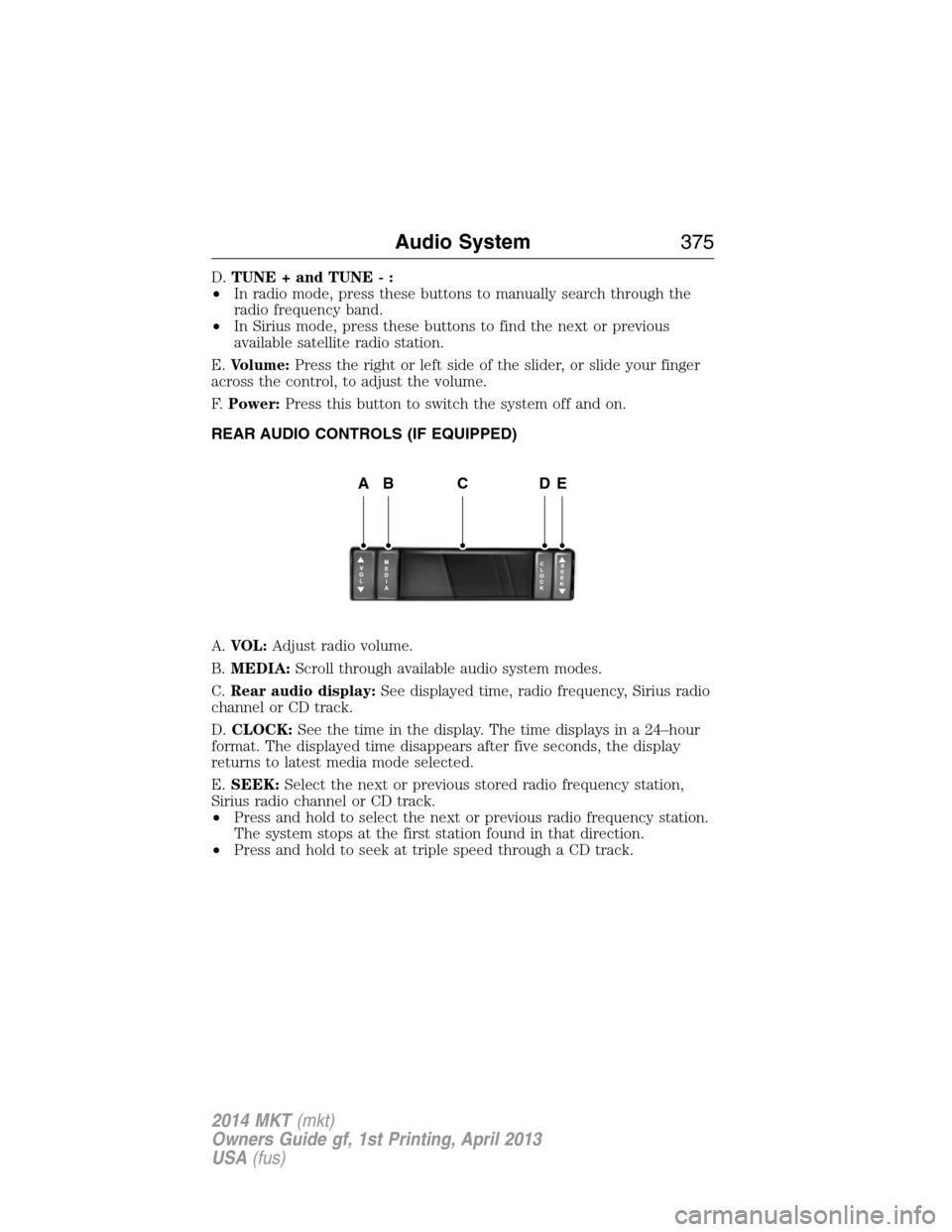
REAR AUDIO CONTROLS (IF EQUIPPED)
A.VOL:Adjust radio volume.
B.MEDIA:Scroll through available audio system modes.
C.Rear audio display:See displayed time, radio frequency, Sirius radio
channel or CD track.
D.CLOCK:See the time in the display. The time displays in a 24–hour
format. The displayed time disappears after five seconds, the display
returns to latest media mode selected.
E.SEEK:Select the next or previous stored radio frequency station,
Sirius radio channel or CD track.
•Press and hold to select the next or previous radio frequency station.
The system stops at the first station found in that direction.
•Press and hold to seek at triple speed through a CD track.
ABCDE
Audio System375
2014 MKT(mkt)
Owners Guide gf, 1st Printing, April 2013
USA(fus)
Page 380 of 498
SETTINGS
Press to select any of the following:
•Clock
•Display
•Sound
•Vehicle
•Settings
•Help
HOME
Press to access your home screen. Depending on your vehicle’s option
package and software, your screens may vary in appearance from the
descriptions in this section. Your features may also be limited depending
on your market. Check with your authorized dealer for availability.
INFORMATION
Press to select any of the following:
•SYNC Services
•Sirius Travel Link
•Alerts
•Calendar
•SYNC Apps
If the icon is yellow, seeAlertsin theInformationsection of this
chapter.
ENTERTAINMENT
Press to select any of the following:
•AM
•FM
•SIRIUS
•CD
•USB
•BT Stereo
•SD Card
•A/V In
MyLincoln Touch™379
2014 MKT(mkt)
Owners Guide gf, 1st Printing, April 2013
USA(fus)
Page 430 of 498
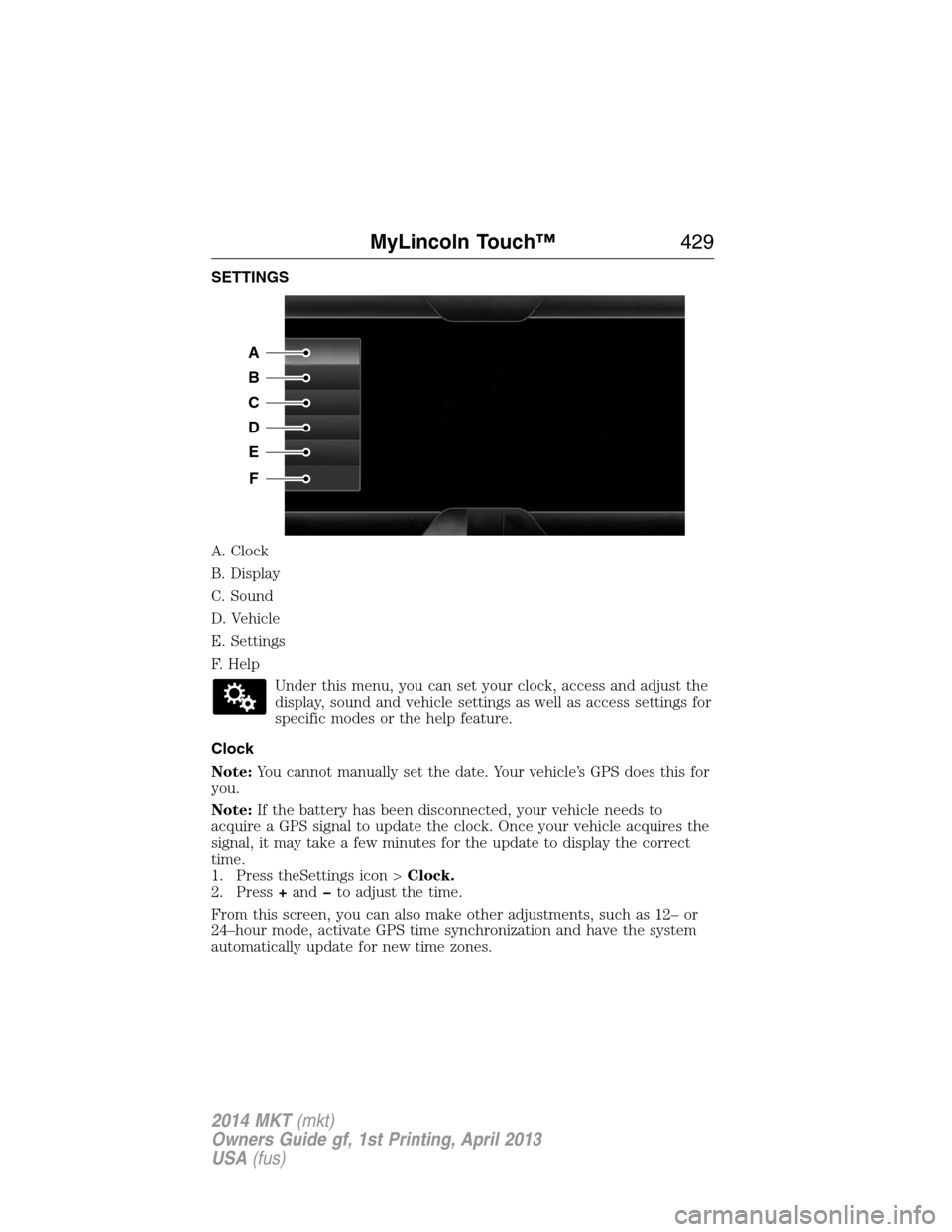
SETTINGS
A. Clock
B. Display
C. Sound
D. Vehicle
E. Settings
F. Help
Under this menu, you can set your clock, access and adjust the
display, sound and vehicle settings as well as access settings for
specific modes or the help feature.
Clock
Note:You cannot manually set the date. Your vehicle’s GPS does this for
you.
Note:If the battery has been disconnected, your vehicle needs to
acquire a GPS signal to update the clock. Once your vehicle acquires the
signal, it may take a few minutes for the update to display the correct
time.
1. Press theSettings icon >Clock.
2. Press+andto adjust the time.
From this screen, you can also make other adjustments, such as 12– or
24–hour mode, activate GPS time synchronization and have the system
automatically update for new time zones.
A
B
C
D
E
F
MyLincoln Touch™429
2014 MKT(mkt)
Owners Guide gf, 1st Printing, April 2013
USA(fus)
Page 443 of 498
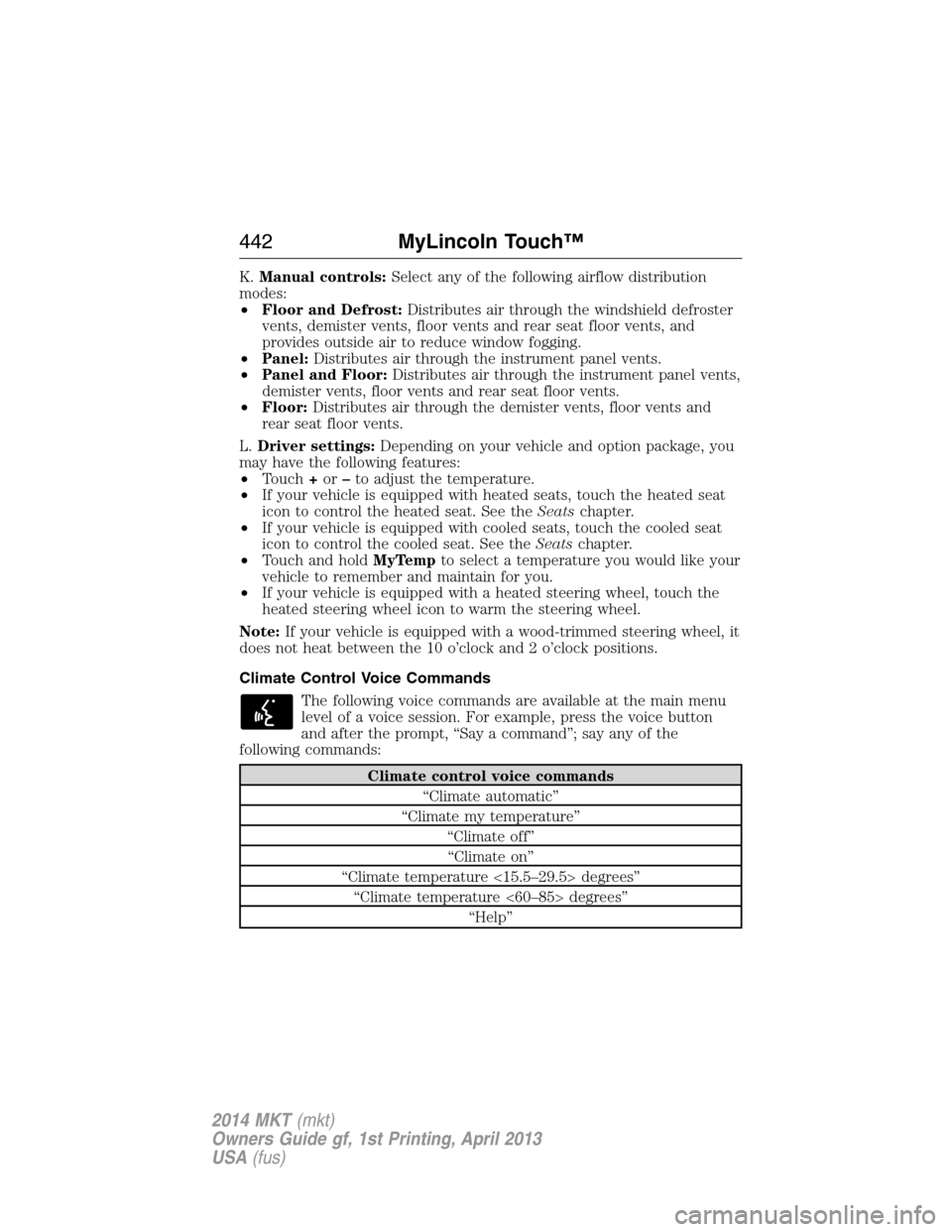
K.Manual controls:Select any of the following airflow distribution
modes:
•Floor and Defrost:Distributes air through the windshield defroster
vents, demister vents, floor vents and rear seat floor vents, and
provides outside air to reduce window fogging.
•Panel:Distributes air through the instrument panel vents.
•Panel and Floor:Distributes air through the instrument panel vents,
demister vents, floor vents and rear seat floor vents.
•Floor:Distributes air through the demister vents, floor vents and
rear seat floor vents.
L.Driver settings:Depending on your vehicle and option package, you
may have the following features:
•Touch+or–to adjust the temperature.
•If your vehicle is equipped with heated seats, touch the heated seat
icon to control the heated seat. See theSeatschapter.
•If your vehicle is equipped with cooled seats, touch the cooled seat
icon to control the cooled seat. See theSeatschapter.
•Touch and holdMyTempto select a temperature you would like your
vehicle to remember and maintain for you.
•If your vehicle is equipped with a heated steering wheel, touch the
heated steering wheel icon to warm the steering wheel.
Note:If your vehicle is equipped with a wood-trimmed steering wheel, it
does not heat between the 10 o’clock and 2 o’clock positions.
Climate Control Voice Commands
The following voice commands are available at the main menu
level of a voice session. For example, press the voice button
and after the prompt, “Say a command”; say any of the
following commands:
Climate control voice commands
“Climate automatic”
“Climate my temperature”
“Climate off”
“Climate on”
“Climate temperature <15.5–29.5> degrees”
“Climate temperature <60–85> degrees”
“Help”
442MyLincoln Touch™
2014 MKT(mkt)
Owners Guide gf, 1st Printing, April 2013
USA(fus)
Page 493 of 498
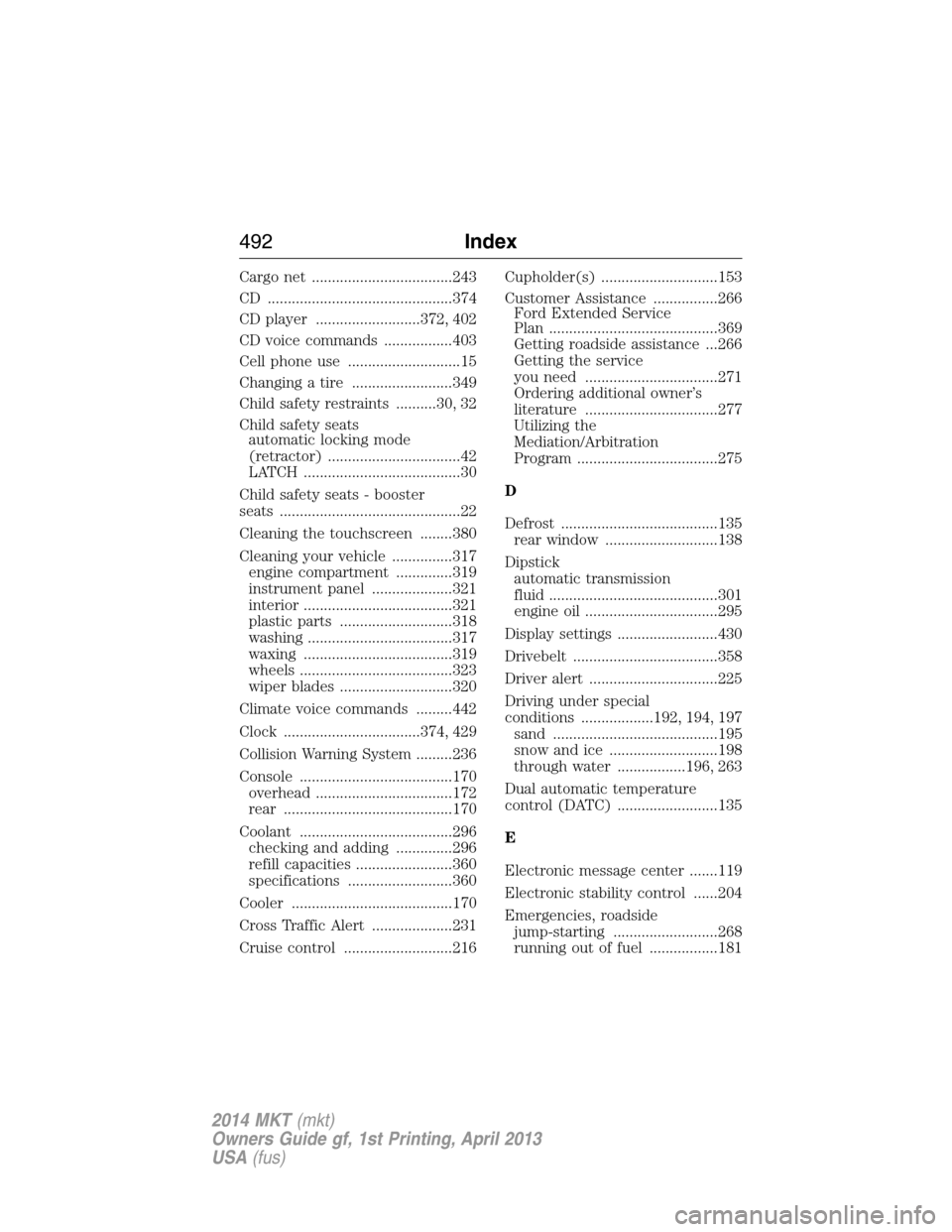
Cargo net ...................................243
CD ..............................................374
CD player ..........................372, 402
CD voice commands .................403
Cell phone use ............................15
Changing a tire .........................349
Child safety restraints ..........30, 32
Child safety seats
automatic locking mode
(retractor) .................................42
LATCH .......................................30
Child safety seats - booster
seats .............................................22
Cleaning the touchscreen ........380
Cleaning your vehicle ...............317
engine compartment ..............319
instrument panel ....................321
interior .....................................321
plastic parts ............................318
washing ....................................317
waxing .....................................319
wheels ......................................323
wiper blades ............................320
Climate voice commands .........442
Clock ..................................374, 429
Collision Warning System .........236
Console ......................................170
overhead ..................................172
rear ..........................................170
Coolant ......................................296
checking and adding ..............296
refill capacities ........................360
specifications ..........................360
Cooler ........................................170
Cross Traffic Alert ....................231
Cruise control ...........................216Cupholder(s) .............................153
Customer Assistance ................266
Ford Extended Service
Plan ..........................................369
Getting roadside assistance ...266
Getting the service
you need .................................271
Ordering additional owner’s
literature .................................277
Utilizing the
Mediation/Arbitration
Program ...................................275
D
Defrost .......................................135
rear window ............................138
Dipstick
automatic transmission
fluid ..........................................301
engine oil .................................295
Display settings .........................430
Drivebelt ....................................358
Driver alert ................................225
Driving under special
conditions ..................192, 194, 197
sand .........................................195
snow and ice ...........................198
through water .................196, 263
Dual automatic temperature
control (DATC) .........................135
E
Electronic message center .......119
Electronic stability control ......204
Emergencies, roadside
jump-starting ..........................268
running out of fuel .................181
492Index
2014 MKT(mkt)
Owners Guide gf, 1st Printing, April 2013
USA(fus)
Page 497 of 498
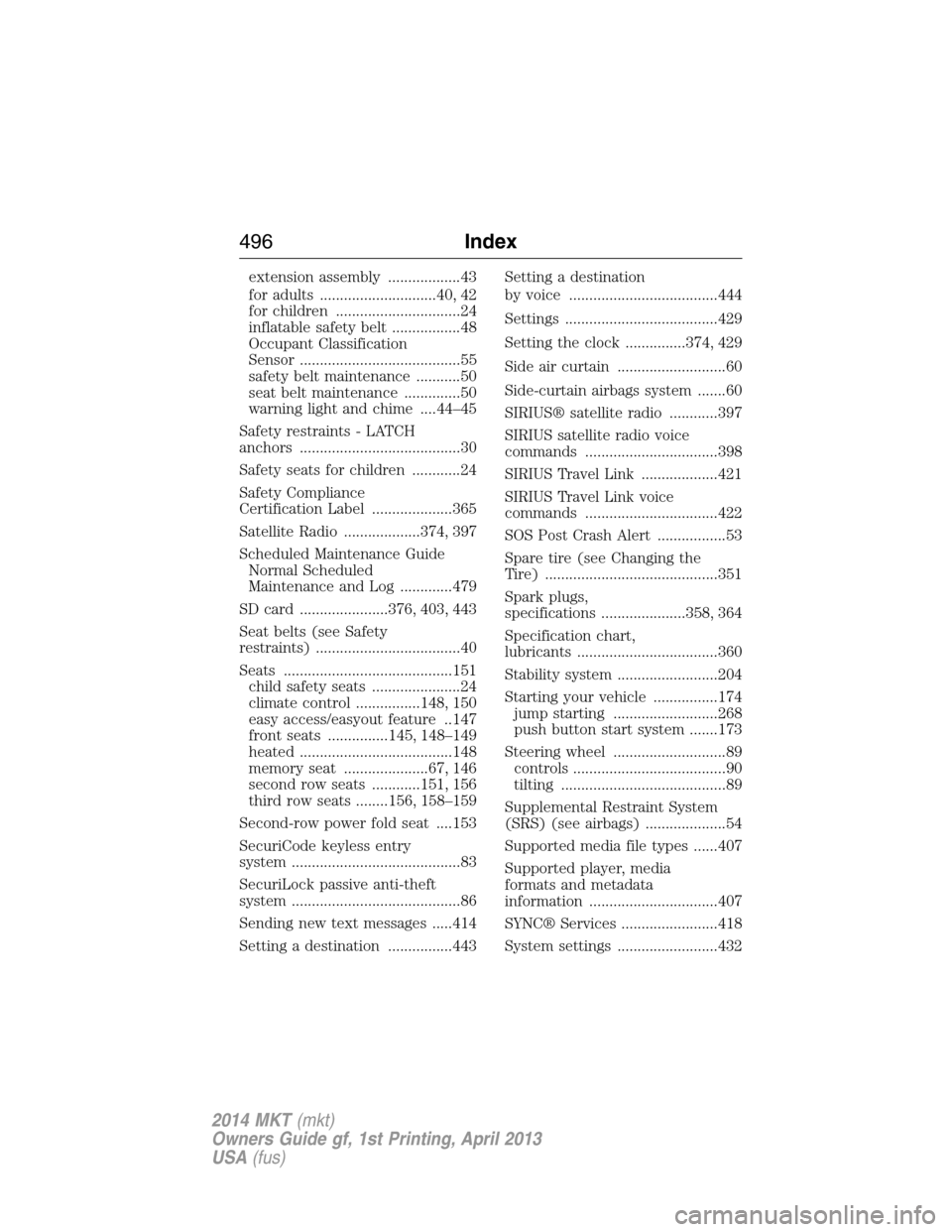
extension assembly ..................43
for adults .............................40, 42
for children ...............................24
inflatable safety belt .................48
Occupant Classification
Sensor ........................................55
safety belt maintenance ...........50
seat belt maintenance ..............50
warning light and chime ....44–45
Safety restraints - LATCH
anchors ........................................30
Safety seats for children ............24
Safety Compliance
Certification Label ....................365
Satellite Radio ...................374, 397
Scheduled Maintenance Guide
Normal Scheduled
Maintenance and Log .............479
SD card ......................376, 403, 443
Seat belts (see Safety
restraints) ....................................40
Seats ..........................................151
child safety seats ......................24
climate control ................148, 150
easy access/easyout feature ..147
front seats ...............145, 148–149
heated ......................................148
memory seat .....................67, 146
second row seats ............151, 156
third row seats ........156, 158–159
Second-row power fold seat ....153
SecuriCode keyless entry
system ..........................................83
SecuriLock passive anti-theft
system ..........................................86
Sending new text messages .....414
Setting a destination ................443Setting a destination
by voice .....................................444
Settings ......................................429
Setting the clock ...............374, 429
Side air curtain ...........................60
Side-curtain airbags system .......60
SIRIUS® satellite radio ............397
SIRIUS satellite radio voice
commands .................................398
SIRIUS Travel Link ...................421
SIRIUS Travel Link voice
commands .................................422
SOS Post Crash Alert .................53
Spare tire (see Changing the
Tire) ...........................................351
Spark plugs,
specifications .....................358, 364
Specification chart,
lubricants ...................................360
Stability system .........................204
Starting your vehicle ................174
jump starting ..........................268
push button start system .......173
Steering wheel ............................89
controls ......................................90
tilting .........................................89
Supplemental Restraint System
(SRS) (see airbags) ....................54
Supported media file types ......407
Supported player, media
formats and metadata
information ................................407
SYNC® Services ........................418
System settings .........................432
496Index
2014 MKT(mkt)
Owners Guide gf, 1st Printing, April 2013
USA(fus)