ignition LINCOLN MKT 2014 Repair Manual
[x] Cancel search | Manufacturer: LINCOLN, Model Year: 2014, Model line: MKT, Model: LINCOLN MKT 2014Pages: 498, PDF Size: 7.3 MB
Page 226 of 498
DRIVER ALERT (IF EQUIPPED)
WARNING:The driver alert system is designed to aid you. It is
not intended to replace your attention and judgment. You are still
responsible to drive with due care and attention.
Note:The system will store the on/off setting in the information display
menu through ignition cycles.
Note:If enabled in the menu, the system will be active above 40 mph
(64 km/h). When below the activation speed the driver alert system will
inform you the system is unavailable.
Note:The system works as long as one lane marking can be detected by
the camera.
Note:If the camera is blocked or if the windshield is damaged, the
system may not function.
Note:The system may not be available in poor weather or other low
visibility conditions.
The system automatically monitors your driving behavior using various
inputs including the front camera sensor.
If the system detects that your driving alertness is reduced below a
certain threshold, the system will alert you using a chime and a message
in the cluster display
Switching the System On and Off
You may switch the system on or off through the Information Display.
Refer to theInformation Displayschapter. The system on or off setting
is stored and will use your last setting the next time the vehicle is
started.
System Warnings
Note:The system will not issue warnings below approximately 40 mph
(64 km/h).
The warning system is in two stages. At first the system issues a
temporary warning that you need to take a rest. This message will only
appear for a short time. If the system detects further reduction in driving
alertness, another warning may be issued which will remain in the
information display for a longer time. Press OK on the steering wheel
control to clear the warning.
Driving Aids225
2014 MKT(mkt)
Owners Guide gf, 1st Printing, April 2013
USA(fus)
Page 227 of 498
System Display
When active the system will run automatically in the background and
only issue warning if required. You can view the status at any time using
the information display. Refer to theInformation Displayschapter.
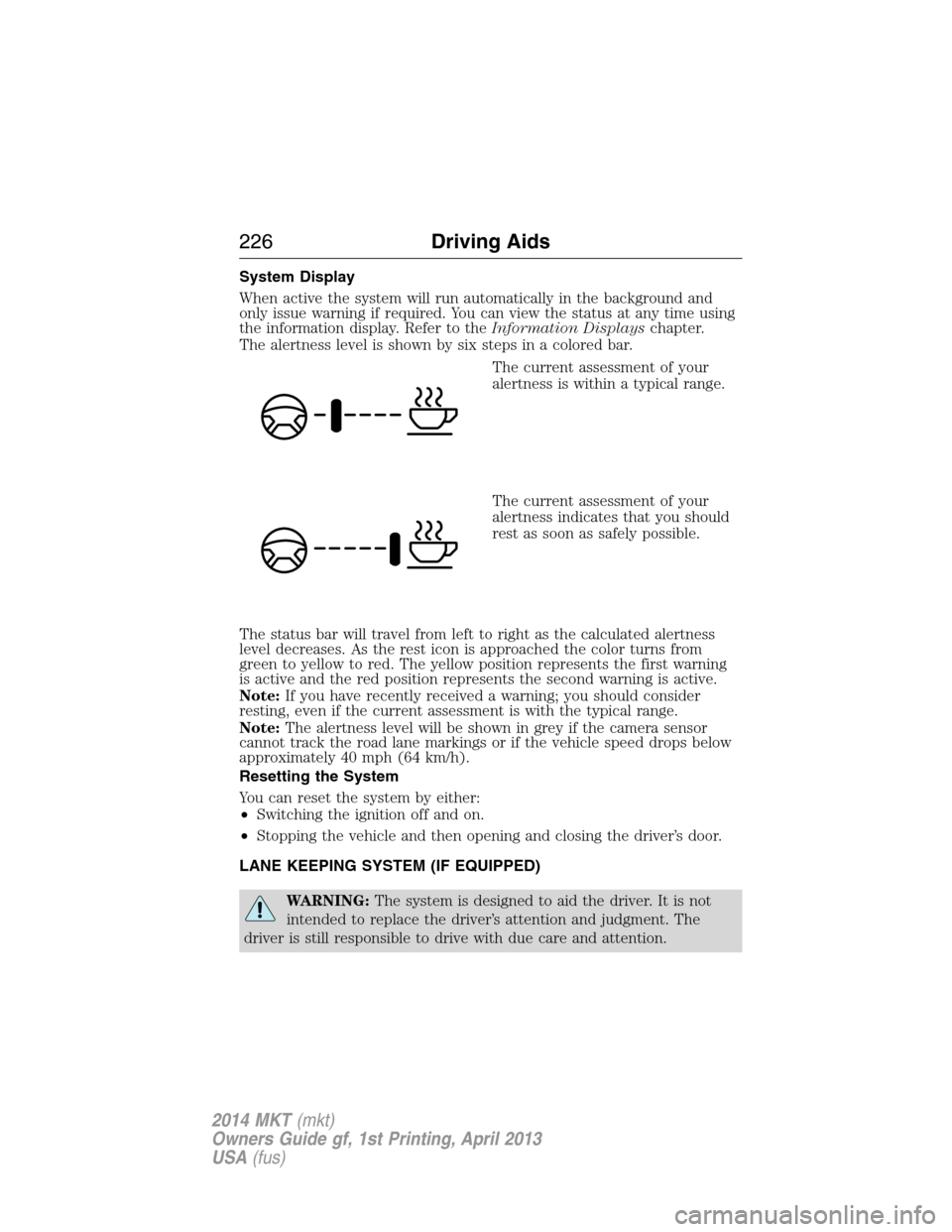
The alertness level is shown by six steps in a colored bar.
The current assessment of your
alertness is within a typical range.
The current assessment of your
alertness indicates that you should
rest as soon as safely possible.
The status bar will travel from left to right as the calculated alertness
level decreases. As the rest icon is approached the color turns from
green to yellow to red. The yellow position represents the first warning
is active and the red position represents the second warning is active.
Note:If you have recently received a warning; you should consider
resting, even if the current assessment is with the typical range.
Note:The alertness level will be shown in grey if the camera sensor
cannot track the road lane markings or if the vehicle speed drops below
approximately 40 mph (64 km/h).
Resetting the System
You can reset the system by either:
•Switching the ignition off and on.
•Stopping the vehicle and then opening and closing the driver’s door.
LANE KEEPING SYSTEM (IF EQUIPPED)
WARNING:The system is designed to aid the driver. It is not
intended to replace the driver’s attention and judgment. The
driver is still responsible to drive with due care and attention.
226Driving Aids
2014 MKT(mkt)
Owners Guide gf, 1st Printing, April 2013
USA(fus)
Page 235 of 498
System Sensors
WARNING:Just prior to the system recognizing a blocked
condition and alerting the driver, the number of missed objects
will increase. To help avoid injuries, NEVER use the BLIS® as a
replacement for using the side and rear view mirrors and looking over
your shoulder before changing lanes. BLIS® is not a replacement for
careful driving and only an assist.
Note:It is possible to get a blockage warning with no blockage present;
this is rare and known as a false blockage warning. A false blocked
condition either self-corrects or clears after a key cycle.
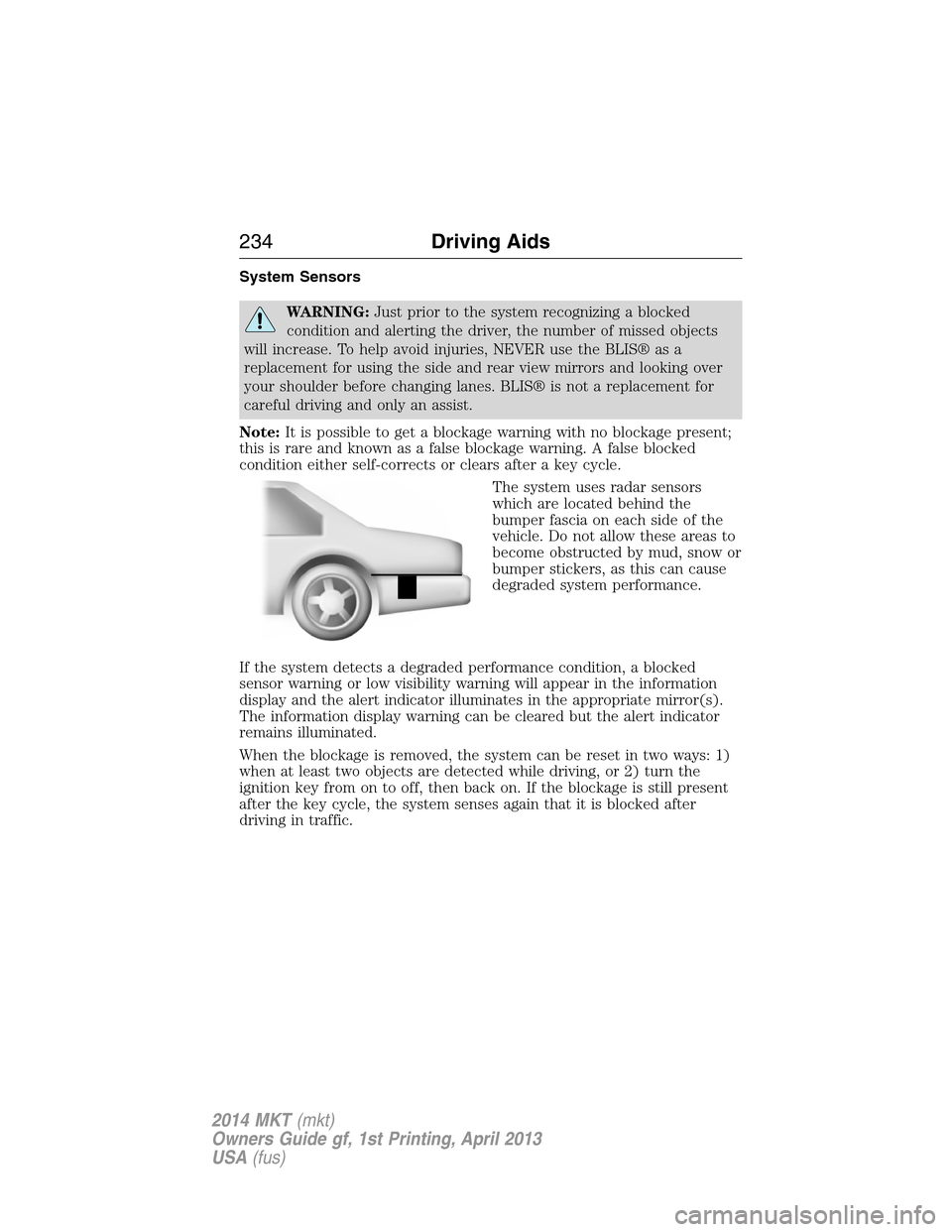
The system uses radar sensors
which are located behind the
bumper fascia on each side of the
vehicle. Do not allow these areas to
become obstructed by mud, snow or
bumper stickers, as this can cause
degraded system performance.
If the system detects a degraded performance condition, a blocked
sensor warning or low visibility warning will appear in the information
display and the alert indicator illuminates in the appropriate mirror(s).
The information display warning can be cleared but the alert indicator
remains illuminated.
When the blockage is removed, the system can be reset in two ways: 1)
when at least two objects are detected while driving, or 2) turn the
ignition key from on to off, then back on. If the blockage is still present
after the key cycle, the system senses again that it is blocked after
driving in traffic.
234Driving Aids
2014 MKT(mkt)
Owners Guide gf, 1st Printing, April 2013
USA(fus)
Page 237 of 498
System Errors
If either system senses a problem with the left or right sensor, the
BLIS® indicator in the information display will illuminate and remain on.
Also,BLIND SPOT SYSTEM FAULTorCROSS TRAFFIC SYSTEM
FAULTmessage will appear. When problems that may cause the left or
right indicator not to illuminate, only the information display message
faults appear.
Switching the Systems Off and On
One or both systems can be switched off temporarily by using the
information display control; refer to theInformation Displaychapter.
When the BLIS® is switched off, the driver does not receive alerts and
the information display shows BLIND SPOT SYS OFF and/or CTA
SYSTEM OFF. The system switches back on whenever the ignition is
switched on.
One or both systems can also be switched off permanently at your
authorized dealer. Once switched off, switching it back on must also be
done at the dealership.
COLLISION WARNING SYSTEM (IF EQUIPPED)
WARNING:This system is designed to be a supplementary
driving aid. It is not intended to replace the driver’s attention,
and judgment, or the need to apply the brakes. This system does NOT
activate the brakes automatically. Failure to press the brake pedal to
activate the brakes may result in a collision.
WARNING:The collision warning system with brake support
cannot help prevent all collisions. Do not rely on this system to
replace driver judgment and the need to maintain distance and speed.
Note:The system does not detect, warn or respond to potential
collisions with vehicles to the rear or sides of the vehicle.
Note:The collision warning system is active at speeds above
approximately 5 mph (8 km/h).
236Driving Aids
2014 MKT(mkt)
Owners Guide gf, 1st Printing, April 2013
USA(fus)
Page 243 of 498
WARNING:Obtain immediate service if a system error is
detected. You may not notice any difference in the feel of your
steering, but a serious condition may exist. Failure to do so may result
in loss of steering control.
Your vehicle is equipped with an electric power-assisted steering system.
There is no fluid reservoir to check or fill.
If your vehicle loses electrical power while you are driving (or if the
ignition is turned off), you can steer the vehicle manually, but it takes
more effort. Extreme continuous steering may increase the effort it
takes for you to steer. This occurs to prevent internal overheating and
permanent damage to your steering system. If this should occur, you will
neither lose the ability to steer the vehicle manually nor will it cause
permanent damage. Typical steering and driving maneuvers will allow the
system to cool and steering assist will return to normal.
When a steering system error is detected, steering messages may appear
in the information display.
Steering Tips
If the steering wanders or pulls, check for:
•an improperly inflated tire
•uneven tire wear
•loose or worn suspension components
•loose or worn steering components
•improper vehicle alignment
A high crown in the road or high crosswinds may also make the steering
seem to wander/pull.
242Driving Aids
2014 MKT(mkt)
Owners Guide gf, 1st Printing, April 2013
USA(fus)
Page 262 of 498
You can tow your front-wheel drive vehicle with all four wheels on the
ground or with the front wheels off the ground by using a tow dolly.
If you are using a tow dolly, follow the instructions specified by the
equipment provider. If you are towing with all four wheels on the ground,
see the following instructions.
You can tow your all-wheel drive vehicle with all four wheels on the
ground or with all four wheels off the ground using a vehicle transport
trailer. Do not tow your all-wheel drive vehicle with the front wheels off
the ground (by using a tow dolly) and the rear wheels on the ground.
This causes damage to your all-wheel drive system. If you are using a
vehicle transport trailer, follow the instruction specified by the
equipment provider. If you are towing with all four wheels on the ground,
see the following instructions.
If you tow your vehicle with all four wheels on the ground:
•Tow only in the forward direction.
•Release the parking brake.
•Place the transmission in positionN.
•Place the ignition in the accessory position. See theStarting and
Stopping the Enginechapter.
•Do not exceed 65 mph (105 km/h).
•Start the engine and allow it to run for five minutes at the beginning
of each day and every six hours thereafter. With the engine running
and your foot on the brake, shift into positionDand then into
positionRbefore shifting back into positionN.
Towing261
2014 MKT(mkt)
Owners Guide gf, 1st Printing, April 2013
USA(fus)
Page 269 of 498
Should your vehicle shut off after a collision, you may restart your
vehicle by doing the following:
1. Turn the ignition off and wait approximately 10 seconds.
2. Turn the ignition on.
3. Repeat steps 1 and 2 to re-enable the fuel pump.
JUMP-STARTING THE VEHICLE
WARNING:The gases around the battery can explode if exposed
to flames, sparks, or lit cigarettes. An explosion could result in
injury or vehicle damage.
WARNING:Batteries contain sulfuric acid which can burn skin,
eyes and clothing, if contacted.
Do not attempt to push-start your automatic transmission vehicle.
Automatic transmissions do not have push-start capability. Attempting
to push-start a vehicle with an automatic transmission may cause
transmission damage.
When the battery is disconnected or a new battery is installed, the
automatic transmission must relearn its shift strategy. As a result, the
transmission may exhibit a combination of firm and soft shifts. This
operation is considered normal and will not affect function or durability
of the transmission. Over time, the adaptive learning process will fully
update transmission operation.
Preparing Your Vehicle
Note:Use only a 12–volt supply to start your vehicle.
Note:Do not disconnect the battery of the disabled vehicle as this could
damage the vehicle’s electrical system.
1. Park the booster vehicle close to the hood of the disabled vehicle
making sure the two vehicles do not touch. Set the parking brake on
both vehicles and stay clear of the engine cooling fan and other moving
parts.
2. Check all battery terminals. Remove the positive terminal cover
(if equipped) and any excessive corrosion before you attach the battery
cables. Ensure that vent caps are tight and level.
3. Turn the heater fan on in both vehicles to protect from any electrical
surges. Turn all other accessories off.
268Roadside Emergencies
2014 MKT(mkt)
Owners Guide gf, 1st Printing, April 2013
USA(fus)
Page 284 of 498
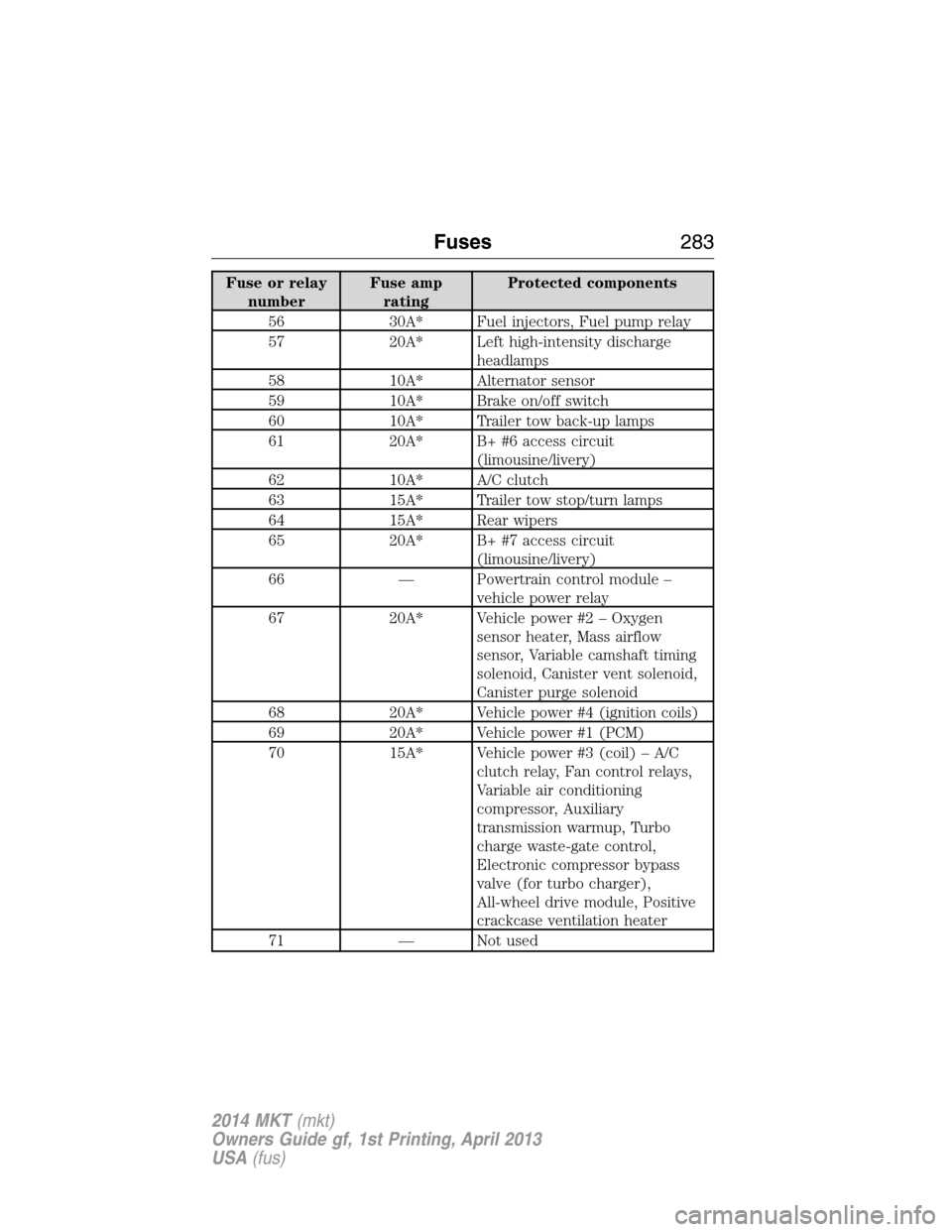
Fuse or relay
numberFuse amp
ratingProtected components
56 30A* Fuel injectors, Fuel pump relay
57 20A* Left high-intensity discharge
headlamps
58 10A* Alternator sensor
59 10A* Brake on/off switch
60 10A* Trailer tow back-up lamps
61 20A* B+ #6 access circuit
(limousine/livery)
62 10A* A/C clutch
63 15A* Trailer tow stop/turn lamps
64 15A* Rear wipers
65 20A* B+ #7 access circuit
(limousine/livery)
66 — Powertrain control module –
vehicle power relay
67 20A* Vehicle power #2 – Oxygen
sensor heater, Mass airflow
sensor, Variable camshaft timing
solenoid, Canister vent solenoid,
Canister purge solenoid
68 20A* Vehicle power #4 (ignition coils)
69 20A* Vehicle power #1 (PCM)
70 15A* Vehicle power #3 (coil) – A/C
clutch relay, Fan control relays,
Variable air conditioning
compressor, Auxiliary
transmission warmup, Turbo
charge waste-gate control,
Electronic compressor bypass
valve (for turbo charger),
All-wheel drive module, Positive
crackcase ventilation heater
71 — Not used
Fuses283
2014 MKT(mkt)
Owners Guide gf, 1st Printing, April 2013
USA(fus)
Page 321 of 498
•Spray Motorcraft® Engine Shampoo and Degreaser on all parts that
require cleaning and pressure rinse clean. In Canada, use Motorcraft®
Engine Shampoo.
•Never wash or rinse the engine while it is hot or running; water in the
running engine may cause internal damage.
•Never wash or rinse any ignition coil, spark plug wire or spark plug
well, or the area in and around these locations.
•Cover the battery, power distribution box, and air filter assembly to
prevent water damage when cleaning the engine.
CLEANING THE WINDOWS AND WIPER BLADES
The windows and wiper blades should be cleaned regularly. If the wipers
do not wipe properly, substances on the vehicle’s glass or the wiper
blades may cause squeaking or chatter noise from the blades, and
streaking and smearing of the windshield. To clean these items, follow
these tips:
•The windows may be cleaned with a non-abrasive cleaner such as
Motorcraft Ultra-Clear Spray Glass Cleaner.
•The wiper blades can be cleaned with isopropyl (rubbing) alcohol or
Motorcraft Premium Windshield Washer Concentrate with Bitterant
in the U.S., or Premium Quality Windshield Washer Fluid in Canada.
Be sure to replace wiper blades when they appear worn or do not
function properly.
•Do not use abrasives, as they may cause scratches.
•Do not use fuel, kerosene, or paint thinner to clean any parts.
If you cannot remove those streaks after cleaning with the glass cleaner
or if the wipers chatter and move in a jerky motion, clean the outer
surface of the windshield and the wiper blades using a sponge or soft
cloth with a neutral detergent or mild-abrasive cleaning solution. After
cleaning, rinse the windshield and wiper blades with clean water. The
windshield is clean if beads do not form when you rinse the windshield
with water.
Note:Do not use sharp objects, such as a razor blade, to clean the
inside of the rear window or to remove decals, as it may cause damage
to the rear window defroster’s heated grid lines.
320Vehicle Care
2014 MKT(mkt)
Owners Guide gf, 1st Printing, April 2013
USA(fus)
Page 359 of 498
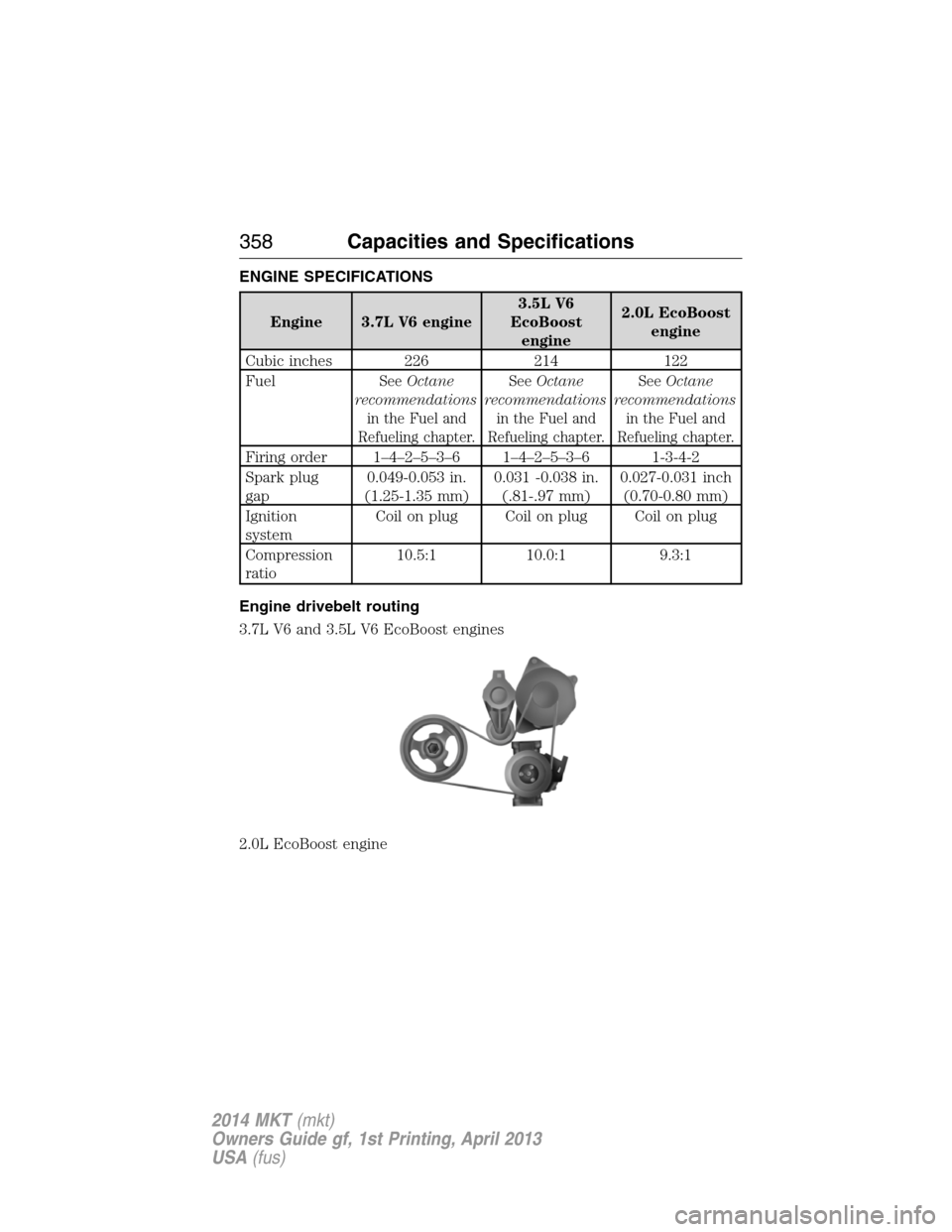
ENGINE SPECIFICATIONS
Engine 3.7L V6 engine3.5L V6
EcoBoost
engine2.0L EcoBoost
engine
Cubic inches 226 214 122
Fuel
SeeOctane
recommendations
in the Fuel and
Refueling chapter.SeeOctane
recommendations
in the Fuel and
Refueling chapter.SeeOctane
recommendations
in the Fuel and
Refueling chapter.
Firing order 1–4–2–5–3–6 1–4–2–5–3–6 1-3-4-2
Spark plug
gap0.049-0.053 in.
(1.25-1.35 mm)0.031 -0.038 in.
(.81-.97 mm)0.027-0.031 inch
(0.70-0.80 mm)
Ignition
systemCoilonplug Coilonplug Coilonplug
Compression
ratio10.5:1 10.0:1 9.3:1
Engine drivebelt routing
3.7L V6 and 3.5L V6 EcoBoost engines
2.0L EcoBoost engine
358Capacities and Specifications
2014 MKT(mkt)
Owners Guide gf, 1st Printing, April 2013
USA(fus)