instrument panel LINCOLN MKT 2015 Owner's Manual
[x] Cancel search | Manufacturer: LINCOLN, Model Year: 2015, Model line: MKT, Model: LINCOLN MKT 2015Pages: 500, PDF Size: 4.94 MB
Page 411 of 500
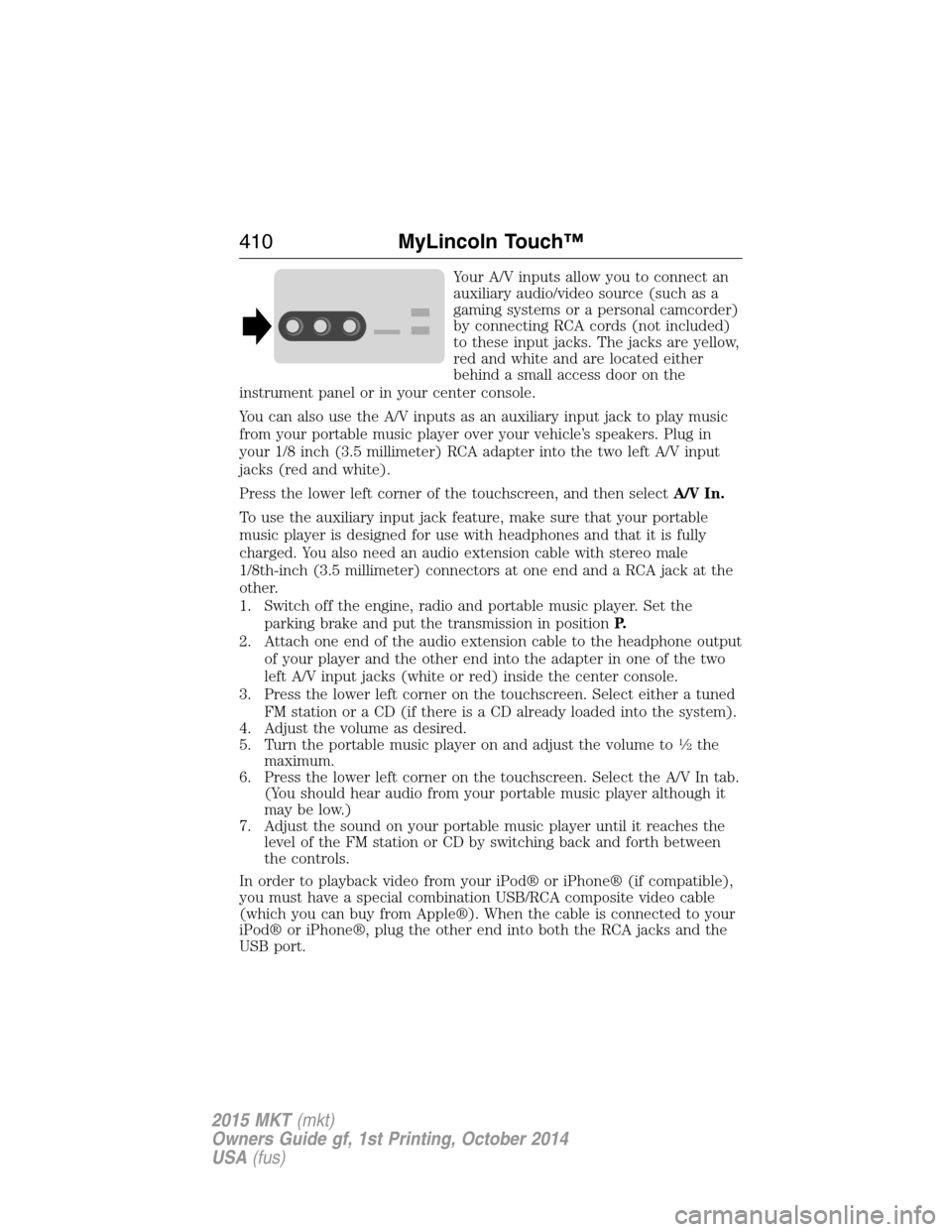
Your A/V inputs allow you to connect an
auxiliary audio/video source (such as a
gaming systems or a personal camcorder)
by connecting RCA cords (not included)
to these input jacks. The jacks are yellow,
red and white and are located either
behind a small access door on the
instrument panel or in your center console.
You can also use the A/V inputs as an auxiliary input jack to play music
from your portable music player over your vehicle’s speakers. Plug in
your 1/8 inch (3.5 millimeter) RCA adapter into the two left A/V input
jacks (red and white).
Press the lower left corner of the touchscreen, and then selectA/V In.
To use the auxiliary input jack feature, make sure that your portable
music player is designed for use with headphones and that it is fully
charged. You also need an audio extension cable with stereo male
1/8th-inch (3.5 millimeter) connectors at one end and a RCA jack at the
other.
1. Switch off the engine, radio and portable music player. Set the
parking brake and put the transmission in positionP.
2. Attach one end of the audio extension cable to the headphone output
of your player and the other end into the adapter in one of the two
left A/V input jacks (white or red) inside the center console.
3. Press the lower left corner on the touchscreen. Select either a tuned
FM station or a CD (if there is a CD already loaded into the system).
4. Adjust the volume as desired.
5. Turn the portable music player on and adjust the volume to
12the
maximum.
6. Press the lower left corner on the touchscreen. Select the A/V In tab.
(You should hear audio from your portable music player although it
may be low.)
7. Adjust the sound on your portable music player until it reaches the
level of the FM station or CD by switching back and forth between
the controls.
In order to playback video from your iPod® or iPhone® (if compatible),
you must have a special combination USB/RCA composite video cable
(which you can buy from Apple®). When the cable is connected to your
iPod® or iPhone®, plug the other end into both the RCA jacks and the
USB port.
410MyLincoln Touch™
2015 MKT(mkt)
Owners Guide gf, 1st Printing, October 2014
USA(fus)
Page 433 of 500
Display
You can adjust the touchscreen display through the touchscreen or by
pressing the voice button on your steering wheel controls and when
prompted, say, “Display settings”.
Press the Settings icon >Display,to access and make
adjustments using the touchscreen.
•Brightness
allows you to make the screen display brighter or dimmer.
•Auto DIM, when set toOn,lets you use the Auto Dim Manual Offset
feature. When set toOff,screen brightness does not change.
•Modeallows you to set the screen to a certain brightness or have the
system automatically change based on the outside light level, or turn
the display off.
•If you selectAUTOorNIGHT,you have the options of turning the
display’s Auto Dim feature on or off and changing the Auto Dim
Manual Offset feature.
•Auto Dim Manual Offsetallows you to adjust screen dimming as the
outside lighting conditions change from day to night. This feature also
allows you to adjust screen brightness using the instrument panel
dimming control.
Edit Wallpaper
•You can have your touchscreen display the default photo or upload
your own.
Uploading Photos for Your Home Screen Wallpaper
Note:
You cannot load photos directly from your camera. You must access
the photos either from your USB mass storage device or from an SD card.
Note:Photographs with extremely large dimensions (such as 2048 x 1536)
may not be compatible and appear as a blank (black) image on the display.
Your system allows you to upload and view up to 32 photos.
To access, press the Settings icon >Display>Edit Wallpaper,and
then follow the system prompts to upload your photographs.
Only the photograph(s), which meets the following conditions, display:
•Compatible file formats are as follows: .jpg, .gif, .png, .bmp.
•Each file must be 1.5 MB or less.
•Recommended dimensions: 800 x 384.
432MyLincoln Touch™
2015 MKT(mkt)
Owners Guide gf, 1st Printing, October 2014
USA(fus)
Page 445 of 500
•TouchRearagain to close the rear controls. Closing the rear climate
control functions does not affect their current settings.
E.Recirculated air:Touch to turn the recirculated air on or off which:
•
May reduce the amount of time needed to cool down the interior.
•May help reduce odors from reaching the interior.
•Engages automatically when MAX A/C is selected.
•May be engaged manually in any airflow mode except defrost.
•May turn off in all airflow modes except MAX A/C to reduce fog potential.
F.MAX A/C:Touch to cool your vehicle with recirculated air. Touch
again for normal A/C operation. MAX A/C:
•Distributes air through instrument panel vents.
•Is more economical and efficient than normal A/C mode.
•May help reduce odors from entering your vehicle.
G.A/C:Touch to turn the air conditioning on or off.
•
Use with recirculated air to improve cooling performance and efficiency.
•Engages automatically in MAX A/C, defrost and floor/defrost.
H.AUTO:Touch to engage automatic operation, then set the
temperature using the temperature control. The system automatically
controls:
•Fan speed
•Airflow distribution
•A/Conoroff
•Outside or recirculated air.
I.Rear defroster:Touch to turn the rear window defroster and heated
mirrors.
J.Defrost:Touch to clear the windshield of fog and thin ice. Touch
again to return to the previous airflow selection. When on, defrost:
•Provides outside air to reduce window fogging.
•Distributes air through the windshield defroster vents and demister
vents.
K.
Manual controls:Select any of the following airflow distribution modes:
•Floor and Defrost:Distributes air through the windshield defroster
vents, demister vents, floor vents and rear seat floor vents, and provides
outside air to reduce window fogging.
•Panel:Distributes air through the instrument panel vents.
•Panel and Floor:Distributes air through the instrument panel vents,
demister vents, floor vents and rear seat floor vents.
•Floor:Distributes air through the demister vents, floor vents and rear
seat floor vents.
444MyLincoln Touch™
2015 MKT(mkt)
Owners Guide gf, 1st Printing, October 2014
USA(fus)
Page 495 of 500
Cargo net ...................................243
CD ..............................................375
CD player ..........................373, 403
CD voice commands .................404
Cell phone use ............................15
Changing a tire .........................350
Child safety restraints ..........24, 27
Child safety seats
automatic locking mode
(retractor) .................................41
LATCH .......................................24
Child safety seats -
booster seats ...............................32
Cleaning the touchscreen ........381
Cleaning your vehicle ...............317
engine compartment ..............319
instrument panel ....................321
interior .....................................321
plastic parts ............................318
washing ....................................317
waxing .....................................319
wheels ......................................323
wiper blades ............................320
Climate voice commands .........445
Clock ..................................375, 431
Collision Warning System .........236
Console ......................................168
overhead ..................................170
rear ..........................................168
Coolant ......................................296
checking and adding ..............296
refill capacities ........................361
specifications ..........................361
Cooler ........................................169
Cross Traffic Alert ....................231
Cruise control ...........................215Cupholder(s) .............................151
Customer Assistance ................265
Ford Extended Service
Plan ..........................................370
Getting roadside assistance ...265
Getting the service you
need .........................................271
Ordering additional owner’s
literature .................................277
Utilizing the
Mediation/Arbitration
Program ...................................275
D
Defrost .......................................132
rear window ............................136
Dipstick
automatic transmission
fluid ..................................301–302
engine oil .................................295
Display settings .........................432
Drivebelt ....................................360
Driver alert ................................225
Driving under special
conditions ..................191, 193, 196
sand .........................................194
snow and ice ...........................197
through water .................195, 263
Dual automatic temperature
control (DATC) .........................132
E
Electronic message center .......116
Electronic stability control ......203
Emergencies, roadside
jump-starting ..........................268
running out of fuel .................179
494Index
2015 MKT(mkt)
Owners Guide gf, 1st Printing, October 2014
USA(fus)
Page 497 of 500
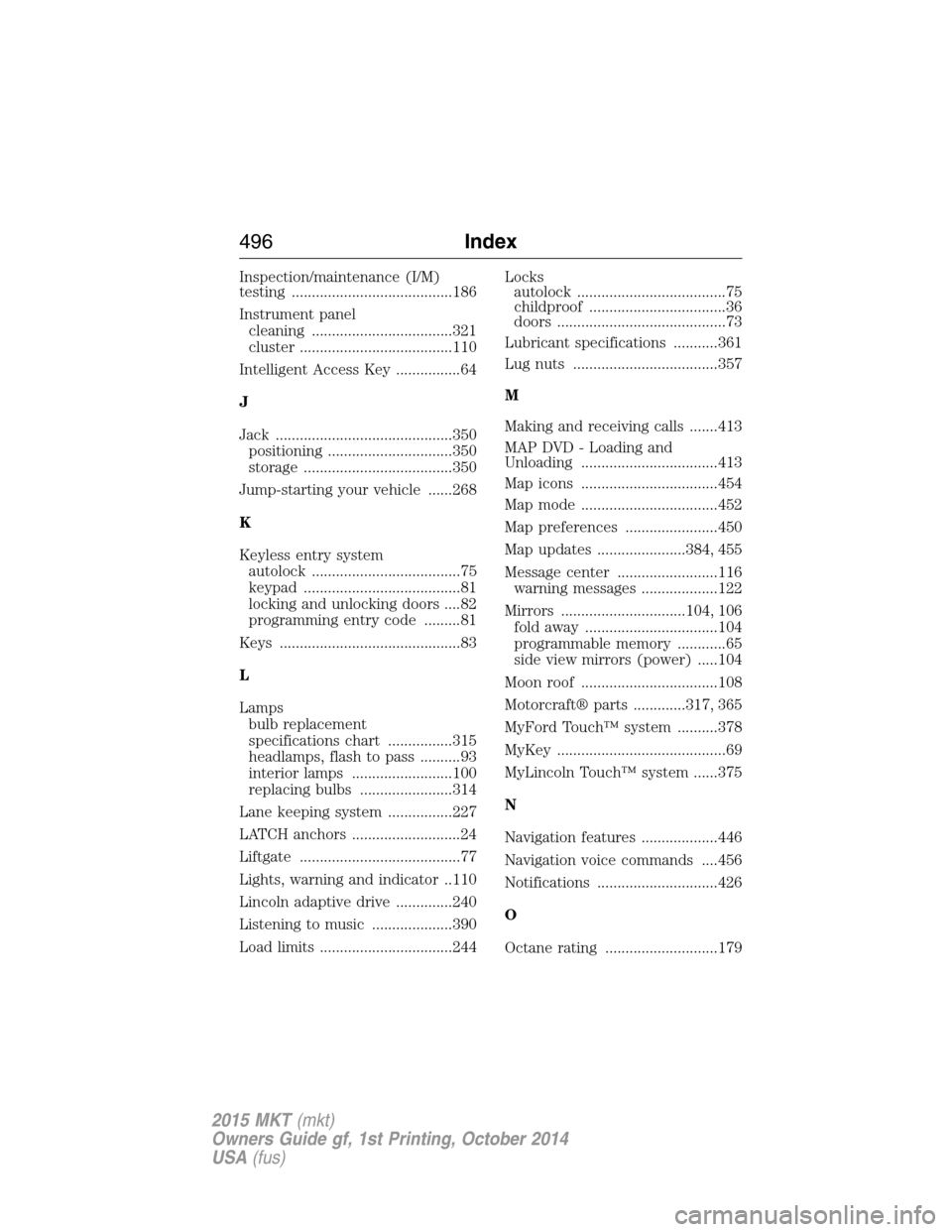
Inspection/maintenance (I/M)
testing ........................................186
Instrument panel
cleaning ...................................321
cluster ......................................110
Intelligent Access Key ................64
J
Jack ............................................350
positioning ...............................350
storage .....................................350
Jump-starting your vehicle ......268
K
Keyless entry system
autolock .....................................75
keypad .......................................81
locking and unlocking doors ....82
programming entry code .........81
Keys .............................................83
L
Lamps
bulb replacement
specifications chart ................315
headlamps, flash to pass ..........93
interior lamps .........................100
replacing bulbs .......................314
Lane keeping system ................227
LATCH anchors ...........................24
Liftgate ........................................77
Lights, warning and indicator ..110
Lincoln adaptive drive ..............240
Listening to music ....................390
Load limits .................................244Locks
autolock .....................................75
childproof ..................................36
doors ..........................................73
Lubricant specifications ...........361
Lug nuts ....................................357
M
Making and receiving calls .......413
MAP DVD - Loading and
Unloading ..................................413
Map icons ..................................454
Map mode ..................................452
Map preferences .......................450
Map updates ......................384, 455
Message center .........................116
warning messages ...................122
Mirrors ...............................104, 106
fold away .................................104
programmable memory ............65
side view mirrors (power) .....104
Moon roof ..................................108
Motorcraft® parts .............317, 365
MyFord Touch™ system ..........378
MyKey ..........................................69
MyLincoln Touch™ system ......375
N
Navigation features ...................446
Navigation voice commands ....456
Notifications ..............................426
O
Octane rating ............................179
496Index
2015 MKT(mkt)
Owners Guide gf, 1st Printing, October 2014
USA(fus)