warning lights LINCOLN MKT 2016 User Guide
[x] Cancel search | Manufacturer: LINCOLN, Model Year: 2016, Model line: MKT, Model: LINCOLN MKT 2016Pages: 452, PDF Size: 4.69 MB
Page 225 of 452
Note:
When a vehicle passes quickly through
the blind spot zone, typically fewer than two
seconds, the system does not trigger.
Using the System
The Blind Spot Information System turns on
when you start the engine and you drive your
vehicle forward above 5 mph (8 km/h).
For automatic transmissions, the Blind Spot
Information System remains on while the
transmission is in drive (D). If shifted into
reverse (R) or park (P) the Blind Spot
Information System turns off. Once shifted
back into drive (D), the Blind Spot Information
System turns back on when you drive your
vehicle above
5 mph (8 km/h).
For manual transmissions, the Blind Spot
Information System is on for all gears except
the reverse (R).
Note: The Blind Spot Information System
does not function in reverse (R) or park (P). System Lights and Messages
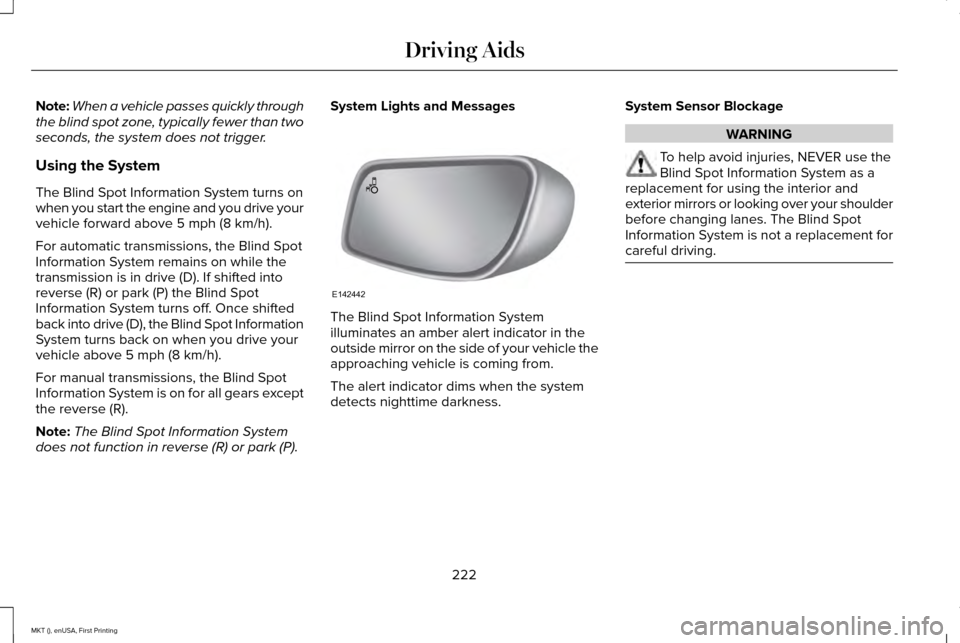
The Blind Spot Information System
illuminates an amber alert indicator in the
outside mirror on the side of your vehicle the
approaching vehicle is coming from.
The alert indicator dims when the system
detects nighttime darkness.System Sensor Blockage WARNING
To help avoid injuries, NEVER use the
Blind Spot Information System as a
replacement for using the interior and
exterior mirrors or looking over your shoulder
before changing lanes. The Blind Spot
Information System is not a replacement for
careful driving. 222
MKT (), enUSA, First Printing Driving AidsE142442
Page 251 of 452
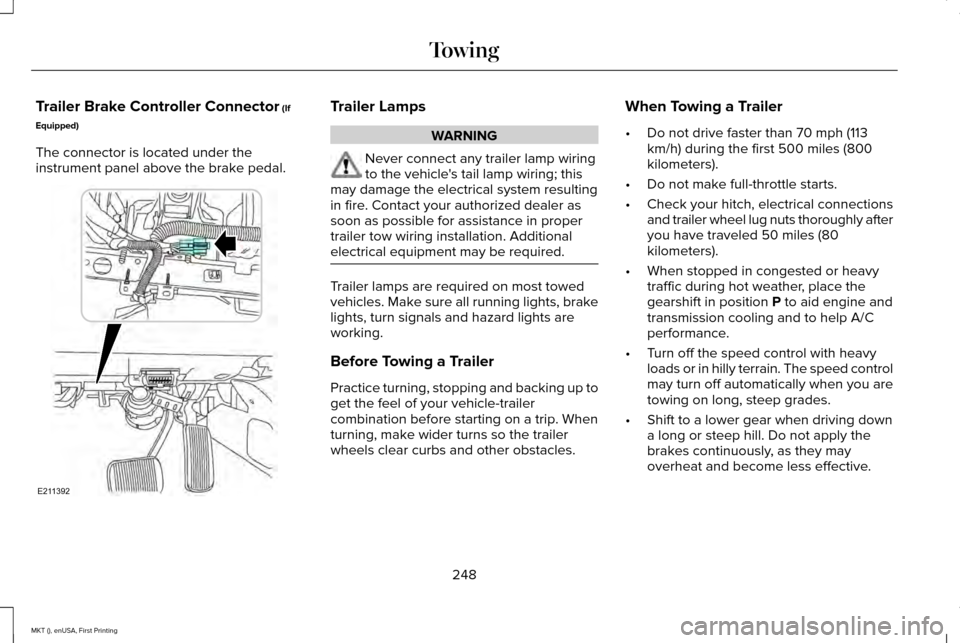
Trailer Brake Controller Connector (If
Equipped)
The connector is located under the
instrument panel above the brake pedal. Trailer Lamps
WARNING
Never connect any trailer lamp wiring
to the vehicle's tail lamp wiring; this
may damage the electrical system resulting
in fire. Contact your authorized dealer as
soon as possible for assistance in proper
trailer tow wiring installation. Additional
electrical equipment may be required. Trailer lamps are required on most towed
vehicles. Make sure all running lights, brake
lights, turn signals and hazard lights are
working.
Before Towing a Trailer
Practice turning, stopping and backing up to
get the feel of your vehicle-trailer
combination before starting on a trip. When
turning, make wider turns so the trailer
wheels clear curbs and other obstacles.When Towing a Trailer
•
Do not drive faster than 70 mph (113
km/h) during the first 500 miles (800
kilometers).
• Do not make full-throttle starts.
• Check your hitch, electrical connections
and trailer wheel lug nuts thoroughly after
you have traveled 50 miles (80
kilometers).
• When stopped in congested or heavy
traffic during hot weather, place the
gearshift in position
P to aid engine and
transmission cooling and to help A/C
performance.
• Turn off the speed control with heavy
loads or in hilly terrain. The speed control
may turn off automatically when you are
towing on long, steep grades.
• Shift to a lower gear when driving down
a long or steep hill. Do not apply the
brakes continuously, as they may
overheat and become less effective.
248
MKT (), enUSA, First Printing TowingE211392
Page 257 of 452
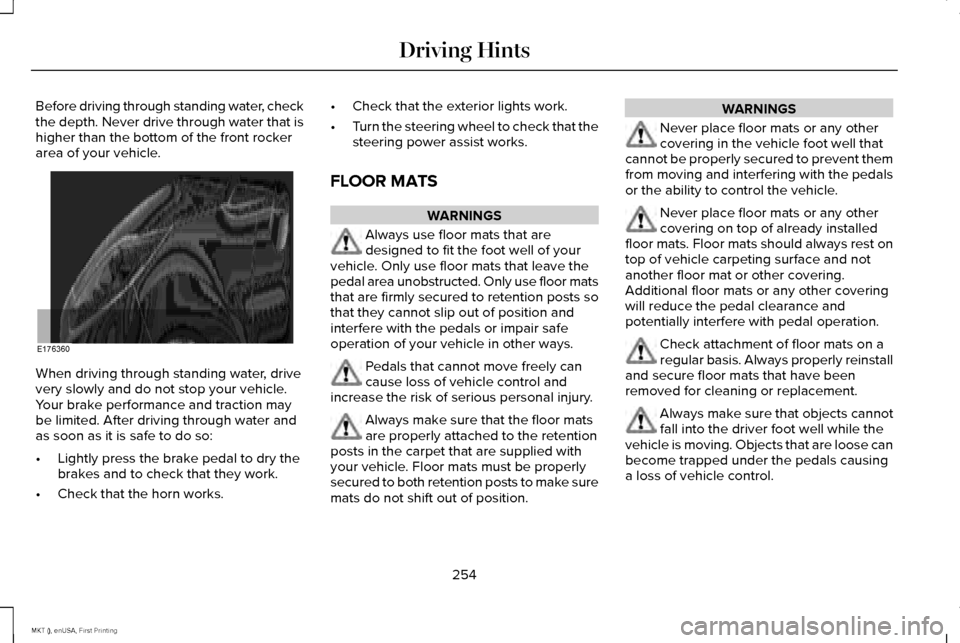
Before driving through standing water, check
the depth. Never drive through water that is
higher than the bottom of the front rocker
area of your vehicle.
When driving through standing water, drive
very slowly and do not stop your vehicle.
Your brake performance and traction may
be limited. After driving through water and
as soon as it is safe to do so:
•
Lightly press the brake pedal to dry the
brakes and to check that they work.
• Check that the horn works. •
Check that the exterior lights work.
• Turn the steering wheel to check that the
steering power assist works.
FLOOR MATS WARNINGS
Always use floor mats that are
designed to fit the foot well of your
vehicle. Only use floor mats that leave the
pedal area unobstructed. Only use floor mats
that are firmly secured to retention posts so
that they cannot slip out of position and
interfere with the pedals or impair safe
operation of your vehicle in other ways. Pedals that cannot move freely can
cause loss of vehicle control and
increase the risk of serious personal injury. Always make sure that the floor mats
are properly attached to the retention
posts in the carpet that are supplied with
your vehicle. Floor mats must be properly
secured to both retention posts to make sure
mats do not shift out of position. WARNINGS
Never place floor mats or any other
covering in the vehicle foot well that
cannot be properly secured to prevent them
from moving and interfering with the pedals
or the ability to control the vehicle. Never place floor mats or any other
covering on top of already installed
floor mats. Floor mats should always rest on
top of vehicle carpeting surface and not
another floor mat or other covering.
Additional floor mats or any other covering
will reduce the pedal clearance and
potentially interfere with pedal operation. Check attachment of floor mats on a
regular basis. Always properly reinstall
and secure floor mats that have been
removed for cleaning or replacement. Always make sure that objects cannot
fall into the driver foot well while the
vehicle is moving. Objects that are loose can
become trapped under the pedals causing
a loss of vehicle control.
254
MKT (), enUSA, First Printing Driving HintsE176360
Page 444 of 452

Cleaning the Interior.....................................315
Cleaning Black Label or Presidential
Interior................................................................\
316
Cleaning the Windows and Wiper Blades............................................................315
Clearing All MyKeys.......................................65
Climate Control..............................................127
Climate Controlled Seats............................150 Cooled Seats........................................................150
Heated Seats........................................................150
Collision Warning System..........................229 PRINCIPLE OF OPERATION............................229
Coolant Check See: Engine Coolant Check............................296
Crash Sensors and Airbag Indicator..........55
Creating a MyKey...........................................64 Programming/Changing Configurable
Settings...............................................................64
Cross Traffic Alert.........................................224 False Alerts..........................................................228
Switching the System Off and On..................228
System Errors......................................................228
System Lights, Messages and Audible
Alerts.................................................................227
System Limitations.............................................227
Using the System...............................................224 Cruise Control..................................................83
Principle of Operation.......................................206
Type 1.......................................................................83
Type 2......................................................................84
Cruise control See: Using Cruise Control...............................206
Customer Assistance...................................261
D
Data Recording
..................................................9
Event Data Recording...........................................10
Service Data Recording.........................................9
Daytime Running Lamps...............................92
Direction Indicators
........................................95
Lane Change..........................................................95
Drive Control.................................................232 LINCOLN DRIVE CONTROL............................232
Driver Alert......................................................215 Using Driver Alert................................................215
Driver and Passenger Airbags....................49 Children and Airbags...........................................50
Proper Driver and Front Passenger Seating
Adjustment .........................................................50
Driving Aids
....................................................215
Driving Hints..................................................253
Driving Through Water
...............................253 DRL
See: Daytime Running Lamps...........................92
E
Economical Driving
......................................253
Emission Control System.............................173 On-Board Diagnostics (OBD-II)........................174
Readiness for Inspection and Maintenance
(I/M) Testing......................................................175
End User License Agreement....................419 VEHICLE SOFTWARE END USER LICENSE
AGREEMENT (EULA) .....................................419
Engine Block Heater....................................165 Using the Engine Block Heater.......................166
Engine Coolant Check
................................296
Adding Engine Coolant....................................296
Checking the Engine Coolant.........................296
Recycled Engine Coolant.................................297
Severe Climates..................................................297
What You Should Know About Fail-Safe
Cooling.............................................................298
Engine Immobilizer See: Passive Anti-Theft System........................79
Engine Oil Check.........................................294 Adding Engine Oil..............................................294
Engine Oil Dipstick - 2.0L EcoBoost™....................................................294
441
MKT (), enUSA, First Printing Index