child lock LINCOLN MKT 2017 User Guide
[x] Cancel search | Manufacturer: LINCOLN, Model Year: 2017, Model line: MKT, Model: LINCOLN MKT 2017Pages: 558, PDF Size: 4.59 MB
Page 40 of 558
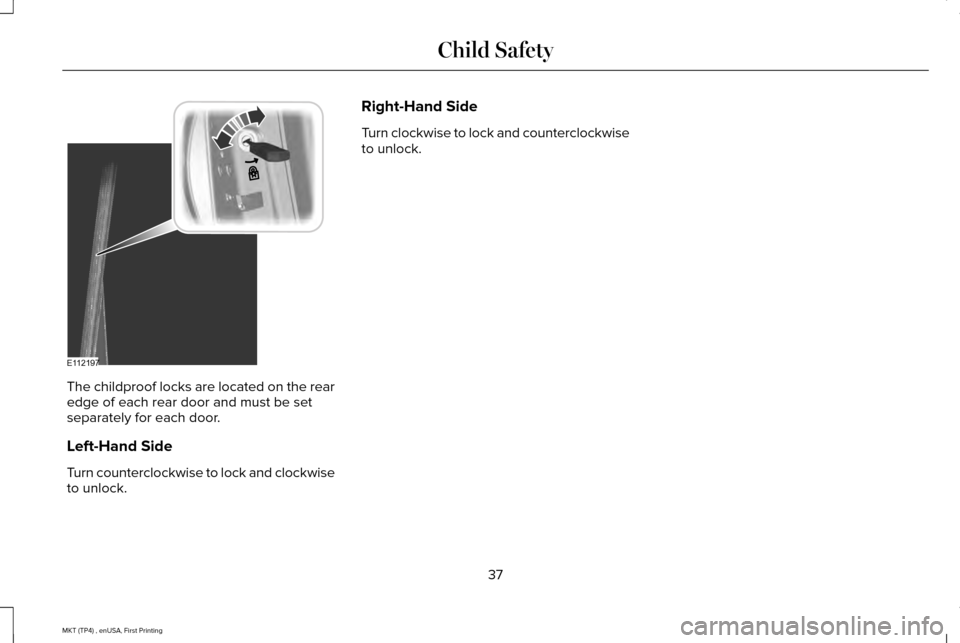
The childproof locks are located on the rear
edge of each rear door and must be set
separately for each door.
Left-Hand Side
Turn counterclockwise to lock and clockwise
to unlock. Right-Hand Side
Turn clockwise to lock and counterclockwise
to unlock.
37
MKT (TP4) , enUSA, First Printing Child SafetyE112197
Page 44 of 558
Keep the outer and inner shoulder belts
together in the stowage clip to prevent the
potential of wrinkling the cargo shade.
Seatbelt Locking Modes
WARNINGS
After a crash, have a qualified
technician check all the seatbelts to
make sure the seatbelts including the
automatic locking retractor feature for child
restraints operate properly. We recommend
replacing any system that has damage or
does not operate properly. Failure to do so
can result in personal injury or death in the
event of a sudden stop or another crash. You must replace the seatbelt if the
automatic locking retractor or any other
seatbelt function is not operating correctly.
Failure to replace the seatbelt and retractor
assembly could increase the risk of injury in
a crash. All safety restraints in the vehicle are
combination lap and shoulder belts. The
driver seatbelt has the vehicle sensitive
locking mode. The front outboard passenger
and rear seatbelts have both the vehicle
sensitive locking mode and the automatic
locking mode.
Vehicle Sensitive Mode
This is the normal retractor mode, which
allows free shoulder belt length adjustment
to your movements and locking in response
to vehicle movement. For example, if the
driver brakes suddenly or turns a corner
sharply, or the vehicle receives an impact of
about 5 mph (8 km/h) or more, the
combination seatbelts lock to help reduce
forward movement of the driver and
passengers.
In addition, the retractor is designed to lock
if you pull the webbing out too quickly. If this
occurs, let the belt retract slightly and pull
the webbing out again in a slow and
controlled manner. Automatic Locking Mode
In this mode, the shoulder belt automatically
pre-locks. The belt retracts to remove any
slack in the shoulder belt. The automatic
locking mode is not available on the driver
seatbelt.
When to Use the Automatic Locking Mode
Use this mode any time a child safety seat,
except a booster, is installed in passenger
front or rear seating positions. Properly
restrain children 12 years old and under in a
rear seating position whenever possible.
See
Child Safety (page 18).
How to Use the Automatic Locking Mode
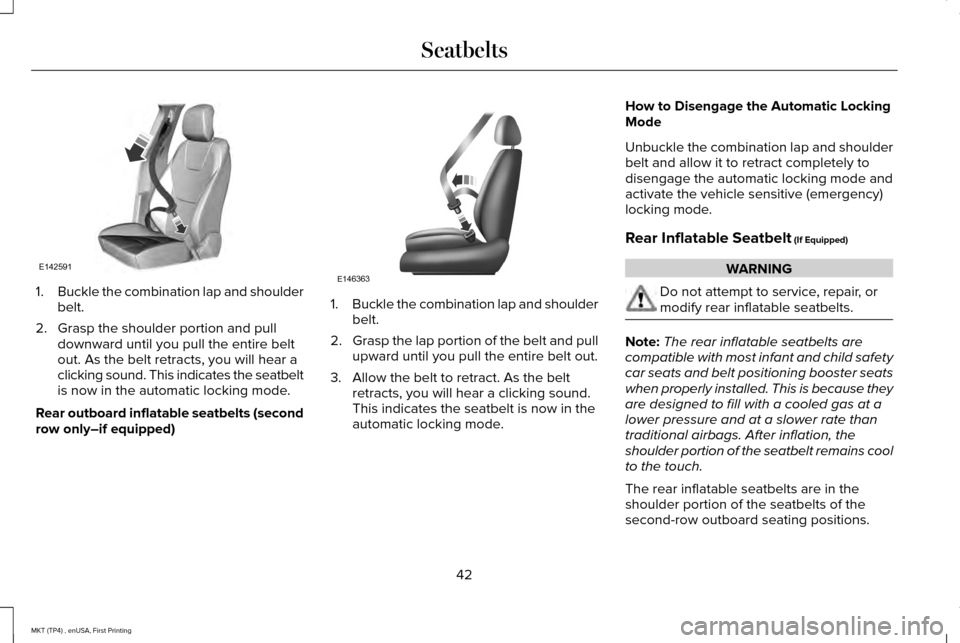
Non-inflatable seatbelts
41
MKT (TP4) , enUSA, First Printing Seatbelts
Page 45 of 558
1.
Buckle the combination lap and shoulder
belt.
2. Grasp the shoulder portion and pull downward until you pull the entire belt
out. As the belt retracts, you will hear a
clicking sound. This indicates the seatbelt
is now in the automatic locking mode.
Rear outboard inflatable seatbelts (second
row only–if equipped) 1.
Buckle the combination lap and shoulder
belt.
2. Grasp the lap portion of the belt and pull
upward until you pull the entire belt out.
3. Allow the belt to retract. As the belt retracts, you will hear a clicking sound.
This indicates the seatbelt is now in the
automatic locking mode. How to Disengage the Automatic Locking
Mode
Unbuckle the combination lap and shoulder
belt and allow it to retract completely to
disengage the automatic locking mode and
activate the vehicle sensitive (emergency)
locking mode.
Rear Inflatable Seatbelt (If Equipped) WARNING
Do not attempt to service, repair, or
modify rear inflatable seatbelts.
Note:
The rear inflatable seatbelts are
compatible with most infant and child safety
car seats and belt positioning booster seats
when properly installed. This is because they
are designed to fill with a cooled gas at a
lower pressure and at a slower rate than
traditional airbags. After inflation, the
shoulder portion of the seatbelt remains cool
to the touch.
The rear inflatable seatbelts are in the
shoulder portion of the seatbelts of the
second-row outboard seating positions.
42
MKT (TP4) , enUSA, First Printing SeatbeltsE142591 E146363
Page 75 of 558
LOCKING AND UNLOCKING
You can use the power door lock control or
the remote control to lock and unlock your
vehicle.
Power Door Locks
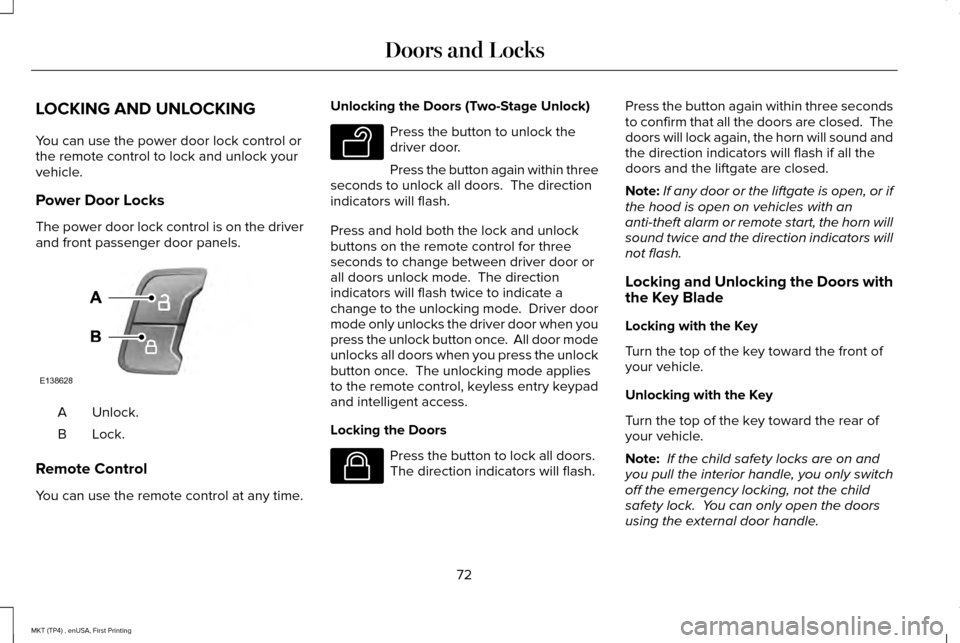
The power door lock control is on the driver
and front passenger door panels.
Unlock.
A
Lock.B
Remote Control
You can use the remote control at any time. Unlocking the Doors (Two-Stage Unlock) Press the button to unlock the
driver door.
Press the button again within three
seconds to unlock all doors. The direction
indicators will flash.
Press and hold both the lock and unlock
buttons on the remote control for three
seconds to change between driver door or
all doors unlock mode. The direction
indicators will flash twice to indicate a
change to the unlocking mode. Driver door
mode only unlocks the driver door when you
press the unlock button once. All door mode
unlocks all doors when you press the unlock
button once. The unlocking mode applies
to the remote control, keyless entry keypad
and intelligent access.
Locking the Doors Press the button to lock all doors.
The direction indicators will flash.Press the button again within three seconds
to confirm that all the doors are closed. The
doors will lock again, the horn will sound and
the direction indicators will flash if all the
doors and the liftgate are closed.
Note:
If any door or the liftgate is open, or if
the hood is open on vehicles with an
anti-theft alarm or remote start, the horn will
sound twice and the direction indicators will
not flash.
Locking and Unlocking the Doors with
the Key Blade
Locking with the Key
Turn the top of the key toward the front of
your vehicle.
Unlocking with the Key
Turn the top of the key toward the rear of
your vehicle.
Note: If the child safety locks are on and
you pull the interior handle, you only switch
off the emergency locking, not the child
safety lock. You can only open the doors
using the external door handle.
72
MKT (TP4) , enUSA, First Printing Doors and LocksE138628 E138629 E138623
Page 79 of 558
WARNINGS
Keep keys out of reach of children. Do
not allow children to operate or play
near an open or moving power liftgate. You
should supervise the operation of the power
liftgate at all times. Note:
Make sure that you close the liftgate
before operating or moving your vehicle,
especially in an enclosure, like a garage or
a parking structure. This could damage the
liftgate and its components.
Note: Do not hang anything, for example a
bike rack, from the glass or liftgate. This
could damage the liftgate and its
components.
The liftgate only operates with the
transmission in park (P). Three warning tones sound as the liftgate
begins to power close. If there is a problem
with the open or close request, one of the
following may occur:
•
One tone sounds if the ignition is on and
the transmission is not in park (P).
• Three tones sound if the battery voltage
is below the minimum operating voltage.
• One tone sounds if the vehicle speed is
at or above 3 mph (5 km/h).
If the liftgate starts to close after it has fully
opened, this indicates there may be
excessive weight on the liftgate or a possible
gas strut failure. A repetitive tone sounds
and the liftgate closes under control. Remove
any excessive weight from the liftgate. If the
liftgate continues to close after opening,
have the system checked by an authorized
dealer.
Opening and Closing the Liftgate WARNING
Make sure all persons are clear of the
power liftgate area before using the
power liftgate control. Note:
Be careful when opening or closing
the liftgate in a garage or other enclosed
area to avoid damaging the liftgate.
Note: Do not leave the liftgate open while
driving. This could damage the liftgate and
its components.
From the Instrument Panel Press the button on the instrument
panel.
With the Remote Control Press the button twice within three
seconds.
With the Outside Control Button
Opening the Liftgate
1. Unlock the liftgate with the remote control or power door unlock control. If
an intelligent access key is within
3 ft
(1 m) of the liftgate, the liftgate unlocks
when you press the liftgate release
button.
76
MKT (TP4) , enUSA, First Printing Doors and Locks E138630
Page 102 of 558
POWER WINDOWS
WARNINGS
Do not leave children unattended in
your vehicle and do not let them play
with the power windows. They may seriously
injure themselves. When closing the power windows, you
should verify they are free of
obstructions and make sure that children and
pets are not in the proximity of the window
openings. Note:
You may hear a pulsing noise when
just one of the windows is open. Lower the
opposite window slightly to reduce this
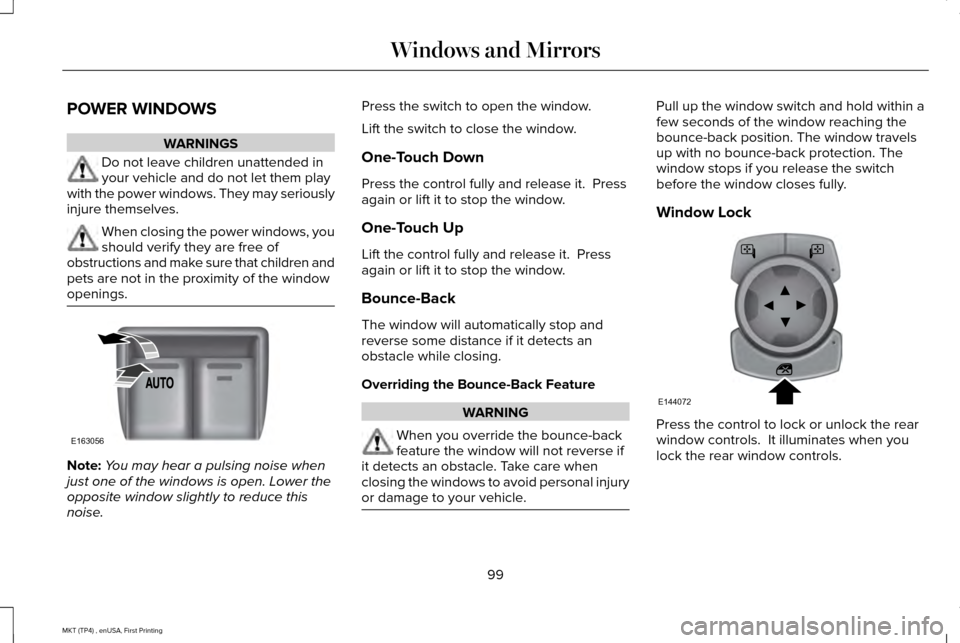
noise. Press the switch to open the window.
Lift the switch to close the window.
One-Touch Down
Press the control fully and release it. Press
again or lift it to stop the window.
One-Touch Up
Lift the control fully and release it. Press
again or lift it to stop the window.
Bounce-Back
The window will automatically stop and
reverse some distance if it detects an
obstacle while closing.
Overriding the Bounce-Back Feature
WARNING
When you override the bounce-back
feature the window will not reverse if
it detects an obstacle. Take care when
closing the windows to avoid personal injury
or damage to your vehicle. Pull up the window switch and hold within a
few seconds of the window reaching the
bounce-back position. The window travels
up with no bounce-back protection. The
window stops if you release the switch
before the window closes fully.
Window Lock
Press the control to lock or unlock the rear
window controls. It illuminates when you
lock the rear window controls.
99
MKT (TP4) , enUSA, First Printing Windows and MirrorsE163056 E144072
Page 103 of 558
Accessory Delay
The window switches remain operational for
several minutes when you switch the ignition
off or until you open either front door.
GLOBAL OPENING AND CLOSING
You can use the remote control to operate
the windows with the ignition off.
Note:
You can enable or disable this feature
in the information display or see an
authorized dealer. See General Information
(page 110).
Note: To operate this feature, accessory
delay must not be active.
Opening the Windows
You can only open the windows for a short
time after you unlock your vehicle with the
remote control. After you unlock your vehicle,
press and hold the remote control unlock
button to open the windows. Release the
button once movement starts. Press the lock
or unlock button to stop movement. Closing the Windows WARNING
When closing the power windows, you
should verify they are free of
obstructions and make sure that children and
pets are not in the proximity of the window
openings. To close the windows, press and hold the
remote control lock button. Release the
button once movement starts. Press the lock
or unlock button to stop movement.
EXTERIOR MIRRORS
Power Exterior Mirrors
WARNING
Do not adjust the mirrors when your
vehicle is moving. Left-hand mirror.
A
Adjustment control.
B
Right-hand mirror.
C
To adjust your mirrors:
1. Select the mirror you want to adjust. The
control lights.
2. Use the adjustment control to adjust the
position of the mirror.
3. Press the mirror control again. The control light turns off.
100
MKT (TP4) , enUSA, First Printing Windows and MirrorsE144073
Page 305 of 558
WARNINGS
Keep batteries out of reach of children.
Batteries contain sulfuric acid. Avoid
contact with skin, eyes or clothing. Shield
your eyes when working near the battery to
protect against possible splashing of acid
solution. In case of acid contact with skin or
eyes, flush immediately with water for a
minimum of 15 minutes and get prompt
medical attention. If acid is swallowed, call a
physician immediately. Battery posts, terminals and related
accessories contain lead and lead
compounds. Wash hands after handling. Your vehicle is fitted with a Motorcraft
maintenance-free battery which normally
does not require additional water.
When a battery replacement is required, you
must use a recommended replacement
battery that matches the electrical
requirements of the vehicle.
Note:
If your vehicle has a battery cover,
after cleaning or replacing the battery, make
sure you reinstall it. Note:
See an authorized dealer for battery
access, testing, or replacement.
To make sure the battery management
system works correctly, do not connect an
electrical device ground connection directly
to the battery negative post. This can cause
inaccurate measurements of the battery
condition and potential incorrect system
operation.
Note: If you add electrical accessories or
components to the vehicle, it may adversely
affect battery performance and durability.
This may also affect the performance of
other electrical systems in the vehicle.
If you see any corrosion on the battery or
terminals, remove the cables from the
terminals and clean with a wire brush. You
can neutralize the acid with a solution of
baking soda and water.
Because your vehicle ’s engine is
electronically-controlled by a computer,
some engine control settings are maintained
by power from the battery. Some engine
computer settings, like the idle trim and fuel
trim strategy, optimize the driveability and performance of the engine. The clock and
radio station presets are also maintained in
memory by power from the low-voltage
battery. These settings are erased when a
technician disconnects and connects the
low-voltage battery.
To restore the settings, do the following:
Note:
Until you switch the ignition to the on
position, you will receive a message in your
information display stating that your vehicle
is not in park.
1. Apply the parking brake.
2. Shift into park (P) or neutral (N).
3. Switch off all accessories.
4. Press the brake pedal and start your vehicle.
5. Run the engine until it reaches normal operating temperature. While the engine
is warming up, complete the following:
Reset the clock. See Audio System
(page 371). Reset the power windows
bounce-back feature. See Windows and
Mirrors
(page 99). Reset the radio station
presets. See Audio System (page 371).
302
MKT (TP4) , enUSA, First Printing Maintenance
Page 549 of 558
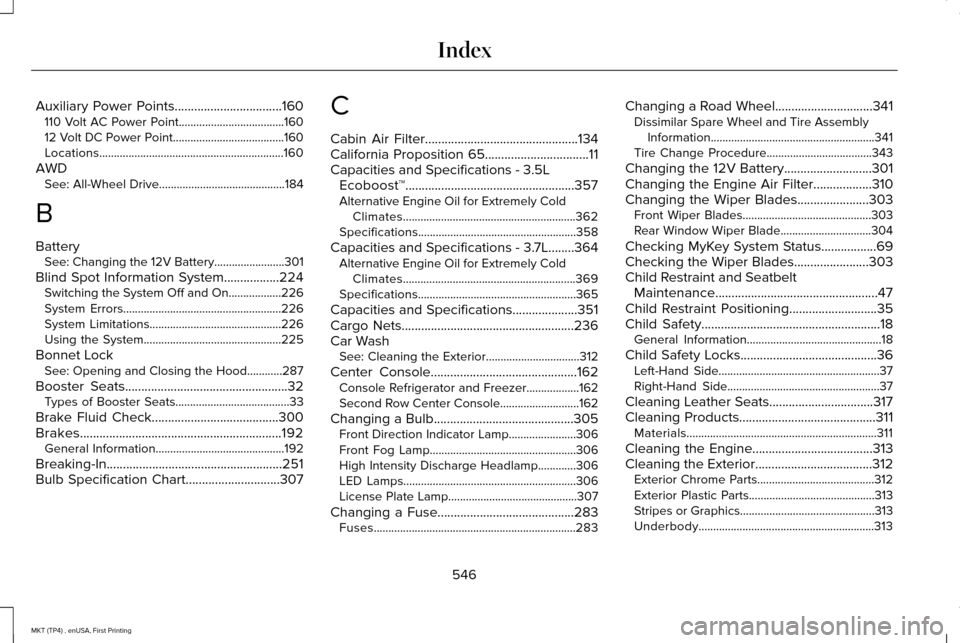
Auxiliary Power Points.................................160
110 Volt AC Power Point....................................160
12 Volt DC Power Point......................................160
Locations...............................................................160
AWD See: All-Wheel Drive...........................................184
B
Battery See: Changing the 12V Battery........................301
Blind Spot Information System.................224 Switching the System Off and On..................226
System Errors......................................................226
System Limitations.............................................226
Using the System...............................................225
Bonnet Lock See: Opening and Closing the Hood............287
Booster Seats..................................................32
Types of Booster Seats.......................................33
Brake Fluid Check.......................................300
Brakes..............................................................192 General Information............................................192
Breaking-In......................................................251
Bulb Specification Chart.............................307 C
Cabin Air Filter
...............................................134
California Proposition 65................................11
Capacities and Specifications - 3.5L Ecoboost™....................................................357
Alternative Engine Oil for Extremely Cold Climates...........................................................362
Specifications......................................................358
Capacities and Specifications - 3.7L........364 Alternative Engine Oil for Extremely Cold
Climates...........................................................369
Specifications......................................................365
Capacities and Specifications....................351
Cargo Nets
.....................................................236
Car Wash See: Cleaning the Exterior................................
312
Center Console.............................................162 Console Refrigerator and Freezer..................162
Second Row Center Console...........................162
Changing a Bulb...........................................305 Front Direction Indicator Lamp.......................
306
Front Fog Lamp..................................................306
High Intensity Discharge Headlamp.............
306
LED Lamps...........................................................306
License Plate Lamp............................................307
Changing a Fuse..........................................283 Fuses.....................................................................283 Changing a Road Wheel
..............................341
Dissimilar Spare Wheel and Tire Assembly
Information........................................................341
Tire Change Procedure....................................343
Changing the 12V Battery...........................301
Changing the Engine Air Filter
..................310
Changing the Wiper Blades......................303 Front Wiper Blades............................................303
Rear Window Wiper Blade...............................
304
Checking MyKey System Status.................69
Checking the Wiper Blades.......................303
Child Restraint and Seatbelt Maintenance..................................................47
Child Restraint Positioning...........................35
Child Safety.......................................................18 General Information..............................................18
Child Safety Locks..........................................36 Left-Hand Side.......................................................37
Right-Hand Side....................................................37
Cleaning Leather Seats................................317
Cleaning Products..........................................311 Materials.................................................................311
Cleaning the Engine
.....................................313
Cleaning the Exterior....................................312
Exterior Chrome Parts........................................312
Exterior Plastic Parts...........................................313
Stripes or Graphics..............................................313
Underbody............................................................313
546
MKT (TP4) , enUSA, First Printing Index
Page 550 of 558
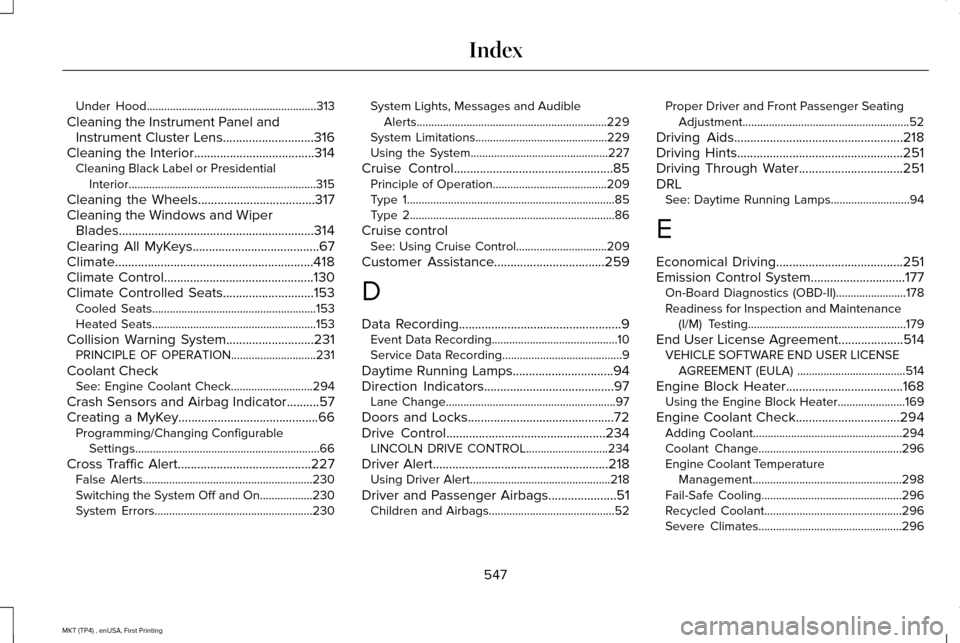
Under Hood..........................................................313
Cleaning the Instrument Panel and Instrument Cluster Lens............................316
Cleaning the Interior.....................................314 Cleaning Black Label or Presidential
Interior................................................................315
Cleaning the Wheels....................................317
Cleaning the Windows and Wiper Blades............................................................314
Clearing All MyKeys.......................................67
Climate.............................................................418
Climate Control
..............................................130
Climate Controlled Seats............................153 Cooled Seats........................................................153
Heated Seats........................................................153
Collision Warning System...........................231 PRINCIPLE OF OPERATION.............................
231
Coolant Check See: Engine Coolant Check............................
294
Crash Sensors and Airbag Indicator
..........57
Creating a MyKey...........................................66 Programming/Changing Configurable
Settings...............................................................66
Cross Traffic Alert.........................................227 False Alerts..........................................................230
Switching the System Off and On..................230
System Errors......................................................230 System Lights, Messages and Audible
Alerts.................................................................229
System Limitations.............................................229
Using the System...............................................227
Cruise Control
.................................................85
Principle of Operation.......................................209
Type 1.......................................................................85
Type 2......................................................................86
Cruise control See: Using Cruise Control...............................209
Customer Assistance
..................................259
D
Data Recording
..................................................9
Event Data Recording...........................................10
Service Data Recording.........................................9
Daytime Running Lamps
...............................94
Direction Indicators........................................97
Lane Change..........................................................97
Doors and Locks.............................................72
Drive Control
.................................................234
LINCOLN DRIVE CONTROL............................234
Driver Alert
......................................................218
Using Driver Alert................................................218
Driver and Passenger Airbags.....................51 Children and Airbags...........................................52 Proper Driver and Front Passenger Seating
Adjustment.........................................................52
Driving Aids....................................................218
Driving Hints...................................................251
Driving Through Water
................................251
DRL See: Daytime Running Lamps...........................94
E
Economical Driving
.......................................251
Emission Control System.............................177 On-Board Diagnostics (OBD-II)........................178
Readiness for Inspection and Maintenance
(I/M) Testing......................................................179
End User License Agreement
....................514
VEHICLE SOFTWARE END USER LICENSE
AGREEMENT (EULA) .....................................514
Engine Block Heater....................................168 Using the Engine Block Heater.......................169
Engine Coolant Check................................294 Adding Coolant...................................................294
Coolant Change.................................................296
Engine Coolant Temperature
Management...................................................298
Fail-Safe Cooling................................................296
Recycled Coolant...............................................296
Severe Climates.................................................296
547
MKT (TP4) , enUSA, First Printing Index