warning lights LINCOLN MKT 2017 User Guide
[x] Cancel search | Manufacturer: LINCOLN, Model Year: 2017, Model line: MKT, Model: LINCOLN MKT 2017Pages: 558, PDF Size: 4.59 MB
Page 255 of 558
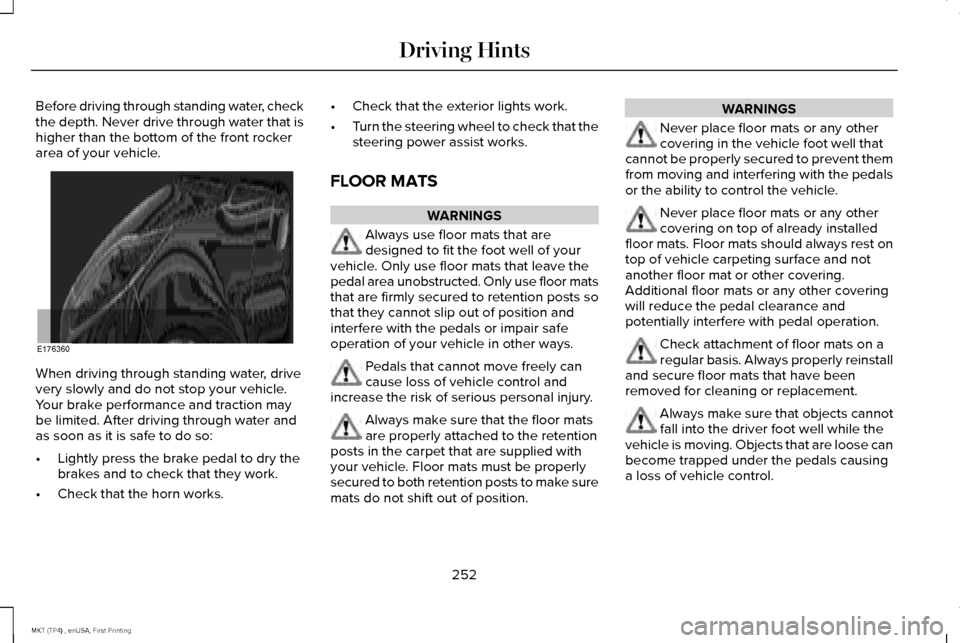
Before driving through standing water, check
the depth. Never drive through water that is
higher than the bottom of the front rocker
area of your vehicle.
When driving through standing water, drive
very slowly and do not stop your vehicle.
Your brake performance and traction may
be limited. After driving through water and
as soon as it is safe to do so:
•
Lightly press the brake pedal to dry the
brakes and to check that they work.
• Check that the horn works. •
Check that the exterior lights work.
• Turn the steering wheel to check that the
steering power assist works.
FLOOR MATS WARNINGS
Always use floor mats that are
designed to fit the foot well of your
vehicle. Only use floor mats that leave the
pedal area unobstructed. Only use floor mats
that are firmly secured to retention posts so
that they cannot slip out of position and
interfere with the pedals or impair safe
operation of your vehicle in other ways. Pedals that cannot move freely can
cause loss of vehicle control and
increase the risk of serious personal injury. Always make sure that the floor mats
are properly attached to the retention
posts in the carpet that are supplied with
your vehicle. Floor mats must be properly
secured to both retention posts to make sure
mats do not shift out of position. WARNINGS
Never place floor mats or any other
covering in the vehicle foot well that
cannot be properly secured to prevent them
from moving and interfering with the pedals
or the ability to control the vehicle. Never place floor mats or any other
covering on top of already installed
floor mats. Floor mats should always rest on
top of vehicle carpeting surface and not
another floor mat or other covering.
Additional floor mats or any other covering
will reduce the pedal clearance and
potentially interfere with pedal operation. Check attachment of floor mats on a
regular basis. Always properly reinstall
and secure floor mats that have been
removed for cleaning or replacement. Always make sure that objects cannot
fall into the driver foot well while the
vehicle is moving. Objects that are loose can
become trapped under the pedals causing
a loss of vehicle control.
252
MKT (TP4) , enUSA, First Printing Driving HintsE176360
Page 550 of 558
Under Hood..........................................................313
Cleaning the Instrument Panel and Instrument Cluster Lens............................316
Cleaning the Interior.....................................314 Cleaning Black Label or Presidential
Interior................................................................315
Cleaning the Wheels....................................317
Cleaning the Windows and Wiper Blades............................................................314
Clearing All MyKeys.......................................67
Climate.............................................................418
Climate Control
..............................................130
Climate Controlled Seats............................153 Cooled Seats........................................................153
Heated Seats........................................................153
Collision Warning System...........................231 PRINCIPLE OF OPERATION.............................
231
Coolant Check See: Engine Coolant Check............................
294
Crash Sensors and Airbag Indicator
..........57
Creating a MyKey...........................................66 Programming/Changing Configurable
Settings...............................................................66
Cross Traffic Alert.........................................227 False Alerts..........................................................230
Switching the System Off and On..................230
System Errors......................................................230 System Lights, Messages and Audible
Alerts.................................................................229
System Limitations.............................................229
Using the System...............................................227
Cruise Control
.................................................85
Principle of Operation.......................................209
Type 1.......................................................................85
Type 2......................................................................86
Cruise control See: Using Cruise Control...............................209
Customer Assistance
..................................259
D
Data Recording
..................................................9
Event Data Recording...........................................10
Service Data Recording.........................................9
Daytime Running Lamps
...............................94
Direction Indicators........................................97
Lane Change..........................................................97
Doors and Locks.............................................72
Drive Control
.................................................234
LINCOLN DRIVE CONTROL............................234
Driver Alert
......................................................218
Using Driver Alert................................................218
Driver and Passenger Airbags.....................51 Children and Airbags...........................................52 Proper Driver and Front Passenger Seating
Adjustment.........................................................52
Driving Aids....................................................218
Driving Hints...................................................251
Driving Through Water
................................251
DRL See: Daytime Running Lamps...........................94
E
Economical Driving
.......................................251
Emission Control System.............................177 On-Board Diagnostics (OBD-II)........................178
Readiness for Inspection and Maintenance
(I/M) Testing......................................................179
End User License Agreement
....................514
VEHICLE SOFTWARE END USER LICENSE
AGREEMENT (EULA) .....................................514
Engine Block Heater....................................168 Using the Engine Block Heater.......................169
Engine Coolant Check................................294 Adding Coolant...................................................294
Coolant Change.................................................296
Engine Coolant Temperature
Management...................................................298
Fail-Safe Cooling................................................296
Recycled Coolant...............................................296
Severe Climates.................................................296
547
MKT (TP4) , enUSA, First Printing Index