ESP LINCOLN MKT 2017 Owner's Manual
[x] Cancel search | Manufacturer: LINCOLN, Model Year: 2017, Model line: MKT, Model: LINCOLN MKT 2017Pages: 558, PDF Size: 4.59 MB
Page 191 of 558
acceleration or braking which could result
in an increased risk of loss of vehicle
control, vehicle rollover and/or personal
injury. Use all available road surface to
return the vehicle to a safe direction of
travel.
• In the event of an emergency stop, avoid
skidding the tires and do not attempt any
sharp steering wheel movements.
• If the vehicle goes from one type of
surface to another (that is, from concrete
to gravel) there will be a change in the
way the vehicle responds to a maneuver
(steering, acceleration or braking). Again,
avoid these abrupt inputs.
Sand
Most of the time traction control improves
tire traction by managing wheel slip through
Brake, Engine, and AWD calibrations.
However, during low speed driving, disabling
traction control in deep sand can help keep
the wheels moving to maintain vehicle
momentum. When driving over sand, try to keep all four
wheels on the most solid area of the trail.
Avoid reducing the tire pressures but shift
to a lower gear and drive steadily through
the terrain. Apply the accelerator slowly and
avoid spinning the wheels.
Do not drive your vehicle in deep sand for
an extended period of time. This could cause
the AWD system to overheat and default to
front-wheel drive. If this occurs, an AWD OFF
message displays in the information display.
To resume normal AWD function as soon as
possible, stop the vehicle in a safe location
and stop the engine for at least 10 minutes.
After the engine has been restarted and the
AWD system has adequately cooled, the
AWD OFF message turns off and normal
AWD function returns. In the event the
engine is not stopped, the
AWD OFF
message turns off when the system cools
and normal AWD function returns.
When driving at slow speeds in deep sand
under high outside temperatures, use L (Low)
gear when possible. L (Low) gear operation
will maximize the engine and transmission
cooling capability. Under severe operating conditions, the A/C
may cycle on and off to protect overheating
of the engine.
Avoid excessive speed because vehicle
momentum can work against you and cause
the vehicle to become stuck to the point that
assistance may be required from another
vehicle. Remember, you may be able to back
out the way you came if you proceed with
caution.
Mud and Water
If you must drive through high water, drive
slowly. Traction or brake capability may be
limited.
When driving through water, determine the
depth; avoid water higher than the bottom
of the wheel rims (for cars) or the bottom of
the hubs (for trucks) (if possible) and proceed
slowly. If the ignition system gets wet, the
vehicle may stall.
188
MKT (TP4) , enUSA, First Printing All-Wheel Drive
(If Equipped)
Page 192 of 558
Once through water, always try the brakes.
Wet brakes do not stop the vehicle as
effectively as dry brakes. Drying can be
improved by moving your vehicle slowly
while applying light pressure on the brake
pedal.
Be cautious of sudden changes in vehicle
speed or direction when you are driving in
mud. Even AWD vehicles can lose traction
in slick mud. As when you are driving over
sand, apply the accelerator slowly and avoid
spinning your wheels. If the vehicle does
slide, steer in the direction of the slide until
you regain control of the vehicle.
After driving through mud, clean off residue
stuck to rotating driveshafts and tires. Excess
mud stuck on tires and rotating driveshafts
causes an imbalance that could damage
drive components.
Note:
Driving through deep water may
damage the transmission.
If the front or rear axle is submerged in water,
have the power transfer unit (PTU) or rear
axle serviced by an authorized dealer. “Tread Lightly” is an educational program
designed to increase public awareness of
land-use regulations and responsibilities in
our nations wilderness areas. Ford Motor
Company joins the U.S. Forest Service and
the Bureau of Land Management in
encouraging you to help preserve our
national forest and other public and private
lands by “treading lightly.
”
Driving on Hilly or Sloping Terrain
Note: Avoid driving crosswise or turning on
steep slopes or hills. A danger lies in losing
traction, slipping sideways and possibly
rolling over. Whenever driving on a hill,
determine beforehand the route you will use.
Do not drive over the crest of a hill without
seeing what conditions are on the other side.
Do not drive in reverse over a hill without
the aid of an observer. Although natural obstacles may make it
necessary to travel diagonally up or down a
hill or steep incline, you should always try to
drive straight up or straight down.
When climbing a steep slope or hill, start in
a lower gear rather than downshifting to a
lower gear from a higher gear once the
ascent has started. This reduces strain on
the engine and the possibility of stalling.
If you do stall out, do not try to turnaround
because you might roll over. It is better to
back down to a safe location.
Apply just enough power to the wheels to
climb the hill. Too much power will cause the
tires to slip, spin or lose traction, resulting in
loss of vehicle control.
189
MKT (TP4) , enUSA, First Printing All-Wheel Drive (If Equipped)E143950
Page 202 of 558
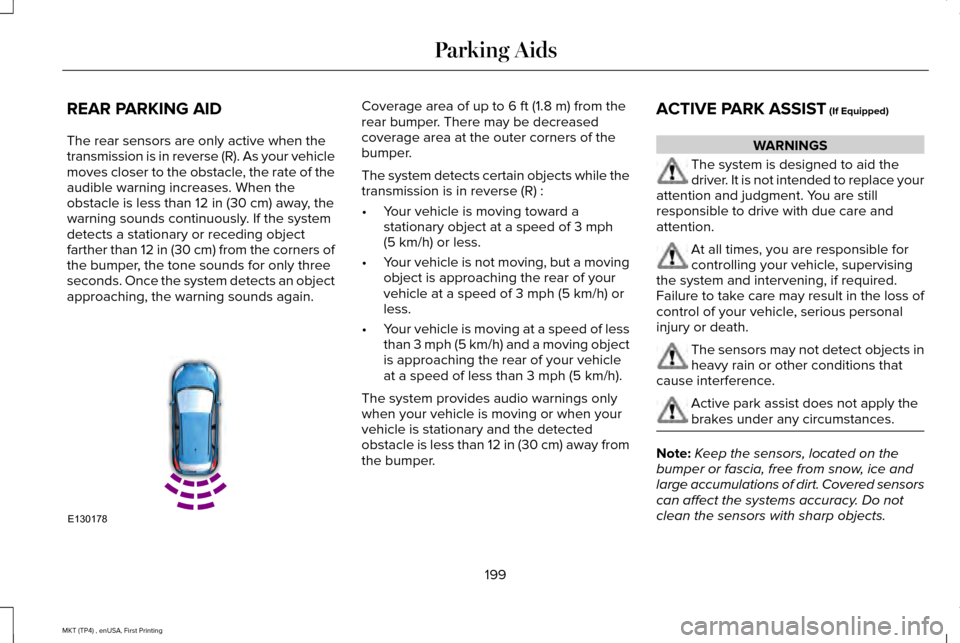
REAR PARKING AID
The rear sensors are only active when the
transmission is in reverse (R). As your vehicle
moves closer to the obstacle, the rate of the
audible warning increases. When the
obstacle is less than 12 in (30 cm) away, the
warning sounds continuously. If the system
detects a stationary or receding object
farther than
12 in (30 cm) from the corners of
the bumper, the tone sounds for only three
seconds. Once the system detects an object
approaching, the warning sounds again. Coverage area of up to
6 ft (1.8 m) from the
rear bumper. There may be decreased
coverage area at the outer corners of the
bumper.
The system detects certain objects while the
transmission is in reverse (R) :
• Your vehicle is moving toward a
stationary object at a speed of
3 mph
(5 km/h) or less.
• Your vehicle is not moving, but a moving
object is approaching the rear of your
vehicle at a speed of
3 mph (5 km/h) or
less.
• Your vehicle is moving at a speed of less
than 3 mph (5 km/h) and a moving object
is approaching the rear of your vehicle
at a speed of less than
3 mph (5 km/h).
The system provides audio warnings only
when your vehicle is moving or when your
vehicle is stationary and the detected
obstacle is less than 12 in (30 cm) away from
the bumper. ACTIVE PARK ASSIST
(If Equipped) WARNINGS
The system is designed to aid the
driver. It is not intended to replace your
attention and judgment. You are still
responsible to drive with due care and
attention. At all times, you are responsible for
controlling your vehicle, supervising
the system and intervening, if required.
Failure to take care may result in the loss of
control of your vehicle, serious personal
injury or death. The sensors may not detect objects in
heavy rain or other conditions that
cause interference. Active park assist does not apply the
brakes under any circumstances.
Note:
Keep the sensors, located on the
bumper or fascia, free from snow, ice and
large accumulations of dirt. Covered sensors
can affect the systems accuracy. Do not
clean the sensors with sharp objects.
199
MKT (TP4) , enUSA, First Printing Parking AidsE130178
Page 203 of 558
Note:
The sensors may not detect objects
with surfaces that absorb ultrasonic waves.
Active Park Assist is an electric parking aid
that uses ultrasonic sensors. The system
detects an available parallel parking space
and automatically steers your vehicle into
the space (hands-free) while you control the
accelerator, gearshift and brakes. The system
visually and audibly instructs you to park your
vehicle.
The system may not function correctly if
something passes between the front bumper
and the parking space (a pedestrian or
cyclist) or if the edge of the neighboring
parked vehicle is high off the ground (for
example, a bus, tow truck or flatbed truck).
If you are uncomfortable with the proximity
to any vehicle or object, you may choose to
override the system. The system may not operate correctly in any
of the following conditions:
•
You use a spare tire or a tire significantly
worn more than the other tires.
• One or more tires are improperly inflated.
• You try to park on a tight curve.
Do not use the system if:
• You have attached a bike rack, trailer or
other object near the sensors on the front
or rear of your vehicle.
• You have attached an overhanging
object (surfboard) to the roof.
• The front bumper or side sensors are
damaged or obstructed (front bumper
cover).
• The correct tire size is not in use on your
vehicle (for example, a mini-spare tire). Using Active Park Assist Press the button to turn the system
on or off.
When driving at a speed less than 22 mph
(35 km/h), the system automatically scans
both sides of your vehicle for an available
parking space. The system displays a
message and a corresponding graphic to
indicate it is searching for a parking space.
Use the direction indicator to select
searching either to the left hand side or right
hand side of your vehicle. If the direction
indicator is not used, the system defaults to
the passenger side of your vehicle.
200
MKT (TP4) , enUSA, First Printing Parking AidsE146186
Page 205 of 558
Note:
If a maneuver is interrupted before
completion, the system switches off. The
steering wheel position will not indicate the
actualy position of the steering and you have
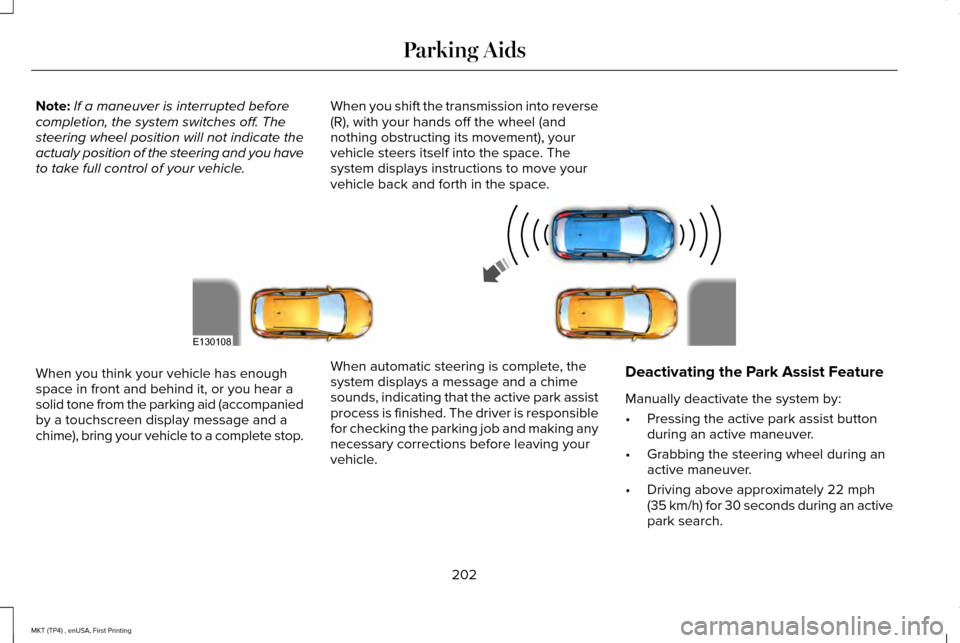
to take full control of your vehicle. When you shift the transmission into reverse
(R), with your hands off the wheel (and
nothing obstructing its movement), your
vehicle steers itself into the space. The
system displays instructions to move your
vehicle back and forth in the space.When you think your vehicle has enough
space in front and behind it, or you hear a
solid tone from the parking aid (accompanied
by a touchscreen display message and a
chime), bring your vehicle to a complete stop.
When automatic steering is complete, the
system displays a message and a chime
sounds, indicating that the active park assist
process is finished. The driver is responsible
for checking the parking job and making any
necessary corrections before leaving your
vehicle.Deactivating the Park Assist Feature
Manually deactivate the system by:
•
Pressing the active park assist button
during an active maneuver.
• Grabbing the steering wheel during an
active maneuver.
• Driving above approximately 22 mph
(35 km/h) for 30 seconds during an active
park search.
202
MKT (TP4) , enUSA, First Printing Parking AidsE130108
Page 215 of 558
The system applies the brakes to slow your
vehicle to maintain a safe gap distance from
the vehicle in front. The brake lamps
automatically turn on when the system
applies the brakes. The maximum braking
which the system applies is limited. You can
override the system by applying the brakes.
If the system determines that its maximum
braking level will not be sufficient, an audible
warning sounds when the system continues
to brake. A red warning bar displays on the
windshield and you must take immediate
action.
Note:
When you are following a vehicle and
you switch on a direction indicator, adaptive
cruise control may provide a small temporary
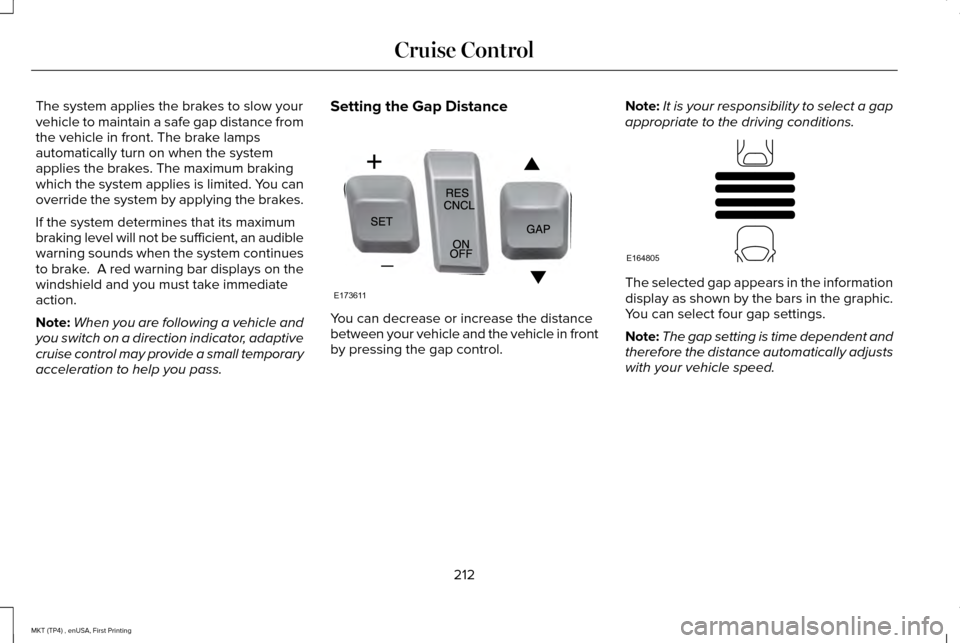
acceleration to help you pass. Setting the Gap Distance You can decrease or increase the distance
between your vehicle and the vehicle in front
by pressing the gap control.
Note:
It is your responsibility to select a gap
appropriate to the driving conditions. The selected gap appears in the information
display as shown by the bars in the graphic.
You can select four gap settings.
Note:
The gap setting is time dependent and
therefore the distance automatically adjusts
with your vehicle speed.
212
MKT (TP4) , enUSA, First Printing Cruise ControlE173611 E164805
Page 217 of 558
Changing the Set Speed
•
Press and release SET+ or SET-. When
you select km/h as the display
measurement in the information display
the set speed changes in approximately
1 km/h increments. When you select mph
as the display measurement in the
information display the set speed
changes in approximately 1 mph
increments.
• Press the accelerator or brake pedal until
you reach the desired speed. Press and
release
SET+ or SET-.
• Press and hold
SET+ or SET-. The set
speed changes in approximately 5 mph
(10 km/h) increments.
The system may apply the brakes to slow
the vehicle to the new set speed. The set
speed displays continuously in the
information display when the system is
active.
Resuming the Set Speed
Press and release
RES. Your vehicle speed
returns to the previously set speed and gap
setting. Note:
Only use resume if you are aware of
the set speed and intend to return to it.
Automatic Cancellation
The system does not operate below
12 mph
(20 km/h). An audible warning sounds and
the automatic braking releases if the vehicle
drops below this speed.
Automatic cancellation can also occur if:
• The tires lose traction.
• The engine speed is too low.
• You apply the parking brake.
Note: A message is shown in the display if
the engine speed drops too low.
Hilly Condition Usage
You should select a lower gear position
when the system is active in situations such
as prolonged downhill driving on steep
grades, for example in mountainous areas.
The system needs additional engine braking
in these situations to reduce the load on the
vehicle ’s regular brake system to prevent
them from overheating. Note:
An audible warning sounds and the
system shuts down if it applies brakes for an
extended period of time. This allows the
brakes to cool down. The system functions
normally again when the brakes have cooled
down.
Switching Adaptive Cruise Control Off
Press and release
OFF when the system is
in stand by mode or switch the ignition off.
Note: You erase the set speed when you
switch the system off.
Detection Issues WARNING
On rare occasions, detection issues
can occur due to the road
infrastructures, for example bridges, tunnels
and safety barriers. In these cases, the
system may brake late or unexpectedly. At
all times, you are responsible for controlling
your vehicle, supervising the system and
intervening, if required. 214
MKT (TP4) , enUSA, First Printing Cruise Control
Page 220 of 558
Due to the nature of radar technology, it is
possible to get a blockage warning and not
be blocked. This can happen, for example,
when driving in sparse rural environments.
A false blocked condition self clears or clears
after a key cycle.
Switching to Normal Cruise Control
WARNING
Normal cruise control will not brake
when your vehicle is approaching
slower vehicles. Always be aware of which
mode you have selected and apply the
brakes when necessary. You can manually change from adaptive
cruise control to normal cruise control
through the information display.
The cruise control indicator light
replaces the adaptive cruise
control indicator light if you select
normal cruise control. The gap setting does
not display, the system does not
automatically respond to lead vehicles.
Automatic braking remains active to maintain
set speed.
217
MKT (TP4) , enUSA, First Printing Cruise ControlE71340
Page 221 of 558
DRIVER ALERT (If Equipped)
WARNING
The system is designed to aid the
driver. It is not intended to replace your
attention and judgment. You are still
responsible to drive with due care and
attention. Note:
The system will store the on or off
setting in the information display menu
through ignition cycles.
Note: If enabled in the menu, the system will
be active at speeds above 40 mph (64 km/h).
When below the activation speed, the
information display will inform you that the
system is unavailable.
Note: The system works as long as one lane
marking can be detected by the camera.
Note: If the camera is blocked or if the
windshield is damaged, the system may not
function.
Note: The system may not be available in
poor weather or other low visibility
conditions. The system automatically monitors your
driving behavior using various inputs
including the front camera sensor.
If the system detects that your driving
alertness is reduced below a certain
threshold, the system will alert you using a
chime and a message in the information
display.
Using Driver Alert
Switching the system on and off
You may switch the system on or off through
the information display.
See General
Information (page 110). When activated, the
system will monitor your alertness level
based upon your driving behavior in relation
to the lane markings, and other factors.
System Warnings
Note: The system will not issue warnings
below approximately
40 mph (64 km/h). The warning system is in two stages. At first
the system issues a temporary warning that
you need to take a rest. This message will
only appear for a short time. If the system
detects further reduction in driving alertness,
another warning may be issued which will
remain in the information display for a longer
time. Press OK on the steering wheel control
to clear the warning.
System Display
When active the system will run automatically
in the background and only issue a warning
if required. You can view the status at any
time using the information display.
See
General Information (page 110).
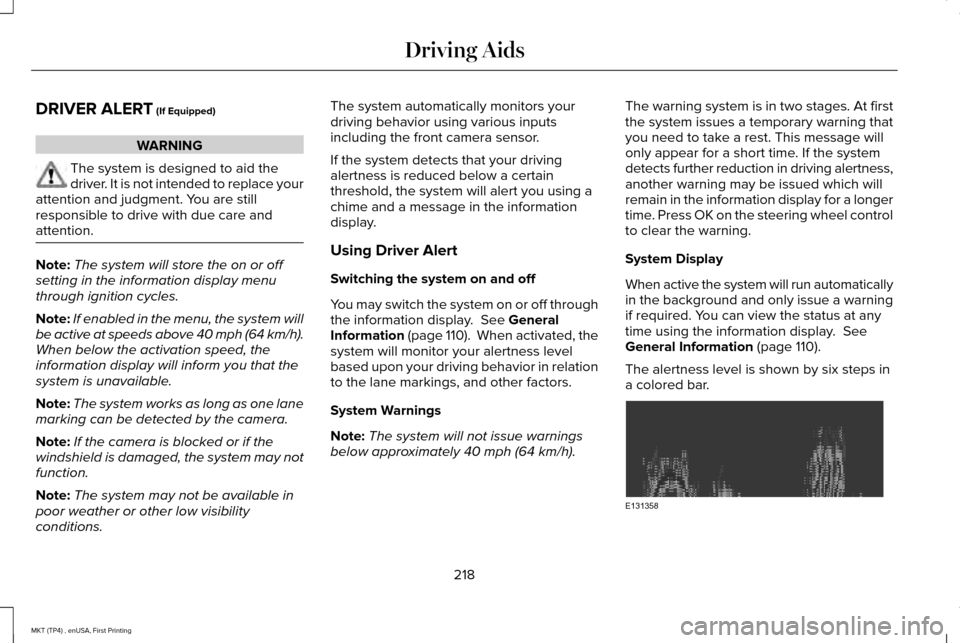
The alertness level is shown by six steps in
a colored bar. 218
MKT (TP4) , enUSA, First Printing Driving AidsE131358
Page 222 of 558
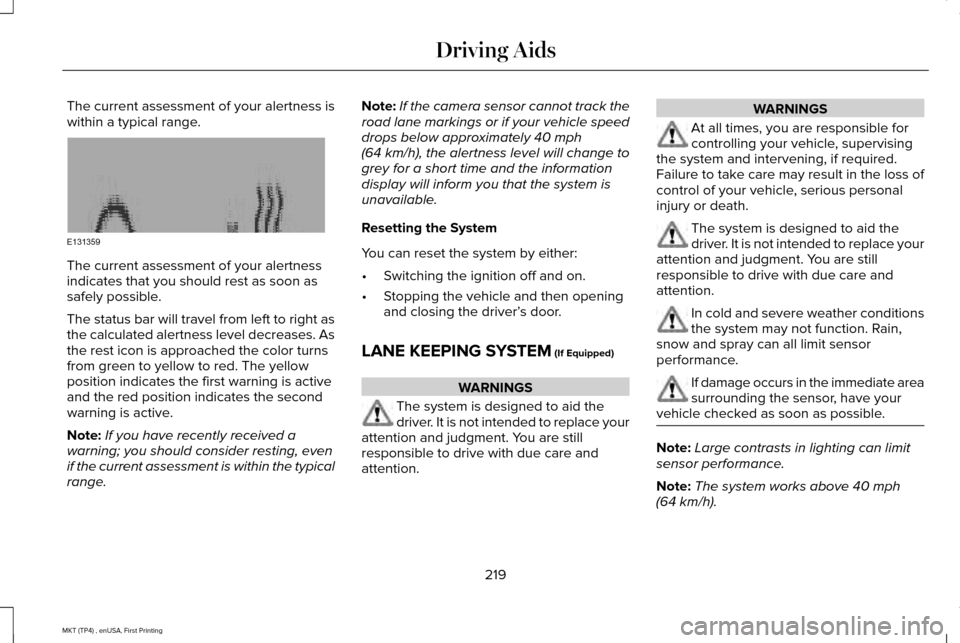
The current assessment of your alertness is
within a typical range.
The current assessment of your alertness
indicates that you should rest as soon as
safely possible.
The status bar will travel from left to right as
the calculated alertness level decreases. As
the rest icon is approached the color turns
from green to yellow to red. The yellow
position indicates the first warning is active
and the red position indicates the second
warning is active.
Note:
If you have recently received a
warning; you should consider resting, even
if the current assessment is within the typical
range. Note:
If the camera sensor cannot track the
road lane markings or if your vehicle speed
drops below approximately 40 mph
(64 km/h), the alertness level will change to
grey for a short time and the information
display will inform you that the system is
unavailable.
Resetting the System
You can reset the system by either:
• Switching the ignition off and on.
• Stopping the vehicle and then opening
and closing the driver’ s door.
LANE KEEPING SYSTEM
(If Equipped) WARNINGS
The system is designed to aid the
driver. It is not intended to replace your
attention and judgment. You are still
responsible to drive with due care and
attention. WARNINGS
At all times, you are responsible for
controlling your vehicle, supervising
the system and intervening, if required.
Failure to take care may result in the loss of
control of your vehicle, serious personal
injury or death. The system is designed to aid the
driver. It is not intended to replace your
attention and judgment. You are still
responsible to drive with due care and
attention. In cold and severe weather conditions
the system may not function. Rain,
snow and spray can all limit sensor
performance. If damage occurs in the immediate area
surrounding the sensor, have your
vehicle checked as soon as possible. Note:
Large contrasts in lighting can limit
sensor performance.
Note: The system works above
40 mph
(64 km/h).
219
MKT (TP4) , enUSA, First Printing Driving AidsE131359