four LINCOLN MKT 2017 Owner's Manual
[x] Cancel search | Manufacturer: LINCOLN, Model Year: 2017, Model line: MKT, Model: LINCOLN MKT 2017Pages: 558, PDF Size: 4.59 MB
Page 331 of 558
go to four digits. For example, 2501
means the 25th week of 2001. The
numbers in between are identification
codes used for traceability. This
information is used to contact customers
if a tire defect requires a recall.
I. M+S or M/S: Mud and Snow, or
AT:
All Terrain, or
AS:
All Season.
J.
Tire Ply Composition and Material
Used: Indicates the number of plies or
the number of layers of rubber-coated
fabric in the tire tread and sidewall. Tire
manufacturers also must indicate the ply
materials in the tire and the sidewall,
which include steel, nylon, polyester,
and others. K.
Maximum Load: Indicates the
maximum load in kilograms and pounds
that can be carried by the tire. See the
Safety Compliance Certification Label
(affixed to either the door hinge pillar,
door-latch post, or the door edge that
meets the door-latch post, next to the
driver's seating position), for the correct
tire pressure for your vehicle.
L.
Treadwear, Traction and
Temperature Grades:
*
Treadwear The treadwear grade is a
comparative rating based on the wear
rate of the tire when tested under
controlled conditions on a specified
government test course. For example,
a tire graded 150 would wear one and
one-half times as well on the
government course as a tire graded 100. *
Traction: The traction grades, from
highest to lowest are AA, A, B, and C.
The grades represent the tire's ability to
stop on wet pavement as measured
under controlled conditions on specified
government test surfaces of asphalt and
concrete. A tire marked C may have
poor traction performance.
*
Temperature: The temperature grades
are A (the highest), B and C,
representing the tire's resistance to the
generation of heat and its ability to
dissipate heat when tested under
controlled conditions on a specified
indoor laboratory test wheel.
M.
Maximum Inflation Pressure:
Indicates the tire manufacturers'
maximum permissible pressure or the
pressure at which the maximum load
can be carried by the tire. This pressure
is normally higher than the vehicle
manufacturer's recommended cold
inflation pressure which can be found
on the Safety Compliance Certification
Label (affixed to either the door hinge
pillar, door-latch post, or the door edge
that meets the door-latch post, next to
328
MKT (TP4) , enUSA, First Printing Wheels and Tires
Page 332 of 558
the driver's seating position), or Tire
Label which is located on the B-Pillar or
the edge of the driver’
s door. The cold
inflation pressure should never be set
lower than the recommended pressure
on the vehicle label.
The tire suppliers may have additional
markings, notes or warnings such as
standard load or radial tubeless.
Additional Information Contained on
the Tire Sidewall for LT Type Tires
Note: Tire Quality Grades do not apply
to this type of tire. LT type tires have some additional
information beyond those of P type tires;
these differences are described below.
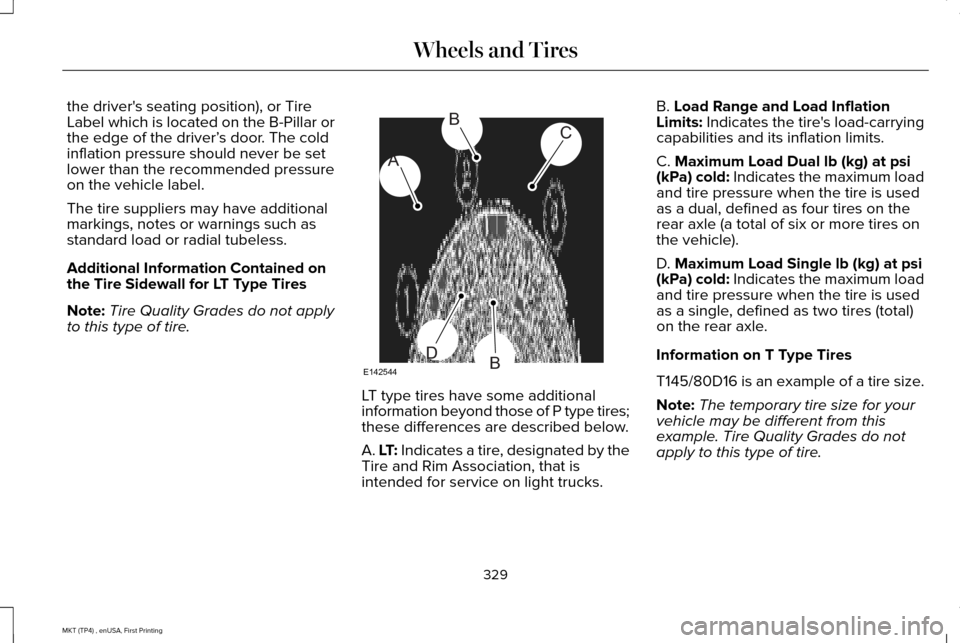
A. LT: Indicates a tire, designated by the
Tire and Rim Association, that is
intended for service on light trucks.B. Load Range and Load Inflation
Limits: Indicates the tire's load-carrying
capabilities and its inflation limits.
C.
Maximum Load Dual lb (kg) at psi
(kPa) cold: Indicates the maximum load
and tire pressure when the tire is used
as a dual, defined as four tires on the
rear axle (a total of six or more tires on
the vehicle).
D.
Maximum Load Single lb (kg) at psi
(kPa) cold: Indicates the maximum load
and tire pressure when the tire is used
as a single, defined as two tires (total)
on the rear axle.
Information on T Type Tires
T145/80D16 is an example of a tire size.
Note: The temporary tire size for your
vehicle may be different from this
example. Tire Quality Grades do not
apply to this type of tire.
329
MKT (TP4) , enUSA, First Printing Wheels and TiresA
BC
BDE142544
Page 336 of 558
U.S. DOT Tire Identification Number
Both United States and Canada Federal
regulations require tire manufacturers
to place standardized information on the
sidewall of all tires. This information
identifies and describes the fundamental
characteristics of the tire and also
provides a U.S. DOT Tire Identification
Number for safety standard certification
and in case of a recall.
This begins with the letters DOT and
indicates that the tire meets all federal
standards. The next two numbers or
letters are the plant code designating
where it was manufactured, the next two
are the tire size code and the last four
numbers represent the week and year
the tire was built. For example, the
numbers 317 mean the 31st week of
1997. After 2000, the numbers go to four
digits. For example, 2501 means the
25th week of 2001. The numbers in
between are identification codes used
for traceability. This information is used
to contact customers if a tire defect
requires a recall.
Tire Replacement Requirements
Your vehicle is equipped with tires
designed to provide a safe ride and
handling capability.
WARNINGS
Only use replacement tires and
wheels that are the same size, load
index, speed rating and type (such as
P-metric versus LT-metric or all-season
versus all-terrain) as those originally
provided by Ford. The recommended
tire and wheel size may be found on
either the Safety Compliance
Certification Label (affixed to either the
door hinge pillar, door-latch post, or the
door edge that meets the door-latch
post, next to the driver’ s seating
position), or the Tire Label which is
located on the B-Pillar or edge of the
driver’ s door. If this information is not
found on these labels, then you should
contact your authorized dealer as soon WARNINGS
as possible. Use of any tire or wheel not
recommended by Ford can affect the
safety and performance of your vehicle,
which could result in an increased risk
of loss of vehicle control, vehicle
rollover, personal injury and death. To reduce the risk of serious injury,
when mounting replacement tires
and wheels, you should not exceed the
maximum pressure indicated on the
sidewall of the tire to set the beads
without additional precautions listed
below. If the beads do not seat at the
maximum pressure indicated,
re-lubricate and try again.
When inflating the tire for mounting
pressures up to 20 psi (1.38 bar) greater
than the maximum pressure on the tire
sidewall, the following precautions must
be taken to protect the person mounting
the tire:
1. Make sure that you have the correct
tire and wheel size.
333
MKT (TP4) , enUSA, First Printing Wheels and Tires
Page 338 of 558
Highway Hazards
No matter how carefully you drive, there
is always the possibility that you may
eventually have a flat tire on the
highway. Drive slowly to the closest safe
area out of traffic. This may further
damage the flat tire, but your safety is
more important.
If you feel a sudden vibration or ride
disturbance while driving, or you suspect
your tire or vehicle has been damaged,
immediately reduce your speed. Drive
with caution until you can safely pull off
the road. Stop and inspect the tires for
damage. If a tire is under-inflated or
damaged, deflate it, remove wheel and
replace it with your spare tire and wheel.
If you cannot detect a cause, have the
vehicle towed to the nearest repair
facility or tire dealer to have the vehicle
inspected.
Tire and Wheel Alignment
A bad jolt from hitting a curb or pothole
can cause the front end of your vehicle
to become misaligned or cause damage
to your tires. If your vehicle seems to
pull to one side when you are driving,
the wheels may be out of alignment.
Have an authorized dealer check the
wheel alignment periodically.
Wheel misalignment in the front or the
rear can cause uneven and rapid
treadwear of your tires and should be
corrected by an authorized dealer.
Front-wheel drive vehicles and those
with an independent rear suspension (if
equipped) may require alignment of all
four wheels.
The tires should also be balanced
periodically. An unbalanced tire and
wheel assembly may result in irregular
tire wear.Tire Rotation
Note:
If your tires show uneven wear,
ask an authorized dealer to check for
and correct any wheel misalignment,
tire imbalance or mechanical problem
involved before tire rotation.
Note: Your vehicle may be equipped
with a dissimilar spare wheel and tire
assembly. A dissimilar spare wheel and
tire assembly is defined as a spare
wheel and tire assembly that is different
in brand, size or appearance from the
road tires and wheels. If you have a
dissimilar spare wheel and tire
assembly, it is intended for temporary
use only and should not be used in a
tire rotation.
Note: After having your tires rotated,
inflation pressure must be checked and
adjusted to the vehicle requirements.
335
MKT (TP4) , enUSA, First Printing Wheels and Tires
Page 342 of 558
Understanding Your Tire Pressure
Monitoring System
The tire pressure monitoring system
measures pressure in your four road tires
and sends the tire pressure readings to your
vehicle. The low tire pressure warning light
will turn on if the tire pressure is significantly
low. Once the light is illuminated, your tires
are under-inflated and need to be inflated to
the manufacturer’
s recommended tire
pressure. Even if the light turns on and a
short time later turns off, your tire pressure
still needs to be checked. When Your Temporary Spare Tire is
Installed
When one of your road tires needs to be
replaced with the temporary spare, the
system will continue to identify an issue to
remind you that the damaged road wheel
and tire assembly needs to be repaired and
put back on your vehicle.
To restore the full function of the tire
pressure monitoring system, have the
damaged road wheel and tire assembly
repaired and remounted on your vehicle.
When You Believe Your System is Not
Operating Properly
The main function of the tire pressure
monitoring system is to warn you when your
tires need air. It can also warn you in the
event the system is no longer capable of
functioning as intended. See the following
chart for information concerning your tire
pressure monitoring system:
339
MKT (TP4) , enUSA, First Printing Wheels and Tires
Page 463 of 558

Menu Item
Enable this option to remove additional voice prompts and confirmations.\
Advanced Mode
Enable this option to have the system confirm a contacts name with you b\
efore
making a call.
Phone Confirmation
Enable this option to have the system display a list of available voice \
commands
when the voice button is pressed.
Voice Command List
Valet Mode
Valet mode allows you to lock the system.
No information is accessible until the system
is unlocked with the correct PIN.
When you select valet mode a pop up
appears informing you that a four digit code
must be entered to enable and disable valet
mode. You can use any PIN you chose but
you must use the same PIN to disable valet
mode. The system asks you to input the
code. Note:
If the system is locked and you cannot
remember the PIN, please contact the
Customer Relationship Center.
For Lincoln
United States: 1-800-521-4140
Canada: 1-800-387-9333
To enable valet mode, enter your chosen
PIN. The system then asks to confirm your
PIN by reentering it. The system then locks.
To unlock the system, enter the same pin
number. The system reconnects to your
phone and all of your options are available
again. SYNC™ 3 TROUBLESHOOTING
Your SYNC 3 system is easy to use.
However, should questions arise, please
refer to the tables below.
To check your cell phone's compatibility, visit
the Ford or Lincoln website.
Website
owner.lincoln.com
www.syncmyride.ca
www.syncmaroute.ca
460
MKT (TP4) , enUSA, First Printing SYNC™ 3
Page 478 of 558
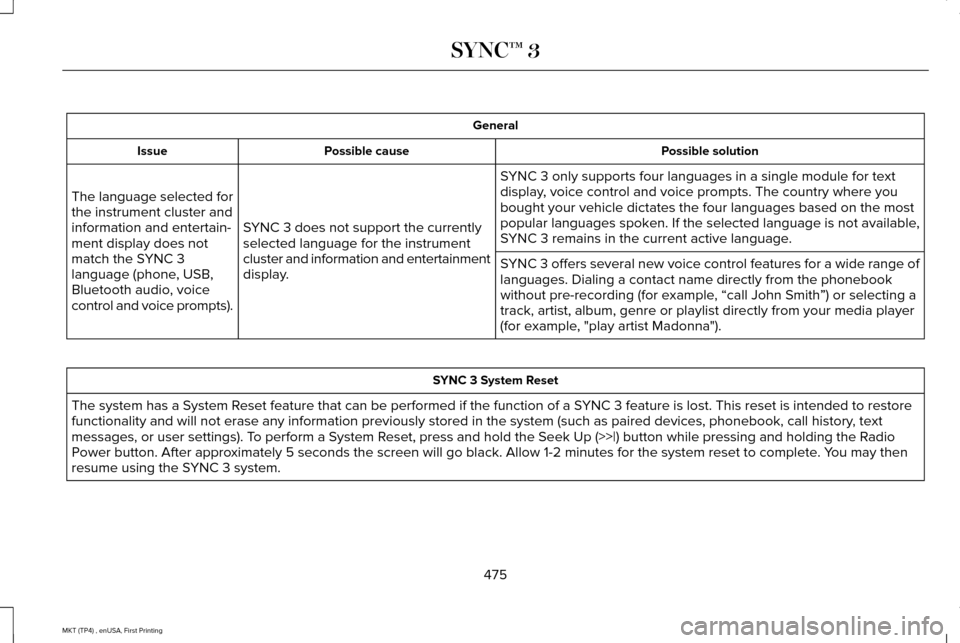
General
Possible solution
Possible cause
Issue
SYNC 3 only supports four languages in a single module for text
display, voice control and voice prompts. The country where you
bought your vehicle dictates the four languages based on the most
popular languages spoken. If the selected language is not available,
SYNC 3 remains in the current active language.
SYNC 3 does not support the currently
selected language for the instrument
cluster and information and entertainment
display.
The language selected for
the instrument cluster and
information and entertain-
ment display does not
match the SYNC 3
language (phone, USB,
Bluetooth audio, voice
control and voice prompts).
SYNC 3 offers several new voice control features for a wide range of
languages. Dialing a contact name directly from the phonebook
without pre-recording (for example, “call John Smith
”) or selecting a
track, artist, album, genre or playlist directly from your media player
(for example, "play artist Madonna"). SYNC 3 System Reset
The system has a System Reset feature that can be performed if the function of a SYNC 3 feature is lost. This reset is intended to restore
functionality and will not erase any information previously stored in th\
e system (such as paired devices, phonebook, call history , text
messages, or user settings). To perform a System Reset, press and hold the Seek Up (>>|) button while pressing and holdi\
ng the Radio
Power button. After approximately 5 seconds the screen will go black. Allow 1-2 minutes for the s\
ystem reset to complete. You may then
resume using the SYNC 3 system.
475
MKT (TP4) , enUSA, First Printing SYNC™ 3
Page 482 of 558
PROTECT YOURSELF FROM THE RISING
COST OF VEHICLE REPAIRS WITH
LINCOLN PROTECT EXTENDED SERVICE
PLAN.
Lincoln Protect Extended Service Plans
(U.S. Only)
Lincoln Protect means peace of mind. It’
s the
extended service plan backed by the Lincoln
Motor Company, and provides more
protection beyond the New Vehicle Limited
Warranty coverage. When you visit your
Lincoln Dealer, insist on genuine Lincoln
Protect extended service plans!
Lincoln Protect Can Quickly Pay for Itself
One trip to the Service Center could easily
exceed the price of your Lincoln Protect
Extended Service Plan. With Lincoln Protect
you minimize your risk for unexpected repair
bills and rising repair costs.
Up to 1000+ Covered Vehicle Components
There are four mechanical Lincoln Protect
plans with different levels of coverage. Ask
your authorized dealer for details. 1.
PremiumCARE - Our most comprehensive
coverage. With over 1,000 covered
components, this plan is so complete it’ s
probably easier to list what’ s not covered.
2. ExtraCARE - Covers 113 components, and
includes many high-tech items.
3. BaseCARE - Covers 84 components.
4. PowertrainCARE - Covers 29 critical components.
Lincoln Protect Extended Service Plans are
honored by all authorized Lincoln dealers in
the U.S., Canada and Mexico.
That means you get:
• Reliable, quality service at any Lincoln or
Ford dealership.
• Repairs performed by factory trained
technicians, using genuine parts.
Rental Car Reimbursement
1st day Rental Benefit
If you bring your car into your dealer for
service, we ’ll give you a loaner to use for the
day. Extended Rental Benefits
If your vehicle is kept overnight for covered
repairs, you are eligible for rental car
coverage, including bumper to bumper
warranty repairs, and Field Service Actions.
Roadside Assistance
Exclusive 24/7 roadside assistance, including:
•
Towing, flat-tire change and battery jump
starts.
• Out of fuel and lock-out assistance.
• Travel expense reimbursement for
lodging, meals and rental car.
• Assistance for taxi, shuttle, rental car
coverage and other transportation.
Transferable Coverage
If you sell your vehicle before your Lincoln
Protect plan coverage expires, you can
transfer any remaining coverage to the new
owner. Which should give you and your
potential buyer a little more peace of mind.
479
MKT (TP4) , enUSA, First Printing Lincoln Protect
Page 554 of 558
Memory Function...........................................141
Easy Entry and Exit Feature..............................142
Linking a PreSet Position to your Remote
Control or Intelligent Access Key Fob
........................................................................\
.....142
Saving a PreSet Position...................................142
Message Center See: Information Displays..................................110
Mirrors See: Heated Windows and Mirrors.................134
See: Windows and Mirrors.................................99
Mobile Communications Equipment...........14
Moonroof.........................................................103 Closing the Moonroof and Sunshades..........104
Opening the Sunshade and Moonroof..........103
Venting the Moonroof........................................104
Motorcraft Parts - 3.5L Ecoboost™............353
Motorcraft Parts - 3.7L.................................354
MyKey Troubleshooting
................................70
MyKey™..............................................................65 Principle of Operation.........................................65
N
Navigation......................................................430 cityseeker.............................................................439
Destination Mode................................................431
Map Mode............................................................430 Navigation Map Updates..................................440
Navigation Menu................................................436
SiriusXM Traffic and Travel Link......................440
Waypoints.............................................................438
Normal Scheduled Maintenance.............486 Intelligent Oil-Life Monitor™..............................486
Normal Maintenance Intervals........................
488
O
Oil Change Indicator Reset
.......................293
Oil Check See: Engine Oil Check......................................292
Opening and Closing the Hood...............287 Closing the Hood...............................................287
Opening the Hood.............................................287
Ordering Additional Owner's Literature.....................................................265
Obtaining a French Owner’ s Manual............265
Overhead Console
........................................163
P
Parking Aids
....................................................198
Principle of Operation........................................198
Parking Brake.................................................193
Passive Anti-Theft System.............................81 SecuriLock®.............................................................81 PATS
See: Passive Anti-Theft System.........................
81
Pedals................................................................87
Perchlorate........................................................12
Personal Safety System ™
..............................49
How Does the Personal Safety System
Work?...................................................................49
Phone
..............................................................422
During a Phone Call...........................................427
Making Calls........................................................426
Pairing Your Cell Phone for the First
Time...................................................................422
Phone Menu........................................................423
Receiving Calls....................................................427
Smartphone Connectivity................................429
Text Messaging...................................................428
Power Door Locks See: Locking and Unlocking..............................
72
Power Liftgate
..................................................75
Obstacle Detection...............................................78
Opening and Closing the Liftgate....................76
Setting the Liftgate Open Height......................78
Stopping the Liftgate Movement......................78
Power Seats
....................................................139
Four Way Power Lumbar....................................141
Power Lumbar (Limo/Livery)..............................141
Power Steering Fluid Check.......................301
551
MKT (TP4) , enUSA, First Printing Index
Page 557 of 558
Tires
See: Wheels and Tires.......................................321
Towing a Trailer.............................................242 Load Placement..................................................242
Towing the Vehicle on Four Wheels - 3.5L Ecoboost™/3.7L...........................................248
Emergency Towing............................................248
Recreational Towing..........................................249
Towing.............................................................242
Traction Control.............................................194 Principle of Operation........................................194
Trailer Sway Control....................................243
Transmission Code Designation..............356
Transmission...................................................180
Transmission See: Transmission...............................................180
U
Under Hood Overview - 3.5L Ecoboost™....................................................288
Under Hood Overview - 3.7L....................290
Universal Garage Door Opener................155 HomeLink Wireless Control System...............155
USB Port..........................................................375
Using Adaptive Cruise Control..................210 Automatic Cancellation......................................214
Blocked Sensor...................................................216 Canceling the Set Speed..................................213
Changing the Set Speed...................................
214
Detection Issues..................................................214
Following a Vehicle..............................................211
Hilly Condition Usage........................................214
Overriding the System.......................................213
Resuming the Set Speed...................................214
Setting the Adaptive Cruise Speed.................211
Setting the Gap Distance..................................212
Switching Adaptive Cruise Control Off..........214
Switching Adaptive Cruise Control On...........211
Switching to Normal Cruise Control...............217
System Not Available.........................................216
Using All-Wheel Drive..................................184 Driving In Special Conditions With All-Wheel
Drive (AWD)......................................................186
Operating AWD Vehicles With Mismatched Tires....................................................................186
Operating AWD Vehicles With Spare Tires....................................................................185
Using Cruise Control...................................209 Switching Cruise Control Off............................210
Switching Cruise Control On...........................209
Using MyKey With Remote Start Systems..........................................................70
Using Snow Chains
......................................336
Using Stability Control..................................197 Using Traction Control.................................194
Switching the System Off..................................194
System Indicator Lights and Messages.........
194
Using a Switch......................................................194
Using the Information Display Controls.........194
Using Voice Recognition
............................395
Audio Voice Commands...................................396
Climate Voice Commands................................398
Mobile App Voice Commands........................402
Navigation Voice Commands.........................400
Phone Voice Commands..................................
398
SiriusXM Traffic and Travel Link Voice Commands......................................................402
Voice Settings Commands...............................403
Utilizing the Mediation/Arbitration Program (Canada Only)
.............................................262
V
Vehicle Care
....................................................311
General Information.............................................311
Vehicle Certification Label.........................355
Vehicle Identification Number
..................355
Vehicle Storage.............................................318
Battery....................................................................319
Body........................................................................\
318
Brakes....................................................................319
Cooling system....................................................319
554
MKT (TP4) , enUSA, First Printing Index