phone LINCOLN MKT 2017 Repair Manual
[x] Cancel search | Manufacturer: LINCOLN, Model Year: 2017, Model line: MKT, Model: LINCOLN MKT 2017Pages: 558, PDF Size: 4.59 MB
Page 477 of 558
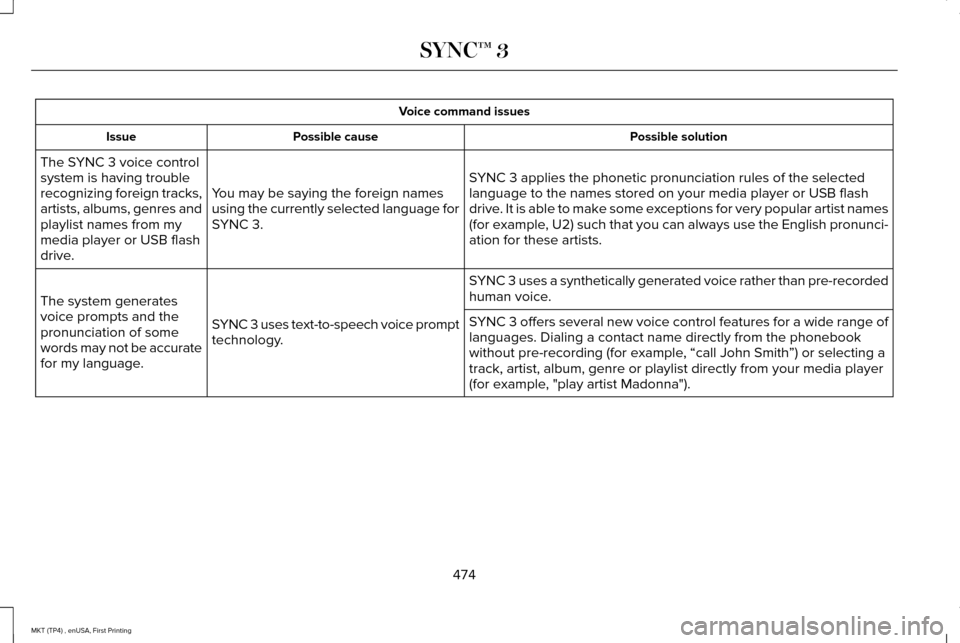
Voice command issues
Possible solution
Possible cause
Issue
SYNC 3 applies the phonetic pronunciation rules of the selected
language to the names stored on your media player or USB flash
drive. It is able to make some exceptions for very popular artist names
(for example, U2) such that you can always use the English pronunci-
ation for these artists.
You may be saying the foreign names
using the currently selected language for
SYNC 3.
The SYNC 3 voice control
system is having trouble
recognizing foreign tracks,
artists, albums, genres and
playlist names from my
media player or USB flash
drive.
SYNC 3 uses a synthetically generated voice rather than pre-recorded
human voice.
SYNC 3 uses text-to-speech voice prompt
technology.
The system generates
voice prompts and the
pronunciation of some
words may not be accurate
for my language. SYNC 3 offers several new voice control features for a wide range of
languages. Dialing a contact name directly from the phonebook
without pre-recording (for example, “call John Smith
”) or selecting a
track, artist, album, genre or playlist directly from your media player
(for example, "play artist Madonna").
474
MKT (TP4) , enUSA, First Printing SYNC™ 3
Page 478 of 558
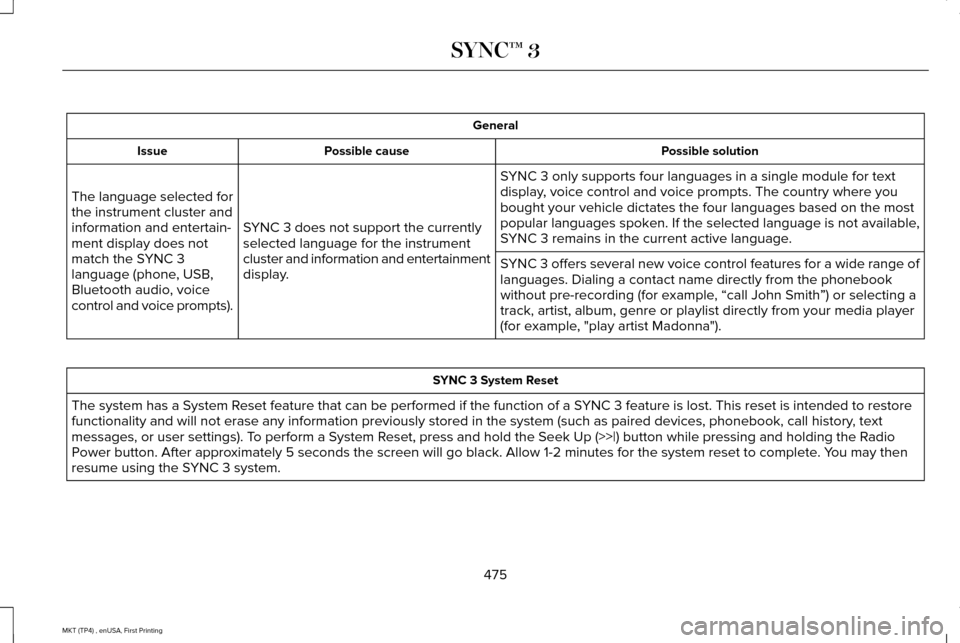
General
Possible solution
Possible cause
Issue
SYNC 3 only supports four languages in a single module for text
display, voice control and voice prompts. The country where you
bought your vehicle dictates the four languages based on the most
popular languages spoken. If the selected language is not available,
SYNC 3 remains in the current active language.
SYNC 3 does not support the currently
selected language for the instrument
cluster and information and entertainment
display.
The language selected for
the instrument cluster and
information and entertain-
ment display does not
match the SYNC 3
language (phone, USB,
Bluetooth audio, voice
control and voice prompts).
SYNC 3 offers several new voice control features for a wide range of
languages. Dialing a contact name directly from the phonebook
without pre-recording (for example, “call John Smith
”) or selecting a
track, artist, album, genre or playlist directly from your media player
(for example, "play artist Madonna"). SYNC 3 System Reset
The system has a System Reset feature that can be performed if the function of a SYNC 3 feature is lost. This reset is intended to restore
functionality and will not erase any information previously stored in th\
e system (such as paired devices, phonebook, call history , text
messages, or user settings). To perform a System Reset, press and hold the Seek Up (>>|) button while pressing and holdi\
ng the Radio
Power button. After approximately 5 seconds the screen will go black. Allow 1-2 minutes for the s\
ystem reset to complete. You may then
resume using the SYNC 3 system.
475
MKT (TP4) , enUSA, First Printing SYNC™ 3
Page 481 of 558
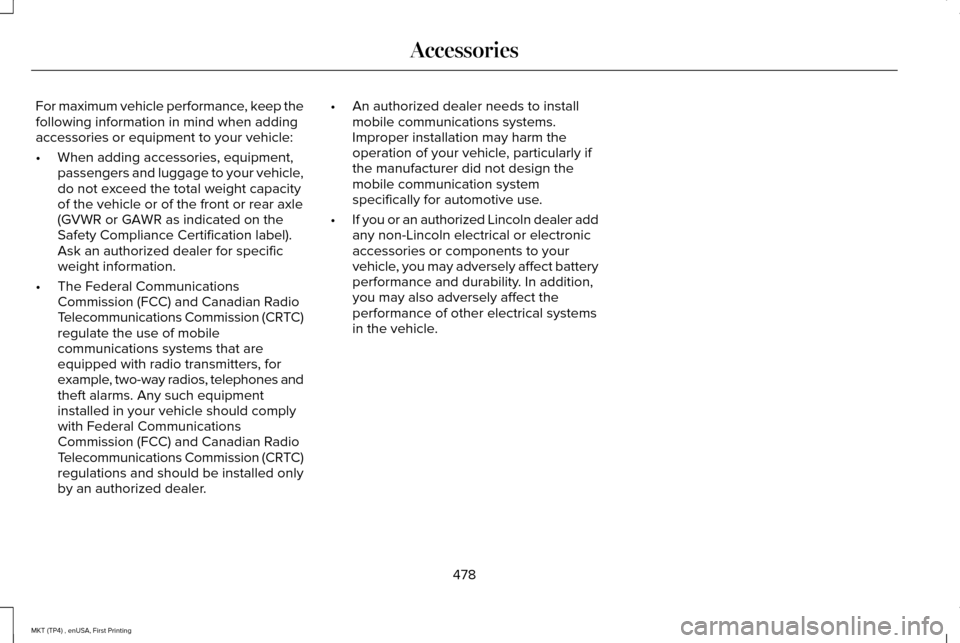
For maximum vehicle performance, keep the
following information in mind when adding
accessories or equipment to your vehicle:
•
When adding accessories, equipment,
passengers and luggage to your vehicle,
do not exceed the total weight capacity
of the vehicle or of the front or rear axle
(GVWR or GAWR as indicated on the
Safety Compliance Certification label).
Ask an authorized dealer for specific
weight information.
• The Federal Communications
Commission (FCC) and Canadian Radio
Telecommunications Commission (CRTC)
regulate the use of mobile
communications systems that are
equipped with radio transmitters, for
example, two-way radios, telephones and
theft alarms. Any such equipment
installed in your vehicle should comply
with Federal Communications
Commission (FCC) and Canadian Radio
Telecommunications Commission (CRTC)
regulations and should be installed only
by an authorized dealer. •
An authorized dealer needs to install
mobile communications systems.
Improper installation may harm the
operation of your vehicle, particularly if
the manufacturer did not design the
mobile communication system
specifically for automotive use.
• If you or an authorized Lincoln dealer add
any non-Lincoln electrical or electronic
accessories or components to your
vehicle, you may adversely affect battery
performance and durability. In addition,
you may also adversely affect the
performance of other electrical systems
in the vehicle.
478
MKT (TP4) , enUSA, First Printing Accessories
Page 533 of 558
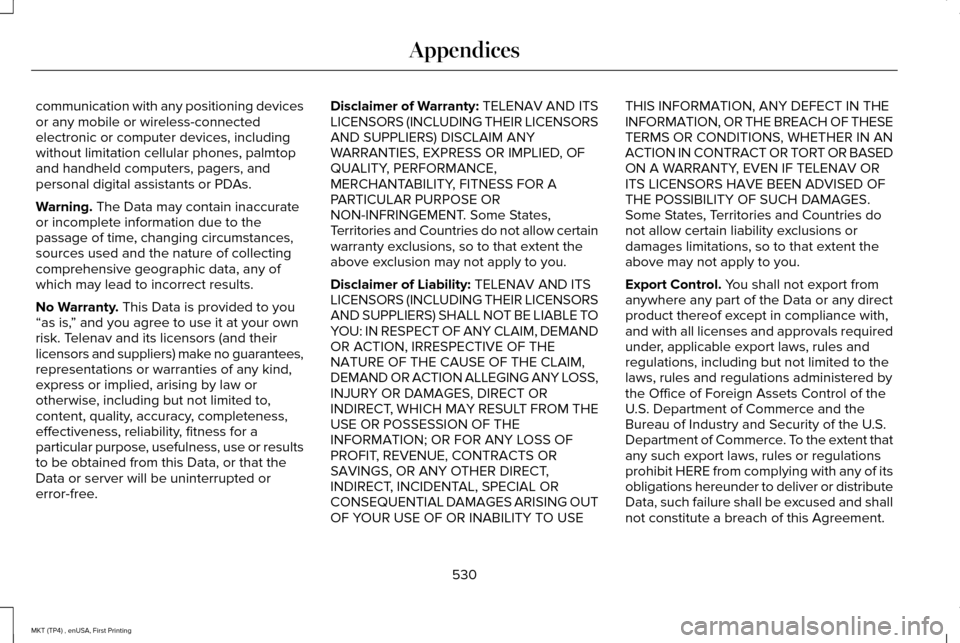
communication with any positioning devices
or any mobile or wireless-connected
electronic or computer devices, including
without limitation cellular phones, palmtop
and handheld computers, pagers, and
personal digital assistants or PDAs.
Warning. The Data may contain inaccurate
or incomplete information due to the
passage of time, changing circumstances,
sources used and the nature of collecting
comprehensive geographic data, any of
which may lead to incorrect results.
No Warranty.
This Data is provided to you
“as is, ” and you agree to use it at your own
risk. Telenav and its licensors (and their
licensors and suppliers) make no guarantees,
representations or warranties of any kind,
express or implied, arising by law or
otherwise, including but not limited to,
content, quality, accuracy, completeness,
effectiveness, reliability, fitness for a
particular purpose, usefulness, use or results
to be obtained from this Data, or that the
Data or server will be uninterrupted or
error-free. Disclaimer of Warranty: TELENAV AND ITS
LICENSORS (INCLUDING THEIR LICENSORS
AND SUPPLIERS) DISCLAIM ANY
WARRANTIES, EXPRESS OR IMPLIED, OF
QUALITY, PERFORMANCE,
MERCHANTABILITY, FITNESS FOR A
PARTICULAR PURPOSE OR
NON-INFRINGEMENT. Some States,
Territories and Countries do not allow certain
warranty exclusions, so to that extent the
above exclusion may not apply to you.
Disclaimer of Liability:
TELENAV AND ITS
LICENSORS (INCLUDING THEIR LICENSORS
AND SUPPLIERS) SHALL NOT BE LIABLE TO
YOU: IN RESPECT OF ANY CLAIM, DEMAND
OR ACTION, IRRESPECTIVE OF THE
NATURE OF THE CAUSE OF THE CLAIM,
DEMAND OR ACTION ALLEGING ANY LOSS,
INJURY OR DAMAGES, DIRECT OR
INDIRECT, WHICH MAY RESULT FROM THE
USE OR POSSESSION OF THE
INFORMATION; OR FOR ANY LOSS OF
PROFIT, REVENUE, CONTRACTS OR
SAVINGS, OR ANY OTHER DIRECT,
INDIRECT, INCIDENTAL, SPECIAL OR
CONSEQUENTIAL DAMAGES ARISING OUT
OF YOUR USE OF OR INABILITY TO USE THIS INFORMATION, ANY DEFECT IN THE
INFORMATION, OR THE BREACH OF THESE
TERMS OR CONDITIONS, WHETHER IN AN
ACTION IN CONTRACT OR TORT OR BASED
ON A WARRANTY, EVEN IF TELENAV OR
ITS LICENSORS HAVE BEEN ADVISED OF
THE POSSIBILITY OF SUCH DAMAGES.
Some States, Territories and Countries do
not allow certain liability exclusions or
damages limitations, so to that extent the
above may not apply to you.
Export Control. You shall not export from
anywhere any part of the Data or any direct
product thereof except in compliance with,
and with all licenses and approvals required
under, applicable export laws, rules and
regulations, including but not limited to the
laws, rules and regulations administered by
the Office of Foreign Assets Control of the
U.S. Department of Commerce and the
Bureau of Industry and Security of the U.S.
Department of Commerce. To the extent that
any such export laws, rules or regulations
prohibit HERE from complying with any of its
obligations hereunder to deliver or distribute
Data, such failure shall be excused and shall
not constitute a breach of this Agreement.
530
MKT (TP4) , enUSA, First Printing Appendices
Page 541 of 558

devices, including without limitation cellular
phones, palmtop and handheld computers,
pagers, and personal digital assistants or
PDAs. You agree to cease using this Data if
you fail to comply with these terms and
conditions.
Limited Warranty
NAV2 warrants that (a) the Data will perform
substantially in accordance with the
accompanying written materials for a period
of ninety (90) days from the date of receipt,
and (b) any support services provided by
NAV2 shall be substantially as described in
applicable written materials provided to you
by NAV2, and NAV2’
s support engineers will
make commercially reasonable efforts to
solve any problem issues.
rigCustomer Remedies
NAV2 and its suppliers ’ entire liability and
your exclusive remedy shall be, at NAV2’ s
sole discretion, either (a) return of the price
paid, if any, or (b) repair or replacement of
the Data that do not meet NAV2’ s Limited
Warranty and that are returned to NAV2 with
a copy of your receipt. This Limited Warranty is void if failure of the Data has resulted from
accident, abuse, or misapplication. Any
replacement Data will be warranted for the
remainder of the original warranty period or
thirty (30) days, whichever is longer. Neither
these remedies nor any product support
services offered by NAV2 are available
without proof of purchase from an authorized
international source.
No Other Warranty:
EXCEPT FOR THE LMITED WARRANTY SET
FORTH ABOVE AND TO THE EXTENT
PERMITTED BY APPLICABLE LAW, NAV2
AND ITS LICENSORS (INCLUDING THEIR
LICENSORS AND SUPPLIERS) DISCLAIM
ANY WARRANTIES, EXPRESS OR IMPLIED,
OF QUALITY, PERFORMANCE,
MERCHANTABILITY, FITNESS FOR A
PARTICULAR PURPOSE, OWNERSHIP OR
NON-INFRINGEMENT. Certain warranty
exclusions may not be permitted under
applicable law, so to that extent the above
exclusion may not apply to you.
Limited Liability:
TO THE EXTENT PERMITTED BY
APPLICABLE LAW, NAV2 AND ITS
LICENSORS (INCLUDING THEIR LICENSORS
AND SUPPLIERS) SHALL NOT BE LIABLE TO
YOU: IN RESPECT OF ANY CLAIM, DEMAND
OR ACTION, IRRESPECTIVE OF THE
NATURE OF THE CAUSE OF THE CLAIM,
DEMAND OR ACTION ALLEGING ANY LOSS,
INJURY OR DAMAGES, DIRECT OR
INDIRECT, WHICH MAY RESULT FROM THE
USE OR POSSESSION OF THE
INFORMATION; OR FOR ANY LOSS OF
PROFIT, REVENUE, CONTRACTS OR
SAVINGS, OR ANY OTHER DIRECT,
INDIRECT, INCIDENTAL, SPECIAL OR
CONSEQUENTIAL DAMAGES ARISING OUT
OF YOUR USE OF OR INABILITY TO USE
THIS INFORMATION, ANY DEFECT IN THE
INFROMATION, OR THE BREACH OF THESE
TERMS OR CONDITIONS, WHETHER IN AN
ACTION IN CONTRACT OR TORT OR BASED
ON A WARRANTY, EVEN IF NAV2 OR ITS
LICENSORS HAVE BEEN ADVISED OF THE
POSSIBILITY OF SUCH DAMAGES. UNDER
538
MKT (TP4) , enUSA, First Printing Appendices
Page 554 of 558
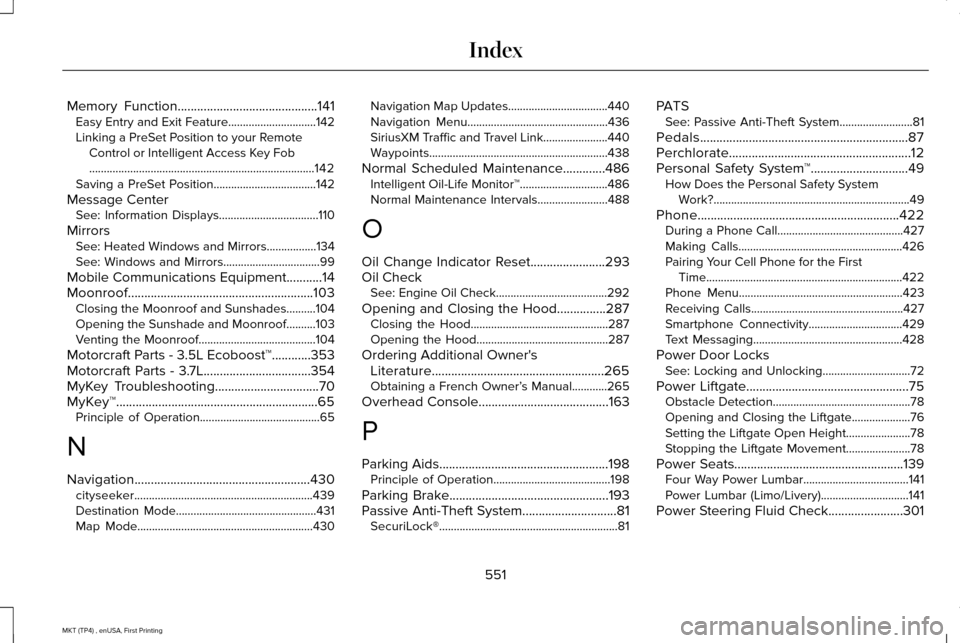
Memory Function...........................................141
Easy Entry and Exit Feature..............................142
Linking a PreSet Position to your Remote
Control or Intelligent Access Key Fob
........................................................................\
.....142
Saving a PreSet Position...................................142
Message Center See: Information Displays..................................110
Mirrors See: Heated Windows and Mirrors.................134
See: Windows and Mirrors.................................99
Mobile Communications Equipment...........14
Moonroof.........................................................103 Closing the Moonroof and Sunshades..........104
Opening the Sunshade and Moonroof..........103
Venting the Moonroof........................................104
Motorcraft Parts - 3.5L Ecoboost™............353
Motorcraft Parts - 3.7L.................................354
MyKey Troubleshooting
................................70
MyKey™..............................................................65 Principle of Operation.........................................65
N
Navigation......................................................430 cityseeker.............................................................439
Destination Mode................................................431
Map Mode............................................................430 Navigation Map Updates..................................440
Navigation Menu................................................436
SiriusXM Traffic and Travel Link......................440
Waypoints.............................................................438
Normal Scheduled Maintenance.............486 Intelligent Oil-Life Monitor™..............................486
Normal Maintenance Intervals........................
488
O
Oil Change Indicator Reset
.......................293
Oil Check See: Engine Oil Check......................................292
Opening and Closing the Hood...............287 Closing the Hood...............................................287
Opening the Hood.............................................287
Ordering Additional Owner's Literature.....................................................265
Obtaining a French Owner’ s Manual............265
Overhead Console
........................................163
P
Parking Aids
....................................................198
Principle of Operation........................................198
Parking Brake.................................................193
Passive Anti-Theft System.............................81 SecuriLock®.............................................................81 PATS
See: Passive Anti-Theft System.........................
81
Pedals................................................................87
Perchlorate........................................................12
Personal Safety System ™
..............................49
How Does the Personal Safety System
Work?...................................................................49
Phone
..............................................................422
During a Phone Call...........................................427
Making Calls........................................................426
Pairing Your Cell Phone for the First
Time...................................................................422
Phone Menu........................................................423
Receiving Calls....................................................427
Smartphone Connectivity................................429
Text Messaging...................................................428
Power Door Locks See: Locking and Unlocking..............................
72
Power Liftgate
..................................................75
Obstacle Detection...............................................78
Opening and Closing the Liftgate....................76
Setting the Liftgate Open Height......................78
Stopping the Liftgate Movement......................78
Power Seats
....................................................139
Four Way Power Lumbar....................................141
Power Lumbar (Limo/Livery)..............................141
Power Steering Fluid Check.......................301
551
MKT (TP4) , enUSA, First Printing Index
Page 556 of 558
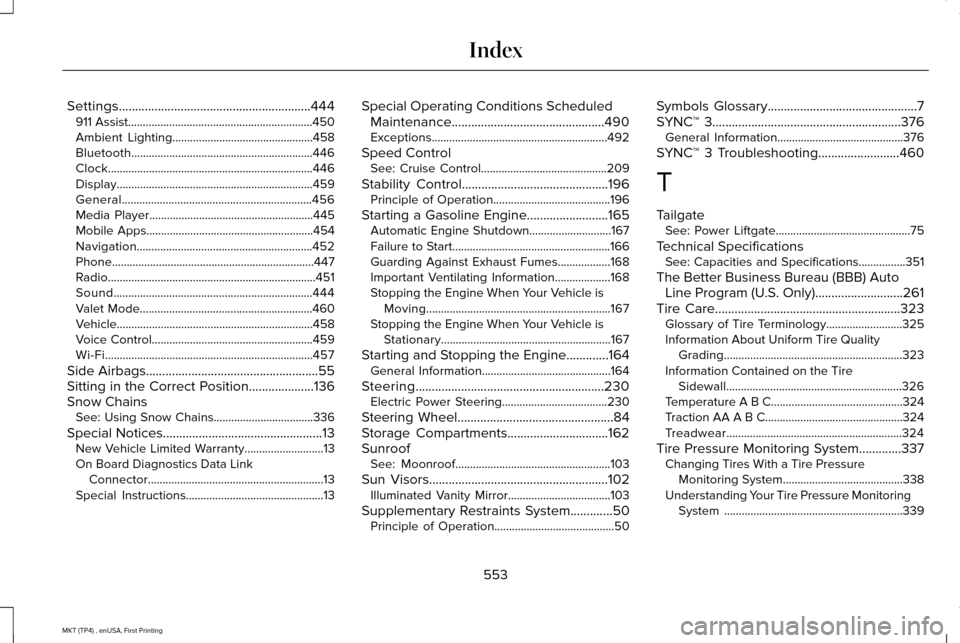
Settings...........................................................444
911 Assist...............................................................450
Ambient Lighting................................................458
Bluetooth..............................................................446
Clock......................................................................446
Display...................................................................459
General.................................................................456
Media Player........................................................445
Mobile Apps.........................................................454
Navigation............................................................452
Phone.....................................................................447
Radio.......................................................................451
Sound....................................................................444
Valet Mode...........................................................460
Vehicle...................................................................458
Voice Control.......................................................459
Wi-Fi.......................................................................457
Side Airbags.....................................................55
Sitting in the Correct Position....................136
Snow Chains See: Using Snow Chains..................................336
Special Notices.................................................13
New Vehicle Limited Warranty...........................13
On Board Diagnostics Data Link Connector............................................................13
Special Instructions...............................................13 Special Operating Conditions Scheduled
Maintenance...............................................490
Exceptions............................................................492
Speed Control See: Cruise Control...........................................209
Stability Control.............................................196 Principle of Operation........................................196
Starting a Gasoline Engine.........................165 Automatic Engine Shutdown............................167
Failure to Start......................................................166
Guarding Against Exhaust Fumes..................168
Important Ventilating Information...................168
Stopping the Engine When Your Vehicle is
Moving...............................................................167
Stopping the Engine When Your Vehicle is Stationary..........................................................167
Starting and Stopping the Engine.............164 General Information............................................164
Steering..........................................................230 Electric Power Steering....................................
230
Steering Wheel................................................84
Storage Compartments...............................162
Sunroof See: Moonroof.....................................................103
Sun Visors
.......................................................102
Illuminated Vanity Mirror...................................103
Supplementary Restraints System.............50 Principle of Operation.........................................50 Symbols Glossary
..............................................7
SYNC™ 3..........................................................376 General Information...........................................376
SYNC™ 3 Troubleshooting.........................460
T
Tailgate See: Power Liftgate..............................................75
Technical Specifications See: Capacities and Specifications................351
The Better Business Bureau (BBB) Auto Line Program (U.S. Only) ...........................
261
Tire Care.........................................................323
Glossary of Tire Terminology..........................325
Information About Uniform Tire Quality Grading.............................................................323
Information Contained on the Tire Sidewall............................................................326
Temperature A B C.............................................324
Traction AA A B C...............................................324
Treadwear............................................................324
Tire Pressure Monitoring System.............337 Changing Tires With a Tire Pressure
Monitoring System.........................................338
Understanding Your Tire Pressure Monitoring System .............................................................339
553
MKT (TP4) , enUSA, First Printing Index
Page 557 of 558
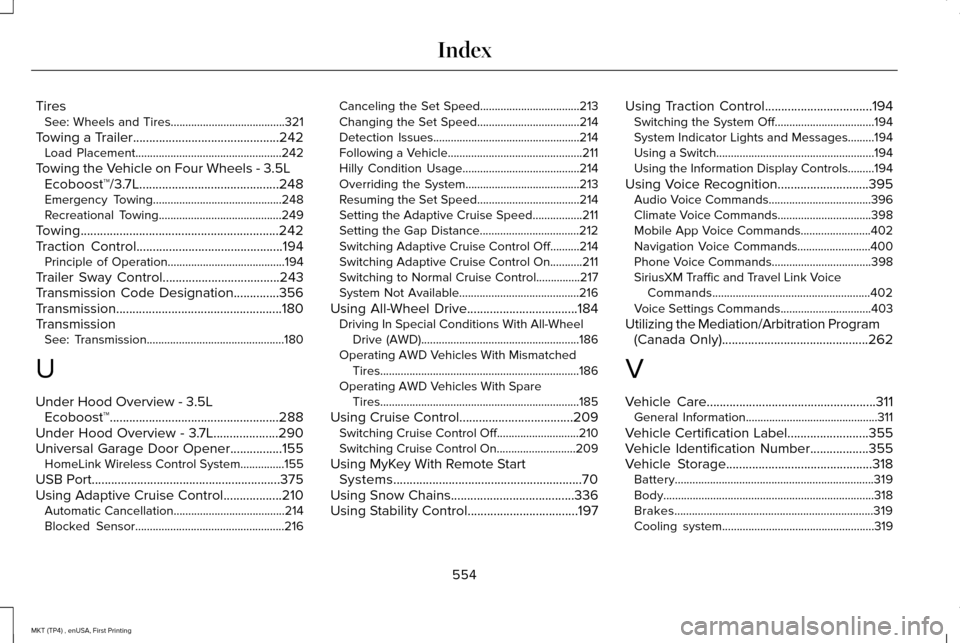
Tires
See: Wheels and Tires.......................................321
Towing a Trailer.............................................242 Load Placement..................................................242
Towing the Vehicle on Four Wheels - 3.5L Ecoboost™/3.7L...........................................248
Emergency Towing............................................248
Recreational Towing..........................................249
Towing.............................................................242
Traction Control.............................................194 Principle of Operation........................................194
Trailer Sway Control....................................243
Transmission Code Designation..............356
Transmission...................................................180
Transmission See: Transmission...............................................180
U
Under Hood Overview - 3.5L Ecoboost™....................................................288
Under Hood Overview - 3.7L....................290
Universal Garage Door Opener................155 HomeLink Wireless Control System...............155
USB Port..........................................................375
Using Adaptive Cruise Control..................210 Automatic Cancellation......................................214
Blocked Sensor...................................................216 Canceling the Set Speed..................................213
Changing the Set Speed...................................
214
Detection Issues..................................................214
Following a Vehicle..............................................211
Hilly Condition Usage........................................214
Overriding the System.......................................213
Resuming the Set Speed...................................214
Setting the Adaptive Cruise Speed.................211
Setting the Gap Distance..................................212
Switching Adaptive Cruise Control Off..........214
Switching Adaptive Cruise Control On...........211
Switching to Normal Cruise Control...............217
System Not Available.........................................216
Using All-Wheel Drive..................................184 Driving In Special Conditions With All-Wheel
Drive (AWD)......................................................186
Operating AWD Vehicles With Mismatched Tires....................................................................186
Operating AWD Vehicles With Spare Tires....................................................................185
Using Cruise Control...................................209 Switching Cruise Control Off............................210
Switching Cruise Control On...........................209
Using MyKey With Remote Start Systems..........................................................70
Using Snow Chains
......................................336
Using Stability Control..................................197 Using Traction Control.................................194
Switching the System Off..................................194
System Indicator Lights and Messages.........
194
Using a Switch......................................................194
Using the Information Display Controls.........194
Using Voice Recognition
............................395
Audio Voice Commands...................................396
Climate Voice Commands................................398
Mobile App Voice Commands........................402
Navigation Voice Commands.........................400
Phone Voice Commands..................................
398
SiriusXM Traffic and Travel Link Voice Commands......................................................402
Voice Settings Commands...............................403
Utilizing the Mediation/Arbitration Program (Canada Only)
.............................................262
V
Vehicle Care
....................................................311
General Information.............................................311
Vehicle Certification Label.........................355
Vehicle Identification Number
..................355
Vehicle Storage.............................................318
Battery....................................................................319
Body........................................................................\
318
Brakes....................................................................319
Cooling system....................................................319
554
MKT (TP4) , enUSA, First Printing Index