instrument cluster LINCOLN MKT 2017 Owners Manual
[x] Cancel search | Manufacturer: LINCOLN, Model Year: 2017, Model line: MKT, Model: LINCOLN MKT 2017Pages: 558, PDF Size: 4.59 MB
Page 5 of 558
Security
Passive Anti-Theft System.............................81
Anti-Theft Alarm..............................................83
Steering Wheel
Adjusting the Steering Wheel......................84
Audio Control
..................................................85
Voice Control
...................................................85
Cruise Control
.................................................85
Information Display Control
.........................86
Heated Steering Wheel................................86
Pedals
Adjusting the Pedals......................................87
Wipers and Washers
Windshield Wipers.........................................88
Autowipers.......................................................88
Windshield Washers
......................................89
Rear Window Wiper and Washers..............89
Lighting
General Information........................................91 Lighting Control
................................................91
Autolamps........................................................92
Instrument Lighting Dimmer........................93
Headlamp Exit Delay.....................................93
Daytime Running Lamps
...............................94
Automatic High Beam Control
....................94
Front Fog Lamps.............................................96
Adaptive Headlamps
.....................................96
Direction Indicators
........................................97
Welcome Lighting
...........................................97
Interior Lamps..................................................97
Ambient Lighting
............................................98
Windows and Mirrors
Power Windows
..............................................99
Global Opening and Closing.....................100
Exterior Mirrors
..............................................100
Interior Mirror.................................................102
Sun Visors
.......................................................102
Moonroof.........................................................103
Instrument Cluster
Gauges............................................................105 Warning Lamps and Indicators..................106
Audible Warnings and Indicators
..............109
Information Displays
General Information
.......................................110
Information Messages
...................................117
Climate Control
Automatic Climate Control
.........................130
Hints on Controlling the Interior Climate.........................................................132
Rear Passenger Climate Controls.............133
Heated Windows and Mirrors....................134
Cabin Air Filter
...............................................134
Remote Start
...................................................135
Seats
Sitting in the Correct Position....................136
Head Restraints
.............................................136
Power Seats
....................................................139
Memory Function...........................................141
Rear Seats.......................................................143
Heated Seats..................................................152
2
MKT (TP4) , enUSA, First Printing Table of Contents
Page 8 of 558
Vehicle Care
General Information.......................................311
Cleaning Products..........................................311
Cleaning the Exterior....................................312
Waxing..............................................................313
Cleaning the Engine
.....................................313
Cleaning the Windows and Wiper Blades..........................................................314
Cleaning the Interior.....................................314
Cleaning the Instrument Panel and Instrument Cluster Lens
..........................316
Cleaning Leather Seats................................317
Repairing Minor Paint Damage..................317
Cleaning the Wheels....................................317
Vehicle Storage
.............................................318
Wheels and Tires
General Information
......................................321
Tire Care
.........................................................323
Using Snow Chains
......................................336
Tire Pressure Monitoring System.............337
Changing a Road Wheel
..............................341
Technical Specifications.............................349 Capacities and Specifications
Engine Specifications - 3.5L
Ecoboost™...................................................351
Engine Specifications - 3.7L......................352
Motorcraft Parts - 3.5L Ecoboost™............353
Motorcraft Parts - 3.7L.................................354
Vehicle Identification Number
..................355
Vehicle Certification Label.........................355
Transmission Code Designation..............356
Capacities and Specifications - 3.5L Ecoboost™..................................................357
Capacities and Specifications - 3.7L........364
Audio System
General Information
......................................371
Audio Unit
.......................................................372
USB Port
..........................................................375
Media Hub
......................................................375
SYNC™ 3
General Information
.....................................376
Home Screen
................................................393
Using Voice Recognition
............................395 Entertainment................................................405
Climate.............................................................418
Phone
..............................................................422
Navigation......................................................430
Apps
.................................................................440
Settings...........................................................444
SYNC™ 3 Troubleshooting.........................460
Accessories
Accessories....................................................477
Lincoln Protect
Lincoln Protect..............................................479
Scheduled Maintenance
General Maintenance Information...........482
Normal Scheduled Maintenance.............486
Special Operating Conditions Scheduled Maintenance.............................................490
Scheduled Maintenance Record..............494
Appendices
End User License Agreement
....................514
5
MKT (TP4) , enUSA, First Printing Table of Contents
Page 20 of 558
Direction Indicators. See Direction Indicators (page 97).
C
Information display control.
See Information Display Control (page 86).
D
Instrument cluster.
See Instrument Cluster (page 105).
E
Information display control.
See Information Display Control (page 86).
F
Audio system.
See Audio System (page 371).
G
Hazard flasher switch.
See Hazard Warning Flashers (page 255).
H
Information and entertainment display.
See Information Displays (page 110).
I
Passenger airbag indicator light.
See Front Passenger Sensing System (page 53).
J
Climate controls.
See Climate Control (page 130).
K
Keyless start button.
See Keyless Starting (page 164).
L
Audio control.
See Audio Control (page 85).
M
Horn.N
Steering wheel adjustment.
See Adjusting the Steering Wheel (page 84).
O
Cruise control switches.
See Using Cruise Control (page 209).
P
Hood release.
See Opening and Closing the Hood (page 287).
Q
Instrument panel dimmer control.
See Instrument Lighting Dimmer (page 93).
R
Lighting control.
See Lighting (page 91).
S
17
MKT (TP4) , enUSA, First Printing At a Glance
Page 61 of 558
Your vehicle has a collection of crash and
occupant sensors which provide information
to the restraints control module. The
restraints control module deploys (activates)
the front safety belt pretensioners, driver
airbag, passenger airbag, seat mounted side
airbags, the Safety Canopy and rear
inflatable safety belts. Based on the type of
crash, the restraints control module will
deploy the appropriate safety devices.
The restraints control module also monitors
the readiness of the above safety devices
plus the crash and occupant sensors. The
readiness of the safety system is indicated
by a warning indicator light in the instrument
cluster or by a backup tone if the warning
light is not working. Routine maintenance of
the airbag is not required.
A difficulty with the system is indicated by
one or more of the following:
The readiness light will not
illuminate immediately after the
ignition is turned on. •
The readiness light will either flash or
stay lit.
• A series of five beeps will be heard. The
tone pattern will repeat periodically until
the problem, the light or both are
repaired.
If any of these things happen, even
intermittently, have the supplemental
restraint system serviced at an authorized
dealer immediately. Unless serviced, the
system may not function properly in the
event of a crash. The fact that the safety belt pretensioners or
front airbags did not activate for both front
seat occupants in a crash does not mean
that something is wrong with the system.
Rather, it means the restraints control module
determined the accident conditions (crash
severity, belt usage) were not appropriate to
activate these safety devices.
•
The design of the front airbags is to
activate only in frontal and near-frontal
crashes (not rollovers, side impacts or
rear impacts) unless the crash causes
sufficient frontal deceleration.
• The safety belt pretensioners and rear
inflatable safety belts are designed to
activate in frontal, near-frontal, side and
rollover crashes.
58
MKT (TP4) , enUSA, First Printing Supplementary Restraints SystemE67017
Page 70 of 558
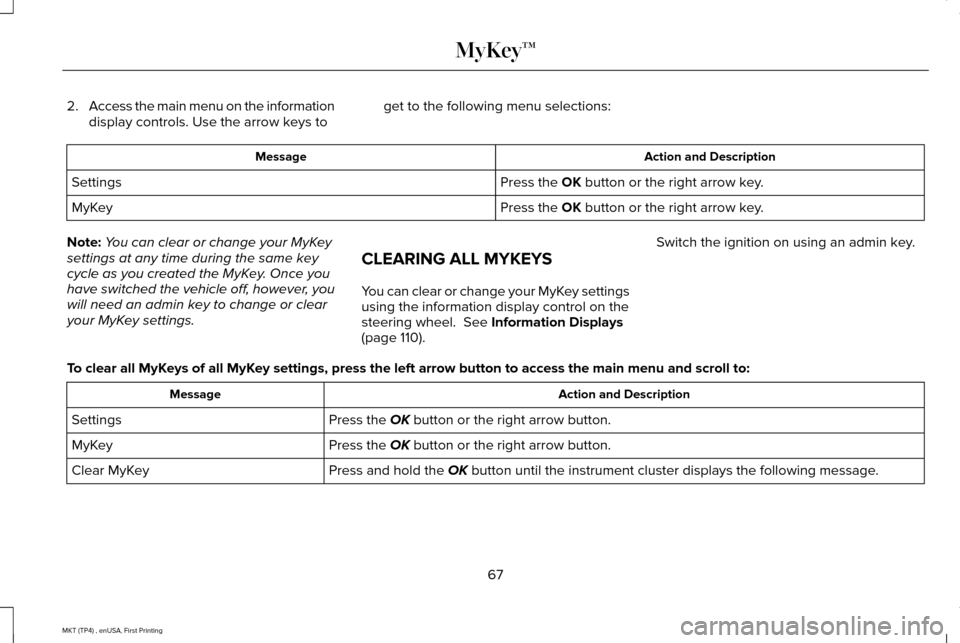
2.
Access the main menu on the information
display controls. Use the arrow keys to get to the following menu selections: Action and Description
Message
Press the OK button or the right arrow key.
Settings
Press the
OK button or the right arrow key.
MyKey
Note: You can clear or change your MyKey
settings at any time during the same key
cycle as you created the MyKey. Once you
have switched the vehicle off, however, you
will need an admin key to change or clear
your MyKey settings. CLEARING ALL MYKEYS
You can clear or change your MyKey settings
using the information display control on the
steering wheel.
See Information Displays
(page 110). Switch the ignition on using an admin key.
To clear all MyKeys of all MyKey settings, press the left arrow button to access the main menu and scr\
oll to: Action and Description
Message
Press the
OK button or the right arrow button.
Settings
Press the
OK button or the right arrow button.
MyKey
Press and hold the
OK button until the instrument cluster displays the following message.
Clear MyKey
67
MKT (TP4) , enUSA, First Printing MyKey™
Page 81 of 558
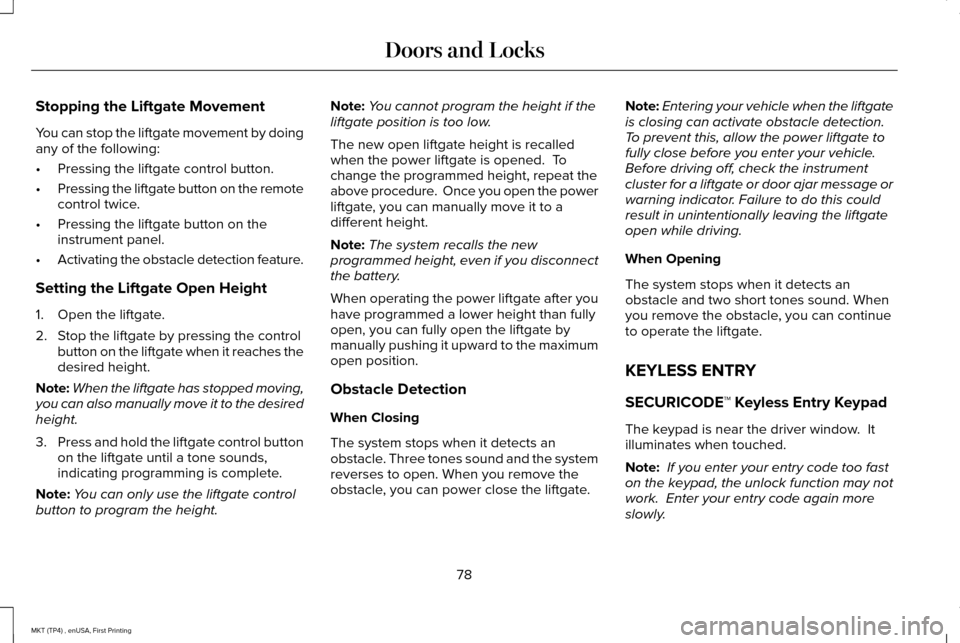
Stopping the Liftgate Movement
You can stop the liftgate movement by doing
any of the following:
•
Pressing the liftgate control button.
• Pressing the liftgate button on the remote
control twice.
• Pressing the liftgate button on the
instrument panel.
• Activating the obstacle detection feature.
Setting the Liftgate Open Height
1. Open the liftgate.
2. Stop the liftgate by pressing the control button on the liftgate when it reaches the
desired height.
Note: When the liftgate has stopped moving,
you can also manually move it to the desired
height.
3. Press and hold the liftgate control button
on the liftgate until a tone sounds,
indicating programming is complete.
Note: You can only use the liftgate control
button to program the height. Note:
You cannot program the height if the
liftgate position is too low.
The new open liftgate height is recalled
when the power liftgate is opened. To
change the programmed height, repeat the
above procedure. Once you open the power
liftgate, you can manually move it to a
different height.
Note: The system recalls the new
programmed height, even if you disconnect
the battery.
When operating the power liftgate after you
have programmed a lower height than fully
open, you can fully open the liftgate by
manually pushing it upward to the maximum
open position.
Obstacle Detection
When Closing
The system stops when it detects an
obstacle. Three tones sound and the system
reverses to open. When you remove the
obstacle, you can power close the liftgate. Note:
Entering your vehicle when the liftgate
is closing can activate obstacle detection.
To prevent this, allow the power liftgate to
fully close before you enter your vehicle.
Before driving off, check the instrument
cluster for a liftgate or door ajar message or
warning indicator. Failure to do this could
result in unintentionally leaving the liftgate
open while driving.
When Opening
The system stops when it detects an
obstacle and two short tones sound. When
you remove the obstacle, you can continue
to operate the liftgate.
KEYLESS ENTRY
SECURICODE™ Keyless Entry Keypad
The keypad is near the driver window. It
illuminates when touched.
Note: If you enter your entry code too fast
on the keypad, the unlock function may not
work. Enter your entry code again more
slowly.
78
MKT (TP4) , enUSA, First Printing Doors and Locks
Page 97 of 558
4. Switch the ignition on.
5. Switch the ignition off.
6. Select the autolamp position on the
lighting control. The headlamps and
parking lamps will turn on.
7. Turn the lighting control to the off position when the required delay time
has been reached. The headlamps and
parking lamps will turn off.
You can set the headlamp exit delay to one
of the following settings:
• Off
• 10 seconds
• 20 seconds
• 120 seconds
Note: You can adjust the time delay using
the display controls in the instrument cluster.
See Information Displays (page 110). DAYTIME RUNNING LAMPS
(If
Equipped) WARNING
Always remember to switch your
headlamps on in low light situations or
during inclement weather. The system does
not activate the tail lamps and may not
provide adequate lighting during these
conditions. Failure to activate your
headlamps under these conditions may result
in a collision. The system switches the signature lamps on
in day light conditions.
To switch the system on, switch the ignition
on, and switch the lighting control to the off,
autolamp, or parking lamp position.AUTOMATIC HIGH BEAM
CONTROL
(If Equipped)
The system will automatically turn on your
high beams if it is dark enough and no other
traffic is present. When it detects the
headlights of an approaching vehicle, the tail
lamps of the preceding vehicle or street
lighting, the system will turn off the high
beams. The low beams remain on.
Note: If it appears that automatic control of
the high beams is not functioning properly,
check the windshield in front of the camera
for a blockage. A clear view of the road is
required for proper system operation. Have
any windshield damage in the area of the
camera ’s field-of-view repaired.
Note: If the system detects a blockage such
as bird droppings, bug splatter, snow or ice,
and you do not observe changes, the system
will go into low beam mode until you clear
the blockage. A message may also appear
in the instrument cluster display noting the
front camera is blocked.
94
MKT (TP4) , enUSA, First Printing Lighting
Page 108 of 558
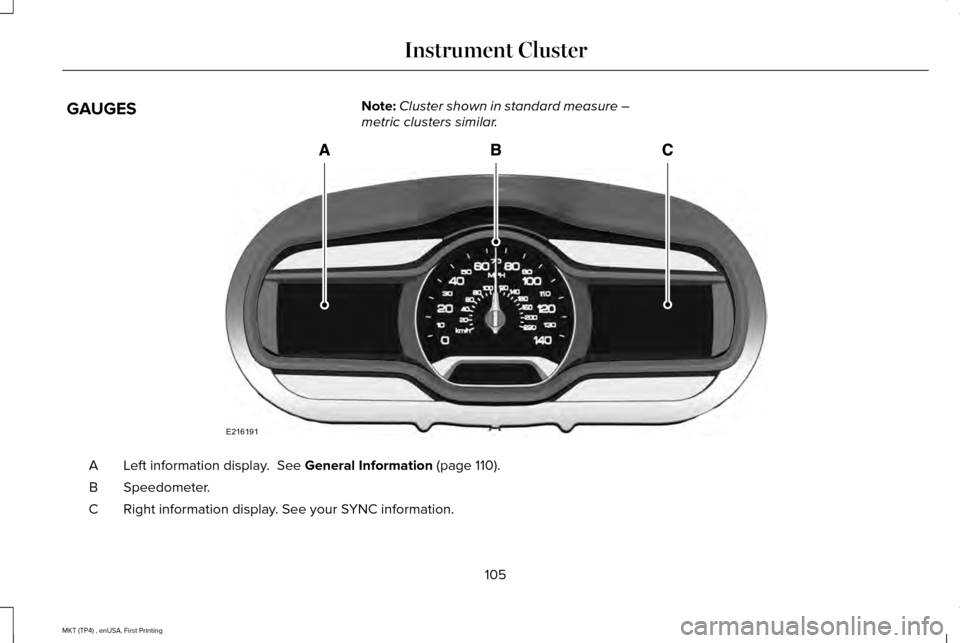
GAUGES
Note:
Cluster shown in standard measure –
metric clusters similar. Left information display. See General Information (page 110).
A
Speedometer.
B
Right information display. See your SYNC information.
C
105
MKT (TP4) , enUSA, First Printing Instrument ClusterE216191
Page 109 of 558
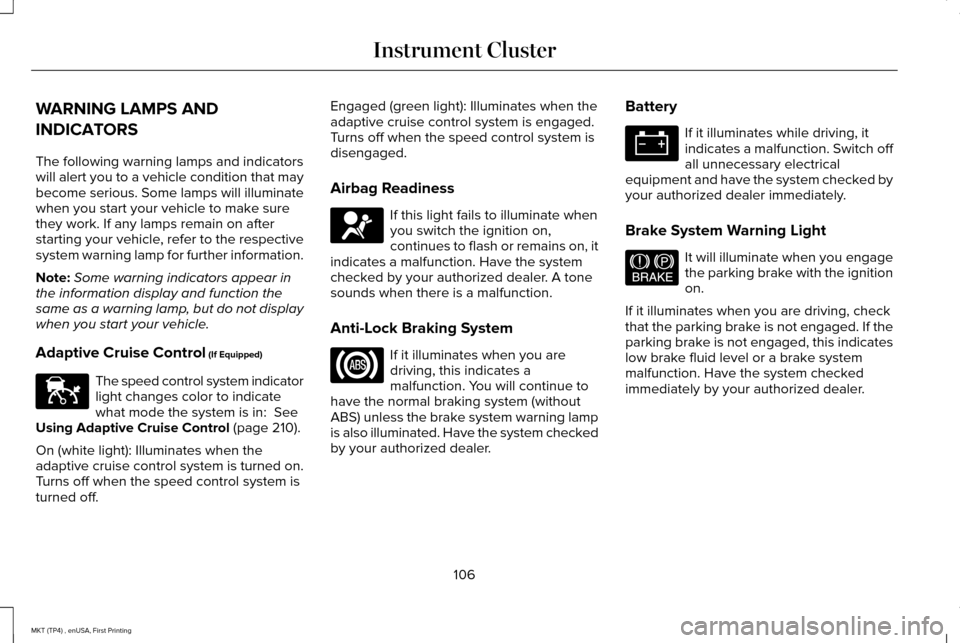
WARNING LAMPS AND
INDICATORS
The following warning lamps and indicators
will alert you to a vehicle condition that may
become serious. Some lamps will illuminate
when you start your vehicle to make sure
they work. If any lamps remain on after
starting your vehicle, refer to the respective
system warning lamp for further information.
Note:
Some warning indicators appear in
the information display and function the
same as a warning lamp, but do not display
when you start your vehicle.
Adaptive Cruise Control (If Equipped) The speed control system indicator
light changes color to indicate
what mode the system is in:
See
Using Adaptive Cruise Control (page 210).
On (white light): Illuminates when the
adaptive cruise control system is turned on.
Turns off when the speed control system is
turned off. Engaged (green light): Illuminates when the
adaptive cruise control system is engaged.
Turns off when the speed control system is
disengaged.
Airbag Readiness
If this light fails to illuminate when
you switch the ignition on,
continues to flash or remains on, it
indicates a malfunction. Have the system
checked by your authorized dealer. A tone
sounds when there is a malfunction.
Anti-Lock Braking System If it illuminates when you are
driving, this indicates a
malfunction. You will continue to
have the normal braking system (without
ABS) unless the brake system warning lamp
is also illuminated. Have the system checked
by your authorized dealer. Battery If it illuminates while driving, it
indicates a malfunction. Switch off
all unnecessary electrical
equipment and have the system checked by
your authorized dealer immediately.
Brake System Warning Light It will illuminate when you engage
the parking brake with the ignition
on.
If it illuminates when you are driving, check
that the parking brake is not engaged. If the
parking brake is not engaged, this indicates
low brake fluid level or a brake system
malfunction. Have the system checked
immediately by your authorized dealer.
106
MKT (TP4) , enUSA, First Printing Instrument ClusterE144524 E67017 E144522
Page 110 of 558
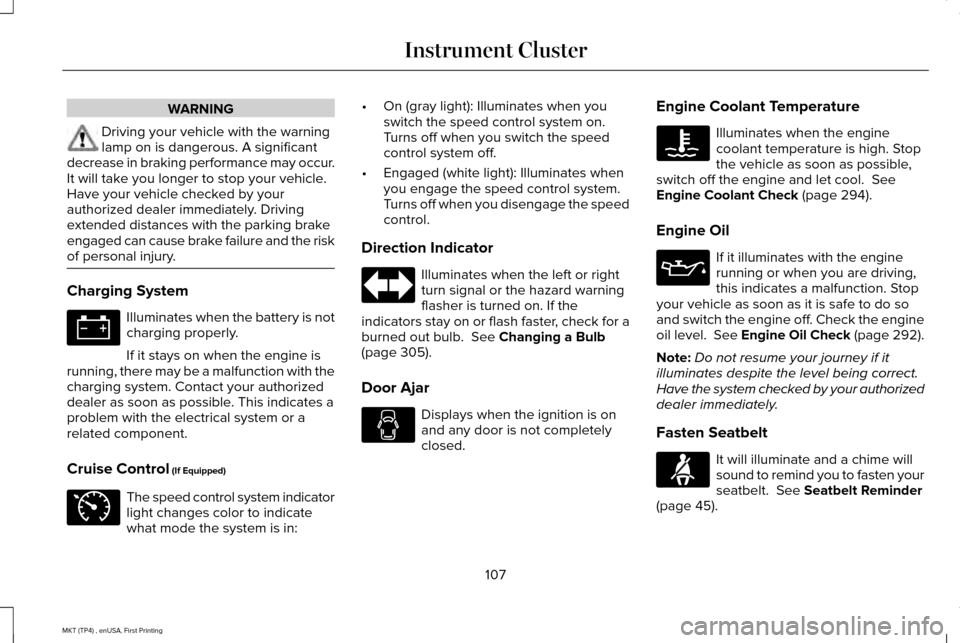
WARNING
Driving your vehicle with the warning
lamp on is dangerous. A significant
decrease in braking performance may occur.
It will take you longer to stop your vehicle.
Have your vehicle checked by your
authorized dealer immediately. Driving
extended distances with the parking brake
engaged can cause brake failure and the risk
of personal injury. Charging System
Illuminates when the battery is not
charging properly.
If it stays on when the engine is
running, there may be a malfunction with the
charging system. Contact your authorized
dealer as soon as possible. This indicates a
problem with the electrical system or a
related component.
Cruise Control (If Equipped) The speed control system indicator
light changes color to indicate
what mode the system is in: •
On (gray light): Illuminates when you
switch the speed control system on.
Turns off when you switch the speed
control system off.
• Engaged (white light): Illuminates when
you engage the speed control system.
Turns off when you disengage the speed
control.
Direction Indicator Illuminates when the left or right
turn signal or the hazard warning
flasher is turned on. If the
indicators stay on or flash faster, check for a
burned out bulb.
See Changing a Bulb
(page 305).
Door Ajar Displays when the ignition is on
and any door is not completely
closed.Engine Coolant Temperature Illuminates when the engine
coolant temperature is high. Stop
the vehicle as soon as possible,
switch off the engine and let cool.
See
Engine Coolant Check (page 294).
Engine Oil If it illuminates with the engine
running or when you are driving,
this indicates a malfunction. Stop
your vehicle as soon as it is safe to do so
and switch the engine off. Check the engine
oil level. See Engine Oil Check (page 292).
Note: Do not resume your journey if it
illuminates despite the level being correct.
Have the system checked by your authorized
dealer immediately.
Fasten Seatbelt It will illuminate and a chime will
sound to remind you to fasten your
seatbelt.
See Seatbelt Reminder
(page 45).
107
MKT (TP4) , enUSA, First Printing Instrument Cluster E71340 E71880