engine LINCOLN MKT 2018 Owners Manual
[x] Cancel search | Manufacturer: LINCOLN, Model Year: 2018, Model line: MKT, Model: LINCOLN MKT 2018Pages: 564, PDF Size: 4.66 MB
Page 516 of 564
513
MKT (TP4) , enUSA, Edition date: 201703, First Printing Scheduled MaintenanceE146852
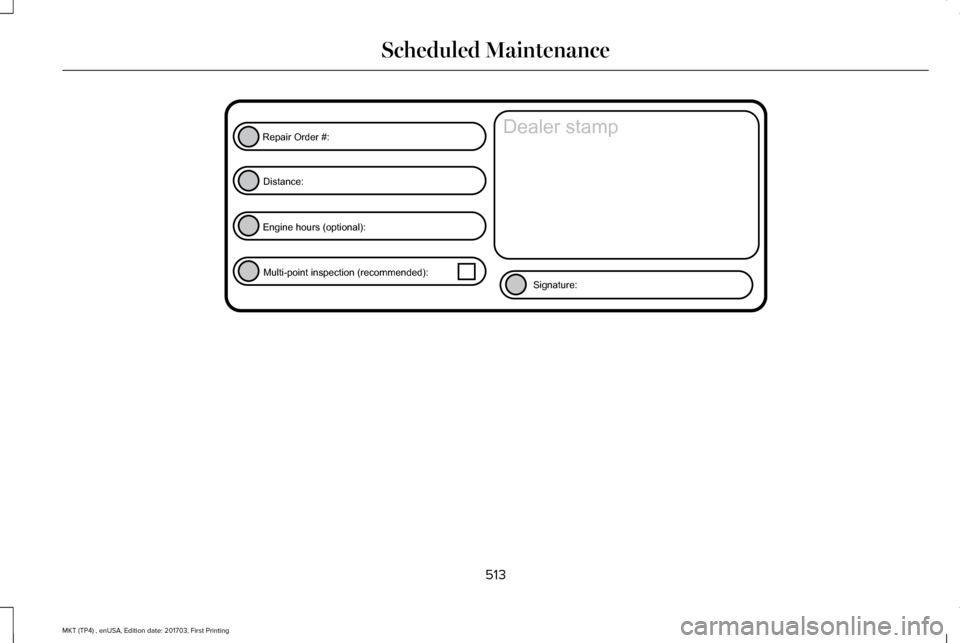
Repair Order #:Distance:
Engine hours (optional): Multi-point inspection (recommended): Signature:
Dealer stamp
Page 517 of 564
514
MKT (TP4) , enUSA, Edition date: 201703, First Printing Scheduled MaintenanceE146852
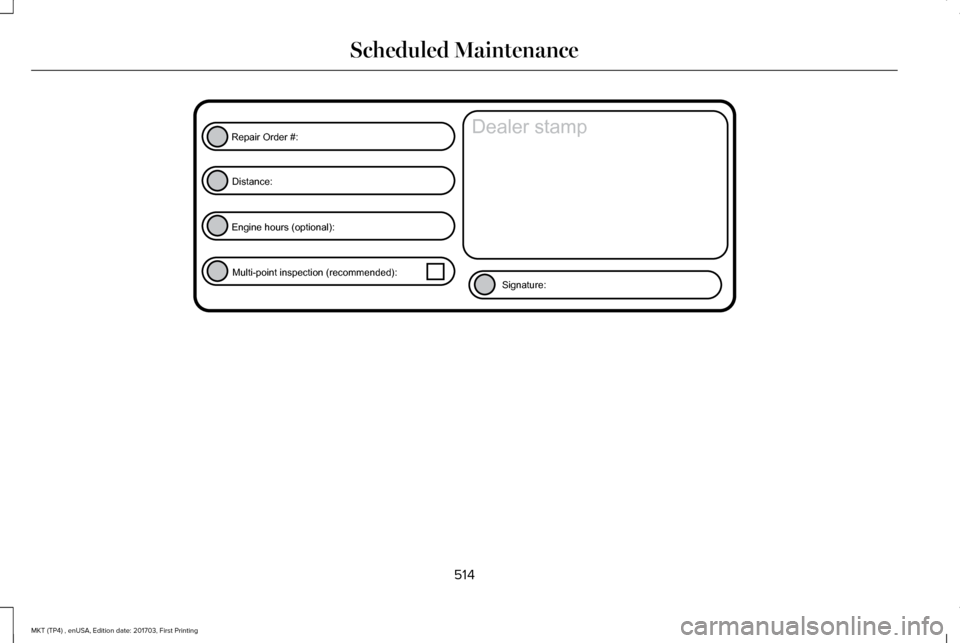
Repair Order #:Distance:
Engine hours (optional): Multi-point inspection (recommended): Signature:
Dealer stamp
Page 522 of 564
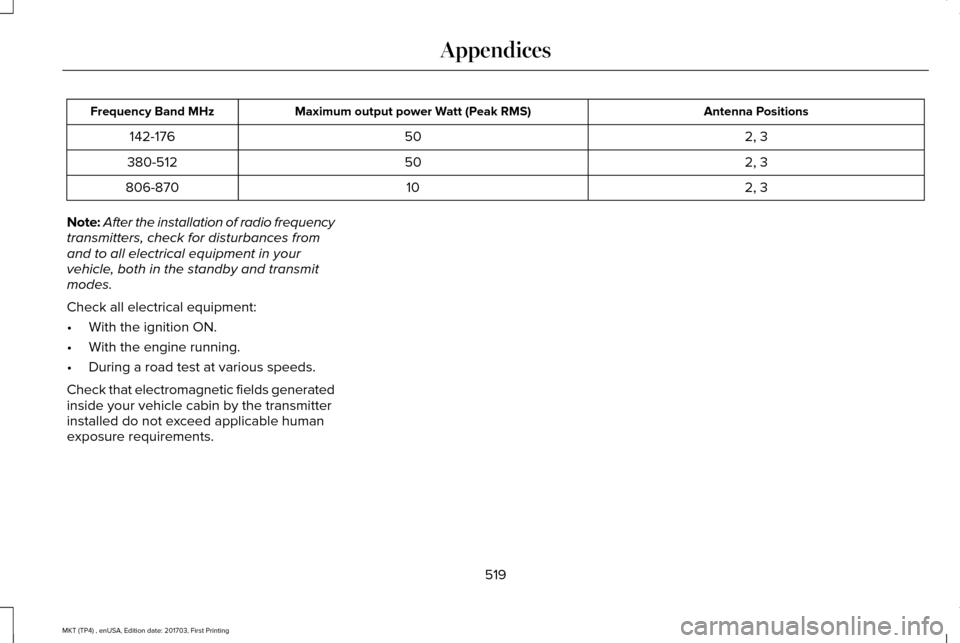
Antenna Positions
Maximum output power Watt (Peak RMS)
Frequency Band MHz
2, 3
50
142-176
2, 3
50
380-512
2, 3
10
806-870
Note: After the installation of radio frequency
transmitters, check for disturbances from
and to all electrical equipment in your
vehicle, both in the standby and transmit
modes.
Check all electrical equipment:
• With the ignition ON.
• With the engine running.
• During a road test at various speeds.
Check that electromagnetic fields generated
inside your vehicle cabin by the transmitter
installed do not exceed applicable human
exposure requirements.
519
MKT (TP4) , enUSA, Edition date: 201703, First Printing Appendices
Page 523 of 564
END USER LICENSE AGREEMENT
VEHICLE SOFTWARE END USER
LICENSE AGREEMENT (EULA)
•
You (“You” or “Your” as applicable) have
acquired a vehicle having several
devices, including SYNC ® and various
control modules, ("DEVICES") that include
software licensed or owned by Ford
Motor Company and its affiliates ("FORD
MOTOR COMPANY"). Those software
products of FORD MOTOR COMPANY
origin, as well as associated media,
printed materials, and "online" or
electronic documentation ("SOFTWARE")
are protected by international intellectual
property laws and treaties. The
SOFTWARE is licensed, not sold. All
rights reserved.
• The SOFTWARE may interface with
and/or communicate with, or may be later
upgraded to interface with and/or
communicate with additional software
and/or systems provided by FORD
MOTOR COMPANY. IF YOU DO NOT AGREE TO THIS END
USER LICENSE AGREEMENT ("EULA") DO
NOT USE THE DEVICES OR COPY THE
SOFTWARE. ANY USE OF THE SOFTWARE,
INCLUDING BUT NOT LIMITED TO USE ON
THE DEVICES, WILL CONSTITUTE YOUR
AGREEMENT TO THIS EULA (OR
RATIFICATION OF ANY PREVIOUS
CONSENT).
GRANT OF SOFTWARE LICENSE: This EULA
grants you the following license:
•
You may use the SOFTWARE as installed
on the DEVICES and as otherwise
interfacing with systems and/or services
provide by or through FORD MOTOR
COMPANY or its third party software and
service providers.
Description of Other Rights and Limitations
• Speech Recognition: If the SOFTWARE
includes speech recognition
component(s), you should understand
that speech recognition is an inherently
statistical process and that recognition
errors are inherent in the process.
Neither FORD MOTOR COMPANY nor its suppliers shall be liable for any
damages arising out of errors in the
speech recognition process. It is your
responsibility to monitor any speech
recognition functions included in the
system.
• Limitations on Reverse Engineering,
Decompilation and Disassembly:
You
may not reverse engineer, decompile,
translate, disassemble or attempt to
discover any source code or underlying
ideas or algorithms of the SOFTWARE
nor permit others to reverse engineer,
decompile or disassemble the
SOFTWARE, except and only to the
extent that such activity is expressly
permitted by applicable law
notwithstanding this limitation or to the
extent as may be permitted by the
licensing terms governing use of any
open source components included with
the SOFTWARE.
520
MKT (TP4) , enUSA, Edition date: 201703, First Printing Appendices
Page 534 of 564
(b) use your own personal judgment while
driving. If you feel that a route suggested by
the TeleNav Software instructs you to
perform an unsafe or illegal maneuver,
places you in an unsafe situation, or directs
you into an area that you consider to be
unsafe, do not follow such instructions;
(c) do not input destinations, or otherwise
manipulate the TeleNav Software, unless
your vehicle is stationary and parked;
(d) do not use the TeleNav Software for any
illegal, unauthorized, unintended, unsafe,
hazardous, or unlawful purposes, or in any
manner inconsistent with this Agreement;
(e) arrange all GPS and wireless devices and
cables necessary for use of the TeleNav
Software in a secure manner in your vehicle
so that they will not interfere with your
driving and will not prevent the operation of
any safety device (such as an airbag).
You agree to indemnify and hold TeleNav
harmless against all claims resulting from any
dangerous or otherwise inappropriate use
of the TeleNav Software in any moving
vehicle, including as a result of your failure
to comply with the directions above.
2. Account Information
You agree: (a) when registering the TeleNav
Software, to provide TeleNav with true,
accurate, current, and complete information
about yourself, and (b) to inform TeleNav
promptly of any changes to such information,
and to keep it true, accurate, current and
complete.
3. Software License
•
Subject to your compliance with the
terms of this Agreement, TeleNav hereby
grants to you a personal, non-exclusive,
non-transferable license (except as
expressly permitted below in connection
with your permanent transfer of the
TeleNav Software license), without the
right to sublicense, to use the TeleNav
Software (in object code form only) in
order to access and use the TeleNav
Software. This license shall terminate
upon any termination or expiration of this
Agreement. You agree that you will use
the TeleNav Software only for your
personal business or leisure purposes,
and not to provide commercial navigation
services to other parties. 3.1 License Limitations
•
(a) reverse engineer, decompile,
disassemble, translate, modify, alter or
otherwise change the TeleNav Software
or any part thereof; (b) attempt to derive
the source code, audio library or
structure of the TeleNav Software without
the prior express written consent of
TeleNav;
(c) remove from the TeleNav
Software, or alter, any of TeleNav's or its
suppliers' trademarks, trade names,
logos, patent or copyright notices, or
other notices or markings;
(d) distribute,
sublicense or otherwise transfer the
TeleNav Software to others, except as
part of your permanent transfer of the
TeleNav Software; or (e) use the TeleNav
Software in any manner that
I. infringes the intellectual property or
proprietary rights, rights of publicity or
privacy or other rights of any party,
ii. violates any law, statute, ordinance or
regulation, including but not limited to laws
and regulations related to spamming, privacy,
consumer and child protection, obscenity or
defamation, or
531
MKT (TP4) , enUSA, Edition date: 201703, First Printing Appendices
Page 538 of 564
9.1 End User Terms Required by HERE
North America, LLC
The data (“Data
”) is provided for your
personal, internal use only and not for resale.
It is protected by copyright, and is subject to
the following terms and conditions which are
agreed to by you, on the one hand, and
Telenav (“Telenav”) and its licensors
(including their licensors and suppliers) on
the other hand.
© 2013 HERE. All rights reserved.
The Data for areas of Canada includes
information taken with permission from
Canadian authorities, including: © Her
Majesty the Queen in Right of Canada, ©
Queen's Printer for Ontario, © Canada Post
Corporation, GeoBase®, © Department of
Natural Resources Canada.
HERE holds a non-exclusive license from the
United States Postal Service® to publish and
sell ZIP+4® information. ©United States Postal Service® 2014. Prices
are not established, controlled or approved
by the United States Postal Service®. The
following trademarks and registrations are
owned by the USPS: United States Postal
Service, USPS, and ZIP+4
The Data for Mexico includes certain data
from Instituto Nacional de Estadística y
Geografía.
9.2 End User Terms Required by NAV2
(Shanghai) Co., Ltd
The data (“Data
”) is provided for your
personal, internal use only and not for resale.
It is protected by copyright, and is subject to
the following terms and conditions which are
agreed to by you, on the one hand, and
NAV2 (Shanghai) Co., Ltd (“NAV2”) and its
licensors (including their licensors and
suppliers) on the other hand. 20xx. All rights
reserved Terms and Conditions
Permitted Use. You agree to use this Data
together with the Telenav Software solely
for the internal business and personal
purposes for which you were licensed, and
not for service bureau, time-sharing or other
similar purposes. Accordingly, but subject to
the restrictions set forth in the following
paragraphs, you agree not to otherwise
reproduce, copy, modify, decompile,
disassemble, create any derivative works of,
or reverse engineer any portion of this Data,
and may not transfer or distribute it in any
form, for any purpose, except to the extent
permitted by mandatory laws.
Restrictions.
Except where you have been
specifically licensed to do so by Telenav, and
without limiting the preceding paragraph,
you may not use this Data (a) with any
products, systems, or applications installed
or otherwise connected to or in
communication with vehicles, capable of
vehicle navigation, positioning, dispatch, real
time route guidance, fleet management or
similar applications; or (b) with or in
535
MKT (TP4) , enUSA, Edition date: 201703, First Printing Appendices
Page 548 of 564
it, and (ii) save it, provided that you do not
remove any copyright notices that appear
and do not modify the Data in any way. You
agree not to otherwise reproduce, copy,
modify, decompile, disassemble or reverse
engineer any portion of this Data, and may
not transfer or distribute it in any form, for
any purpose, except to the extent permitted
by mandatory laws.
Restrictions
Except where you have been specifically
licensed to do so by NAV2 , and without
limiting the preceding paragraph, you may
not (a) use this Data with any products,
systems, or applications installed or
otherwise connected to or in communication
with vehicles, capable of vehicle navigation,
positioning, dispatch, real time route
guidance, fleet management or similar
applications; or (b) with or in communication
with any positioning devices or any mobile
or wireless-connected electronic or computer
devices, including without limitation cellular
phones, palmtop and handheld computers,
pagers, and personal digital assistants or
PDAs. You agree to cease using this Data if
you fail to comply with these terms and
conditions.
Limited Warranty
NAV2 warrants that (a) the Data will perform
substantially in accordance with the
accompanying written materials for a period
of ninety (90) days from the date of receipt,
and (b) any support services provided by
NAV2 shall be substantially as described in
applicable written materials provided to you
by NAV2, and NAV2’
s support engineers will
make commercially reasonable efforts to
solve any problem issues.
rigCustomer Remedies
NAV2 and its suppliers ’ entire liability and
your exclusive remedy shall be, at NAV2’ s
sole discretion, either (a) return of the price
paid, if any, or (b) repair or replacement of
the Data that do not meet NAV2’ s Limited
Warranty and that are returned to NAV2 with
a copy of your receipt. This Limited Warranty is void if failure of the Data has resulted from
accident, abuse, or misapplication. Any
replacement Data will be warranted for the
remainder of the original warranty period or
thirty (30) days, whichever is longer. Neither
these remedies nor any product support
services offered by NAV2 are available
without proof of purchase from an authorized
international source.
No Other Warranty:
EXCEPT FOR THE LMITED WARRANTY SET
FORTH ABOVE AND TO THE EXTENT
PERMITTED BY APPLICABLE LAW, NAV2
AND ITS LICENSORS (INCLUDING THEIR
LICENSORS AND SUPPLIERS) DISCLAIM
ANY WARRANTIES, EXPRESS OR IMPLIED,
OF QUALITY, PERFORMANCE,
MERCHANTABILITY, FITNESS FOR A
PARTICULAR PURPOSE, OWNERSHIP OR
NON-INFRINGEMENT. Certain warranty
exclusions may not be permitted under
applicable law, so to that extent the above
exclusion may not apply to you.
545
MKT (TP4) , enUSA, Edition date: 201703, First Printing Appendices
Page 554 of 564
A
A/C
See: Climate Control..........................................129
About This Manual............................................7
ABS See: Brakes............................................................191
ABS driving hints See: Hints on Driving With Anti-Lock
Brakes................................................................192
Accessories....................................................478 Exterior Style........................................................478
Interior Style.........................................................478
Lifestyle.................................................................478
Peace of Mind......................................................478
Accessories See: Replacement Parts Recommendation.....12
ACC See: Using Adaptive Cruise Control.............209
Active Park Assist..........................................198 Automatic Steering into Parking Space.......200
Deactivating the Park Assist Feature.............
201
Troubleshooting the System...........................202
Using Active Park Assist....................................199
Adaptive Headlamps
.....................................95
Adjusting the Headlamps...........................304 Horizontal Aim Adjustment..............................305
Vertical Aim Adjustment...................................
304 Adjusting the Pedals......................................87
Adjusting the Steering Wheel......................84
End of Travel Position..........................................84
AFS See: Adaptive Headlamps..................................95
Airbag Disposal
...............................................59
Air Conditioning See: Climate Control..........................................129
Air Filter See: Changing the Engine Air Filter..............309
Alarm See: Anti-Theft Alarm...........................................83
All-Wheel Drive..............................................183
Ambient Lighting
.............................................97
Anti-Theft Alarm..............................................83
Arming the Alarm..................................................83
Disarming the Alarm............................................83
Appendices.....................................................515
Apps
.................................................................440
........................................................................\
.........440
SiriusXM Traffic and Travel Link......................
442
At a Glance
........................................................16
Audible Warnings and Indicators..............108
Headlamps On Warning Chime.......................108
Keyless Warning Alert........................................108
Parking Brake On Warning Chime..................108
Audio Control
..................................................85
Seek, Next or Previous........................................85 Audio System
................................................370
General Information...........................................370
Audio Unit
........................................................371
Rear Seat Audio Controls.................................373
Autolamps ..........................................................
91
Windshield Wiper Activated Headlamps........92
Automatic Climate Control
.........................129
Automatic High Beam Control....................94
Switching the System On and Off....................94
Automatic Transmission...............................179 Automatic Transmission Adaptive
Learning............................................................182
Brake-Shift Interlock............................................181
If Your Vehicle Gets Stuck In Mud or Snow..................................................................182
SelectShift Automatic ™ Transmission.............180
Understanding the Positions of Your Automatic Transmission................................179
Automatic Transmission Fluid Check...........................................................298
Adding Transmission Fluid .............................299
Checking the Transmission Fluid Level........298
Autowipers.......................................................88
Auxiliary Power Points.................................158 110 Volt AC Power Point.....................................158
12 Volt DC Power Point......................................158
Locations...............................................................158
551
MKT (TP4) , enUSA, Edition date: 201703, First Printing Index
Page 555 of 564
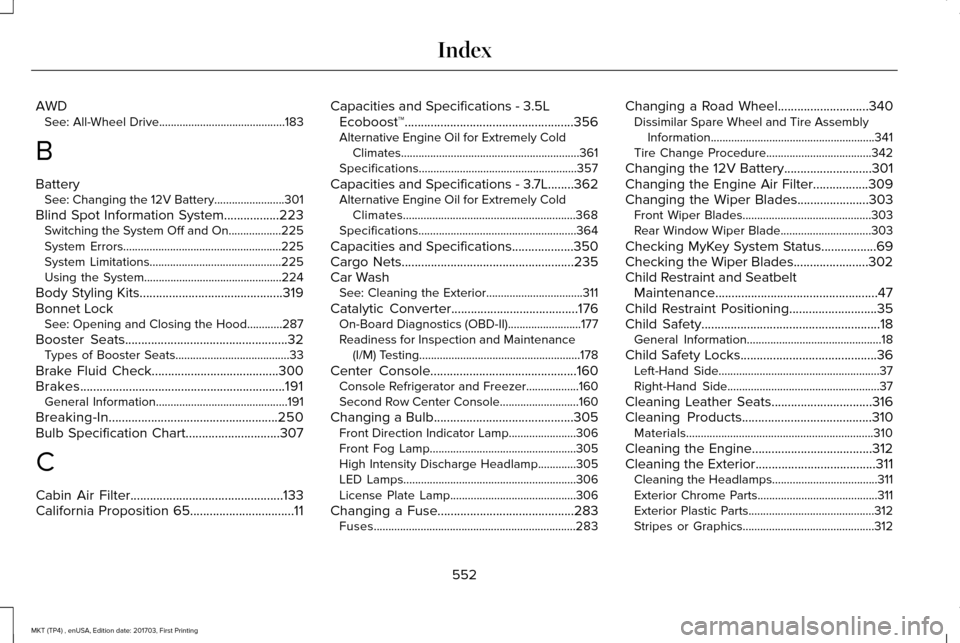
AWD
See: All-Wheel Drive...........................................183
B
Battery See: Changing the 12V Battery........................301
Blind Spot Information System.................223
Switching the System Off and On..................225
System Errors......................................................225
System Limitations.............................................225
Using the System...............................................224
Body Styling Kits............................................319
Bonnet Lock See: Opening and Closing the Hood............287
Booster Seats
..................................................32
Types of Booster Seats.......................................33
Brake Fluid Check.......................................300
Brakes...............................................................191 General Information.............................................191
Breaking-In....................................................250
Bulb Specification Chart.............................307
C
Cabin Air Filter
...............................................133
California Proposition 65................................11 Capacities and Specifications - 3.5L
Ecoboost™....................................................356
Alternative Engine Oil for Extremely Cold Climates.............................................................361
Specifications......................................................357
Capacities and Specifications - 3.7L........362 Alternative Engine Oil for Extremely Cold
Climates...........................................................368
Specifications......................................................364
Capacities and Specifications...................350
Cargo Nets.....................................................235
Car Wash See: Cleaning the Exterior.................................311
Catalytic Converter.......................................176 On-Board Diagnostics (OBD-II).........................177
Readiness for Inspection and Maintenance
(I/M) Testing.......................................................178
Center Console
.............................................160
Console Refrigerator and Freezer..................160
Second Row Center Console...........................
160
Changing a Bulb...........................................305 Front Direction Indicator Lamp.......................
306
Front Fog Lamp..................................................305
High Intensity Discharge Headlamp.............
305
LED Lamps...........................................................306
License Plate Lamp...........................................306
Changing a Fuse..........................................283 Fuses.....................................................................283 Changing a Road Wheel............................340
Dissimilar Spare Wheel and Tire Assembly
Information........................................................341
Tire Change Procedure....................................342
Changing the 12V Battery...........................301
Changing the Engine Air Filter.................309
Changing the Wiper Blades......................303 Front Wiper Blades............................................303
Rear Window Wiper Blade...............................303
Checking MyKey System Status.................69
Checking the Wiper Blades.......................302
Child Restraint and Seatbelt Maintenance..................................................47
Child Restraint Positioning...........................35
Child Safety.......................................................18 General Information..............................................18
Child Safety Locks..........................................36 Left-Hand Side.......................................................37
Right-Hand Side....................................................37
Cleaning Leather Seats...............................316
Cleaning Products........................................310 Materials................................................................310
Cleaning the Engine.....................................312
Cleaning the Exterior.....................................311 Cleaning the Headlamps....................................311
Exterior Chrome Parts.........................................311
Exterior Plastic Parts...........................................312
Stripes or Graphics.............................................312
552
MKT (TP4) , enUSA, Edition date: 201703, First Printing Index
Page 556 of 564
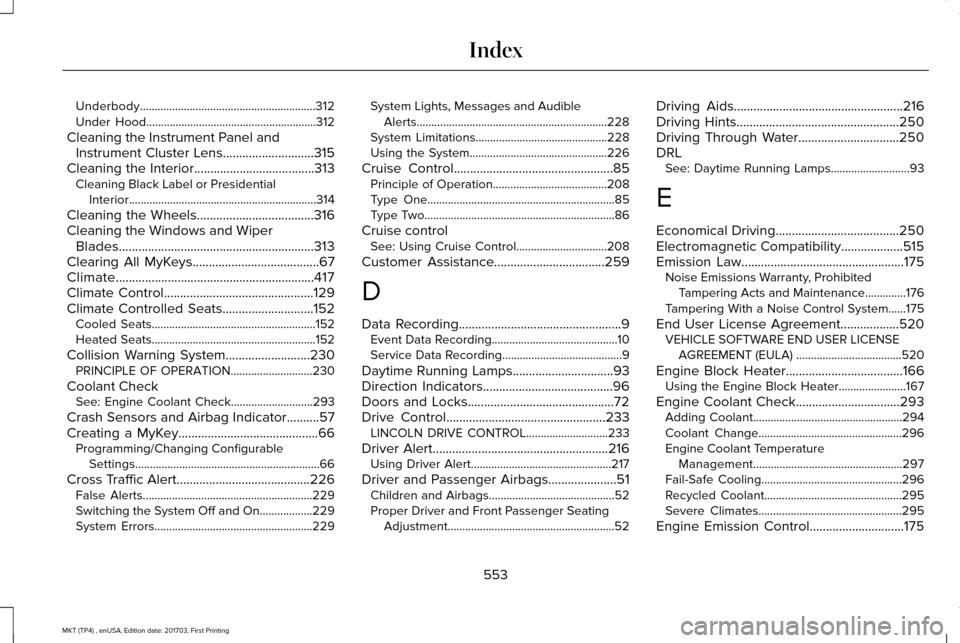
Underbody............................................................312
Under Hood..........................................................312
Cleaning the Instrument Panel and Instrument Cluster Lens............................315
Cleaning the Interior.....................................313
Cleaning Black Label or Presidential
Interior................................................................314
Cleaning the Wheels
....................................316
Cleaning the Windows and Wiper Blades............................................................313
Clearing All MyKeys
.......................................67
Climate.............................................................417
Climate Control
..............................................129
Climate Controlled Seats............................152 Cooled Seats........................................................152
Heated Seats........................................................152
Collision Warning System..........................230 PRINCIPLE OF OPERATION............................230
Coolant Check See: Engine Coolant Check............................
293
Crash Sensors and Airbag Indicator
..........57
Creating a MyKey...........................................66 Programming/Changing Configurable
Settings...............................................................66
Cross Traffic Alert.........................................226 False Alerts..........................................................229
Switching the System Off and On..................229
System Errors......................................................229 System Lights, Messages and Audible
Alerts.................................................................228
System Limitations.............................................228
Using the System...............................................226
Cruise Control
.................................................85
Principle of Operation.......................................208
Type One................................................................85
Type Two.................................................................86
Cruise control See: Using Cruise Control...............................208
Customer Assistance
..................................259
D
Data Recording
..................................................9
Event Data Recording...........................................10
Service Data Recording.........................................9
Daytime Running Lamps...............................93
Direction Indicators
........................................96
Doors and Locks.............................................72
Drive Control
.................................................233
LINCOLN DRIVE CONTROL............................233
Driver Alert......................................................216 Using Driver Alert................................................217
Driver and Passenger Airbags.....................51 Children and Airbags...........................................52
Proper Driver and Front Passenger Seating
Adjustment.........................................................52 Driving Aids
....................................................216
Driving Hints..................................................250
Driving Through Water...............................250
DRL See: Daytime Running Lamps...........................93
E
Economical Driving
......................................250
Electromagnetic Compatibility...................515
Emission Law..................................................175
Noise Emissions Warranty, Prohibited
Tampering Acts and Maintenance..............176
Tampering With a Noise Control System......175
End User License Agreement..................520 VEHICLE SOFTWARE END USER LICENSE
AGREEMENT (EULA) ....................................
520
Engine Block Heater....................................166 Using the Engine Block Heater.......................167
Engine Coolant Check
................................293
Adding Coolant...................................................294
Coolant Change.................................................296
Engine Coolant Temperature
Management...................................................297
Fail-Safe Cooling................................................296
Recycled Coolant...............................................295
Severe Climates.................................................295
Engine Emission Control.............................175
553
MKT (TP4) , enUSA, Edition date: 201703, First Printing Index