brake fluid LINCOLN MKT 2018 Owners Manual
[x] Cancel search | Manufacturer: LINCOLN, Model Year: 2018, Model line: MKT, Model: LINCOLN MKT 2018Pages: 564, PDF Size: 4.66 MB
Page 7 of 564
Cross Traffic Alert.........................................226
Steering..........................................................229
Collision Warning System..........................230
Drive Control.................................................233
Load Carrying
Rear Under Floor Storage..........................235
Cargo Nets.....................................................235
Luggage Covers
...........................................235
Load Limit.......................................................236
Towing
Towing a Trailer..............................................241
Trailer Sway Control....................................242
Recommended Towing Weights
..............242
Essential Towing Checks............................244
Towing the Vehicle on Four Wheels........247
Driving Hints
Breaking-In....................................................250
Economical Driving
......................................250
Driving Through Water
...............................250
Floor Mats
.......................................................251 Roadside Emergencies
Roadside Assistance
...................................253
Hazard Flashers
............................................254
Fuel Shutoff
...................................................254
Jump Starting the Vehicle..........................255
Post-Crash Alert System.............................257
Transporting the Vehicle............................258
Customer Assistance
Getting the Services You Need................259
In California (U.S. Only)...............................260
The Better Business Bureau (BBB) Auto Line Program (U.S. Only)
.........................261
Utilizing the Mediation/Arbitration Program (Canada Only)
...........................................262
Getting Assistance Outside the U.S. and Canada.......................................................263
Ordering Additional Owner's Literature....................................................265
Reporting Safety Defects (U.S. Only)......265
Reporting Safety Defects (Canada Only)............................................................266 Fuses
Fuse Specification Chart............................267
Changing a Fuse..........................................283
Maintenance
General Information
.....................................286
Opening and Closing the Hood...............287
Under Hood Overview - 3.5L Ecoboost™..................................................288
Under Hood Overview - 3.7L....................290
Engine Oil Dipstick.......................................291
Engine Oil Check..........................................291
Oil Change Indicator Reset
.......................292
Engine Coolant Check
................................293
Automatic Transmission Fluid Check
......298
Brake Fluid Check.......................................300
Power Steering Fluid Check.....................300
Washer Fluid Check....................................300
Changing the 12V Battery...........................301
Checking the Wiper Blades.......................302
Changing the Wiper Blades......................303
Adjusting the Headlamps...........................304
Removing a Headlamp
...............................305
4
MKT (TP4) , enUSA, Edition date: 201703, First Printing Table of Contents
Page 11 of 564
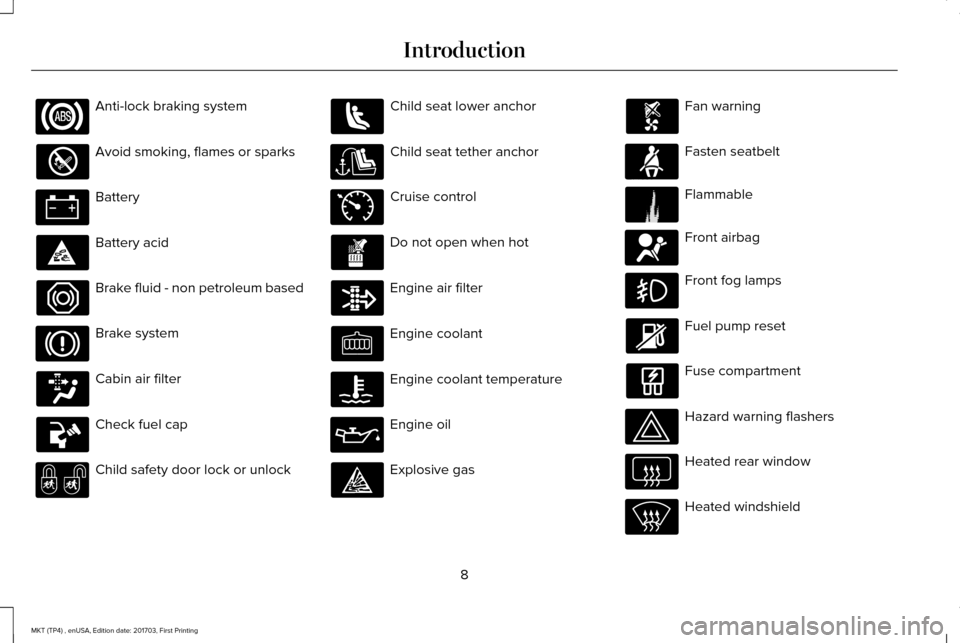
Anti-lock braking system
Avoid smoking, flames or sparks
Battery
Battery acid
Brake fluid - non petroleum based
Brake system
Cabin air filter
Check fuel cap
Child safety door lock or unlock Child seat lower anchor
Child seat tether anchor
Cruise control
Do not open when hot
Engine air filter
Engine coolant
Engine coolant temperature
Engine oil
Explosive gas Fan warning
Fasten seatbelt
Flammable
Front airbag
Front fog lamps
Fuel pump reset
Fuse compartment
Hazard warning flashers
Heated rear window
Heated windshield
8
MKT (TP4) , enUSA, Edition date: 201703, First Printing Introduction E71340 E71880 E231160 E67017
Page 12 of 564
Interior luggage compartment
release
Jack
Keep out of reach of children
Lighting control
Low tire pressure warning
Maintain correct fluid level
Note operating instructions
Panic alarm
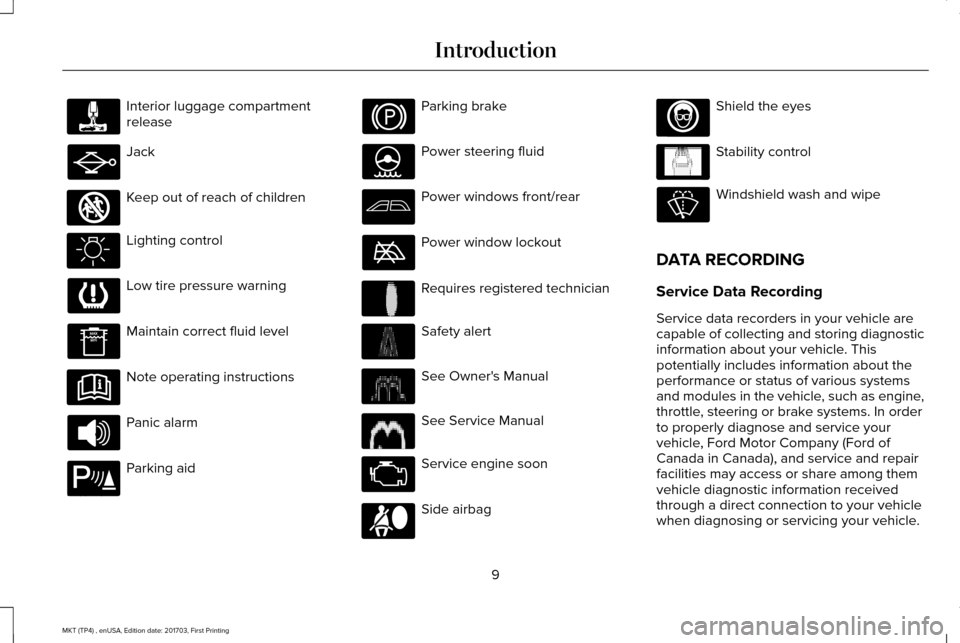
Parking aid Parking brake
Power steering fluid
Power windows front/rear
Power window lockout
Requires registered technician
Safety alert
See Owner's Manual
See Service Manual
Service engine soon
Side airbag Shield the eyes
Stability control
Windshield wash and wipe
DATA RECORDING
Service Data Recording
Service data recorders in your vehicle are
capable of collecting and storing diagnostic
information about your vehicle. This
potentially includes information about the
performance or status of various systems
and modules in the vehicle, such as engine,
throttle, steering or brake systems. In order
to properly diagnose and service your
vehicle, Ford Motor Company (Ford of
Canada in Canada), and service and repair
facilities may access or share among them
vehicle diagnostic information received
through a direct connection to your vehicle
when diagnosing or servicing your vehicle.
9
MKT (TP4) , enUSA, Edition date: 201703, First Printing Introduction E161353 E139213 E231159 E231158 E167012 E138639
Page 109 of 564
If it illuminates when your vehicle is moving,
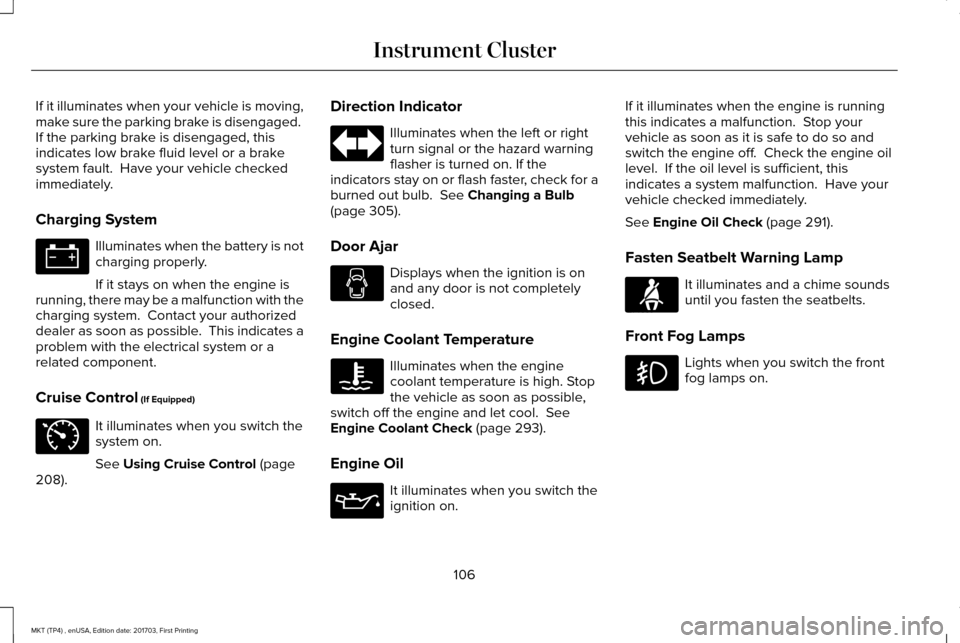
make sure the parking brake is disengaged.
If the parking brake is disengaged, this
indicates low brake fluid level or a brake
system fault. Have your vehicle checked
immediately.
Charging System
Illuminates when the battery is not
charging properly.
If it stays on when the engine is
running, there may be a malfunction with the
charging system. Contact your authorized
dealer as soon as possible. This indicates a
problem with the electrical system or a
related component.
Cruise Control (If Equipped) It illuminates when you switch the
system on.
See
Using Cruise Control (page
208). Direction Indicator Illuminates when the left or right
turn signal or the hazard warning
flasher is turned on. If the
indicators stay on or flash faster, check for a
burned out bulb.
See Changing a Bulb
(page 305).
Door Ajar Displays when the ignition is on
and any door is not completely
closed.
Engine Coolant Temperature Illuminates when the engine
coolant temperature is high. Stop
the vehicle as soon as possible,
switch off the engine and let cool.
See
Engine Coolant Check (page 293).
Engine Oil It illuminates when you switch the
ignition on.If it illuminates when the engine is running
this indicates a malfunction. Stop your
vehicle as soon as it is safe to do so and
switch the engine off. Check the engine oil
level. If the oil level is sufficient, this
indicates a system malfunction. Have your
vehicle checked immediately.
See
Engine Oil Check (page 291).
Fasten Seatbelt Warning Lamp It illuminates and a chime sounds
until you fasten the seatbelts.
Front Fog Lamps Lights when you switch the front
fog lamps on.
106
MKT (TP4) , enUSA, Edition date: 201703, First Printing Instrument Cluster E71340 E71880
Page 124 of 564

Blind Spot Information and Cross Traffic Alert System
Action
Message
A fault with the system has occurred. Contact an authorized dealer as so\
on as possible.
Blindspot System Fault
The system sensors are blocked. Contact an authorized dealer as soon as possible. See Blind
Spot Information System (page 223).
Blindspot Not Available Sensor Blocked
See Manual
The system detects a vehicle.
See Blind Spot Information System (page 223).
Vehicle Coming From X
The blind spot information system and cross traffic alert system sensors\
are blocked. See BlindSpot Information System
(page 223).
Cross Traffic Not Available Sensor Blocked
See Manual
A fault with the system has occurred. Contact an authorized dealer as so\
on as possible.
Cross Traffic System Fault
Brake System Action
Message
The brake fluid level is low and the brake system should be inspected immediately.
See Brake
Fluid Check (page 300).
Brake Fluid Level Low
The brake system needs servicing. Stop the vehicle in a safe place. Contact an authorized dealer.
Check Brake System
The parking brake is set, the engine is running and you drive your vehicle more than 3 m\
ph (5
km/h). If the warning stays on after the parking brake is released, contact an authorized dealer as soon as possible.
Park Brake Engaged
121
MKT (TP4) , enUSA, Edition date: 201703, First Printing Information Displays
Page 289 of 564
GENERAL INFORMATION
Have your vehicle serviced regularly to help
maintain its roadworthiness and resale value.
There is a large network of authorized
dealers that are there to help you with their
professional servicing expertise. We believe
that their specially trained technicians are
best qualified to service your vehicle properly
and expertly. They are supported by a wide
range of highly specialized tools developed
specifically for servicing your vehicle.
If your vehicle requires professional service,
an authorized dealer can provide the
necessary parts and service. Check your
warranty information to find out which parts
and services are covered.
Use only recommended fuels, lubricants,
fluids and service parts conforming to
specifications. Motorcraft® parts are
designed and built to provide the best
performance in your vehicle.
Precautions
•
Do not work on a hot engine.
• Make sure that nothing gets caught in
moving parts.
• Do not work on a vehicle with the engine
running in an enclosed space, unless you
are sure you have enough ventilation.
• Keep all open flames and other burning
material (such as cigarettes) away from
the battery and all fuel related parts.
Working with the Engine Off
1. Set the parking brake and shift to park (P).
2. Switch off the engine.
3. Block the wheels.
Working with the Engine On WARNING
To reduce the risk of vehicle damage
and/or personal burn injuries, do not
start your engine with the air cleaner
removed and do not remove it while the
engine is running. 1. Set the parking brake and shift to park
(P).
2. Block the wheels.
286
MKT (TP4) , enUSA, Edition date: 201703, First Printing Maintenance
Page 292 of 564
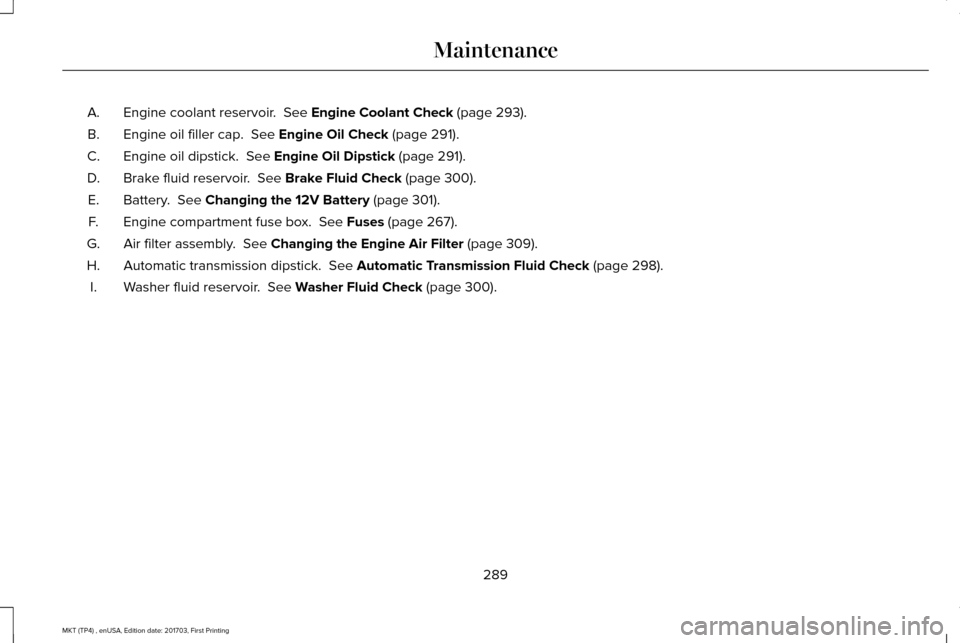
Engine coolant reservoir. See Engine Coolant Check (page 293).
A.
Engine oil filler cap.
See Engine Oil Check (page 291).
B.
Engine oil dipstick.
See Engine Oil Dipstick (page 291).
C.
Brake fluid reservoir.
See Brake Fluid Check (page 300).
D.
Battery.
See Changing the 12V Battery (page 301).
E.
Engine compartment fuse box.
See Fuses (page 267).
F.
Air filter assembly.
See Changing the Engine Air Filter (page 309).
G.
Automatic transmission dipstick.
See Automatic Transmission Fluid Check (page 298).
H.
Washer fluid reservoir.
See Washer Fluid Check (page 300).
I.
289
MKT (TP4) , enUSA, Edition date: 201703, First Printing Maintenance
Page 294 of 564
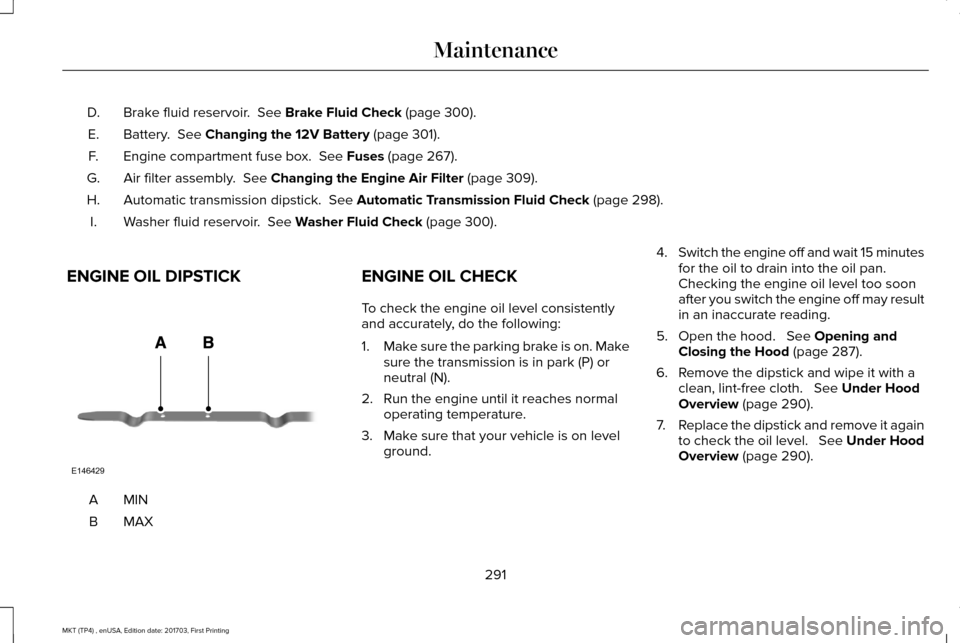
Brake fluid reservoir. See Brake Fluid Check (page 300).
D.
Battery.
See Changing the 12V Battery (page 301).
E.
Engine compartment fuse box.
See Fuses (page 267).
F.
Air filter assembly.
See Changing the Engine Air Filter (page 309).
G.
Automatic transmission dipstick.
See Automatic Transmission Fluid Check (page 298).
H.
Washer fluid reservoir.
See Washer Fluid Check (page 300).
I.
ENGINE OIL DIPSTICK MINA
MAXB ENGINE OIL CHECK
To check the engine oil level consistently
and accurately, do the following:
1.
Make sure the parking brake is on. Make
sure the transmission is in park (P) or
neutral (N).
2. Run the engine until it reaches normal operating temperature.
3. Make sure that your vehicle is on level ground. 4.
Switch the engine off and wait 15 minutes
for the oil to drain into the oil pan.
Checking the engine oil level too soon
after you switch the engine off may result
in an inaccurate reading.
5. Open the hood.
See Opening and
Closing the Hood (page 287).
6. Remove the dipstick and wipe it with a clean, lint-free cloth.
See Under Hood
Overview (page 290).
7. Replace the dipstick and remove it again
to check the oil level. See Under Hood
Overview
(page 290).
291
MKT (TP4) , enUSA, Edition date: 201703, First Printing MaintenanceE146429
Page 303 of 564
BRAKE FLUID CHECK
WARNINGS
Do not use any fluid other than the
recommended brake fluid as this will
reduce brake efficiency. Use of incorrect fluid
could result in the loss of vehicle control,
serious personal injury or death. Only use brake fluid from a sealed
container. Contamination with dirt,
water, petroleum products or other materials
may result in brake system damage or failure.
Failure to adhere to this warning could result
in the loss of vehicle control, serious
personal injury or death. Do not allow the fluid to touch your
skin or eyes. If this happens, rinse the
affected areas immediately with plenty of
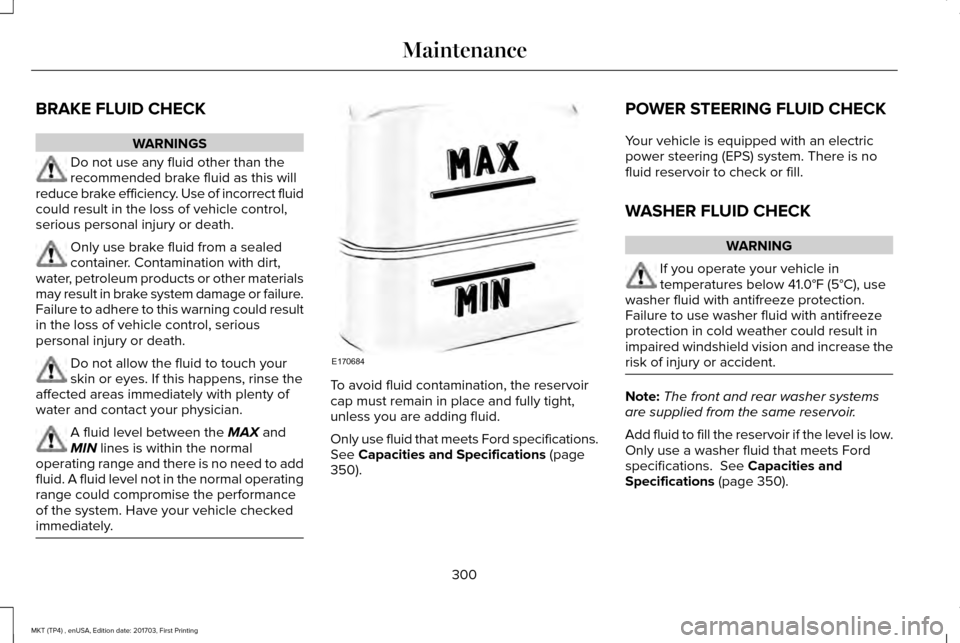
water and contact your physician. A fluid level between the MAX and
MIN lines is within the normal
operating range and there is no need to add
fluid. A fluid level not in the normal operating
range could compromise the performance
of the system. Have your vehicle checked
immediately. To avoid fluid contamination, the reservoir
cap must remain in place and fully tight,
unless you are adding fluid.
Only use fluid that meets Ford specifications.
See Capacities and Specifications (page
350). POWER STEERING FLUID CHECK
Your vehicle is equipped with an electric
power steering (EPS) system. There is no
fluid reservoir to check or fill.
WASHER FLUID CHECK
WARNING
If you operate your vehicle in
temperatures below
41.0°F (5°C), use
washer fluid with antifreeze protection.
Failure to use washer fluid with antifreeze
protection in cold weather could result in
impaired windshield vision and increase the
risk of injury or accident. Note:
The front and rear washer systems
are supplied from the same reservoir.
Add fluid to fill the reservoir if the level is low.
Only use a washer fluid that meets Ford
specifications.
See Capacities and
Specifications (page 350).
300
MKT (TP4) , enUSA, Edition date: 201703, First Printing MaintenanceE170684
Page 305 of 564
Because your vehicle
’s engine is
electronically-controlled by a computer,
some engine control settings are maintained
by power from the battery. Some engine
computer settings, like the idle trim and fuel
trim strategy, optimize the driveability and
performance of the engine. The clock and
radio station presets are also maintained in
memory by power from the low-voltage
battery. These settings are erased when a
technician disconnects and connects the
low-voltage battery.
To restore the settings, do the following:
Note: Until you switch the ignition to the on
position, you will receive a message in your
information display stating that your vehicle
is not in park.
1. Apply the parking brake.
2. Shift into park (P) or neutral (N).
3. Switch off all accessories.
4. Press the brake pedal and start your vehicle. 5. Run the engine until it reaches normal
operating temperature. While the engine
is warming up, complete the following:
Reset the clock. See Audio Unit (page
371). Reset the power windows
bounce-back feature. See Power
Windows (page 98). Reset the radio
station presets. See Audio Unit (page
371).
6. Allow the engine to idle for at least one minute.
7. Drive the vehicle at least 10 mi (16 km) to
completely relearn the idle trim and fuel
trim strategy.
Note: If you do not allow the engine to
relearn the idle and fuel trim strategy, the
idle quality of your vehicle may be adversely
affected until the engine computer
eventually relearns the idle trim and fuel trim
strategy.
Note: Certain features may not operate if
the battery monitor system is not reset with
a scan tool following a jump start or battery
replacement. Normal electrical accessory
operation should resume after your vehicle
is left undisturbed for 8 hours. Make sure that you dispose of old batteries
in an environmentally friendly way. Seek
advice from your local authority about
recycling old batteries.
If storing your vehicle for more than 30 days
without recharging the battery, we
recommend that you disconnect the battery
cables to maintain battery charge for quick
starting.
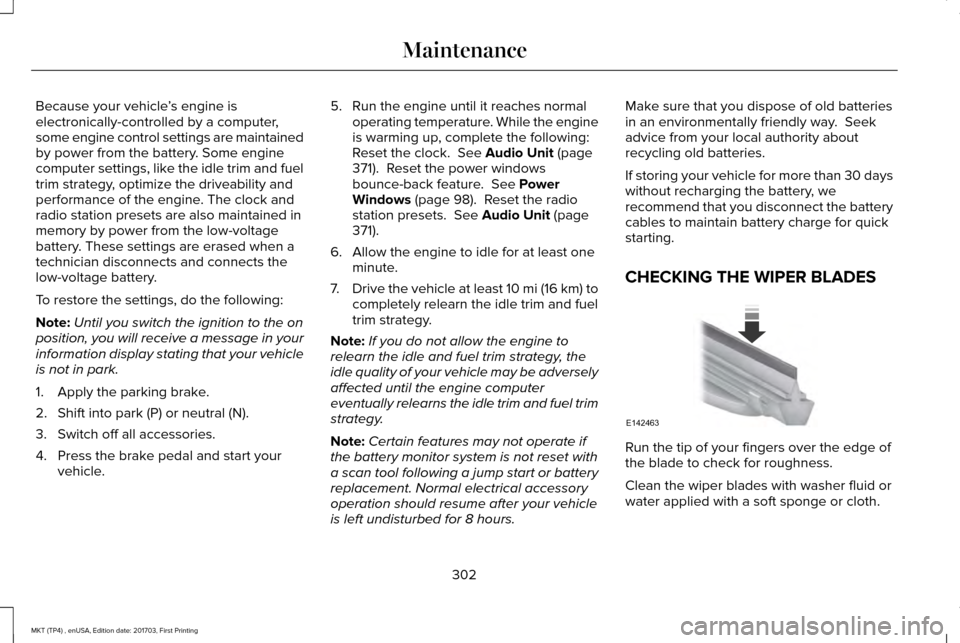
CHECKING THE WIPER BLADES
Run the tip of your fingers over the edge of
the blade to check for roughness.
Clean the wiper blades with washer fluid or
water applied with a soft sponge or cloth.
302
MKT (TP4) , enUSA, Edition date: 201703, First Printing MaintenanceE142463