reset LINCOLN MKT 2019 User Guide
[x] Cancel search | Manufacturer: LINCOLN, Model Year: 2019, Model line: MKT, Model: LINCOLN MKT 2019Pages: 575, PDF Size: 4.66 MB
Page 149 of 575
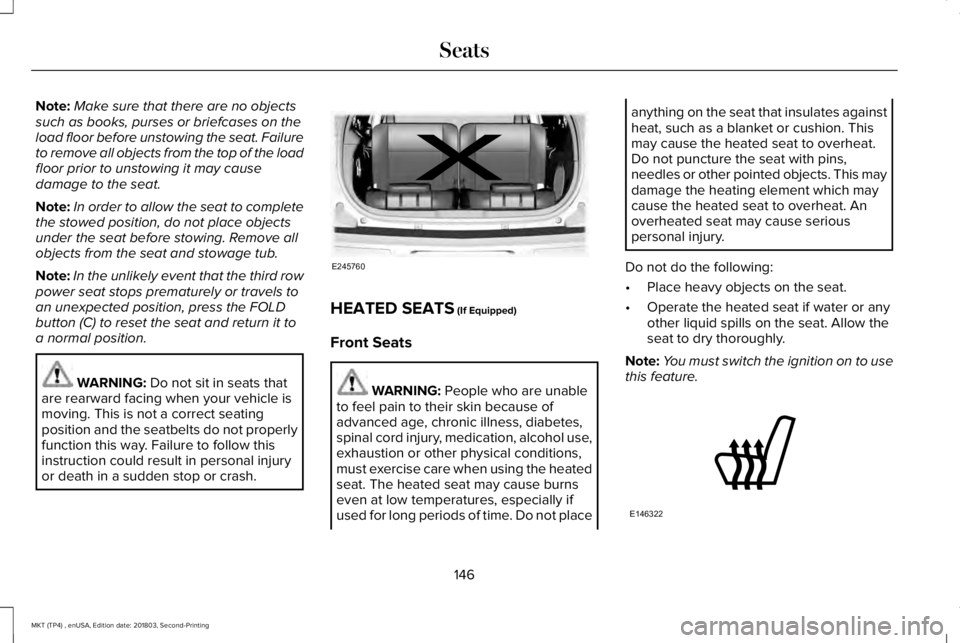
Note:Make sure that there are no objectssuch as books, purses or briefcases on theload floor before unstowing the seat. Failureto remove all objects from the top of the loadfloor prior to unstowing it may causedamage to the seat.
Note:In order to allow the seat to completethe stowed position, do not place objectsunder the seat before stowing. Remove allobjects from the seat and stowage tub.
Note:In the unlikely event that the third rowpower seat stops prematurely or travels toan unexpected position, press the FOLDbutton (C) to reset the seat and return it toa normal position.
WARNING: Do not sit in seats thatare rearward facing when your vehicle ismoving. This is not a correct seatingposition and the seatbelts do not properlyfunction this way. Failure to follow thisinstruction could result in personal injuryor death in a sudden stop or crash.
HEATED SEATS (If Equipped)
Front Seats
WARNING: People who are unableto feel pain to their skin because ofadvanced age, chronic illness, diabetes,spinal cord injury, medication, alcohol use,exhaustion or other physical conditions,must exercise care when using the heatedseat. The heated seat may cause burnseven at low temperatures, especially ifused for long periods of time. Do not place
anything on the seat that insulates againstheat, such as a blanket or cushion. Thismay cause the heated seat to overheat.Do not puncture the seat with pins,needles or other pointed objects. This maydamage the heating element which maycause the heated seat to overheat. Anoverheated seat may cause seriouspersonal injury.
Do not do the following:
•Place heavy objects on the seat.
•Operate the heated seat if water or anyother liquid spills on the seat. Allow theseat to dry thoroughly.
Note:You must switch the ignition on to usethis feature.
146
MKT (TP4) , enUSA, Edition date: 201803, Second-Printing
SeatsE245760 E146322
Page 158 of 575
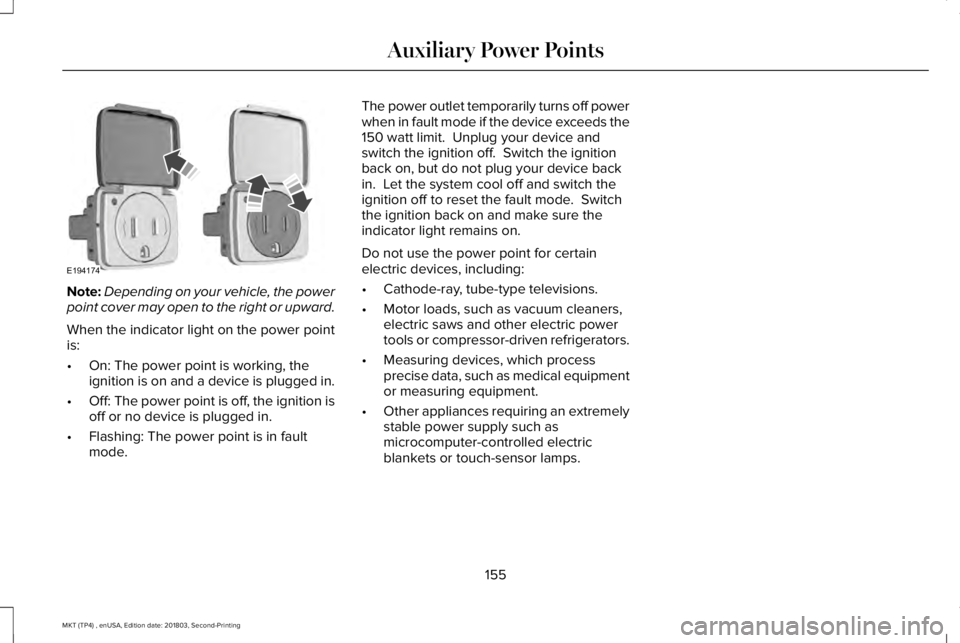
Note:Depending on your vehicle, the powerpoint cover may open to the right or upward.
When the indicator light on the power pointis:
•On: The power point is working, theignition is on and a device is plugged in.
•Off: The power point is off, the ignition isoff or no device is plugged in.
•Flashing: The power point is in faultmode.
The power outlet temporarily turns off powerwhen in fault mode if the device exceeds the150 watt limit. Unplug your device andswitch the ignition off. Switch the ignitionback on, but do not plug your device backin. Let the system cool off and switch theignition off to reset the fault mode. Switchthe ignition back on and make sure theindicator light remains on.
Do not use the power point for certainelectric devices, including:
•Cathode-ray, tube-type televisions.
•Motor loads, such as vacuum cleaners,electric saws and other electric powertools or compressor-driven refrigerators.
•Measuring devices, which processprecise data, such as medical equipmentor measuring equipment.
•Other appliances requiring an extremelystable power supply such asmicrocomputer-controlled electricblankets or touch-sensor lamps.
155
MKT (TP4) , enUSA, Edition date: 201803, Second-Printing
Auxiliary Power PointsE194174
Page 164 of 575
Automatic Engine Shutdown
For vehicles with a keyless ignition, thisfeature automatically shuts down the engineif it has been idling for an extended period. The ignition also turns off to save batterypower. Before your vehicle shuts down, amessage appears in the information displayshowing a timer counting down. If you donot intervene within 30 seconds, your vehicleshuts down. Another message appears inthe information display to inform you thatyour vehicle has shut down to save fuel. Start your vehicle as normal.
Automatic Engine Shutdown Override
Note: You cannot permanently switch offthe automatic shutdown. When you switchit off temporarily, it turns on at the nextignition cycle.
You can stop the shutdown, or reset thetimer, at any point before the 30-secondcountdown has expired by doing any of thefollowing:
•Interacting with your vehicle, for examplepressing the brake or accelerator pedal.
•You can temporarily switch off theshutdown feature any time the ignition ison using the information display. SeeInformation Displays (page 105). Thefeature only remains off for the currentignition cycle.
•During the 30-second countdown, thesystem prompts you to press OK orRESET to temporarily switch the featureoff for the current ignition cycle only.
Stopping the Engine When YourVehicle is Stationary
1. Shift into park (P).
2. Press the push button ignition switch.
3. Apply the parking brake.
Note:The ignition, all electrical circuits andall warning lamps and indicators will beturned off.
Note:If the engine is idling for 30 minutes,the ignition and engine automatically shutsdown.
Stopping the Engine When YourVehicle is Moving
WARNING: Switching off the enginewhen the vehicle is still moving will resultin a loss of brake and steering assistance.The steering will not lock, but higher effortwill be required. When the ignition isswitched off, some electrical circuits,including air bags, warning lamps andindicators may also be off. If the ignitionwas turned off accidentally, you can shiftinto neutral (N) and re-start the engine.
1. Shift into neutral and use the brakes tobring your vehicle to a safe stop.
2.When your vehicle has stopped, shift intopark (P).
3. Press and hold the push button ignitionswitch, or press it three times within twoseconds.
4. Apply the parking brake.
161
MKT (TP4) , enUSA, Edition date: 201803, Second-Printing
Starting and Stopping the Engine
Page 173 of 575
9. Fully close the fuel filler door.
Note:The message may not immediatelyreset. If the message continues to appearand a warning lamp illuminates, have yourvehicle checked as soon as possible.
FUEL CONSUMPTION
Advertised Capacity
The advertised capacity is the maximumamount of fuel that you can add to the fueltank after running out of fuel. Included in theadvertised capacity is an empty reserve. Theempty reserve is an unspecified amount offuel that remains in the fuel tank when thefuel gauge indicates empty.
Note:The amount of fuel in the emptyreserve varies and should not be relied uponto increase driving range.
Fuel Economy
Your vehicle calculates fuel economy figuresthrough the trip computer average fuelfunction. See General Information (page105).
The first 1,000 mi (1,500 km) of driving is thebreak-in period of the engine. A moreaccurate measurement is obtained after2,000 mi (3,000 km).
Impacting Fuel Economy
•Incorrect tire inflation pressures.
•Fully loading your vehicle.
•Carrying unnecessary weight.
•Adding certain accessories to yourvehicle such as bug deflectors, rollbarsor light bars, running boards and skiracks.
•Using fuel blended with alcohol. SeeFuel Quality (page 165).
•Fuel economy may decrease with lowertemperatures.
•Fuel economy may decrease whendriving short distances.
•You may get better fuel economy whendriving on flat terrain than when drivingon hilly terrain.
170
MKT (TP4) , enUSA, Edition date: 201803, Second-Printing
Fuel and Refueling
Page 209 of 575
WARNING: Adaptive cruise controlonly warns of vehicles detected by theradar sensor. In some cases there may beno warning or a delayed warning. Youshould always apply the brakes whennecessary. Failure to do so may result in acrash, serious injury or death.
When a vehicle ahead of you enters thesame lane or a slower vehicle is ahead in thesame lane, the vehicle speed adjusts tomaintain a preset gap distance. A vehiclegraphic appears in the information display.
Note:When you are following a vehicle andyou switch on a direction indicator, adaptivecruise control may provide a small temporaryacceleration to help you pass.
Note:The brakes may emit noise whenapplied by the system.
Your vehicle maintains a consistent gap fromthe vehicle ahead until:
•The vehicle in front of you accelerates toa speed above the set speed.
•The vehicle in front of you moves out ofthe lane you are in.
•Your vehicle speed falls below 12 mph(20 km/h).
•You set a new gap distance.
The system applies the brakes to slow yourvehicle to maintain a safe gap distance fromthe vehicle in front. The system only applieslimited braking. You can override the systemby applying the brakes.
If the system determines that its maximumbraking level is not sufficient, an audiblewarning sounds when the system continuesto brake. A red warning bar displays on thewindshield and you must take immediateaction.
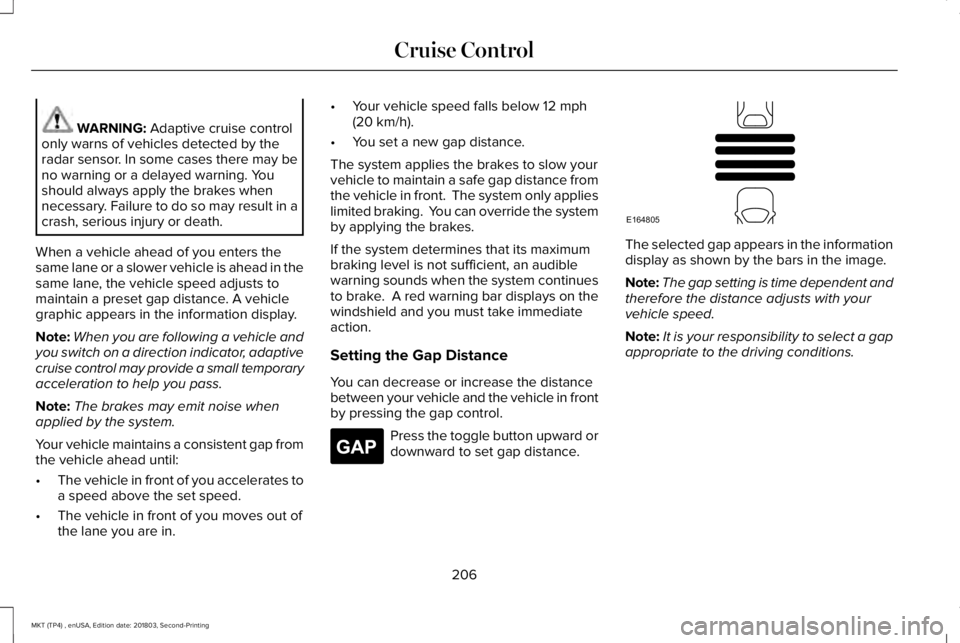
Setting the Gap Distance
You can decrease or increase the distancebetween your vehicle and the vehicle in frontby pressing the gap control.
Press the toggle button upward ordownward to set gap distance.
The selected gap appears in the informationdisplay as shown by the bars in the image.
Note:The gap setting is time dependent andtherefore the distance adjusts with yourvehicle speed.
Note:It is your responsibility to select a gapappropriate to the driving conditions.
206
MKT (TP4) , enUSA, Edition date: 201803, Second-Printing
Cruise ControlE265275 E164805
Page 217 of 575
Note:If the camera sensor cannot track theroad lane markings or if your vehicle speeddrops below approximately 40 mph(64 km/h), the alertness level will change togrey for a short time and the informationdisplay will inform you that the system isunavailable.
Resetting the System
You can reset the system by either:
•Switching the ignition off and on.
•Stopping the vehicle and then openingand closing the driver’s door.
LANE KEEPING SYSTEM (If Equipped)
WARNING: You are responsible forcontrolling your vehicle at all times. Thesystem is designed to be an aid and doesnot relieve you of your responsibility todrive with due care and attention. Failureto follow this instruction could result in theloss of control of your vehicle, personalinjury or death.
WARNING: Always drive with duecare and attention when using andoperating the controls and features on yourvehicle.
WARNING: In cold and severeweather conditions the system may notfunction. Rain, snow and spray can all limitsensor performance.
WARNING: The system will notoperate if the sensor cannot track the roadlane markings.
WARNING: The sensor mayincorrectly track lane markings as otherstructures or objects. This can result in afalse or missed warning.
WARNING: Large contrasts in outsidelighting can limit sensor performance.
WARNING: The system may notoperate properly if the sensor is blocked.Keep the windshield free from obstruction.
WARNING: If damage occurs in theimmediate area surrounding the sensor,have your vehicle checked as soon aspossible.
WARNING: The system may notcorrectly operate if your vehicle is fittedwith a suspension kit not approved by us.
Note:The system works above 40 mph(64 km/h).
Note:The system works as long as thecamera can detect one lane marking.
Note:When aid or alert and aid modes areselected and the system detects no steeringactivity for a short period, the system alertsyou to put your hands on the steering wheel.The system may detect a light grip or touchon the steering wheel as hands off driving.
Note:The system may not function with ablocked camera, or a damaged or dirtywindshield.
214
MKT (TP4) , enUSA, Edition date: 201803, Second-Printing
Driving Aids
Page 232 of 575
System Limitations
WARNING: The collision warningsystem’s brake support can only helpreduce the speed at which a collisionoccurs if the driver applies the vehicle’sbrakes. The brake pedal must be pressedjust like any typical braking situation.
Due to the nature of radar technology, theremay be certain instances where vehicles donot provide a collision warning. Theseinclude:
•Stationary vehicles or vehicles movingbelow 6 mph (10 km/h).
•Pedestrians or objects in the roadway.
•Oncoming vehicles in the same lane.
•Severe weather conditions (see blockedsensor section).
•Debris build-up on the grille near theheadlamps (see blocked sensor section).
•Small distance to vehicle ahead.
•Steering wheel and pedal movementsare large (very active driving style).
If the front end of the vehicle is hit ordamaged, the radar sensing zone may bealtered causing missed or false collisionwarnings. See your authorized dealer to haveyour collision warning radar checked forproper coverage and operation.
DRIVE CONTROL (If Equipped)
Lincoln Drive Control
Lincoln Drive Control delivers the Lincolndriving experience through a suite ofsophisticated electronic vehicle systems.These systems continuously monitor yourdriving inputs and the road conditions tooptimize ride comfort, steering, handling,powertrain response and sound. You canpreset your preferences for these systemswithin the information display. Lincoln DriveControl will respond to your preferencesbased on what gear position you select. Thisprovides a single location to control multiplesystems performance settings.
Lincoln Drive Control consists of thefollowing systems:
•Adaptive suspension dynamically adjuststhe shock absorbers stiffness in real timeto match the road surface and driverinputs. This system continuously monitorsyour vehicle’s motion, suspensionposition, load, speed, road conditionsand steering to adjust the suspensiondamping for optimal vehicle control.
•Electronically power-assisted steeringadjusts steering effort and feel based onyour vehicle speed and your inputs.
•Active noise control utilizes your vehicleelectronics to enhance the acousticexperience.
•Electronic stability control and tractioncontrol maintain your vehicle control inadverse conditions or high performancedriving.
•Electronic throttle control enhances thepowertrain response to your inputs.
229
MKT (TP4) , enUSA, Edition date: 201803, Second-Printing
Driving Aids
Page 265 of 575
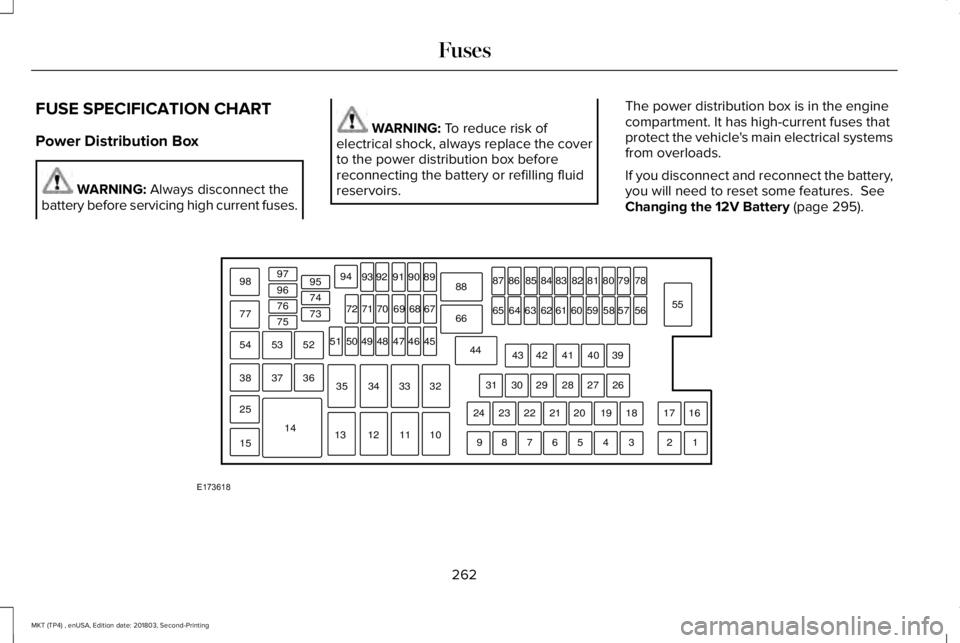
FUSE SPECIFICATION CHART
Power Distribution Box
WARNING: Always disconnect thebattery before servicing high current fuses.
WARNING: To reduce risk ofelectrical shock, always replace the coverto the power distribution box beforereconnecting the battery or refilling fluidreservoirs.
The power distribution box is in the enginecompartment. It has high-current fuses thatprotect the vehicle's main electrical systemsfrom overloads.
If you disconnect and reconnect the battery,you will need to reset some features. SeeChanging the 12V Battery (page 295).
262
MKT (TP4) , enUSA, Edition date: 201803, Second-Printing
FusesE173618
97
98
77 96
95
94
93 92 91 90 89
88
66
44 78
56
39 26 18 1617
3 12
456789
192021222324
2728293031 40414243 55
575859606162636465 798081828384858687
67
45
32
10111213
333435
464748495051
6869707172
74
73
76
75
53
37 36
54
38
25
15
1452
Page 290 of 575
Only use oils certified for gasoline enginesby the American Petroleum Institute (API). An oil with this trademark symbol conformsto the current engine and emission systemprotection standards and fuel economyrequirements of the International LubricantsSpecification Advisory Committee (ILSAC).
To top up the engine oil level do thefollowing:
1. Clean the area surrounding the engineoil filler cap before you remove it.
2. Remove the engine oil filler cap. SeeUnder Hood Overview (page 284). Turnit counterclockwise and remove it.
3. Add engine oil that meets ourspecifications. See Capacities andSpecifications (page 355). You may haveto use a funnel to pour the engine oil intothe opening.
4. Recheck the oil level.
5. If the oil level is correct, replace thedipstick and make sure it is fully seated.
6. Replace the engine oil filler cap. Turn itclockwise until you feel a strongresistance.
Note: Do not add oil further than themaximum mark. Oil levels above themaximum mark may cause engine damage.
Note:Make sure you install the oil filler capcorrectly.
Note:Soak up any spillage with anabsorbent cloth immediately.
OIL CHANGE INDICATOR RESET
Use the information display controls on thesteering wheel to reset the oil changeindicator.
From the main menu scroll to:
Action and descriptionMessage
Press the right arrow button,then from this menu scroll tothe following message.
Settings
Press the right arrow button,then from this menu scroll tothe following message.
Vehicle
Press the right arrow button,then from this menu scroll tothe following message.
Oil Life
Press and hold the OK buttonuntil the instrument clusterdisplays the followingmessage.
Hold OK toReset
Reset Successful
When the oil change indicatorresets the instrument clusterdisplays 100%.
Remaining Life
{00}%
287
MKT (TP4) , enUSA, Edition date: 201803, Second-Printing
MaintenanceE142732
Page 291 of 575
Action and descriptionMessage
If the instrument clusterdisplays one of the followingmessages, repeat theprocess.
Not Reset
Reset Cancelled
ENGINE COOLANT CHECK
WARNING: Do not remove thecoolant reservoir cap when the engine ison or the cooling system is hot. Wait 10minutes for the cooling system to cooldown. Cover the coolant reservoir cap witha thick cloth to prevent the possibility ofscalding and slowly remove the cap.Failure to follow this instruction could resultin personal injury.
WARNING: Do not put coolant in thewindshield washer reservoir. If sprayed onthe windshield, coolant could make itdifficult to see through the windshield.
WARNING: To reduce the risk ofpersonal injury, make sure the engine iscool before unscrewing the coolantpressure relief cap. The cooling system isunder pressure. Steam and hot liquid cancome out forcefully when you loosen thecap slightly.
WARNING: Do not add coolantfurther than the MAX mark.
When the engine is cold, check theconcentration and level of the coolant at theintervals listed in the scheduled maintenanceinformation. See Scheduled Maintenance(page 479).
Note:Make sure that the coolant level isbetween the MIN and MAX marks on thecoolant reservoir.
Note: Coolant expands when it is hot. Thelevel may extend beyond the MAX mark.
Maintain coolant concentration within 48%to 50%, which equates to a freeze pointbetween -29°F (-34°C) and -35°F (-37°C).Coolant concentration should be checkedusing a refractometer. We do not recommendthe use of hydrometers or coolant test stripsfor measuring coolant concentration.
Adding Coolant
WARNING: Do not add enginecoolant when the engine is hot. Failure tofollow this instruction could result inpersonal injury.
WARNING: Do not remove thecoolant reservoir cap when the engine ison or the cooling system is hot. Wait 10minutes for the cooling system to cooldown. Cover the coolant reservoir cap witha thick cloth to prevent the possibility ofscalding and slowly remove the cap.Failure to follow this instruction could resultin personal injury.
288
MKT (TP4) , enUSA, Edition date: 201803, Second-Printing
Maintenance