ignition LINCOLN MKT 2019 Owner's Manual
[x] Cancel search | Manufacturer: LINCOLN, Model Year: 2019, Model line: MKT, Model: LINCOLN MKT 2019Pages: 575, PDF Size: 4.66 MB
Page 105 of 575
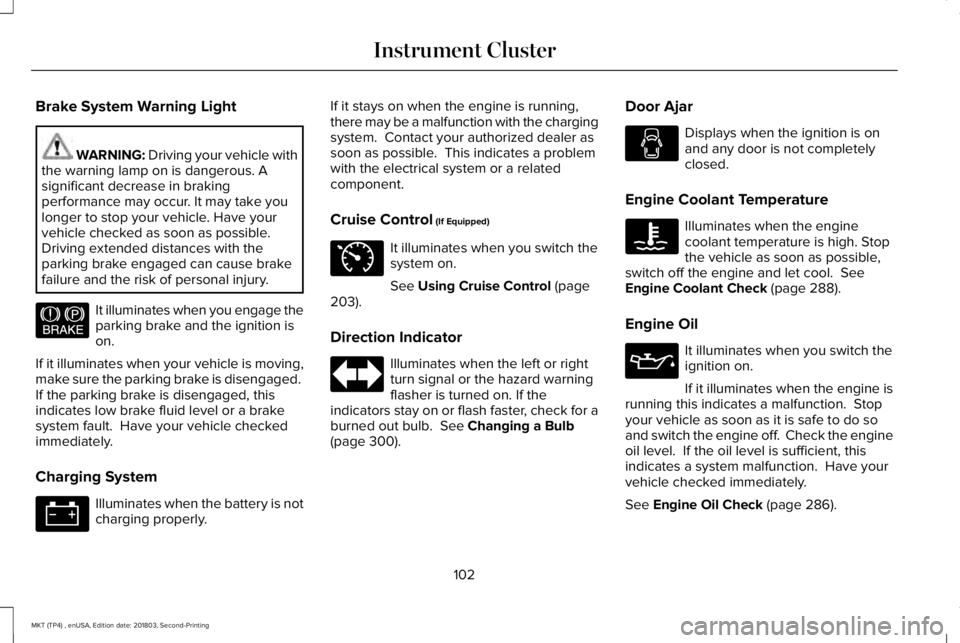
Brake System Warning Light
WARNING: Driving your vehicle withthe warning lamp on is dangerous. Asignificant decrease in brakingperformance may occur. It may take youlonger to stop your vehicle. Have yourvehicle checked as soon as possible.Driving extended distances with theparking brake engaged can cause brakefailure and the risk of personal injury.
It illuminates when you engage theparking brake and the ignition ison.
If it illuminates when your vehicle is moving,make sure the parking brake is disengaged. If the parking brake is disengaged, thisindicates low brake fluid level or a brakesystem fault. Have your vehicle checkedimmediately.
Charging System
Illuminates when the battery is notcharging properly.
If it stays on when the engine is running,there may be a malfunction with the chargingsystem. Contact your authorized dealer assoon as possible. This indicates a problemwith the electrical system or a relatedcomponent.
Cruise Control (If Equipped)
It illuminates when you switch thesystem on.
See Using Cruise Control (page203).
Direction Indicator
Illuminates when the left or rightturn signal or the hazard warningflasher is turned on. If theindicators stay on or flash faster, check for aburned out bulb. See Changing a Bulb(page 300).
Door Ajar
Displays when the ignition is onand any door is not completelyclosed.
Engine Coolant Temperature
Illuminates when the enginecoolant temperature is high. Stopthe vehicle as soon as possible,switch off the engine and let cool. SeeEngine Coolant Check (page 288).
Engine Oil
It illuminates when you switch theignition on.
If it illuminates when the engine isrunning this indicates a malfunction. Stopyour vehicle as soon as it is safe to do soand switch the engine off. Check the engineoil level. If the oil level is sufficient, thisindicates a system malfunction. Have yourvehicle checked immediately.
See Engine Oil Check (page 286).
102
MKT (TP4) , enUSA, Edition date: 201803, Second-Printing
Instrument ClusterE144522 E71340
Page 106 of 575
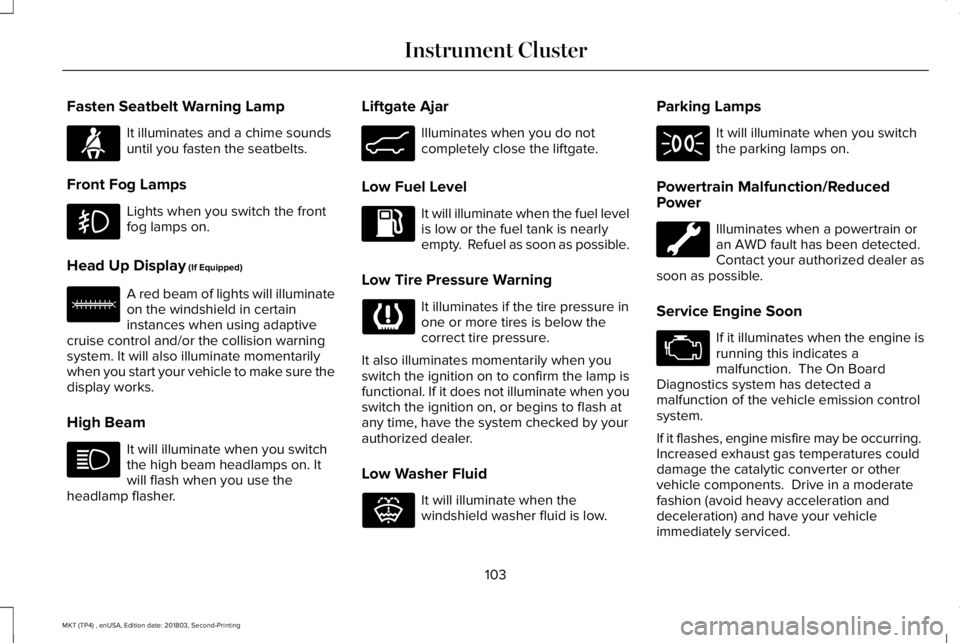
Fasten Seatbelt Warning Lamp
It illuminates and a chime soundsuntil you fasten the seatbelts.
Front Fog Lamps
Lights when you switch the frontfog lamps on.
Head Up Display (If Equipped)
A red beam of lights will illuminateon the windshield in certaininstances when using adaptivecruise control and/or the collision warningsystem. It will also illuminate momentarilywhen you start your vehicle to make sure thedisplay works.
High Beam
It will illuminate when you switchthe high beam headlamps on. Itwill flash when you use theheadlamp flasher.
Liftgate Ajar
Illuminates when you do notcompletely close the liftgate.
Low Fuel Level
It will illuminate when the fuel levelis low or the fuel tank is nearlyempty. Refuel as soon as possible.
Low Tire Pressure Warning
It illuminates if the tire pressure inone or more tires is below thecorrect tire pressure.
It also illuminates momentarily when youswitch the ignition on to confirm the lamp isfunctional. If it does not illuminate when youswitch the ignition on, or begins to flash atany time, have the system checked by yourauthorized dealer.
Low Washer Fluid
It will illuminate when thewindshield washer fluid is low.
Parking Lamps
It will illuminate when you switchthe parking lamps on.
Powertrain Malfunction/ReducedPower
Illuminates when a powertrain oran AWD fault has been detected. Contact your authorized dealer assoon as possible.
Service Engine Soon
If it illuminates when the engine isrunning this indicates amalfunction. The On BoardDiagnostics system has detected amalfunction of the vehicle emission controlsystem.
If it flashes, engine misfire may be occurring. Increased exhaust gas temperatures coulddamage the catalytic converter or othervehicle components. Drive in a moderatefashion (avoid heavy acceleration anddeceleration) and have your vehicleimmediately serviced.
103
MKT (TP4) , enUSA, Edition date: 201803, Second-Printing
Instrument ClusterE71880 E156133 E162453 E132353
Page 107 of 575
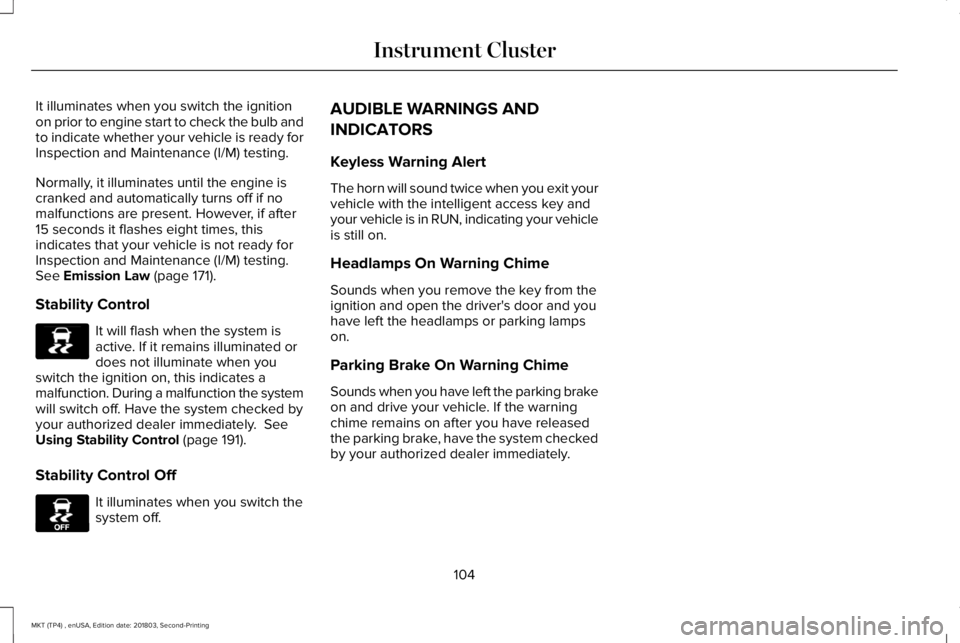
It illuminates when you switch the ignitionon prior to engine start to check the bulb andto indicate whether your vehicle is ready forInspection and Maintenance (I/M) testing.
Normally, it illuminates until the engine iscranked and automatically turns off if nomalfunctions are present. However, if after15 seconds it flashes eight times, thisindicates that your vehicle is not ready forInspection and Maintenance (I/M) testing.See Emission Law (page 171).
Stability Control
It will flash when the system isactive. If it remains illuminated ordoes not illuminate when youswitch the ignition on, this indicates amalfunction. During a malfunction the systemwill switch off. Have the system checked byyour authorized dealer immediately. SeeUsing Stability Control (page 191).
Stability Control Off
It illuminates when you switch thesystem off.
AUDIBLE WARNINGS AND
INDICATORS
Keyless Warning Alert
The horn will sound twice when you exit yourvehicle with the intelligent access key andyour vehicle is in RUN, indicating your vehicleis still on.
Headlamps On Warning Chime
Sounds when you remove the key from theignition and open the driver's door and youhave left the headlamps or parking lampson.
Parking Brake On Warning Chime
Sounds when you have left the parking brakeon and drive your vehicle. If the warningchime remains on after you have releasedthe parking brake, have the system checkedby your authorized dealer immediately.
104
MKT (TP4) , enUSA, Edition date: 201803, Second-Printing
Instrument ClusterE138639 E130458
Page 109 of 575
•Driver Assist
•Settings
Display Mode
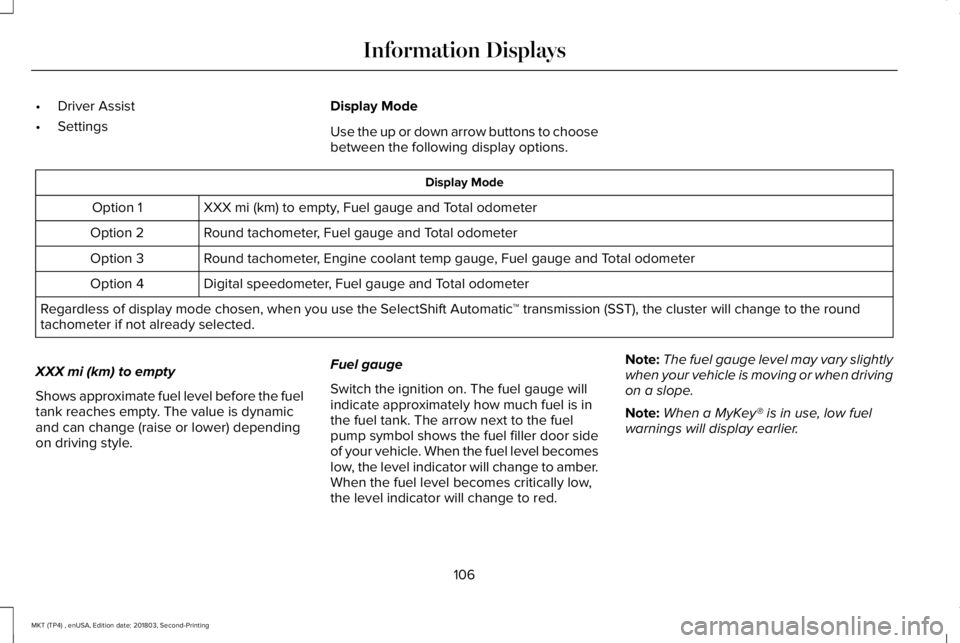
Use the up or down arrow buttons to choosebetween the following display options.
Display Mode
XXX mi (km) to empty, Fuel gauge and Total odometerOption 1
Round tachometer, Fuel gauge and Total odometerOption 2
Round tachometer, Engine coolant temp gauge, Fuel gauge and Total odometerOption 3
Digital speedometer, Fuel gauge and Total odometerOption 4
Regardless of display mode chosen, when you use the SelectShift Automatic™ transmission (SST), the cluster will change to the roundtachometer if not already selected.
XXX mi (km) to empty
Shows approximate fuel level before the fueltank reaches empty. The value is dynamicand can change (raise or lower) dependingon driving style.
Fuel gauge
Switch the ignition on. The fuel gauge willindicate approximately how much fuel is inthe fuel tank. The arrow next to the fuelpump symbol shows the fuel filler door sideof your vehicle. When the fuel level becomeslow, the level indicator will change to amber.When the fuel level becomes critically low,the level indicator will change to red.
Note:The fuel gauge level may vary slightlywhen your vehicle is moving or when drivingon a slope.
Note:When a MyKey® is in use, low fuelwarnings will display earlier.
106
MKT (TP4) , enUSA, Edition date: 201803, Second-Printing
Information Displays
Page 117 of 575
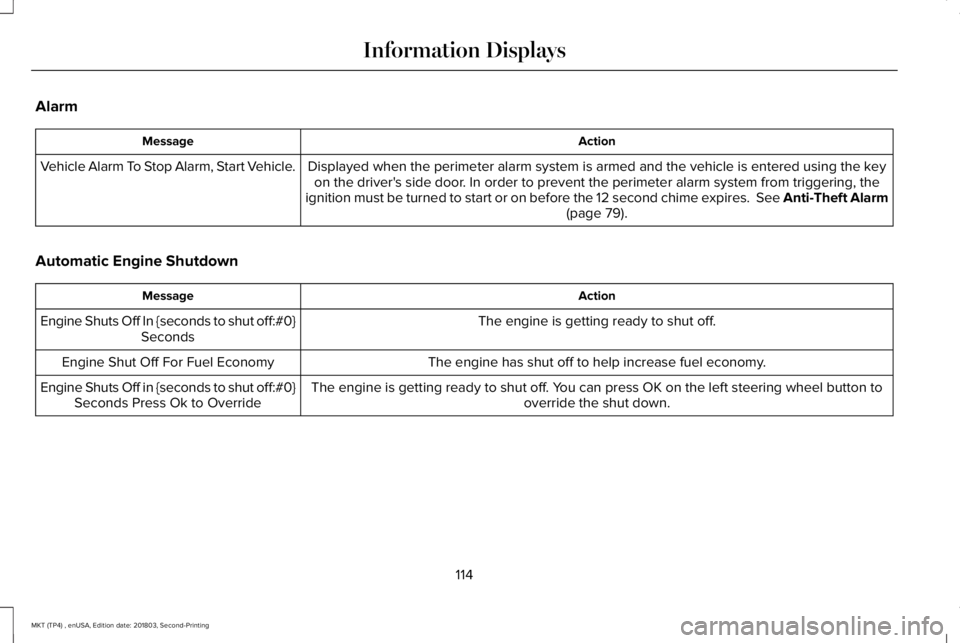
Alarm
ActionMessage
Displayed when the perimeter alarm system is armed and the vehicle is entered using the keyon the driver's side door. In order to prevent the perimeter alarm system from triggering, theignition must be turned to start or on before the 12 second chime expires. See Anti-Theft Alarm(page 79).
Vehicle Alarm To Stop Alarm, Start Vehicle.
Automatic Engine Shutdown
ActionMessage
The engine is getting ready to shut off.Engine Shuts Off In {seconds to shut off:#0}Seconds
The engine has shut off to help increase fuel economy.Engine Shut Off For Fuel Economy
The engine is getting ready to shut off. You can press OK on the left steering wheel button tooverride the shut down.Engine Shuts Off in {seconds to shut off:#0}Seconds Press Ok to Override
114
MKT (TP4) , enUSA, Edition date: 201803, Second-Printing
Information Displays
Page 118 of 575
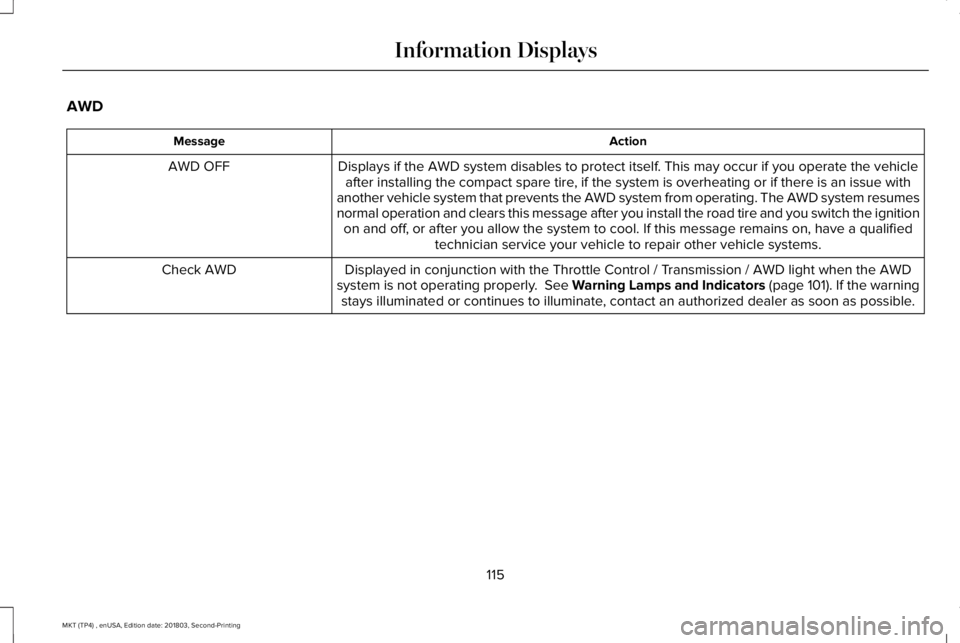
AWD
ActionMessage
Displays if the AWD system disables to protect itself. This may occur if you operate the vehicleafter installing the compact spare tire, if the system is overheating or if there is an issue withanother vehicle system that prevents the AWD system from operating. The AWD system resumesnormal operation and clears this message after you install the road tire and you switch the ignitionon and off, or after you allow the system to cool. If this message remains on, have a qualifiedtechnician service your vehicle to repair other vehicle systems.
AWD OFF
Displayed in conjunction with the Throttle Control / Transmission / AWD light when the AWDsystem is not operating properly. See Warning Lamps and Indicators (page 101). If the warningstays illuminated or continues to illuminate, contact an authorized dealer as soon as possible.
Check AWD
115
MKT (TP4) , enUSA, Edition date: 201803, Second-Printing
Information Displays
Page 119 of 575
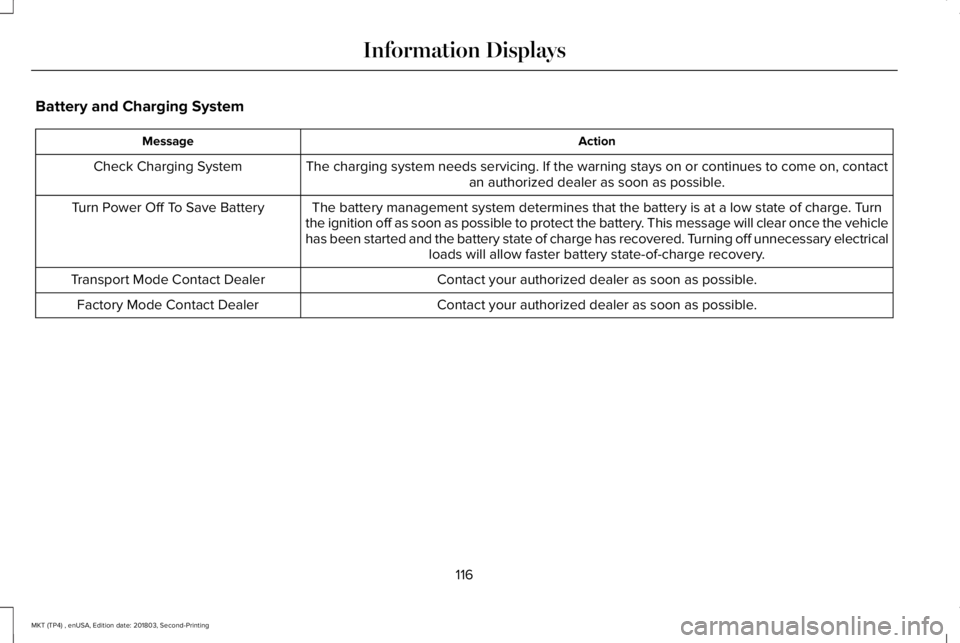
Battery and Charging System
ActionMessage
The charging system needs servicing. If the warning stays on or continues to come on, contactan authorized dealer as soon as possible.Check Charging System
The battery management system determines that the battery is at a low state of charge. Turnthe ignition off as soon as possible to protect the battery. This message will clear once the vehiclehas been started and the battery state of charge has recovered. Turning off unnecessary electricalloads will allow faster battery state-of-charge recovery.
Turn Power Off To Save Battery
Contact your authorized dealer as soon as possible.Transport Mode Contact Dealer
Contact your authorized dealer as soon as possible.Factory Mode Contact Dealer
116
MKT (TP4) , enUSA, Edition date: 201803, Second-Printing
Information Displays
Page 122 of 575
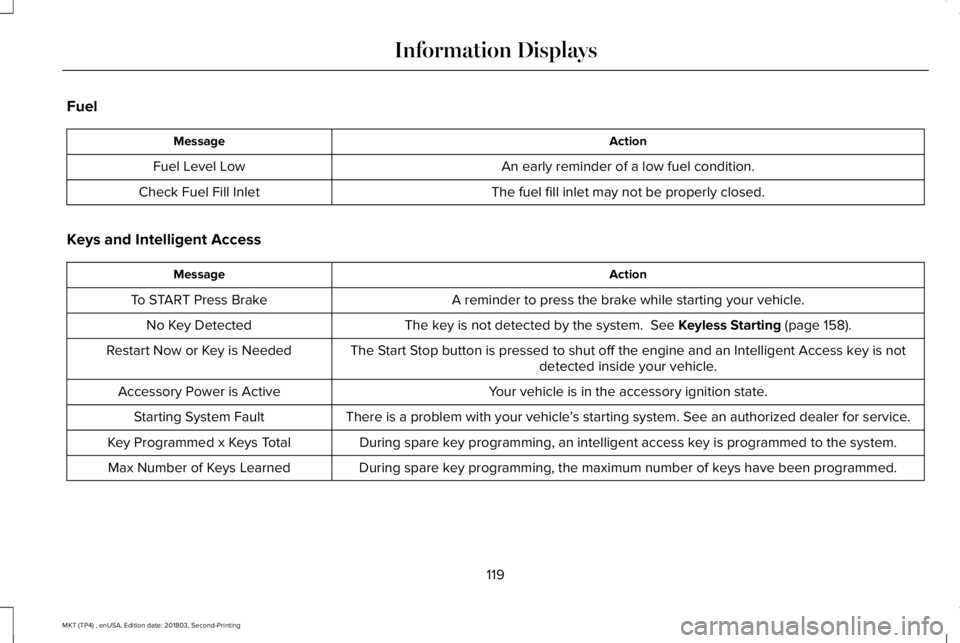
Fuel
ActionMessage
An early reminder of a low fuel condition.Fuel Level Low
The fuel fill inlet may not be properly closed.Check Fuel Fill Inlet
Keys and Intelligent Access
ActionMessage
A reminder to press the brake while starting your vehicle.To START Press Brake
The key is not detected by the system. See Keyless Starting (page 158).No Key Detected
The Start Stop button is pressed to shut off the engine and an Intelligent Access key is notdetected inside your vehicle.Restart Now or Key is Needed
Your vehicle is in the accessory ignition state.Accessory Power is Active
There is a problem with your vehicle’s starting system. See an authorized dealer for service.Starting System Fault
During spare key programming, an intelligent access key is programmed to the system.Key Programmed x Keys Total
During spare key programming, the maximum number of keys have been programmed.Max Number of Keys Learned
119
MKT (TP4) , enUSA, Edition date: 201803, Second-Printing
Information Displays
Page 132 of 575
CABIN AIR FILTER
Your vehicle is equipped with a cabin airfilter, which gives you and your passengersthe following benefits:
•It improves your driving comfort byreducing particle concentration.
•It improves the interior compartmentcleanliness.
•It protects the climate controlcomponents from particle deposits.
You can locate the cabin air filter behind theglove box.
Note:Make sure you have a cabin air filterinstalled at all times. This prevents foreignobjects from entering the system. Runningthe system without a filter in place couldresult in degradation or damage to thesystem.
Replace the filter at regular intervals. SeeScheduled Maintenance (page 479).
For additional cabin air filter information, orto replace the filter, see an authorized dealer.
REMOTE START
You can switch this feature on or off andadjust the settings using the informationdisplay.
The system adjusts the interior temperaturedepending on your chosen settings duringremote start.
You cannot adjust the climate control settingduring remote start operation. When youswitch the ignition on, the climate controlsystem returns to the previous settings. Youcan now make adjustments.
You need to switch on certainvehicle-dependent features, such as:
•Heated seats.
•Cooled seats.
•Heated steering wheel.
•Heated mirrors.
•Heated rear window.
Automatic Settings
In hot weather, the system sets to 72°F(22°C). The cooled seats are set to high (ifavailable, and AUTO is on in the informationdisplay).
In moderate weather, the system either heatsor cools (based on previous settings). Therear defroster, heated mirrors and heated orcooled seats do not turn on.
In cold weather, the system sets to 72°F(22°C). The heated seats are set to high (ifavailable, and AUTO is on in the informationdisplay). The heated rear window and heatedmirrors turn on.
129
MKT (TP4) , enUSA, Edition date: 201803, Second-Printing
Climate Control
Page 139 of 575
Saving a PreSet Position
1. Switch the ignition on.
2. Adjust the memory features to yourdesired position.
3.Press and hold the desired preset buttonuntil you hear a single tone.
You can save up to three preset memorypositions. You can save a memory preset atany time.
Recalling a PreSet Position
Press and release the preset buttonassociated with your desired driving position.The memory features move to the positionstored for that preset.
You can recall a programmed memoryposition:
•Only in park (P) or neutral (N) if theignition is on.
•In any gearshift position if the ignition isnot on.
You can also recall a programmed memoryposition by:
•Pressing your remote control transmitterunlock button (if the remote control isprogrammed to a memory position).
•Unlocking your vehicle with an intelligentaccess key (if it is programmed to amemory position).
Note:Using a linked keyfob to recall yourmemory position when the ignition is offmoves the seat to the Easy Entry position.
Note:Adjusting any active memory featureor pressing a memory switch during amemory recall cancels the operation.
Linking a PreSet Position to yourRemote Control or Intelligent AccessKey Fob
Your vehicle can save the preset memorypositions for up to two remote controls.
1. With the ignition on, move the memoryfeatures to the desired positions.
2.Press and hold the desired preset buttonfor about five seconds. A tone soundsafter about two seconds. Continueholding until you hear a second tone.
3. Within three seconds, press the lockbutton on the remote control you arelinking.
To unlink a remote control, follow the sameprocedure – except in step 3, press theunlock button on the remote control.
Note:If more than one linked remote controlor intelligent access key is in range, thememory function moves to the settings ofthe first key to initiate a memory recall.
Easy Entry and Exit Feature
This feature adjusts the position of the seatand steering column to allow easier exit andentry to the vehicle.
The driver seat automatically moves 2 in(5 cm) rearward when the transmission is inpark (P) and you switch the ignition off.
The driver seat and steering wheel return totheir previous positions when you switch theignition on.
136
MKT (TP4) , enUSA, Edition date: 201803, Second-Printing
Seats