instrument cluster LINCOLN MKX 2010 User Guide
[x] Cancel search | Manufacturer: LINCOLN, Model Year: 2010, Model line: MKX, Model: LINCOLN MKX 2010Pages: 316, PDF Size: 2.22 MB
Page 21 of 316
System check and vehicle feature customization
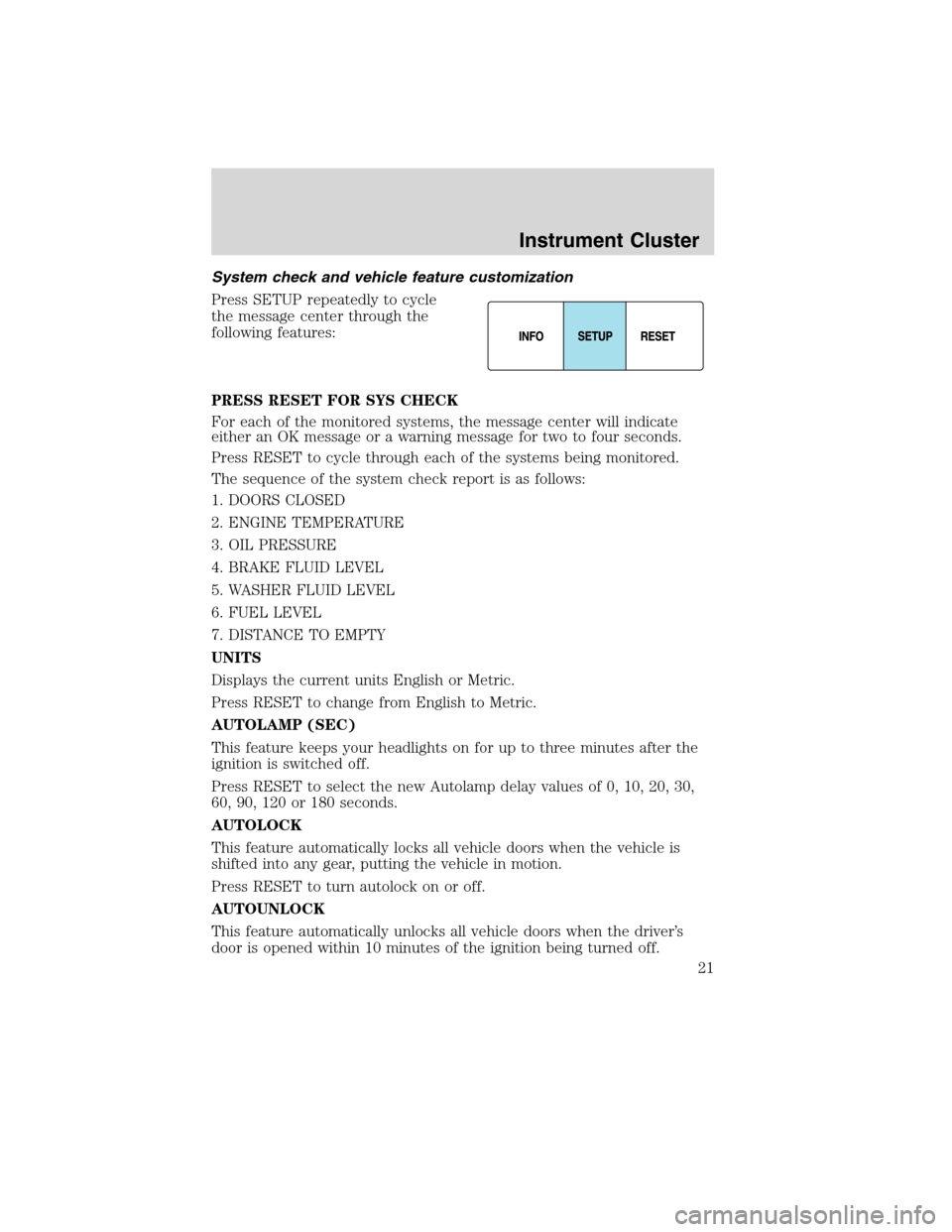
Press SETUP repeatedly to cycle
the message center through the
following features:
PRESS RESET FOR SYS CHECK
For each of the monitored systems, the message center will indicate
either an OK message or a warning message for two to four seconds.
Press RESET to cycle through each of the systems being monitored.
The sequence of the system check report is as follows:
1. DOORS CLOSED
2. ENGINE TEMPERATURE
3. OIL PRESSURE
4. BRAKE FLUID LEVEL
5. WASHER FLUID LEVEL
6. FUEL LEVEL
7. DISTANCE TO EMPTY
UNITS
Displays the current units English or Metric.
Press RESET to change from English to Metric.
AUTOLAMP (SEC)
This feature keeps your headlights on for up to three minutes after the
ignition is switched off.
Press RESET to select the new Autolamp delay values of 0, 10, 20, 30,
60, 90, 120 or 180 seconds.
AUTOLOCK
This feature automatically locks all vehicle doors when the vehicle is
shifted into any gear, putting the vehicle in motion.
Press RESET to turn autolock on or off.
AUTOUNLOCK
This feature automatically unlocks all vehicle doors when the driver’s
door is opened within 10 minutes of the ignition being turned off.
Instrument Cluster
21
2010 MKX(mkx)
Owners Guide(own2002), 1st Printing
USA(fus)
Page 22 of 316
Press RESET to turn autounlock on or off.
POWER LIFTGATE (if equipped)
This feature allows users to open/close the rear liftgate at the touch of a
button.
Press RESET to turn the power liftgate on or off.
EASY ENTRY
This feature automatically moves the driver’s seat backwards for easy
exit/entry from the vehicle.
Press RESET to turn the easy entry/exit seat on or off.
REAR PARK AID (if equipped)
This feature sounds a warning tone to warn the driver of obstacles near
the rear bumper, and functions only when R (Reverse) gear is selected.
Press RESET to turn the rear park assist on or off.
ENGLISH / FRENCH / SPANISH RESET FOR NEW
Allows you to choose which language the message center will display in.
Press RESET to cycle through each of the language choices.
Press and hold RESET for two seconds to set the language choice.
System warnings
System warnings alert you to possible problems or malfunctions in your
vehicle’s operating systems.
In the event of a multiple warning situation, the message center will
cycle the display to show all warnings by displaying each one for four
seconds.
The message center will display the last selected feature if there are no
more warning messages.
Types of messages and warnings:
•Some messages will appear briefly to inform you of something you
may need to take action on or be informed of.
•Some messages will appear once and then again when the vehicle is
restarted.
•Some messages will reappear after clearing or being reset if a problem
or condition is still present and needs your attention.
•Some messages can be acknowledged and reset by pressing RESET.
This allows you to use the full message center functionality by clearing
the message.
Instrument Cluster
22
2010 MKX(mkx)
Owners Guide(own2002), 1st Printing
USA(fus)
Page 23 of 316
DRIVER DOOR AJAR— Displayed when the driver’s door is not
completely closed.
PASSENGER DOOR AJAR— Displayed when the passenger side door
is not completely closed.
REAR LEFT DOOR AJAR— Displayed when the rear left door is not
completely closed.
REAR RIGHT DOOR AJAR— Displayed when the rear right door is
not completely closed.
PARK BRAKE ENGAGED— Displayed when the parking brake is set,
the engine is running and the vehicle is driven more than 3 mph
(5 km/h). If the warning stays on after the parking brake is released,
contact your authorized dealer as soon as possible.
FUEL LEVEL LOW— Displayed as an early reminder of a low fuel
condition.
CHECK BRAKE SYSTEM— Displayed when the brake system needs
servicing. If the warning stays on or continues to come on, contact your
authorized dealer as soon as possible.
BRAKE FLUID LEVEL LOW— Indicates the brake fluid level is low
and the brake system should be inspected immediately. Refer toBrake
fluidin theMaintenance and Specificationschapter.
LIFTGATE AJAR— Displayed when the liftgate is not completely
closed.
LOW TIRE PRESSURE— Displayed when one or more tires on your
vehicle have low tire pressure. Refer toInflating your tiresin theTires,
Wheels and Loadingchapter.
TIRE PRESSURE MONITOR FAULT— Displayed when the Tire
Pressure Monitoring System is malfunctioning. If the warning stays on or
continues to come on, contact your authorized dealer as soon as
possible.
TIRE PRESSURE SENSOR FAULT— Displayed when a tire pressure
sensor is malfunctioning, or your spare tire is in use. For more
information on how the system operates under these conditions, refer to
Tire Pressure Monitoring System (TPMS)in theTires, Wheels and
Loadingchapter. If the warning stays on or continues to come on,
contact your authorized dealer as soon as possible.
Instrument Cluster
23
2010 MKX(mkx)
Owners Guide(own2002), 1st Printing
USA(fus)
Page 24 of 316
CHECK COMPASS MOD— Displayed when the compass is not
operating properly. If the warning stays on or continues to come on,
contact your authorized dealer as soon as possible.
INTKEY COULD NOT PROGRAM— Displayed when an attempt is
made to program a fifth Integrated Key to the Remote Key Entry
System. For more information on Integrated Key, refer toLocks and
Securitychapter in this manual.
Instrument Cluster
24
2010 MKX(mkx)
Owners Guide(own2002), 1st Printing
USA(fus)
Page 40 of 316
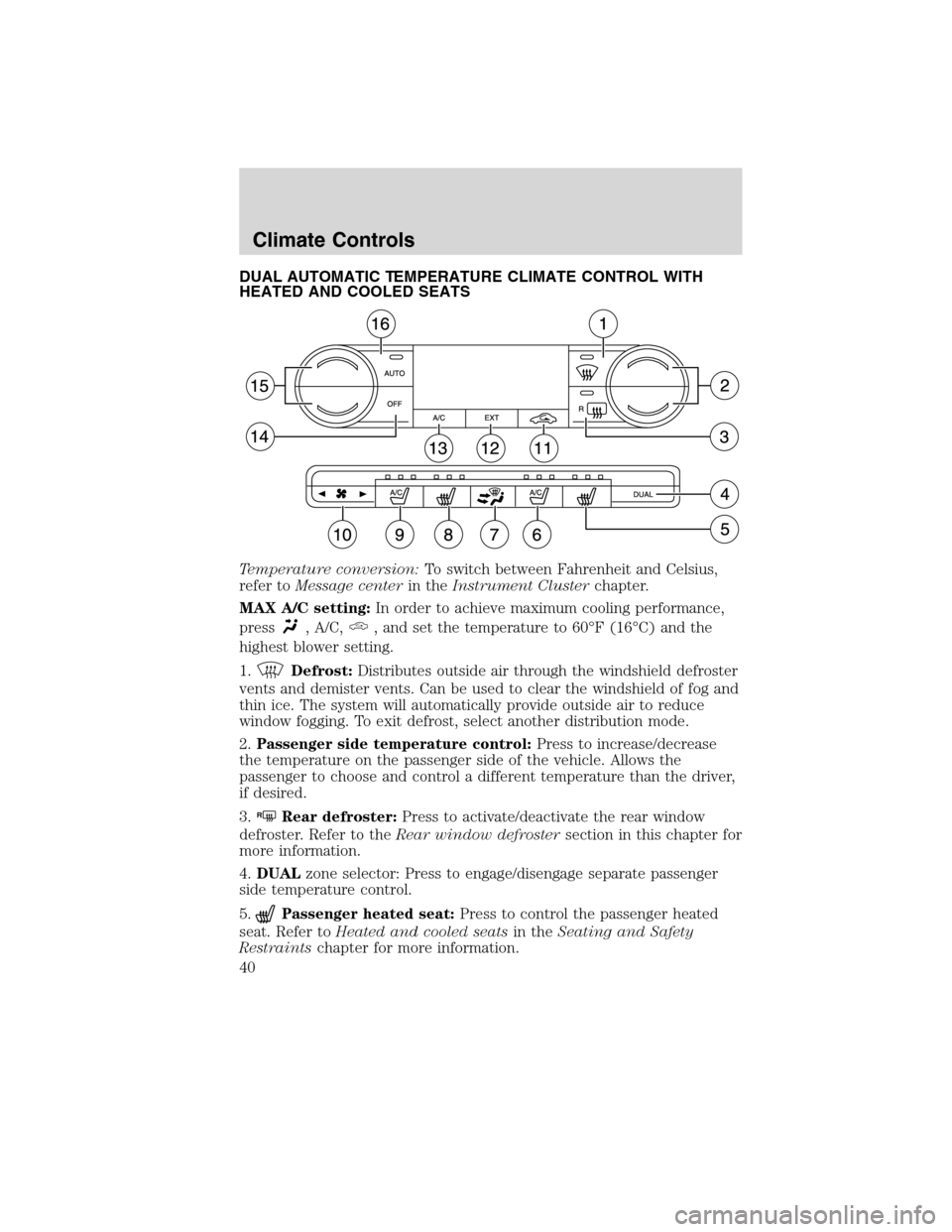
DUAL AUTOMATIC TEMPERATURE CLIMATE CONTROL WITH
HEATED AND COOLED SEATS
Temperature conversion:To switch between Fahrenheit and Celsius,
refer toMessage centerin theInstrument Clusterchapter.
MAX A/C setting:In order to achieve maximum cooling performance,
press
, A/C,, and set the temperature to 60°F (16°C) and the
highest blower setting.
1.
Defrost:Distributes outside air through the windshield defroster
vents and demister vents. Can be used to clear the windshield of fog and
thin ice. The system will automatically provide outside air to reduce
window fogging. To exit defrost, select another distribution mode.
2.Passenger side temperature control:Press to increase/decrease
the temperature on the passenger side of the vehicle. Allows the
passenger to choose and control a different temperature than the driver,
if desired.
3.
RRear defroster:Press to activate/deactivate the rear window
defroster. Refer to theRear window defrostersection in this chapter for
more information.
4.DUALzone selector: Press to engage/disengage separate passenger
side temperature control.
5.
Passenger heated seat:Press to control the passenger heated
seat. Refer toHeated and cooled seatsin theSeating and Safety
Restraintschapter for more information.
Climate Controls
40
2010 MKX(mkx)
Owners Guide(own2002), 1st Printing
USA(fus)
Page 45 of 316
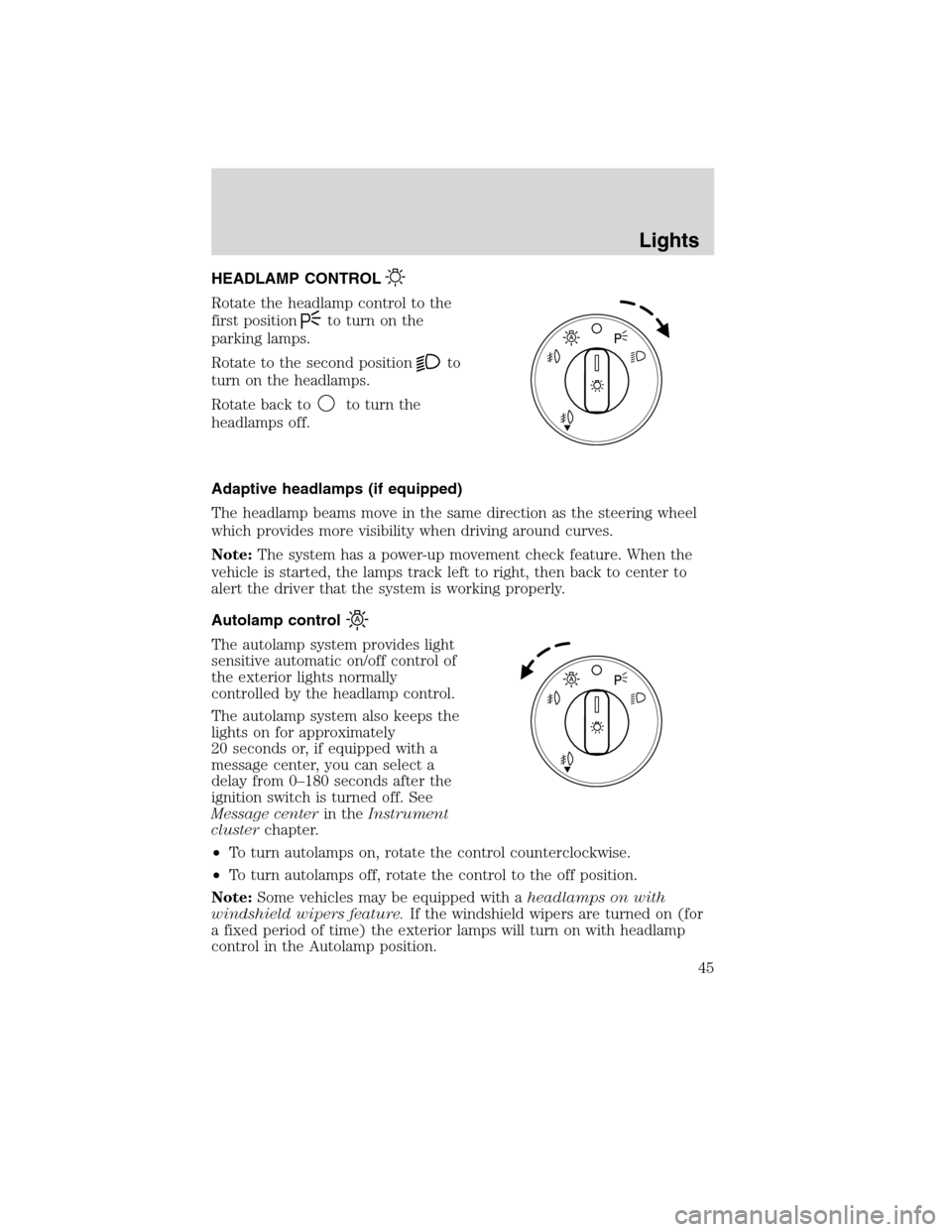
HEADLAMP CONTROL
Rotate the headlamp control to the
first position
to turn on the
parking lamps.
Rotate to the second position
to
turn on the headlamps.
Rotate back to
to turn the
headlamps off.
Adaptive headlamps (if equipped)
The headlamp beams move in the same direction as the steering wheel
which provides more visibility when driving around curves.
Note:The system has a power-up movement check feature. When the
vehicle is started, the lamps track left to right, then back to center to
alert the driver that the system is working properly.
Autolamp control
The autolamp system provides light
sensitive automatic on/off control of
the exterior lights normally
controlled by the headlamp control.
The autolamp system also keeps the
lights on for approximately
20 seconds or, if equipped with a
message center, you can select a
delay from 0–180 seconds after the
ignition switch is turned off. See
Message centerin theInstrument
clusterchapter.
•To turn autolamps on, rotate the control counterclockwise.
•To turn autolamps off, rotate the control to the off position.
Note:Some vehicles may be equipped with aheadlamps on with
windshield wipers feature.If the windshield wipers are turned on (for
a fixed period of time) the exterior lamps will turn on with headlamp
control in the Autolamp position.
Lights
45
2010 MKX(mkx)
Owners Guide(own2002), 1st Printing
USA(fus)
Page 65 of 316
SPEED CONTROL
With speed control set, you can maintain a set speed without keeping
your foot on the accelerator pedal.
WARNING:Do not use the speed control in heavy traffic or on
roads that are winding, slippery or unpaved.
Using speed control
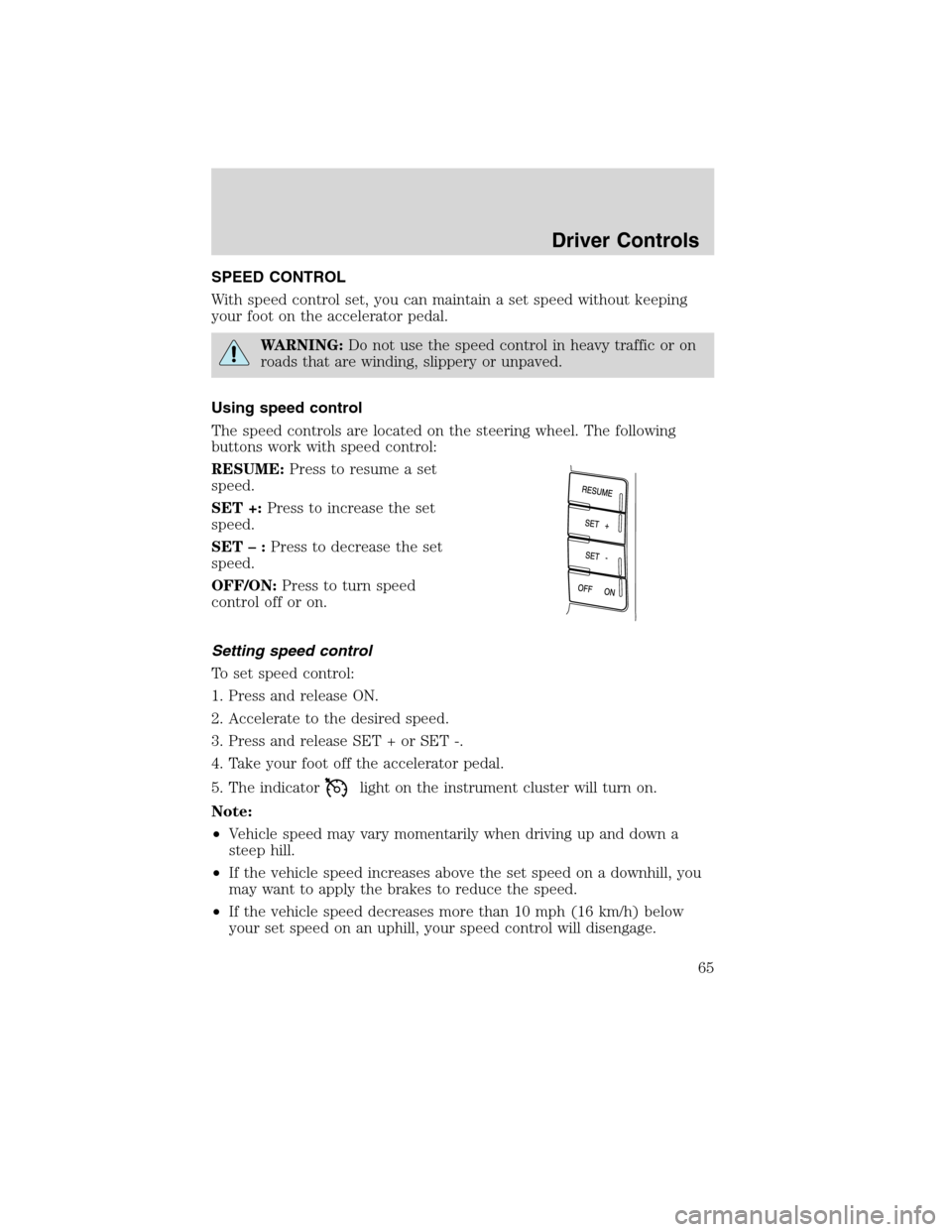
The speed controls are located on the steering wheel. The following
buttons work with speed control:
RESUME:Press to resume a set
speed.
SET +:Press to increase the set
speed.
SET–:Press to decrease the set
speed.
OFF/ON:Press to turn speed
control off or on.
Setting speed control
To set speed control:
1. Press and release ON.
2. Accelerate to the desired speed.
3. Press and release SET + or SET -.
4. Take your foot off the accelerator pedal.
5. The indicator
light on the instrument cluster will turn on.
Note:
•Vehicle speed may vary momentarily when driving up and down a
steep hill.
•If the vehicle speed increases above the set speed on a downhill, you
may want to apply the brakes to reduce the speed.
•If the vehicle speed decreases more than 10 mph (16 km/h) below
your set speed on an uphill, your speed control will disengage.
Driver Controls
65
2010 MKX(mkx)
Owners Guide(own2002), 1st Printing
USA(fus)
Page 81 of 316
The power liftgate feature can be enabled or disabled using the message
center controls. With the setting turned off, power operation is disabled
from the liftgate handle button and from the rear cargo area button. The
integrated keyhead transmitter and instrument panel switch will still
continue to operate the liftgate regardless of the position state of the
message center. Refer toMessage centerin theInstrument Cluster
chapter.
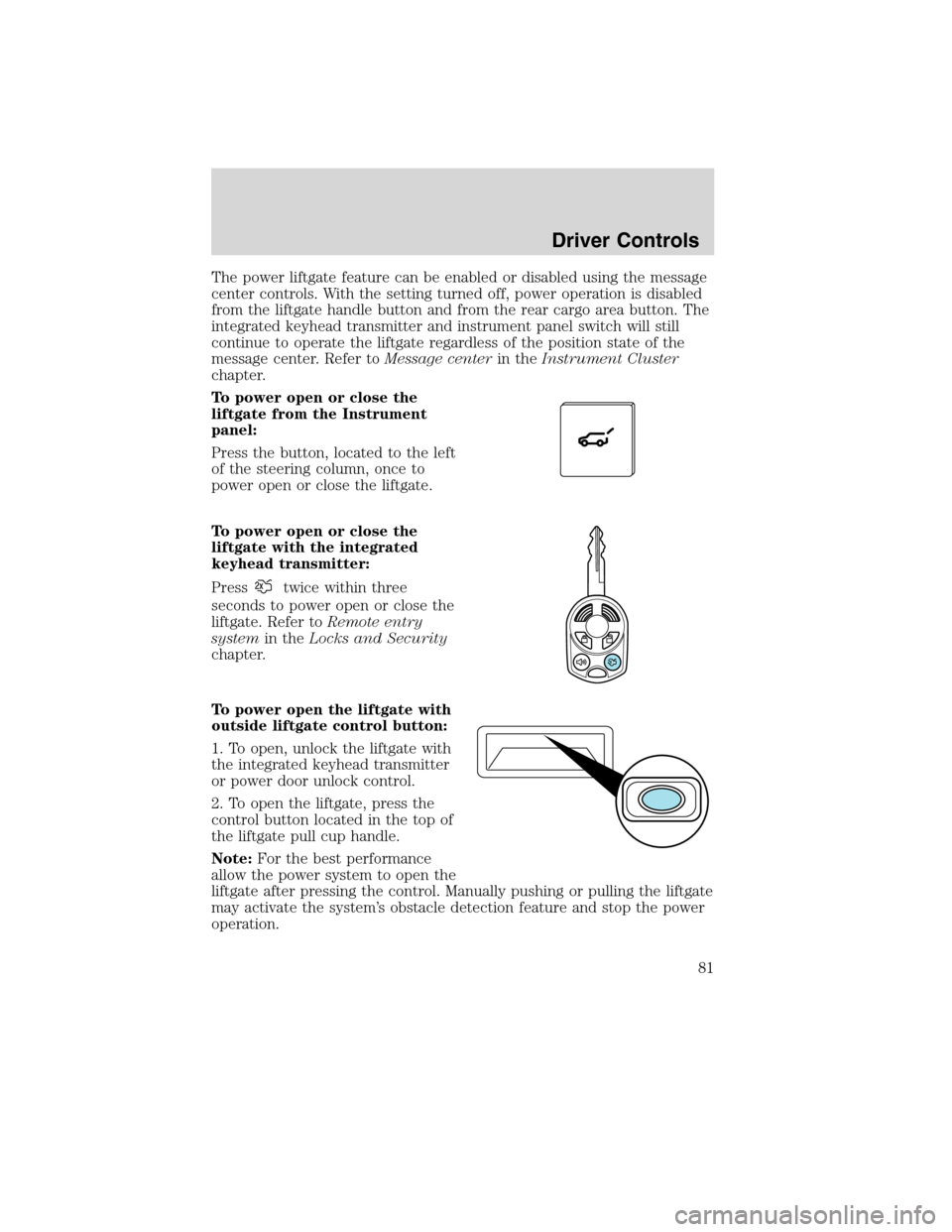
To power open or close the
liftgate from the Instrument
panel:
Press the button, located to the left
of the steering column, once to
power open or close the liftgate.
To power open or close the
liftgate with the integrated
keyhead transmitter:
Press
twice within three
seconds to power open or close the
liftgate. Refer toRemote entry
systemin theLocks and Security
chapter.
To power open the liftgate with
outside liftgate control button:
1. To open, unlock the liftgate with
the integrated keyhead transmitter
or power door unlock control.
2. To open the liftgate, press the
control button located in the top of
the liftgate pull cup handle.
Note:For the best performance
allow the power system to open the
liftgate after pressing the control. Manually pushing or pulling the liftgate
may activate the system’s obstacle detection feature and stop the power
operation.
Driver Controls
81
2010 MKX(mkx)
Owners Guide(own2002), 1st Printing
USA(fus)
Page 82 of 316
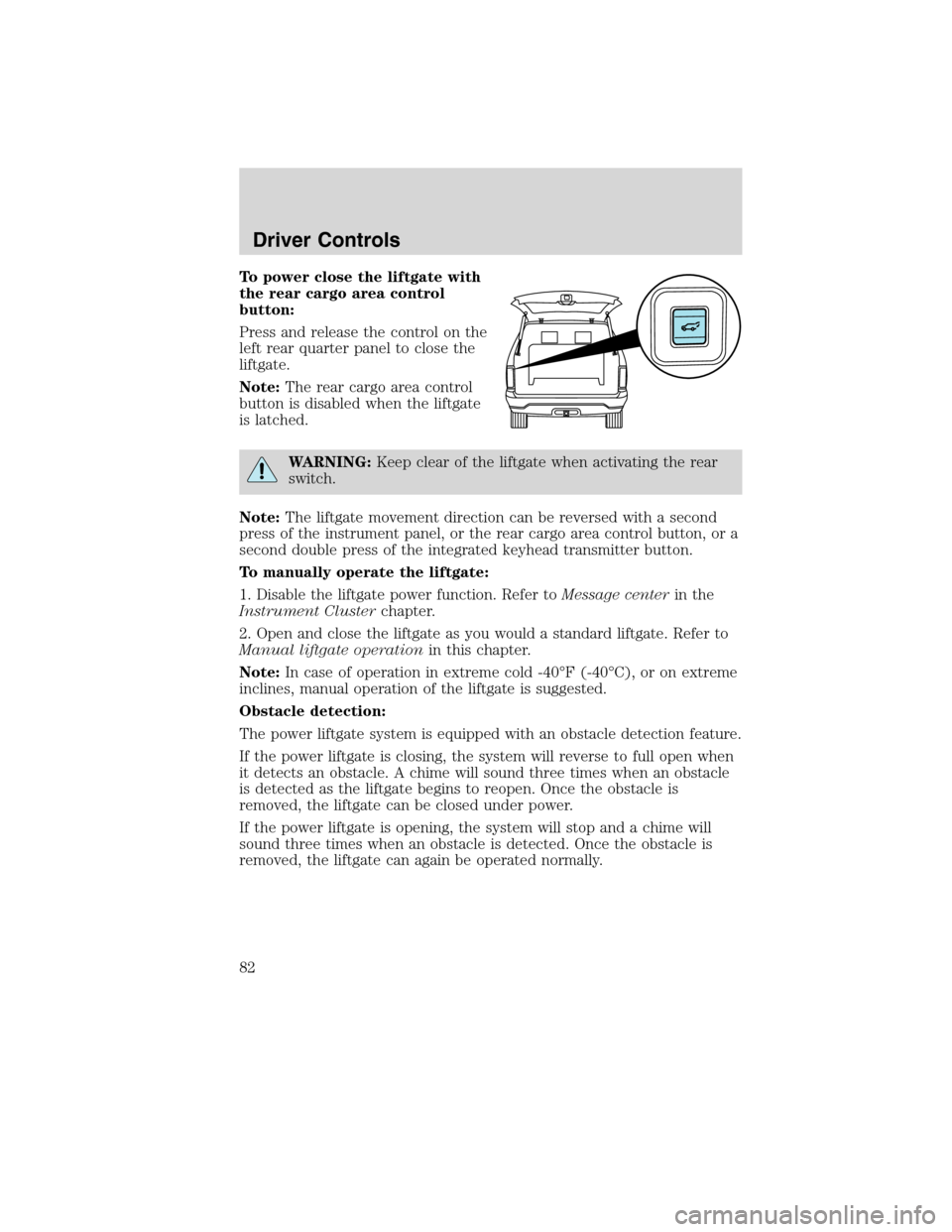
To power close the liftgate with
the rear cargo area control
button:
Press and release the control on the
left rear quarter panel to close the
liftgate.
Note:The rear cargo area control
button is disabled when the liftgate
is latched.
WARNING:Keep clear of the liftgate when activating the rear
switch.
Note:The liftgate movement direction can be reversed with a second
press of the instrument panel, or the rear cargo area control button, or a
second double press of the integrated keyhead transmitter button.
To manually operate the liftgate:
1. Disable the liftgate power function. Refer toMessage centerin the
Instrument Clusterchapter.
2. Open and close the liftgate as you would a standard liftgate. Refer to
Manual liftgate operationin this chapter.
Note:In case of operation in extreme cold -40°F (-40°C), or on extreme
inclines, manual operation of the liftgate is suggested.
Obstacle detection:
The power liftgate system is equipped with an obstacle detection feature.
If the power liftgate is closing, the system will reverse to full open when
it detects an obstacle. A chime will sound three times when an obstacle
is detected as the liftgate begins to reopen. Once the obstacle is
removed, the liftgate can be closed under power.
If the power liftgate is opening, the system will stop and a chime will
sound three times when an obstacle is detected. Once the obstacle is
removed, the liftgate can again be operated normally.
Driver Controls
82
2010 MKX(mkx)
Owners Guide(own2002), 1st Printing
USA(fus)
Page 89 of 316
Deactivating/activating autolock feature
Your vehicle comes with the autolock features activated; there are four
methods to enable/disable this feature:
•Through your authorized dealer,
•by using a power door unlock/lock procedure,
•using a keypad procedure, or
•or by using the instrument cluster message center. Refer toMessage
centerin theInstrument Clusterchapter.
Note:The autolock feature can be activated/deactivated independently
of the autounlock feature.
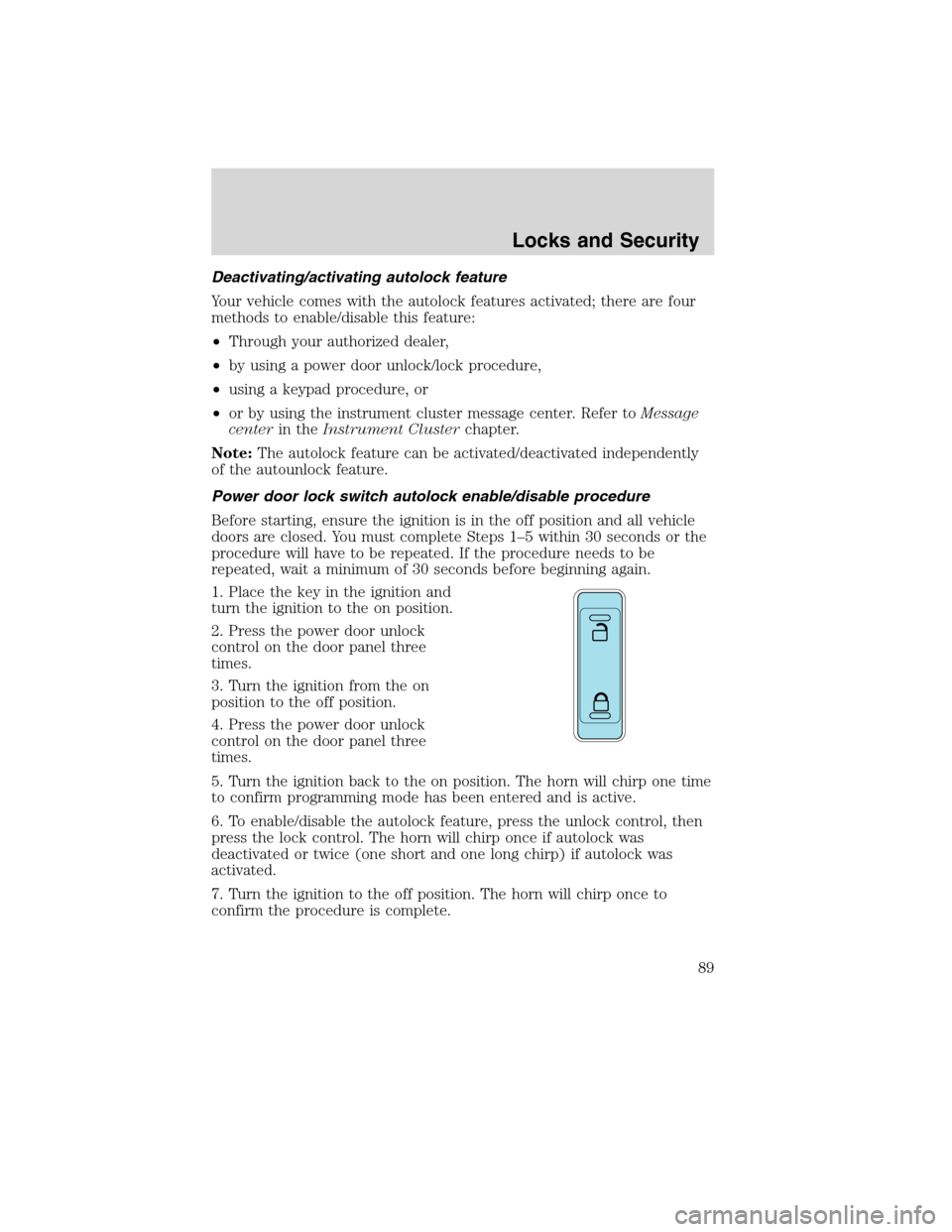
Power door lock switch autolock enable/disable procedure
Before starting, ensure the ignition is in the off position and all vehicle
doors are closed. You must complete Steps 1–5 within 30 seconds or the
procedure will have to be repeated. If the procedure needs to be
repeated, wait a minimum of 30 seconds before beginning again.
1. Place the key in the ignition and
turn the ignition to the on position.
2. Press the power door unlock
control on the door panel three
times.
3. Turn the ignition from the on
position to the off position.
4. Press the power door unlock
control on the door panel three
times.
5. Turn the ignition back to the on position. The horn will chirp one time
to confirm programming mode has been entered and is active.
6. To enable/disable the autolock feature, press the unlock control, then
press the lock control. The horn will chirp once if autolock was
deactivated or twice (one short and one long chirp) if autolock was
activated.
7. Turn the ignition to the off position. The horn will chirp once to
confirm the procedure is complete.
Locks and Security
89
2010 MKX(mkx)
Owners Guide(own2002), 1st Printing
USA(fus)