light LINCOLN MKX 2011 User Guide
[x] Cancel search | Manufacturer: LINCOLN, Model Year: 2011, Model line: MKX, Model: LINCOLN MKX 2011Pages: 367, PDF Size: 2.56 MB
Page 20 of 367
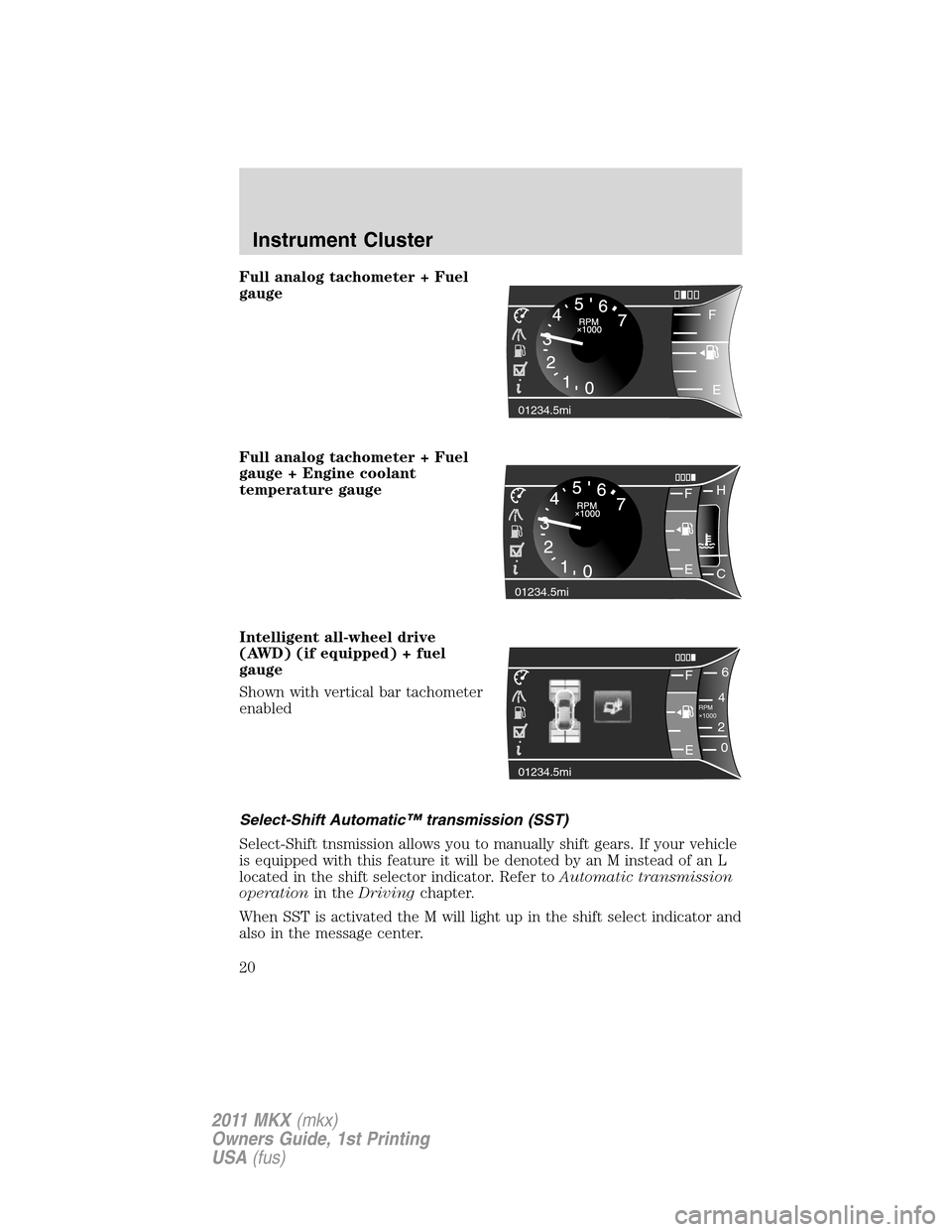
Full analog tachometer + Fuel
gauge
Full analog tachometer + Fuel
gauge + Engine coolant
temperature gauge
Intelligent all-wheel drive
(AWD) (if equipped) + fuel
gauge
Shown with vertical bar tachometer
enabled
Select-Shift Automatic™ transmission (SST)
Select-Shift tnsmission allows you to manually shift gears. If your vehicle
is equipped with this feature it will be denoted by an M instead of an L
located in the shift selector indicator. Refer toAutomatic transmission
operationin theDrivingchapter.
When SST is activated the M will light up in the shift select indicator and
also in the message center.
i01234.5mi
F
E
01234.5mi
FH
C E
F6
4
RPM
1000+2
0
01234.5mi
E
Instrument Cluster
20
2011 MKX(mkx)
Owners Guide, 1st Printing
USA(fus)
Page 21 of 367
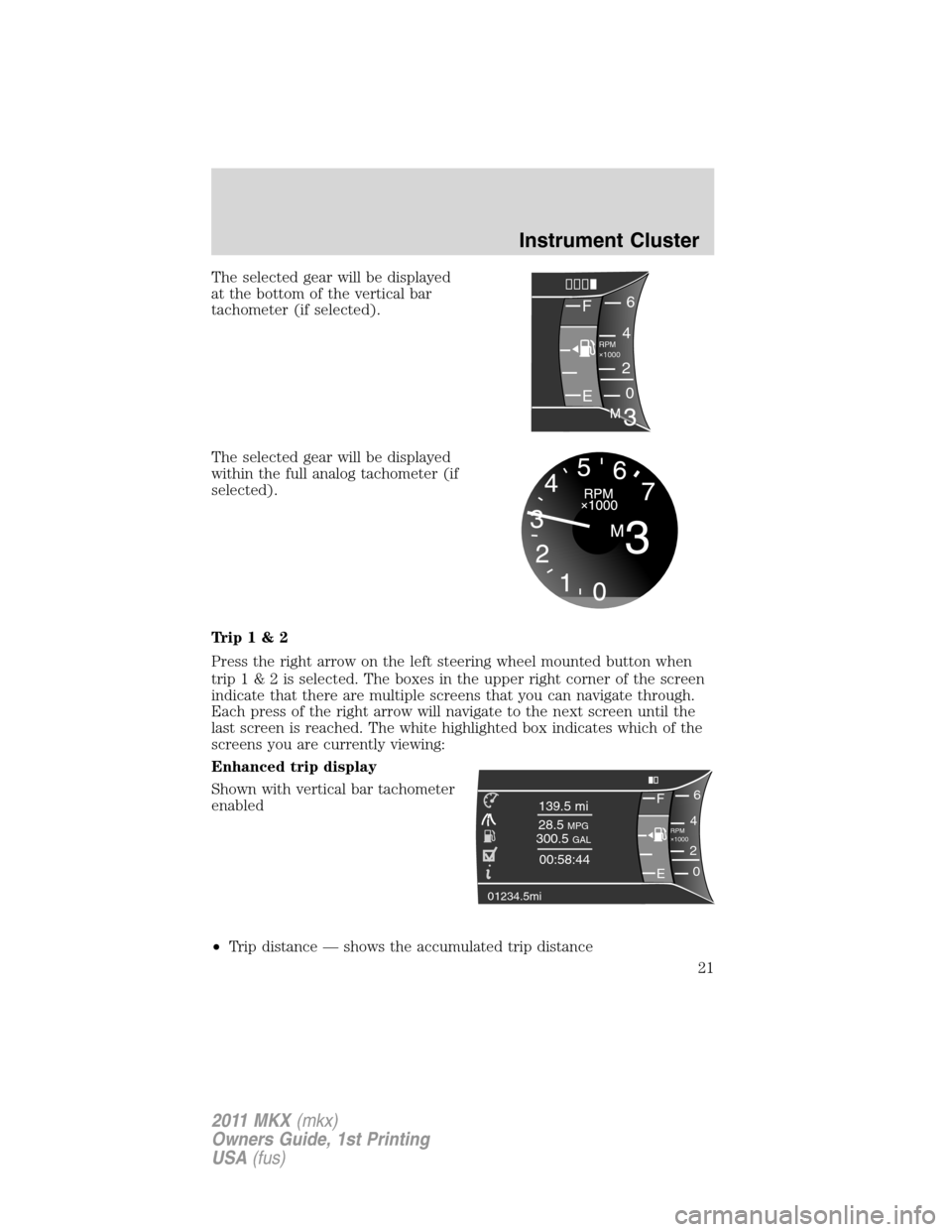
The selected gear will be displayed
at the bottom of the vertical bar
tachometer (if selected).
The selected gear will be displayed
within the full analog tachometer (if
selected).
Trip1&2
Press the right arrow on the left steering wheel mounted button when
trip1&2isselected.Theboxes in the upper right corner of the screen
indicate that there are multiple screens that you can navigate through.
Each press of the right arrow will navigate to the next screen until the
last screen is reached. The white highlighted box indicates which of the
screens you are currently viewing:
Enhanced trip display
Shown with vertical bar tachometer
enabled
•Trip distance — shows the accumulated trip distance
F6
4
RPM
1000+
2
0
E
F6
4 139.5 mi
28.5
MPG300.5 GAL
00:58:44
RPM
1000+
2
0
01234.5mi
E
Instrument Cluster
21
2011 MKX(mkx)
Owners Guide, 1st Printing
USA(fus)
Page 23 of 367
Fuel Economy
Press the right arrow on the left steering wheel mounted button when
fuel economy is selected. The boxes in the upper right corner of the
screen indicate that there are multiple screens that you can navigate
through. Each press of the right arrow will navigate to the next screen
until the last screen is reached. The white highlighted box indicates
which of the screens you are currently viewing:
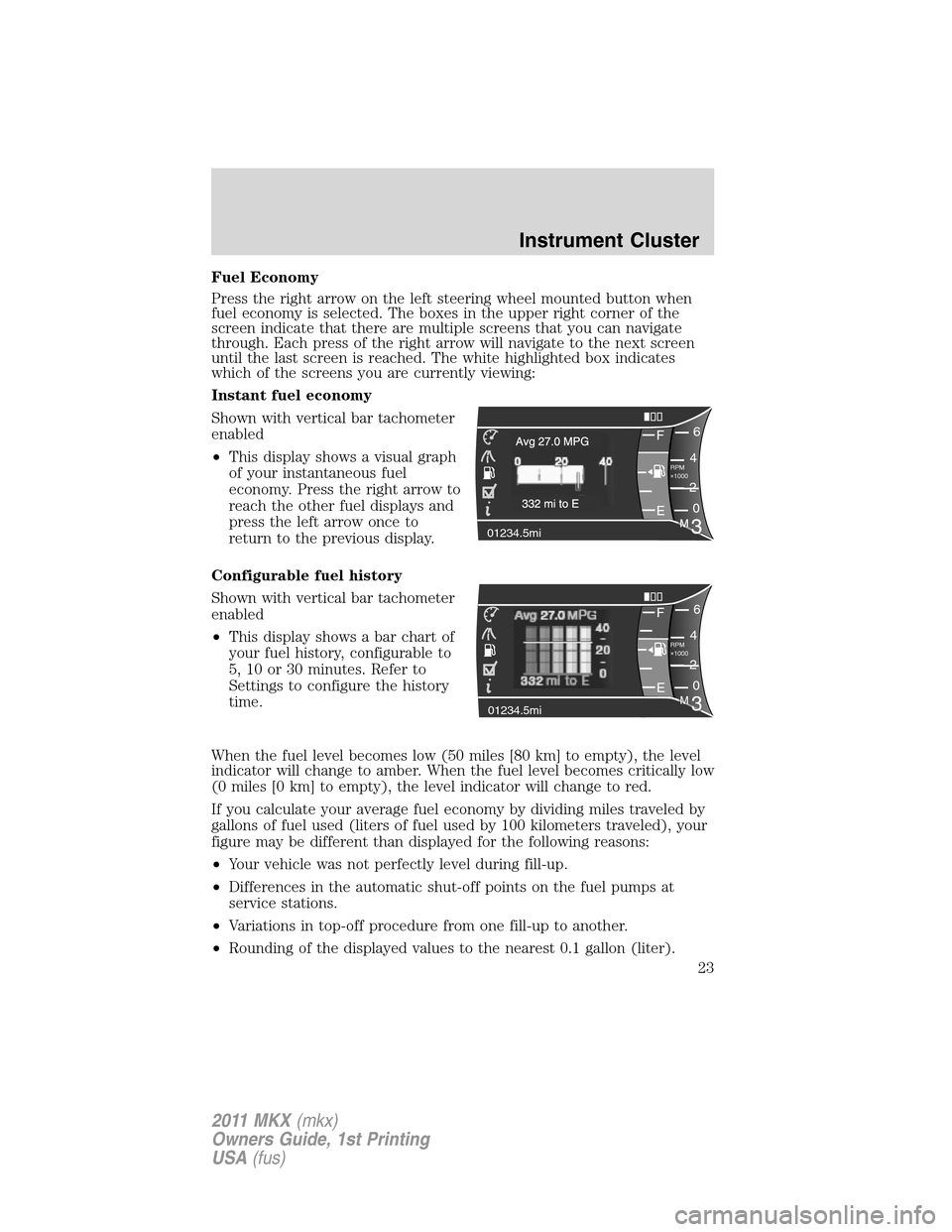
Instant fuel economy
Shown with vertical bar tachometer
enabled
•This display shows a visual graph
of your instantaneous fuel
economy. Press the right arrow to
reach the other fuel displays and
press the left arrow once to
return to the previous display.
Configurable fuel history
Shown with vertical bar tachometer
enabled
•This display shows a bar chart of
your fuel history, configurable to
5, 10 or 30 minutes. Refer to
Settings to configure the history
time.
When the fuel level becomes low (50 miles [80 km] to empty), the level
indicator will change to amber. When the fuel level becomes critically low
(0 miles [0 km] to empty), the level indicator will change to red.
If you calculate your average fuel economy by dividing miles traveled by
gallons of fuel used (liters of fuel used by 100 kilometers traveled), your
figure may be different than displayed for the following reasons:
•Your vehicle was not perfectly level during fill-up.
•Differences in the automatic shut-off points on the fuel pumps at
service stations.
•Variations in top-off procedure from one fill-up to another.
•Rounding of the displayed values to the nearest 0.1 gallon (liter).
F6
4
RPM
1000+
2
0
01234.5mi
E
F6
4
RPM
1000+
2
0
01234.5mi
EM3
Instrument Cluster
23
2011 MKX(mkx)
Owners Guide, 1st Printing
USA(fus)
Page 27 of 367
System Check*
Oil Life
Wash Fluid
Doors
Liftgate
B lind spot
Cross Traffic
Brakes
Fuel (distance to empty)
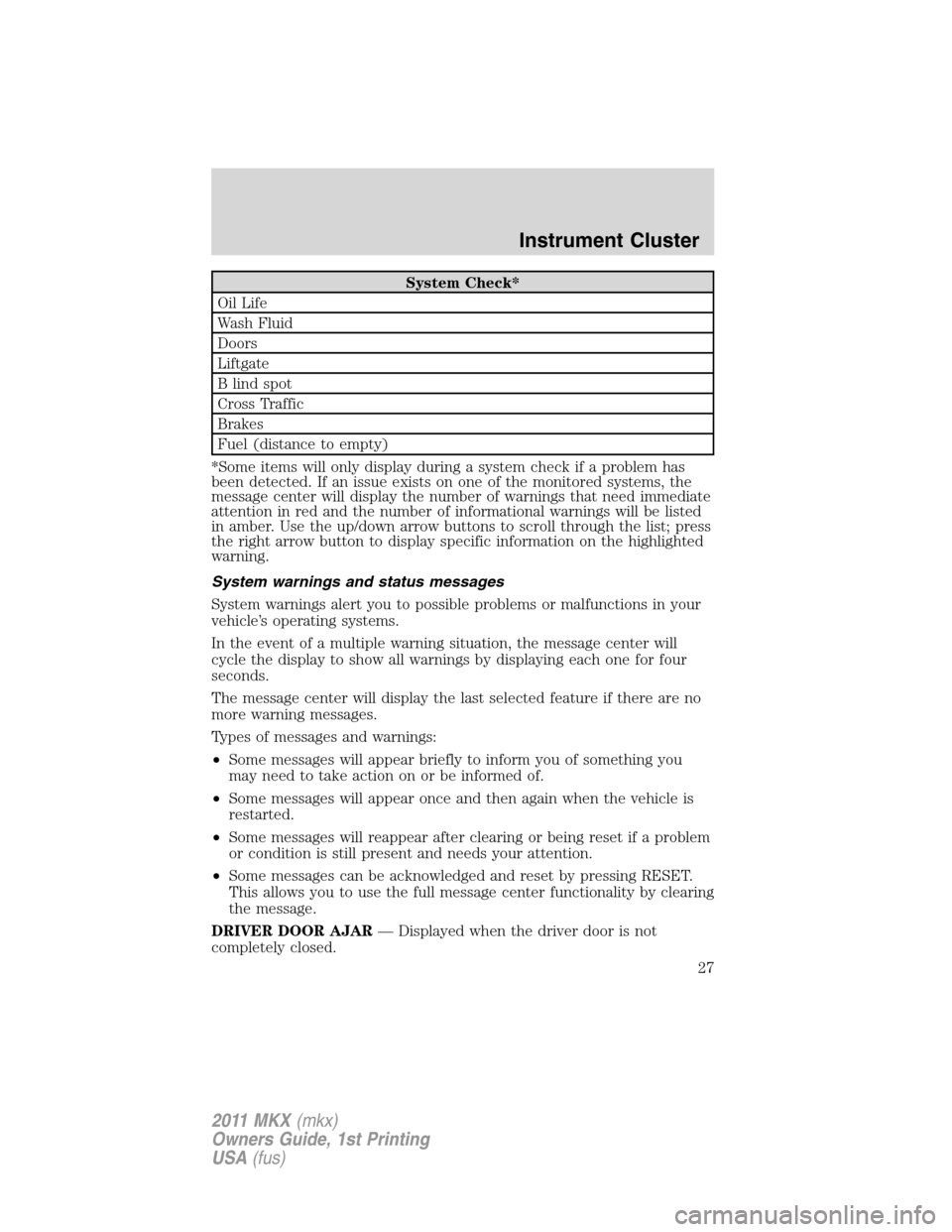
*Some items will only display during a system check if a problem has
been detected. If an issue exists on one of the monitored systems, the
message center will display the number of warnings that need immediate
attention in red and the number of informational warnings will be listed
in amber. Use the up/down arrow buttons to scroll through the list; press
the right arrow button to display specific information on the highlighted
warning.
System warnings and status messages
System warnings alert you to possible problems or malfunctions in your
vehicle’s operating systems.
In the event of a multiple warning situation, the message center will
cycle the display to show all warnings by displaying each one for four
seconds.
The message center will display the last selected feature if there are no
more warning messages.
Types of messages and warnings:
•Some messages will appear briefly to inform you of something you
may need to take action on or be informed of.
•Some messages will appear once and then again when the vehicle is
restarted.
•Some messages will reappear after clearing or being reset if a problem
or condition is still present and needs your attention.
•Some messages can be acknowledged and reset by pressing RESET.
This allows you to use the full message center functionality by clearing
the message.
DRIVER DOOR AJAR— Displayed when the driver door is not
completely closed.
Instrument Cluster
27
2011 MKX(mkx)
Owners Guide, 1st Printing
USA(fus)
Page 30 of 367
message after driving a short distance with the road tire re-installed or
after the system is allowed to cool.
CHECK AWD— Displayed in conjunction with the Throttle
Control/Transmission/AWD
light when the AWD system is not
operating properly. If the warning stays on or continues to come on,
contact your authorized dealer as soon as possible.
FOR HILL DESCENT REDUCE SPEED 20 MPH OR LESS (if
equipped)— Displayed when hill descent speed exceeds 20 MPH.
FOR HILL DESCENT REDUCE SPEED 32 KM/H OR LESS (if
equipped)— Displayed when hill descent speed exceeds 32 KM/H.
FOR HILL DESCENT SHIFT INTO GEAR (if equipped)—
Displayed when hill descent control mode requires driver shift
transmission into gear.
FOR OFF ROAD SLOW TO 5 MPH (if equipped)— Displayed when
the vehicle speed requirement for off road mode entry has not been met.
DRIVER RESUME CONTROL (if equipped)— Displayed when the
hill control and off road mode require the driver to resume control.
HILL DESCENT CONTROL ACTIVE (if equipped)— Displayed
when hill descent control mode becomes active.
HILL DESCENT CONTROL FAULT (if equipped)— Displayed when
a hill descent system fault is present.
HILL DESCENT CONTROL OFF (if equipped)— Displayed when hill
descent control mode becomes inactive.
HILL DESCENT CONTROL OFF SYSTEM COOLING (if equipped)
— Displayed when hill descent control mode is disabled to cool the
brake system.
HILL DESCENT CONTROL READY (if equipped)— Displayed
when hill descent control mode is ready.
MODE CHANGE NOT ACCEPTED, RETRY (if equipped)—
Displayed when hill descent control mode cannot be changed at time of
driver request.
ACCESSORY POWER ACTIVE (if equipped)— Displayed when the
vehicle is in the accessory ignition state.
CHECK SPEED DRIVE SAFELY— Displayed when a MyKey™ is in
use and the optional setting is on and the vehicle exceeds a preselected
speed. Refer toMyKey™in theLocks and Securitychapter for more
information.
Instrument Cluster
30
2011 MKX(mkx)
Owners Guide, 1st Printing
USA(fus)
Page 36 of 367
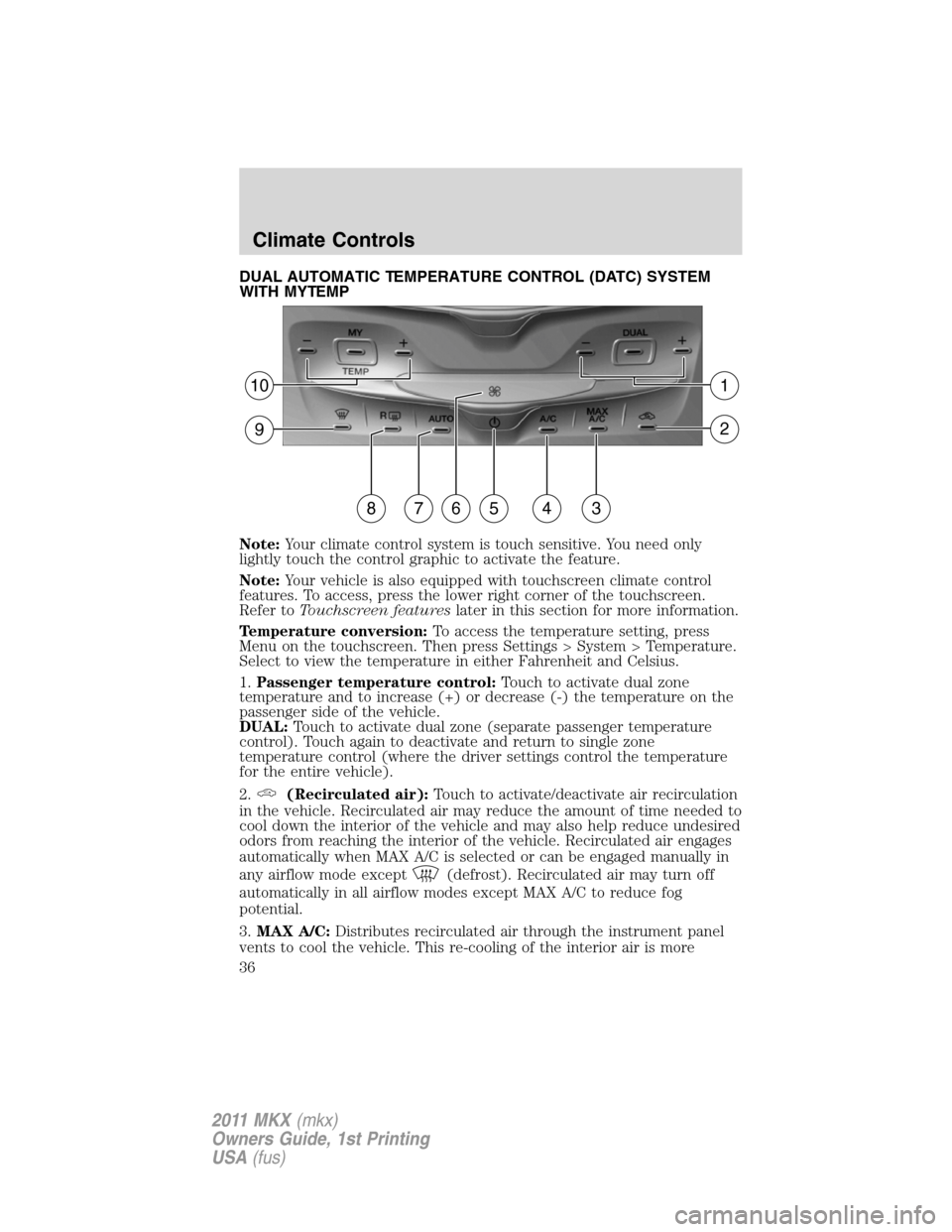
DUAL AUTOMATIC TEMPERATURE CONTROL (DATC) SYSTEM
WITH MYTEMP
Note:Your climate control system is touch sensitive. You need only
lightly touch the control graphic to activate the feature.
Note:Your vehicle is also equipped with touchscreen climate control
features. To access, press the lower right corner of the touchscreen.
Refer toTouchscreen featureslater in this section for more information.
Temperature conversion:To access the temperature setting, press
Menu on the touchscreen. Then press Settings > System > Temperature.
Select to view the temperature in either Fahrenheit and Celsius.
1.Passenger temperature control:Touch to activate dual zone
temperature and to increase (+) or decrease (-) the temperature on the
passenger side of the vehicle.
DUAL:Touch to activate dual zone (separate passenger temperature
control). Touch again to deactivate and return to single zone
temperature control (where the driver settings control the temperature
for the entire vehicle).
2.
(Recirculated air):Touch to activate/deactivate air recirculation
in the vehicle. Recirculated air may reduce the amount of time needed to
cool down the interior of the vehicle and may also help reduce undesired
odors from reaching the interior of the vehicle. Recirculated air engages
automatically when MAX A/C is selected or can be engaged manually in
any airflow mode except
(defrost). Recirculated air may turn off
automatically in all airflow modes except MAX A/C to reduce fog
potential.
3.MAX A/C:Distributes recirculated air through the instrument panel
vents to cool the vehicle. This re-cooling of the interior air is more
101
92
876543
Climate Controls
36
2011 MKX(mkx)
Owners Guide, 1st Printing
USA(fus)
Page 38 of 367
Operating tips
•To reduce fog build-up on the windshield during humid weather,
select
(defrost) or(floor/defrost).
•To reduce humidity build-up inside the vehicle, do not drive with the
system off or with
(recirculated air) engaged and A/C off.
•Do not put objects under the front seats that will interfere with the
airflow to the back seats.
•Remove any snow, ice or leaves from the air intake area at the base of
the windshield.
•To improve the A/C cool down, drive with the windows slightly open
for 2-3 minutes after start-up or until the vehicle has been “aired out.”
•A small amount of air may be felt from the floor vent regardless of the
air distribution setting that is selected.
For maximum cooling performance (MAX A/C):
1. Press MAX A/C. The system will default to single-zone operation and
set the temperature to 60°F (16°C).
2. A/C,
andwill be selected.
3. Fan speed will be increased to the highest speed, but can be adjusted
as desired.
To aid in side window defogging/demisting in cold weather:
1. Select
(panel/floor).
2. Select A/C.
3. Adjust the temperature control to maintain comfort.
4. Set the fan speed to the highest setting.
5. Direct the outer instrument panel vents towards the side windows.
To increase airflow to the outer instrument panel vents, close the vents
located in the middle of the instrument panel.
Climate Controls
38
2011 MKX(mkx)
Owners Guide, 1st Printing
USA(fus)
Page 42 of 367
*Note:If you have said “Temperature”, you can then say any of the
following commands:
•High•Low
•<15.5–29.5> degrees•<60–85> degrees
For more information on your touchscreen system, refer to theMyFord
Touch™ / MyLincoln Touch™ supplement.
REAR WINDOW DEFROSTER
R
The rear defroster control is located on the climate control panel and
works to clear the rear window of fog and thin ice.
The engine must be running to operate the rear window defroster.
Press
Rto turn the rear window defroster on. An indicator light on the
button will illuminate when active. The rear window defroster turns off
automatically after a predetermined amount of time, if a low battery
condition is detected or when the ignition is turned to the off or
accessory position. To manually turn off the rear window defroster at any
time, press the control again.
If your vehicle is equipped with both rear defroster and heated mirrors,
the same button will activate both. Refer toHeated outside mirrorsin
theDriver Controlschapter.
Do not use razor blades or other sharp objects to clean the inside
of the rear window or to remove decals from the inside of the
rear window. This may cause damage to the heated grid lines and
will not be covered by your warranty.
REMOTE START CLIMATE OPERATION (IF EQUIPPED)
The climate control system will condition the cabin temperature during
remote start. Engine idle may increase to help with adjusting the cabin
temperature.
Note:No climate control adjustments will be recognized during remote
start operation. Once the ignition is cycled to the on position, the climate
control system will return to the previous settings (last ignition-on cycle)
and adjustments can be made normally. If the previous setting was off,
the climate control system will turn off.
Climate Controls
42
2011 MKX(mkx)
Owners Guide, 1st Printing
USA(fus)
Page 44 of 367
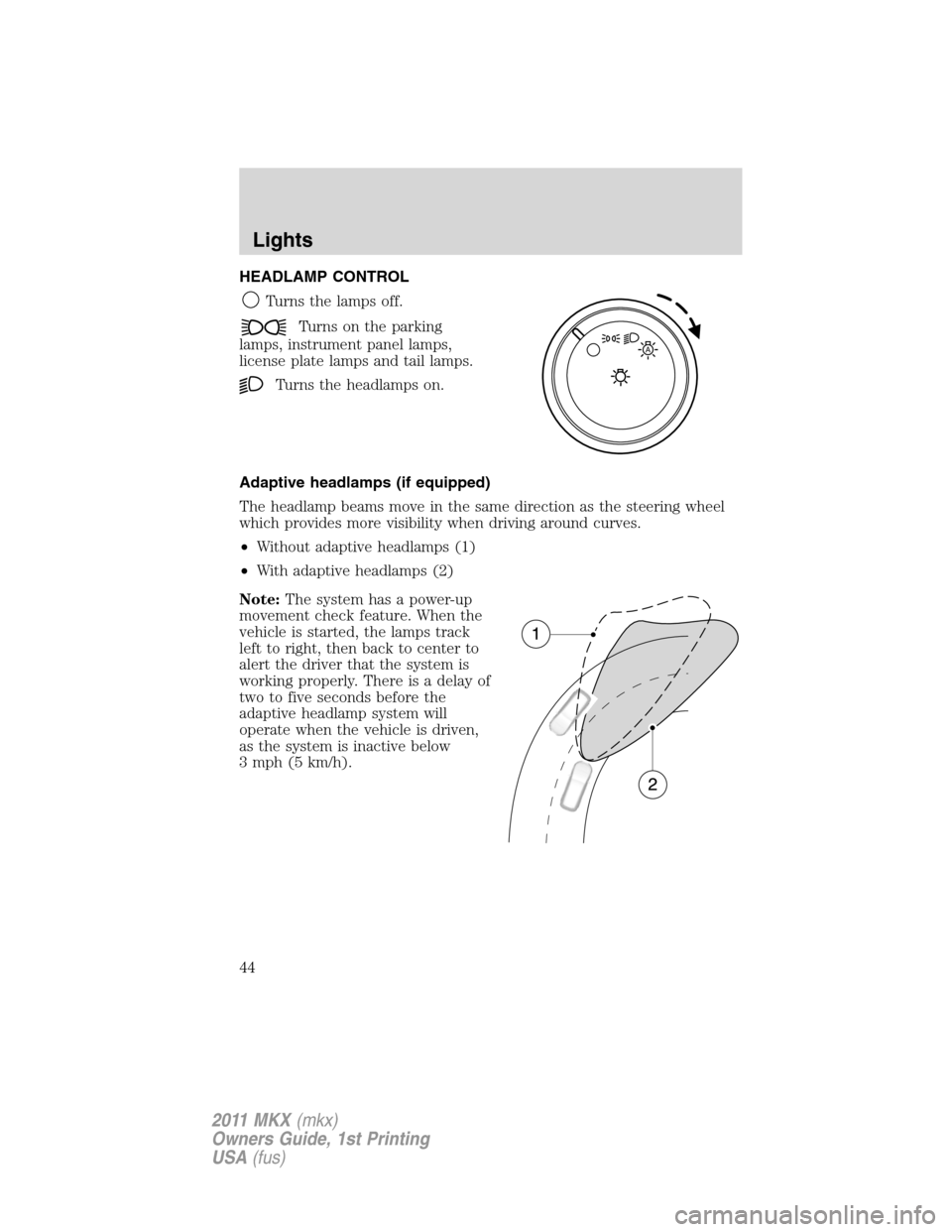
HEADLAMP CONTROL
Turns the lamps off.
Turns on the parking
lamps, instrument panel lamps,
license plate lamps and tail lamps.
Turns the headlamps on.
Adaptive headlamps (if equipped)
The headlamp beams move in the same direction as the steering wheel
which provides more visibility when driving around curves.
•Without adaptive headlamps (1)
•With adaptive headlamps (2)
Note:The system has a power-up
movement check feature. When the
vehicle is started, the lamps track
left to right, then back to center to
alert the driver that the system is
working properly. There is a delay of
two to five seconds before the
adaptive headlamp system will
operate when the vehicle is driven,
as the system is inactive below
3 mph (5 km/h).
A
Lights
44
2011 MKX(mkx)
Owners Guide, 1st Printing
USA(fus)
Page 45 of 367
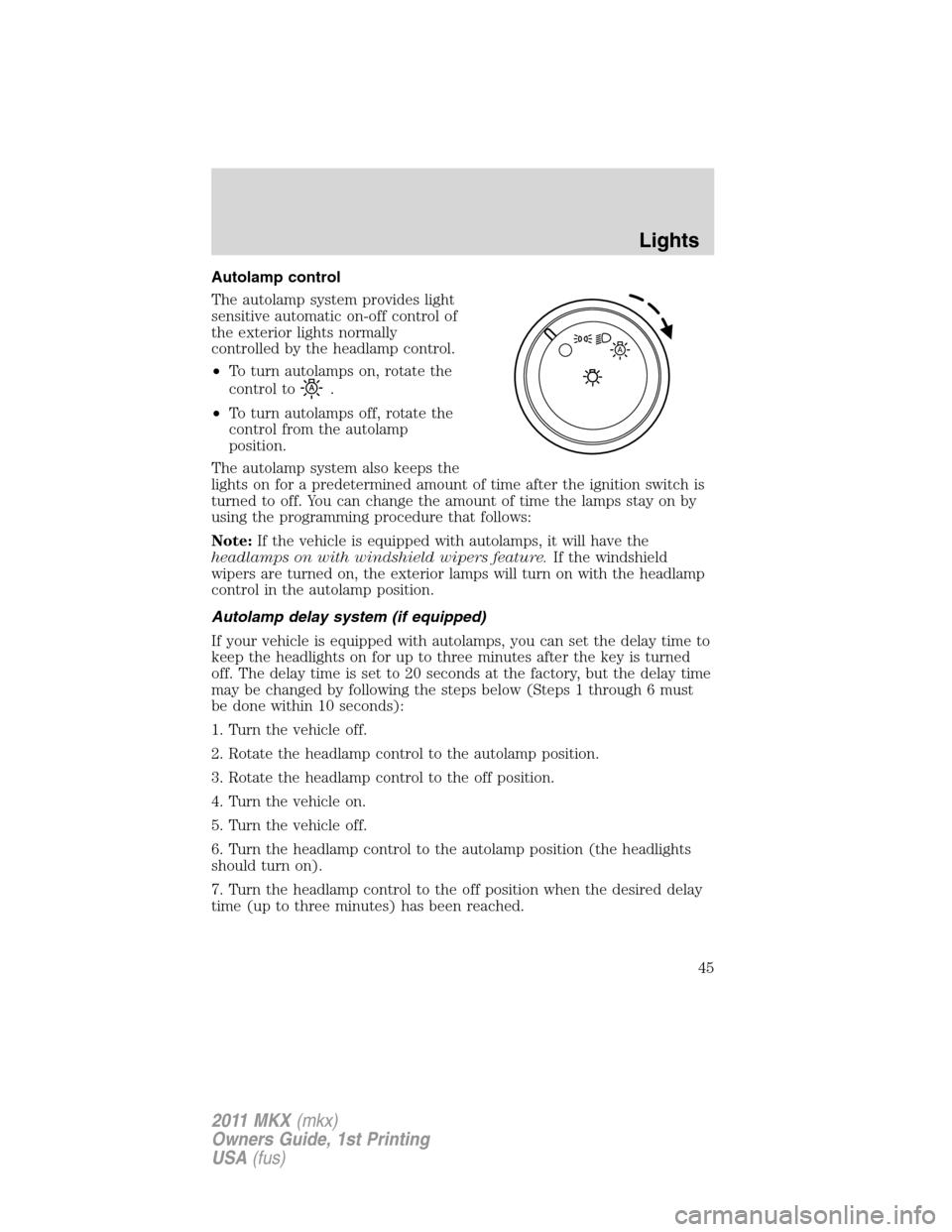
Autolamp control
The autolamp system provides light
sensitive automatic on-off control of
the exterior lights normally
controlled by the headlamp control.
•To turn autolamps on, rotate the
control to
.
•To turn autolamps off, rotate the
control from the autolamp
position.
The autolamp system also keeps the
lights on for a predetermined amount of time after the ignition switch is
turned to off. You can change the amount of time the lamps stay on by
using the programming procedure that follows:
Note:If the vehicle is equipped with autolamps, it will have the
headlamps on with windshield wipers feature.If the windshield
wipers are turned on, the exterior lamps will turn on with the headlamp
control in the autolamp position.
Autolamp delay system (if equipped)
If your vehicle is equipped with autolamps, you can set the delay time to
keep the headlights on for up to three minutes after the key is turned
off. The delay time is set to 20 seconds at the factory, but the delay time
may be changed by following the steps below (Steps 1 through 6 must
be done within 10 seconds):
1. Turn the vehicle off.
2. Rotate the headlamp control to the autolamp position.
3. Rotate the headlamp control to the off position.
4. Turn the vehicle on.
5. Turn the vehicle off.
6. Turn the headlamp control to the autolamp position (the headlights
should turn on).
7. Turn the headlamp control to the off position when the desired delay
time (up to three minutes) has been reached.
A
Lights
45
2011 MKX(mkx)
Owners Guide, 1st Printing
USA(fus)