ac mode LINCOLN MKX 2016 User Guide
[x] Cancel search | Manufacturer: LINCOLN, Model Year: 2016, Model line: MKX, Model: LINCOLN MKX 2016Pages: 563, PDF Size: 4.96 MB
Page 63 of 563
PRINCIPLE OF OPERATION
MyKey allows you to program keys with
restricted driving modes to promote good
driving habits. All but one of the keys can be
activated with these restricted modes.
Any keys that remain unprogrammed are
referred to as administrator keys or admin
keys. They can be used to:
•
Create a MyKey.
• Program configurable MyKey settings.
• Clear all MyKey features.
When you have created a MyKey, you can
access the following information by using
the information display to determine:
• How many admin keys and MyKeys are
programmed to your vehicle.
• The total distance your vehicle traveled
with a MyKey.
Note: Switch the vehicle on to use the
system.
Note: All MyKeys are programmed to the
same settings. You cannot program them
individually. Note:
For vehicles equipped with
push-button start, when both a MyKey and
an admin remote transmitter are present,
the admin remote transmitter will be
recognized by the vehicle while switching
the vehicle on to start the vehicle.
Non-configurable Settings
The following settings cannot be changed
by an admin key user:
• Safety belt reminder. You cannot disable
this feature. The audio system will mute
when the front seat passengers ’ safety
belts are not fastened.
• Early low fuel or charge. The low-fuel or
low charge warning activates earlier,
giving the MyKey user more time to refuel
or recharge.
• Driver assist features, if equipped on your
vehicle, are forced on: parking aid and
Blind Spot Information System (BLIS) with
cross traffic alert.
• Satellite radio adult content restrictions,
if equipped on your vehicle. Configurable Settings
With an admin key, you can configure certain
MyKey settings when you first create a
MyKey and before you recycle the key or
restart the vehicle. You can also change the
settings afterward with an admin key.
•
A vehicle speed limit can be set.
Warnings will be shown in the display
followed by an audible tone when your
vehicle reaches the set speed. You
cannot override the set speed by fully
depressing the accelerator pedal or by
setting cruise control. WARNING
Do not set MyKey maximum speed limit
to a limit that will prevent the driver
from maintaining a safe speed considering
posted speed limits and prevailing road
conditions. The driver is always responsible
to drive in accordance with local laws and
prevailing conditions. Failure to do so could
result in accident or injury. 60
MKX (CD9) Canada/United States of America, enUSA, ASO/OGC Review MyKey™
Page 68 of 563
USING MYKEY WITH REMOTE
START SYSTEMS
MyKey is not compatible with non
Ford-approved, aftermarket remote start
systems. If you choose to install a remote
start system, see an authorized dealer for a
Ford-approved remote start system.
MYKEY TROUBLESHOOTING Potential Causes
Condition
I cannot create a MyKey. •The key or transmitter used to start the vehicle does not have admin privileg\
es.
• The key or transmitter used to start the vehicle is the only admin key (there always has to be at
least one admin key).
• Vehicles with keyless start: The keyless start transmitter is not placed in the backup position.
See Starting a Gasoline Engine (page 168).
• SecuriLock passive anti-theft system is disabled or in unlimited mode.
• The key or transmitter used to start your vehicle does not have admin privile\
ges.
• No MyKeys are created.
See Creating a MyKey (page 61).
I cannot program the configurable
settings.
•The key or transmitter used to start your vehicle does not have admin privile\
ges.
• No MyKeys are created.
See Creating a MyKey (page 61).
I cannot clear the MyKeys.
Purchase a new key from an authorized dealer.
I lost the only admin key.
65
MKX (CD9) Canada/United States of America, enUSA, ASO/OGC Review MyKey™
Page 70 of 563
LOCKING AND UNLOCKING
You can use the power door lock control or
the remote control to lock and unlock your
vehicle.
Power Door Locks
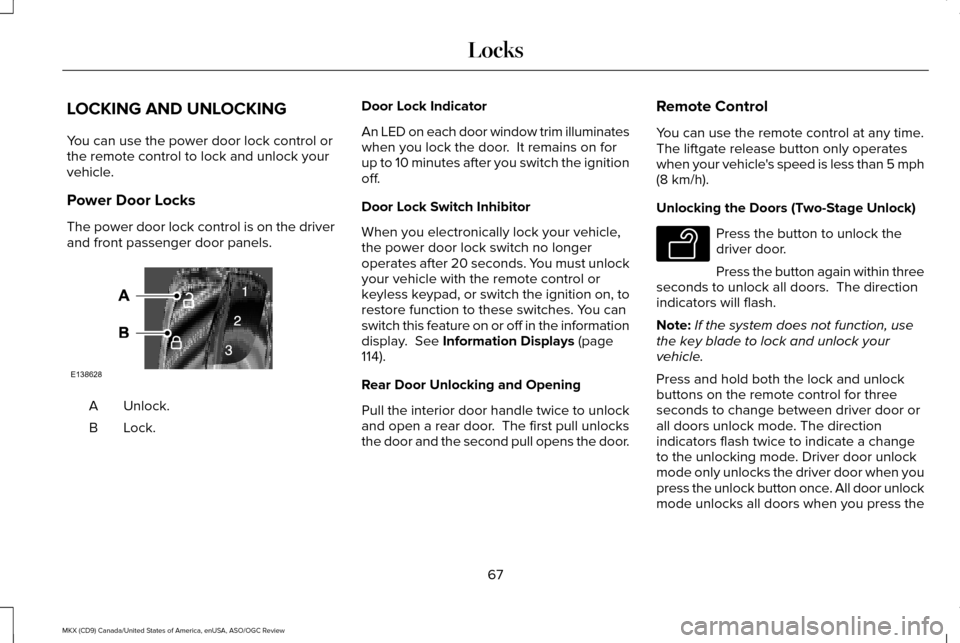
The power door lock control is on the driver
and front passenger door panels.
Unlock.
A
Lock.B Door Lock Indicator
An LED on each door window trim illuminates
when you lock the door. It remains on for
up to 10 minutes after you switch the ignition
off.
Door Lock Switch Inhibitor
When you electronically lock your vehicle,
the power door lock switch no longer
operates after 20 seconds. You must unlock
your vehicle with the remote control or
keyless keypad, or switch the ignition on, to
restore function to these switches. You can
switch this feature on or off in the information
display. See Information Displays (page
114).
Rear Door Unlocking and Opening
Pull the interior door handle twice to unlock
and open a rear door. The first pull unlocks
the door and the second pull opens the door. Remote Control
You can use the remote control at any time.
The liftgate release button only operates
when your vehicle's speed is less than 5 mph
(8 km/h)
.
Unlocking the Doors (Two-Stage Unlock) Press the button to unlock the
driver door.
Press the button again within three
seconds to unlock all doors. The direction
indicators will flash.
Note: If the system does not function, use
the key blade to lock and unlock your
vehicle.
Press and hold both the lock and unlock
buttons on the remote control for three
seconds to change between driver door or
all doors unlock mode. The direction
indicators flash twice to indicate a change
to the unlocking mode. Driver door unlock
mode only unlocks the driver door when you
press the unlock button once. All door unlock
mode unlocks all doors when you press the
67
MKX (CD9) Canada/United States of America, enUSA, ASO/OGC Review LocksE138628 E138629
Page 71 of 563
unlock button once. The unlocking mode
applies to the remote control, keyless entry
keypad and intelligent access. You can also
change between the unlocking modes using
the information display. See Information
Displays (page 114).
Reprogramming the Unlocking Function
Note: When you press the unlock button,
either all the doors are unlocked or only the
driver door is unlocked. Pressing the unlock
button again unlocks all the doors.
Press and hold the unlock and lock buttons
on the remote control simultaneously for at
least four seconds with the ignition off. The
direction indicators flash twice to confirm the
change.
To return to the original unlocking function,
repeat the process.
Locking the Doors Press the button to lock all doors.
The direction indicators will flash. Press the button again within three seconds
to confirm that all the doors are closed. The
doors will lock again, the horn will sound and
the direction indicators will flash if all the
doors and the liftgate are closed.
Note:
If the system does not function, use
the key blade to lock and unlock your
vehicle.
Mislock
If any door or the liftgate is open, or if the
hood is open on vehicles with an anti-theft
alarm or remote start, the horn sounds twice
and the direction indicators do not flash. You
can switch this feature on or off in the
information display.
See Information
Displays (page 114).
Opening the Liftgate Press twice within three seconds
to open the liftgate.Locking and Unlocking the Doors with
the Key Blade
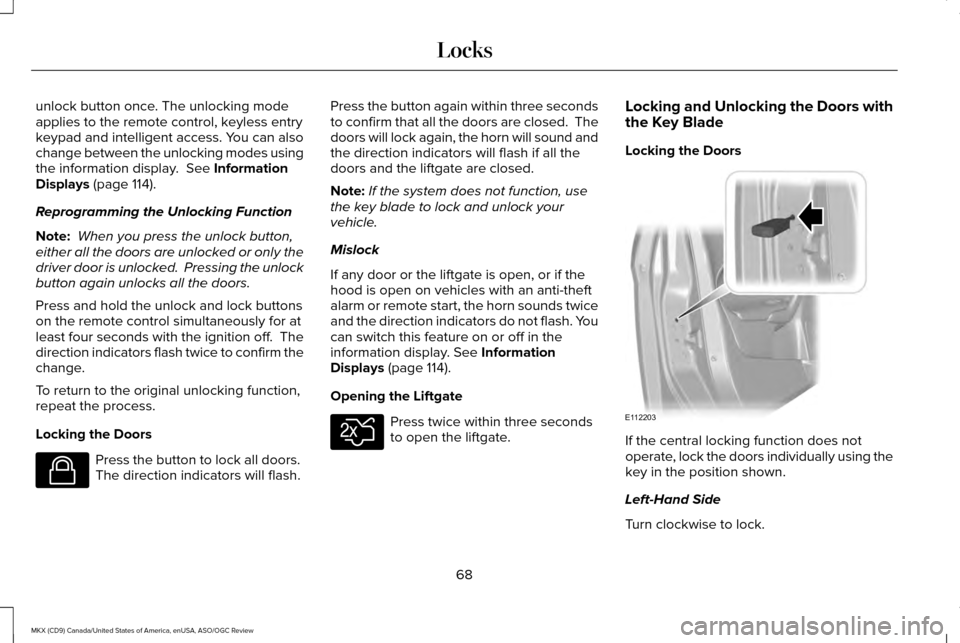
Locking the Doors
If the central locking function does not
operate, lock the doors individually using the
key in the position shown.
Left-Hand Side
Turn clockwise to lock.
68
MKX (CD9) Canada/United States of America, enUSA, ASO/OGC Review LocksE138623 E138630 E112203
Page 80 of 563
You can operate the keypad with the
factory-set five-digit entry code. The code
is on the owner’
s wallet card in the glove box
and is available from an authorized dealer.
You can also program up to five of your own
five-digit personal entry codes.
Programming a Personal Entry Code
1. Enter the factory-set five-digit code.
2. Press 1·2 on the keypad within five
seconds.
3. Enter your personal five-digit code. You
must do this within five seconds of
completing step 2.
4. Press 1·2 on the keypad to save personal
code 1.
The doors lock then unlock to confirm that
programming was successful.
To program additional personal entry codes,
repeat steps 1 through 3, then for step 4:
• Press
3·4 to save personal code 2.
• Press
5·6 to save personal code 3.
• Press
7·8 to save personal code 4.
• Press
9·0 to save personal code 5. For vehicles with MyLincoln Touch, you can
also program the system with a personal
entry code.
See Settings (page 403).
Hints:
• Do not set a code that uses five of the
same number.
• Do not use five numbers in sequential
order.
• The factory-set code works even if you
have set your own personal code.
Recalling Memory Positions (If Equipped)
The programmed entry codes recall driver
memory positions as follows:
• Entry code 1 recalls driver 1 memory
positions.
• Entry code 2 recalls driver 2 memory
positions.
• Entry code 3 recalls driver 3 memory
positions.
Note: Personal entry codes 4 and 5 do not
recall memory positions. Erasing a Personal Code
1. Enter the factory-set five-digit code.
2. Press and release 1·2 on the keypad
within five seconds.
3. Press and hold
1·2 for two seconds. You
must do this within five seconds of
completing Step 2.
All personal codes erase and only the
factory-set five-digit code works.
Anti-Scan Feature
The keypad goes into an anti-scan mode if
you enter the wrong code seven times. This
mode turns off the keypad for one minute
and the keypad lamp flashes.
The anti-scan feature turns off after:
• One minute of keypad inactivity.
• You press the unlock button on the
remote control.
• You switch the ignition on.
• You unlock your vehicle using intelligent
access.
77
MKX (CD9) Canada/United States of America, enUSA, ASO/OGC Review Locks
Page 81 of 563
Locking and Unlocking the Doors
Locking All Doors
Press and hold 7·8 and 9·0 simultaneously
with the driver door closed. You do not need
to enter the keypad code first.
Unlocking the Driver Door
Enter the factory-set or your personal
five-digit code. You must press each number
within five seconds of each other. The
interior lamps illuminate.
Note: All doors unlock if you switch on the
all-door unlocking mode.
See Locking and
Unlocking (page 67).
Unlocking All Doors
Enter the factory-set or your personal
five-digit code, then press
3·4 within five
seconds.
To Release the Liftgate
Enter the factory-set or your personal
five-digit code, then press
5·6 within five
seconds. Displaying the Factory-Set Code
Note:
You need to have two programmed
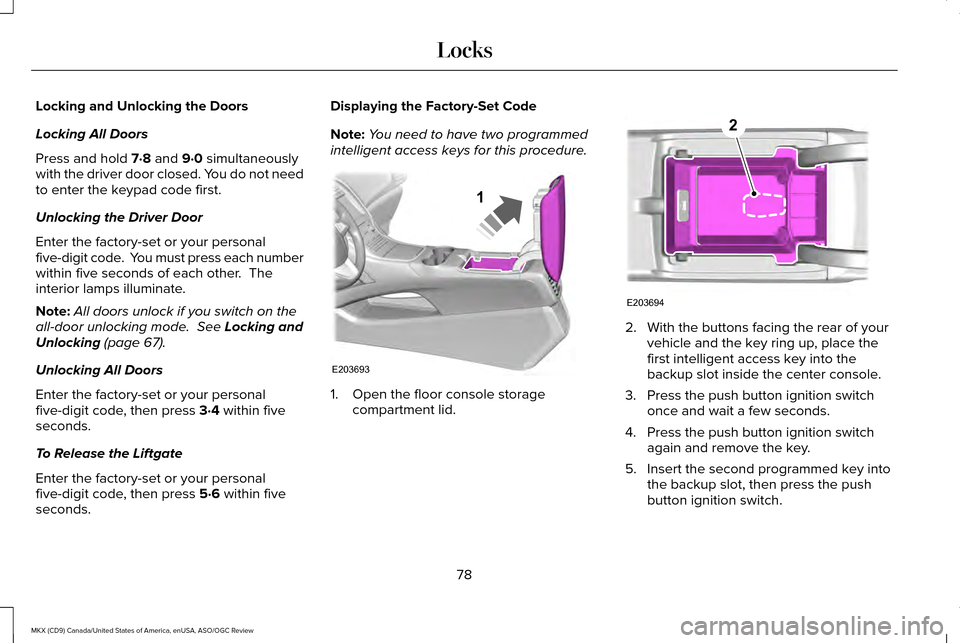
intelligent access keys for this procedure. 1. Open the floor console storage
compartment lid. 2. With the buttons facing the rear of your
vehicle and the key ring up, place the
first intelligent access key into the
backup slot inside the center console.
3. Press the push button ignition switch once and wait a few seconds.
4. Press the push button ignition switch again and remove the key.
5. Insert the second programmed key into the backup slot, then press the push
button ignition switch.
78
MKX (CD9) Canada/United States of America, enUSA, ASO/OGC Review LocksE203693
1 E203694
2
Page 96 of 563
The headlamps remain on for a period of
time after you switch the ignition off. Use the
information display controls to adjust the
period of time that the headlamps remain
on. See Information Displays (page 114).
Note: With the headlamps in the autolamps
position, you cannot switch the high beam
headlamps on until the autolamps system
turns the low beam headlamps on.
Windshield Wiper Activated Headlamps
The windshield wiper activated headlamps
turn on within 10 seconds when you switch
the windshield wipers on and the lighting
control is in the autolamps position. They
turn off approximately 60 seconds after you
switch the windshield wipers off.
The headlamps will not turn on by wiper
activation:
• During a mist wipe.
• When the wipers are on to clear washer
fluid during a wash condition.
• If the wipers are in intermittent mode. Note:
If you switch autolamps and
autowipers on, the headlamps will
automatically turn on when the windshield
wipers continuously operate.
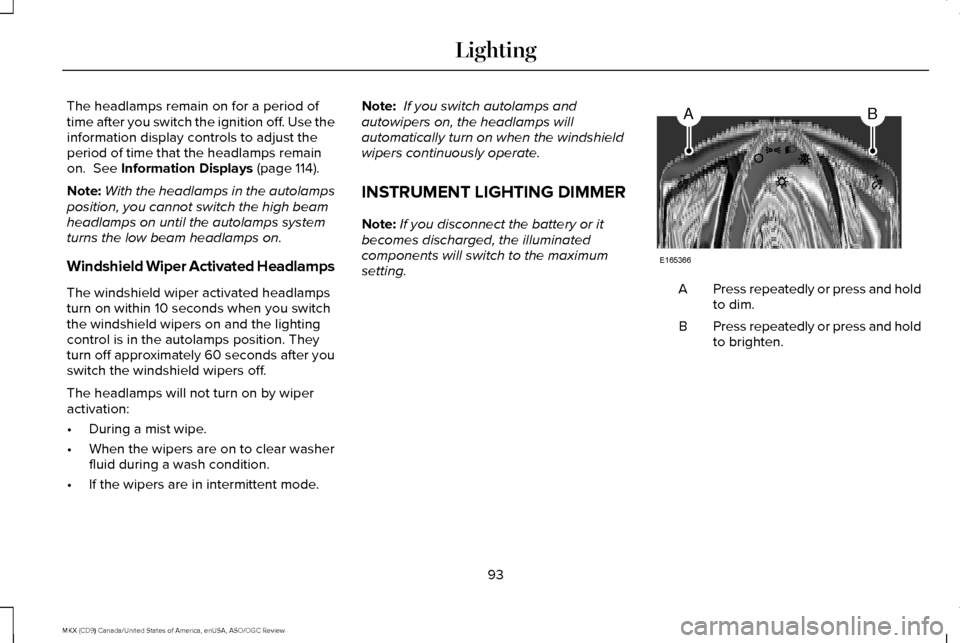
INSTRUMENT LIGHTING DIMMER
Note: If you disconnect the battery or it
becomes discharged, the illuminated
components will switch to the maximum
setting. Press repeatedly or press and hold
to dim.
A
Press repeatedly or press and hold
to brighten.
B
93
MKX (CD9) Canada/United States of America, enUSA, ASO/OGC Review LightingAB
E165366
Page 98 of 563
When switched off in the information display,
the daytime running lamps are off in all
lighting control switch positions.
AUTOMATIC HIGH BEAM
CONTROL (If Equipped)
The system will automatically turn on your
high beams if it is dark enough and no other
traffic is present. When it detects the
headlights of an approaching vehicle, the tail
lamps of the preceding vehicle or street
lighting, the system will turn off the high
beams before they distract other drivers. The
low beams remain on.
Note: If it appears that automatic control of
the high beams is not functioning properly,
check the windshield in front of the camera
for a blockage. A clear view of the road is
required for proper system operation. Have
any windshield damage in the area of the
camera ’s field-of-view repaired. Note:
If the system detects a blockage, for
example bird droppings, bug splatter, snow
or ice, the system will go into low beam
mode until you clear the blockage. A
message may also appear in the instrument
cluster display noting the front camera is
blocked.
Note: Typical road dust, dirt and water spots
will not affect the performance of the
automatic high beam system . However, in
cold or inclement weather conditions, you
will notice a decrease in the availability of
the high beam system, especially at start up.
If you want to change the beam state
independently of the system, you may switch
the high beams on or off using the
multifunction switch. Automatic control will
resume when conditions are correct.
Note: Modification of the vehicle ride height
such as using much larger tires, may
degrade feature performance.
A camera sensor, centrally mounted behind
the windshield of your vehicle, continuously
monitors conditions to decide when to switch
the high beams off and on. Once the system is active, the high beams
will switch on if:
•
the ambient light level is low enough
• there is no traffic in front of the vehicle
• the vehicle speed is greater than
approximately 32 mph (52 km/h)
The high beams will switch off if:
• the system detects the headlamps of an
approaching vehicle or the tail lamps of
a preceding vehicle.
• vehicle speed falls below approximately
27 mph (44 km/h)
• the ambient light level is high enough
that high beams are not required
• the system detects severe rain, snow or
fog
• the camera is blocked
Activating the System
Switch on the system using the information
display and autolamps.
See Information
Displays (page 114). See Autolamps (page
92).
95
MKX (CD9) Canada/United States of America, enUSA, ASO/OGC Review Lighting
Page 105 of 563
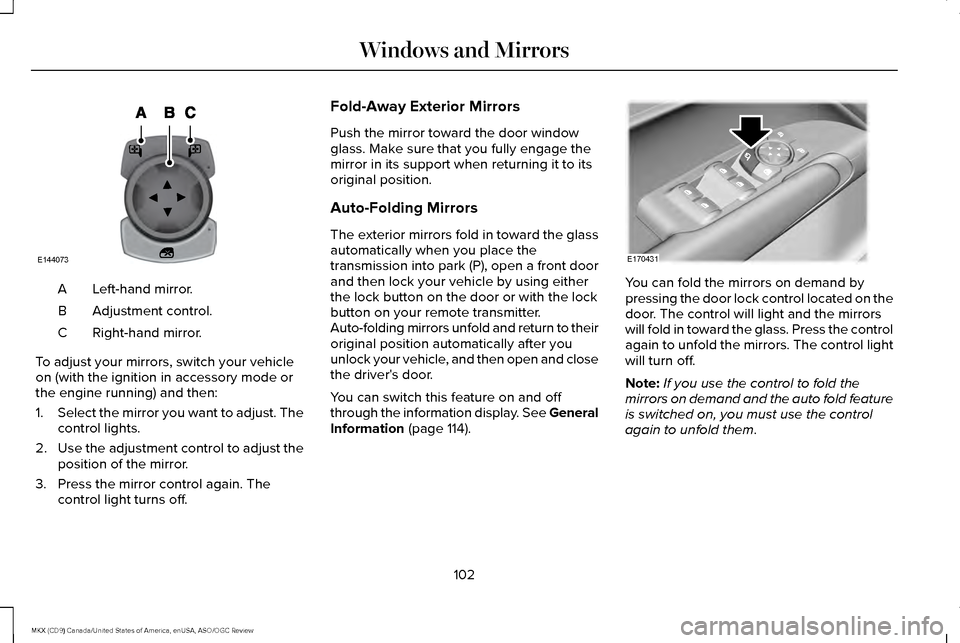
Left-hand mirror.
A
Adjustment control.
B
Right-hand mirror.
C
To adjust your mirrors, switch your vehicle
on (with the ignition in accessory mode or
the engine running) and then:
1. Select the mirror you want to adjust. The
control lights.
2. Use the adjustment control to adjust the
position of the mirror.
3. Press the mirror control again. The control light turns off. Fold-Away Exterior Mirrors
Push the mirror toward the door window
glass. Make sure that you fully engage the
mirror in its support when returning it to its
original position.
Auto-Folding Mirrors
The exterior mirrors fold in toward the glass
automatically when you place the
transmission into park (P), open a front door
and then lock your vehicle by using either
the lock button on the door or with the lock
button on your remote transmitter.
Auto-folding mirrors unfold and return to their
original position automatically after you
unlock your vehicle, and then open and close
the driver's door.
You can switch this feature on and off
through the information display. See General
Information (page 114).
You can fold the mirrors on demand by
pressing the door lock control located on the
door. The control will light and the mirrors
will fold in toward the glass. Press the control
again to unfold the mirrors. The control light
will turn off.
Note:
If you use the control to fold the
mirrors on demand and the auto fold feature
is switched on, you must use the control
again to unfold them.
102
MKX (CD9) Canada/United States of America, enUSA, ASO/OGC Review Windows and MirrorsE144073 E170431
Page 112 of 563
Engine Coolant Temperature Gauge
Indicates engine coolant temperature. At
normal operating temperature, the level
indicator will be in the normal range. If the
engine coolant temperature exceeds the
normal range, stop the vehicle as soon as
safely possible, switch off the engine and let
the engine cool.
WARNING
Never remove the coolant reservoir
cap while the engine is running or hot.
WARNING LAMPS AND
INDICATORS
The following warning lamps and indicators
alert you to a vehicle condition that may
become serious. Some lamps illuminate
when you start your vehicle to make sure
they work. If any lamps remain on after
starting your vehicle, refer to the respective
system warning lamp for further information. Note:
Some warning indicators appear in
the information display and function the
same as a warning lamp, but do not display
when you start your vehicle.
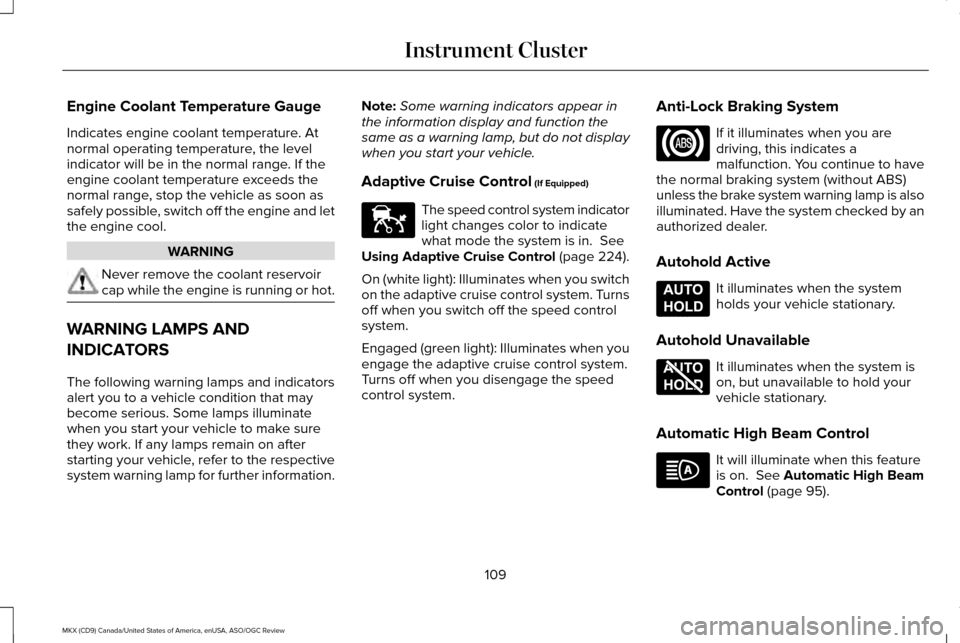
Adaptive Cruise Control (If Equipped) The speed control system indicator
light changes color to indicate
what mode the system is in.
See
Using Adaptive Cruise Control (page 224).
On (white light): Illuminates when you switch
on the adaptive cruise control system. Turns
off when you switch off the speed control
system.
Engaged (green light): Illuminates when you
engage the adaptive cruise control system.
Turns off when you disengage the speed
control system. Anti-Lock Braking System If it illuminates when you are
driving, this indicates a
malfunction. You continue to have
the normal braking system (without ABS)
unless the brake system warning lamp is also
illuminated. Have the system checked by an
authorized dealer.
Autohold Active It illuminates when the system
holds your vehicle stationary.
Autohold Unavailable It illuminates when the system is
on, but unavailable to hold your
vehicle stationary.
Automatic High Beam Control It will illuminate when this feature
is on.
See Automatic High Beam
Control (page 95).
109
MKX (CD9) Canada/United States of America, enUSA, ASO/OGC Review Instrument ClusterE144524 E197933 E197934