alarm LINCOLN MKX 2016 User Guide
[x] Cancel search | Manufacturer: LINCOLN, Model Year: 2016, Model line: MKX, Model: LINCOLN MKX 2016Pages: 563, PDF Size: 4.96 MB
Page 126 of 563

AdvanceTrac
™ Action
Message
Displays when the system detects a malfunction due to a blocked sensor.
Service AdvanceTrac
Displayed when the traction control has been disabled or enabled by the \
driver.
AdvanceTrac Off On
Airbag Action
Message
Displays when the system detects a malfunction due to a blocked sensor.
Occupant Sensor BLOCKED Remove
Objects Near Passenger Seat
Alarm Action
Message
Displays when the alarm has been triggered due to unauthorized entry. See Anti-Theft Alarm
(page 81).
Vehicle Alarm to Stop Alarm, Start Vehicle
123
MKX (CD9) Canada/United States of America, enUSA, ASO/OGC Review Information Displays
Page 208 of 563
PRINCIPLE OF OPERATION
WARNINGS
To help avoid personal injury, please
read and understand the limitations of
the system as contained in this section.
Sensing is only an aid for some (generally
large and fixed) objects when moving on a
flat surface at parking speeds. Certain
objects with surfaces that absorb ultrasonic
waves, surrounding vehicle's parking aid
systems, traffic control systems, fluorescent
lamps, inclement weather, air brakes, and
external motors and fans may also affect the
function of the sensing system; this may
include reduced performance or a false
activation. To help avoid personal injury, always
use caution when in reverse (R) and
when using the sensing system. WARNINGS
This system is not designed to prevent
contact with small or moving objects.
The system is designed to provide a warning
to assist the driver in detecting large
stationary objects to avoid damaging your
vehicle. The system may not detect smaller
objects, particularly those close to the
ground. Certain add-on devices such as large
trailer hitches, bike or surfboard racks
and any device that may block the normal
detection zone of the system, may create
false beeps. Note:
Keep the sensors, located on the
bumper or fascia, free from snow, ice and
large accumulations of dirt. If the sensors
are covered, the system’ s accuracy can be
affected. Do not clean the sensors with sharp
objects.
Note: If your vehicle sustains damage to the
bumper or fascia, leaving it misaligned or
bent, the sensing zone may be altered
causing inaccurate measurement of
obstacles or false alarms. Note:
The sensing system cannot be turned
off when a MyKey is present. See Principle
of Operation (page 60).
Note: If you attach certain add-on devices
such as a trailer or bike rack, the rear
sensing system may detect that add-on
device and therefore provide warnings. It is
suggested that you disable the rear sensing
system when you attach an add-on device
to your vehicle to prevent these warnings.
The sensing system warns the driver of
obstacles within a certain range of your
vehicle. The system turns on automatically
whenever you switch the ignition on.
The system can be switched off through the
information display menu or from the pop-up
message that appears once you shift the
transmission into reverse (R).
See General
Information (page 114).
Note: On vehicles with front parking aid you
can use the parking aid switch to switch the
system off.
If a fault is present in the system, a warning
message appears in the information display.
See
Information Messages (page 121).
205
MKX (CD9) Canada/United States of America, enUSA, ASO/OGC Review Parking Aids
Page 230 of 563
Each time you start the vehicle, the system
selects the last chosen gap for the current
driver.
Disengaging the System
Press the brake pedal or press and release
CNCL. The last set speed displays in grey
but does not erase.
Overriding the System WARNING
Whenever the driver presses the
accelerator pedal and overrides the
system, the system does not automatically
apply the brakes to maintain the set distance
from any vehicle ahead. Press the accelerator pedal to override the
set speed and gap distance.
When you override the system,
the green indicator light
illuminates and the lead vehicle
graphic does not show in the information
display. The system resumes operation when you
release the accelerator pedal. The vehicle
speed decreases to the set speed, or a
slower speed if following a slower vehicle.
Changing the Set Speed
•
Accelerate or brake to the desired speed,
then press and release
SET+.
• Press and hold
SET+ or SET- until the
desired set speed shows on the
information display. The vehicle speed
gradually changes to the selected speed.
• Press and release SET+ or SET-. The set
speed changes in approximately 1 mph
(2 km/h) increments.
The system may apply the brakes to slow
the vehicle to the new set speed. The set
speed displays continuously in the
information display when the system is
active.
Resuming the Set Speed
Note: Only use resume if you are aware of
the set speed and intend to return to it. Press and release
RES. The vehicle returns
to the previously set speed. The set speed
displays continuously in the information
display while the system is active.
Low Speed Automatic Cancellation
The system does not function at speeds
below 12 mph (20 km/h). An audible alarm
sounds and the automatic braking releases
if your vehicle drops below this speed.
Hilly Condition Usage
Note: An audible alarm sounds and the
system shuts down if it is applying brakes
for an extended period of time. This allows
the brakes to cool. The system functions
normally again when the brakes cool.
Select a lower gear during prolonged
downhill driving on steep slopes, such as
mountainous areas, when the system is
active. In such situations, the system needs
additional engine braking to reduce the load
on the vehicle ’s regular brake system to
prevent the brakes from overheating.
227
MKX (CD9) Canada/United States of America, enUSA, ASO/OGC Review Cruise ControlE144529
Page 498 of 563
For maximum vehicle performance, keep the
following information in mind when adding
accessories or equipment to your vehicle:
•
When adding accessories, equipment,
passengers and luggage to your vehicle,
do not exceed the total weight capacity
of the vehicle or of the front or rear axle
(GVWR or GAWR as indicated on the
Safety Compliance Certification label).
Ask an authorized dealer for specific
weight information.
• The Federal Communications
Commission (FCC) and Canadian Radio
Telecommunications Commission (CRTC)
regulate the use of mobile
communications systems that are
equipped with radio transmitters, for
example, two-way radios, telephones and
theft alarms. Any such equipment
installed in your vehicle should comply
with Federal Communications
Commission (FCC) and Canadian Radio
Telecommunications Commission (CRTC)
regulations and should be installed only
by an authorized dealer. •
Mobile communications systems may
harm the operation of your vehicle,
particularly if their manufacturer did not
design them specifically for automotive
use.
• If you or an authorized Lincoln dealer add
any non-Lincoln electrical or electronic
accessories or components to your
vehicle, you may adversely affect battery
performance and durability. In addition,
you may also adversely affect the
performance of other electrical systems
in the vehicle.
495
MKX (CD9) Canada/United States of America, enUSA, ASO/OGC Review Accessories
Page 552 of 563
3
360 Degree Parking Aid Camera............220
Camera Views.....................................................220
Front Camera.......................................................221
Side Camera........................................................222
A
A/C See: Climate Control..........................................140
About This Manual............................................7
Protecting the Environment..................................7
ABS See: Brakes...........................................................194
ABS driving hints See: Hints on Driving With Anti-Lock
Brakes................................................................194
Accessories...................................................494 Exterior Style........................................................494
Interior Style.........................................................494
Lifestyle.................................................................494
Peace of Mind.....................................................494
Accessories See: Replacement Parts Recommendation.....12
ACC See: Using Adaptive Cruise Control.............224 Active Park Assist........................................209
Deactivating the Active Park Assist
Feature..............................................................215
Parallel Parking, Perpendicular Parking, Park Out Assist........................................................209
Troubleshooting the System............................215
Adaptive Headlamps
.....................................96
Adjusting the Headlamps............................319 Vertical Aim Adjustment....................................319
Adjusting the Steering Wheel - Vehicles With: Manual Adjustable Steering
Column............................................................83
Adjusting the Steering Wheel - Vehicles With: Power Adjustable Steering
Column............................................................83
Easy Entry and Exit Feature...............................84
End of Travel Position..........................................84
Memory Feature....................................................84
AFS See: Adaptive Headlamps..................................
96
Airbag Disposal
...............................................54
Air Conditioning See: Climate Control..........................................140
Alarm See: Anti-Theft Alarm............................................81
All-Wheel Drive
..............................................188
Ambient Lighting............................................99 Anti-Theft Alarm
...............................................81
Arming the Alarm..................................................82
Disarming the Alarm............................................82
Appendices...................................................522
Audible Warnings and Indicators...............113 Headlamps On Warning Chime........................113
Keyless Warning Alert.........................................113
Parking Brake On Warning Chime
...................113
Audio Control
...................................................84
Seek, Next or Previous........................................84
Audio System
................................................388
General Information...........................................388
Audio Unit - Vehicles With: Premium AM/ FM/CD..........................................................389
Auto Hold
........................................................197
Using Auto Hold..................................................198
Autolamps........................................................92 Windshield Wiper Activated Headlamps........93
Automatic Climate Control.........................140
Automatic High Beam Control....................95 Activating the System..........................................95
Manually Overriding the System......................
96
549
MKX (CD9) Canada/United States of America, enUSA, ASO/OGC Review Index
Page 557 of 563
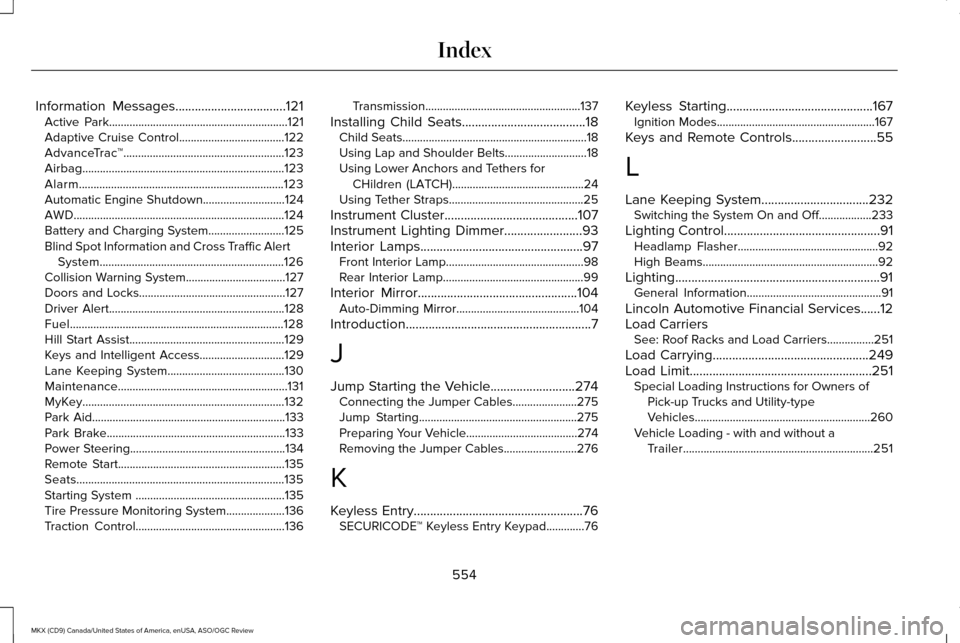
Information Messages..................................121
Active Park.............................................................121
Adaptive Cruise Control....................................122
AdvanceTrac ™.......................................................123
Airbag.....................................................................123
Alarm......................................................................123
Automatic Engine Shutdown............................124
AWD........................................................................\
124
Battery and Charging System..........................125
Blind Spot Information and Cross Traffic Alert System...............................................................126
Collision Warning System..................................127
Doors and Locks..................................................127
Driver Alert............................................................128
Fuel........................................................................\
.128
Hill Start Assist.....................................................129
Keys and Intelligent Access.............................129
Lane Keeping System........................................130
Maintenance..........................................................131
MyKey.....................................................................132
Park Aid..................................................................133
Park Brake.............................................................133
Power Steering.....................................................134
Remote Start.........................................................135
Seats.......................................................................135
Starting System ...................................................135
Tire Pressure Monitoring System....................136
Traction Control...................................................136 Transmission.....................................................137
Installing Child Seats......................................18 Child Seats...............................................................18
Using Lap and Shoulder Belts............................18
Using Lower Anchors and Tethers for
CHildren (LATCH).............................................24
Using Tether Straps..............................................25
Instrument Cluster.........................................107
Instrument Lighting Dimmer........................93
Interior Lamps..................................................97 Front Interior Lamp...............................................98
Rear Interior Lamp................................................99
Interior Mirror
.................................................104
Auto-Dimming Mirror..........................................104
Introduction
.........................................................7
J
Jump Starting the Vehicle..........................274 Connecting the Jumper Cables......................275
Jump Starting......................................................275
Preparing Your Vehicle......................................274
Removing the Jumper Cables.........................276
K
Keyless Entry
....................................................76
SECURICODE™ Keyless Entry Keypad.............76 Keyless Starting.............................................167
Ignition Modes......................................................167
Keys and Remote Controls..........................55
L
Lane Keeping System
.................................232
Switching the System On and Off..................233
Lighting Control
................................................91
Headlamp Flasher................................................92
High Beams............................................................92
Lighting...............................................................91 General Information..............................................91
Lincoln Automotive Financial Services......12
Load Carriers See: Roof Racks and Load Carriers................251
Load Carrying
................................................249
Load Limit........................................................251 Special Loading Instructions for Owners of
Pick-up Trucks and Utility-type
Vehicles............................................................260
Vehicle Loading - with and without a Trailer
.................................................................251
554
MKX (CD9) Canada/United States of America, enUSA, ASO/OGC Review Index
Page 559 of 563
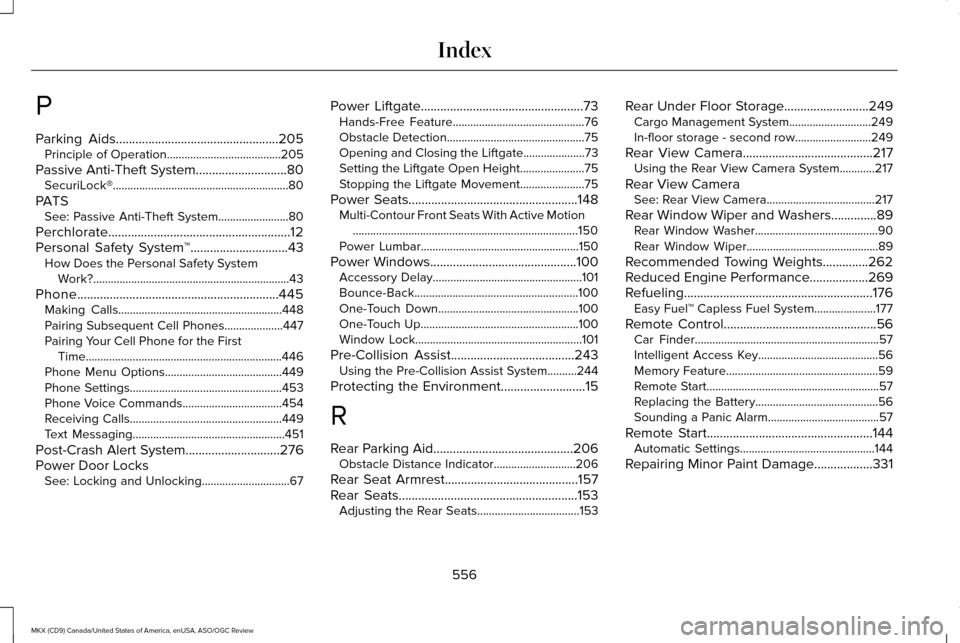
P
Parking Aids..................................................205
Principle of Operation.......................................205
Passive Anti-Theft System............................80 SecuriLock®............................................................80
PATS See: Passive Anti-Theft System........................80
Perchlorate........................................................12
Personal Safety System ™
..............................43
How Does the Personal Safety System
Work?...................................................................43
Phone..............................................................445 Making Calls........................................................448
Pairing Subsequent Cell Phones....................447
Pairing Your Cell Phone for the First
Time...................................................................446
Phone Menu Options........................................449
Phone Settings....................................................453
Phone Voice Commands..................................454
Receiving Calls....................................................449
Text Messaging....................................................451
Post-Crash Alert System
.............................276
Power Door Locks See: Locking and Unlocking..............................67 Power Liftgate
..................................................73
Hands-Free Feature.............................................76
Obstacle Detection...............................................75
Opening and Closing the Liftgate.....................73
Setting the Liftgate Open Height......................75
Stopping the Liftgate Movement......................
75
Power Seats....................................................148 Multi-Contour Front Seats With Active Motion
........................................................................\
.....150
Power Lumbar......................................................150
Power Windows.............................................100 Accessory Delay...................................................101
Bounce-Back........................................................100
One-Touch Down................................................100
One-Touch Up......................................................100
Window Lock.........................................................101
Pre-Collision Assist......................................243 Using the Pre-Collision Assist System..........244
Protecting the Environment
..........................15
R
Rear Parking Aid...........................................206 Obstacle Distance Indicator............................
206
Rear Seat Armrest.........................................157
Rear Seats
.......................................................153
Adjusting the Rear Seats...................................153 Rear Under Floor Storage..........................249
Cargo Management System............................249
In-floor storage - second row..........................
249
Rear View Camera
........................................217
Using the Rear View Camera System............217
Rear View Camera See: Rear View Camera.....................................217
Rear Window Wiper and Washers..............89 Rear Window Washer..........................................90
Rear Window Wiper.............................................89
Recommended Towing Weights..............262
Reduced Engine Performance..................269
Refueling..........................................................176 Easy Fuel™ Capless Fuel System.....................
177
Remote Control...............................................56 Car Finder...............................................................57
Intelligent Access Key.........................................56
Memory Feature....................................................59
Remote Start...........................................................57
Replacing the Battery..........................................56
Sounding a Panic Alarm......................................57
Remote Start...................................................144 Automatic Settings..............................................144
Repairing Minor Paint Damage
..................331
556
MKX (CD9) Canada/United States of America, enUSA, ASO/OGC Review Index