audio LINCOLN MKX 2016 User Guide
[x] Cancel search | Manufacturer: LINCOLN, Model Year: 2016, Model line: MKX, Model: LINCOLN MKX 2016Pages: 563, PDF Size: 4.96 MB
Page 392 of 563
Do not expose discs to direct sunlight or heat
sources for extended periods.
MP3 Track and Folder Structure
Audio systems capable of recognizing and
playing MP3 individual tracks and folder
structures work as follows:
•
There are two different modes for MP3
disc playback: MP3 track mode (system
default) and MP3 folder mode.
• MP3 track mode ignores any folder
structure on the MP3 disc. The player
numbers each MP3 track on the disc
(noted by the .mp3 file extension) from
T001 to a maximum of T255. The
maximum number of playable MP3 files
may be less depending on the structure
of the CD and exact model of radio
present. •
MP3 folder mode represents a folder
structure consisting of one level of
folders. The CD player numbers all MP3
tracks on the disc (noted by the .mp3 file
extension) and all folders containing MP3
files, from F001 (folder) T001 (track) to
F253 T255.
• Creating discs with only one level of
folders helps with navigation through the
disc files.
If you are burning your own MP3 discs, it is
important to understand how the system
reads the structures you create. While
various files may be present, (files with
extensions other than mp3), only files with
the .mp3 extension are played; other files
are ignored by the system. This enables you
to use the same MP3 disc for a variety of
tasks on your work computer, home
computer and your in-vehicle system.
In track mode, the system displays and plays
the structure as if it were only one level deep
(all .mp3 files play, regardless of being in a
specific folder). In folder mode, the system
only plays the .mp3 files in the current folder. AUDIO UNIT - VEHICLES WITH:
PREMIUM AM/FM/CD WARNING
Driving while distracted can result in
loss of vehicle control, crash and injury.
We strongly recommend that you use
extreme caution when using any device that
may take your focus off the road. Your
primary responsibility is the safe operation
of your vehicle. We recommend against the
use of any hand-held device while driving
and encourage the use of voice-operated
systems when possible. Make sure you are
aware of all applicable local laws that may
affect the use of electronic devices while
driving. Note:
The MyLincoln Touch system controls
most of the audio features. See
Entertainment (page 422).
389
MKX (CD9) Canada/United States of America, enUSA, ASO/OGC Review Audio System
Page 393 of 563
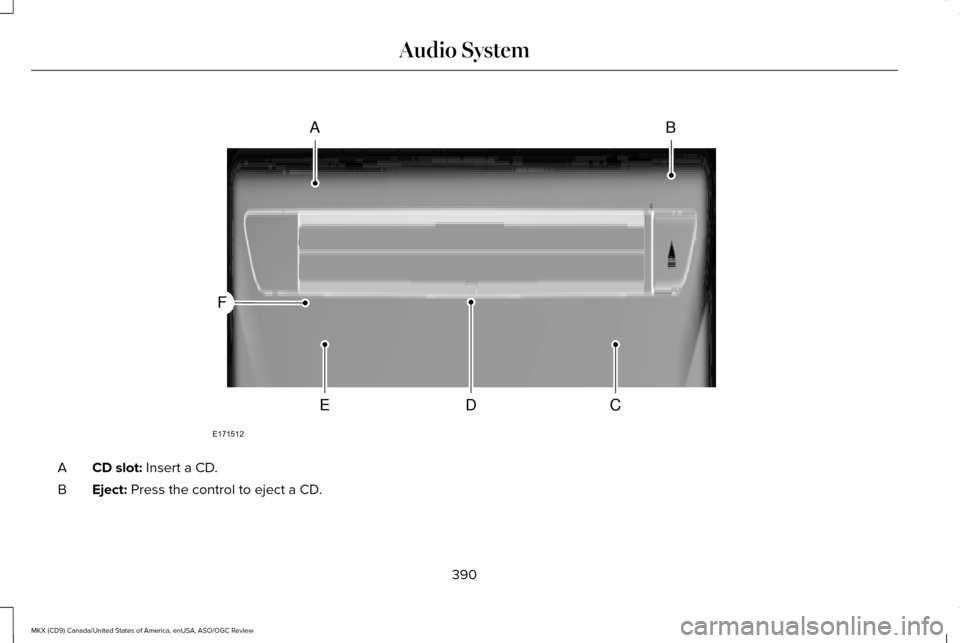
CD slot: Insert a CD.
A
Eject:
Press the control to eject a CD.
B
390
MKX (CD9) Canada/United States of America, enUSA, ASO/OGC Review Audio SystemAB
CDE
F
E171512
Page 394 of 563

TUNE: Turn the control to search manually through the radio frequency band. The\
system stops at the first station it finds in that
direction. In SIRIUS mode, the system selects the previous or next channel. If you select a speci\
fic category (Jazz, Rock, News, etc.),
turn the TUNE control to find the previous or next channel in the select\
ed category.
C
Seek/Fast Forward/Reverse:
Press the control to go to the previous or next track or available radi\
o station. Press and hold to either
reverse or fast forward through the current track or to quickly reverse \
or advance through the radio bands in individual increments.
D
Volume:
Turn the control to adjust the volume level on your system.
E
Power:
Press the control to switch the audio system on and off.
F
MEDIA HUB
The media hub is located in the center
console or in front of the gear shift. USB Port
A
SD card slot
B
391
MKX (CD9) Canada/United States of America, enUSA, ASO/OGC Review Audio SystemE194341
Page 398 of 563
HOME
Press to access the home screen.
Note: Depending on your vehicle ’s option
package and software, the screens may vary
in appearance from the descriptions in this
section. The features may also be limited
depending on the market. Check with an
authorized dealer for availability.
INFORMATION Press to select any of the following:
Menu Item
Services
Travel Link
Alerts
Calendar
Apps
Where Am I? ENTERTAINMENT
Press to select any of the following: Menu Item
AM
FM
SIRIUS
CD
USB
BT Stereo
SD Card
Using the Audio Controls
Depending on your vehicle, it may also have the following controls: Action and Description
Controls
Switch the media features on or off.
Power
Adjust the volume of playing media.
Volume
Use as you normally would in media modes.
Tune
395
MKX (CD9) Canada/United States of America, enUSA, ASO/OGC Review MyLincoln Touch™E142613 E142608
Page 429 of 563
HD Radio
™ Information (If Available)
Note: HD Radio broadcasts are not available
in all markets.
HD Radio technology is the digital evolution
of analog AM/FM radio. Your system has a
special receiver that allows it to receive
digital broadcasts (where available) in
addition to the analog broadcasts, it already
receives. Digital broadcasts provide a better
sound quality than analog broadcasts with
free, crystal-clear audio and no static or
distortion. For more information, and a guide
to available stations and programming,
please visit www.hdradio.com.
When HD Radio is on and you tune to a
station broadcasting HD Radio technology,
you may notice the following indicators on
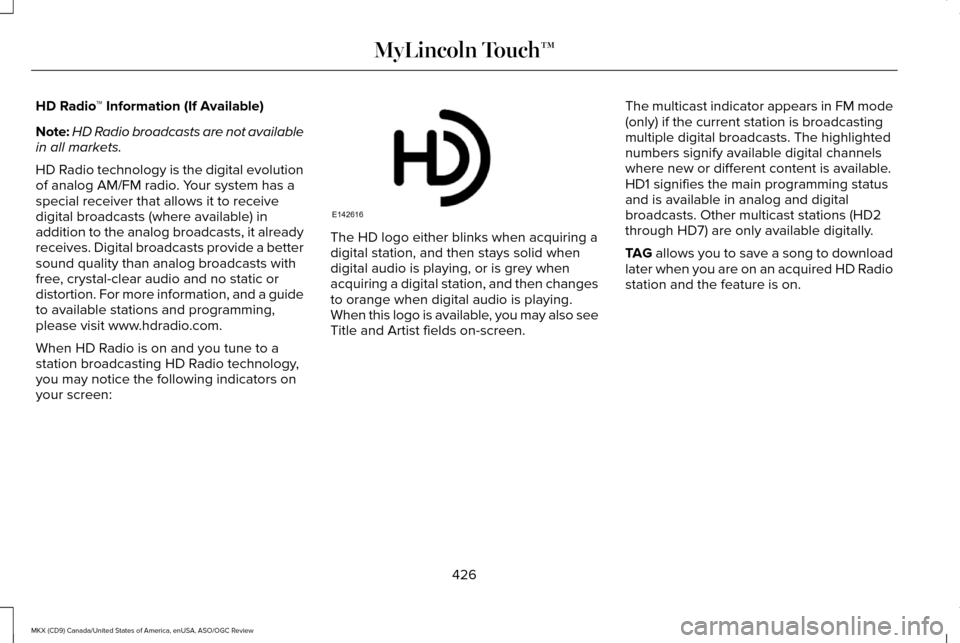
your screen: The HD logo either blinks when acquiring a
digital station, and then stays solid when
digital audio is playing, or is grey when
acquiring a digital station, and then changes
to orange when digital audio is playing.
When this logo is available, you may also see
Title and Artist fields on-screen.
The multicast indicator appears in FM mode
(only) if the current station is broadcasting
multiple digital broadcasts. The highlighted
numbers signify available digital channels
where new or different content is available.
HD1 signifies the main programming status
and is available in analog and digital
broadcasts. Other multicast stations (HD2
through HD7) are only available digitally.
TAG allows you to save a song to download
later when you are on an acquired HD Radio
station and the feature is on.
426
MKX (CD9) Canada/United States of America, enUSA, ASO/OGC Review MyLincoln Touch™E142616
Page 431 of 563

When HD Radio broadcasts are active, you can access the following functions:
Action and Description
Menu Item
Allows you to hear a brief sampling of all available stations. This feat\
ure still works when HD Radio
reception is on, although it does not scan for HD2-HD7 channels. You may see the HD logo appear if the
station has a digital broadcast.
Scan
Allows you to save an active channel as a memory preset. Touch and hold a memory preset slot until the
sound returns. There is a brief mute while the radio saves the station. \
Sound returns when finished. When
switching to an HD2 or HD3 memory preset, the sound mutes before the dig\
ital audio plays, because
the system has to reacquire the digital signal.
Presets
Note: As with any saved radio station, you cannot access the saved station if \
your vehicle is outside the station’ s reception area.
428
MKX (CD9) Canada/United States of America, enUSA, ASO/OGC Review MyLincoln Touch™
Page 432 of 563

HD Radio Reception and Station Troubleshooting
Potential reception issues
If you are listening to a multicast station and you are on the fringe of\
the reception area, the station may
mute due to weak signal strength.
Reception area
If you are listening to HD1, the system switches back to the analog broa\
dcast until the digital broadcast
is available again. However, if you are listening to any of the possible HD2-HD7 multicast channels\
, the
station mutes and stays muted unless it is able to connect to the digita\
l signal again.
When the system first receives a station (aside from HD2-HD7 multicast \
stations), it first plays the station
in the analog version. Once the receiver verifies the station is an HD R\
adio station, it shifts to the digital
version. Depending on the station quality, you may hear a slight sound change when the station changes
from analog to digital. Blending is the shift from analog to digital sou\
nd or digital back to analog sound.
Station blending
In order to provide the best possible
experience, use the contact form to report
any station issues found while listening to a
station broadcasting with HD Radio
technology. Independent entities own and
operate each station. These stations are
responsible for ensuring all audio streams
and data fields are accurate.
429
MKX (CD9) Canada/United States of America, enUSA, ASO/OGC Review MyLincoln Touch™
Page 433 of 563
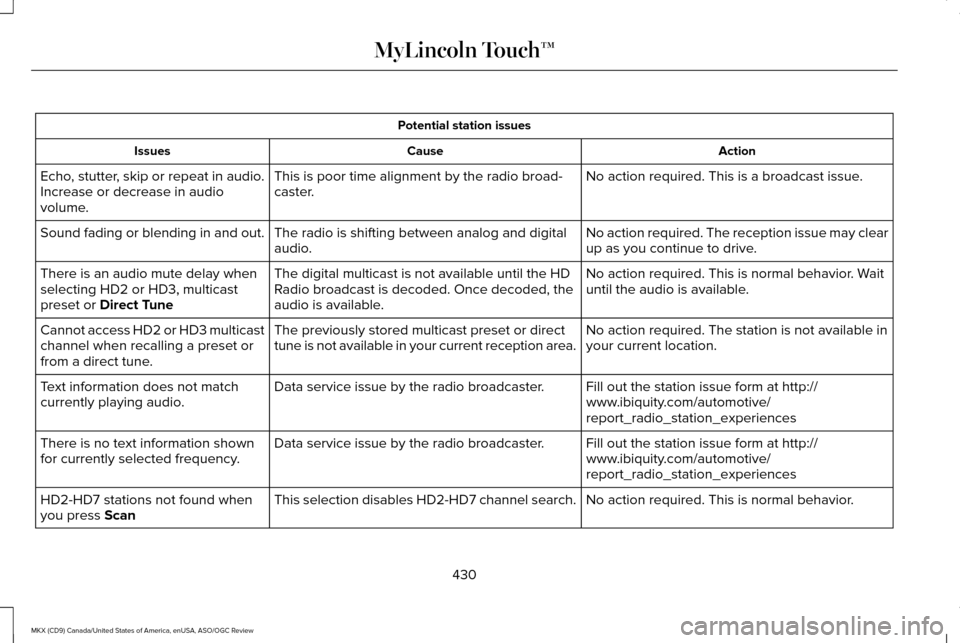
Potential station issues
Action
Cause
Issues
No action required. This is a broadcast issue.
This is poor time alignment by the radio broad-
caster.
Echo, stutter, skip or repeat in audio.
Increase or decrease in audio
volume.
No action required. The reception issue may clear
up as you continue to drive.
The radio is shifting between analog and digital
audio.
Sound fading or blending in and out.
No action required. This is normal behavior. Wait
until the audio is available.
The digital multicast is not available until the HD
Radio broadcast is decoded. Once decoded, the
audio is available.
There is an audio mute delay when
selecting HD2 or HD3, multicast
preset or Direct Tune
No action required. The station is not available in
your current location.
The previously stored multicast preset or direct
tune is not available in your current reception area.
Cannot access HD2 or HD3 multicast
channel when recalling a preset or
from a direct tune.
Fill out the station issue form at http://
www.ibiquity.com/automotive/
report_radio_station_experiences
Data service issue by the radio broadcaster.
Text information does not match
currently playing audio.
Fill out the station issue form at http://
www.ibiquity.com/automotive/
report_radio_station_experiences
Data service issue by the radio broadcaster.
There is no text information shown
for currently selected frequency.
No action required. This is normal behavior.
This selection disables HD2-HD7 channel search.
HD2-HD7 stations not found when
you press
Scan
430
MKX (CD9) Canada/United States of America, enUSA, ASO/OGC Review MyLincoln Touch™
Page 435 of 563

To turn the feature on press the lower left corner of the touchscreen, an\
d then select:
Action and Description
Menu Item
SIRIUS
You can then select any of the following: Save a channel by pressing and holding one of the memory preset areas. T\
here is a brief mute while the
radio saves the channel. Sound returns when finished.
Presets
Save the current song, artist, or team as a favorite.
Alerts
If you are listening to music, you can save the song or artist, so the s\
ystem can alert you when they are
playing on a satellite radio channel. If you are listening to a sporting\
event, you can save your favorite
teams so the system can alert you when they are playing on a satellite r\
adio channel. You can also edit
alerts or turn alerts on or off.
When an alert appears on the screen, you can choose to tune to the chann\
el, cancel the alert or turn off
alerts.
Replay audio on the current channel. You can replay approximately 45 minutes of audio as long as you
have remained tuned to the current station. Changing stations erases the\
previous audio.
Replay
While in replay mode:
Press and release the seek buttons to hear the previous or next song.
Press and hold the seek buttons to reverse or fast forward in the curren\
t track.
Press play or pause to play or pause the audio.
Press the button again to return to live audio.
432
MKX (CD9) Canada/United States of America, enUSA, ASO/OGC Review MyLincoln Touch™
Page 439 of 563
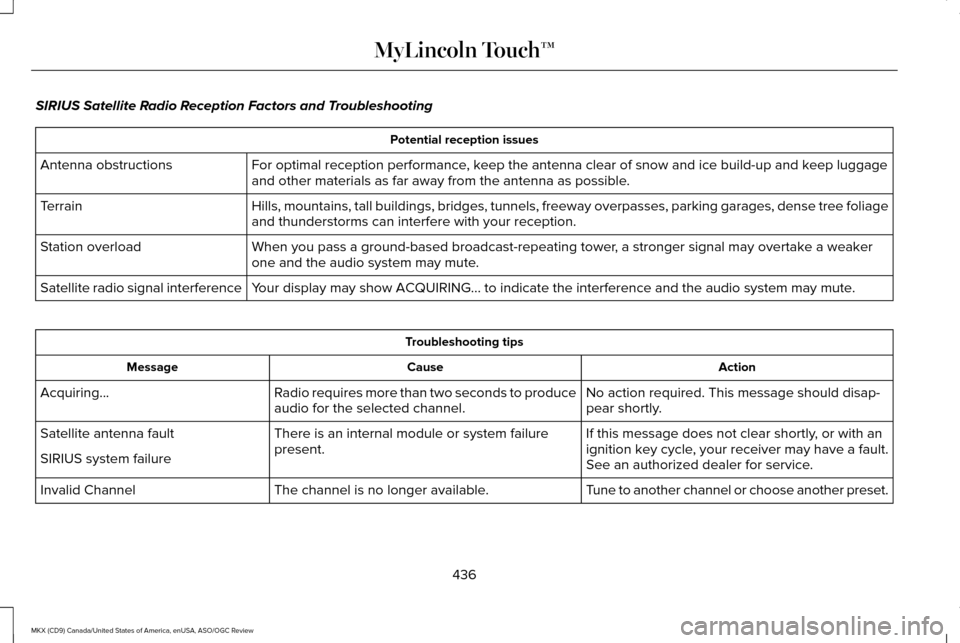
SIRIUS Satellite Radio Reception Factors and Troubleshooting
Potential reception issues
For optimal reception performance, keep the antenna clear of snow and ice build-up and keep luggage
and other materials as far away from the antenna as possible.
Antenna obstructions
Hills, mountains, tall buildings, bridges, tunnels, freeway overpasses, \
parking garages, dense tree foliage
and thunderstorms can interfere with your reception.
Terrain
When you pass a ground-based broadcast-repeating tower, a stronger signal may overtake a weaker
one and the audio system may mute.
Station overload
Your display may show ACQUIRING... to indicate the interference and the a\
udio system may mute.
Satellite radio signal interference Troubleshooting tips
Action
Cause
Message
No action required. This message should disap-
pear shortly.
Radio requires more than two seconds to produce
audio for the selected channel.
Acquiring…
If this message does not clear shortly, or with an
ignition key cycle, your receiver may have a fault.
See an authorized dealer for service.
There is an internal module or system failure
present.
Satellite antenna fault
SIRIUS system failure
Tune to another channel or choose another preset.
The channel is no longer available.
Invalid Channel
436
MKX (CD9) Canada/United States of America, enUSA, ASO/OGC Review MyLincoln Touch™