clock LINCOLN MKX 2016 User Guide
[x] Cancel search | Manufacturer: LINCOLN, Model Year: 2016, Model line: MKX, Model: LINCOLN MKX 2016Pages: 563, PDF Size: 4.96 MB
Page 369 of 563
5. Remove the steel winged washer nut
securing the spare tire by turning it
counterclockwise.
6. Remove the spare tire from the spare tire
compartment.
7. Remove plastic wing nut and jack and lug wrench assembly. Detach lug wrench
from jack by turning the jack hex nut
drive screw counterclockwise.
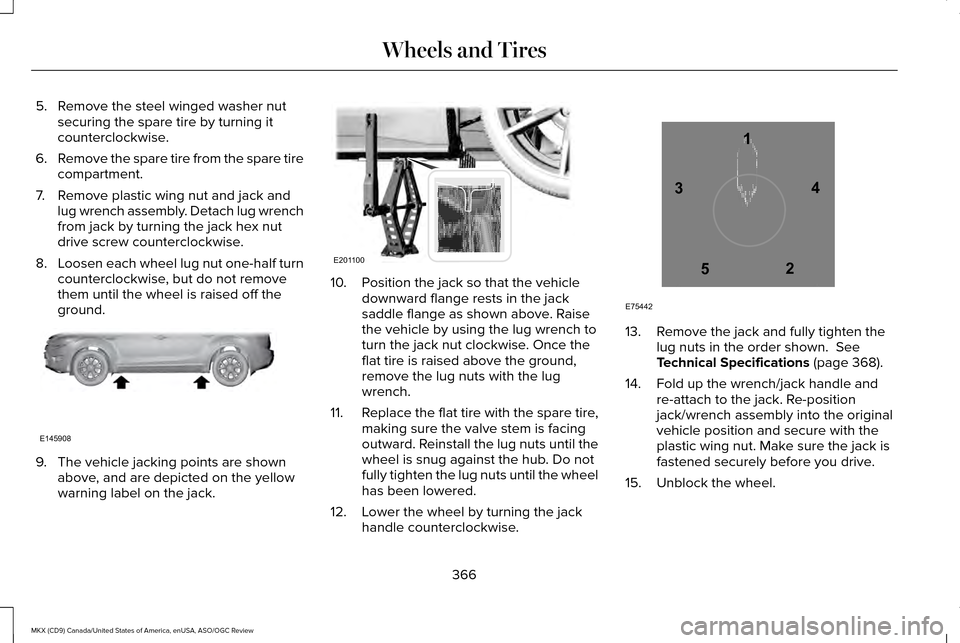
8. Loosen each wheel lug nut one-half turn
counterclockwise, but do not remove
them until the wheel is raised off the
ground. 9. The vehicle jacking points are shown
above, and are depicted on the yellow
warning label on the jack. 10. Position the jack so that the vehicle
downward flange rests in the jack
saddle flange as shown above. Raise
the vehicle by using the lug wrench to
turn the jack nut clockwise. Once the
flat tire is raised above the ground,
remove the lug nuts with the lug
wrench.
11. Replace the flat tire with the spare tire,
making sure the valve stem is facing
outward. Reinstall the lug nuts until the
wheel is snug against the hub. Do not
fully tighten the lug nuts until the wheel
has been lowered.
12. Lower the wheel by turning the jack handle counterclockwise. 13. Remove the jack and fully tighten the
lug nuts in the order shown. See
Technical Specifications (page 368).
14. Fold up the wrench/jack handle and re-attach to the jack. Re-position
jack/wrench assembly into the original
vehicle position and secure with the
plastic wing nut. Make sure the jack is
fastened securely before you drive.
15. Unblock the wheel.
366
MKX (CD9) Canada/United States of America, enUSA, ASO/OGC Review Wheels and TiresE145908 E201100 12
3
4
5
E75442
Page 397 of 563
Note:
You can access the entertainment
features for 30 minutes after you switch the
ignition off, and no doors are opened.
PHONE
Press to select any of the following: Menu Item
Phone
Quick Dial
Phonebook
History
Messaging
Settings NAVIGATION
Press to select any of the following: Menu Item
My Home
Favorites
Previous Destinations
Point of Interest
Emergency
Street Address
Intersection
City Center
Map
Edit Route
Cancel Route
CLIMATE
Press the corresponding icons to control the
following options: •
Driver Settings
• Recirculated Air
• Auto
• Dual
• Passenger Settings
• A/C
• Defrost
SETTINGS Press to select any of the following:
Menu Item
Clock
Display
Sound
Vehicle
Settings
Help
394
MKX (CD9) Canada/United States of America, enUSA, ASO/OGC Review MyLincoln Touch™E142607
Page 406 of 563
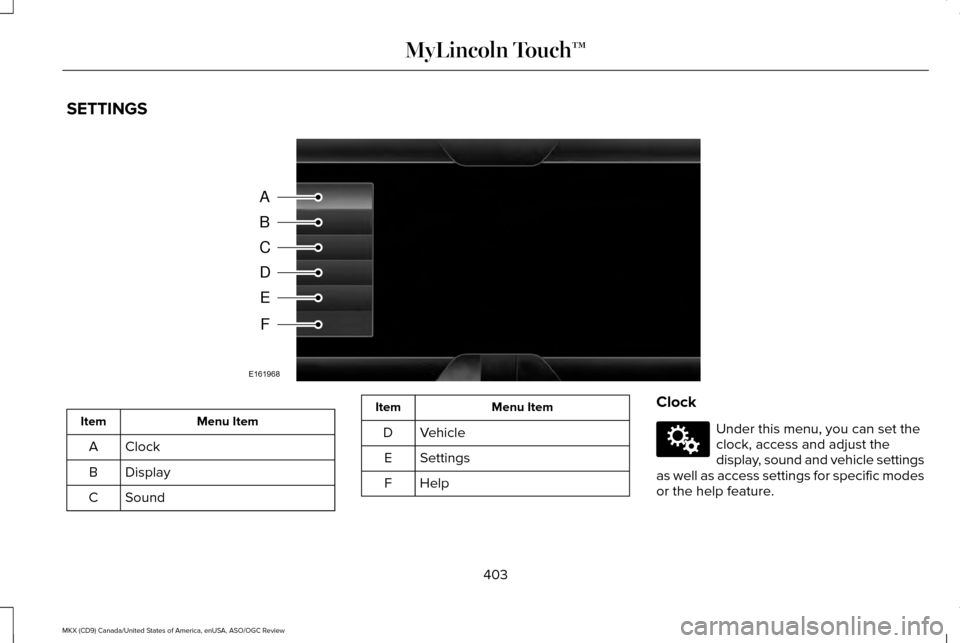
SETTINGS
Menu Item
Item
Clock
A
Display
B
Sound
C Menu Item
Item
Vehicle
D
Settings
E
HelpF Clock Under this menu, you can set the
clock, access and adjust the
display, sound and vehicle settings
as well as access settings for specific modes
or the help feature.
403
MKX (CD9) Canada/United States of America, enUSA, ASO/OGC Review MyLincoln Touch™A
B
C
D
E
F
E161968 E142607
Page 407 of 563
To make adjustments using the touchscreen, select:
Action and Description
Menu Item
Press the settings icon.
Settings
Press the + or - to adjust the time.
Clock
From this screen, you can also make other adjustments such as 12-hour or 24-hour mode, activate
GPS time synchronization and have the system automatically update new ti\
me zones.
You can also switch the outside air temperature display off and on. It ap\
pears at the top center
of the touchscreen, next to the time and date.
Note: You cannot manually set the date. Your vehicle ’s GPS does this for you.
Note: If the battery has been disconnected, your vehicle needs to acquire a GP\
S signal to update the clock. Once your vehicle acquires the
signal, it may take a few minutes for the update to display the correct time.
Display You can adjust the display using
the touchscreen or the voice
button on the steering wheel
controls.
404
MKX (CD9) Canada/United States of America, enUSA, ASO/OGC Review MyLincoln Touch™E142607
Page 475 of 563

Max Defrost: Touch the button to maximize defrosting. Outside air flows through the wi\
ndshield vents, fan automatically adjusts to
the highest speed and the temperature dial returns to the full heat posi\
tion. You can use this setting to defog or clear a thin covering
of ice from the windshield. The heated rear window also automatically tu\
rns on when you select Max Defrost.
I
Air distribution control:
Touch these buttons to switch airflow from the windshield, instrument pan\
el, or footwell vents on or off.
The system can distribute air through any combination of these vents.
J
Note:
To prevent window fogging, you cannot select recirculated air when MAX De\
frost is on.
Driver settings:
K
Touch the
+ or – to increase or decrease the air temperature on the driver side of the v\
ehicle.
Touch the heated seat icon to switch the heated seat off and on (if equi\
pped).
Touch the climate-controlled seat icon to switch the climate-controlled s\
eat off and on (if equipped).
Touch
MyTemp to select your preset temperature setpoint. Touch and hold MyTemp to save a new preset temperature setpoint.
Touch the heated steering wheel icon to switch the heated steering wheel \
on and off (if equipped).
Note: If your vehicle is equipped with a
wood-trimmed steering wheel, it does not
heat between the 10 o'clock and 2 o'clock
positions. Climate Control Voice Commands Press the voice button on the
steering wheel controls. When
prompted, say any of the following
or a similar command:
472
MKX (CD9) Canada/United States of America, enUSA, ASO/OGC Review MyLincoln Touch™E142599
Page 560 of 563
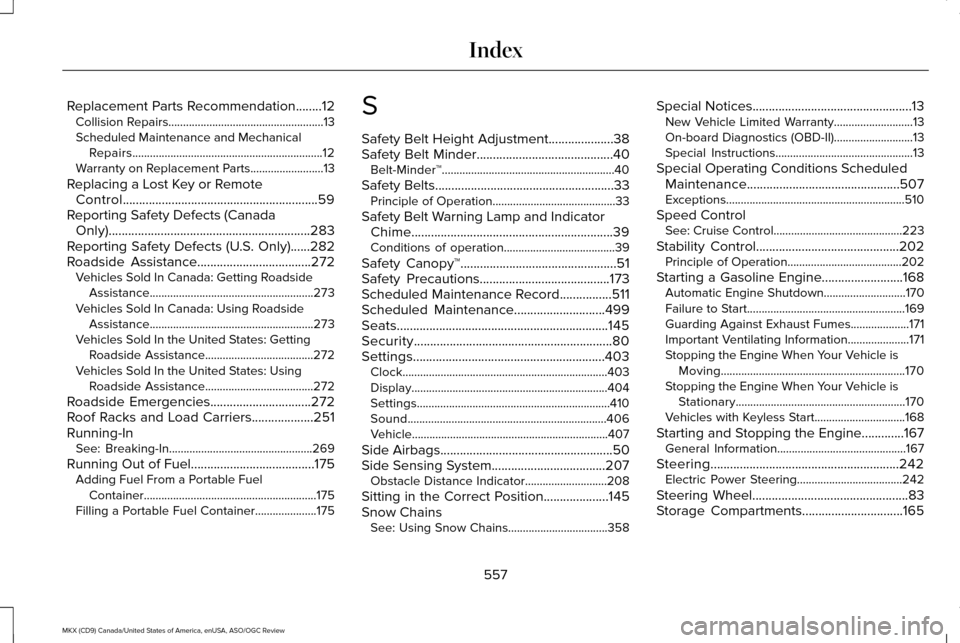
Replacement Parts Recommendation........12
Collision Repairs.....................................................13
Scheduled Maintenance and Mechanical
Repairs.................................................................12
Warranty on Replacement Parts.........................13
Replacing a Lost Key or Remote Control............................................................59
Reporting Safety Defects (Canada Only)..............................................................283
Reporting Safety Defects (U.S. Only)
......282
Roadside Assistance...................................272
Vehicles Sold In Canada: Getting Roadside
Assistance........................................................273
Vehicles Sold In Canada: Using Roadside Assistance........................................................273
Vehicles Sold In the United States: Getting Roadside Assistance.....................................272
Vehicles Sold In the United States: Using Roadside Assistance.....................................272
Roadside Emergencies
...............................272
Roof Racks and Load Carriers...................251
Running-In See: Breaking-In.................................................269
Running Out of Fuel
......................................175
Adding Fuel From a Portable Fuel
Container...........................................................175
Filling a Portable Fuel Container.....................175 S
Safety Belt Height Adjustment....................38
Safety Belt Minder..........................................40
Belt-Minder™...........................................................40
Safety Belts
.......................................................33
Principle of Operation..........................................33
Safety Belt Warning Lamp and Indicator Chime..............................................................39
Conditions of operation......................................39
Safety Canopy™................................................51
Safety Precautions........................................173
Scheduled Maintenance Record
................511
Scheduled Maintenance............................499
Seats.................................................................145
Security.............................................................80
Settings...........................................................403 Clock......................................................................403
Display...................................................................404
Settings..................................................................410
Sound....................................................................406
Vehicle...................................................................407
Side Airbags
.....................................................50
Side Sensing System...................................207 Obstacle Distance Indicator............................208
Sitting in the Correct Position....................145
Snow Chains See: Using Snow Chains..................................358 Special Notices
.................................................13
New Vehicle Limited Warranty...........................13
On-board Diagnostics (OBD-II)...........................13
Special Instructions...............................................13
Special Operating Conditions Scheduled Maintenance...............................................507
Exceptions.............................................................510
Speed Control See: Cruise Control............................................223
Stability Control
............................................202
Principle of Operation.......................................202
Starting a Gasoline Engine.........................168 Automatic Engine Shutdown............................
170
Failure to Start......................................................169
Guarding Against Exhaust Fumes....................171
Important Ventilating Information.....................171
Stopping the Engine When Your Vehicle is Moving...............................................................170
Stopping the Engine When Your Vehicle is Stationary..........................................................170
Vehicles with Keyless Start...............................168
Starting and Stopping the Engine.............167 General Information............................................167
Steering..........................................................242 Electric Power Steering....................................242
Steering Wheel................................................83
Storage Compartments
...............................165
557
MKX (CD9) Canada/United States of America, enUSA, ASO/OGC Review Index