ANC LINCOLN MKX 2016 Owners Manual
[x] Cancel search | Manufacturer: LINCOLN, Model Year: 2016, Model line: MKX, Model: LINCOLN MKX 2016Pages: 563, PDF Size: 4.96 MB
Page 415 of 563
To make adjustments using the touchscreen, select:
Action and Description
Menu Item
Settings
Voice Control
Then select from the following: Novice interaction mode provides more detailed interaction and guidance. Advanced mode has
less audible interaction and more tone prompts.
Interaction Mode
Have the system ask you short questions if it has not clearly heard or u\
nderstood your request.
Confirmation Prompts
Note: Even with confirmation prompts turned off, the system may occasionally ask you to confirm
settings.
Candidate lists are possible results from your voice commands. The syste\
m simply makes a best
guess at your request with these turned off.
Media Candidate Lists
Candidate lists are possible results from your voice commands. The syste\
m simply makes a best
guess at your request with these turned off.
Phone Candidate Lists
This allows you to adjust the system’s voice volume level.
Voice Control Volume
Media Player 412
MKX (CD9) Canada/United States of America, enUSA, ASO/OGC Review MyLincoln Touch™E142607
Page 417 of 563
To make adjustments using the touchscreen, select:
Action and Description
Menu Item
Press the settings icon.
Settings
Navigation
Then select from the following:
Turn breadcrumbs on and off.
Map Preferences
Have the system display your turn list top to bottom or bottom to top.
Turn the Parking POI notification on and off.
Select shortest route, fastest route or ecological route as your preferred route. This route will be
displayed first.
Route Preferences
Always use preferred route. If set to yes, the system will only calculate a single route. This speeds
up your destination entry process.
Select a low, medium or high cost for the calculated ecological route. This may incur a time penalty.
Have the system avoid freeways.
Have the system avoid toll roads.
Have the system avoid ferries or car trains.
Have the system use HOV (high-occupancy vehicle) lanes.
414
MKX (CD9) Canada/United States of America, enUSA, ASO/OGC Review MyLincoln Touch™
Page 418 of 563
Action and Description
Menu Item
Have the system use guidance prompts.
Navigation Preferences
Have the system automatically fill-in State/Province information.
Have the system automatically avoid traffic concerns or allow you to acc\
ept or decline an alternative
route.
Traffic Preferences
Have the system automatically alert you to traffic concerns that occur o\
n your route.
Have the system display accident icons.
Have the system display traffic jam icons.
Have the system display closed roads.
Have the system display areas where road work occurs.
Have the system display incident icons.
Have the system display areas where difficult driving conditions may occ\
ur.
Have the system display areas where snow and ice on the road may occur.
Have the system display any smog alerts.
Have the system display weather warnings.
415
MKX (CD9) Canada/United States of America, enUSA, ASO/OGC Review MyLincoln Touch™
Page 423 of 563
The Wi-Fi CERTIFIED Logo is a certification
mark of the Wi-Fi Alliance.
Help
To make adjustments using the touchscreen, select:
Action and Description
Menu Item
Press the settings icon.
Settings
Help
Then select from the following:
Touchscreen system serial number
System Information
Your vehicle identification number (VIN)
Touchscreen system software version
Navigation system version
Map database version
Sirius satellite radio ESN
Gracenote® Database Information and Library version
420
MKX (CD9) Canada/United States of America, enUSA, ASO/OGC Review MyLincoln Touch™E142626 E142607
Page 424 of 563

Action and Description
Menu Item
View the licenses for any software and applications installed on your sy\
stem.
View Software Licenses
Certain features are not accessible when your vehicle is moving.
Driving Restrictions
Turn on and turn off the 911 Assist feature. See Information (page 455).
911 Assist
Allows you to save up to two numbers as ICE
contacts for quick access if there is an emer-
gency.
In Case of Emergency (ICE) Quick Dial
The ICE contacts you select appear at the end of
the Emergency Assistance call process.
Select to access your phonebook and then select
the desired contacts. The numbers then appear
as options on this screen for the ICE 1 and ICE 2
buttons.
Edit
View categorized lists of voice commands.
Voice Command List You can also access Help using
the voice commands. The system
provides allowable voice
commands for the current mode.
421
MKX (CD9) Canada/United States of America, enUSA, ASO/OGC Review MyLincoln Touch™E142599
Page 425 of 563
Press the voice button and when prompted
say:
Voice command
Help You can say help at any time to get
assistance with commands, menus or other
information.
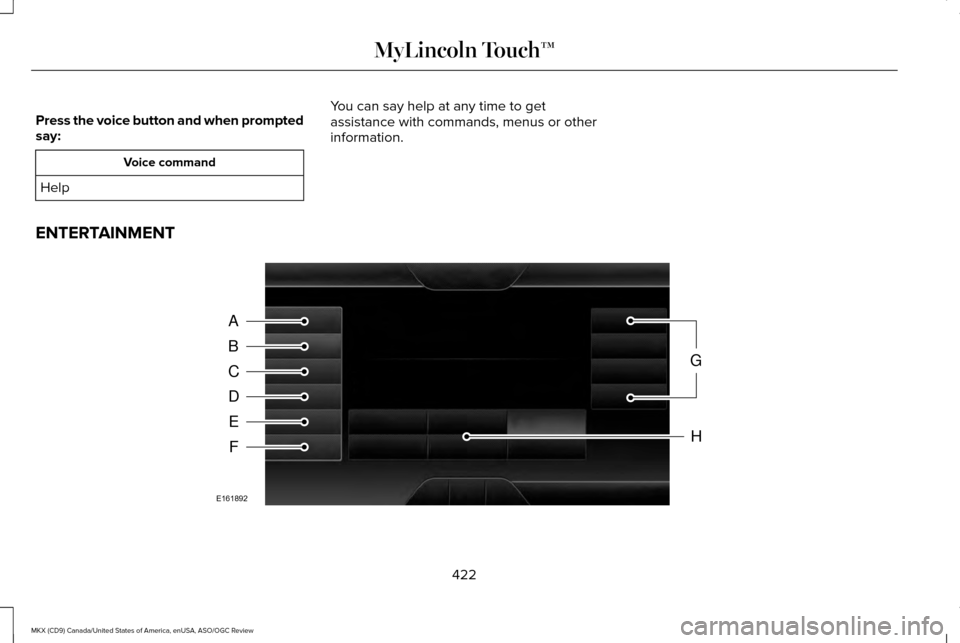
ENTERTAINMENT 422
MKX (CD9) Canada/United States of America, enUSA, ASO/OGC Review MyLincoln Touch™A
B
C
D
E
F
G
H
E161892
Page 428 of 563
Action and Description
Menu Item
Treble
Set Balance and Fade
DSP
Occupancy Mode
Speed Compensated Volume
This allows you to select a category of music you would like to search for. You can then choose to either
seek or scan for the stations playing that category.
Set PTY for Seek / Scan
This allows you to view the information broadcast by FM stations.
RDS Text Display
AST (Autostore) allows you to have the system automatically store the si\
x strongest stations in your current
location.
AST
This feature is available when HD Radio is on, and allows you to tag a song to download later. When you
select On, TAG appears on-screen when HD Radio is active. You can touch TAG to save the information
of the song that is playing. When you plug in your portable music player\
, the information transfers, if
supported by your device. When you are connected to iTunes, the tags appear to remind you of the songs
you would like to download. See HD Radio information later in this chapter.
TAG Button
Note: Your vehicle may not have all these sound settings.
425
MKX (CD9) Canada/United States of America, enUSA, ASO/OGC Review MyLincoln Touch™
Page 435 of 563

To turn the feature on press the lower left corner of the touchscreen, an\
d then select:
Action and Description
Menu Item
SIRIUS
You can then select any of the following: Save a channel by pressing and holding one of the memory preset areas. T\
here is a brief mute while the
radio saves the channel. Sound returns when finished.
Presets
Save the current song, artist, or team as a favorite.
Alerts
If you are listening to music, you can save the song or artist, so the s\
ystem can alert you when they are
playing on a satellite radio channel. If you are listening to a sporting\
event, you can save your favorite
teams so the system can alert you when they are playing on a satellite r\
adio channel. You can also edit
alerts or turn alerts on or off.
When an alert appears on the screen, you can choose to tune to the chann\
el, cancel the alert or turn off
alerts.
Replay audio on the current channel. You can replay approximately 45 minutes of audio as long as you
have remained tuned to the current station. Changing stations erases the\
previous audio.
Replay
While in replay mode:
Press and release the seek buttons to hear the previous or next song.
Press and hold the seek buttons to reverse or fast forward in the curren\
t track.
Press play or pause to play or pause the audio.
Press the button again to return to live audio.
432
MKX (CD9) Canada/United States of America, enUSA, ASO/OGC Review MyLincoln Touch™
Page 437 of 563
Menu Item, Actions and Description
Menu Item
Touch this button to adjust settings for:
Sound Settings
Bass
Midrange
Treble
Set Balance and Fade
DSP
Occupancy Mode
Speed Compensated Volume
This allows you to select a category of music you would like to search for. You can then choose to either
seek or scan for the stations playing that category.
Set Category for Seek/Scan
This allows you to lock and unlock channels, change or reset your PIN or\
unlock all channels. To use this
feature, you need your initial PIN, which is 1234.
Parental Lockout
This feature allows you turn alerts on and off.
Artist / Title / Team Alerts
SIRIUS requires this number when communicating with you about your accou\
nt.
Electronic Serial Number (ESN)
Touch this button to manually enter the desired satellite channel number. Touch Enter when you are done
Direct Tune
Note: Your vehicle may not have all these sound settings.
434
MKX (CD9) Canada/United States of America, enUSA, ASO/OGC Review MyLincoln Touch™
Page 438 of 563
SIRIUS Satellite Radio Information
Note:
SIRIUS reserves the unrestricted right
to change, rearrange, add or delete
programming including canceling, moving
or adding particular channels, and its prices,
at any time, with or without notice to you.
Ford Motor Company shall not be
responsible for any such programming
changes. SIRIUS satellite radio is a subscription-based
satellite radio service that broadcasts a
variety of music, sports, news, weather, traffic
and entertainment programming. Your
factory-installed SIRIUS satellite radio system
includes hardware and a limited subscription
term that begins on the date of sale or lease
of your vehicle. See an authorized dealer for
availability.
For more information on extended
subscription terms (a service fee is required),
the online media player and a list of SIRIUS
satellite radio channels, and other features,
please visit www.siriusxm.com in the United
States, www.sirius.ca in Canada, or call
SIRIUS at 1-888-539-7474.
Note:
This receiver includes the eCos
real-time operating system. eCos is
published under the eCos License.
Satellite Radio Electronic Serial Number
(ESN)
You need your ESN to activate, modify or
track your satellite radio account. The ESN
is on the System Information Screen (SR
ESN:XXXXXXXXXXXX).
To access your ESN, touch the bottom left
corner of the touchscreen, then select: Menu Item
SIRIUS
Options
435
MKX (CD9) Canada/United States of America, enUSA, ASO/OGC Review MyLincoln Touch™E142593