Control arm LINCOLN MKX 2017 Owner's Manual
[x] Cancel search | Manufacturer: LINCOLN, Model Year: 2017, Model line: MKX, Model: LINCOLN MKX 2017Pages: 587, PDF Size: 5.4 MB
Page 183 of 587
Conditions
•
Heavily loading your vehicle reduces fuel
economy.
• Carrying unnecessary weight in your
vehicle may reduce fuel economy.
• Adding certain accessories to your
vehicle such as bug deflectors, rollbars
or light bars, running boards and ski
racks may reduce fuel economy.
• Using fuel blended with alcohol may
lower fuel economy.
• Fuel economy may decrease with lower
temperatures.
• Fuel economy may decrease when
driving short distances.
• You will get better fuel economy when
driving on flat terrain than when driving
on hilly terrain. EMISSION CONTROL SYSTEM WARNINGS
Do not park, idle or drive your vehicle
on dry grass or other dry ground cover.
The emission system heats up the engine
compartment and exhaust system, creating
the risk of fire. Exhaust leaks may result in entry of
harmful and potentially lethal fumes
into the passenger compartment. If you smell
exhaust fumes inside your vehicle, have your
vehicle inspected immediately. Do not drive
if you smell exhaust fumes. Your vehicle has various emission control
components and a catalytic converter that
enables it to comply with applicable exhaust
emission standards.
To make sure that the catalytic converter and
other emission control components continue
to work properly:
•
Use only the specified fuel listed.
• Avoid running out of fuel. •
Do not turn off the ignition while your
vehicle is moving, especially at high
speeds.
• Have the items listed in scheduled
maintenance information performed
according to the specified schedule.
The scheduled maintenance items listed in
scheduled maintenance information are
essential to the life and performance of your
vehicle and to its emissions system.
If you use anything other than Ford,
Motorcraft or Ford-authorized parts for
maintenance replacements or for service of
components affecting emission control, such
non-Ford parts should be equivalent to
genuine Ford Motor Company parts in
performance and durability.
Illumination of the service engine soon
indicator, charging system warning light or
the temperature warning light, fluid leaks,
strange odors, smoke or loss of engine
power could indicate that the emission
control system is not working properly.
180
MKX (CD9) Canada/United States of America, enUSA, First Printing Fuel and Refueling
Page 185 of 587
Readiness for Inspection and
Maintenance (I/M) Testing
Some state and provincial and local
governments may have
Inspection/Maintenance (I/M) programs to
inspect the emission control equipment on
your vehicle. Failure to pass this inspection
could prevent you from getting a vehicle
registration.
If the service engine soon indicator
is on or the bulb does not work,
your vehicle may need service.
See On-Board Diagnostics.
Your vehicle may not pass the I/M test if the
service engine soon indicator is on or not
working properly (bulb is burned out), or if
the OBD-II system has determined that some
of the emission control systems have not
been properly checked. In this case, the
vehicle is not ready for I/M testing. If the vehicle
’s engine or transmission has
just been serviced, or the battery has
recently run down or been replaced, the
OBD-II system may indicate that the vehicle
is not ready for I/M testing. To determine if
the vehicle is ready for I/M testing, turn the
ignition key to the on position for 15 seconds
without cranking the engine. If the service
engine soon indicator blinks eight times, it
means that the vehicle is not ready for I/M
testing; if the service engine soon indicator
stays on solid, it means that your vehicle is
ready for I/M testing.
The OBD-II system checks the emission
control system during normal driving. A
complete check may take several days.
If the vehicle is not ready for I/M testing, you
can perform the following driving cycle
consisting of mixed city and highway driving:
1. 15 minutes of steady driving on an expressway or highway followed by 20
minutes of stop-and-go driving with at
least four 30-second idle periods. 2.
Allow your vehicle to sit for at least eight
hours with the ignition off. Then, start the
vehicle and complete the above driving
cycle. The vehicle must warm up to its
normal operating temperature. Once
started, do not turn off the vehicle until
the above driving cycle is complete.
If the vehicle is still not ready for I/M testing,
you need to repeat the above driving cycle.
182
MKX (CD9) Canada/United States of America, enUSA, First Printing Fuel and Refueling
Page 232 of 587
Changing the Set Speed
•
When you select km/h as the display
measurement in the information display
the set speed changes in approximately
1 km/h increments. When you select mph
as the display measurement in the
information display the set speed
changes in approximately 1 mph
increments.
• Press the accelerator or brake pedal until
you reach the desired speed. Press and
release SET+ SET-.
• Press and hold
SET+ or SET-. The set
speed changes in approximately 5 mph
(10 km/h) increments.
The system may apply the brakes to slow
the vehicle to the new set speed. The set
speed displays continuously in the
information display when the system is
active.
Canceling the Set Speed
Press and release
CNCL or tap the brake
pedal. The set speed does not erase. Resuming the Set Speed
Press and release
RES. Your vehicle speed
returns to the previously set speed and gap
setting. The set speed displays continuously
in the information display when the system
is active.
Note: Only use resume if you are aware of
the set speed and intend to return to it.
Automatic Cancellation
The system does not operate below
12 mph
(20 km/h). An audible warning sounds and
the automatic braking releases if the vehicle
drops below this speed.
Automatic cancellation can also occur if:
• The tires lose traction.
• The engine speed is too low.
• You apply the parking brake. Hilly Condition Usage
Note:
An audible alarm sounds and the
system shuts down if it is applying brakes
for an extended period of time. This allows
the brakes to cool. The system functions
normally again when the brakes cool.
Select a lower gear during prolonged
downhill driving on steep slopes, such as
mountainous areas, when the system is
active. In such situations, the system needs
additional engine braking to reduce the load
on the vehicle ’s regular brake system to
prevent the brakes from overheating.
Switching Adaptive Cruise Control Off
Press and release
OFF when the system is
in stand by mode or switch the ignition off.
Note: You erase the set speed when you
switch the system off.
229
MKX (CD9) Canada/United States of America, enUSA, First Printing Cruise Control
Page 272 of 587
There are also some things you may want to
avoid doing because they reduce your fuel
economy:
•
Avoid sudden or hard accelerations.
• Avoid revving the engine before turning
off the car.
• Avoid long idle periods.
• Do not warm up your vehicle on cold
mornings.
• Reduce the use of air conditioning and
heat.
• Avoid using speed control in hilly terrain.
• Do not rest your foot on the brake pedal
while driving.
• Avoid carrying unnecessary weight.
• Avoid adding particular accessories to
your vehicle (e.g. bug deflectors,
rollbars/light bars, running boards, ski
racks).
• Avoid driving with the wheels out of
alignment. DRIVING THROUGH WATER WARNING
Do not drive through flowing or deep
water as you may lose control of your
vehicle. Note:
Driving through standing water can
cause vehicle damage.
Note: Engine damage can occur if water
enters the air filter.
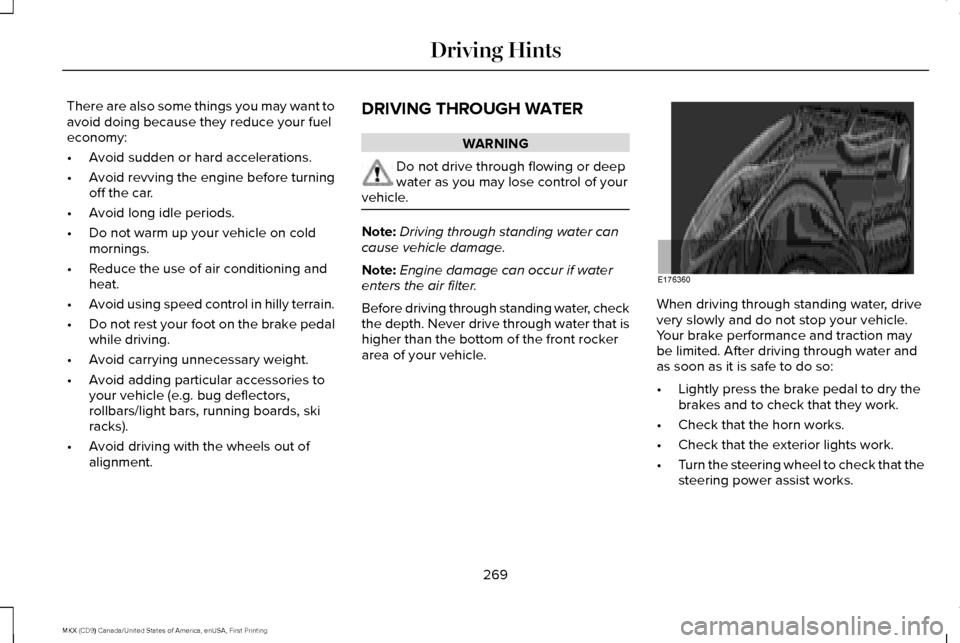
Before driving through standing water, check
the depth. Never drive through water that is
higher than the bottom of the front rocker
area of your vehicle. When driving through standing water, drive
very slowly and do not stop your vehicle.
Your brake performance and traction may
be limited. After driving through water and
as soon as it is safe to do so:
•
Lightly press the brake pedal to dry the
brakes and to check that they work.
• Check that the horn works.
• Check that the exterior lights work.
• Turn the steering wheel to check that the
steering power assist works.
269
MKX (CD9) Canada/United States of America, enUSA, First Printing Driving HintsE176360
Page 326 of 587
Note:
See an authorized dealer for battery
access, testing, or replacement.
To make sure the battery management
system works correctly, do not connect an
electrical device ground connection directly
to the battery negative post. This can cause
inaccurate measurements of the battery
condition and potential incorrect system
operation.
Note: If you add electrical accessories or
components to the vehicle, it may adversely
affect battery performance and durability.
This may also affect the performance of
other electrical systems in the vehicle.
If you see any corrosion on the battery or
terminals, remove the cables from the
terminals and clean with a wire brush. You
can neutralize the acid with a solution of
baking soda and water.
Because your vehicle ’s engine is
electronically-controlled by a computer,
some engine control settings are maintained
by power from the battery. Some engine
computer settings, like the idle trim and fuel
trim strategy, optimize the driveability and performance of the engine. The clock and
radio station presets are also maintained in
memory by power from the low-voltage
battery. These settings are erased when a
technician disconnects and connects the
low-voltage battery.
To restore the settings, do the following:
Note:
Until you switch the ignition to the on
position, you will receive a message in your
information display stating that your vehicle
is not in park.
1. Apply the parking brake.
2. Shift into park (P) or neutral (N).
3. Switch off all accessories.
4. Press the brake pedal and start your vehicle.
5. Run the engine until it reaches normal operating temperature. While the engine
is warming up, complete the following:
Reset the clock. See Audio System
(page 399). Reset the power windows
bounce-back feature. See Windows and
Mirrors (page 100).
Reset the radio station
presets. See Audio System (page 399). 6. Allow the engine to idle for at least one
minute.
7. Drive the vehicle at least 10 mi (16 km) to
completely relearn the idle trim and fuel
trim strategy.
Note: If you do not allow the engine to
relearn the idle and fuel trim strategy, the
idle quality of your vehicle may be adversely
affected until the engine computer
eventually relearns the idle trim and fuel trim
strategy.
Note: Certain features may not operate if
the battery monitor system is not reset with
a scan tool following a jump start or battery
replacement. Normal electrical accessory
operation should resume after your vehicle
is left undisturbed for 8 hours.
Make sure that you dispose of old batteries
in an environmentally friendly way. Seek
advice from your local authority about
recycling old batteries.
If storing your vehicle for more than 30 days
without recharging the battery, we
recommend that you disconnect the battery
cables to maintain battery charge for quick
starting.
323
MKX (CD9) Canada/United States of America, enUSA, First Printing Maintenance
Page 451 of 587
Note: This feature only functions when you switch the engine on.
Touch this icon to switch the heated steering wheel on and off. It takes about 5 minutes to warm the steering wheel to 74°F (23.3°C)
in temperatures as low as -4°F (-20°C). The wheel maintains an a\
pproximate temperature of 90°F (32.2°C) and operates independently
from the heated seats and other climate-control functions. The heating e\
lement is in between the leather covering and foam core
to help provide maximum heat without adversely affecting the feel of the\
steering wheel.
Note:
For steering wheels with wood trim, the heating feature will not heat t\
he wheel between the 10 and 2 o'clock positions.
Defrost:
A pop up appears on the screen to display the defrost options.
C
MAX Defrost: Touch the button to maximize defrosting. Air flows through the windshield\
vents, the fan automatically adjusts to the
highest speed and the driver and passenger temperatures are set to HI. Y\
ou can use this setting to defog or clear a thin covering
of ice from the windshield. The heated rear window also automatically tu\
rns on when you select MAX Defrost.
Defrost:
Distributes air through the windshield defroster vents and demister vent\
s.
Heated rear window:
Turns the heated rear window on and off. See Heated Windows and Mirrors (page 144).
AUTO:
Touch the button to switch on automatic operation. Select the desired tem\
perature using the temperature control. The
system adjusts fan speed, air distribution, air conditioning operation, \
and selects outside air or recirculated air to heat or cool the
vehicle in order to maintain the desired temperature.
D
Power:
Touch the button to switch the system on and off. Switching off the climate control system prevents outside air from enteri\
ng
the vehicle.
E
DUAL:
This button lights up when the passenger temperature controls are activ\
e. To switch the passenger temperature controls
off and link the passenger temperature to the driver temperature, touch the DUAL button.
F
Note:
the passenger side temperature and the DUAL indication automatically turn on when you or your passenger adjust th\
e
passenger temperature.
Passenger temperature:
Touch up or down to adjust the temperature.
G
448
MKX (CD9) Canada/United States of America, enUSA, First Printing SYNC™ 3
Page 576 of 587
3
360 Degree Camera....................................221
Camera Views......................................................221
Front Camera......................................................222
Side Camera........................................................223
A
A/C See: Climate Control............................................141
About This Manual............................................7
ABS See: Brakes...........................................................195
ABS driving hints See: Hints on Driving With Anti-Lock
Brakes................................................................195
Accessories...................................................505 Exterior Style.......................................................505
Interior Style........................................................505
Lifestyle.................................................................505
Peace of Mind.....................................................505
Accessories See: Replacement Parts Recommendation.....13
ACC See: Using Adaptive Cruise Control.............225 Active Park Assist
..........................................210
Deactivating the Active Park Assist
Feature..............................................................216
Parallel Parking, Perpendicular Parking, Parallel Park Out Assist.................................210
Troubleshooting the System............................216
Adaptive Headlamps
.....................................96
Adjusting the Headlamps..........................325 Vertical Aim Adjustment...................................325
Adjusting the Steering Wheel - Vehicles With: Manual Adjustable Steering
Column............................................................84
Adjusting the Steering Wheel - Vehicles With: Power Adjustable Steering
Column............................................................84
Easy Entry and Exit Feature...............................85
End of Travel Position..........................................85
Memory Feature....................................................85
AFS See: Adaptive Headlamps..................................
96
Airbag Disposal
...............................................55
Air Conditioning See: Climate Control............................................141
Air Filter See: Changing the Engine Air Filter..............330
Alarm See: Anti-Theft Alarm...........................................83
All-Wheel Drive..............................................189 Ambient Lighting............................................99
Anti-Theft Alarm
..............................................83
Arming the Alarm..................................................83
Disarming the Alarm............................................83
Appendices....................................................542
Apps .................................................................
468
........................................................................\
.........468
SiriusXM Traffic and Travel Link......................470
Audible Warnings and Indicators...............113 Headlamps On Warning Chime........................113
Keyless Warning Alert.........................................113
Parking Brake On Warning Chime
...................113
Audio Control
..................................................85
Seek, Next or Previous........................................86
Audio System................................................399 General Information...........................................399
Audio Unit
......................................................400
Auto Hold........................................................199 Using Auto Hold..................................................201
Autolamps........................................................92 Windshield Wiper Activated Headlamps........93
Automatic Climate Control...........................141
Automatic High Beam Control....................95 Activating the System..........................................95
Manually Overriding the System......................
96
Automatic Transmission..............................183 Automatic Transmission Adaptive
Learning............................................................188
573
MKX (CD9) Canada/United States of America, enUSA, First Printing Index
Page 581 of 587
Alarm......................................................................124
Automatic Engine Shutdown............................124
AWD........................................................................\
125
Battery and Charging System..........................126
Blind Spot Information and Cross Traffic Alert System...............................................................127
Collision Warning System.................................128
Doors and Locks..................................................128
Driver Alert............................................................129
Fuel........................................................................\
.129
Hill Start Assist.....................................................130
Keys and Intelligent Access.............................130
Lane Keeping System.........................................131
Maintenance.........................................................132
MyKey.....................................................................133
Park Aid..................................................................134
Park Brake.............................................................134
Power Steering....................................................135
Remote Start.........................................................136
Seats.......................................................................136
Starting System ...................................................136
Tire Pressure Monitoring System....................
137
Traction Control....................................................137
Transmission.........................................................138
Installing Child Restraints
..............................19
Child Seats..............................................................19
Using Lap and Shoulder Belts............................19 Using Lower Anchors and Tethers for
CHildren (LATCH).............................................25
Using Tether Straps..............................................27
Instrument Cluster.........................................107
Instrument Lighting Dimmer........................93
Interior Lamps
..................................................98
Front Interior Lamp...............................................98
Rear Interior Lamp................................................99
Interior Mirror
.................................................104
Auto-Dimming Mirror..........................................104
Introduction
.........................................................7
J
Jump Starting the Vehicle..........................273 Connecting the Jumper Cables......................
274
Jump Starting......................................................275
Preparing Your Vehicle......................................274
Removing the Jumper Cables.........................
275
K
Keyless Entry
....................................................77
SECURICODE™ Keyless Entry Keypad.............77
Keyless Starting.............................................167 Ignition Modes......................................................167
Keys and Remote Controls..........................56 L
Lane Keeping System.................................235
Switching the System On and Off..................235
Lighting Control
................................................91
Headlamp Flasher................................................92
High Beams............................................................92
Lighting...............................................................91 General Information..............................................91
Lincoln Automotive Financial Services......12
Lincoln Protect..............................................507 Lincoln Protect (CANADA ONLY)...................508
Lincoln Protect Extended Service Plans (U.S.
Only)..................................................................507
Load Carriers See: Roof Racks and Load Carriers...............
256
Load Carrying
................................................254
Load Limit.......................................................256
Special Loading Instructions for Owners of
Pick-up Trucks and Utility-type
Vehicles............................................................260
Vehicle Loading - with and without a Trailer................................................................256
Locking and Unlocking
.................................68
Activating Intelligent Access..............................70
Autolock...................................................................71
Auto Relock.............................................................71
Autounlock...............................................................71
578
MKX (CD9) Canada/United States of America, enUSA, First Printing Index
Page 583 of 587
Pairing Your Cell Phone for the First
Time..................................................................450
Phone Menu.........................................................451
Receiving Calls....................................................455
Smartphone Connectivity.................................457
Text Messaging...................................................456
Post-Crash Alert System.............................275
Power Door Locks See: Locking and Unlocking..............................68
Power Liftgate..................................................74 Hands-Free Feature.............................................77
Obstacle Detection...............................................77
Opening and Closing the Liftgate....................75
Setting the Liftgate Open Height......................76
Stopping the Liftgate Movement......................76
Power Seats....................................................149 Multi-Contour Front Seats With Active Motion
........................................................................\
......151
Power Lumbar.......................................................151
Power Windows.............................................100 Accessory Delay...................................................101
Bounce-Back........................................................100
One-Touch Down................................................100
One-Touch Up......................................................100
Window Lock.........................................................101
Pre-Collision Assist
......................................247
Using the Pre-Collision Assist System..........248
Protecting the Environment..........................16 R
Rear Parking Aid...........................................207
Obstacle Distance Indicator............................207
Rear Seat Armrest.........................................157
Rear Seats
.......................................................154
Adjusting the Rear Seats...................................154
Rear Under Floor Storage
..........................254
Cargo Management System............................254
In-floor storage - second row..........................254
Rear View Camera........................................218 Camera Guidelines.............................................219
Manual Zoom......................................................220
Obstacle Distance Indicator............................220
Rear Camera Delay.............................................221
Using the Rear View Camera System............218
Rear View Camera See: Rear View Camera.....................................218
Rear Window Wiper and Washers
.............90
Rear Window Washer..........................................90
Rear Window Wiper.............................................90
Recommended Towing Weights..............262
Reduced Engine Performance..................268
Refueling..........................................................176 System Warnings.................................................178
Remote Control
...............................................57
Car Finder...............................................................58
Intelligent Access Key..........................................57 Memory Feature...................................................60
Remote Start..........................................................58
Replacing the Battery...........................................57
Sounding a Panic Alarm......................................58
Remote Start
...................................................145
Automatic Settings..............................................145
Repairing Minor Paint Damage
.................337
Replacement Parts Recommendation........13 Collision Repairs.....................................................13
Scheduled Maintenance and Mechanical
Repairs.................................................................13
Warranty on Replacement Parts.........................
13
Replacing a Lost Key or Remote Control............................................................60
Reporting Safety Defects (Canada Only)..............................................................285
Reporting Safety Defects (U.S. Only)......284
Roadside Assistance
....................................271
Vehicles Sold in Canada: Getting Roadside
Assistance........................................................272
Vehicles Sold in Canada: Roadside Assistance Program Coverage........................................
272
Vehicles Sold in Canada: Using Roadside Assistance........................................................272
Vehicles Sold in the United States: Getting Roadside Assistance......................................
271
Vehicles Sold in the United States: Using Roadside Assistance......................................
271
580
MKX (CD9) Canada/United States of America, enUSA, First Printing Index