warning LINCOLN MKX 2018 Owners Manual
[x] Cancel search | Manufacturer: LINCOLN, Model Year: 2018, Model line: MKX, Model: LINCOLN MKX 2018Pages: 603, PDF Size: 4.94 MB
Page 523 of 603
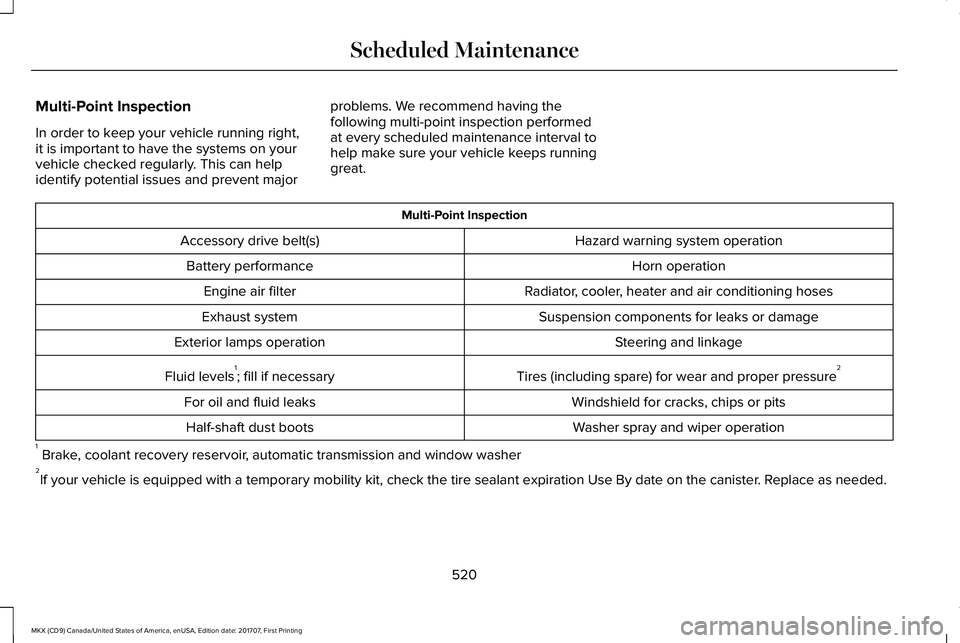
Multi-Point Inspection
In order to keep your vehicle running right,it is important to have the systems on yourvehicle checked regularly. This can helpidentify potential issues and prevent major
problems. We recommend having thefollowing multi-point inspection performedat every scheduled maintenance interval tohelp make sure your vehicle keeps runninggreat.
Multi-Point Inspection
Hazard warning system operationAccessory drive belt(s)
Horn operationBattery performance
Radiator, cooler, heater and air conditioning hosesEngine air filter
Suspension components for leaks or damageExhaust system
Steering and linkageExterior lamps operation
Tires (including spare) for wear and proper pressure2Fluid levels1; fill if necessary
Windshield for cracks, chips or pitsFor oil and fluid leaks
Washer spray and wiper operationHalf-shaft dust boots
1 Brake, coolant recovery reservoir, automatic transmission and window washer2If your vehicle is equipped with a temporary mobility kit, check the tire sealant expiration Use By date on the canister. Replace as needed.
520
MKX (CD9) Canada/United States of America, enUSA, Edition date: 201707, First Printing
Scheduled Maintenance
Page 552 of 603
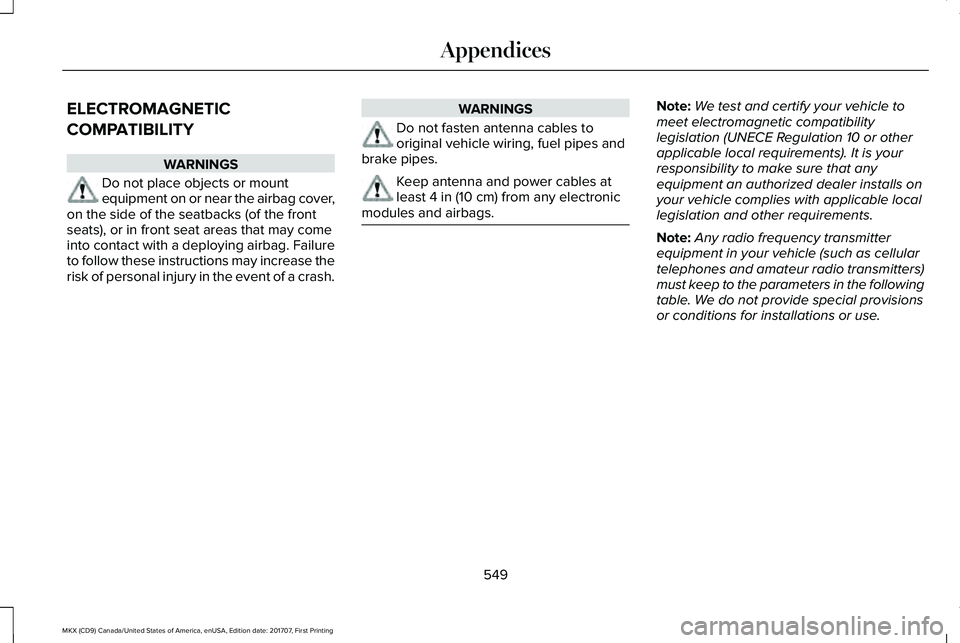
ELECTROMAGNETIC
COMPATIBILITY
WARNINGS
Do not place objects or mountequipment on or near the airbag cover,on the side of the seatbacks (of the frontseats), or in front seat areas that may comeinto contact with a deploying airbag. Failureto follow these instructions may increase therisk of personal injury in the event of a crash.
WARNINGS
Do not fasten antenna cables tooriginal vehicle wiring, fuel pipes andbrake pipes.
Keep antenna and power cables atleast 4 in (10 cm) from any electronicmodules and airbags.
Note:We test and certify your vehicle tomeet electromagnetic compatibilitylegislation (UNECE Regulation 10 or otherapplicable local requirements). It is yourresponsibility to make sure that anyequipment an authorized dealer installs onyour vehicle complies with applicable locallegislation and other requirements.
Note:Any radio frequency transmitterequipment in your vehicle (such as cellulartelephones and amateur radio transmitters)must keep to the parameters in the followingtable. We do not provide special provisionsor conditions for installations or use.
549
MKX (CD9) Canada/United States of America, enUSA, Edition date: 201707, First Printing
Appendices
Page 573 of 603
communication with any positioning devicesor any mobile or wireless-connectedelectronic or computer devices, includingwithout limitation cellular phones, palmtopand handheld computers, pagers, andpersonal digital assistants or PDAs.
Warning. The Data may contain inaccurateor incomplete information due to thepassage of time, changing circumstances,sources used and the nature of collectingcomprehensive geographic data, any ofwhich may lead to incorrect results.
No Warranty. This Data is provided to you“as is,” and you agree to use it at your ownrisk. Telenav and its licensors (and theirlicensors and suppliers) make no guarantees,representations or warranties of any kind,express or implied, arising by law orotherwise, including but not limited to,content, quality, accuracy, completeness,effectiveness, reliability, fitness for aparticular purpose, usefulness, use or resultsto be obtained from this Data, or that theData or server will be uninterrupted orerror-free.
Disclaimer of Warranty: TELENAV AND ITSLICENSORS (INCLUDING THEIR LICENSORSAND SUPPLIERS) DISCLAIM ANYWARRANTIES, EXPRESS OR IMPLIED, OFQUALITY, PERFORMANCE,MERCHANTABILITY, FITNESS FOR APARTICULAR PURPOSE ORNON-INFRINGEMENT. Some States,Territories and Countries do not allow certainwarranty exclusions, so to that extent theabove exclusion may not apply to you.
Disclaimer of Liability: TELENAV AND ITSLICENSORS (INCLUDING THEIR LICENSORSAND SUPPLIERS) SHALL NOT BE LIABLE TOYOU: IN RESPECT OF ANY CLAIM, DEMANDOR ACTION, IRRESPECTIVE OF THENATURE OF THE CAUSE OF THE CLAIM,DEMAND OR ACTION ALLEGING ANY LOSS,INJURY OR DAMAGES, DIRECT ORINDIRECT, WHICH MAY RESULT FROM THEUSE OR POSSESSION OF THEINFORMATION; OR FOR ANY LOSS OFPROFIT, REVENUE, CONTRACTS ORSAVINGS, OR ANY OTHER DIRECT,INDIRECT, INCIDENTAL, SPECIAL ORCONSEQUENTIAL DAMAGES ARISING OUTOF YOUR USE OF OR INABILITY TO USE
THIS INFORMATION, ANY DEFECT IN THEINFORMATION, OR THE BREACH OF THESETERMS OR CONDITIONS, WHETHER IN ANACTION IN CONTRACT OR TORT OR BASEDON A WARRANTY, EVEN IF TELENAV ORITS LICENSORS HAVE BEEN ADVISED OFTHE POSSIBILITY OF SUCH DAMAGES.Some States, Territories and Countries donot allow certain liability exclusions ordamages limitations, so to that extent theabove may not apply to you.
Export Control. You shall not export fromanywhere any part of the Data or any directproduct thereof except in compliance with,and with all licenses and approvals requiredunder, applicable export laws, rules andregulations, including but not limited to thelaws, rules and regulations administered bythe Office of Foreign Assets Control of theU.S. Department of Commerce and theBureau of Industry and Security of the U.S.Department of Commerce. To the extent thatany such export laws, rules or regulationsprohibit HERE from complying with any of itsobligations hereunder to deliver or distributeData, such failure shall be excused and shallnot constitute a breach of this Agreement.
570
MKX (CD9) Canada/United States of America, enUSA, Edition date: 201707, First Printing
Appendices
Page 585 of 603
Gracenote uses a unique identifier to trackqueries for statistical purposes. The purposeof a randomly assigned numeric identifier isto allow Gracenote to count queries withoutknowing anything about who you are. Formore information, see the web page atwww.gracenote.com for the GracenotePrivacy Policy.
THE GRACENOTE SOFTWARE, EACH ITEMOF GRACENOTE DATA AND THEGRACENOTE CONTENT ARE LICENSED TOYOU "AS IS". NEITHER GRACENOTE MAKESANY REPRESENTATIONS OR WARRANTIES,EXPRESS OR IMPLIED, REGARDING THEACCURACY OF ANY GRACENOTE DATAFROM THE GRACENOTE SERVERS ORGRACENOTE CONTENT. GRACENOTECOLLECTIVELY AND SEPARATELY RESERVETHE RIGHT TO DELETE DATA AND/ORCONTENT FROM THE COMPANIES'RESPECTIVE SERVERS OR, IN THE CASE OFGRACENOTE, CHANGE DATA CATEGORIESFOR ANY CAUSE THAT GRACENOTEDEEMS SUFFICIENT. NO WARRANTY ISMADE THAT EITHER GRACENOTECONTENT OR THE GRACENOTE SOFTWAREOR GRACENOTE SERVERS ARE
ERROR-FREE OR THAT THE FUNCTIONINGOF THE GRACENOTE SOFTWARE ORGRACENOTE SERVERS WILL BEUNINTERRUPTED. GRACENOTE IS NOTOBLIGATED TO PROVIDE YOU WITH ANYENHANCED OR ADDITIONAL DATA TYPESTHAT GRACENOTE MAY CHOOSE TOPROVIDE IN THE FUTURE AND IS FREE TODISCONTINUE ITS ONLINE SERVICES ATANY TIME. GRACENOTE DISCLAIM ALLWARRANTIES EXPRESS OR IMPLIED,INCLUDING, BUT NOT LIMITED TO, IMPLIEDWARRANTIES OF MERCHANTABILITY,FITNESS FOR A PARTICULAR PURPOSE,TITLE, AND NON-INFRINGEMENT. NEITHERGRACENOTE WARRANTS THE RESULTSTHAT WILL BE OBTAINED BY YOUR USEOF THE GRACENOTE SOFTWARE OR ANYGRACENOTE SERVER. IN NO CASE WILLGRACENOTE BE LIABLE FOR ANYCONSEQUENTIAL OR INCIDENTALDAMAGES OR FOR ANY LOST PROFITS ORLOST REVENUES FOR ANY REASONWHATSOEVER. © Gracenote 2007.
Radio Frequency Statement
FCC ID: ACJ-SYNCG3-L
IC: 216B-SYNCG3-L
This device complies with Part 15 of the FCCRules and with RSS-210 of Industry Canada.Operation is subject to the following twoconditions:
(1) This device may not cause harmfulinterference, and
(2) this device must accept any interferencereceived, including interference that maycause undesired operation.
WARNING
Changes or modifications notexpressively approved by the partyresponsible for compliance could void theuser's authority to operate the equipment.The term "IC:" before the radio certificationnumber only signifies that Industry Canadatechnical specifications were met.
The antenna used for this transmitter mustnot be co-located or operating in conjunctionwith any other antenna or transmitter.
582
MKX (CD9) Canada/United States of America, enUSA, Edition date: 201707, First Printing
Appendices
Page 587 of 603
SUNA Products and/or Services are intendedas an aid to personal motoring and travelplanning, and do not provide comprehensiveor accurate information on all occasions. Onoccasions, you may experience additionaldelay as a result of using SUNA Productsand/or Services. You acknowledge that it isnot intended, or suitable, for use inapplications where time of arrival or drivingdirections may impact the safety of the publicor yourself.
4. Use of SUNA Products and Serviceswhile driving
You, and other authorised drivers of thevehicle in which SUNA Products and/orServices are available or installed and active,remain at all times responsible for observingall relevant laws and codes of safe driving.In particular, you agree to only activelyoperate SUNA Products and/or Serviceswhen the Vehicle is at a complete stop andit is safe to do so.
5. Service Continuity and Reception of theSUNA Traffic Channel
We will use reasonable endeavours toprovide the SUNA Traffic Channel 24 hoursa day, 365 days a year. The SUNA TrafficChannel may occasionally be unavailable fortechnical reasons or for plannedmaintenance. We will try to performmaintenance at times when congestion islight. We reserve the right to withdraw SUNAProducts and/or Services at any time.
Also, we cannot assure the uninterruptedreception of the SUNA Traffic ChannelRDS-TMC signal at any particular location.
6. Limitation of Liability
Neither Intelematics (nor its suppliers or themanufacturer of your device (the“Suppliers”)) shall be liable to you or to anythird party for any damages either direct,indirect, incidental, consequential orotherwise arising out of the use of or inabilityto use SUNA Products and/or Services evenif Intelematics or a Supplier has been advisedof the possibility of such damages. You alsoacknowledge that the neither Intelematicsnor any Supplier guarantees nor make anywarranties that relate to the availability,accuracy or completeness of SUNA Products
and/or Services, and to the extent which itis lawful to do so, both Intelematics and eachSupplier excludes any warranties whichmight otherwise be implied by any State orFederal legislation in relation to SUNAProducts and/or Services.
7. Please Note
Great care has been taken in preparing thismanual. Constant product development maymean that some information is not entirelyup-to-date. The information in this documentis subject to change without notice.
WARNING
Driving while distracted can result inloss of vehicle control, crash and injury.We strongly recommend that you useextreme caution when using any device thatmay take your focus off the road. Yourprimary responsibility is the safe operationof your vehicle. We recommend against theuse of any hand-held device while drivingand encourage the use of voice-operatedsystems when possible. Make sure you areaware of all applicable local laws that mayaffect the use of electronic devices whiledriving.
584
MKX (CD9) Canada/United States of America, enUSA, Edition date: 201707, First Printing
Appendices
Page 592 of 603
3
360 Degree Camera...................................225Camera Views.....................................................226Front Camera.......................................................227Side Camera........................................................227
A
A/CSee: Climate Control..........................................145
About This Manual............................................7ABSSee: Brakes...........................................................199
ABS driving hintsSee: Hints on Driving With Anti-LockBrakes..............................................................200
Accessories....................................................512Exterior Style........................................................512Interior Style..........................................................512Lifestyle..................................................................512Peace of Mind......................................................512
AccessoriesSee: Replacement Parts Recommendation.....13
ACCSee: Using Adaptive Cruise Control.............230
Active Park Assist..........................................214Deactivating the Active Park AssistFeature.............................................................220Parallel Parking, Perpendicular Parking,Parallel Park Out Assist.................................214Troubleshooting the System............................221
Adaptive Headlamps...................................100Adjusting the Headlamps...........................327Vertical Aim Adjustment...................................327
Adjusting the Steering Wheel - VehiclesWith: Manual Adjustable SteeringColumn...........................................................90Adjusting the Steering Wheel - VehiclesWith: Power Adjustable SteeringColumn...........................................................89End of Travel Position..........................................89
AFSSee: Adaptive Headlamps................................100
Airbag Disposal...............................................57Air ConditioningSee: Climate Control..........................................145
Air FilterSee: Changing the Engine Air Filter..............332
AlarmSee: Anti-Theft Alarm...........................................88
All-Wheel Drive..............................................193Ambient Lighting...........................................103
Anti-Theft Alarm..............................................88Arming the Alarm..................................................88Disarming the Alarm............................................88
Appendices....................................................549Apps.................................................................472.................................................................................472SiriusXM Traffic and Travel Link......................474
At a Glance........................................................17Audible Warnings and Indicators...............117Headlamps On Warning Chime........................117Keyless Warning Alert.........................................117Parking Brake On Warning Chime...................117
Audio Control....................................................91Seek, Next or Previous.........................................91
Audio System.................................................401General Information............................................401
Audio Unit......................................................402Seek, Fast Forward and Reverse...................404Tune ......................................................................404Volume and Power.............................................404
Auto Hold.......................................................204Using Auto Hold.................................................205
Autolamps.........................................................97Windshield Wiper Activated Headlamps........98
Automatic Climate Control..........................145Automatic High Beam Control....................99Automatic High Beam Indicator......................100Switching the System On and Off..................100
589
MKX (CD9) Canada/United States of America, enUSA, Edition date: 201707, First Printing
Index
Page 597 of 603
I
In California (U.S. Only)................................281Information Display Control.........................92Information Displays......................................118General Information.............................................118
Information Messages.................................125Active Park............................................................125Adaptive Cruise Control....................................126Adaptive Steering................................................127AdvanceTrac™.......................................................127Airbag.....................................................................128Alarm......................................................................128Automatic Engine Shutdown............................128AWD........................................................................129Battery and Charging System..........................130Blind Spot Information and Cross Traffic AlertSystem................................................................131Collision Warning System..................................132Doors and Locks..................................................132Driver Alert............................................................133Fuel.........................................................................133Hill Start Assist.....................................................134Keys and Intelligent Access..............................134Lane Keeping System........................................135Maintenance.........................................................136MyKey.....................................................................137Park Aid..................................................................138
Park Brake.............................................................138Power Steering....................................................139Remote Start.........................................................140Seats.......................................................................140Starting System ...................................................140Tire Pressure Monitoring System.....................141Traction Control....................................................141Transmission.........................................................142
Installing Child Restraints..............................21Child Seats..............................................................21Using Lap and Shoulder Belts............................21Using Lower Anchors and Tethers forCHildren (LATCH).............................................27Using Tether Straps..............................................29
Instrument Cluster...........................................111Instrument Lighting Dimmer........................98Instrument Panel Overview...........................17Interior Lamps................................................102Front Interior Lamp.............................................102Rear Interior Lamp...............................................103
Interior Mirror.................................................108Auto-Dimming Mirror..........................................108
Introduction.........................................................7
J
Jump Starting the Vehicle..........................276Connecting the Jumper Cables......................277
Jump Starting.......................................................277Preparing Your Vehicle.....................................276Removing the Jumper Cables.........................278
K
Keyless Entry....................................................77SECURICODE™ Keyless Entry Keypad.............77
Keyless Starting..............................................171Ignition Modes.......................................................171
Keys and Remote Controls..........................58
L
Lane Keeping System.................................239Switching the System On and Off..................239
Liftgate...............................................................80Lighting Control..............................................96Headlamp Flasher.................................................97Headlamp High Beam.........................................97
Lighting..............................................................96General Information.............................................96
Lincoln Automotive Financial Services......12Lincoln Protect...............................................514Lincoln Protect (CANADA ONLY)....................515Lincoln Protect Extended Service Plans (U.S.Only)...................................................................514
594
MKX (CD9) Canada/United States of America, enUSA, Edition date: 201707, First Printing
Index
Page 599 of 603
P
Parking Aids...................................................210Principle of Operation........................................210
Passive Anti-Theft System............................86SecuriLock™............................................................86
PATSSee: Passive Anti-Theft System........................86
Perchlorate........................................................12Personal Safety System™..............................46How Does the Personal Safety SystemWork?...................................................................46
Phone..............................................................453During a Phone Call...........................................458Making Calls.........................................................457Pairing Your Cell Phone for the FirstTime...................................................................453Phone Menu........................................................454Receiving Calls....................................................458Smartphone Connectivity................................460Text Messaging...................................................459
Post-Crash Alert System.............................278Power Door LocksSee: Locking and Unlocking..............................72
Power Liftgate...................................................81Hands-Free Feature.............................................84Obstacle Detection..............................................84Opening and Closing the Liftgate....................82
Setting the Liftgate Open Height.....................83Stopping the Liftgate Movement......................83
Power Seats....................................................154Multi-Contour Front Seats With Active Motion.............................................................................156Power Lumbar......................................................156
Power Windows.............................................104Accessory Delay..................................................105Bounce-Back........................................................104One-Touch Down................................................104One-Touch Up......................................................104Window Lock........................................................105
Pre-Collision Assist.......................................251Using the Pre-Collision Assist System..........252
Protecting the Environment..........................16
R
Rear Parking Aid............................................210Obstacle Distance Indicator..............................211
Rear Seat Armrest.........................................162Rear Seats.......................................................159Adjusting the Rear Seats...................................159
Rear Under Floor Storage..........................257Cargo Management System............................257In-floor storage - second row..........................257
Rear View Camera.......................................223Camera Guidelines............................................224
Manual Zoom......................................................225Obstacle Distance Indicator............................225Rear Camera Delay............................................225Using the Rear View Camera System...........223
Rear View CameraSee: Rear View Camera....................................223
Rear Window Wiper and Washers..............95Rear Window Washer..........................................95
Recommended Towing Weights..............265Reduced Engine Performance...................271Refueling.........................................................180System Warnings.................................................182
Remote Control...............................................58Car Finder...............................................................62Intelligent Access Key.........................................58Memory Feature....................................................64Remote Start..........................................................62Replacing the Battery..........................................60Sounding the Panic Alarm..................................62
Remote Start...................................................149Automatic Settings..............................................149
Repairing Minor Paint Damage.................339Replacement Parts Recommendation........13Collision Repairs.....................................................13Scheduled Maintenance and MechanicalRepairs.................................................................13Warranty on Replacement Parts.........................13
596
MKX (CD9) Canada/United States of America, enUSA, Edition date: 201707, First Printing
Index
Page 600 of 603
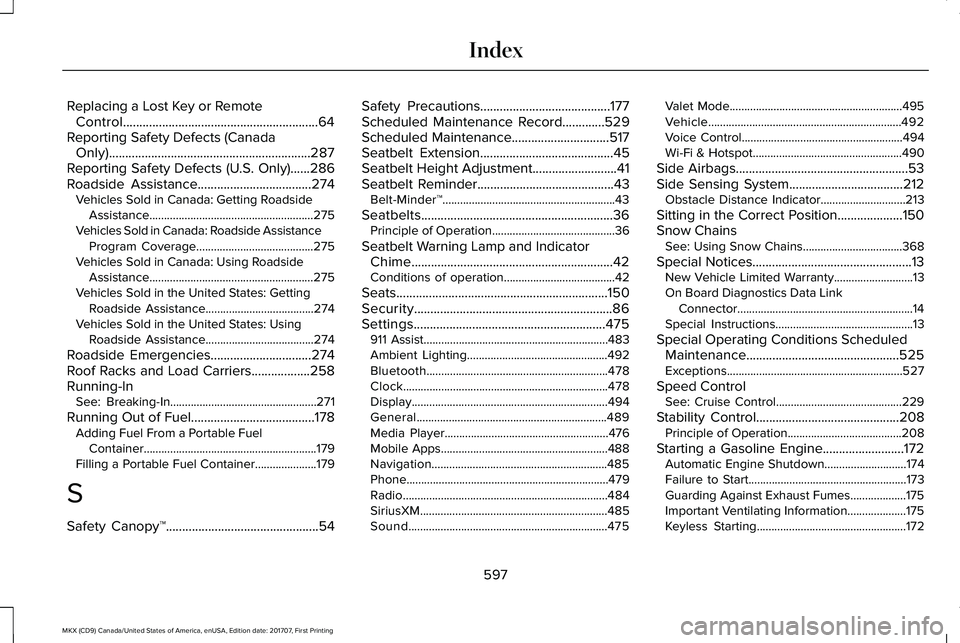
Replacing a Lost Key or RemoteControl............................................................64Reporting Safety Defects (CanadaOnly)..............................................................287Reporting Safety Defects (U.S. Only)......286Roadside Assistance...................................274Vehicles Sold in Canada: Getting RoadsideAssistance........................................................275Vehicles Sold in Canada: Roadside AssistanceProgram Coverage........................................275Vehicles Sold in Canada: Using RoadsideAssistance........................................................275Vehicles Sold in the United States: GettingRoadside Assistance.....................................274Vehicles Sold in the United States: UsingRoadside Assistance.....................................274
Roadside Emergencies...............................274Roof Racks and Load Carriers..................258Running-InSee: Breaking-In..................................................271
Running Out of Fuel......................................178Adding Fuel From a Portable FuelContainer...........................................................179Filling a Portable Fuel Container.....................179
S
Safety Canopy™...............................................54
Safety Precautions........................................177Scheduled Maintenance Record.............529Scheduled Maintenance..............................517Seatbelt Extension.........................................45Seatbelt Height Adjustment..........................41Seatbelt Reminder..........................................43Belt-Minder™...........................................................43
Seatbelts...........................................................36Principle of Operation..........................................36
Seatbelt Warning Lamp and IndicatorChime..............................................................42Conditions of operation......................................42
Seats.................................................................150Security.............................................................86Settings...........................................................475911 Assist...............................................................483Ambient Lighting................................................492Bluetooth..............................................................478Clock......................................................................478Display...................................................................494General.................................................................489Media Player........................................................476Mobile Apps.........................................................488Navigation............................................................485Phone.....................................................................479Radio......................................................................484SiriusXM................................................................485Sound....................................................................475
Valet Mode...........................................................495Vehicle..................................................................492Voice Control.......................................................494Wi-Fi & Hotspot...................................................490
Side Airbags.....................................................53Side Sensing System...................................212Obstacle Distance Indicator.............................213
Sitting in the Correct Position....................150Snow ChainsSee: Using Snow Chains..................................368
Special Notices.................................................13New Vehicle Limited Warranty...........................13On Board Diagnostics Data LinkConnector............................................................14Special Instructions...............................................13
Special Operating Conditions ScheduledMaintenance...............................................525Exceptions............................................................527
Speed ControlSee: Cruise Control...........................................229
Stability Control............................................208Principle of Operation.......................................208
Starting a Gasoline Engine.........................172Automatic Engine Shutdown............................174Failure to Start......................................................173Guarding Against Exhaust Fumes...................175Important Ventilating Information....................175Keyless Starting...................................................172
597
MKX (CD9) Canada/United States of America, enUSA, Edition date: 201707, First Printing
Index
Page 602 of 603
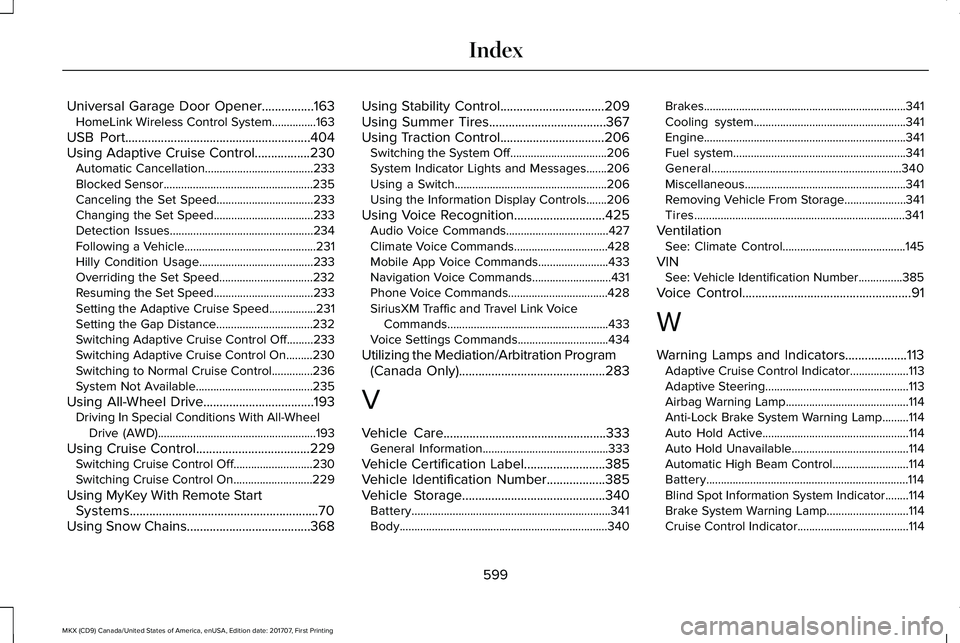
Universal Garage Door Opener................163HomeLink Wireless Control System...............163
USB Port.........................................................404Using Adaptive Cruise Control.................230Automatic Cancellation.....................................233Blocked Sensor...................................................235Canceling the Set Speed.................................233Changing the Set Speed..................................233Detection Issues.................................................234Following a Vehicle.............................................231Hilly Condition Usage.......................................233Overriding the Set Speed................................232Resuming the Set Speed..................................233Setting the Adaptive Cruise Speed................231Setting the Gap Distance.................................232Switching Adaptive Cruise Control Off.........233Switching Adaptive Cruise Control On.........230Switching to Normal Cruise Control..............236System Not Available........................................235
Using All-Wheel Drive..................................193Driving In Special Conditions With All-WheelDrive (AWD)......................................................193
Using Cruise Control...................................229Switching Cruise Control Off...........................230Switching Cruise Control On...........................229
Using MyKey With Remote StartSystems..........................................................70Using Snow Chains......................................368
Using Stability Control................................209Using Summer Tires....................................367Using Traction Control................................206Switching the System Off.................................206System Indicator Lights and Messages.......206Using a Switch....................................................206Using the Information Display Controls.......206
Using Voice Recognition............................425Audio Voice Commands...................................427Climate Voice Commands................................428Mobile App Voice Commands........................433Navigation Voice Commands...........................431Phone Voice Commands..................................428SiriusXM Traffic and Travel Link VoiceCommands.......................................................433Voice Settings Commands...............................434
Utilizing the Mediation/Arbitration Program(Canada Only).............................................283
V
Vehicle Care..................................................333General Information...........................................333
Vehicle Certification Label.........................385Vehicle Identification Number..................385Vehicle Storage............................................340Battery....................................................................341Body.......................................................................340
Brakes.....................................................................341Cooling system....................................................341Engine.....................................................................341Fuel system...........................................................341General.................................................................340Miscellaneous.......................................................341Removing Vehicle From Storage.....................341Tires........................................................................341
VentilationSee: Climate Control..........................................145
VINSee: Vehicle Identification Number...............385
Voice Control....................................................91
W
Warning Lamps and Indicators...................113Adaptive Cruise Control Indicator....................113Adaptive Steering.................................................113Airbag Warning Lamp..........................................114Anti-Lock Brake System Warning Lamp.........114Auto Hold Active..................................................114Auto Hold Unavailable........................................114Automatic High Beam Control..........................114Battery.....................................................................114Blind Spot Information System Indicator........114Brake System Warning Lamp............................114Cruise Control Indicator......................................114
599
MKX (CD9) Canada/United States of America, enUSA, Edition date: 201707, First Printing
Index