alarm LINCOLN MKZ 2010 Owners Manual
[x] Cancel search | Manufacturer: LINCOLN, Model Year: 2010, Model line: MKZ, Model: LINCOLN MKZ 2010Pages: 318, PDF Size: 2.22 MB
Page 11 of 318
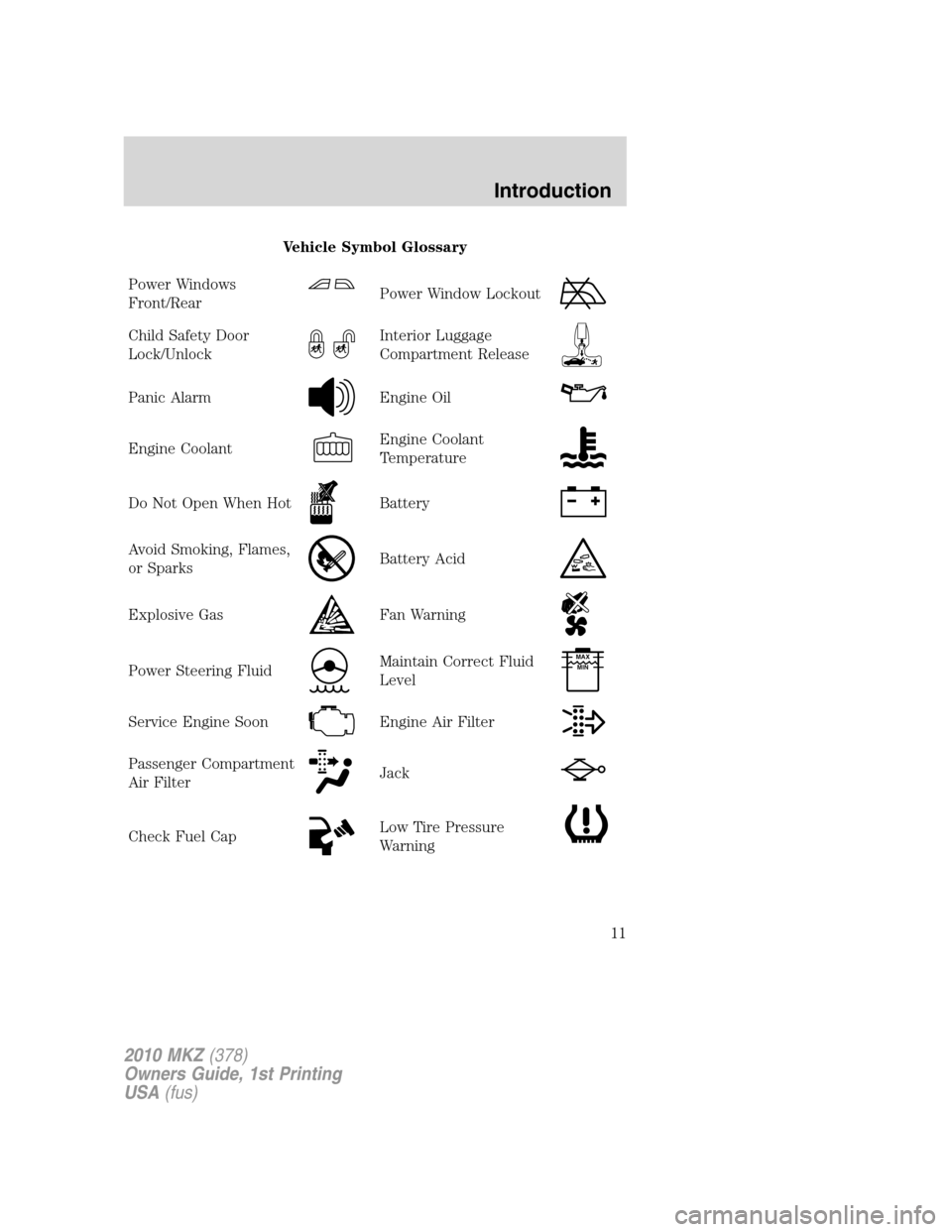
Vehicle Symbol Glossary
Power Windows
Front/Rear
Power Window Lockout
Child Safety Door
Lock/UnlockInterior Luggage
Compartment Release
Panic AlarmEngine Oil
Engine CoolantEngine Coolant
Temperature
Do Not Open When HotBattery
Avoid Smoking, Flames,
or SparksBattery Acid
Explosive GasFan Warning
Power Steering FluidMaintain Correct Fluid
LevelMAX
MIN
Service Engine SoonEngine Air Filter
Passenger Compartment
Air FilterJack
Check Fuel CapLow Tire Pressure
Warning
2010 MKZ(378)
Owners Guide, 1st Printing
USA(fus)
Introduction
11
Page 16 of 318
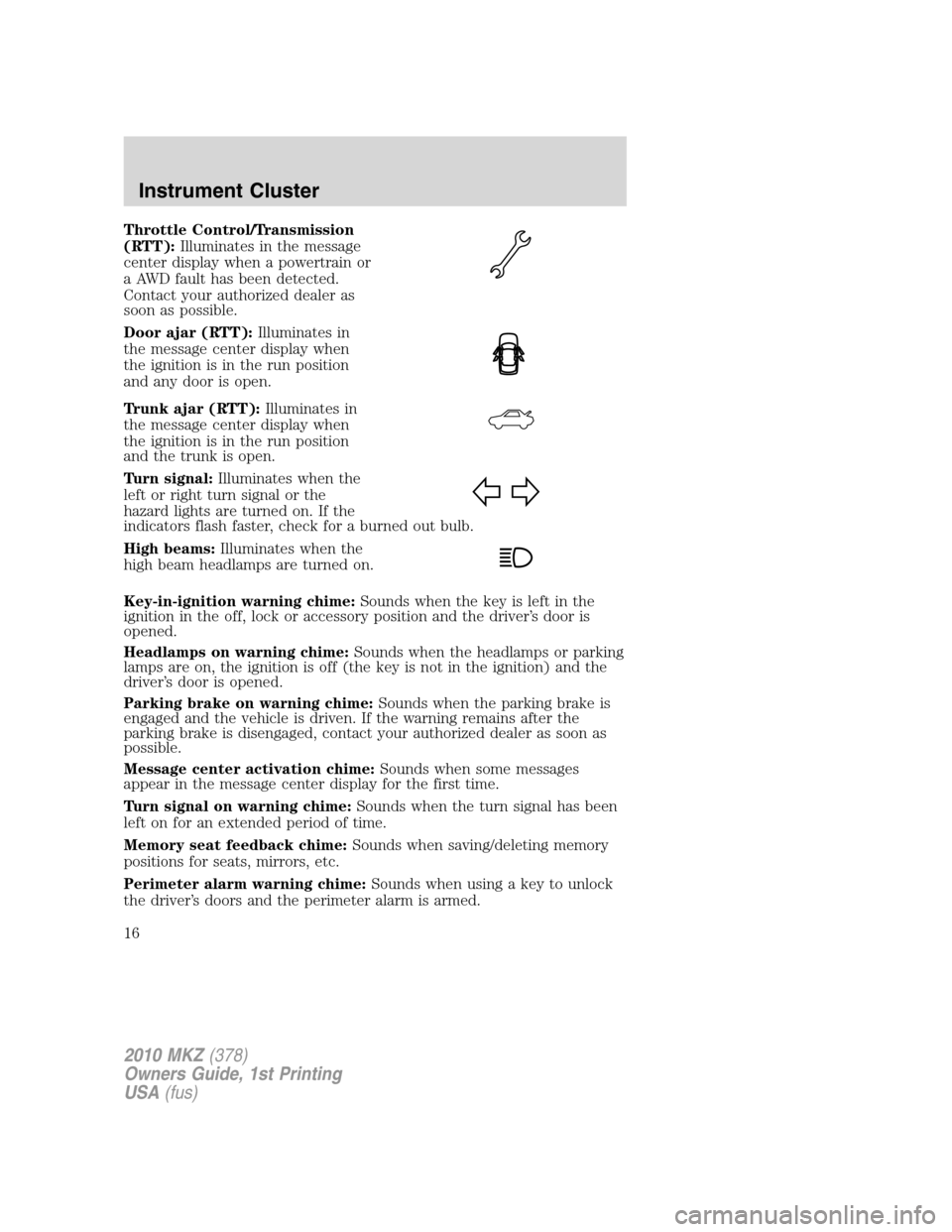
Throttle Control/Transmission
(RTT):Illuminates in the message
center display when a powertrain or
a AWD fault has been detected.
Contact your authorized dealer as
soon as possible.
Door ajar (RTT):Illuminates in
the message center display when
the ignition is in the run position
and any door is open.
Trunk ajar (RTT):Illuminates in
the message center display when
the ignition is in the run position
and the trunk is open.
Turn signal:Illuminates when the
left or right turn signal or the
hazard lights are turned on. If the
indicators flash faster, check for a burned out bulb.
High beams:Illuminates when the
high beam headlamps are turned on.
Key-in-ignition warning chime:Sounds when the key is left in the
ignition in the off, lock or accessory position and the driver’s door is
opened.
Headlamps on warning chime:Sounds when the headlamps or parking
lamps are on, the ignition is off (the key is not in the ignition) and the
driver’s door is opened.
Parking brake on warning chime:Sounds when the parking brake is
engaged and the vehicle is driven. If the warning remains after the
parking brake is disengaged, contact your authorized dealer as soon as
possible.
Message center activation chime:Sounds when some messages
appear in the message center display for the first time.
Turn signal on warning chime:Sounds when the turn signal has been
left on for an extended period of time.
Memory seat feedback chime:Sounds when saving/deleting memory
positions for seats, mirrors, etc.
Perimeter alarm warning chime:Sounds when using a key to unlock
the driver’s doors and the perimeter alarm is armed.
2010 MKZ(378)
Owners Guide, 1st Printing
USA(fus)
Instrument Cluster
16
Page 28 of 318
TO STOP ALARM START VEHICLE— Displayed when the perimeter
alarm system is armed and the vehicle is entered using the key on the
driver’s side door. In order to prevent the perimeter alarm system from
triggering, the ignition must be turned to Start before the 12 second
chime expires. SeePerimeter alarm systemin theLocks and security
chapter.
Temporary messages:
INTKEY COULD NOT PROGRAM— Displayed when an attempt is
made to program an invalid key or more than the maximum number of
integrated keys allowed. For more information on integrated key, refer to
Locks and Securitychapter.
2010 MKZ(378)
Owners Guide, 1st Printing
USA(fus)
Instrument Cluster
28
Page 96 of 318
REMOTE ENTRY SYSTEM
The Integrated Keyhead Transmitter (IKT) complies with part 15 of the
FCC rules and with RSS-210 of Industry Canada. Operation is subject to
the following two conditions: (1) This device may not cause harmful
interference, and (2) This device must accept any interference received,
including interference that may cause undesired operation.
Changes or modifications not expressly approved by the party
responsible for compliance could void the user’s authority to
operate the equipment.
The typical operating range for your IKT is approximately 33 feet
(10 meters). A decrease in operating range could be caused by:
•weather conditions,
•nearby radio towers,
•structures around the vehicle, or
•other vehicles parked next to your vehicle.
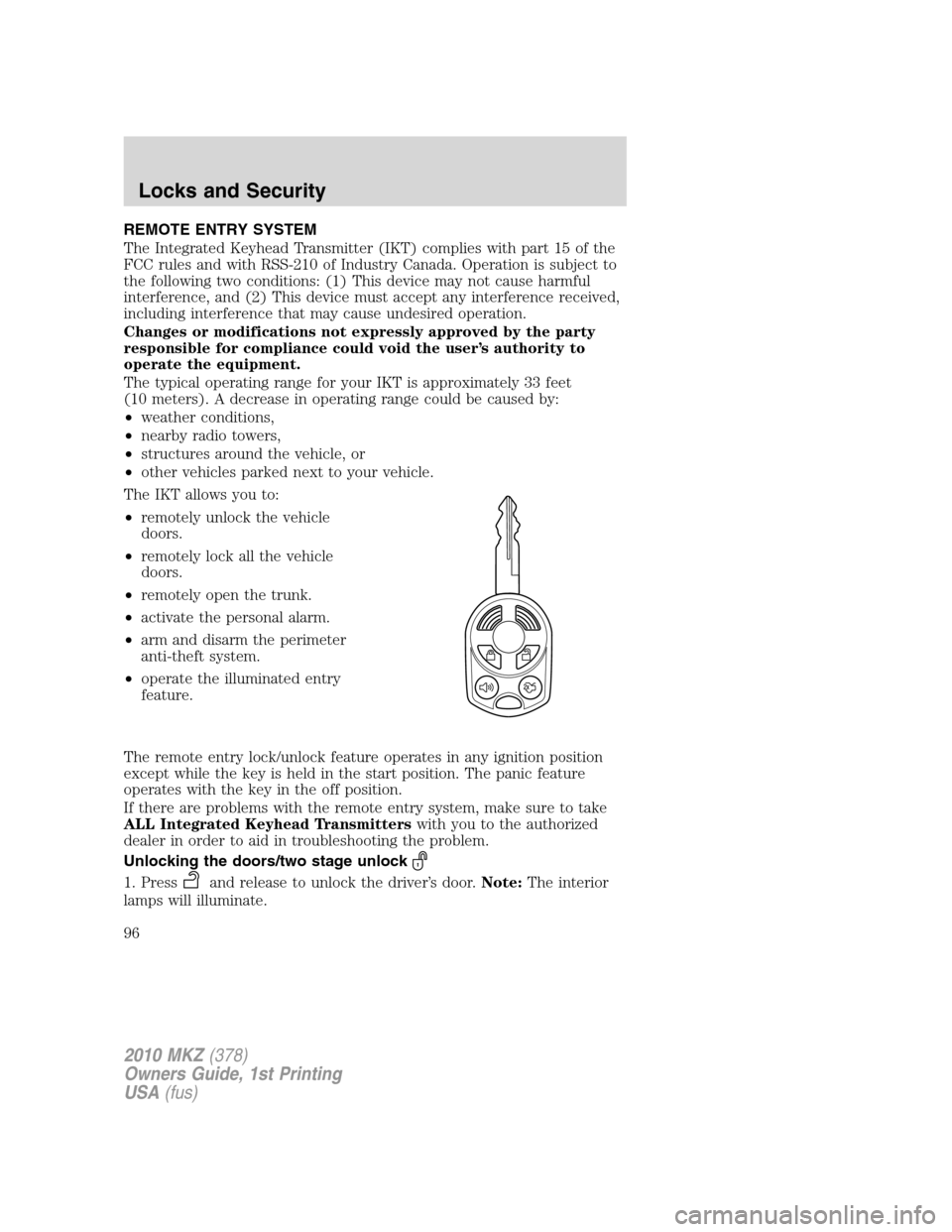
The IKT allows you to:
•remotely unlock the vehicle
doors.
•remotely lock all the vehicle
doors.
•remotely open the trunk.
•activate the personal alarm.
•arm and disarm the perimeter
anti-theft system.
•operate the illuminated entry
feature.
The remote entry lock/unlock feature operates in any ignition position
except while the key is held in the start position. The panic feature
operates with the key in the off position.
If there are problems with the remote entry system, make sure to take
ALL Integrated Keyhead Transmitterswith you to the authorized
dealer in order to aid in troubleshooting the problem.
Unlocking the doors/two stage unlock
1. Pressand release to unlock the driver’s door.Note:The interior
lamps will illuminate.
2010 MKZ(378)
Owners Guide, 1st Printing
USA(fus)
Locks and Security
96
Page 97 of 318
2. Pressand release again within five seconds to unlock all the doors.
The remote entry system activates the illuminated entry feature; this
feature turns on the lamps for 25 seconds or until the ignition is turned
to the on position.
The inside lights will not turn off if:
•they have been turned on using the dimmer control or
•any door is open.
The battery saver feature will turn off the interior lamps 30 minutes after
the ignition is turned to the off position.
Two stage unlocking may be disabled or re-enabled by simultaneously
pressing the
andcontrols on the IKT for four seconds (disabling
two stage unlock allows all vehicle doors to unlock simultaneously). The
turn lamps will flash twice to indicate that two-stage unlock was enabled
or disabled.
Opening front windows and moon roof
You can open the vehicle’s windows, and (if equipped) vent the moon
roof by using the
control on the transmitter. Refer toPower
windowsin theDriver Controlschapter for more information.
Locking the doors
1. Pressand release to lock all the doors. The turn lamps will flash.
2. Press
and release again within three seconds to confirm that all
the doors are closed.Note:The doors will lock again, the horn will chirp
and the turn lamps will flash once if all the doors and trunk are closed.
Note:If any door or the trunk is not closed, or if the hood is not closed
in vehicles equipped with the perimeter alarm feature, the horn will
chirp twice and the lamps will not flash.
Car finder
Press
twice within three seconds. The horn will chirp and the turn
lamps will flash. It is recommended that this method be used to locate
your vehicle, rather than using the panic alarm.
Sounding a panic alarm
Press
to activate the alarm. The horn will sound and the turn lamps
will flash for a maximum of three minutes. Press again or turn the
ignition to the on position to deactivate, or wait for the alarm to time out
in three minutes.
2010 MKZ(378)
Owners Guide, 1st Printing
USA(fus)
Locks and Security
97
Page 98 of 318
Note:The panic alarm will only operate when the ignition is in the off
position.
Opening the trunk
Presstwice within three seconds to open the trunk.
•Ensure that the trunk is closed and latched before driving your
vehicle. Failure to properly latch the trunk may cause objects to fall
out or block the driver’s rear view.
Memory feature
The Integrated Keyhead Transmitter allows you to recall the memory
seat and mirrors feature.
Press
to automatically move the seat and mirrors to the desired
memory position.Note:The seat will not travel to its final position if the
key is not in the ignition and the easy entry feature is enabled.
Activating the memory feature
To activate this feature:
1. Position the seat and mirrors to the desired positions.
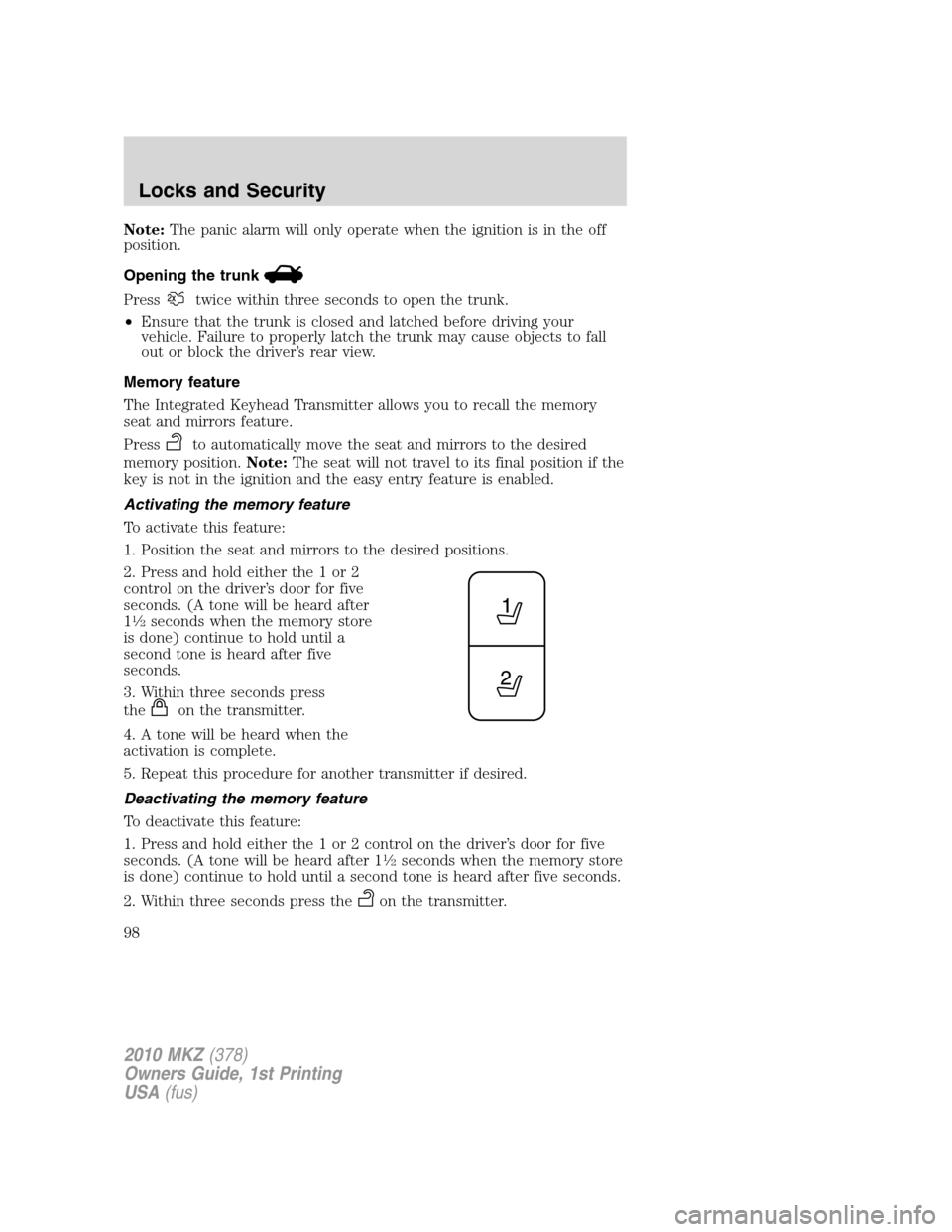
2. Press and hold either the 1 or 2
control on the driver’s door for five
seconds. (A tone will be heard after
1
12seconds when the memory store
is done) continue to hold until a
second tone is heard after five
seconds.
3. Within three seconds press
the
on the transmitter.
4. A tone will be heard when the
activation is complete.
5. Repeat this procedure for another transmitter if desired.
Deactivating the memory feature
To deactivate this feature:
1. Press and hold either the 1 or 2 control on the driver’s door for five
seconds. (A tone will be heard after 1
12seconds when the memory store
is done) continue to hold until a second tone is heard after five seconds.
2. Within three seconds press the
on the transmitter.
2010 MKZ(378)
Owners Guide, 1st Printing
USA(fus)
Locks and Security
98
Page 107 of 318
If the key was not successfully programmed, it will not start your
vehicle’s engine and/or will not operate the remote entry features. The
theft indicator light may flash on and off. Wait 20 seconds and you may
repeat Steps 1 through 8. If failure repeats, bring your vehicle to your
authorized dealer to have the new key(s) programmed.
To program additional new unprogrammed key(s), wait 20 seconds and
then repeat this procedure from Step 1.
PERIMETER ALARM SYSTEM
The perimeter anti-theft system will help protect your vehicle from
unauthorized entry.
If there is any potential perimeter anti-theft problem with your vehicle,
ensureALL Integrated Keyhead Transmittersare brought to the
authorized dealer to aid in troubleshooting.
Arming the system
When armed, this system will respond if unauthorized entry is
attempted. When unauthorized entry occurs, the system will flash the
turn signal lamps and will sound the horn.
The system is ready to arm whenever the key is in the 1(off) position, or
is removed from the ignition. Either of the following actions will prearm
the alarm system:
•Press the
control on the remote entry transmitter portion of your
Integrated Keyhead Transmitter.
When you press the lock control twice within three seconds on the
remote entry transmitter portion of your IKT, the horn will chirp once
to let you know that all doors, the hood and the trunk are closed. If
any of these are not closed, the horn will chirp twice to warn you that
a door, the hood or the trunk is still open.
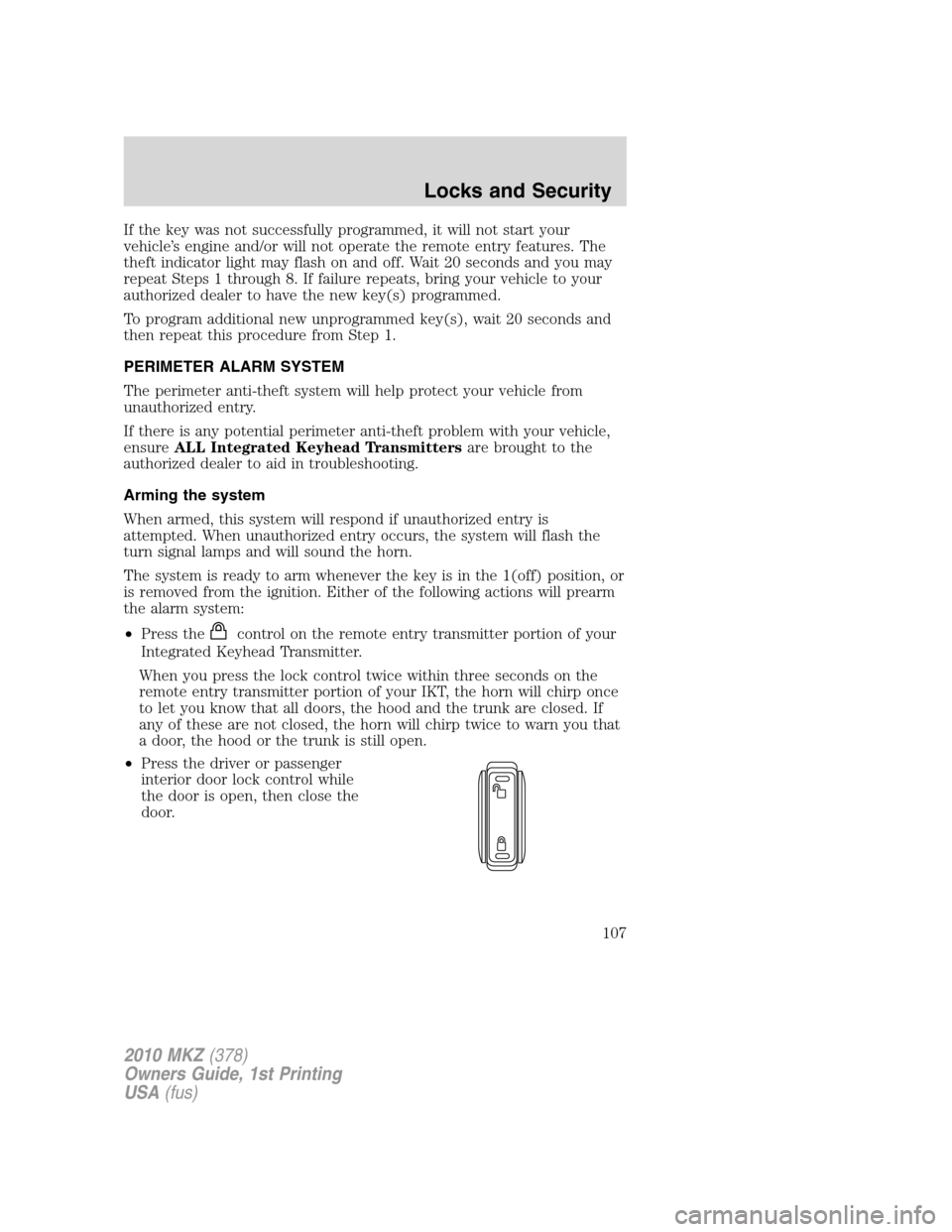
•Press the driver or passenger
interior door lock control while
the door is open, then close the
door.
2010 MKZ(378)
Owners Guide, 1st Printing
USA(fus)
Locks and Security
107
Page 108 of 318
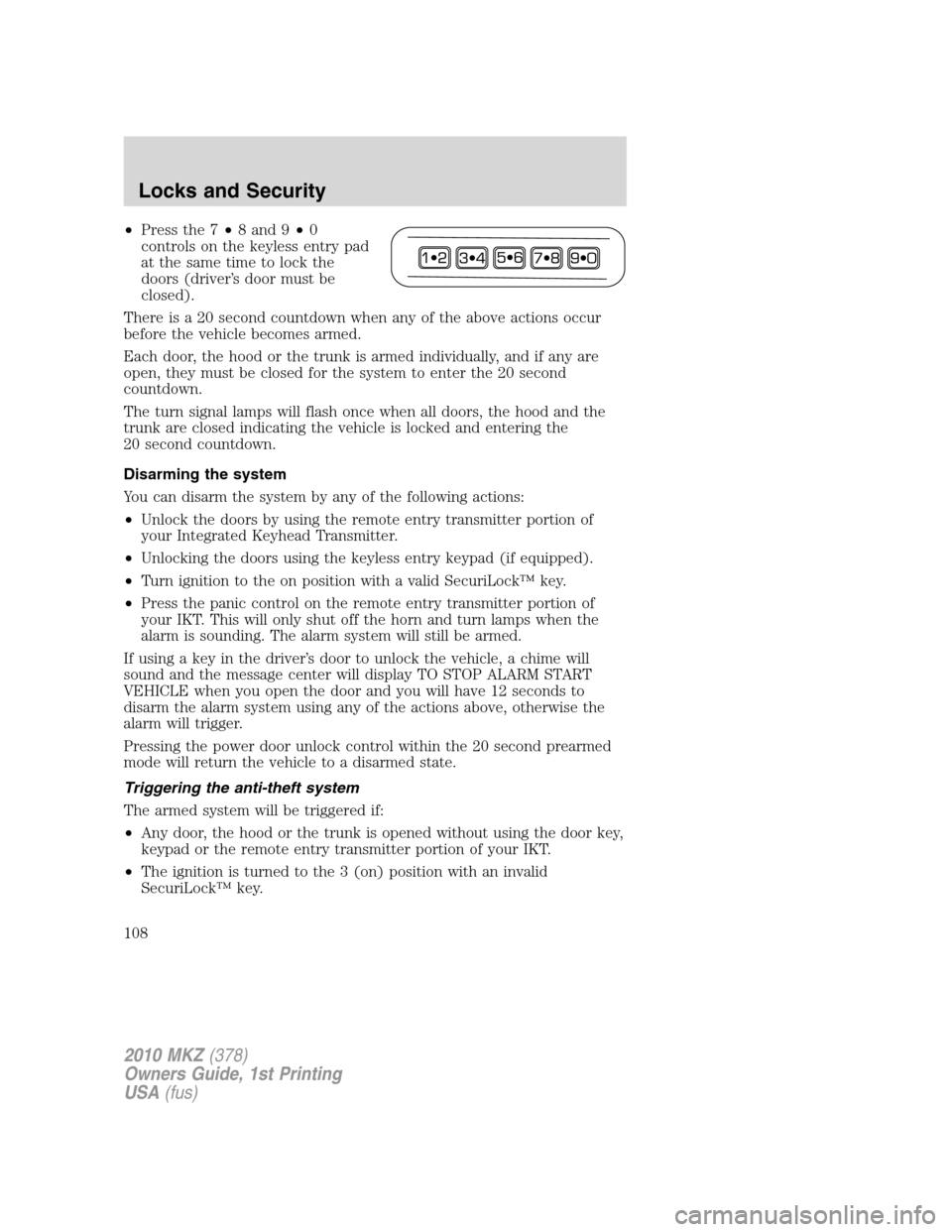
•Press the 7•8 and 9•0
controls on the keyless entry pad
at the same time to lock the
doors (driver’s door must be
closed).
There is a 20 second countdown when any of the above actions occur
before the vehicle becomes armed.
Each door, the hood or the trunk is armed individually, and if any are
open, they must be closed for the system to enter the 20 second
countdown.
The turn signal lamps will flash once when all doors, the hood and the
trunk are closed indicating the vehicle is locked and entering the
20 second countdown.
Disarming the system
You can disarm the system by any of the following actions:
•Unlock the doors by using the remote entry transmitter portion of
your Integrated Keyhead Transmitter.
•Unlocking the doors using the keyless entry keypad (if equipped).
•Turn ignition to the on position with a valid SecuriLock™ key.
•Press the panic control on the remote entry transmitter portion of
your IKT. This will only shut off the horn and turn lamps when the
alarm is sounding. The alarm system will still be armed.
If using a key in the driver’s door to unlock the vehicle, a chime will
sound and the message center will display TO STOP ALARM START
VEHICLE when you open the door and you will have 12 seconds to
disarm the alarm system using any of the actions above, otherwise the
alarm will trigger.
Pressing the power door unlock control within the 20 second prearmed
mode will return the vehicle to a disarmed state.
Triggering the anti-theft system
The armed system will be triggered if:
•Any door, the hood or the trunk is opened without using the door key,
keypad or the remote entry transmitter portion of your IKT.
•The ignition is turned to the 3 (on) position with an invalid
SecuriLock™ key.
2010 MKZ(378)
Owners Guide, 1st Printing
USA(fus)
Locks and Security
108
Page 216 of 318
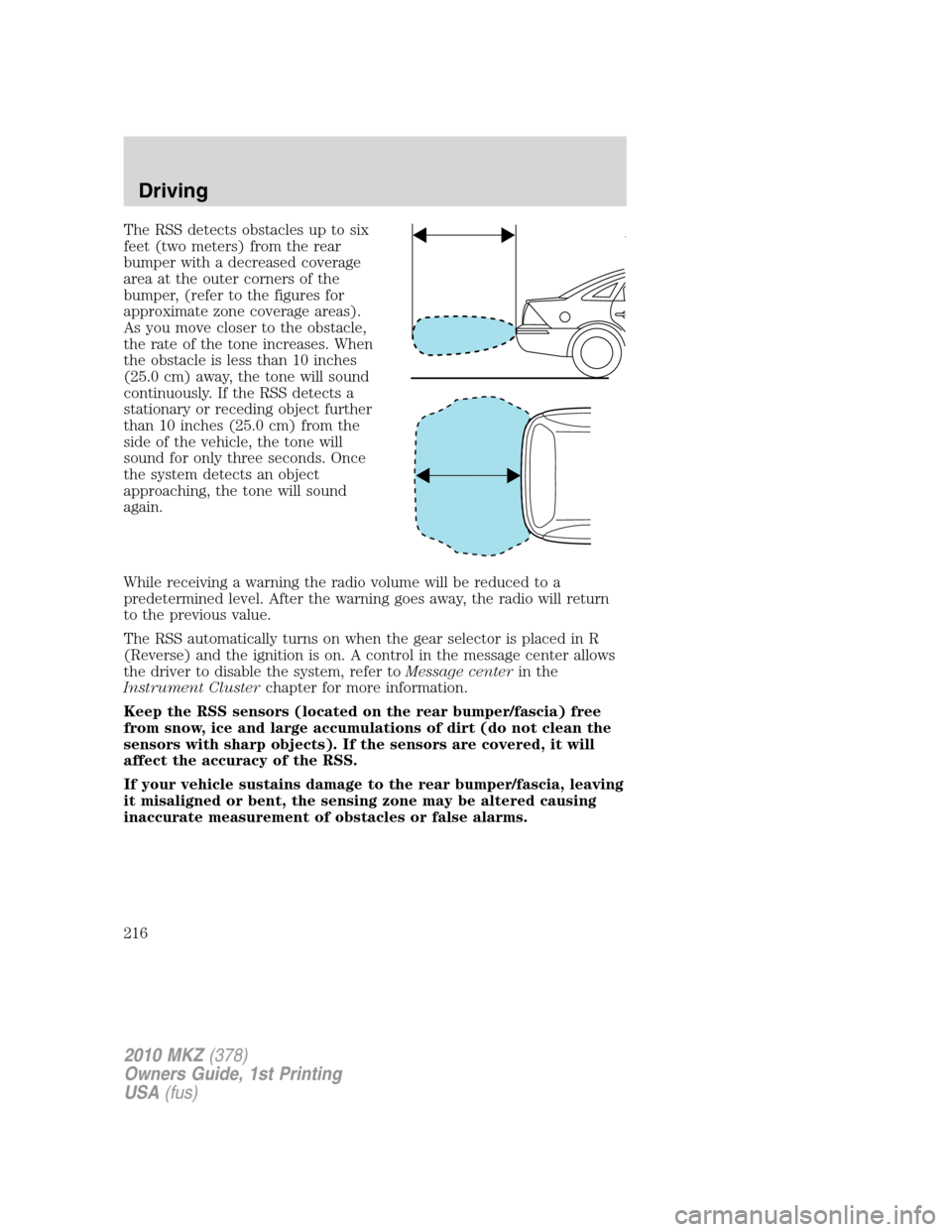
The RSS detects obstacles up to six
feet (two meters) from the rear
bumper with a decreased coverage
area at the outer corners of the
bumper, (refer to the figures for
approximate zone coverage areas).
As you move closer to the obstacle,
the rate of the tone increases. When
the obstacle is less than 10 inches
(25.0 cm) away, the tone will sound
continuously. If the RSS detects a
stationary or receding object further
than 10 inches (25.0 cm) from the
side of the vehicle, the tone will
sound for only three seconds. Once
the system detects an object
approaching, the tone will sound
again.
While receiving a warning the radio volume will be reduced to a
predetermined level. After the warning goes away, the radio will return
to the previous value.
The RSS automatically turns on when the gear selector is placed in R
(Reverse) and the ignition is on. A control in the message center allows
the driver to disable the system, refer toMessage centerin the
Instrument Clusterchapter for more information.
Keep the RSS sensors (located on the rear bumper/fascia) free
from snow, ice and large accumulations of dirt (do not clean the
sensors with sharp objects). If the sensors are covered, it will
affect the accuracy of the RSS.
If your vehicle sustains damage to the rear bumper/fascia, leaving
it misaligned or bent, the sensing zone may be altered causing
inaccurate measurement of obstacles or false alarms.
2010 MKZ(378)
Owners Guide, 1st Printing
USA(fus)
Driving
216
Page 309 of 318
Peace of mind
Remote start
Vehicle security systems
Wheel locks
For maximum vehicle performance, keep the following information in
mind when adding accessories or equipment to your vehicle:
•When adding accessories, equipment, passengers and luggage to your
vehicle, do not exceed the total weight capacity of the vehicle or of
the front or rear axle (GVWR or GAWR as indicated on the Safety
Compliance Certification label). Consult your authorized dealer for
specific weight information.
•The Federal Communications Commission (FCC) and Canadian Radio
Telecommunications Commission (CRTC) regulate the use of mobile
communications systems — such as two-way radios, telephones and
theft alarms - that are equipped with radio transmitters. Any such
equipment installed in your vehicle should comply with FCC or CRTC
regulations and should be installed only by a qualified service
technician.
•Mobile communications systems may harm the operation of your
vehicle, particularly if they are not properly designed for automotive
use.
•To avoid interference with other vehicle functions, such as anti-lock
braking systems, amateur radio users who install radios and antennas
onto their vehicle should not locate the Amateur Radio Antennas in
the area of the driver’s side hood.
•Electrical or electronic accessories or components that are added to
the vehicle by the authorized dealer or the owner may adversely affect
battery performance and durability.
2010 MKZ(378)
Owners Guide, 1st Printing
USA(fus)
Accessories
309