clock LINCOLN MKZ 2015 User Guide
[x] Cancel search | Manufacturer: LINCOLN, Model Year: 2015, Model line: MKZ, Model: LINCOLN MKZ 2015Pages: 516, PDF Size: 4.48 MB
Page 323 of 516
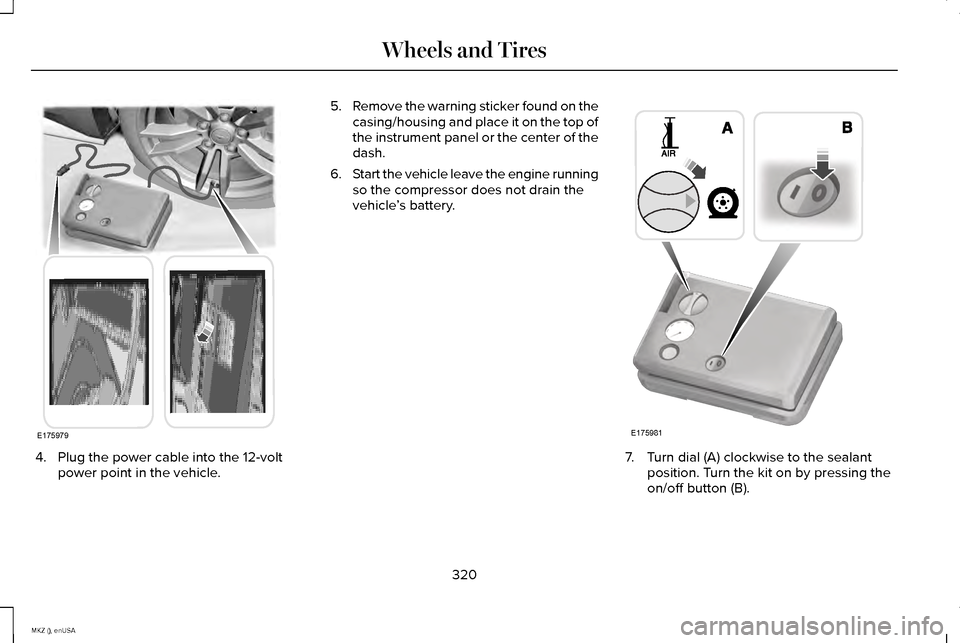
4. Plug the power cable into the 12-volt
power point in the vehicle. 5.
Remove the warning sticker found on the
casing/housing and place it on the top of
the instrument panel or the center of the
dash.
6. Start the vehicle leave the engine running
so the compressor does not drain the
vehicle ’s battery. 7. Turn dial (A) clockwise to the sealant
position. Turn the kit on by pressing the
on/off button (B).
320
MKZ (), enUSA Wheels and TiresE175979 E175981
Page 325 of 516
Second Stage: Checking Tire Pressure
WARNINGS
If you are proceeding from the First
Stage: Re-inflating the Tire with Sealing
Compound and Air section and have injected
sealant in the tire and the pressure is below
20 psi (1.4 bar), continue to the next step. The power plug may get hot after use
and should be handled carefully while
unplugging. Check the air pressure of your tires as
follows:
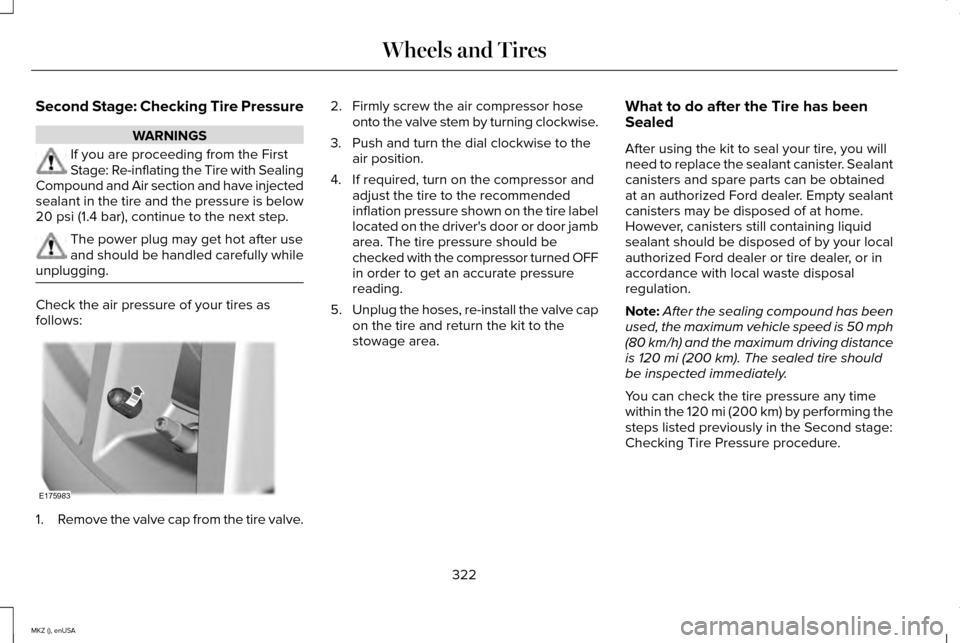
1.
Remove the valve cap from the tire valve. 2. Firmly screw the air compressor hose
onto the valve stem by turning clockwise.
3. Push and turn the dial clockwise to the air position.
4. If required, turn on the compressor and adjust the tire to the recommended
inflation pressure shown on the tire label
located on the driver's door or door jamb
area. The tire pressure should be
checked with the compressor turned OFF
in order to get an accurate pressure
reading.
5. Unplug the hoses, re-install the valve cap
on the tire and return the kit to the
stowage area. What to do after the Tire has been
Sealed
After using the kit to seal your tire, you will
need to replace the sealant canister. Sealant
canisters and spare parts can be obtained
at an authorized Ford dealer. Empty sealant
canisters may be disposed of at home.
However, canisters still containing liquid
sealant should be disposed of by your local
authorized Ford dealer or tire dealer, or in
accordance with local waste disposal
regulation.
Note:
After the sealing compound has been
used, the maximum vehicle speed is 50 mph
(80 km/h) and the maximum driving distance
is
120 mi (200 km). The sealed tire should
be inspected immediately.
You can check the tire pressure any time
within the
120 mi (200 km) by performing the
steps listed previously in the Second stage:
Checking Tire Pressure procedure.
322
MKZ (), enUSA Wheels and TiresE175983
Page 349 of 516
4. Remove the carpeted wheel cover.
5. Remove the spare tire bolt securing the
spare tire by turning it counterclockwise.
6. Remove the spare tire from the spare tire
compartment. 7. Remove the lug wrench and jack from
the foam holder.
8. Loosen each wheel lug nut one-half turn
counterclockwise, but do not remove
them until the wheel is raised off the
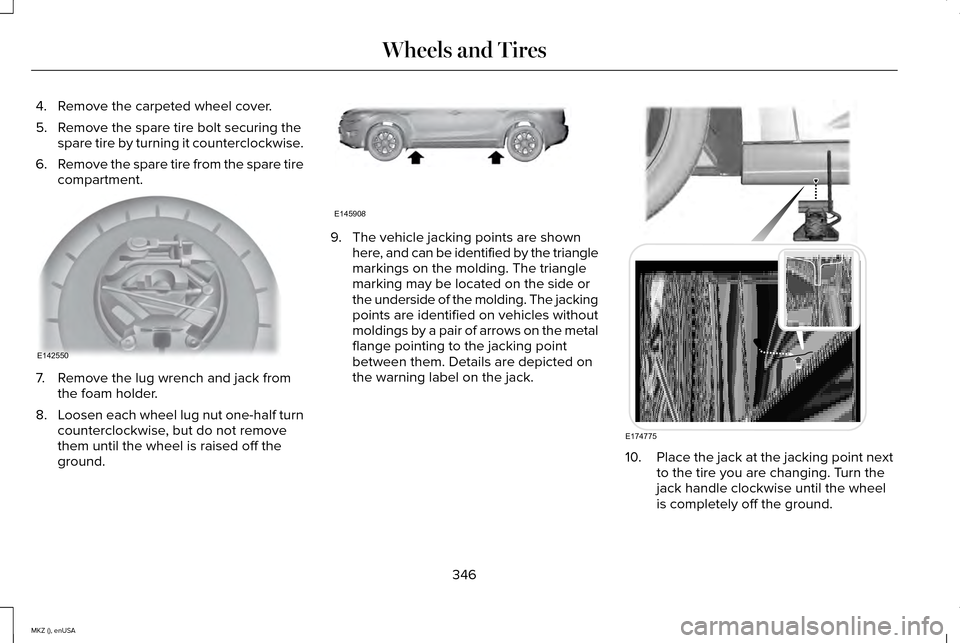
ground. 9. The vehicle jacking points are shown
here, and can be identified by the triangle
markings on the molding. The triangle
marking may be located on the side or
the underside of the molding. The jacking
points are identified on vehicles without
moldings by a pair of arrows on the metal
flange pointing to the jacking point
between them. Details are depicted on
the warning label on the jack. 10.
Place the jack at the jacking point next
to the tire you are changing. Turn the
jack handle clockwise until the wheel
is completely off the ground.
346
MKZ (), enUSA Wheels and TiresE142550 E145908 E174775
Page 350 of 516
11. Remove the lug nuts with the lug
wrench.
12. Replace the flat tire with the spare tire,
making sure the valve stem is facing
outward. Reinstall the lug nuts until the
wheel is snug against the hub. Do not
fully tighten the lug nuts until the wheel
has been lowered. If you are using the
temporary tire, the lug nut washers will
not appear to be flush with the rim. This
is normal only when using the
temporary spare tire.
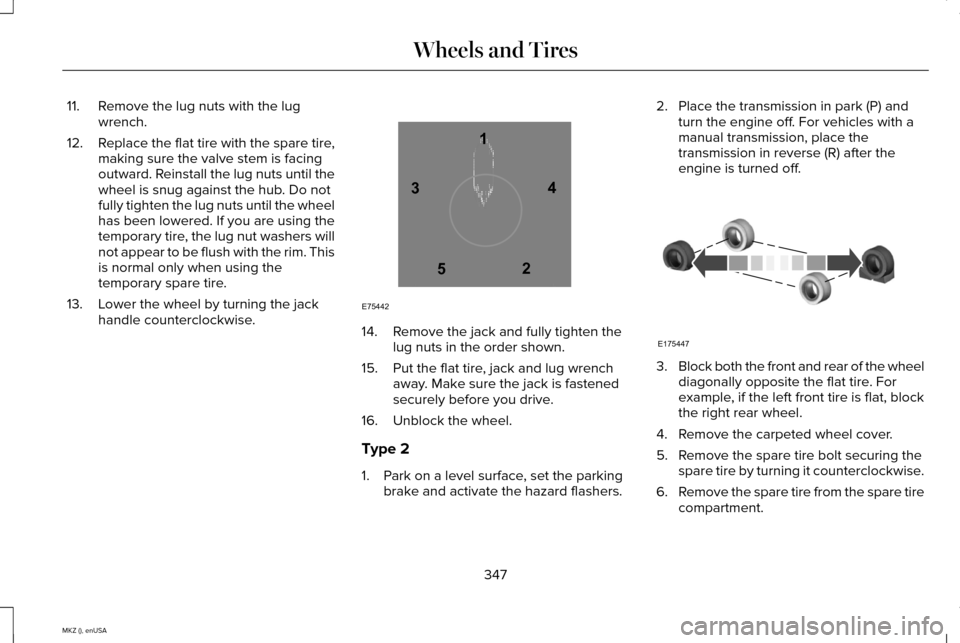
13. Lower the wheel by turning the jack handle counterclockwise. 14. Remove the jack and fully tighten the
lug nuts in the order shown.
15. Put the flat tire, jack and lug wrench away. Make sure the jack is fastened
securely before you drive.
16. Unblock the wheel.
Type 2
1. Park on a level surface, set the parking brake and activate the hazard flashers. 2. Place the transmission in park (P) and
turn the engine off. For vehicles with a
manual transmission, place the
transmission in reverse (R) after the
engine is turned off. 3.
Block both the front and rear of the wheel
diagonally opposite the flat tire. For
example, if the left front tire is flat, block
the right rear wheel.
4. Remove the carpeted wheel cover.
5. Remove the spare tire bolt securing the spare tire by turning it counterclockwise.
6. Remove the spare tire from the spare tire
compartment.
347
MKZ (), enUSA Wheels and Tires12
3
4
5
E75442 E175447
Page 351 of 516
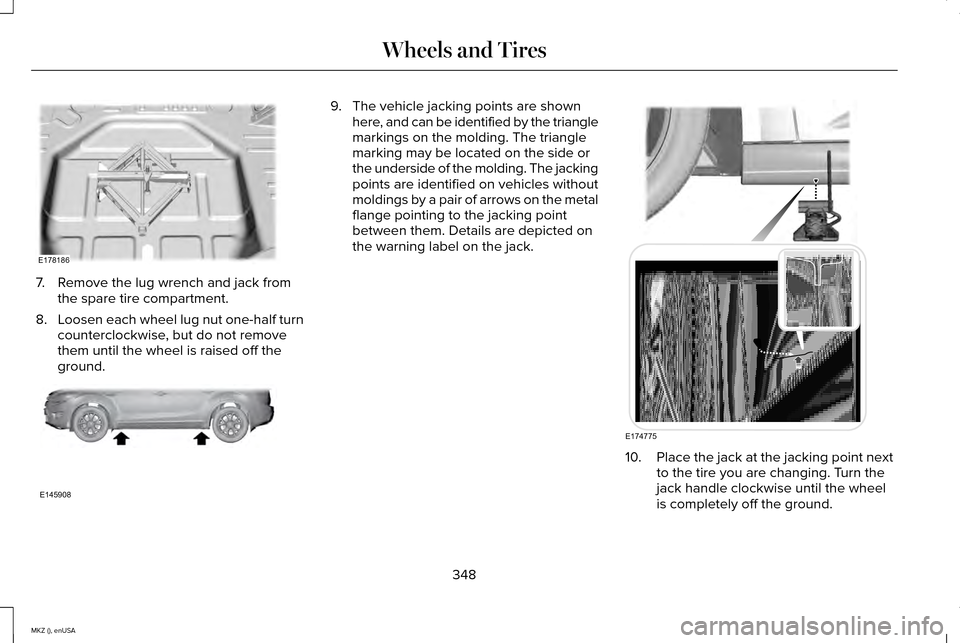
7. Remove the lug wrench and jack from
the spare tire compartment.
8. Loosen each wheel lug nut one-half turn
counterclockwise, but do not remove
them until the wheel is raised off the
ground. 9. The vehicle jacking points are shown
here, and can be identified by the triangle
markings on the molding. The triangle
marking may be located on the side or
the underside of the molding. The jacking
points are identified on vehicles without
moldings by a pair of arrows on the metal
flange pointing to the jacking point
between them. Details are depicted on
the warning label on the jack. 10.
Place the jack at the jacking point next
to the tire you are changing. Turn the
jack handle clockwise until the wheel
is completely off the ground.
348
MKZ (), enUSA Wheels and TiresE178186 E145908 E174775
Page 352 of 516
11. Remove the lug nuts with the lug
wrench.
12. Replace the flat tire with the spare tire,
making sure the valve stem is facing
outward. Reinstall the lug nuts until the
wheel is snug against the hub. Do not
fully tighten the lug nuts until the wheel
has been lowered. If you are using the
temporary tire, the lug nut washers will
not appear to be flush with the rim. This
is normal only when using the
temporary spare tire.
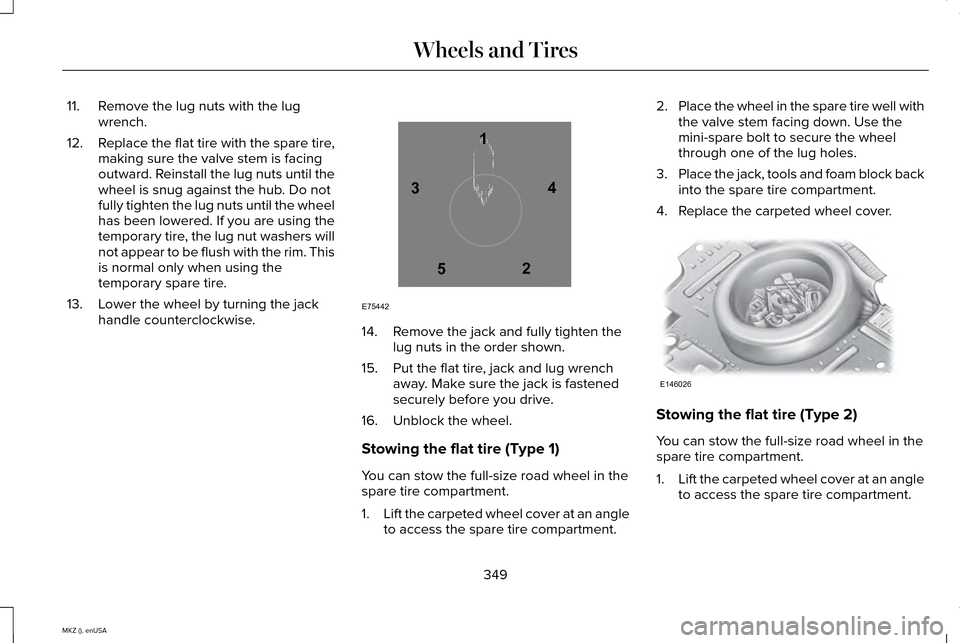
13. Lower the wheel by turning the jack handle counterclockwise. 14. Remove the jack and fully tighten the
lug nuts in the order shown.
15. Put the flat tire, jack and lug wrench away. Make sure the jack is fastened
securely before you drive.
16. Unblock the wheel.
Stowing the flat tire (Type 1)
You can stow the full-size road wheel in the
spare tire compartment.
1. Lift the carpeted wheel cover at an angle
to access the spare tire compartment. 2.
Place the wheel in the spare tire well with
the valve stem facing down. Use the
mini-spare bolt to secure the wheel
through one of the lug holes.
3. Place the jack, tools and foam block back
into the spare tire compartment.
4. Replace the carpeted wheel cover. Stowing the flat tire (Type 2)
You can stow the full-size road wheel in the
spare tire compartment.
1.
Lift the carpeted wheel cover at an angle
to access the spare tire compartment.
349
MKZ (), enUSA Wheels and Tires12
3
4
5
E75442 E146026
Page 379 of 516
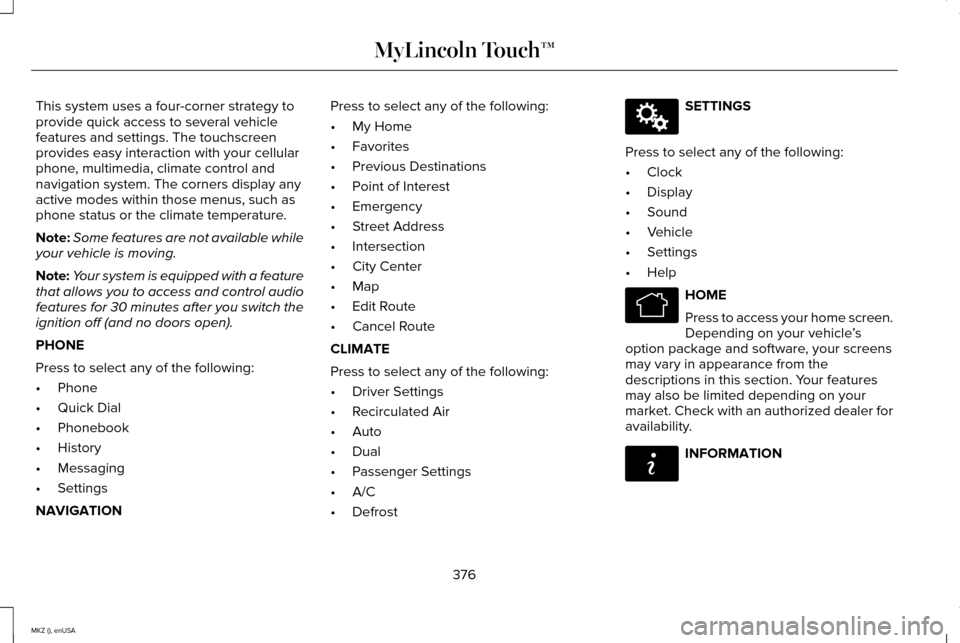
This system uses a four-corner strategy to
provide quick access to several vehicle
features and settings. The touchscreen
provides easy interaction with your cellular
phone, multimedia, climate control and
navigation system. The corners display any
active modes within those menus, such as
phone status or the climate temperature.
Note:
Some features are not available while
your vehicle is moving.
Note: Your system is equipped with a feature
that allows you to access and control audio
features for 30 minutes after you switch the
ignition off (and no doors open).
PHONE
Press to select any of the following:
• Phone
• Quick Dial
• Phonebook
• History
• Messaging
• Settings
NAVIGATION Press to select any of the following:
•
My Home
• Favorites
• Previous Destinations
• Point of Interest
• Emergency
• Street Address
• Intersection
• City Center
• Map
• Edit Route
• Cancel Route
CLIMATE
Press to select any of the following:
• Driver Settings
• Recirculated Air
• Auto
• Dual
• Passenger Settings
• A/C
• Defrost SETTINGS
Press to select any of the following:
• Clock
• Display
• Sound
• Vehicle
• Settings
• Help HOME
Press to access your home screen.
Depending on your vehicle
’s
option package and software, your screens
may vary in appearance from the
descriptions in this section. Your features
may also be limited depending on your
market. Check with an authorized dealer for
availability. INFORMATION
376
MKZ (), enUSA MyLincoln Touch™E142607 E142613 E142608
Page 390 of 516
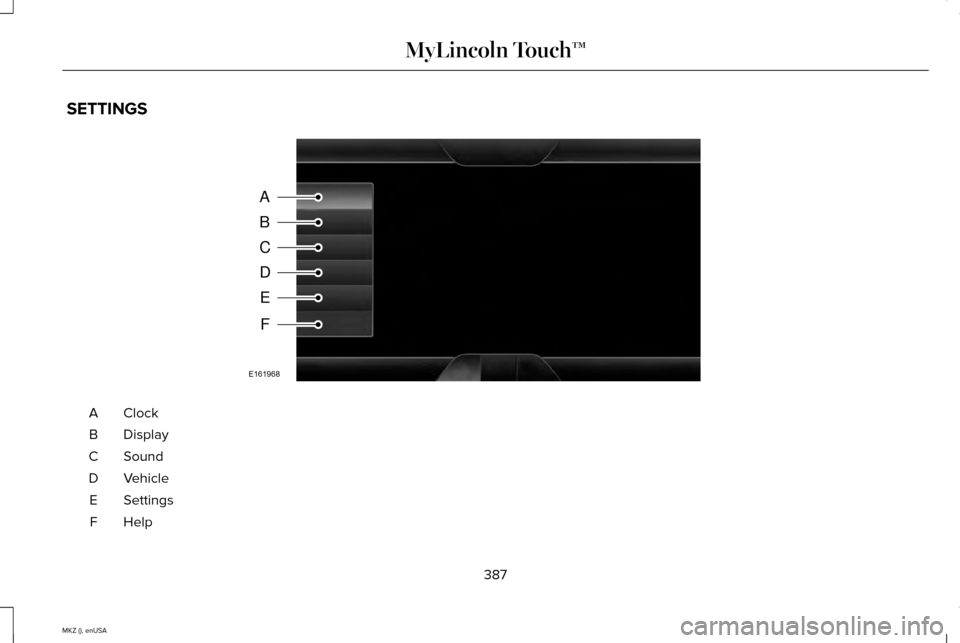
SETTINGS
ClockA
Display
B
Sound
C
Vehicle
D
Settings
E
HelpF
387
MKZ (), enUSA MyLincoln Touch™A
B
C
D
E
F
E161968
Page 391 of 516
Under this menu, you can set your
clock, access and adjust the
display, sound and vehicle settings
as well as access settings for specific modes
or the help feature.
Clock
Note: You cannot manually set the date.
Your vehicle ’s GPS does this for you.
Note: If the battery has been disconnected,
your vehicle needs to acquire a GPS signal
to update the clock. Once your vehicle
acquires the signal, it may take a few
minutes for the update to display the correct
time. 1. Press the Settings icon > Clock.
2. Press
+ and - to adjust the time.
From this screen, you can also make other
adjustments such as 12-hour or 24-hour
mode, activate GPS time synchronization and
have the system automatically update new
time zones. You can also turn the outside air temperature
display off and on. It appears at the top
center of the touchscreen, next to the time
and date.
The system automatically saves any updates
you make to the settings.
Display
You can adjust the touchscreen display
through the touchscreen or by pressing the
voice button on your steering wheel controls
and when prompted, say, "Display settings".
Press the Settings icon >
Display,
to access and make adjustments
using the touchscreen.
• Brightness
allows you to make the
screen display brighter or dimmer.
• Auto DIM
, when set to On, lets you use
the Auto Dim Manual Offset feature.
When set to
Off, screen brightness does
not change. •
Mode
allows you to set the screen to a
certain brightness or have the system
automatically change based on the
outside light level, or turn the display off.
• If you select
AUTO or NIGHT, you
have the options of turning the
display's Auto Dim feature on or off
and changing the Auto Dim Manual
Offset feature.
• Auto Dim Manual Offset
allows you to
adjust screen dimming as the outside
lighting conditions change from day to
night. This feature also allows you to
adjust screen brightness using the
instrument panel dimming control.
• Edit Wallpaper
•You can have your touchscreen
display the default photo or upload
your own.
Uploading Photos for Your Home Screen
Wallpaper
Note: You cannot load photos directly from
your camera. You must access the photos
either from your USB mass storage device
or from an SD card.
388
MKZ (), enUSA MyLincoln Touch™E142607 E142607 E142607
Page 446 of 516

MAX Defrost: Touch the button to maximize defrosting. Outside air flows through the wi\
ndshield vents, fan automatically adjusts
to the highest speed and the temperature dial returns to the full heat p\
osition. You can use this setting to defog or clear a thin
covering of ice from the windshield. The heated rear window also automat\
ically turns on when you select MAX Defrost.
Note:
To prevent window fogging, you cannot select recirculated air when MAX De\
frost is on.
Driver settings:
J
Touch the
+ or – to increase or decrease the air temperature on the passenger side of th\
e vehicle.
Touch the heated seat icon to switch the heated seat off and on (if equi\
pped).
Touch the climate-controlled seat icon to switch the climate-controlled s\
eat off and on (if equipped).
Touch
MyTemp to select your preset temperature setpoint. Touch and hold MyTemp to save a new preset temperature setpoint.
Touch the heated steering wheel icon to switch the heated steering wheel \
on and off (if equipped).
Note: If your vehicle is equipped with a
wood-trimmed steering wheel, it does not
heat between the 10 o'clock and 2 o'clock
positions.
Climate Control Voice Commands Press the voice button on the
steering wheel controls. When
prompted, say any of the following
commands: Climate control commands
"Climate automatic"
"Climate my temperature" "Climate off ""Climate on"
"Climate temperature <15.5-29.5> degrees" "Climate temperature <60-85> degrees" "Help" There are additional climate control
commands but in order to access them, you
have to say "Climate" first. When the system
is ready to listen, you may say any of the
following commands:
"CLIMATE"
"A/C off ""A/C on"
"Automatic"
"Defrost off "
443
MKZ (), enUSA MyLincoln Touch™E142599