battery LINCOLN MKZ 2015 Owners Manual
[x] Cancel search | Manufacturer: LINCOLN, Model Year: 2015, Model line: MKZ, Model: LINCOLN MKZ 2015Pages: 516, PDF Size: 4.48 MB
Page 7 of 516
Roadside Emergencies
Roadside Assistance...................................247
Hazard Warning Flashers...........................248
Fuel Shutoff....................................................248
Jump Starting the Vehicle..........................249
Post-Crash Alert System.............................251
Customer Assistance
Getting the Services You Need................253
In California (U.S. Only)...............................254
The Better Business Bureau (BBB) Auto Line Program (U.S. Only)
........................255
Utilizing the Mediation/Arbitration Program (Canada Only)
...........................................256
Getting Assistance Outside the U.S. and Canada
.......................................................256
Ordering Additional Owner's Literature....................................................258
Reporting Safety Defects (U.S. Only)......258
Reporting Safety Defects (Canada Only)............................................................259
Fuses
Fuse Specification Chart............................260 Changing a Fuse...........................................277
Maintenance
General Information
.....................................278
Opening and Closing the Hood
...............279
Under Hood Overview -
2.0L
EcoBoost™..................................................280
Under Hood Overview - 3.7L....................282
Engine Oil Dipstick - 2.0L EcoBoost™......284
Engine Oil Dipstick - 3.7L...........................284
Engine Oil Check..........................................284
Engine Coolant Check................................285
Automatic Transmission Fluid Check
......288
Brake Fluid Check.......................................292
Power Steering Fluid Check.....................292
Washer Fluid Check....................................292
Fuel Filter
........................................................293
Changing the 12V Battery..........................293
Checking the Wiper Blades.......................295
Changing the Wiper Blades......................295
Adjusting the Headlamps
..........................296
Changing a Bulb
...........................................297
Bulb Specification Chart.............................297 Changing the Engine Air Filter
.................300
Vehicle Care
General Information.....................................302
Cleaning Products
.......................................302
Cleaning the Exterior..................................302
Waxing............................................................303
Cleaning the Engine
....................................304
Cleaning the Windows and Wiper Blades.........................................................304
Cleaning the Interior...................................305
Cleaning the Instrument Panel and Instrument Cluster Lens.........................306
Cleaning Leather Seats
..............................307
Repairing Minor Paint Damage.................308
Cleaning the Alloy Wheels........................308
Vehicle Storage............................................308
Wheels and Tires
Temporary Mobility Kit..................................311
Tire Care
.........................................................324
Using Snow Chains
......................................338
Tire Pressure Monitoring System.............339
4
MKZ (), enUSA Table of Contents
Page 11 of 516
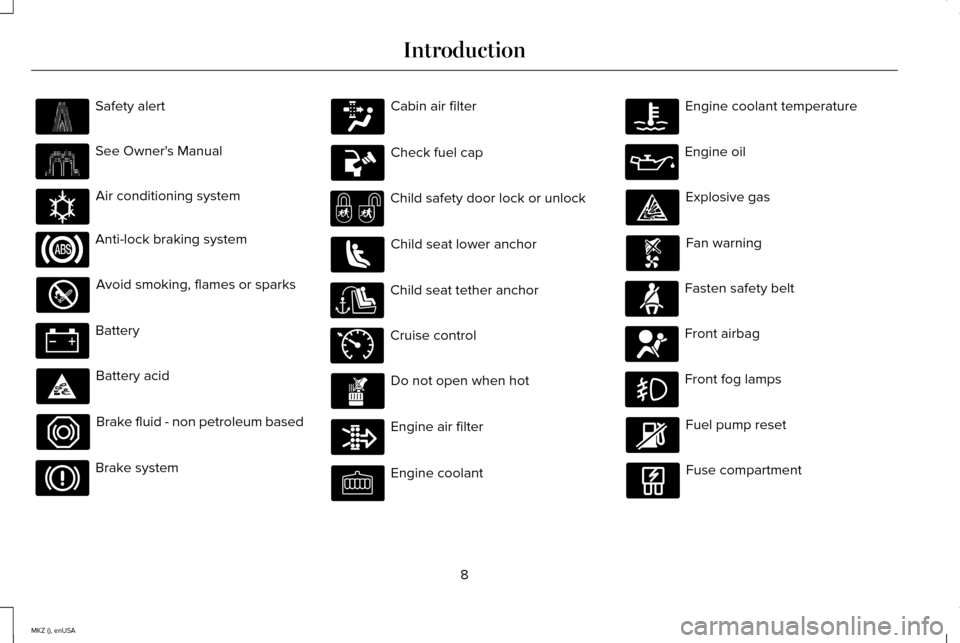
Safety alert
See Owner's Manual
Air conditioning system
Anti-lock braking system
Avoid smoking, flames or sparks
Battery
Battery acid
Brake fluid - non petroleum based
Brake system Cabin air filter
Check fuel cap
Child safety door lock or unlock
Child seat lower anchor
Child seat tether anchor
Cruise control
Do not open when hot
Engine air filter
Engine coolant Engine coolant temperature
Engine oil
Explosive gas
Fan warning
Fasten safety belt
Front airbag
Front fog lamps
Fuel pump reset
Fuse compartment
8
MKZ (), enUSA Introduction E162384 E71340
Page 56 of 516
GENERAL INFORMATION ON
RADIO FREQUENCIES
This device complies with Part 15 of the FCC
Rules and with Industry Canada
license-exempt RSS standard(s). Operation
is subject to the following two conditions: (1)
This device may not cause harmful
interference, and (2) This device must accept
any interference received, including
interference that may cause undesired
operation.
Note:
Changes or modifications not
expressively approved by the party
responsible for compliance could void the
user's authority to operate the equipment.
The term IC before the radio certification
number only signifies that Industry Canada
technical specifications were met. The typical operating range for your
transmitter is approximately 33 feet (10
meters). Vehicles with the remote start
feature will have a greater range. One of the
following could cause a decrease in
operating range:
•
weather conditions
• nearby radio towers
• structures around the vehicle
• other vehicles parked next to your
vehicle
Other short-distance radio transmitters, such
as amateur radios, medical equipment,
wireless headphones, remote controls and
alarm systems may operate on the same
frequency as your remote control. If other
transmitters are operating on those
frequencies, you may not be able to use your
remote control. Using your remote control
near some types of electronic equipment,
such as USB devices, computers or cell
phones can interfere with remote operation.
Operating your remote control near metal or
metallic-finished purses, bags or clothing can
interfere with remote operation. You can lock
and unlock the doors with the key. Note:
Make sure to lock your vehicle before
leaving it unattended.
Note: If you are in range, the remote control
will operate if you press any button
unintentionally.
Intelligent Access
The system uses a radio frequency signal to
communicate with your vehicle and authorize
your vehicle to unlock when one of the
following conditions are met:
• You touch the inside of the front exterior
door handle.
• You press the luggage compartment
button.
• You press a button on the transmitter.
If excessive radio frequency interference is
present in the area or if the transmitter
battery is low, you may need to mechanically
unlock your door. You can use the
mechanical key blade in your intelligent
access key to open the driver door in this
situation.
See Remote Control (page 54).
53
MKZ (), enUSA Keys and Remote Controls
Page 58 of 516
Note:
Your vehicle ’s backup keys came with
a security tag that provides important vehicle
key cut information. Keep the tag in a safe
place for future reference.
Replacing the Battery
Note: Refer to local regulations when
disposing of transmitter batteries.
Note: Do not wipe off any grease on the
battery terminals or on the back surface of
the circuit board.
Note: Replacing the battery will not delete
the transmitter from the vehicle. The
transmitter should operate normally.
A message appears in the information
display when the remote control battery is
low. See Information Messages (page 113). Intelligent Access Transmitter
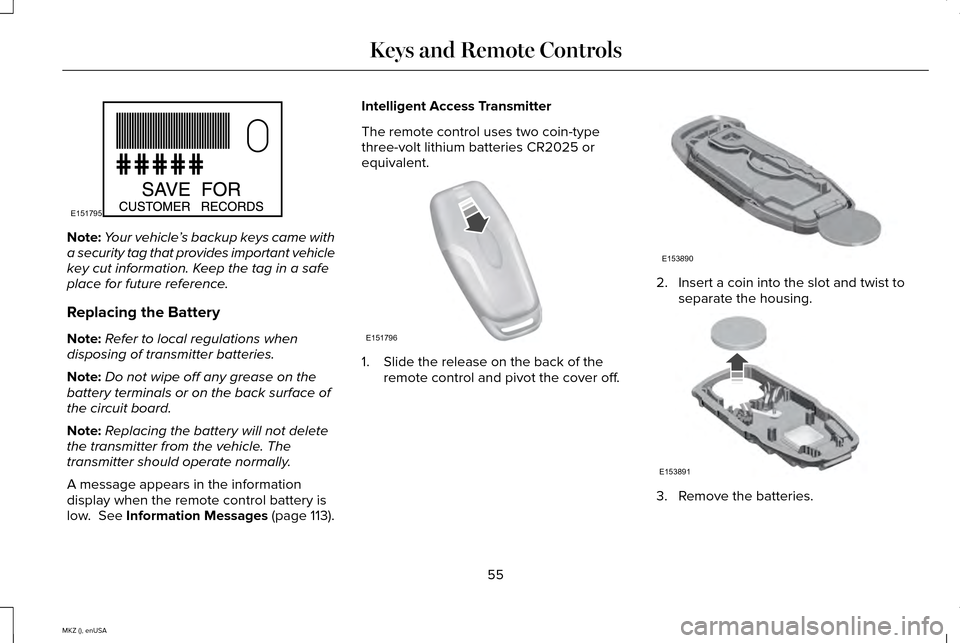
The remote control uses two coin-type
three-volt lithium batteries CR2025 or
equivalent.
1. Slide the release on the back of the
remote control and pivot the cover off. 2. Insert a coin into the slot and twist to
separate the housing. 3. Remove the batteries.
55
MKZ (), enUSA Keys and Remote ControlsE151795 E151796 E153890 E153891
Page 59 of 516
4. Install new batteries with the + facing
each other.
Note: Make sure to replace the label
between the two batteries.
5. Reinstall the housing and cover.
Car Finder Press the button twice within three
seconds. The horn sounds and
direction indicators will flash. We
recommend that you use this method to
locate your vehicle, rather than using the
panic alarm.
Sounding a Panic Alarm
Note: The panic alarm will only operate
when the ignition is off. Press the button to activate the
alarm. Press the button again or
switch the ignition on to deactivate. Remote Start WARNING
To avoid exhaust fumes, do not use
remote start if your vehicle is parked
indoors or areas that are not well ventilated. Note:
Do not use remote start if your vehicle
is low on fuel. The remote start button is on the
transmitter.
This feature allows you to start your vehicle
from outside the vehicle. The transmitter has
an extended operating range.
You can configure automatic climate control
to operate when the vehicle is remote
started.
See Climate Control (page 132).
Manual climate control systems will run at
the setting set when you switched off the
vehicle.
Many states and provinces restrict the use
of remote start. Check your local and state
or provincial laws for specific requirements
regarding remote start systems. The remote start system will not work if:
•
The ignition is on.
• The alarm system is triggered.
• You disable the feature.
• The hood is open.
• The transmission is not in
P.
• The vehicle battery voltage is too low.
• The service engine soon light is on.
Remote Control Feedback
An LED on the remote control provides status
feedback of remote start or stop commands.
56
MKZ (), enUSA Keys and Remote ControlsE138623 E138624 E138625
Page 71 of 516
Autounlock Feature
The autounlock feature will unlock all the
doors when:
•
the ignition is on, all the doors are closed,
and your vehicle has been in motion at
a speed greater than 12 mph (20 km/h);
• your vehicle comes to a stop and you
switch the ignition off or to accessory;
and
• you open the driver door within 10
minutes of switching the ignition off or to
accessory.
Note: The doors will not autounlock if you
electronically lock your vehicle after you
switch the ignition off and before you open
the driver door.
Enabling or Disabling
Note: You can enable or disable the
autolock and autounlock features
independently of each other.
You can enable or disable these features in
the information display or your authorized
dealer can do it for you. See (page 107). Illuminated Entry
The interior lamps and select exterior lamps
will illuminate when you unlock the doors
with the remote entry system.
The illuminated entry system will turn off the
lights if:
•
the ignition is on,
• you press the remote control lock button,
or
• after 25 seconds of illumination.
The lights will not turn off if:
• you turn them on with the lamp control,
or
• any door is open.
Illuminated Exit
The interior lamps and select exterior lamps
will illuminate when all doors are closed and
you switch the ignition off.
The lamps will turn off if all the doors remain
closed and:
• 25 seconds elapse
• you press the START/STOP button. Battery Saver
If you leave the courtesy lamps, dome lamps
or headlamps on, the battery saver will shut
them off 10 minutes after you switch the
ignition off.
Accessory Mode Battery Saver for
Intelligent Access Keys
If you leave your vehicle in the run ignition
state, it will shut off once it detects a certain
amount of battery drain or after 45 minutes.
Luggage Compartment
From Inside Your Vehicle
Press the button on the
instrument panel to unlatch the
trunk.
With the Remote Control Press twice within three seconds
to unlatch the trunk.
68
MKZ (), enUSA LocksE138633 E138630
Page 73 of 516
From Outside Your Vehicle
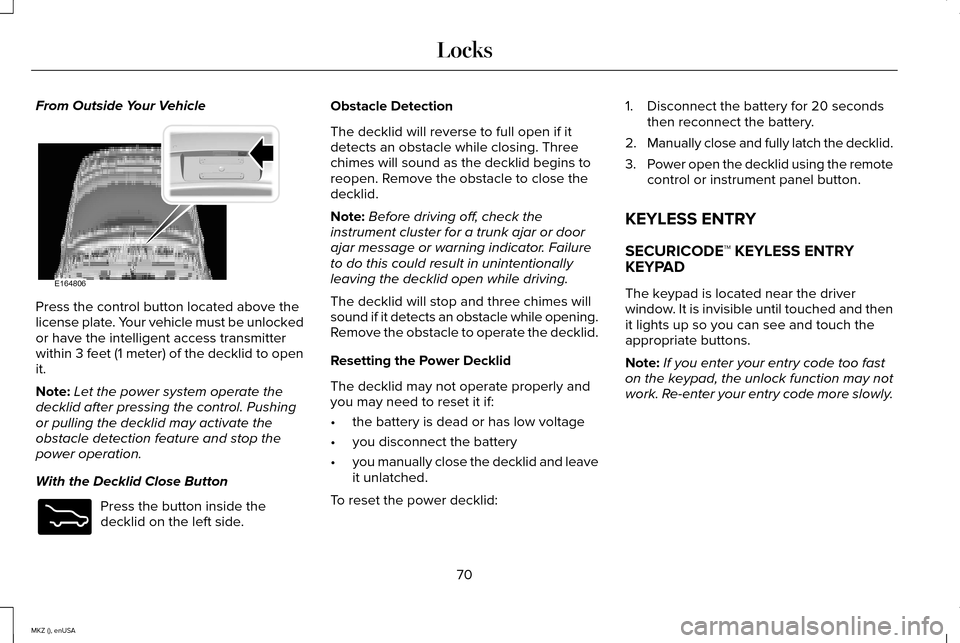
Press the control button located above the
license plate. Your vehicle must be unlocked
or have the intelligent access transmitter
within 3 feet (1 meter) of the decklid to open
it.
Note:
Let the power system operate the
decklid after pressing the control. Pushing
or pulling the decklid may activate the
obstacle detection feature and stop the
power operation.
With the Decklid Close Button Press the button inside the
decklid on the left side. Obstacle Detection
The decklid will reverse to full open if it
detects an obstacle while closing. Three
chimes will sound as the decklid begins to
reopen. Remove the obstacle to close the
decklid.
Note:
Before driving off, check the
instrument cluster for a trunk ajar or door
ajar message or warning indicator. Failure
to do this could result in unintentionally
leaving the decklid open while driving.
The decklid will stop and three chimes will
sound if it detects an obstacle while opening.
Remove the obstacle to operate the decklid.
Resetting the Power Decklid
The decklid may not operate properly and
you may need to reset it if:
• the battery is dead or has low voltage
• you disconnect the battery
• you manually close the decklid and leave
it unlatched.
To reset the power decklid: 1. Disconnect the battery for 20 seconds
then reconnect the battery.
2. Manually close and fully latch the decklid.
3. Power open the decklid using the remote
control or instrument panel button.
KEYLESS ENTRY
SECURICODE™ KEYLESS ENTRY
KEYPAD
The keypad is located near the driver
window. It is invisible until touched and then
it lights up so you can see and touch the
appropriate buttons.
Note: If you enter your entry code too fast
on the keypad, the unlock function may not
work. Re-enter your entry code more slowly.
70
MKZ (), enUSA LocksE164806 E173217
Page 89 of 516
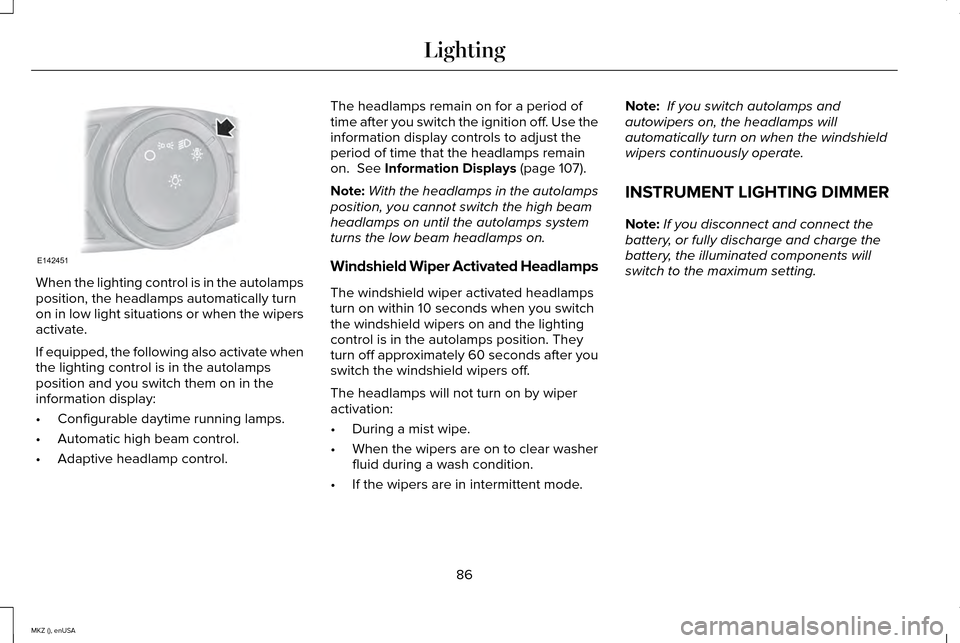
When the lighting control is in the autolamps
position, the headlamps automatically turn
on in low light situations or when the wipers
activate.
If equipped, the following also activate when
the lighting control is in the autolamps
position and you switch them on in the
information display:
•
Configurable daytime running lamps.
• Automatic high beam control.
• Adaptive headlamp control. The headlamps remain on for a period of
time after you switch the ignition off. Use the
information display controls to adjust the
period of time that the headlamps remain
on. See Information Displays (page 107).
Note: With the headlamps in the autolamps
position, you cannot switch the high beam
headlamps on until the autolamps system
turns the low beam headlamps on.
Windshield Wiper Activated Headlamps
The windshield wiper activated headlamps
turn on within 10 seconds when you switch
the windshield wipers on and the lighting
control is in the autolamps position. They
turn off approximately 60 seconds after you
switch the windshield wipers off.
The headlamps will not turn on by wiper
activation:
• During a mist wipe.
• When the wipers are on to clear washer
fluid during a wash condition.
• If the wipers are in intermittent mode. Note:
If you switch autolamps and
autowipers on, the headlamps will
automatically turn on when the windshield
wipers continuously operate.
INSTRUMENT LIGHTING DIMMER
Note: If you disconnect and connect the
battery, or fully discharge and charge the
battery, the illuminated components will
switch to the maximum setting.
86
MKZ (), enUSA LightingE142451
Page 106 of 516
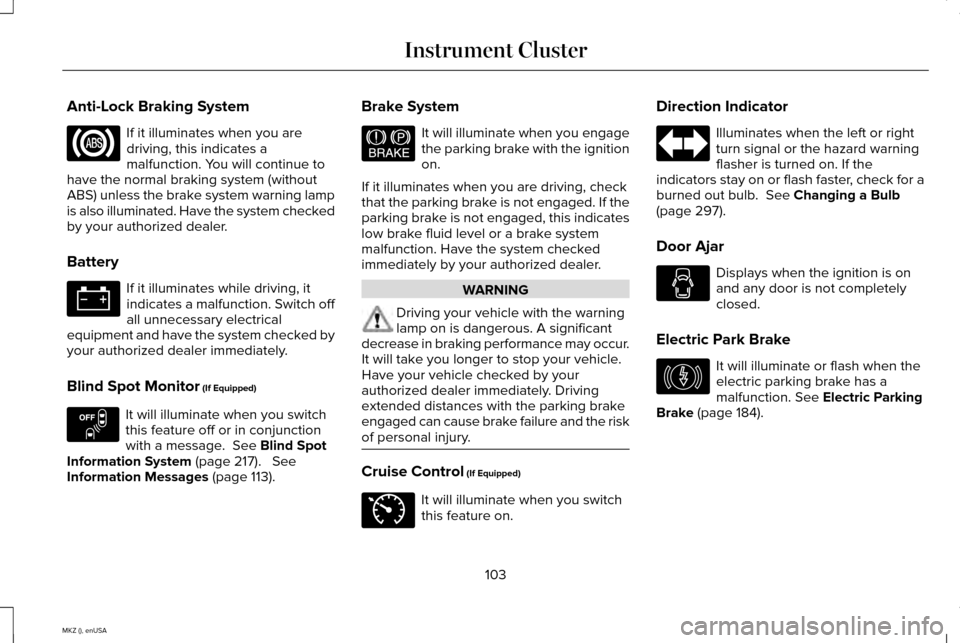
Anti-Lock Braking System
If it illuminates when you are
driving, this indicates a
malfunction. You will continue to
have the normal braking system (without
ABS) unless the brake system warning lamp
is also illuminated. Have the system checked
by your authorized dealer.
Battery If it illuminates while driving, it
indicates a malfunction. Switch off
all unnecessary electrical
equipment and have the system checked by
your authorized dealer immediately.
Blind Spot Monitor (If Equipped) It will illuminate when you switch
this feature off or in conjunction
with a message.
See Blind Spot
Information System (page 217). See
Information Messages (page 113). Brake System It will illuminate when you engage
the parking brake with the ignition
on.
If it illuminates when you are driving, check
that the parking brake is not engaged. If the
parking brake is not engaged, this indicates
low brake fluid level or a brake system
malfunction. Have the system checked
immediately by your authorized dealer. WARNING
Driving your vehicle with the warning
lamp on is dangerous. A significant
decrease in braking performance may occur.
It will take you longer to stop your vehicle.
Have your vehicle checked by your
authorized dealer immediately. Driving
extended distances with the parking brake
engaged can cause brake failure and the risk
of personal injury. Cruise Control (If Equipped)
It will illuminate when you switch
this feature on.Direction Indicator Illuminates when the left or right
turn signal or the hazard warning
flasher is turned on. If the
indicators stay on or flash faster, check for a
burned out bulb.
See Changing a Bulb
(page 297).
Door Ajar Displays when the ignition is on
and any door is not completely
closed.
Electric Park Brake It will illuminate or flash when the
electric parking brake has a
malfunction.
See Electric Parking
Brake (page 184).
103
MKZ (), enUSA Instrument Cluster E151262 E144522 E71340 E146190
Page 120 of 516

Battery and Charging System
Action
Message
Displayed when the charging system needs servicing. If the warning stays\
on or continues tocome on, contact your authorized dealer as soon as possible.
Check Charging System
Displayed when the battery management system detects an extended low-vol\
tage condition.Various vehicle features will be disabled to help preserve the battery. Turn off as many of the electrical loads as soon as possible to improve system voltage. If the system voltage has recovered, the disabled features will operate again as normal
Low Battery Features Temporarily Turned
Off
Displayed when the battery management system determines that the battery\
is at a low state ofcharge. Turn the ignition off as soon as possible to protect the battery. This message will clear once the vehicle has been started and the battery state of charge has re\
covered. Turning off unnecessary electrical loads will allow faster battery state-of-charge r\
ecovery.
Turn Power Off to Save Battery
117
MKZ (), enUSA Information Displays