fuel cap LINCOLN MKZ 2015 Owners Manual
[x] Cancel search | Manufacturer: LINCOLN, Model Year: 2015, Model line: MKZ, Model: LINCOLN MKZ 2015Pages: 516, PDF Size: 4.48 MB
Page 11 of 516
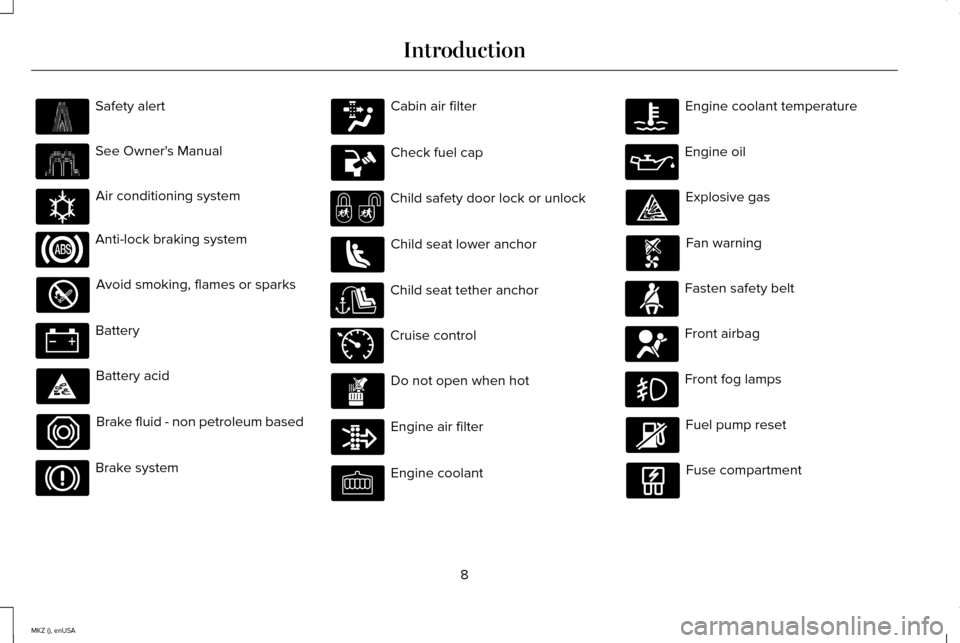
Safety alert
See Owner's Manual
Air conditioning system
Anti-lock braking system
Avoid smoking, flames or sparks
Battery
Battery acid
Brake fluid - non petroleum based
Brake system Cabin air filter
Check fuel cap
Child safety door lock or unlock
Child seat lower anchor
Child seat tether anchor
Cruise control
Do not open when hot
Engine air filter
Engine coolant Engine coolant temperature
Engine oil
Explosive gas
Fan warning
Fasten safety belt
Front airbag
Front fog lamps
Fuel pump reset
Fuse compartment
8
MKZ (), enUSA Introduction E162384 E71340
Page 14 of 516
where required by law enforcement, other
government authorities or other third
parties acting with lawful authority. Other
parties may seek to access the information
independently of Ford Motor Company and
Ford of Canada.
Note:
Including to the extent that any law
pertaining to Event Data Recorders applies
to SYNC or its features, please note the
following: Once 911 Assist (if equipped) is
enabled (set ON), 911 Assist may, through
any paired and connected cell phone,
disclose to emergency services that the
vehicle has been in a crash involving the
deployment of an airbag or, in certain
vehicles, the activation of the fuel pump
shut-off. Certain versions or updates to 911
Assist may also be capable of being used
to electronically or verbally provide to 911
operators the vehicle location (such as
latitude and longitude), and/or other details
about the vehicle or crash or personal
information about the occupants to assist
911 operators to provide the most
appropriate emergency services. If you do
not want to disclose this information, do
not activate the 911 Assist feature. See
MyLincoln Touch™ (page 374). Additionally, when you connect to Traffic,
Directions and Information (if equipped,
U.S. only), the service uses GPS technology
and advanced vehicle sensors to collect
the vehicle
’s current location, travel
direction, and speed (“vehicle travel
information ”), only to help provide you with
the directions, traffic reports, or business
searches that you request. If you do not
want Ford or its vendors to receive this
information, do not activate the service. For
more information, see Traffic, Directions
and Information, Terms and Conditions.
See
MyLincoln Touch ™ (page 374).
CALIFORNIA PROPOSITION 65 WARNING
Some constituents of engine exhaust,
certain vehicle components, certain
fluids contained in vehicles and certain
products of component wear contain or emit
chemicals known to the State of California
to cause cancer and birth defects or other
reproductive harm. 11
MKZ (), enUSA Introduction
Page 105 of 516
Variations:
Distance-to-empty
Fuel gauge position
Driving type (fuel economy conditions)
35 miles to 80 miles (56 km to 129 km)
1/16th
Highway driving
35 miles (56km)
1/16th
Severe duty driving (trailer towing, extended idle)
Engine Coolant Temperature Gauge
Indicates engine coolant temperature. At
normal operating temperature, the level
indicator will be in the normal range. If the
engine coolant temperature exceeds the
normal range, stop the vehicle as soon as
safely possible, switch off the engine and let
the engine cool. WARNING
Never remove the coolant reservoir
cap while the engine is running or hot. WARNING LAMPS AND
INDICATORS
The following warning lamps and indicators
will alert you to a vehicle condition that may
become serious. Some lamps will illuminate
when you start your vehicle to make sure
they work. If any lamps remain on after
starting your vehicle, refer to the respective
system warning lamp for further information.
Note:
Some warning indicators appear in
the information display and function the
same as a warning lamp, but do not display
when you start your vehicle. Adaptive Cruise Control (If Equipped) The speed control system indicator
light changes color to indicate
what mode the system is in:
See
Using Adaptive Cruise Control (page 204).
On (white light): Illuminates when the
adaptive cruise control system is turned on.
Turns off when the speed control system is
turned off.
Engaged (green light): Illuminates when the
adaptive cruise control system is engaged.
Turns off when the speed control system is
disengaged.
102
MKZ (), enUSA Instrument ClusterE144524
Page 110 of 516
GENERAL INFORMATION
WARNING
Driving while distracted can result in
loss of vehicle control, crash and injury.
We strongly recommend that you use
extreme caution when using any device that
may take your focus off the road. Your
primary responsibility is the safe operation
of your vehicle. We recommend against the
use of any hand-held device while driving
and encourage the use of voice-operated
systems when possible. Make sure you are
aware of all applicable local laws that may
affect the use of electronic devices while
driving. Various systems on your vehicle can be
controlled using the information display
controls on the steering wheel.
Corresponding information is displayed in
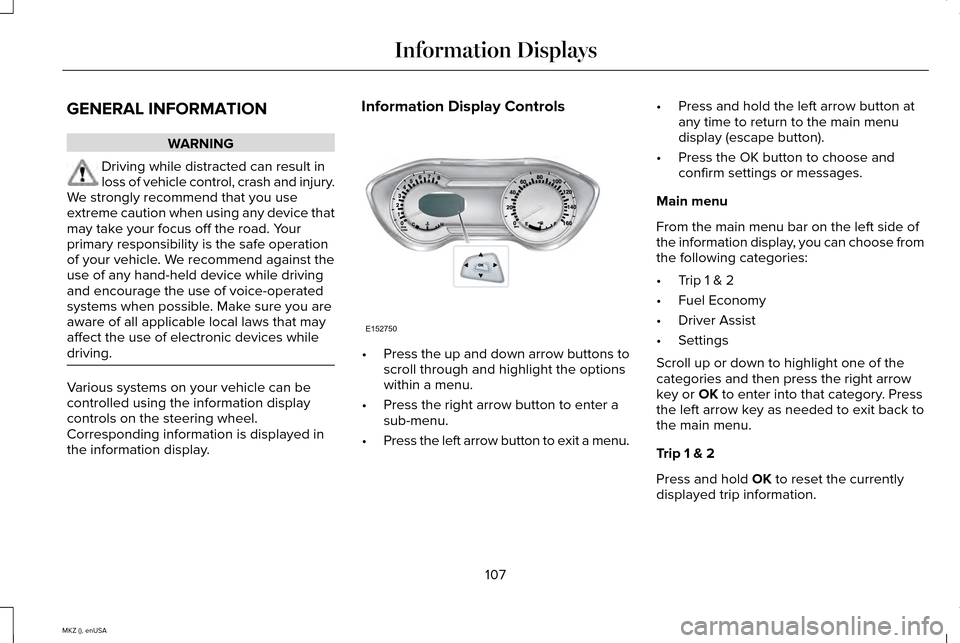
the information display. Information Display Controls
•
Press the up and down arrow buttons to
scroll through and highlight the options
within a menu.
• Press the right arrow button to enter a
sub-menu.
• Press the left arrow button to exit a menu. •
Press and hold the left arrow button at
any time to return to the main menu
display (escape button).
• Press the OK button to choose and
confirm settings or messages.
Main menu
From the main menu bar on the left side of
the information display, you can choose from
the following categories:
• Trip 1 & 2
• Fuel Economy
• Driver Assist
• Settings
Scroll up or down to highlight one of the
categories and then press the right arrow
key or OK to enter into that category. Press
the left arrow key as needed to exit back to
the main menu.
Trip 1 & 2
Press and hold
OK to reset the currently
displayed trip information.
107
MKZ (), enUSA Information DisplaysE152750
Page 164 of 516
SAFETY PRECAUTIONS
WARNINGS
Do not overfill the fuel tank. The
pressure in an overfilled tank may
cause leakage and lead to fuel spray and
fire. The fuel system may be under
pressure. If you hear a hissing sound
near the fuel filler door (Easy Fuel capless
fuel system), do not refuel until the sound
stops. Otherwise, fuel may spray out, which
could cause serious personal injury. Automotive fuels can cause serious
injury or death if misused or
mishandled. Flow of fuel through a fuel pump nozzle
can produce static electricity. This can
cause a fire if you are filling an ungrounded
fuel container. Fuel ethanol and gasoline may contain
benzene, which is a cancer-causing
agent. WARNINGS
When refueling always shut the engine
off and never allow sparks or open
flames near the filler neck. Never smoke or
use a cell phone while refueling. Fuel vapor
is extremely hazardous under certain
conditions. Avoid inhaling excess fumes. Observe the following guidelines when
handling automotive fuel:
•
Extinguish all smoking materials and any
open flames before refueling your
vehicle.
• Always turn off the vehicle before
refueling.
• Automotive fuels can be harmful or fatal
if swallowed. Fuel such as gasoline is
highly toxic and if swallowed can cause
death or permanent injury. If fuel is
swallowed, call a physician immediately,
even if no symptoms are immediately
apparent. The toxic effects of fuel may
not be visible for hours. •
Avoid inhaling fuel vapors. Inhaling too
much fuel vapor of any kind can lead to
eye and respiratory tract irritation. In
severe cases, excessive or prolonged
breathing of fuel vapor can cause serious
illness and permanent injury.
• Avoid getting fuel liquid in your eyes. If
fuel is splashed in the eyes, remove
contact lenses (if worn), flush with water
for 15 minutes and seek medical
attention. Failure to seek proper medical
attention could lead to permanent injury.
161
MKZ (), enUSA Fuel and Refueling
Page 166 of 516
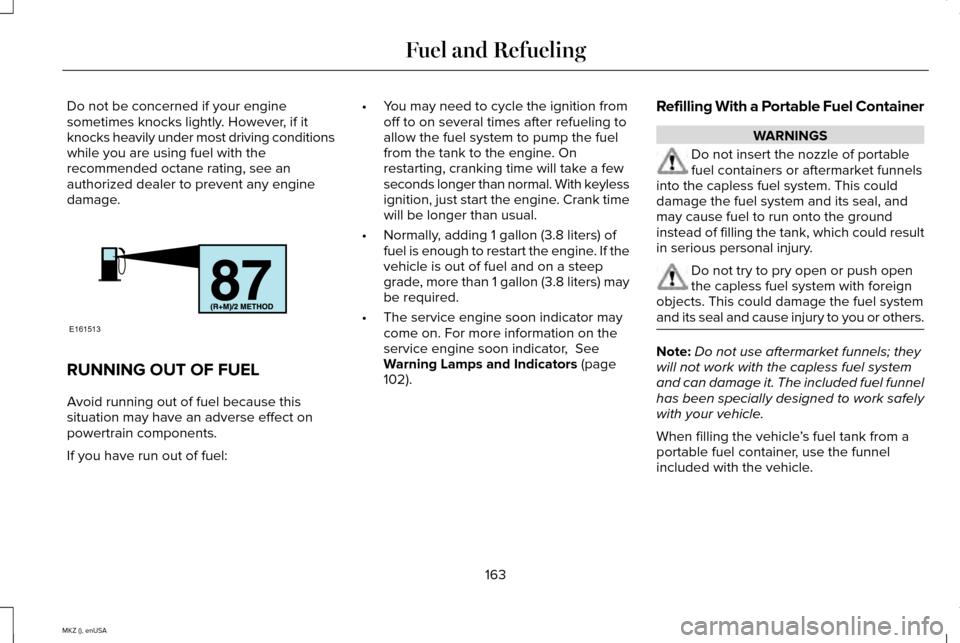
Do not be concerned if your engine
sometimes knocks lightly. However, if it
knocks heavily under most driving conditions
while you are using fuel with the
recommended octane rating, see an
authorized dealer to prevent any engine
damage.
RUNNING OUT OF FUEL
Avoid running out of fuel because this
situation may have an adverse effect on
powertrain components.
If you have run out of fuel: •
You may need to cycle the ignition from
off to on several times after refueling to
allow the fuel system to pump the fuel
from the tank to the engine. On
restarting, cranking time will take a few
seconds longer than normal. With keyless
ignition, just start the engine. Crank time
will be longer than usual.
• Normally, adding 1 gallon (3.8 liters) of
fuel is enough to restart the engine. If the
vehicle is out of fuel and on a steep
grade, more than 1 gallon (3.8 liters) may
be required.
• The service engine soon indicator may
come on. For more information on the
service engine soon indicator, See
Warning Lamps and Indicators (page
102). Refilling With a Portable Fuel Container WARNINGS
Do not insert the nozzle of portable
fuel containers or aftermarket funnels
into the capless fuel system. This could
damage the fuel system and its seal, and
may cause fuel to run onto the ground
instead of filling the tank, which could result
in serious personal injury. Do not try to pry open or push open
the capless fuel system with foreign
objects. This could damage the fuel system
and its seal and cause injury to you or others. Note:
Do not use aftermarket funnels; they
will not work with the capless fuel system
and can damage it. The included fuel funnel
has been specially designed to work safely
with your vehicle.
When filling the vehicle ’s fuel tank from a
portable fuel container, use the funnel
included with the vehicle.
163
MKZ (), enUSA Fuel and RefuelingE161513
Page 167 of 516
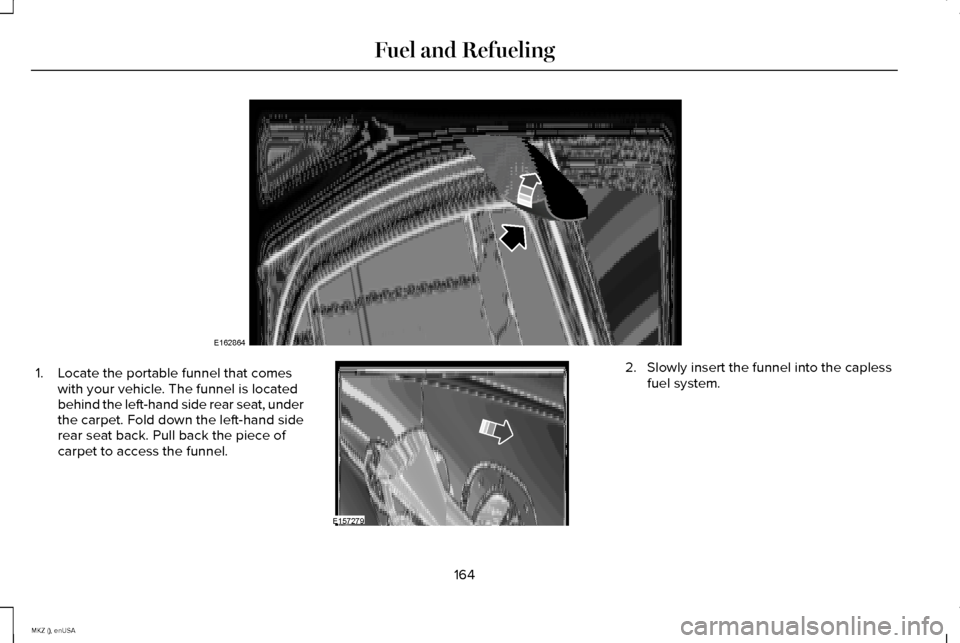
1. Locate the portable funnel that comes
with your vehicle. The funnel is located
behind the left-hand side rear seat, under
the carpet. Fold down the left-hand side
rear seat back. Pull back the piece of
carpet to access the funnel. 2. Slowly insert the funnel into the capless
fuel system.
164
MKZ (), enUSA Fuel and RefuelingE162864 E157279
Page 168 of 516
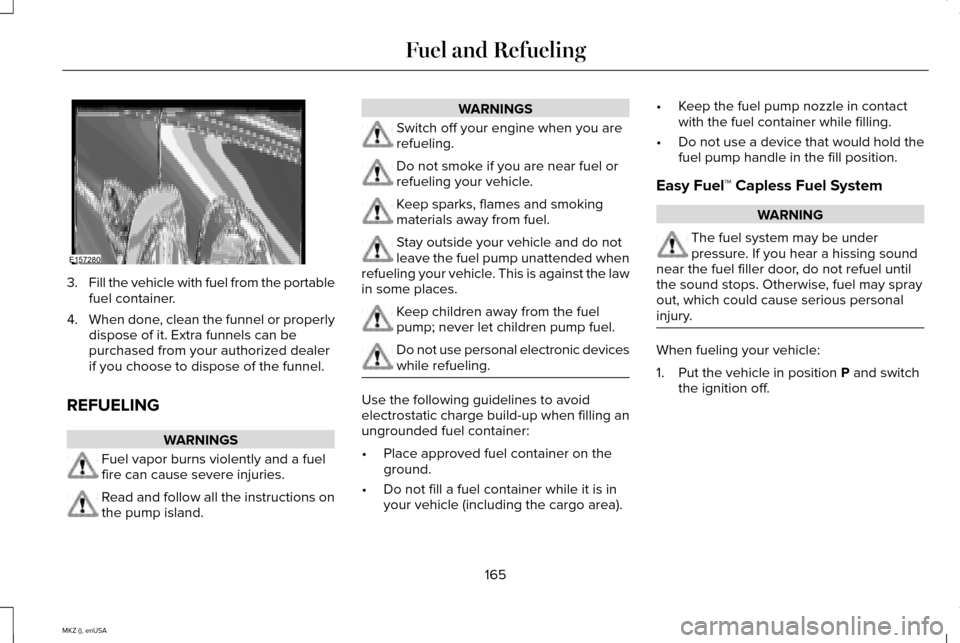
3.
Fill the vehicle with fuel from the portable
fuel container.
4. When done, clean the funnel or properly
dispose of it. Extra funnels can be
purchased from your authorized dealer
if you choose to dispose of the funnel.
REFUELING WARNINGS
Fuel vapor burns violently and a fuel
fire can cause severe injuries.
Read and follow all the instructions on
the pump island. WARNINGS
Switch off your engine when you are
refueling.
Do not smoke if you are near fuel or
refueling your vehicle.
Keep sparks, flames and smoking
materials away from fuel.
Stay outside your vehicle and do not
leave the fuel pump unattended when
refueling your vehicle. This is against the law
in some places. Keep children away from the fuel
pump; never let children pump fuel.
Do not use personal electronic devices
while refueling.
Use the following guidelines to avoid
electrostatic charge build-up when filling an
ungrounded fuel container:
•
Place approved fuel container on the
ground.
• Do not fill a fuel container while it is in
your vehicle (including the cargo area). •
Keep the fuel pump nozzle in contact
with the fuel container while filling.
• Do not use a device that would hold the
fuel pump handle in the fill position.
Easy Fuel™ Capless Fuel System WARNING
The fuel system may be under
pressure. If you hear a hissing sound
near the fuel filler door, do not refuel until
the sound stops. Otherwise, fuel may spray
out, which could cause serious personal
injury. When fueling your vehicle:
1. Put the vehicle in position P and switch
the ignition off.
165
MKZ (), enUSA Fuel and RefuelingE157280
Page 170 of 516
If this action corrects the problem, the
message may not reset immediately. It may
take several driving cycles for the message
to turn off. A driving cycle consists of an
engine start-up (after four or more hours with
the engine off ) followed by city or highway
driving. Continuing to drive with the message
on may cause the service engine soon lamp
to turn on as well.
FUEL CONSUMPTION
Note:
The amount of usable fuel in the empty
reserve varies and should not be relied upon
to increase driving range. When refueling
your vehicle after the fuel gauge indicates
empty, you might not be able to refuel the
full amount of the advertised capacity of the
fuel tank due to the empty reserve still
present in the tank. Empty reserve is the amount of fuel
remaining in the tank after the fuel gauge
indicates empty. Do not rely on this fuel for
driving. The usable capacity of the fuel tank
is the amount of fuel that can be put into the
tank after the gauge indicates empty. The
advertised capacity is the total fuel tank size
– it is the combined usable capacity plus the
empty reserve.
Filling the Tank
For consistent results when filling the fuel
tank:
•
Turn the ignition off before fueling; an
inaccurate reading results if the engine
is left running.
• Use the same fill rate (low-medium-high)
each time the tank is filled.
• Allow no more than two automatic
click-offs when filling.
Results are most accurate when the filling
method is consistent. Calculating Fuel Economy
Do not measure fuel economy during the
first 1000 miles (1600 kilometers) of driving
(this is your engine
’s break-in period); a more
accurate measurement is obtained after
2000 miles - 3000 miles (3200 kilometers -
4800 kilometers). Also, fuel expense,
frequency of fill ups or fuel gauge readings
are not accurate ways to measure fuel
economy.
1. Fill the fuel tank completely and record the initial odometer reading.
2. Each time you fill the tank, record the amount of fuel added.
3. After at least three to five tank fill ups, fill
the fuel tank and record the current
odometer reading.
4. Subtract your initial odometer reading from the current odometer reading.
5. Calculate fuel economy by dividing miles
traveled by gallons used (For Metric:
Multiply liters used by 100, then divide
by kilometers traveled).
167
MKZ (), enUSA Fuel and Refueling
Page 231 of 516
LOAD LIMIT
Vehicle Loading - with and without a
Trailer
This section will guide you in the proper
loading of your vehicle, trailer or both,
to keep your loaded vehicle weight
within its design rating capability, with
or without a trailer. Properly loading your
vehicle will provide maximum return of
vehicle design performance. Before
loading your vehicle, familiarize yourself
with the following terms for determining
your vehicle
’s weight ratings, with or
without a trailer, from the vehicle ’s Tire
Label or Safety Compliance Certification
Label: Base Curb Weight - is the weight of the
vehicle including a full tank of fuel and
all standard equipment. It does not
include passengers, cargo, or optional
equipment.
Vehicle Curb Weight - is the weight of
your new vehicle when you picked it up
from your authorized dealer plus any
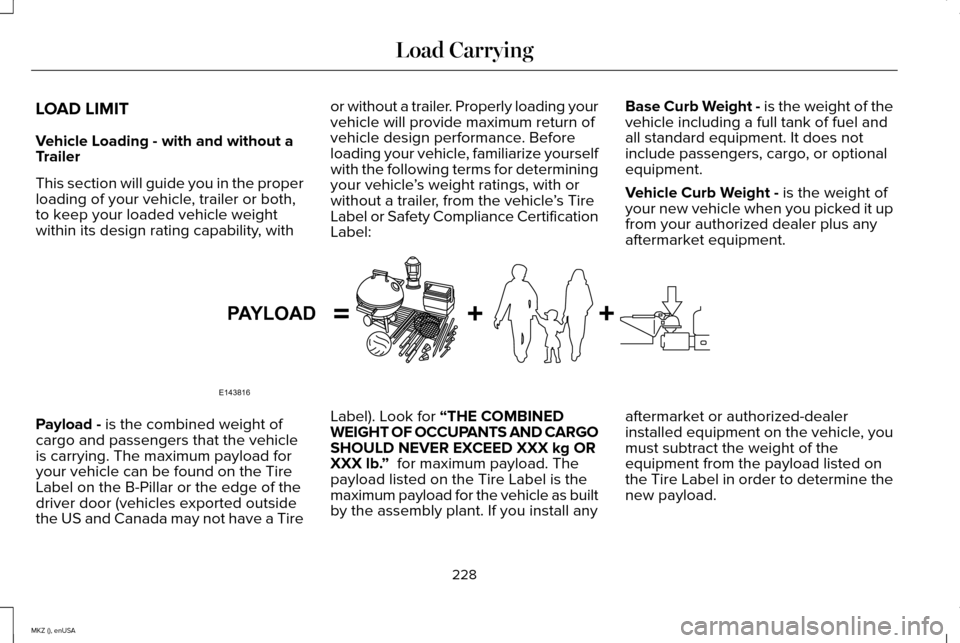
aftermarket equipment. Payload -
is the combined weight of
cargo and passengers that the vehicle
is carrying. The maximum payload for
your vehicle can be found on the Tire
Label on the B-Pillar or the edge of the
driver door (vehicles exported outside
the US and Canada may not have a Tire Label). Look for “THE COMBINED
WEIGHT OF OCCUPANTS AND CARGO
SHOULD NEVER EXCEED XXX kg OR
XXX lb. ”
for maximum payload. The
payload listed on the Tire Label is the
maximum payload for the vehicle as built
by the assembly plant. If you install any aftermarket or authorized-dealer
installed equipment on the vehicle, you
must subtract the weight of the
equipment from the payload listed on
the Tire Label in order to determine the
new payload.
228
MKZ (), enUSA Load CarryingE143816PAYLOAD