Sport control LINCOLN MKZ 2016 User Guide
[x] Cancel search | Manufacturer: LINCOLN, Model Year: 2016, Model line: MKZ, Model: LINCOLN MKZ 2016Pages: 544, PDF Size: 5.77 MB
Page 331 of 544
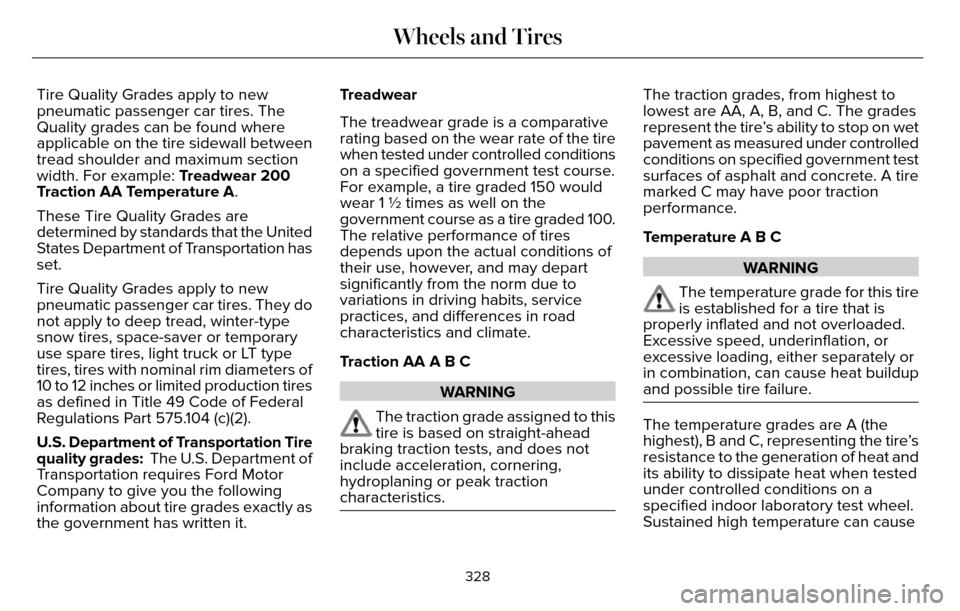
Tire Quality Grades apply to new
pneumatic passenger car tires. The
Quality grades can be found where
applicable on the tire sidewall between
tread shoulder and maximum section
width. For example: Treadwear 200
Traction AA Temperature A.
These Tire Quality Grades are
determined by standards that the United
States Department of Transportation has
set.
Tire Quality Grades apply to new
pneumatic passenger car tires. They do
not apply to deep tread, winter-type
snow tires, space-saver or temporary
use spare tires, light truck or LT type
tires, tires with nominal rim diameters of
10 to 12 inches or limited production tires
as defined in Title 49 Code of Federal
Regulations Part 575.104 (c)(2).
U.S. Department of Transportation Tire
quality grades: The U.S. Department of
Transportation requires Ford Motor
Company to give you the following
information about tire grades exactly as
the government has written it.Treadwear
The treadwear grade is a comparative
rating based on the wear rate of the tire
when tested under controlled conditions
on a specified government test course.
For example, a tire graded 150 would
wear 1 ½ times as well on the
government course as a tire graded 100.
The relative performance of tires
depends upon the actual conditions of
their use, however, and may depart
significantly from the norm due to
variations in driving habits, service
practices, and differences in road
characteristics and climate.
Traction AA A B C
WARNING
The traction grade assigned to this
tire is based on straight-ahead
braking traction tests, and does not
include acceleration, cornering,
hydroplaning or peak traction
characteristics.
The traction grades, from highest to
lowest are AA, A, B, and C. The grades
represent the tire’s ability to stop on wet
pavement as measured under controlled
conditions on specified government test
surfaces of asphalt and concrete. A tire
marked C may have poor traction
performance.
Temperature A B C
WARNING
The temperature grade for this tire
is established for a tire that is
properly inflated and not overloaded.
Excessive speed, underinflation, or
excessive loading, either separately or
in combination, can cause heat buildup
and possible tire failure.
The temperature grades are A (the
highest), B and C, representing the tire’s
resistance to the generation of heat and
its ability to dissipate heat when tested
under controlled conditions on a
specified indoor laboratory test wheel.
Sustained high temperature can cause
328
Wheels and Tires
Page 382 of 544
Safety Information
WARNING
Driving while distracted can result in
loss of vehicle control, crash and injury.
We strongly recommend that you use
extreme caution when using any device that
may take your focus off the road. Your
primary responsibility is the safe operation
of your vehicle. We recommend against the
use of any hand-held device while driving
and encourage the use of voice-operated
systems when possible. Make sure you are
aware of all applicable local laws that may
affect the use of electronic devices while
driving.
• Do not attempt to service or repair the system. Have your vehicle checked by
an authorized dealer.
• Do not operate media devices if the power cables are broken or damaged.
• Make sure the power cables do not interfere with the safe operation of your
vehicle's controls or affect your safe
driving abilities.
• Some SYNC functions are speed-dependent. Their use is limited to
when your vehicle is traveling at speeds
below 3 mph (5 km/h).
Make sure that you review your device's
manual before using it with SYNC.Speed-restricted Features
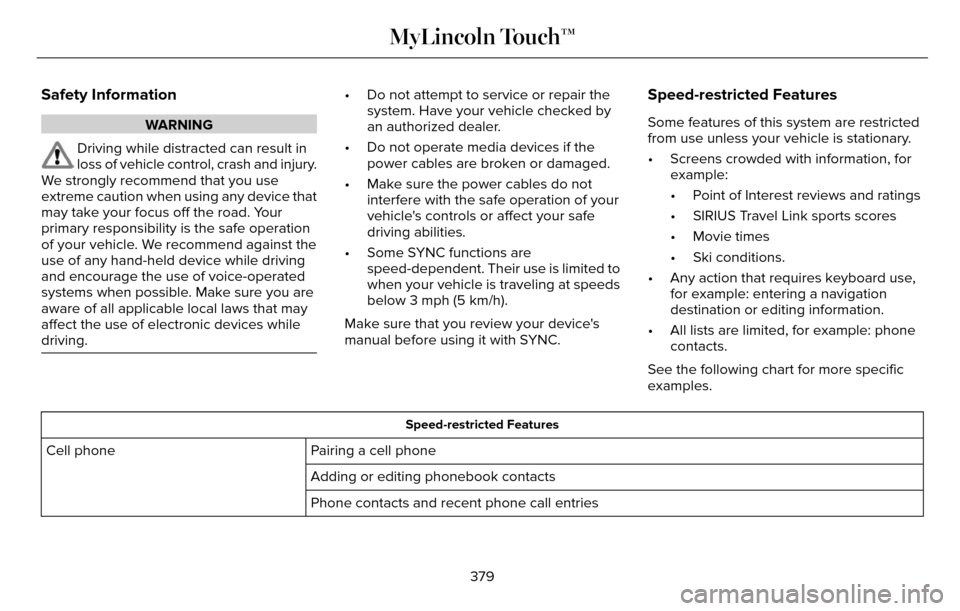
Some features of this system are restricted
from use unless your vehicle is stationary.
• Screens crowded with information, for example:
• Point of Interest reviews and ratings
• SIRIUS Travel Link sports scores
• Movie times
• Ski conditions.
• Any action that requires keyboard use, for example: entering a navigation
destination or editing information.
• All lists are limited, for example: phone contacts.
See the following chart for more specific
examples.
Speed-restricted Features
Pairing a cell phone
Cell phone
Adding or editing phonebook contacts
Phone contacts and recent phone call entries
379
MyLincoln Touch™
Page 422 of 544
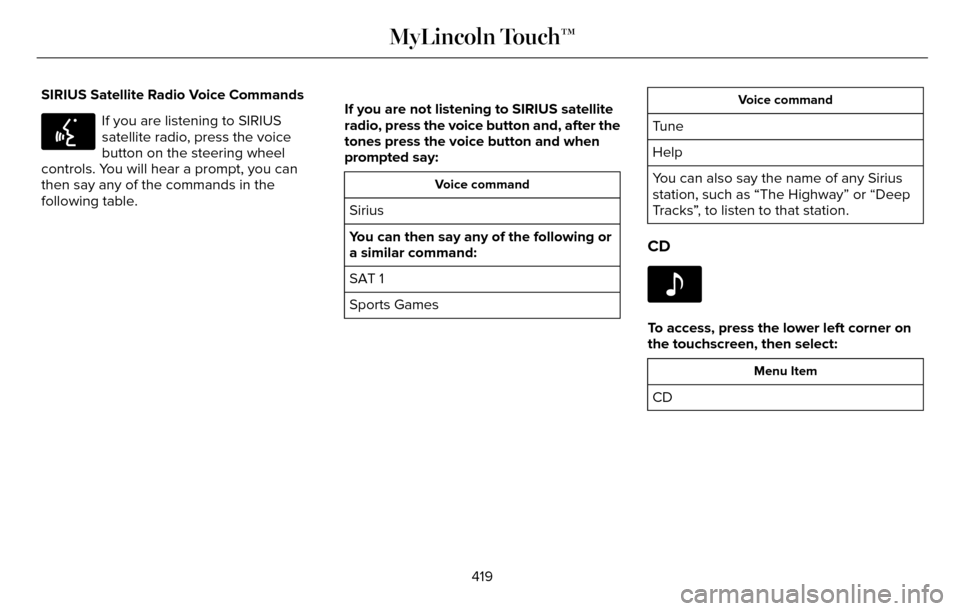
SIRIUS Satellite Radio Voice Commands
E142599
If you are listening to SIRIUS
satellite radio, press the voice
button on the steering wheel
controls. You will hear a prompt, you can
then say any of the commands in the
following table. If you are not listening to SIRIUS satellite
radio, press the voice button and, after the
tones press the voice button and when
prompted say:
Voice command
Sirius
You can then say any of the following or
a similar command:
SAT 1
Sports Games
Voice command
Tune
Help
You can also say the name of any Sirius
station, such as “The Highway” or “Deep
Tracks”, to listen to that station.
CD
E142611
To access, press the lower left corner on
the touchscreen, then select:
Menu Item
CD
419
MyLincoln Touch™
Page 445 of 544

SYNC Services Quick Tips
Tips
You can personalize your Services feature to provide quicker access to yo\
ur most used or favoriteinformation. You can save address points, such as work or home. You can also save favorite
information like sports teams, for example Detroit Lions, or a news cate\
gory. You can learn more about personalization by logging onto www.SYNCMyRide.com.
Personalizing
Press the voice button at any time (while connected to SYNC Services) to interrupt a voice promptor an audio clip (such as a sports report) and say your voice command.\
Push to interrupt
Your subscription is associated with your Bluetooth-enabled cellular phon\
e number, not your
VIN (Vehicle Identification Number). You can pair and connect your phone to any vehicle equipped with SYNC Services and continue enjoying your personalized services.
Portable
SYNC Services Voice Commands
E142599
When a route has been
downloaded (non-navigation
systems), press the voice button
on the steering wheel controls. When
prompted, say any of the following
commands: ServicesVoice command
Cancel Route
Route Status
Route summary
Update Route
Help
442
MyLincoln Touch™
Page 446 of 544
Sirius Travel Link (If Equipped)
WARNING
Driving while distracted can result in
loss of vehicle control, crash and injury.
We strongly recommend that you use
extreme caution when using any device that
may take your focus off the road. Your
primary responsibility is the safe operation
of your vehicle. We recommend against the
use of any handheld device while driving and
encourage the use of voice-operated
systems when possible. Make sure you are
aware of all applicable local laws that may
affect the use of electronic devices while
driving.
Note: In order to use Sirius Travel Link, your
vehicle must be equipped with navigation
and your navigation SD card must be in the
SD card slot.
Note: A paid subscription is required to
access and use these features. Go to
www.siriusxm.com/travellink for more
information.
Note: Visit www.siriusxm.com/traffic and click
on Coverage map and details for a complete
listing of all traffic areas covered by Sirius
Travel Link.
Note: Neither Sirius nor Ford is responsible
for any errors or inaccuracies in the Sirius
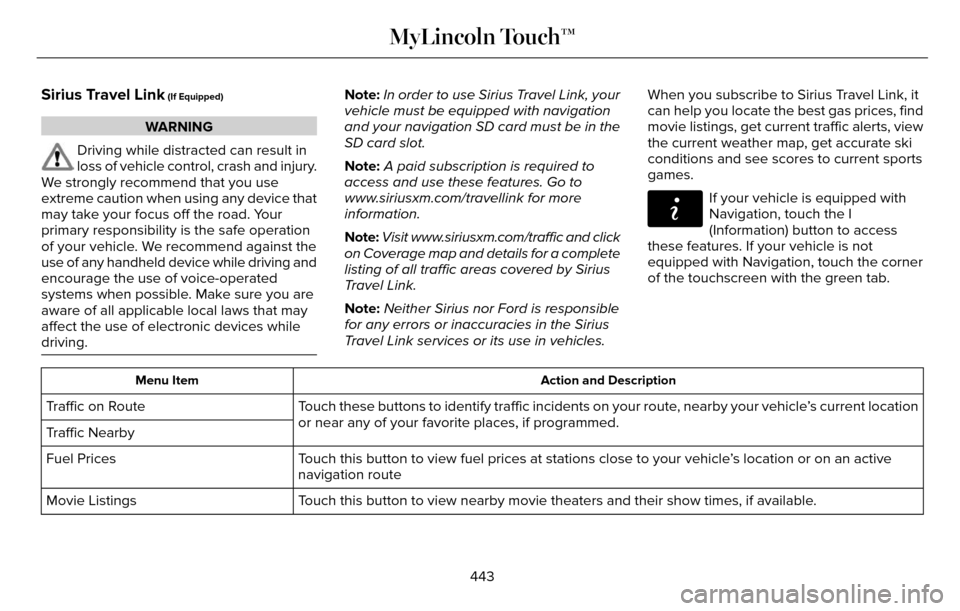
Travel Link services or its use in vehicles. When you subscribe to Sirius Travel Link, it
can help you locate the best gas prices, find
movie listings, get current traffic alerts, view
the current weather map, get accurate ski
conditions and see scores to current sports
games.
E142608
If your vehicle is equipped with
Navigation, touch the I
(Information) button to access
these features. If your vehicle is not
equipped with Navigation, touch the corner
of the touchscreen with the green tab.
Action and Description
Menu Item
Touch these buttons to identify traffic incidents on your route, nearby your vehicle’s current location
or near any of your favorite places, if programmed.
Traffic on Route
Traffic Nearby
Touch this button to view fuel prices at stations close to your vehicle’\
s location or on an active
navigation route
Fuel Prices
Touch this button to view nearby movie theaters and their show times, if \
available.
Movie Listings
443
MyLincoln Touch™
Page 543 of 544
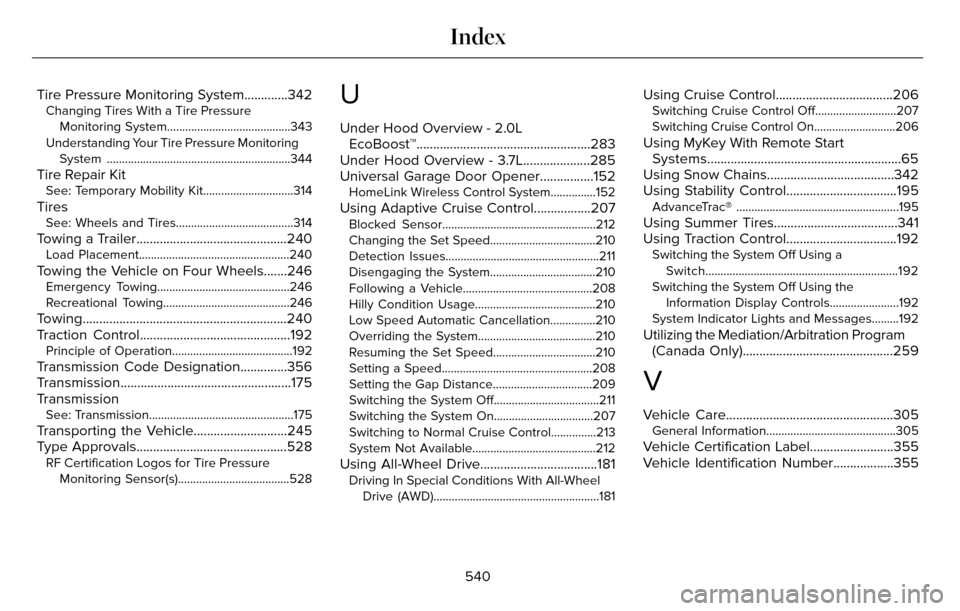
Tire Pressure Monitoring System.............342Changing Tires With a Tire PressureMonitoring System.........................................343
Understanding Your Tire Pressure Monitoring System .............................................................344
Tire Repair KitSee: Temporary Mobility Kit..............................314
TiresSee: Wheels and Tires.......................................314
Towing a Trailer.............................................240Load Placement..................................................240
Towing the Vehicle on Four Wheels.......246Emergency Towing............................................246
Recreational Towing..........................................246
Towing.............................................................240
Traction Control.............................................192
Principle of Operation........................................192
Transmission Code Designation..............356
Transmission...................................................175
Transmission
See: Transmission................................................175
Transporting the Vehicle............................245
Type Approvals.............................................528
RF Certification Logos for Tire PressureMonitoring Sensor(s).....................................528
U
Under Hood Overview - 2.0LEcoBoost™....................................................283
Under Hood Overview - 3.7L....................285
Universal Garage Door Opener................152
HomeLink Wireless Control System...............152
Using Adaptive Cruise Control.................207Blocked Sensor...................................................212
Changing the Set Speed...................................210
Detection Issues...................................................211
Disengaging the System...................................210
Following a Vehicle...........................................208
Hilly Condition Usage........................................210
Low Speed Automatic Cancellation...............210
Overriding the System.......................................210
Resuming the Set Speed..................................210
Setting a Speed..................................................208
Setting the Gap Distance.................................209
Switching the System Off...................................211
Switching the System On.................................207
Switching to Normal Cruise Control...............213
System Not Available.........................................212
Using All-Wheel Drive...................................181Driving In Special Conditions With All-Wheel
Drive (AWD).......................................................181
Using Cruise Control...................................206Switching Cruise Control Off...........................207
Switching Cruise Control On...........................206
Using MyKey With Remote StartSystems..........................................................65
Using Snow Chains......................................342
Using Stability Control.................................195
AdvanceTrac® ......................................................195
Using Summer Tires.....................................341
Using Traction Control.................................192
Switching the System Off Using a
Switch................................................................192
Switching the System Off Using the Information Display Controls.......................192
System Indicator Lights and Messages.........192
Utilizing the Mediation/Arbitration Program (Canada Only).............................................259
V
Vehicle Care..................................................305General Information...........................................305
Vehicle Certification Label.........................355
Vehicle Identification Number..................355
540
Index
Page 544 of 544
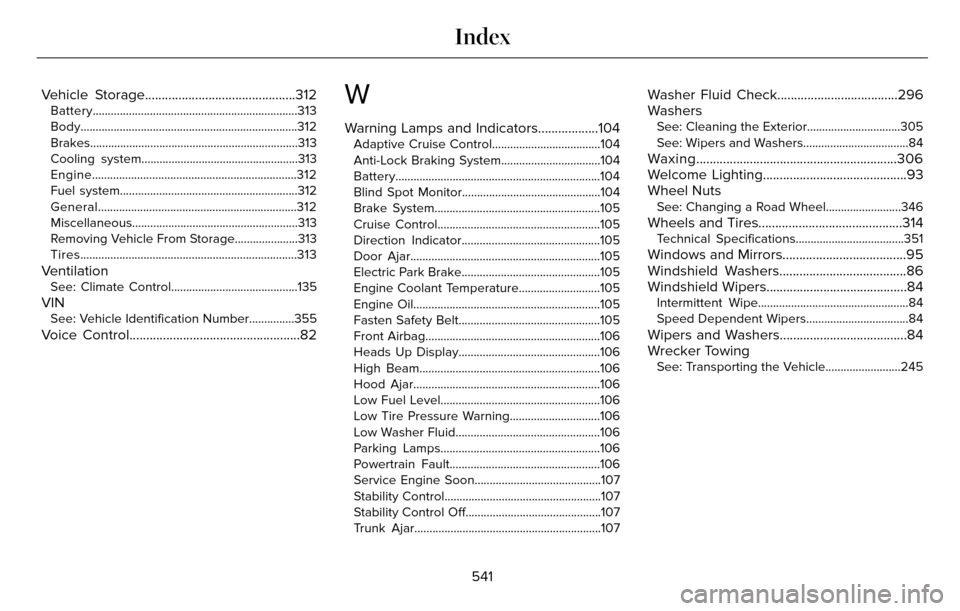
Vehicle Storage.............................................312Battery....................................................................313
Body........................................................................\
312
Brakes..................................................................\
...313
Cooling system....................................................313
Engine....................................................................312
Fuel system...........................................................31\
2
General..................................................................312
Miscellaneous.......................................................313
Removing Vehicle From Storage.....................313
Tires........................................................................\
313
VentilationSee: Climate Control..........................................135
VINSee: Vehicle Identification Number...............355
Voice Control...................................................82
W
Warning Lamps and Indicators..................104Adaptive Cruise Control....................................104
Anti-Lock Braking System.................................104
Battery....................................................................104
Blind Spot Monitor..............................................104
Brake System.......................................................105
Cruise Control......................................................105
Direction Indicator..............................................105
Door Ajar...............................................................\
105
Electric Park Brake..............................................105
Engine Coolant Temperature...........................105
Engine Oil..............................................................\
105
Fasten Safety Belt...............................................105
Front Airbag..........................................................10\
6
Heads Up Display...............................................106
High Beam............................................................106\
Hood Ajar..............................................................1\
06
Low Fuel Level.....................................................106
Low Tire Pressure Warning..............................106
Low Washer Fluid................................................106
Parking Lamps.....................................................106
Powertrain Fault..................................................106
Service Engine Soon..........................................107
Stability Control....................................................107
Stability Control Off.............................................107
Trunk Ajar..............................................................1\
07
Washer Fluid Check....................................296
Washers
See: Cleaning the Exterior...............................305
See: Wipers and Washers...................................84
Waxing............................................................306
Welcome Lighting...........................................93
Wheel Nuts
See: Changing a Road Wheel.........................346
Wheels and Tires...........................................314Technical Specifications....................................351
Windows and Mirrors.....................................95
Windshield Washers......................................86
Windshield Wipers..........................................84
Intermittent Wipe..................................................84
Speed Dependent Wipers..................................84
Wipers and Washers......................................84
Wrecker Towing
See: Transporting the Vehicle.........................245
541
Index