instrument cluster LINCOLN MKZ 2016 User Guide
[x] Cancel search | Manufacturer: LINCOLN, Model Year: 2016, Model line: MKZ, Model: LINCOLN MKZ 2016Pages: 544, PDF Size: 5.77 MB
Page 110 of 544
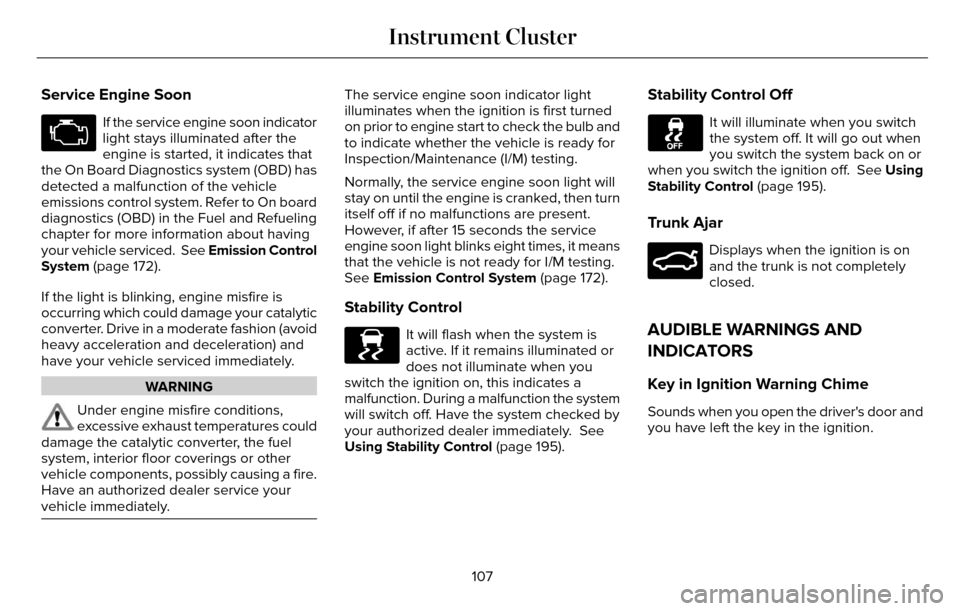
Service Engine Soon
If the service engine soon indicator
light stays illuminated after the
engine is started, it indicates that
the On Board Diagnostics system (OBD) has
detected a malfunction of the vehicle
emissions control system. Refer to On board
diagnostics (OBD) in the Fuel and Refueling
chapter for more information about having
your vehicle serviced. See Emission Control
System (page 172).
If the light is blinking, engine misfire is
occurring which could damage your catalytic
converter. Drive in a moderate fashion (avoid
heavy acceleration and deceleration) and
have your vehicle serviced immediately.
WARNING
Under engine misfire conditions,
excessive exhaust temperatures could
damage the catalytic converter, the fuel
system, interior floor coverings or other
vehicle components, possibly causing a fire.
Have an authorized dealer service your
vehicle immediately.
The service engine soon indicator light
illuminates when the ignition is first turned
on prior to engine start to check the bulb and
to indicate whether the vehicle is ready for
Inspection/Maintenance (I/M) testing.
Normally, the service engine soon light will
stay on until the engine is cranked, then turn
itself off if no malfunctions are present.
However, if after 15 seconds the service
engine soon light blinks eight times, it means
that the vehicle is not ready for I/M testing.
See Emission Control System (page 172).
Stability Control
E138639
It will flash when the system is
active. If it remains illuminated or
does not illuminate when you
switch the ignition on, this indicates a
malfunction. During a malfunction the system
will switch off. Have the system checked by
your authorized dealer immediately. See
Using Stability Control (page 195).
Stability Control Off
It will illuminate when you switch
the system off. It will go out when
you switch the system back on or
when you switch the ignition off. See Using
Stability Control (page 195).
Trunk Ajar
E159323
Displays when the ignition is on
and the trunk is not completely
closed.
AUDIBLE WARNINGS AND
INDICATORS
Key in Ignition Warning Chime
Sounds when you open the driver's door and
you have left the key in the ignition.
107
Instrument Cluster
Page 111 of 544
Keyless Warning Alert (If Equipped)
Sounds the horn twice when you exit your
vehicle with the intelligent access key, after
the last door is closed and your keyless
vehicle is in RUN, indicating your vehicle is
still on.
Headlamps On Warning Chime
Sounds when you remove the key from the
ignition and open the driver's door and you
have left the headlamps or parking lamps
on.
Parking Brake On Warning Chime
Sounds when you have left the parking brake
on and drive your vehicle. If the warning
chime remains on after you have released
the parking brake, have the system checked
by an authorized dealer immediately.108
Instrument Cluster
Page 174 of 544
E154765
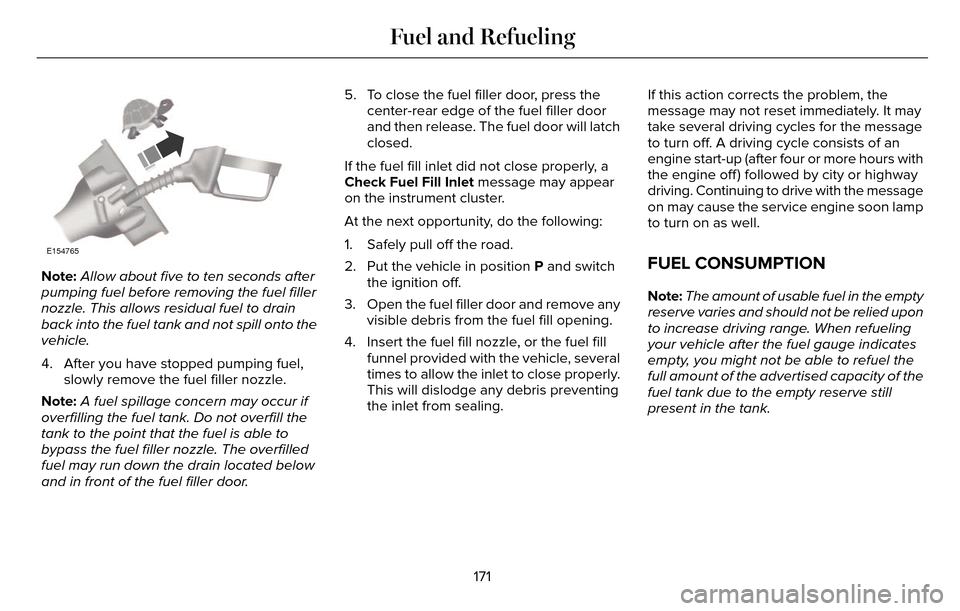
Note:Allow about five to ten seconds after
pumping fuel before removing the fuel filler
nozzle. This allows residual fuel to drain
back into the fuel tank and not spill onto the
vehicle.
4. After you have stopped pumping fuel, slowly remove the fuel filler nozzle.
Note: A fuel spillage concern may occur if
overfilling the fuel tank. Do not overfill the
tank to the point that the fuel is able to
bypass the fuel filler nozzle. The overfilled
fuel may run down the drain located below
and in front of the fuel filler door. 5. To close the fuel filler door, press the
center-rear edge of the fuel filler door
and then release. The fuel door will latch
closed.
If the fuel fill inlet did not close properly, a
Check Fuel Fill Inlet message may appear
on the instrument cluster.
At the next opportunity, do the following:
1. Safely pull off the road.
2. Put the vehicle in position P and switch the ignition off.
3. Open the fuel filler door and remove any visible debris from the fuel fill opening.
4. Insert the fuel fill nozzle, or the fuel fill funnel provided with the vehicle, several
times to allow the inlet to close properly.
This will dislodge any debris preventing
the inlet from sealing. If this action corrects the problem, the
message may not reset immediately. It may
take several driving cycles for the message
to turn off. A driving cycle consists of an
engine start-up (after four or more hours with
the engine off ) followed by city or highway
driving. Continuing to drive with the message
on may cause the service engine soon lamp
to turn on as well.FUEL CONSUMPTION
Note:
The amount of usable fuel in the empty
reserve varies and should not be relied upon
to increase driving range. When refueling
your vehicle after the fuel gauge indicates
empty, you might not be able to refuel the
full amount of the advertised capacity of the
fuel tank due to the empty reserve still
present in the tank.
171
Fuel and Refueling
Page 178 of 544
AUTOMATIC TRANSMISSION
WARNINGS
Always set the parking brake fully and
make sure your vehicle is in park (P).
Turn the ignition off whenever you leave your
vehicle.
Do not apply the brake pedal and
accelerator pedal simultaneously.
Applying both pedals simultaneously for
more than three seconds will limit engine
rpm, which may result in difficulty maintaining
speed in traffic and could lead to serious
injury.
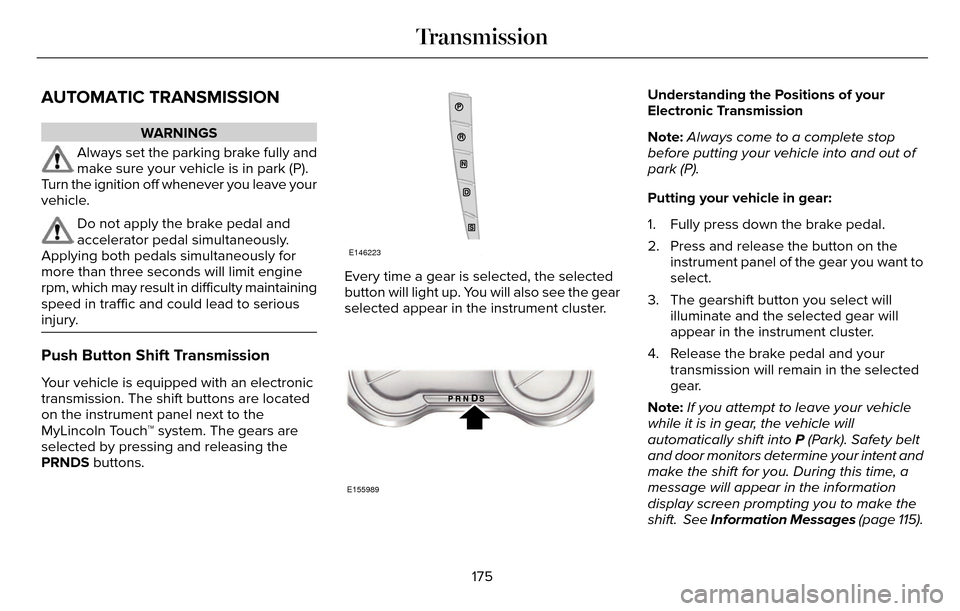
Push Button Shift Transmission
Your vehicle is equipped with an electronic
transmission. The shift buttons are located
on the instrument panel next to the
MyLincoln Touch™ system. The gears are
selected by pressing and releasing the
PRNDS buttons.
E146223
Every time a gear is selected, the selected
button will light up. You will also see the gear
selected appear in the instrument cluster.
E155989
Understanding the Positions of your
Electronic Transmission
Note: Always come to a complete stop
before putting your vehicle into and out of
park (P).
Putting your vehicle in gear:
1. Fully press down the brake pedal.
2. Press and release the button on the instrument panel of the gear you want to
select.
3. The gearshift button you select will illuminate and the selected gear will
appear in the instrument cluster.
4. Release the brake pedal and your transmission will remain in the selected
gear.
Note: If you attempt to leave your vehicle
while it is in gear, the vehicle will
automatically shift into P (Park). Safety belt
and door monitors determine your intent and
make the shift for you. During this time, a
message will appear in the information
display screen prompting you to make the
shift. See Information Messages (page 115).
175
Transmission
Page 180 of 544
A message will appear in your information
display screen when your vehicle has
entered Stay in Neutral mode.
Note:During this mode the neutral (N) button
will flash continuously and your instrument
cluster will display N as the selected gear.
Exiting Stay in Neutral mode
To disable Stay in Neutral mode select
another gear. See the Putting the Vehicle
in Gear for instructions on how to do this.
Entering a Carwash
Note: Always put your vehicle in Stay in
Neutral mode when entering an automatic
car wash. Failure to do this could result in
vehicle damage not covered by warranty.
Drive (D)
The normal driving position for the best fuel
economy. Sport (S)
Putting the vehicle in sport (S):
• Provides additional engine braking and
extends lower gear operation to enhance
performance for uphill climbs, hilly terrain
or mountainous areas. This will increase
engine RPM during engine braking
• Provides additional lower gear operation through the automatic transmission shift
strategy
• Provides gear selection more quickly and at higher engine speeds
SelectShift Automatic™ Transmission
Your SelectShift Automatic transmission
gives you the ability to change gears
manually.
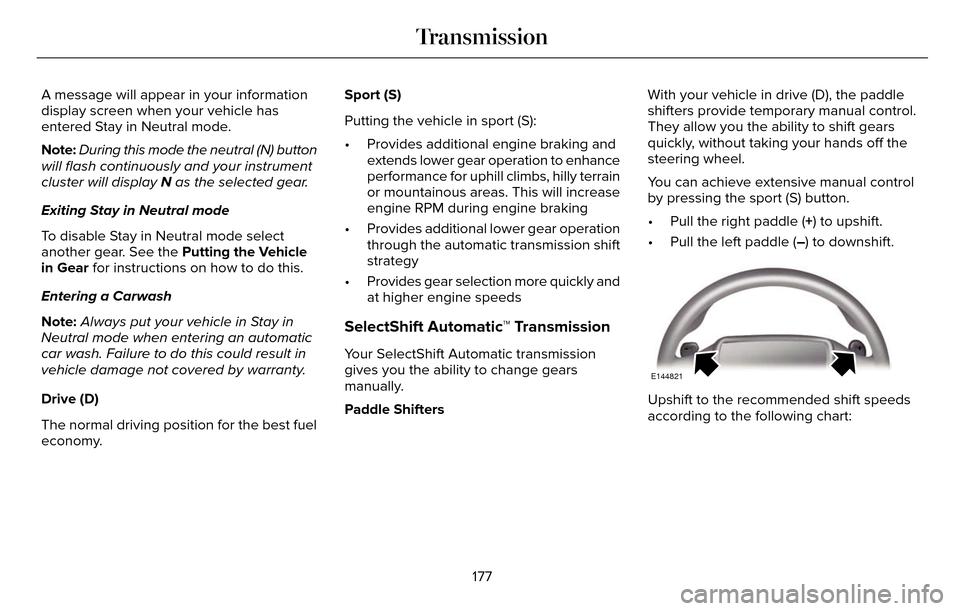
Paddle Shifters With your vehicle in drive (D), the paddle
shifters provide temporary manual control.
They allow you the ability to shift gears
quickly, without taking your hands off the
steering wheel.
You can achieve extensive manual control
by pressing the sport (S) button.
• Pull the right paddle (+) to upshift.
• Pull the left paddle (–) to downshift.
E144821
Upshift to the recommended shift speeds
according to the following chart:
177
Transmission
Page 181 of 544
Upshifts when accelerating (recommended for best fuel economy)
mph (km/h)
Gear Upshift
To
From
15 mph (24 km/h)
2
1
25 mph (40 km/h)
3
2
40 mph (64 km/h)
4
3
45 mph (72 km/h)
5
4
50 mph (80 km/h)
6
5
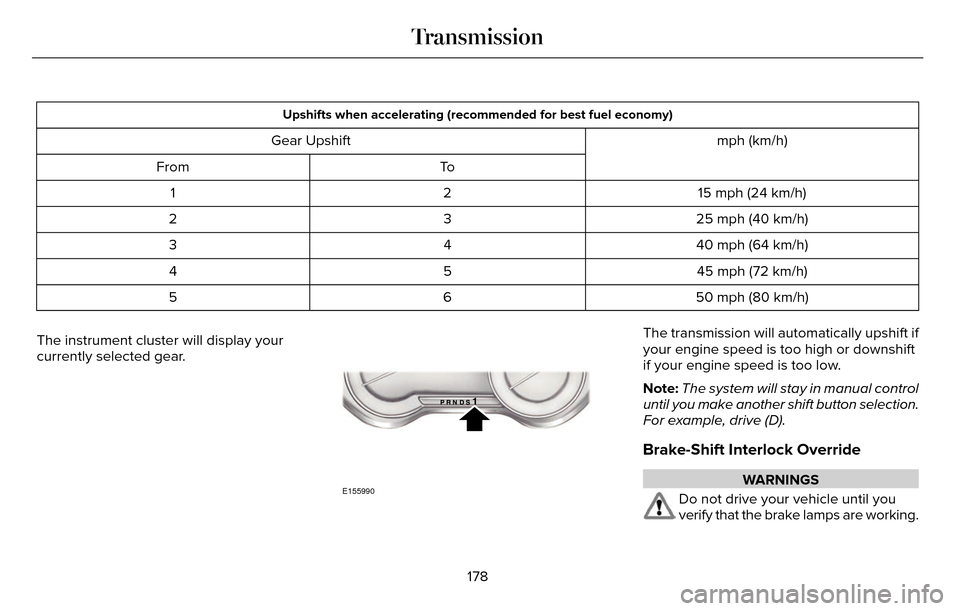
The instrument cluster will display your
currently selected gear.
E155990
The transmission will automatically upshift if
your engine speed is too high or downshift
if your engine speed is too low.
Note: The system will stay in manual control
until you make another shift button selection.
For example, drive (D).
Brake-Shift Interlock Override
WARNINGS
Do not drive your vehicle until you
verify that the brake lamps are working.
178
Transmission
Page 209 of 544
PRINCIPLE OF OPERATION
Cruise control lets you maintain a set speed
without keeping your foot on the accelerator
pedal. You can use cruise control when your
vehicle speed is greater than 20 mph
(30 km/h).
USING CRUISE CONTROL
WARNINGS
Do not use cruise control on winding
roads, in heavy traffic or when the road
surface is slippery. This could result in loss
of vehicle control, serious injury or death.
When you are going downhill, your
vehicle speed may increase above the
set speed. The system will not apply the
brakes but a warning displays.
Note: Cruise control will disengage if the
vehicle speed decreases more than 10 mph
(16 km/h) below the set speed while driving
uphill.
E145976
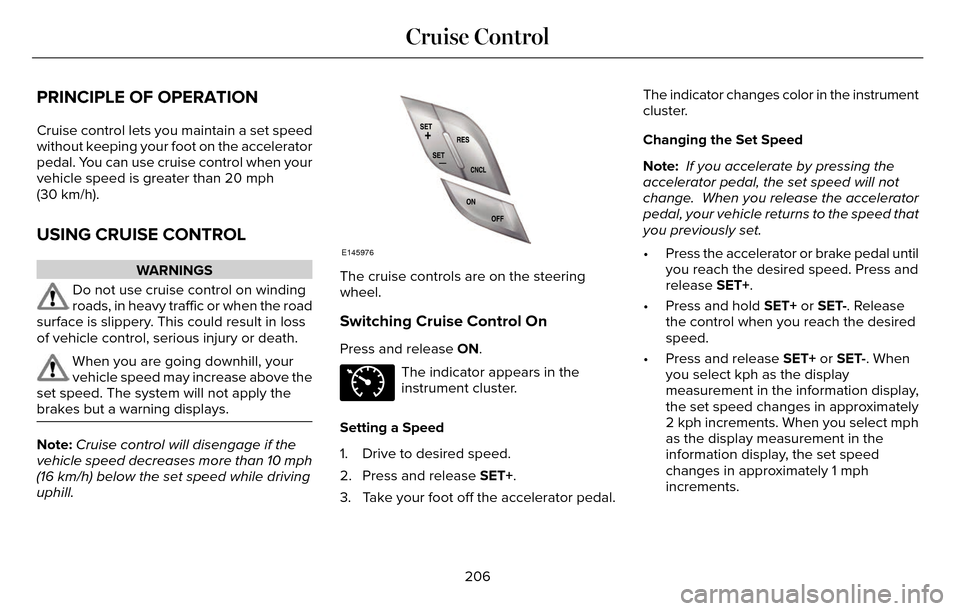
The cruise controls are on the steering
wheel.
Switching Cruise Control On
Press and release ON.
E71340
The indicator appears in the
instrument cluster.
Setting a Speed
1. Drive to desired speed.
2. Press and release SET+.
3. Take your foot off the accelerator pedal. The indicator changes color in the instrument
cluster.
Changing the Set Speed
Note:
If you accelerate by pressing the
accelerator pedal, the set speed will not
change. When you release the accelerator
pedal, your vehicle returns to the speed that
you previously set.
• Press the accelerator or brake pedal until you reach the desired speed. Press and
release SET+.
• Press and hold SET+ or SET-. Release the control when you reach the desired
speed.
• Press and release SET+ or SET-. When you select kph as the display
measurement in the information display,
the set speed changes in approximately
2 kph increments. When you select mph
as the display measurement in the
information display, the set speed
changes in approximately 1 mph
increments.
206
Cruise Control
Page 219 of 544
Note:When Aid mode is on and the system
detects no steering activity for a short period,
the system will alert you to put your hands
on the steering wheel. The system may
detect a light grip or touch on the steering
wheel as hands off driving.
The system notifies you to stay in your lane
through the steering system and the
instrument cluster display when the front
camera detects an unintentional drift out of
your lane is likely to occur. The system
automatically detects and tracks the road
lane markings using a camera mounted
behind the interior rear view mirror.
Switching the System On and Off
Note: The system on or off setting is stored
until it is manually changed, unless a MyKey
is detected. If the system detects a MyKey
it defaults to on and the mode is set to Alert.
Note: If a MyKey is detected, pressing the
button will not affect the on or off status of
the system.
E144813
Press the button located on the left
steering wheel stalk to switch the
system on or off. System Settings
The system has optional setting menus
available. To view or adjust the settings, See
General Information (page 109). The system
stores the last-known selection for each of
these settings. You do not need to readjust
your settings each time you turn on the
system.
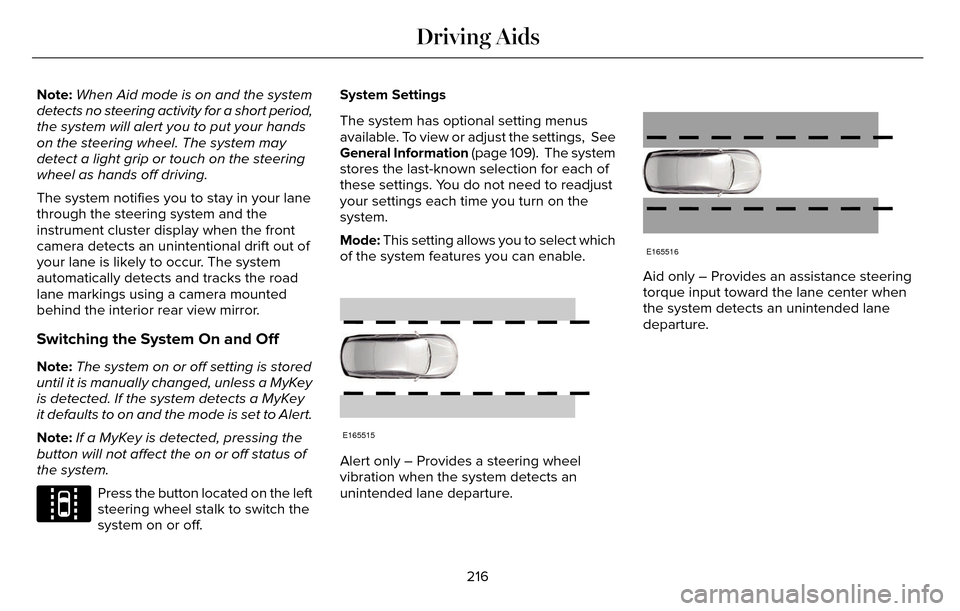
Mode: This setting allows you to select which
of the system features you can enable.
E165515
Alert only – Provides a steering wheel
vibration when the system detects an
unintended lane departure.
E165516
Aid only – Provides an assistance steering
torque input toward the lane center when
the system detects an unintended lane
departure.
216
Driving Aids
Page 250 of 544
Vehicles Equipped with a 3.7L Engine
You can tow your vehicle with all four wheels
on the ground using the Neutral Tow feature,
or with all four wheels off the ground using
a vehicle transport trailer. If you are using a
vehicle transport trailer, follow the instruction
specified by the equipment provider.
If you tow your vehicle with all four wheels
on the ground:
• Tow only in the forward direction.
• Release the parking brake.
Neutral Tow
Enter Neutral Tow mode by doing the
following:
1. Put the ignition in accessory mode bypressing the engine START button
without pressing the brake pedal.
2. Select the neutral tow option under the vehicle settings menu in the information
display. See (page 109).
3. Press and hold the OK button to start the neutral tow process. 4. Press the brake pedal and select N on
the push-button transmission.
5. Turn the ignition off by pressing the engine START button without pressing
the brake pedal.
If the process completes successfully:
• the N on the push-button transmission blinks slowly
• A confirmation message appears in the information display.
Note: If the parking brake is applied, a
message appears in the information display.
Note: Do not exceed 65 mph (105 km/h).
Note: Start the engine and allow it to run for
five minutes at the beginning of each day
and every six hours (or fewer). Shut the
engine off and verify that a message
appears indicating neutral tow has been
engaged, before continuing to tow.
Exit Neutral Tow mode, make sure the
ignition is on (engine can be on or off ), press
the brake pedal and select P on the
push-button transmission. If the process is completed successfully, a
message appears indicating that neutral tow
has disengaged in both the instrument
cluster and push-button transmission display
P.
247
Towing
Page 258 of 544
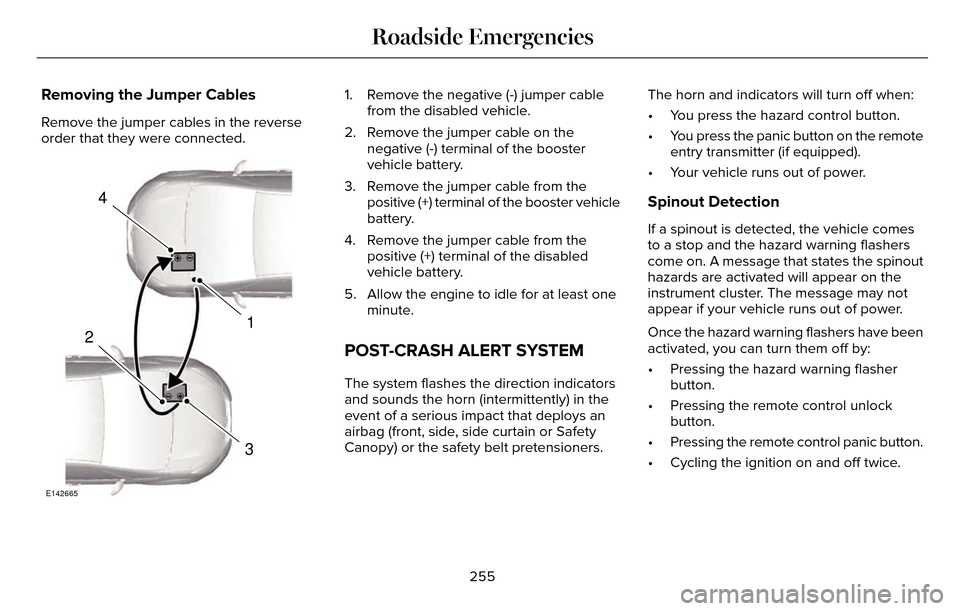
Removing the Jumper Cables
Remove the jumper cables in the reverse
order that they were connected.
4
1
3
2
E142665
1. Remove the negative (-) jumper cablefrom the disabled vehicle.
2. Remove the jumper cable on the negative (-) terminal of the booster
vehicle battery.
3. Remove the jumper cable from the positive (+) terminal of the booster vehicle
battery.
4. Remove the jumper cable from the positive (+) terminal of the disabled
vehicle battery.
5. Allow the engine to idle for at least one minute.
POST-CRASH ALERT SYSTEM
The system flashes the direction indicators
and sounds the horn (intermittently) in the
event of a serious impact that deploys an
airbag (front, side, side curtain or Safety
Canopy) or the safety belt pretensioners. The horn and indicators will turn off when:
• You press the hazard control button.
• You press the panic button on the remote
entry transmitter (if equipped).
• Your vehicle runs out of power.
Spinout Detection
If a spinout is detected, the vehicle comes
to a stop and the hazard warning flashers
come on. A message that states the spinout
hazards are activated will appear on the
instrument cluster. The message may not
appear if your vehicle runs out of power.
Once the hazard warning flashers have been
activated, you can turn them off by:
• Pressing the hazard warning flasher button.
• Pressing the remote control unlock button.
• Pressing the remote control panic button.
• Cycling the ignition on and off twice.
255
Roadside Emergencies