297 LINCOLN MKZ 2016 Owners Manual
[x] Cancel search | Manufacturer: LINCOLN, Model Year: 2016, Model line: MKZ, Model: LINCOLN MKZ 2016Pages: 544, PDF Size: 5.77 MB
Page 7 of 544
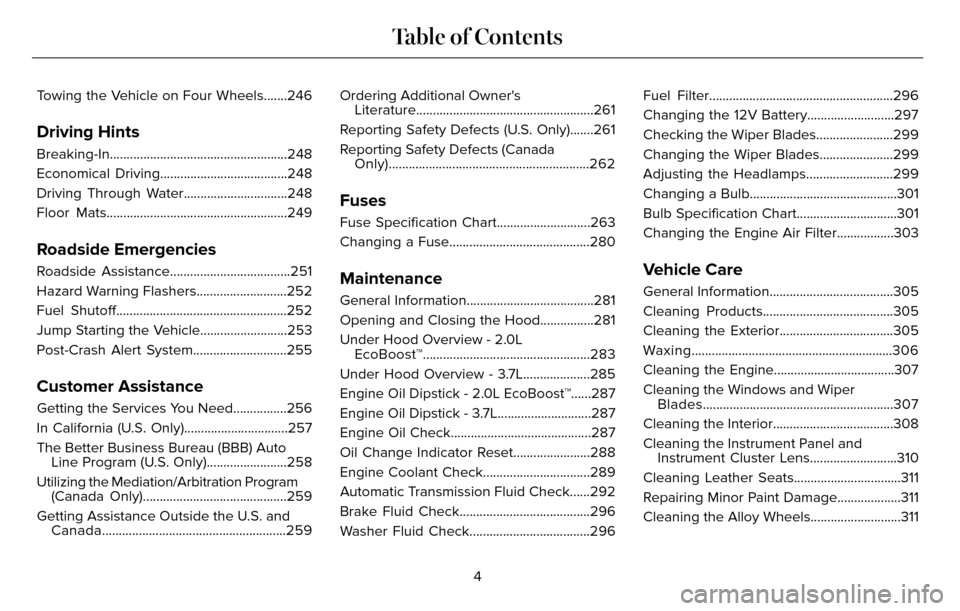
Towing the Vehicle on Four Wheels.......246
Driving Hints
Breaking-In.....................................................248
Economical Driving......................................248
Driving Through Water...............................248
Floor Mats......................................................249
Roadside Emergencies
Roadside Assistance....................................251
Hazard Warning Flashers...........................252
Fuel Shutoff...................................................252
Jump Starting the Vehicle..........................253
Post-Crash Alert System............................255
Customer Assistance
Getting the Services You Need................256
In California (U.S. Only)...............................257
The Better Business Bureau (BBB) AutoLine Program (U.S. Only)........................258
Utilizing the Mediation/Arbitration Program (Canada Only)...........................................259
Getting Assistance Outside the U.S. and Canada.......................................................259 Ordering Additional Owner's
Literature.....................................................261
Reporting Safety Defects (U.S. Only).......261
Reporting Safety Defects (Canada Only)............................................................262
Fuses
Fuse Specification Chart............................263
Changing a Fuse..........................................280
Maintenance
General Information......................................281
Opening and Closing the Hood................281
Under Hood Overview - 2.0LEcoBoost™..................................................283
Under Hood Overview - 3.7L....................285
Engine Oil Dipstick - 2.0L EcoBoost™......287
Engine Oil Dipstick - 3.7L............................287
Engine Oil Check..........................................287
Oil Change Indicator Reset.......................288
Engine Coolant Check................................289
Automatic Transmission Fluid Check......292
Brake Fluid Check.......................................296
Washer Fluid Check....................................296 Fuel Filter.......................................................296
Changing the 12V Battery..........................297
Checking the Wiper Blades.......................299
Changing the Wiper Blades......................299
Adjusting the Headlamps..........................299
Changing a Bulb............................................301
Bulb Specification Chart..............................301
Changing the Engine Air Filter.................303
Vehicle Care
General Information.....................................305
Cleaning Products.......................................305
Cleaning the Exterior..................................305
Waxing............................................................306
Cleaning the Engine....................................307
Cleaning the Windows and Wiper
Blades.........................................................307
Cleaning the Interior....................................308
Cleaning the Instrument Panel and Instrument Cluster Lens..........................310
Cleaning Leather Seats................................311
Repairing Minor Paint Damage...................311
Cleaning the Alloy Wheels...........................311
4
Table of Contents
Page 135 of 544
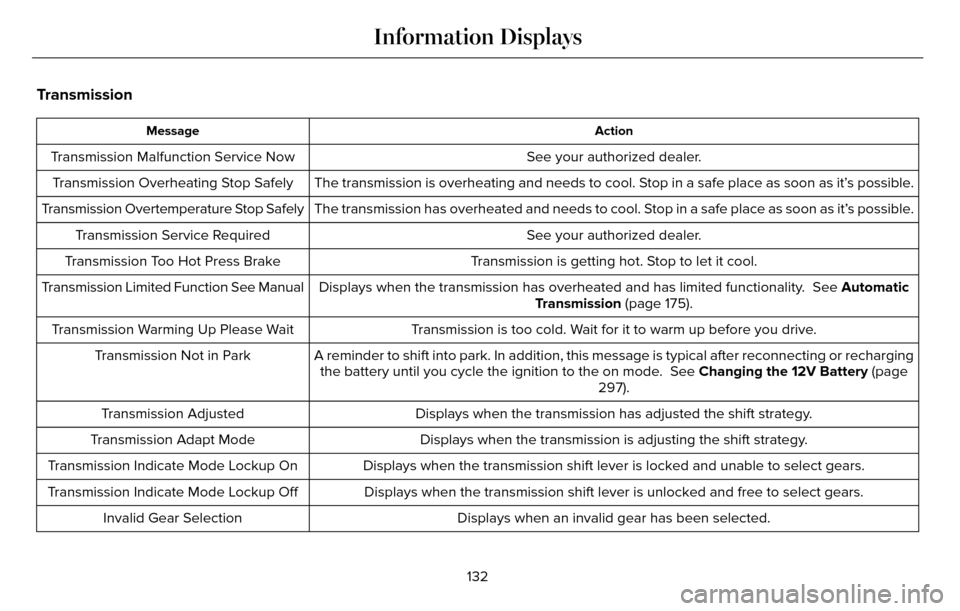
Transmission
Action
Message
See your authorized dealer.
Transmission Malfunction Service Now
The transmission is overheating and needs to cool. Stop in a safe place as soon as it’s possible.
Transmission Overheating Stop Safely
The transmission has overheated and needs to cool. Stop in a safe place as soon as it’s possible.
Transmission Overtemperature Stop Safely
See your authorized dealer.
Transmission Service Required
Transmission is getting hot. Stop to let it cool.
Transmission Too Hot Press Brake
Displays when the transmission has overheated and has limited functional\
ity. See Automatic
Transmission (page 175).
Transmission Limited Function See Manual
Transmission is too cold. Wait for it to warm up before you drive.
Transmission Warming Up Please Wait
A reminder to shift into park. In addition, this message is typical afte\
r reconnecting or rechargingthe battery until you cycle the ignition to the on mode. See Changing the 12V Battery (page
297).
Transmission Not in Park
Displays when the transmission has adjusted the shift strategy.
Transmission Adjusted
Displays when the transmission is adjusting the shift strategy.
Transmission Adapt Mode
Displays when the transmission shift lever is locked and unable to selec\
t gears.
Transmission Indicate Mode Lockup On
Displays when the transmission shift lever is unlocked and free to selec\
t gears.
Transmission Indicate Mode Lockup Off
Displays when an invalid gear has been selected.
Invalid Gear Selection
132
Information Displays
Page 266 of 544
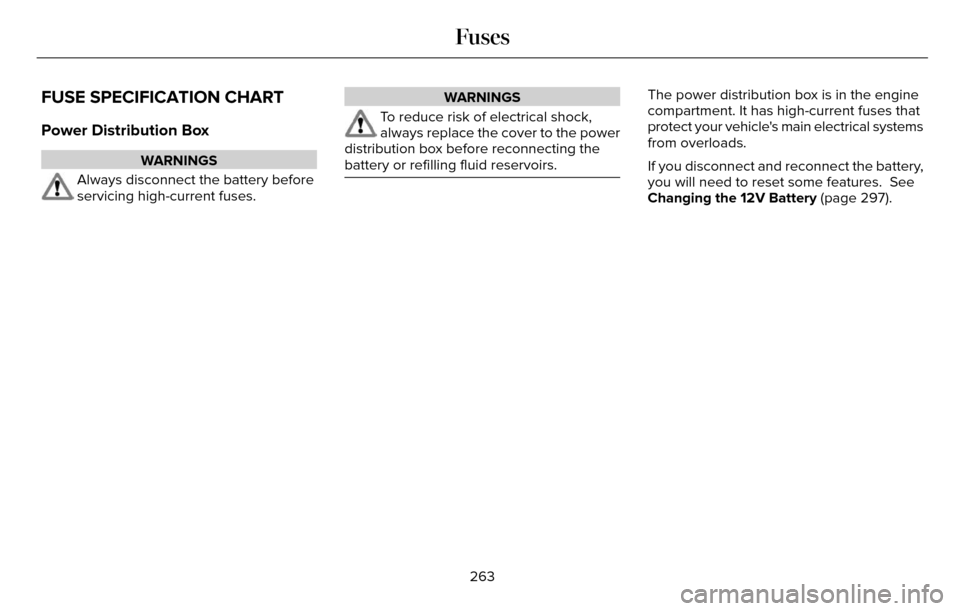
FUSE SPECIFICATION CHART
Power Distribution Box
WARNINGS
Always disconnect the battery before
servicing high-current fuses.
WARNINGS
To reduce risk of electrical shock,
always replace the cover to the power
distribution box before reconnecting the
battery or refilling fluid reservoirs.
The power distribution box is in the engine
compartment. It has high-current fuses that
protect your vehicle's main electrical systems
from overloads.
If you disconnect and reconnect the battery,
you will need to reset some features. See
Changing the 12V Battery (page 297).
263
Fuses
Page 300 of 544
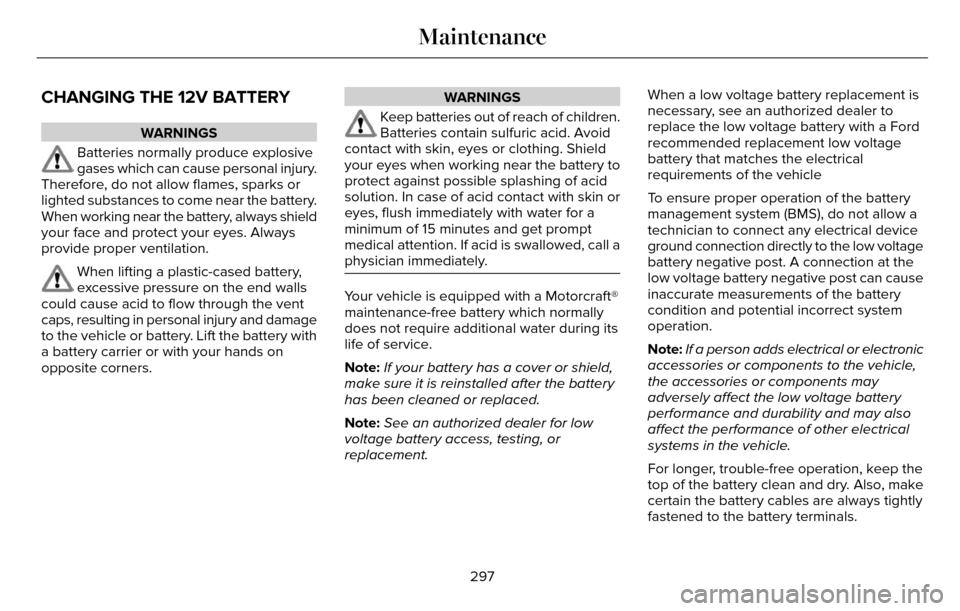
CHANGING THE 12V BATTERY
WARNINGS
Batteries normally produce explosive
gases which can cause personal injury.
Therefore, do not allow flames, sparks or
lighted substances to come near the battery.
When working near the battery, always shield
your face and protect your eyes. Always
provide proper ventilation.
When lifting a plastic-cased battery,
excessive pressure on the end walls
could cause acid to flow through the vent
caps, resulting in personal injury and damage
to the vehicle or battery. Lift the battery with
a battery carrier or with your hands on
opposite corners.
WARNINGS
Keep batteries out of reach of children.
Batteries contain sulfuric acid. Avoid
contact with skin, eyes or clothing. Shield
your eyes when working near the battery to
protect against possible splashing of acid
solution. In case of acid contact with skin or
eyes, flush immediately with water for a
minimum of 15 minutes and get prompt
medical attention. If acid is swallowed, call a
physician immediately.
Your vehicle is equipped with a Motorcraft®
maintenance-free battery which normally
does not require additional water during its
life of service.
Note: If your battery has a cover or shield,
make sure it is reinstalled after the battery
has been cleaned or replaced.
Note: See an authorized dealer for low
voltage battery access, testing, or
replacement. When a low voltage battery replacement is
necessary, see an authorized dealer to
replace the low voltage battery with a Ford
recommended replacement low voltage
battery that matches the electrical
requirements of the vehicle
To ensure proper operation of the battery
management system (BMS), do not allow a
technician to connect any electrical device
ground connection directly to the low voltage
battery negative post. A connection at the
low voltage battery negative post can cause
inaccurate measurements of the battery
condition and potential incorrect system
operation.
Note:
If a person adds electrical or electronic
accessories or components to the vehicle,
the accessories or components may
adversely affect the low voltage battery
performance and durability and may also
affect the performance of other electrical
systems in the vehicle.
For longer, trouble-free operation, keep the
top of the battery clean and dry. Also, make
certain the battery cables are always tightly
fastened to the battery terminals.
297
Maintenance
Page 535 of 544
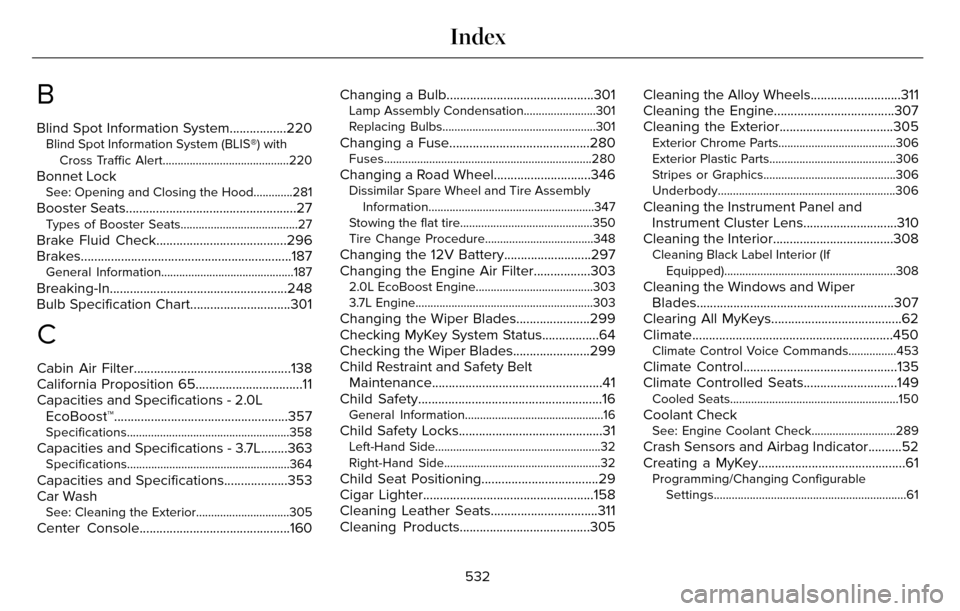
B
Blind Spot Information System.................220Blind Spot Information System (BLIS®) withCross Traffic Alert..........................................220
Bonnet LockSee: Opening and Closing the Hood.............281
Booster Seats...................................................27Types of Booster Seats.......................................27
Brake Fluid Check.......................................296
Brakes...............................................................187\
General Information............................................187
Breaking-In.....................................................248
Bulb Specification Chart..............................301
C
Cabin Air Filter...............................................138
California Proposition 65................................11
Capacities and Specifications - 2.0LEcoBoost™....................................................357
Specifications......................................................358
Capacities and Specifications - 3.7L........363Specifications......................................................364
Capacities and Specifications...................353
Car Wash
See: Cleaning the Exterior...............................305
Center Console.............................................160 Changing a Bulb............................................301
Lamp Assembly Condensation........................301
Replacing Bulbs...................................................301
Changing a Fuse..........................................280Fuses.....................................................................280
Changing a Road Wheel.............................346Dissimilar Spare Wheel and Tire Assembly
Information.......................................................347
Stowing the flat tire............................................350
Tire Change Procedure....................................348
Changing the 12V Battery..........................297
Changing the Engine Air Filter.................303
2.0L EcoBoost Engine.......................................303
3.7L Engine...........................................................303
Changing the Wiper Blades......................299
Checking MyKey System Status.................64
Checking the Wiper Blades.......................299
Child Restraint and Safety Belt Maintenance...................................................41
Child Safety.......................................................16
General Information..............................................16
Child Safety Locks...........................................31Left-Hand Side.......................................................32
Right-Hand Side....................................................32
Child Seat Positioning...................................29
Cigar Lighter...................................................158
Cleaning Leather Seats................................311
Cleaning Products.......................................305 Cleaning the Alloy Wheels...........................311
Cleaning the Engine....................................307
Cleaning the Exterior..................................305
Exterior Chrome Parts.......................................306
Exterior Plastic Parts..........................................306
Stripes or Graphics............................................306
Underbody...........................................................306
Cleaning the Instrument Panel and
Instrument Cluster Lens............................310
Cleaning the Interior....................................308
Cleaning Black Label Interior (If
Equipped).........................................................308
Cleaning the Windows and WiperBlades...........................................................307
Clearing All MyKeys.......................................62
Climate............................................................450
Climate Control Voice Commands................453
Climate Control..............................................135
Climate Controlled Seats............................149
Cooled Seats........................................................150
Coolant CheckSee: Engine Coolant Check............................289
Crash Sensors and Airbag Indicator..........52
Creating a MyKey............................................61
Programming/Changing Configurable
Settings................................................................61
532
Index