automatic transmission LINCOLN MKZ 2016 Owners Manual
[x] Cancel search | Manufacturer: LINCOLN, Model Year: 2016, Model line: MKZ, Model: LINCOLN MKZ 2016Pages: 544, PDF Size: 5.77 MB
Page 6 of 544
Cigar Lighter...................................................158
Storage Compartments
Center Console.............................................160
Overhead Console.......................................160
Starting and Stopping theEngine
General Information.......................................161
Keyless Starting..............................................161
Starting a Gasoline Engine.........................162
Engine Block Heater....................................165
Fuel and Refueling
Safety Precautions........................................166
Fuel Quality.....................................................167
Running Out of Fuel.....................................168
Refueling.........................................................169
Fuel Consumption..........................................171
Emission Control System.............................172
Transmission
Automatic Transmission...............................175
All-Wheel Drive
Using All-Wheel Drive...................................181
Brakes
General Information......................................187
Hints on Driving With Anti-LockBrakes..........................................................187
Electric Parking Brake..................................188
Hill Start Assist...............................................190
Traction Control
Principle of Operation..................................192
Using Traction Control.................................192
Stability Control
Principle of Operation..................................194
Using Stability Control.................................195
Parking Aids
Principle of Operation..................................196
Rear Parking Aid............................................197
Front Parking Aid...........................................197
Active Park Assist..........................................198 Rear View Camera.......................................202
Cruise Control
Principle of Operation.................................206
Using Cruise Control...................................206
Using Adaptive Cruise Control.................207
Driving Aids
Driver Alert......................................................214
Lane Keeping System..................................215
Blind Spot Information System.................220
Steering..........................................................225
Pre-Collision Assist......................................226
Drive Control.................................................229
Load Carrying
Load Limit........................................................231
Towing
Towing a Trailer.............................................240
Recommended Towing Weights...............241
Essential Towing Checks............................243
Transporting the Vehicle............................245
3
Table of Contents
Page 7 of 544
Towing the Vehicle on Four Wheels.......246
Driving Hints
Breaking-In.....................................................248
Economical Driving......................................248
Driving Through Water...............................248
Floor Mats......................................................249
Roadside Emergencies
Roadside Assistance....................................251
Hazard Warning Flashers...........................252
Fuel Shutoff...................................................252
Jump Starting the Vehicle..........................253
Post-Crash Alert System............................255
Customer Assistance
Getting the Services You Need................256
In California (U.S. Only)...............................257
The Better Business Bureau (BBB) AutoLine Program (U.S. Only)........................258
Utilizing the Mediation/Arbitration Program (Canada Only)...........................................259
Getting Assistance Outside the U.S. and Canada.......................................................259 Ordering Additional Owner's
Literature.....................................................261
Reporting Safety Defects (U.S. Only).......261
Reporting Safety Defects (Canada Only)............................................................262
Fuses
Fuse Specification Chart............................263
Changing a Fuse..........................................280
Maintenance
General Information......................................281
Opening and Closing the Hood................281
Under Hood Overview - 2.0LEcoBoost™..................................................283
Under Hood Overview - 3.7L....................285
Engine Oil Dipstick - 2.0L EcoBoost™......287
Engine Oil Dipstick - 3.7L............................287
Engine Oil Check..........................................287
Oil Change Indicator Reset.......................288
Engine Coolant Check................................289
Automatic Transmission Fluid Check......292
Brake Fluid Check.......................................296
Washer Fluid Check....................................296 Fuel Filter.......................................................296
Changing the 12V Battery..........................297
Checking the Wiper Blades.......................299
Changing the Wiper Blades......................299
Adjusting the Headlamps..........................299
Changing a Bulb............................................301
Bulb Specification Chart..............................301
Changing the Engine Air Filter.................303
Vehicle Care
General Information.....................................305
Cleaning Products.......................................305
Cleaning the Exterior..................................305
Waxing............................................................306
Cleaning the Engine....................................307
Cleaning the Windows and Wiper
Blades.........................................................307
Cleaning the Interior....................................308
Cleaning the Instrument Panel and Instrument Cluster Lens..........................310
Cleaning Leather Seats................................311
Repairing Minor Paint Damage...................311
Cleaning the Alloy Wheels...........................311
4
Table of Contents
Page 60 of 544
4. Install new batteries with the + facingeach other.
Note: Make sure to replace the label
between the two batteries.
5. Reinstall the housing and cover.
Car Finder
E138623
Press the button twice within three
seconds. The horn sounds and
direction indicators will flash. We
recommend that you use this method to
locate your vehicle, rather than using the
panic alarm.
Sounding a Panic Alarm
Note: The panic alarm will only operate
when the ignition is off.
E138624
Press the button to activate the
alarm. Press the button again or
switch the ignition on to deactivate.
Remote Start
WARNING
To avoid exhaust fumes, do not use
remote start if your vehicle is parked
indoors or areas that are not well ventilated.
Note: Do not use remote start if your vehicle
is low on fuel.
E138625
The remote start button is on the
transmitter.
This feature allows you to start your vehicle
from outside the vehicle. The transmitter has
an extended operating range.
You can configure automatic climate control
to operate when the vehicle is remote
started. See Climate Control (page 135).
Many states and provinces restrict the use
of remote start. Check your local and state
or provincial laws for specific requirements
regarding remote start systems.
The remote start system will not work if:
• The ignition is on.
• The alarm system is triggered. • You disable the feature.
• The hood is open.
• The transmission is not in P.
• The vehicle battery voltage is too low.
• The service engine soon light is on.
Remote Control Feedback (If Equipped)
An LED on the remote control provides status
feedback of remote start or stop commands.
Status
LED
Remote start or
extension successful
Solid green
Remote stop
successful; engine off
Solid red
Remote start or stopfailed
Blinking red
Waiting for statusupdate
Blinking green
57
Keys and Remote Controls
Page 92 of 544
AB
E165337
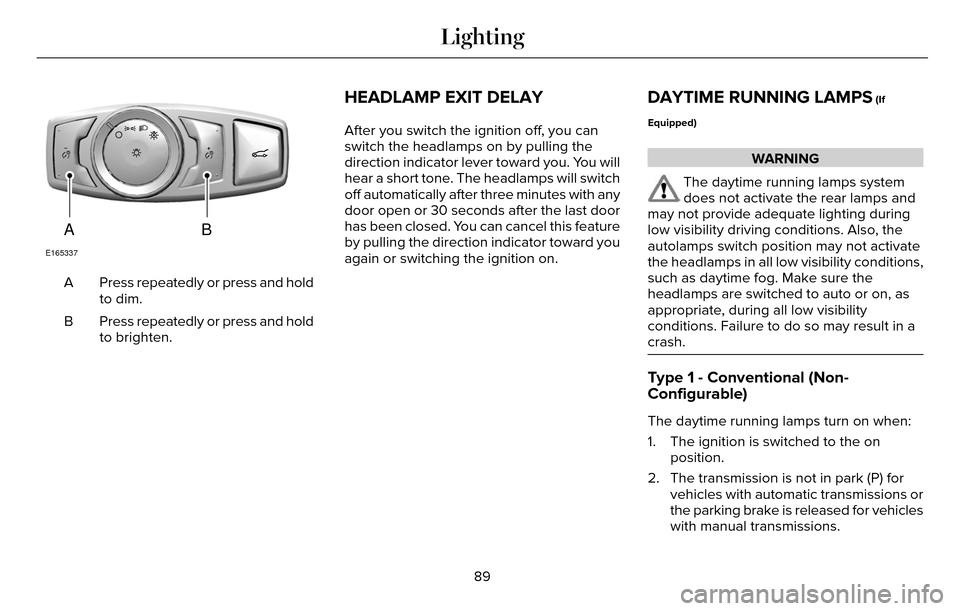
Press repeatedly or press and hold
to dim.
A
Press repeatedly or press and hold
to brighten.
B
HEADLAMP EXIT DELAY
After you switch the ignition off, you can
switch the headlamps on by pulling the
direction indicator lever toward you. You will
hear a short tone. The headlamps will switch
off automatically after three minutes with any
door open or 30 seconds after the last door
has been closed. You can cancel this feature
by pulling the direction indicator toward you
again or switching the ignition on.
DAYTIME RUNNING LAMPS (If
Equipped)
WARNING
The daytime running lamps system
does not activate the rear lamps and
may not provide adequate lighting during
low visibility driving conditions. Also, the
autolamps switch position may not activate
the headlamps in all low visibility conditions,
such as daytime fog. Make sure the
headlamps are switched to auto or on, as
appropriate, during all low visibility
conditions. Failure to do so may result in a
crash.
Type 1 - Conventional (Non-
Configurable)
The daytime running lamps turn on when:
1. The ignition is switched to the on position.
2. The transmission is not in park (P) for vehicles with automatic transmissions or
the parking brake is released for vehicles
with manual transmissions.
89
Lighting
Page 93 of 544
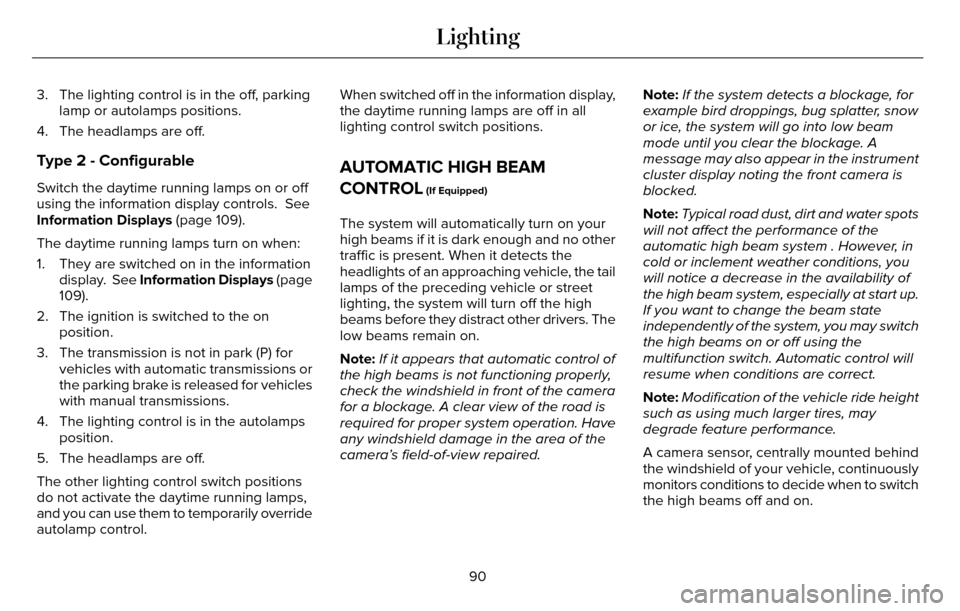
3. The lighting control is in the off, parkinglamp or autolamps positions.
4. The headlamps are off.
Type 2 - Configurable
Switch the daytime running lamps on or off
using the information display controls. See
Information Displays (page 109).
The daytime running lamps turn on when:
1. They are switched on in the information display. See Information Displays (page
109).
2. The ignition is switched to the on position.
3. The transmission is not in park (P) for vehicles with automatic transmissions or
the parking brake is released for vehicles
with manual transmissions.
4. The lighting control is in the autolamps position.
5. The headlamps are off.
The other lighting control switch positions
do not activate the daytime running lamps,
and you can use them to temporarily override
autolamp control. When switched off in the information display,
the daytime running lamps are off in all
lighting control switch positions.
AUTOMATIC HIGH BEAM
CONTROL
(If Equipped)
The system will automatically turn on your
high beams if it is dark enough and no other
traffic is present. When it detects the
headlights of an approaching vehicle, the tail
lamps of the preceding vehicle or street
lighting, the system will turn off the high
beams before they distract other drivers. The
low beams remain on.
Note:
If it appears that automatic control of
the high beams is not functioning properly,
check the windshield in front of the camera
for a blockage. A clear view of the road is
required for proper system operation. Have
any windshield damage in the area of the
camera’s field-of-view repaired. Note:
If the system detects a blockage, for
example bird droppings, bug splatter, snow
or ice, the system will go into low beam
mode until you clear the blockage. A
message may also appear in the instrument
cluster display noting the front camera is
blocked.
Note: Typical road dust, dirt and water spots
will not affect the performance of the
automatic high beam system . However, in
cold or inclement weather conditions, you
will notice a decrease in the availability of
the high beam system, especially at start up.
If you want to change the beam state
independently of the system, you may switch
the high beams on or off using the
multifunction switch. Automatic control will
resume when conditions are correct.
Note: Modification of the vehicle ride height
such as using much larger tires, may
degrade feature performance.
A camera sensor, centrally mounted behind
the windshield of your vehicle, continuously
monitors conditions to decide when to switch
the high beams off and on.
90
Lighting
Page 103 of 544
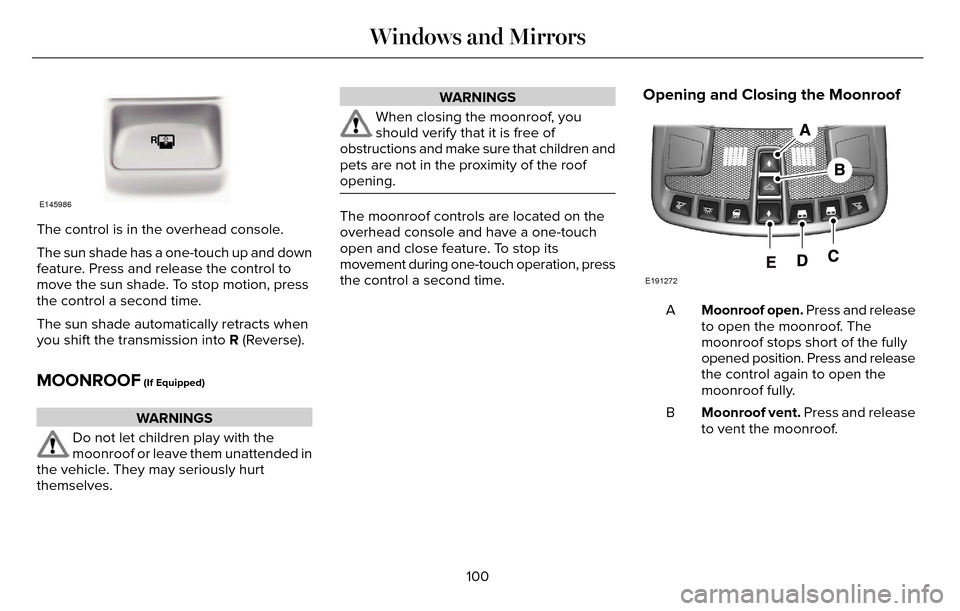
E145986
The control is in the overhead console.
The sun shade has a one-touch up and down
feature. Press and release the control to
move the sun shade. To stop motion, press
the control a second time.
The sun shade automatically retracts when
you shift the transmission into R (Reverse).
MOONROOF (If Equipped)
WARNINGS
Do not let children play with the
moonroof or leave them unattended in
the vehicle. They may seriously hurt
themselves.
WARNINGS
When closing the moonroof, you
should verify that it is free of
obstructions and make sure that children and
pets are not in the proximity of the roof
opening.
The moonroof controls are located on the
overhead console and have a one-touch
open and close feature. To stop its
movement during one-touch operation, press
the control a second time.
Opening and Closing the Moonroof
E191272
Moonroof open. Press and release
to open the moonroof. The
moonroof stops short of the fully
opened position. Press and release
the control again to open the
moonroof fully.
A
Moonroof vent. Press and release
to vent the moonroof.
B
100
Windows and Mirrors
Page 119 of 544
.
Adaptive Cruise Malfunction
Displayed w")
Adaptive Cruise Control
Action
Message
Displayed when a radar malfunction is preventing the ACC from engaging. \
See Using Adaptive
Cruise Control (page 207).
Adaptive Cruise Malfunction
Displayed when conditions exist such that the adaptive cruise cannot fun\
ction properly. SeeUsing Adaptive Cruise Control (page 207).
Adaptive Cruise Not Available
Displayed when the radar is blocked because of poor radar visibility due\
to bad weather or ice/
mud/water in front of radar. Driver can typically clean the sensor to resolve. See Using Adaptive
Cruise Control (page 207).
Adaptive Cruise Not Available Sensor
Blocked See Manual
Displayed when the automatic braking has been disabled.
Normal Cruise Active Automatic Braking
Turned Off
Displayed when a radar malfunction is preventing the ACC from engaging.
Front Sensor Not Aligned
Displayed when the adaptive cruise has reinstated controls to the driver\
.
Adaptive Cruise - Driver Resume Control
Displays when the vehicle speed is too slow to activate the adaptive cru\
ise.
Adaptive Cruise Speed Too Low to
Activate
Displays when the adaptive cruise is automatically adjusting the gap dis\
tance and the driverneeds to shift the transmission into a lower gear.
Adaptive Cruise Shift Down
116
Information Displays
Page 122 of 544

AWD
Action
Message
Displayed when the AWD system has been temporarily disabled to protect i\
tself from overheating.
AWD Temporarily Disabled
Displayed when the AWD system has been automatically disabled to protect\
itself. This is causedby operating the vehicle with the compact spare tire installed or if the\
system is overheating.
AWD Off
The AWD system will resume normal function and clear this message after \
driving a short distancewith the road tire re-installed or after the system is allowed to cool.
AWD Restored
Displayed in conjunction with the Throttle Control/Transmission/AWD light when the AWD system
is not operating properly. If the warning stays on or continues to come on, contact your authoriz\
ed dealer as soon as possible.
AWD Malfunction Service Required
119
Information Displays
Page 135 of 544
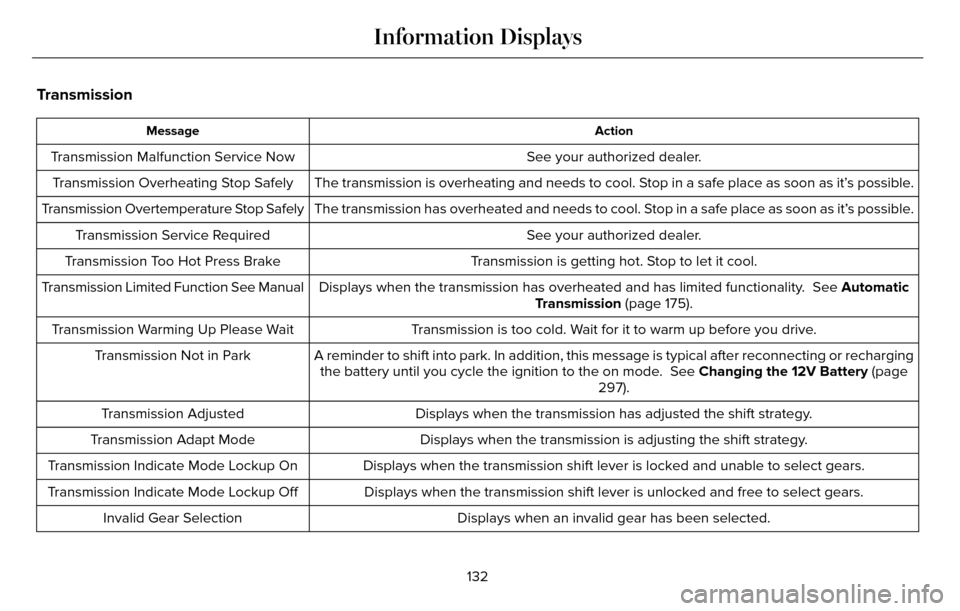
Transmission
Action
Message
See your authorized dealer.
Transmission Malfunction Service Now
The transmission is overheating and needs to cool. Stop in a safe place as soon as it’s possible.
Transmission Overheating Stop Safely
The transmission has overheated and needs to cool. Stop in a safe place as soon as it’s possible.
Transmission Overtemperature Stop Safely
See your authorized dealer.
Transmission Service Required
Transmission is getting hot. Stop to let it cool.
Transmission Too Hot Press Brake
Displays when the transmission has overheated and has limited functional\
ity. See Automatic
Transmission (page 175).
Transmission Limited Function See Manual
Transmission is too cold. Wait for it to warm up before you drive.
Transmission Warming Up Please Wait
A reminder to shift into park. In addition, this message is typical afte\
r reconnecting or rechargingthe battery until you cycle the ignition to the on mode. See Changing the 12V Battery (page
297).
Transmission Not in Park
Displays when the transmission has adjusted the shift strategy.
Transmission Adjusted
Displays when the transmission is adjusting the shift strategy.
Transmission Adapt Mode
Displays when the transmission shift lever is locked and unable to selec\
t gears.
Transmission Indicate Mode Lockup On
Displays when the transmission shift lever is unlocked and free to selec\
t gears.
Transmission Indicate Mode Lockup Off
Displays when an invalid gear has been selected.
Invalid Gear Selection
132
Information Displays
Page 136 of 544

Action
Message
Displays when the brake pedal needs to be depressed.
Press Brake Pedal
Displays when the brake pedal needs to be depressed to enable the transm\
ission to shift from park.
Depress Brake to Shift from Park
Displays when the neutral button N needs to be pressed again to enter ne\
utral hold. See Auto-
matic Transmission (page 175).
Press N again to Enter Stay in Neutral
Mode
Displays when neutral hold is active. See Automatic Transmission (page 175).
Stay in Neutral Mode Engaged
Displays when neutral hold is active. See (page 109).
Stay in Neutral Tow Engaged See Manual
to Disable
Displays when there is a system fault and the park brake needs to be dep\
ressed before exiting the vehicle. See your authorized dealer.
SHIFT SYS FAULT Confirm Park Brake
Apply Before Exiting the Vehicle
Displays when there is a system fault and the park brake needs to be dep\
ressed before exitingthe vehicle. See your authorized dealer.
SHIFT SYS FAULT Cannot Shift Trans Use
Park Brake to Secure Vehicle
See your authorized dealer.
SHIFT SYS FAULT Service Required
Displays when there is a system fault while the vehicle is shifting to p\
ark. See your authorized dealer.
SHIFT SYS FAULT Vehicle is Shifting to
Park
Displays when there is a system fault while the vehicle is shifting to r\
everse. See your authorized dealer.
SHIFT SYS FAULT Reverse Unavailable
Service Required
See your authorized dealer.
SHIFT SYS FAULT Drive Unavailable Select
S for Drive Service Required
133
Information Displays