light LINCOLN MKZ 2017 User Guide
[x] Cancel search | Manufacturer: LINCOLN, Model Year: 2017, Model line: MKZ, Model: LINCOLN MKZ 2017Pages: 564, PDF Size: 5.54 MB
Page 44 of 564
Deactivating and Activating the Belt-Minder
Feature
WARNING
While the system allows you to
deactivate it, this system is designed
to improve your chances of being safely
belted and surviving an accident. We
recommend you leave the system activated
for yourself and others who may use the
vehicle. Note:
The driver and front passenger
warnings switch on and off independently.
When you perform this procedure for one
seating position, do not buckle the other
position as this will terminate the process.
Read Steps 1 - 4 thoroughly before
proceeding with the programming
procedure.
Before following the procedure, make sure
that:
• The parking brake is set.
• The transmission is in park (P) or neutral
(N). •
The ignition is off.
• The driver and front passenger safety
belts are unbuckled.
1. Switch the ignition on. Do not start the vehicle.
2. Wait until the safety belt warning light turns off (about one minute). After Step
2, wait an additional 5 seconds before
proceeding with Step 3. Once you start
Step 3, you must complete the procedure
within 30 seconds.
3. For the seating position you are switching
off, buckle then unbuckle the safety belt
three times at a moderate speed, ending
in the unbuckled state. After Step 3, the
safety belt warning light turns on.
4. While the safety belt warning light is on, buckle and then unbuckle the safety belt.
After Step 4, the safety belt warning light
flashes for confirmation.
• This will switch the feature off for that
seating position if it is currently on.
• This will switch the feature on for that
seating position if it is currently off. CHILD RESTRAINT AND SEATBELT
MAINTENANCE
Inspect the vehicle safety belts and child
safety seat systems periodically to make sure
they work properly and are not damaged.
Inspect the vehicle and child seat safety belts
to make sure there are no nicks, tears or
cuts. Replace if necessary. All vehicle safety
belt assemblies, including retractors, buckles,
front safety belt buckle assemblies, buckle
support assemblies (slide bar-if equipped),
shoulder belt height adjusters (if equipped),
shoulder belt guide on seat back (if
equipped), rear inflatable safety belts (if
equipped), child safety seat LATCH and
tether anchors, and attaching hardware,
should be inspected after a crash. Read the
child restraint manufacturer's instructions for
additional inspection and maintenance
information specific to the child restraint.
41
MKZ (CC9) Canada/United States of America, enUSA, First Printing Seatbelts
Page 46 of 564
The Personal Safety System provides an
improved overall level of frontal crash
protection to front seat occupants and is
designed to help further reduce the risk of
airbag-related injuries. The system is able to
analyze different occupant conditions and
crash severity before activating the
appropriate safety devices to help better
protect a range of occupants in a variety of
frontal crash situations.
The Vehicle Personal Safety System consists
of:
•
Driver and passenger dual-stage airbag
supplemental restraints.
• Front seat outboard safety belts with
pretensioners, energy management
retractors and safety belt usage sensors.
• Driver seat position sensor.
• Front passenger sensing system.
• Passenger airbag off and on indicator
lamp.
• Front crash severity sensors.
• Restraints control module with impact
and safing sensors. •
Restraint system warning light and
backup tone.
• The electrical wiring for the airbags, crash
sensors, safety belt pretensioners, front
safety belt usage sensors, driver seat
position sensor, front passenger sensing
system and indicator lights.
How Does the Personal Safety System
Work?
The Personal Safety System can adapt the
deployment strategy of the safety devices
according to crash severity and occupant
conditions. A collection of crash and
occupant sensors provides information to
the restraints control module. During a crash,
the restraints control module may deploy the
safety belt pretensioners, one or both stages
of the dual-stage airbags based on crash
severity and occupant conditions.
43
MKZ (CC9) Canada/United States of America, enUSA, First Printing Personal Safety System
™
Page 49 of 564
Proper Driver and Front Passenger
Seating Adjustment
WARNING
National Highway Traffic Safety
Administration (NHTSA) recommends
a minimum distance of at least 10 inches (25
centimeters) between an occupant’ s chest
and the driver airbag module. To properly position yourself away from the
airbag:
•
Move your seat to the rear as far as you
can while still reaching the pedals
comfortably.
• Recline the seat slightly (one or two
degrees) from the upright position.
After all occupants have adjusted their seats
and put on safety belts, it is very important
that they continue to sit properly. A properly
seated occupant sits upright, leaning against
the seat back, and centered on the seat
cushion, with their feet comfortably extended
on the floor. Sitting improperly can increase the chance of injury in a crash event. For
example, if an occupant slouches, lies down,
turns sideways, sits forward, leans forward
or sideways, or puts one or both feet up, the
chance of injury during a crash is greatly
increased.
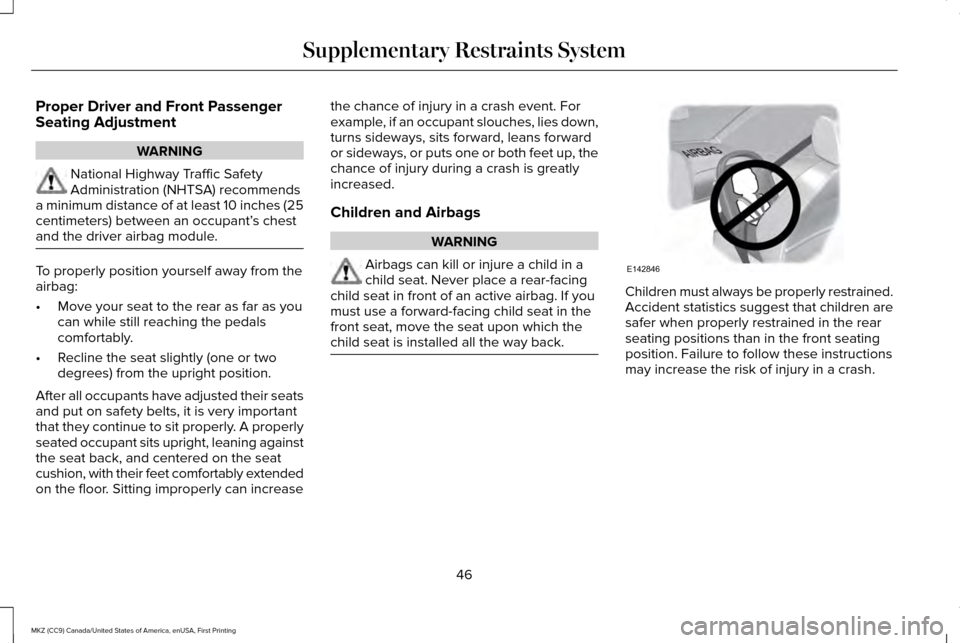
Children and Airbags
WARNING
Airbags can kill or injure a child in a
child seat. Never place a rear-facing
child seat in front of an active airbag. If you
must use a forward-facing child seat in the
front seat, move the seat upon which the
child seat is installed all the way back. Children must always be properly restrained.
Accident statistics suggest that children are
safer when properly restrained in the rear
seating positions than in the front seating
position. Failure to follow these instructions
may increase the risk of injury in a crash.
46
MKZ (CC9) Canada/United States of America, enUSA, First Printing Supplementary Restraints SystemE142846
Page 52 of 564
Note:
When the passenger airbag status
indicator OFF light is illuminated, the
passenger (seat mounted) side airbag may
be disabled to avoid the risk of airbag
deployment injuries.
After all occupants have adjusted their seats
and put on seatbelts, it is very important that
they continue to sit properly. A properly
seated occupant sits upright, leaning against
the seat back, and centered on the seat
cushion, with their feet comfortably extended
on the floor. Sitting improperly can increase
the chance of injury in a crash event. For
example, if an occupant slouches, lies down,
turns sideways, sits forward, leans forward
or sideways, or puts one or both feet up, the
chance of injury during a crash is greatly
increased.
The conditions listed above may cause the
weight of a properly seated occupant to be
incorrectly interpreted by the front passenger
sensing system. The person in the front
passenger seat may appear heavier or lighter
due to the conditions described in the list
above. To know if the front passenger
sensing system is operating
properly, See Crash Sensors and
Airbag Indicator (page 52).
Do not attempt to repair or service the
system. Take your vehicle immediately to an
authorized dealer.
If it is necessary to modify an advanced front
airbag system to accommodate a person
with disabilities, contact the Ford Customer
Relationship Center.
See Getting the
Services You Need (page 267).
SIDE AIRBAGS WARNINGS
Do not place objects or mount
equipment on or near the airbag cover,
on the side of the seatbacks (of the front
seats), or in front seat areas that may come
into contact with a deploying airbag. Failure
to follow these instructions may increase the
risk of personal injury in the event of a crash. WARNINGS
Do not use accessory seat covers. The
use of accessory seat covers may
prevent the deployment of the side airbags
and increase the risk of injury in an accident. Do not lean your head on the door. The
side airbag could injure you as it
deploys from the side of the seatback. Do not attempt to service, repair, or
modify the airbag, its fuses or the seat
cover on a seat containing an airbag as you
could be seriously injured or killed. Contact
your authorized dealer as soon as possible. If the side airbag has deployed, the
airbag will not function again. The side
airbag system (including the seat) must be
inspected and serviced by an authorized
dealer. If the airbag is not replaced, the
unrepaired area will increase the risk of injury
in a crash. 49
MKZ (CC9) Canada/United States of America, enUSA, First Printing Supplementary Restraints System
Page 55 of 564
Children 12 years old and under should
always be properly restrained in the rear
seats. The Safety Canopy will not interfere
with children restrained using a properly
installed child or booster seat because it is
designed to inflate downward from the
headliner above the doors along the side
window opening.
The design and development of the Safety
Canopy included recommended testing
procedures that were developed by a group
of automotive safety experts known as the
Side Airbag Technical Working Group. These
recommended testing procedures help
reduce the risk of injuries related to the
deployment of side airbags (including the
Safety Canopy).
CRASH SENSORS AND AIRBAG
INDICATOR WARNING
Modifying or adding equipment to the
front end of the vehicle (including
frame, bumper, front end body structure and
tow hooks) may affect the performance of
the airbag system, increasing the risk of
injury. Do not modify the front end of the
vehicle. Your vehicle has a collection of crash and
occupant sensors which provide information
to the restraints control module. The
restraints control module deploys (activates)
the front seatbelt system, the adaptive
collapsible steering column, driver airbag,
passenger airbag, knee airbag(s), seat
mounted side airbags, Safety Canopy and
optional rear inflatable seatbelts. Based on
the type of crash, the restraints control
module will deploy the appropriate safety
devices.The restraints control module also monitors
the readiness of the above safety devices
plus the crash and occupant sensors. The
readiness of the safety system is indicated
by a warning indicator light in the instrument
cluster or a backup tone (if equipped).
Routine maintenance of the airbag is not
required.
A difficulty with the system is indicated by
one or more of the following:
The readiness light will not
illuminate immediately after the
ignition is turned on.
• The readiness light will either flash or
stay lit.
• A series of five beeps will be heard (If
equipped). The tone pattern will repeat
periodically until the problem, the light
or both are repaired.
If any of these things happen, even
intermittently, have the supplemental
restraint system serviced at an authorized
dealer immediately. Unless serviced, the
system may not function properly in the
event of a crash.
52
MKZ (CC9) Canada/United States of America, enUSA, First Printing Supplementary Restraints System
Page 71 of 564
When you open one of the front doors and
lock your vehicle using the power door lock
control, all doors will lock then unlock if:
•
The ignition is on.
• The ignition is off and the transmission
is not in park (P).
Autolock (If Equipped)
Autolock locks all the doors when:
• All doors are closed.
• The ignition is on.
• You shift into any gear putting your
vehicle in motion.
• Your vehicle reaches a speed greater
than
12 mph (20 km/h).
Autolock repeats when:
• You open then close any door while the
ignition is on and your vehicle speed is
9 mph (15 km/h)
or lower.
• Your vehicle reaches a speed greater
than
12 mph (20 km/h). Autounlock
Autounlock unlocks all the doors when:
•
The ignition is on, all the doors are
closed, and your vehicle has been
moving at a speed greater than
12 mph
(20 km/h).
• Your vehicle comes to a stop and you
switch the ignition off or to the accessory
position.
• You open the driver door within 10
minutes of switching the ignition off or to
accessory.
Note: The doors will not autounlock if you
electronically lock your vehicle after you
switch the ignition off and before you open
the driver door.
Enabling or Disabling Autolock and
Autounlock
Note: You can switch autounlock and
autolock on or off independently of each
other. Autolock is not configurable in all markets.
If the autolock settings are not available in
your information display, then the system is
not configurable.
See General Information
(page 108).
Illuminated Entry
The interior lamps and some exterior lamps
illuminate when you unlock the doors with
the remote control.
The illuminated entry system will turn off the
lights if:
• The ignition is on.
• You press the remote control lock button.
• After 25 seconds of illumination.
The lights do not turn off if:
• You turn them on with the lamp control.
• Any door is open.
Illuminated Exit
The interior lamps and some exterior lamps
illuminate when all doors are closed and you
switch the ignition off.
68
MKZ (CC9) Canada/United States of America, enUSA, First Printing Locks
Page 74 of 564
Resetting the Power Decklid
The decklid may not operate correctly and
you may need to reset it if:
•
The vehicle battery charge is low.
• You disconnect the battery.
• You manually close the decklid and leave
it unlatched.
To reset the power decklid:
1. Disconnect the battery for 20 seconds then reconnect the battery.
2. Manually close the decklid making sure it is fully closed.
3. Power open the decklid using the remote
control or instrument panel button.
KEYLESS ENTRY
SECURICODE™ KEYLESS ENTRY
KEYPAD
The keypad is located near the driver
window. It is invisible until touched and then
it lights up so you can see and touch the
appropriate buttons. Note:
If you enter your entry code too fast
on the keypad, the unlock function may not
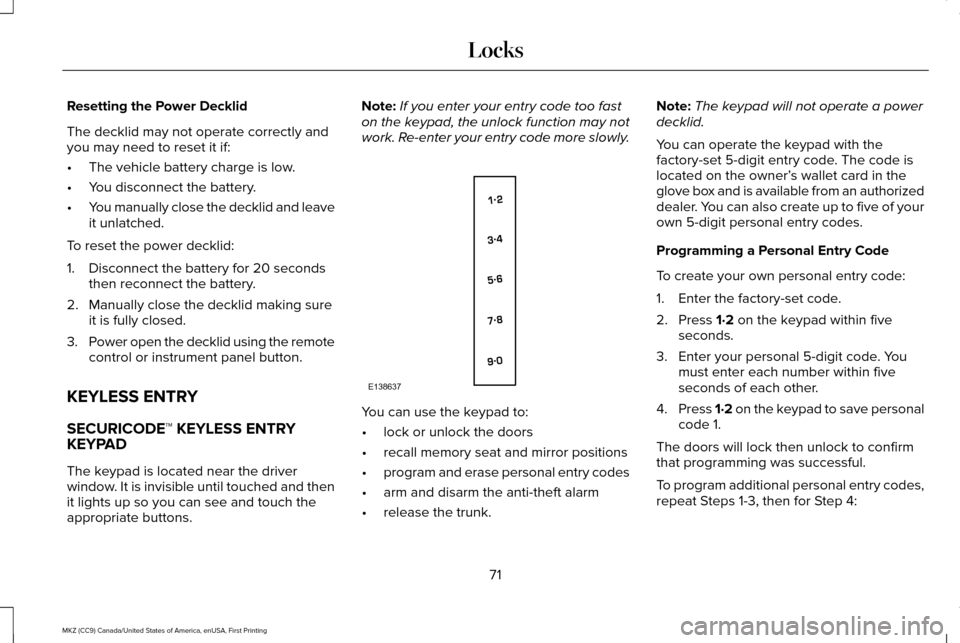
work. Re-enter your entry code more slowly. You can use the keypad to:
•
lock or unlock the doors
• recall memory seat and mirror positions
• program and erase personal entry codes
• arm and disarm the anti-theft alarm
• release the trunk. Note:
The keypad will not operate a power
decklid.
You can operate the keypad with the
factory-set 5-digit entry code. The code is
located on the owner’ s wallet card in the
glove box and is available from an authorized
dealer. You can also create up to five of your
own 5-digit personal entry codes.
Programming a Personal Entry Code
To create your own personal entry code:
1. Enter the factory-set code.
2. Press 1·2 on the keypad within five
seconds.
3. Enter your personal 5-digit code. You must enter each number within five
seconds of each other.
4. Press 1·2 on the keypad to save personal
code 1.
The doors will lock then unlock to confirm
that programming was successful.
To program additional personal entry codes,
repeat Steps 1-3, then for Step 4:
71
MKZ (CC9) Canada/United States of America, enUSA, First Printing LocksE138637
Page 77 of 564
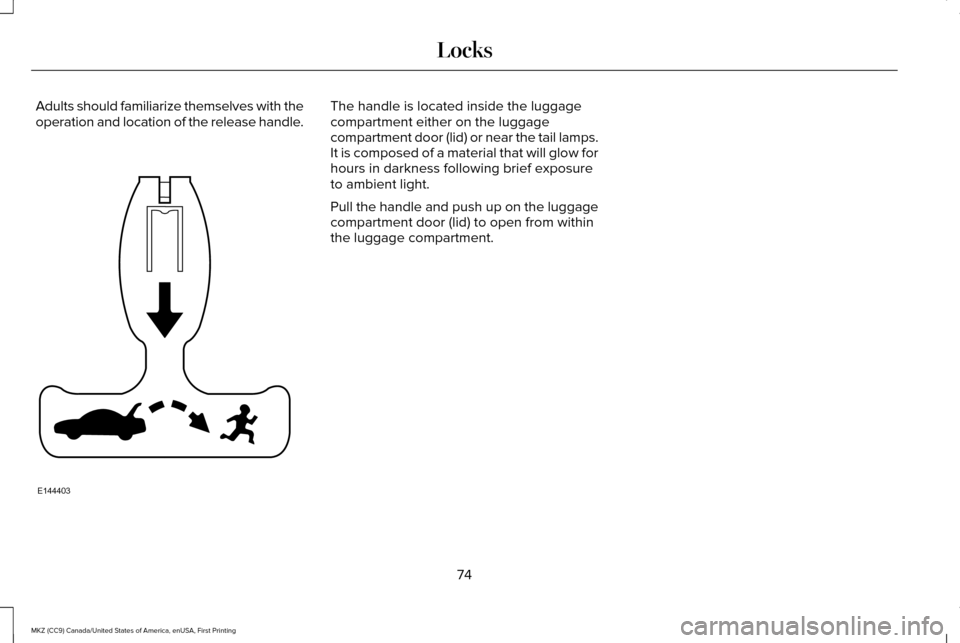
Adults should familiarize themselves with the
operation and location of the release handle. The handle is located inside the luggage
compartment either on the luggage
compartment door (lid) or near the tail lamps.
It is composed of a material that will glow for
hours in darkness following brief exposure
to ambient light.
Pull the handle and push up on the luggage
compartment door (lid) to open from within
the luggage compartment.
74
MKZ (CC9) Canada/United States of America, enUSA, First Printing LocksE144403
Page 88 of 564
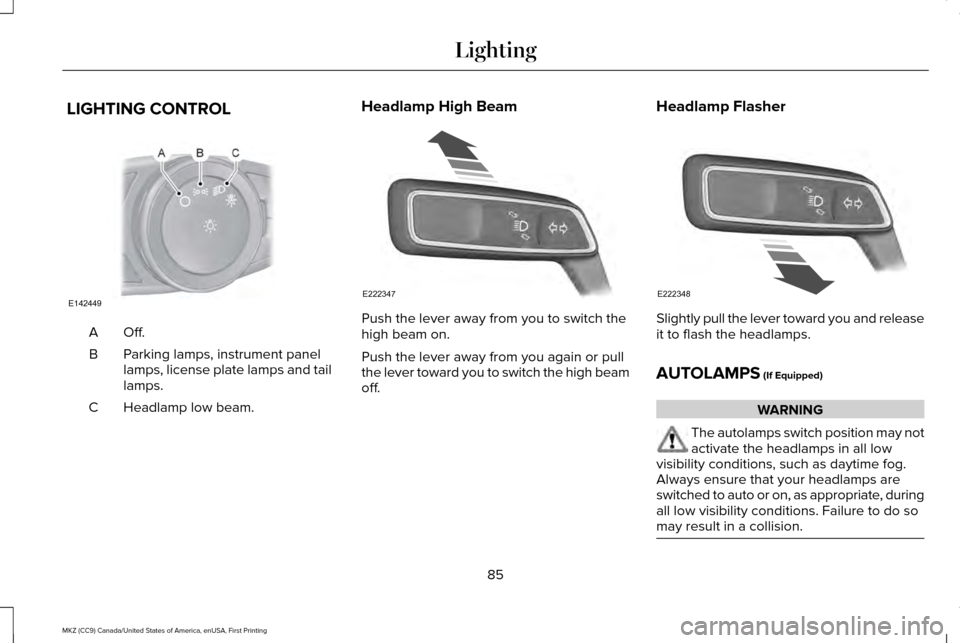
LIGHTING CONTROL
Off.A
Parking lamps, instrument panel
lamps, license plate lamps and tail
lamps.
B
Headlamp low beam.
C Headlamp High Beam
Push the lever away from you to switch the
high beam on.
Push the lever away from you again or pull
the lever toward you to switch the high beam
off.
Headlamp Flasher Slightly pull the lever toward you and release
it to flash the headlamps.
AUTOLAMPS (If Equipped)
WARNING
The autolamps switch position may not
activate the headlamps in all low
visibility conditions, such as daytime fog.
Always ensure that your headlamps are
switched to auto or on, as appropriate, during
all low visibility conditions. Failure to do so
may result in a collision. 85
MKZ (CC9) Canada/United States of America, enUSA, First Printing LightingE142449 E222347 E222348
Page 89 of 564
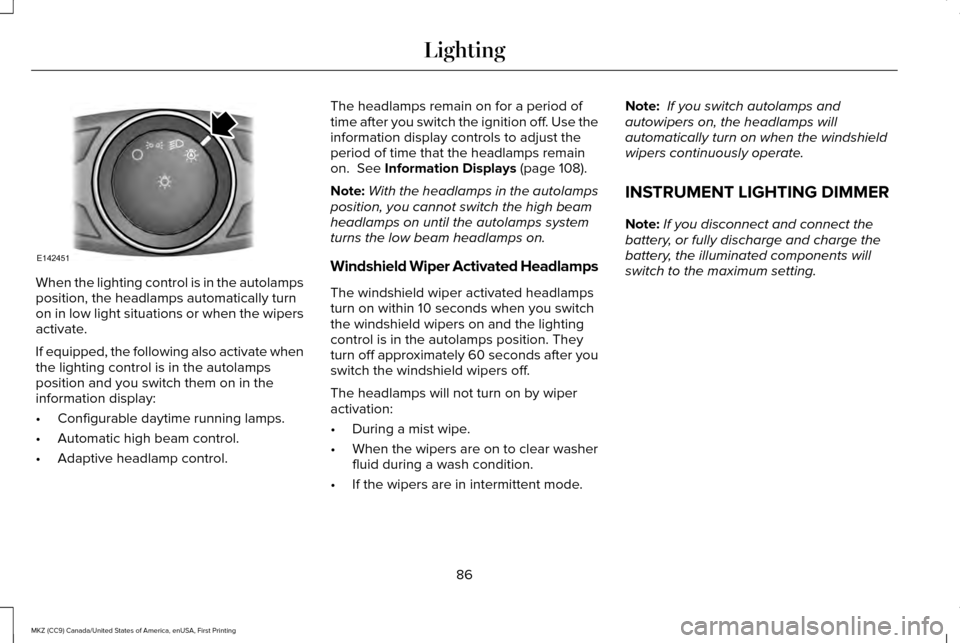
When the lighting control is in the autolamps
position, the headlamps automatically turn
on in low light situations or when the wipers
activate.
If equipped, the following also activate when
the lighting control is in the autolamps
position and you switch them on in the
information display:
•
Configurable daytime running lamps.
• Automatic high beam control.
• Adaptive headlamp control. The headlamps remain on for a period of
time after you switch the ignition off. Use the
information display controls to adjust the
period of time that the headlamps remain
on. See Information Displays (page 108).
Note: With the headlamps in the autolamps
position, you cannot switch the high beam
headlamps on until the autolamps system
turns the low beam headlamps on.
Windshield Wiper Activated Headlamps
The windshield wiper activated headlamps
turn on within 10 seconds when you switch
the windshield wipers on and the lighting
control is in the autolamps position. They
turn off approximately 60 seconds after you
switch the windshield wipers off.
The headlamps will not turn on by wiper
activation:
• During a mist wipe.
• When the wipers are on to clear washer
fluid during a wash condition.
• If the wipers are in intermittent mode. Note:
If you switch autolamps and
autowipers on, the headlamps will
automatically turn on when the windshield
wipers continuously operate.
INSTRUMENT LIGHTING DIMMER
Note: If you disconnect and connect the
battery, or fully discharge and charge the
battery, the illuminated components will
switch to the maximum setting.
86
MKZ (CC9) Canada/United States of America, enUSA, First Printing LightingE142451