climate control LINCOLN MKZ 2017 Owner's Manual
[x] Cancel search | Manufacturer: LINCOLN, Model Year: 2017, Model line: MKZ, Model: LINCOLN MKZ 2017Pages: 564, PDF Size: 5.54 MB
Page 395 of 564

Action and Description
Menu Item
Item
This bar displays icons and messages pertaining to current system activi\
ties including climate
settings, voice commands and phone functions such as text messages.
Status Bar
A
This button is available on the main screens. Pressing it takes you to the home screen view.
Home
B
This shows the current time. You can set the clock manually or have it controlled by the vehicle's
GPS location. See Settings (page 457).
Clock
C
This displays the current outside temperature.
Outside Temperature
D
You can touch any of the buttons on this bar to select a feature.
Feature Bar
E
The touchscreen allows you quick access to
all of your comfort, navigation,
communication and entertainment options.
Using the status and feature bar you can
quickly select the feature you want to use. Note:
Your system is equipped with a feature
that allows you to access and control audio
features for 10 minutes after you switch the
ignition off (and no doors open). The Status Bar
Additional icons also display in the status bar
depending on market, vehicle options and
current operation. If a feature is not active,
the icon does not display. Certain icons may
move to the left or right depending on what
options are active.
392
MKZ (CC9) Canada/United States of America, enUSA, First Printing SYNC™ 3
Page 398 of 564
Messages may also appear in the status bar
to provide you with notifications. You can
select the message to view the associated
feature.
Feature Bar Functions
Feature Bar Item
Allows you to control the media playing in your vehicle. You can
control all audio features including AM, FM and satellite radio, CDs,
and media streaming over a Bluetooth device or through a USB
connection.
Audio
Allows you to adjust the temperature, fan speed and airflow within
the vehicle.
Climate
Allows you to make calls, receive calls, and access the phonebook
of your connected device.
Phone
Allows you to see your vehicle's location on a virtual road map, get
driving directions to your destination and find points of interest along\
your route.
Navigation
(If equipped)
395
MKZ (CC9) Canada/United States of America, enUSA, First Printing SYNC™ 3
Page 403 of 564
•
DISP: Switch the display on or off. You
can also touch the screen to switch the
display back on.
• Temperature, fan and climate control
buttons:
Control the temperature, fan
speed or settings of the climate control
system.
See Climate Control (page 134).
911 Assist WARNINGS
Unless the 911 Assist setting is set on
before a crash, the system will not dial
for help which could delay response time,
potentially increasing the risk of serious
injury or death after a crash. setting is set on
before a crash, the system will not dial for
help which could delay response time,
potentially increasing the risk of serious
injury or death after a crash. WARNINGS
Do not wait for 911 Assist to make an
emergency call if you can do it yourself.
Dial emergency services immediately to
avoid delayed response time which could
increase the risk of serious injury or death
after a crash. If you do not hear 911 Assist
within five seconds of the crash, the system
or phone may be damaged or non-functional. Always place your phone in a secure
location in your vehicle so it does not
become a projectile or get damaged in a
crash. Failure to do so may cause serious
injury to someone or damage the phone
which could prevent 911 Assist from working
properly. Note:
The SYNC 911 Assist feature must be
set on before the incident.
Note: The SYNC 911 Assist feature only
operates in the U.S., Canada or in a territory
in which 911 is the emergency number.
Note: Before setting this feature on, make
sure that you read the 911 Assist Privacy
Notice later in this section for important
information. Note:
If any user sets 911 Assist to on or off,
that setting applies for all paired phones. If
911 Assist is switched off and the phone is
connected to SYNC, an icon displays on the
status bar.
Note: Every phone operates differently.
While SYNC 911 Assist works with most
cellular phones, some may have trouble
using this feature.
If a crash deploys an airbag (excluding knee
airbags and rear inflatable safety belts [if
equipped]) or activates the fuel pump
shut-off, your SYNC-equipped vehicle may
be able to contact emergency services by
dialing 911 through a paired and connected
Bluetooth-enabled phone. You can learn
more about the 911 Assist feature, by visiting: Website
owner.lincoln.com
www.syncmyride.ca
400
MKZ (CC9) Canada/United States of America, enUSA, First Printing SYNC™ 3
Page 411 of 564

Home screen display
Tile
Item
Shows the active media source.
Audio
A
If your vehicle does not have navigation, this space contains the compas\
s.
The name of the connected phone appears on the screen. The status of the\
phone features also
appear. This includes signal strength, battery charge, 911 assist setting state (On or Off ), text messaging
and roaming.
Phone
B
This map displays your current location or current route in real time.
*
Navigation
C
When you have navigation active, you also see the next turn and the length of time and distance to
your destination.
If your vehicle does not have navigation, this space contains the audio \
information.
* If equipped.
You can touch any of the feature displays to
access that feature.
Anytime you select the home button, the
system returns you to this screen. USING VOICE RECOGNITION
The SYNC 3 system allows you to use voice
commands, to control features like audio and
climate controls. By using voice commands,
you can keep your hands on the wheel and
your eyes on the road.
You can access each feature controlled by
SYNC 3 through a variety of commands. To activate the SYNC 3 voice
commands push the voice button
on the steering wheel and wait for
the prompt.
___ is a dynamic listing, meaning that it can
be the name of anything, such as artist, the
name of contact or number. The context and
the description of the command tell you what
to say for this dynamic option.
There are some commands that work for
every feature, these commands are:
408
MKZ (CC9) Canada/United States of America, enUSA, First Printing SYNC™ 3E142599
Page 414 of 564
Description
Voice command
Play Audiobook ___ For USB audio only, you can say the name of an artist, album, or a genre to
browse by that selection. Your system must finish indexing before this option
is available. For example you can say "Browse The Beatles" or "Browse folk".
Browse ___
* This option may not be available in all markets or may require a subscription.
Climate Voice Commands
You can control the temperature of the
vehicle using voice commands. ___ is a dynamic listing, meaning that for
climate voice commands it can be the
desired degrees for the temperature setting.
To adjust the temperature, say: Description
Voice command
Adjust the temperature between 59.0°F (15°C)-86.0°F (30°C).
Climate Set Temperature ___
Climate Help
Phone Voice Commands
Pairing a Phone
You can use voice commands to connect
your Bluetooth-enabled phone to the system. 411
MKZ (CC9) Canada/United States of America, enUSA, First Printing SYNC™ 3
Page 421 of 564
Note:
Depending on the current climate
control settings, the fan speed may
automatically go down while issuing voice
commands or while making and receiving
phone calls via SYNC to reduce the amount
of background noise in the vehicle. The fan
speed will automatically return to normal
operation once the voice session ends. Fan
speed can also be adjusted normally during
a voice session, simply press fan buttons (or
turn fan knob) to increase or decrease fan
speed to desired setting. To disable this automatic fan speed
reduction feature during voice sessions,
press and hold the climate control AC and
Recirculated air buttons simultaneously,
release and then increase fan speed within
2 seconds. To re-enable this feature, repeat
the above sequence.
418
MKZ (CC9) Canada/United States of America, enUSA, First Printing SYNC™ 3
Page 435 of 564
USB Ports
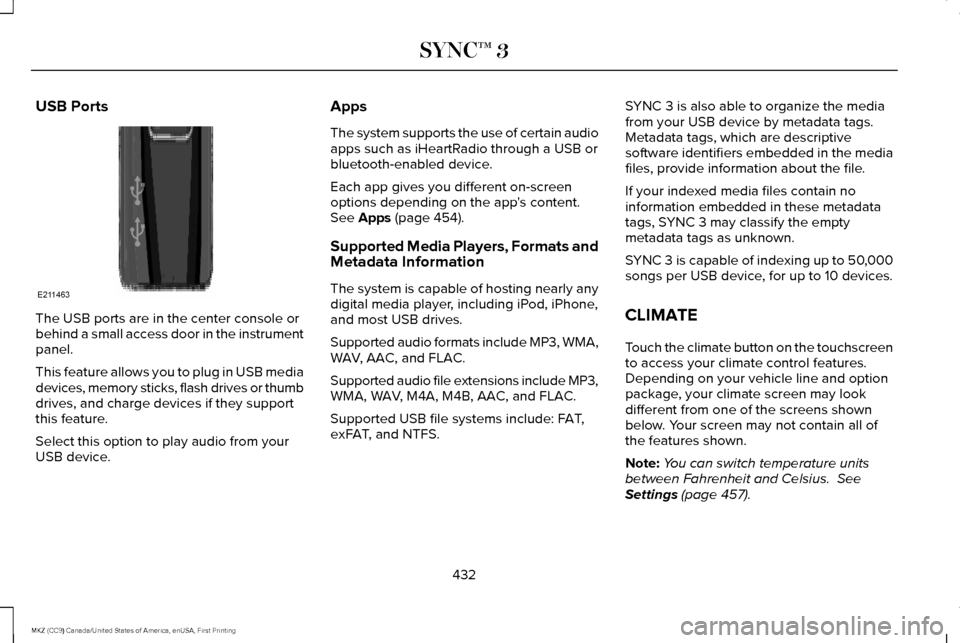
The USB ports are in the center console or
behind a small access door in the instrument
panel.
This feature allows you to plug in USB media
devices, memory sticks, flash drives or thumb
drives, and charge devices if they support
this feature.
Select this option to play audio from your
USB device. Apps
The system supports the use of certain audio
apps such as iHeartRadio through a USB or
bluetooth-enabled device.
Each app gives you different on-screen
options depending on the app's content.
See Apps (page 454).
Supported Media Players, Formats and
Metadata Information
The system is capable of hosting nearly any
digital media player, including iPod, iPhone,
and most USB drives.
Supported audio formats include MP3, WMA,
WAV, AAC, and FLAC.
Supported audio file extensions include MP3,
WMA, WAV, M4A, M4B, AAC, and FLAC.
Supported USB file systems include: FAT,
exFAT, and NTFS. SYNC 3 is also able to organize the media
from your USB device by metadata tags.
Metadata tags, which are descriptive
software identifiers embedded in the media
files, provide information about the file.
If your indexed media files contain no
information embedded in these metadata
tags, SYNC 3 may classify the empty
metadata tags as unknown.
SYNC 3 is capable of indexing up to 50,000
songs per USB device, for up to 10 devices.
CLIMATE
Touch the climate button on the touchscreen
to access your climate control features.
Depending on your vehicle line and option
package, your climate screen may look
different from one of the screens shown
below. Your screen may not contain all of
the features shown.
Note:
You can switch temperature units
between Fahrenheit and Celsius.
See
Settings (page 457).
432
MKZ (CC9) Canada/United States of America, enUSA, First Printing SYNC™ 3E211463
Page 437 of 564

Driver temperature: Touch up or down to adjust the temperature.
A
AUTO:
Touch the button to switch on automatic operation. Select the desired tem\
perature using the temperature control. The
system adjusts fan speed, air distribution, air conditioning operation, \
and selects outside air or recirculated air to heat or cool the
vehicle in order to maintain the desired temperature.
B
Defrost:
A pop up appears on the screen to display the defrost options.
C
MAX Defrost: Touch the button to maximize defrosting. Air flows through the windshield\
vents, the fan automatically adjusts to the
highest speed and the driver and passenger temperatures are set to HI. Y\
ou can use this setting to defog or clear a thin covering
of ice from the windshield. The heated rear window also automatically tu\
rns on when you select MAX Defrost.
Defrost:
Distributes air through the windshield defroster vents and demister vent\
s.
Heated rear window:
Turns the heated rear window on and off. See Heated Windows and Mirrors (page 137).
Power:
Touch the button to switch the system on and off. Switching off the climate control system prevents outside air from enteri\
ng
the vehicle.
D
DUAL:
This button lights up when the passenger controls are active. To switch the off and link the passenger temperature to the
driver temperature, touch the DUAL button.
E
Note:
the passenger side temperature and the DUAL indication automatically turn on when you or your passenger adjust th\
e
passenger temperature.
Passenger temperature:
Touch up or down to adjust the temperature.
F
Fan speed:
Touch up or down to increase or decrease the volume of air that circulate\
s in your vehicle.
G
Note:
You cannot adjust the fan speed when the system is set to AUTO or MAX A/C.
A/C:
A pop-up appears on the screen to display the air conditioning options.\
H
434
MKZ (CC9) Canada/United States of America, enUSA, First Printing SYNC™ 3
Page 554 of 564
A
A/C
See: Climate Control...........................................134
About This Manual............................................7
ABS See: Brakes...........................................................188
ABS driving hints See: Hints on Driving With Anti-Lock
Brakes................................................................188
Accessories....................................................491 Exterior Style........................................................491
Interior Style..........................................................491
Lifestyle..................................................................491
Peace of Mind......................................................491
Accessories See: Replacement Parts Recommendation.....13
ACC See: Using Adaptive Cruise Control..............216
Active Park Assist.........................................203 Deactivating the Active Park Assist
Feature.............................................................209
Parallel Parking, Perpendicular Parking, Parallel Park Out Assist................................203
Troubleshooting the System...........................209
Adaptive Headlamps.....................................89
Adjusting the Headlamps............................315 Horizontal Aim Adjustment...............................316 Vertical Aim Adjustment....................................315
Adjusting the Steering Wheel......................78 Power Tilt and Telescope Steering
Column................................................................78
AFS See: Adaptive Headlamps..................................89
Airbag Disposal
...............................................53
Air Conditioning See: Climate Control...........................................134
Air Filter See: Changing the Engine Air Filter...............319
Alarm See: Anti-Theft Alarm...........................................76
All-Wheel Drive
..............................................179
Ambient Lighting............................................92
Anti-Theft Alarm..............................................76
Arming the Alarm..................................................77
Disarming the Alarm.............................................77
Appendices....................................................527
Apps
.................................................................454
........................................................................\
.........454
SiriusXM Traffic and Travel Link.....................456
Audible Warnings and Indicators..............107 Headlamps On Warning Chime.......................
107
Key in Ignition Warning Chime.........................107
Keyless Warning Alert........................................107
Parking Brake On Warning Chime
..................107 Audio Control
...................................................79
Seek, Next or Previous........................................79
Audio System
................................................386
General Information...........................................386
Audio Unit - Vehicles With: Premium AM/ FM/CD...........................................................387
Auto Hold.........................................................191 Using Auto Hold..................................................193
Autolamps.........................................................85 Windshield Wiper Activated Headlamps........86
Automatic Climate Control..........................134 Automatic Fan Settings......................................136
Automatic High Beam Control
....................88
Activating the System..........................................89
Manually Overriding the System......................89
Automatic Transmission...............................173 Automatic Transmission Adaptive
Learning.............................................................177
Brake-Shift Interlock Override.........................176
If Your Vehicle Gets Stuck In Mud or Snow...................................................................177
Push Button Shift Transmission........................173
SelectShift Automatic ™ Transmission.............175
Automatic Transmission Fluid Check............................................................307
6F35/HF35 transmission..................................307
6F50/6F55 Transmission.................................308
Autowipers.......................................................82
551
MKZ (CC9) Canada/United States of America, enUSA, First Printing Index
Page 556 of 564
Climate............................................................432
Climate Control..............................................134
Climate Controlled Seats............................148
Cooled Seats........................................................149
Coolant Check See: Engine Coolant Check............................303
Crash Sensors and Airbag Indicator
..........52
Creating a MyKey............................................61 Programming or Changing Configurable
Settings...............................................................62
Cross Traffic Alert.........................................233 False Alerts...........................................................237
Switching the System Off and On..................237
System Errors......................................................237
System Lights, Messages and Audible
Alerts.................................................................236
System Limitations.............................................236
Using the System...............................................233
Cruise Control
.................................................80
Principle of Operation........................................215
Type 1.......................................................................80
Type 2......................................................................80
Cruise control See: Using Cruise Control................................
215
Customer Assistance..................................267 D
Data Recording
..................................................9
Event Data Recording...........................................10
Service Data Recording.........................................9
Daytime Running Lamps
...............................87
Type 1 - Conventional
(Non-Configurable)...........................................87
Type 2 - Configurable..........................................87
Direction Indicators
........................................90
Lane Change.........................................................90
Drive Control
..................................................241
LINCOLN DRIVE CONTROL.............................241
Driver Alert
.....................................................225
Using Driver Alert...............................................225
Driver and Passenger Airbags....................45 Children and Airbags...........................................46
Proper Driver and Front Passenger Seating
Adjustment.........................................................46
Driver and Passenger Knee Airbags.........50
Driving Aids...................................................225
Driving Hints..................................................256
Driving Through Water
...............................256
DRL See: Daytime Running Lamps............................87 E
Economical Driving
......................................256
Electric Parking Brake..................................189
Applying the electric parking brake...............189
Applying the electric parking brake when the
vehicle is moving............................................190
Battery With No Charge.....................................191
Releasing the electric parking brake.............190
Emission Control System
.............................170
On-Board Diagnostics (OBD-II).........................171
Readiness for Inspection/Maintenance (I/M)
Testing................................................................172
End User License Agreement...................527 VEHICLE SOFTWARE END USER LICENSE
AGREEMENT (EULA) ....................................527
Engine Block Heater....................................163 Using the Engine Block Heater.......................163
Engine Coolant Check................................303 Adding Coolant...................................................304
Engine Coolant Temperature
Management...................................................306
Fail-Safe Cooling................................................305
Recycled Coolant...............................................305
Severe Climates.................................................305
Engine Immobilizer See: Passive Anti-Theft System........................75
553
MKZ (CC9) Canada/United States of America, enUSA, First Printing Index