navigation system LINCOLN MKZ 2017 Owner's Manual
[x] Cancel search | Manufacturer: LINCOLN, Model Year: 2017, Model line: MKZ, Model: LINCOLN MKZ 2017Pages: 564, PDF Size: 5.54 MB
Page 473 of 564

Action and Description
Menu Item
Request Update
Grant or deny permissions to all apps at once.
All Apps
Grant or deny an individual app particular permissions. App permissions \
are organized into groups. By pressing
the info book icon, you can see which signals are included in each group\
.
There may also be SYNC 3
enabled apps listed under
these options.
Note: Ford and Lincoln are not responsible
or liable for any damages or loss of privacy
relating to usage of an app, or dissemination
of any vehicle data that you approve Ford
and Lincoln to provide to an app. General
Access and adjust the system settings, voice
features, as well as phone, navigation and
wireless settings. Menu Item
Select to have the touchscreen display in English, Spanish or French.
Language
Select to display units in kilometers or miles.
Distance
Select to display units in Celsius or Fahrenheit.
Temperature
Select to have the system beep to confirm choices made through the touch\
-
screen.
Touch Screen Beep
When you activate this option, the system automatically updates when you\
have
an available Internet connection through a Wi-Fi network or mobile conne\
ction.
Automatic System Updates
470
MKZ (CC9) Canada/United States of America, enUSA, First Printing SYNC™ 3
Page 535 of 564
•
Navigation Features: Any navigation
features included in the system are
intended to provide turn by turn
instructions to get you to a desired
destination. Please make certain all
persons using this system carefully read
and follow instructions and safety
information fully.
• Distraction Hazard:
Any navigation
features may require manual (non-verbal)
setup. Attempting to perform such set-up
or insert data while driving can distract
your attention and could cause an
accident or other serious injury. Stop the
vehicle in a safe and legal manner before
attempting these operations.
• Let Your Judgment Prevail:
Any
navigation features are provided only as
an aid. Make your driving decisions
based on your observations of local
conditions and existing traffic regulations.
Any such feature is not a substitute for
your personal judgment. Any route
suggestions made by this system should
never replace any local traffic regulations
or your personal judgment or knowledge
of safe driving practices. •
Route Safety:
Do not follow the route
suggestions if doing so would result in
an unsafe or illegal maneuver, if you
would be placed in an unsafe situation,
or if you would be directed into an area
that you consider unsafe. The driver is
ultimately responsible for the safe
operation of the vehicle and therefore,
must evaluate whether it is safe to follow
the suggested directions.
• Potential Map Inaccuracy:
Maps used
by this system may be inaccurate
because of changes in roads, traffic
controls or driving conditions. Always use
good judgment and common sense when
following the suggested routes.
• Emergency Services:
Do not rely on any
navigation features included in the
system to route you to emergency
services. Ask local authorities or an
emergency services operator for these
locations. Not all emergency services
such as police, fire stations, hospitals and
clinics are likely to be contained in the
map database for such navigation
features.
532
MKZ (CC9) Canada/United States of America, enUSA, First Printing Appendices
Page 545 of 564
9.1 End User Terms Required by HERE
North America, LLC
The data (“Data
”) is provided for your
personal, internal use only and not for resale.
It is protected by copyright, and is subject to
the following terms and conditions which are
agreed to by you, on the one hand, and
Telenav (“Telenav”) and its licensors
(including their licensors and suppliers) on
the other hand.
© 2013 HERE. All rights reserved.
The Data for areas of Canada includes
information taken with permission from
Canadian authorities, including: © Her
Majesty the Queen in Right of Canada, ©
Queen's Printer for Ontario, © Canada Post
Corporation, GeoBase®, © Department of
Natural Resources Canada.
HERE holds a non-exclusive license from the
United States Postal Service® to publish and
sell ZIP+4® information. ©United States Postal Service® 2014. Prices
are not established, controlled or approved
by the United States Postal Service®. The
following trademarks and registrations are
owned by the USPS: United States Postal
Service, USPS, and ZIP+4
The Data for Mexico includes certain data
from Instituto Nacional de Estadística y
Geografía.
Terms and Conditions
Permitted Use. You agree to use this Data
together with the Telenav Software solely
for the internal business and personal
purposes for which you were licensed, and
not for service bureau, time-sharing or other
similar purposes. Accordingly, but subject to
the restrictions set forth in the following
paragraphs, you agree not to otherwise
reproduce, copy, modify, decompile,
disassemble, create any derivative works of,
or reverse engineer any portion of this Data,
and may not transfer or distribute it in any
form, for any purpose, except to the extent
permitted by mandatory laws. Restrictions.
Except where you have been
specifically licensed to do so by Telenav, and
without limiting the preceding paragraph,
you may not use this Data (a) with any
products, systems, or applications installed
or otherwise connected to or in
communication with vehicles, capable of
vehicle navigation, positioning, dispatch, real
time route guidance, fleet management or
similar applications; or (b) with or in
communication with any positioning devices
or any mobile or wireless-connected
electronic or computer devices, including
without limitation cellular phones, palmtop
and handheld computers, pagers, and
personal digital assistants or PDAs.
Warning.
The Data may contain inaccurate
or incomplete information due to the
passage of time, changing circumstances,
sources used and the nature of collecting
comprehensive geographic data, any of
which may lead to incorrect results.
542
MKZ (CC9) Canada/United States of America, enUSA, First Printing Appendices
Page 560 of 564
Linking a PreSet Position to your Remote
Control or Intelligent Access Key Fob.......146
Saving a PreSet Position...................................145
Message Center See: Information Displays.................................108
Mirrors See: Heated Windows and Mirrors.................
137
See: Windows and Mirrors.................................93
Mobile Communications Equipment
...........14
Moonroof..........................................................98 Bounce-Back..........................................................99
Opening and Closing the Moonroof................99
Motorcraft Parts - 2.0L................................369
Motorcraft Parts - 3.0L
..................................371
MyKey Troubleshooting................................63
MyKey™..............................................................60 Principle of Operation.........................................60
N
Navigation......................................................444 cityseeker.............................................................453
Destination Mode...............................................445
Map Mode............................................................444
Navigation Map Updates..................................453
Navigation Menu................................................450
SiriusXM Traffic and Travel Link......................
453
Waypoints.............................................................452 Normal Scheduled Maintenance
.............499
Intelligent Oil-Life Monitor™.............................499
Maintenance Intervals........................................501
O
Oil Change Indicator Reset.......................302
Oil Check See: Engine Oil Check.......................................301
Opening and Closing the Hood...............295
Ordering Additional Owner's Literature......................................................272
Obtaining a French Owner’ s Manual............272
Overhead Console.......................................158
P
Parking Aids
....................................................199
Principle of Operation........................................199
Passive Anti-Theft System............................75 SecuriLock..............................................................75
PATS See: Passive Anti-Theft System........................75
Perchlorate........................................................12
Personal Safety System ™
..............................43
How Does the Personal Safety System
Work?...................................................................43 Phone..............................................................436
During a Phone Call............................................441
Making Calls........................................................440
Pairing Your Cell Phone for the First
Time...................................................................436
Phone Menu.........................................................437
Receiving Calls.....................................................441
Smartphone Connectivity.................................443
Text Messaging...................................................442
Post-Crash Alert System.............................264 Spinout Detection..............................................264
Power Door Locks See: Locking and Unlocking..............................65
Power Seats.....................................................141 Four-Way Power Lumbar...................................143
Multi-Contour Front Seats With Active Motion
........................................................................\
.....143
Power Lumbar......................................................143
Power Windows
..............................................93
Accessory Delay...................................................94
Bounce-Back..........................................................93
One-Touch Down..................................................93
One-Touch Up.......................................................93
Window Lock..........................................................94
Pre-Collision Assist......................................238 Using the Pre-Collision Assist System..........239
Protecting the Environment..........................16
557
MKZ (CC9) Canada/United States of America, enUSA, First Printing Index
Page 561 of 564
R
Rear Parking Aid..........................................200
Obstacle Distance Indicator............................200
Rear Seat Armrest.........................................150
Armrest pass-through........................................150
Rear Seats.......................................................146
Rear View Camera.........................................211 Using the Rear View Camera System............212
Rear View Camera See: Rear View Camera......................................211
Recommended Towing Weights
..............250
Refueling..........................................................167
Remote Control...............................................55 Car Finder...............................................................57
Intelligent Access Key.........................................55
Remote Start...........................................................57
Replacing the Battery..........................................55
Sounding the Panic Alarm..................................57
Remote Start...................................................138 Automatic Settings..............................................138
Repairing Minor Paint Damage.................326
Replacement Parts Recommendation........13 Collision Repairs.....................................................13
Scheduled Maintenance and Mechanical
Repairs.................................................................13
Warranty on Replacement Parts.........................
13 Replacing a Lost Key or Remote
Control............................................................59
Reporting Safety Defects (Canada Only)..............................................................273
Reporting Safety Defects (U.S. Only).......273
Roadside Assistance
...................................259
Vehicles Sold in Canada: Getting Roadside
Assistance.......................................................260
Vehicles Sold in Canada: Roadside Assistance Program Coverage........................................260
Vehicles Sold in Canada: Using Roadside Assistance.......................................................260
Vehicles Sold in the United States: Getting Roadside Assistance....................................259
Vehicles Sold in the United States: Using Roadside Assistance....................................259
Roadside Emergencies...............................259
Running-In See: Breaking-In.................................................256
Running Out of Fuel
.....................................166
Refilling With a Portable Fuel Container.......166
S
Safety Canopy™................................................51
Safety Precautions
........................................164
Scheduled Maintenance Record..............507
Scheduled Maintenance............................495 Seatbelt Extension
.........................................42
Seatbelt Height Adjustment.........................38
Seatbelt Reminder..........................................40 Belt-Minder™...........................................................40
Seatbelts...........................................................34 Principle of Operation..........................................34
Seatbelt Warning Lamp and Indicator Chime..............................................................39
Conditions of operation......................................39
Seats.................................................................139
Security..............................................................75
Settings...........................................................457 911 Assist...............................................................464
Ambient Lighting................................................472
Bluetooth..............................................................460
Clock......................................................................460
Display...................................................................473
General..................................................................470
Media Player........................................................458
Mobile Apps.........................................................468
Navigation............................................................466
Phone.....................................................................461
Radio......................................................................465
Sound....................................................................457
Valet Mode...........................................................474
Vehicle...................................................................472
Voice Control.......................................................473
Wi-Fi........................................................................\
471
558
MKZ (CC9) Canada/United States of America, enUSA, First Printing Index
Page 563 of 564
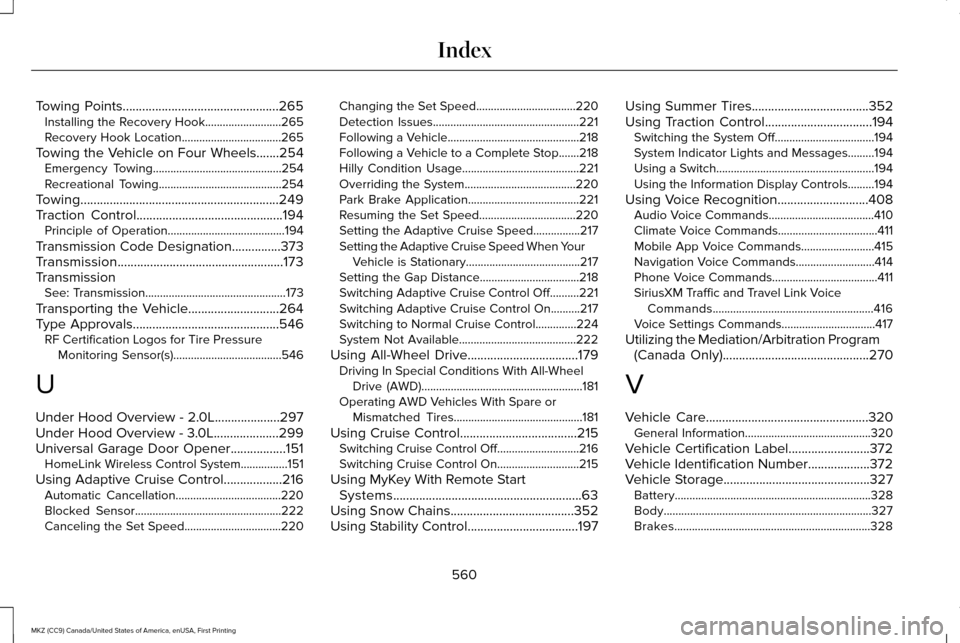
Towing Points................................................265
Installing the Recovery Hook..........................265
Recovery Hook Location..................................265
Towing the Vehicle on Four Wheels
.......254
Emergency Towing............................................254
Recreational Towing..........................................254
Towing.............................................................249
Traction Control.............................................194 Principle of Operation........................................194
Transmission Code Designation...............373
Transmission...................................................173
Transmission See: Transmission................................................173
Transporting the Vehicle............................264
Type Approvals.............................................546 RF Certification Logos for Tire Pressure
Monitoring Sensor(s).....................................546
U
Under Hood Overview - 2.0L
....................297
Under Hood Overview - 3.0L....................299
Universal Garage Door Opener
.................151
HomeLink Wireless Control System................151
Using Adaptive Cruise Control..................216 Automatic Cancellation....................................220
Blocked Sensor..................................................222
Canceling the Set Speed.................................
220 Changing the Set Speed..................................220
Detection Issues..................................................221
Following a Vehicle.............................................218
Following a Vehicle to a Complete Stop.......218
Hilly Condition Usage........................................221
Overriding the System......................................220
Park Brake Application......................................221
Resuming the Set Speed.................................
220
Setting the Adaptive Cruise Speed................217
Setting the Adaptive Cruise Speed When Your Vehicle is Stationary.......................................
217
Setting the Gap Distance..................................218
Switching Adaptive Cruise Control Off..........221
Switching Adaptive Cruise Control On..........217
Switching to Normal Cruise Control..............224
System Not Available........................................222
Using All-Wheel Drive..................................179 Driving In Special Conditions With All-Wheel
Drive (AWD).......................................................181
Operating AWD Vehicles With Spare or Mismatched Tires............................................181
Using Cruise Control....................................215 Switching Cruise Control Off............................216
Switching Cruise Control On............................215
Using MyKey With Remote Start Systems..........................................................63
Using Snow Chains......................................352
Using Stability Control
..................................197 Using Summer Tires
....................................352
Using Traction Control.................................194 Switching the System Off..................................194
System Indicator Lights and Messages.........
194
Using a Switch......................................................194
Using the Information Display Controls.........194
Using Voice Recognition............................408 Audio Voice Commands....................................410
Climate Voice Commands..................................411
Mobile App Voice Commands.........................415
Navigation Voice Commands...........................414
Phone Voice Commands....................................411
SiriusXM Traffic and Travel Link Voice
Commands.......................................................416
Voice Settings Commands................................417
Utilizing the Mediation/Arbitration Program (Canada Only)
.............................................270
V
Vehicle Care
..................................................320
General Information...........................................320
Vehicle Certification Label.........................372
Vehicle Identification Number...................372
Vehicle Storage
.............................................327
Battery...................................................................328
Body.......................................................................327
Brakes...................................................................328
560
MKZ (CC9) Canada/United States of America, enUSA, First Printing Index