see manual LINCOLN MKZ 2017 Owner's Guide
[x] Cancel search | Manufacturer: LINCOLN, Model Year: 2017, Model line: MKZ, Model: LINCOLN MKZ 2017Pages: 564, PDF Size: 5.54 MB
Page 464 of 564
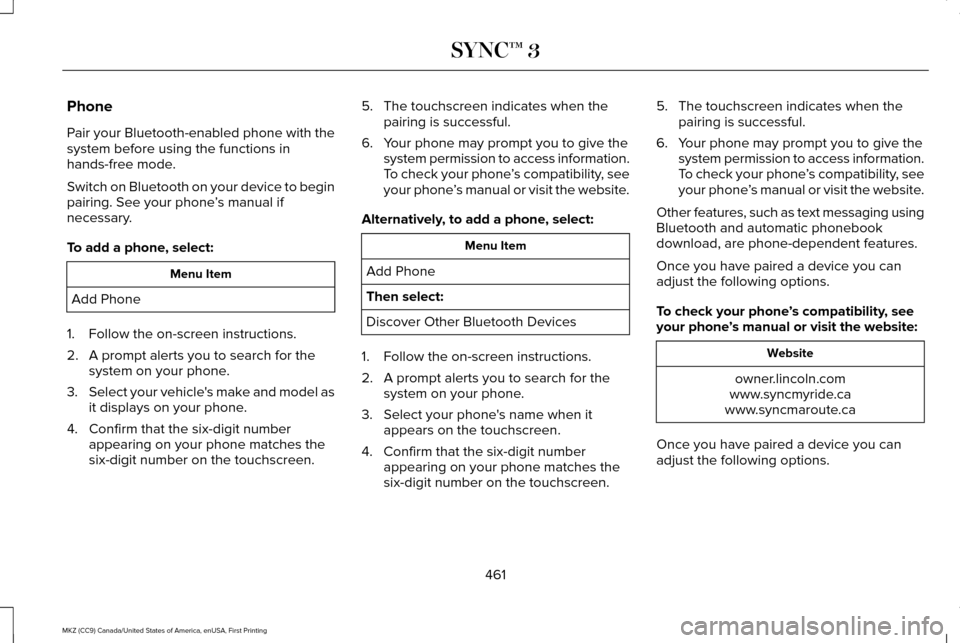
Phone
Pair your Bluetooth-enabled phone with the
system before using the functions in
hands-free mode.
Switch on Bluetooth on your device to begin
pairing. See your phone
’s manual if
necessary.
To add a phone, select: Menu Item
Add Phone
1. Follow the on-screen instructions.
2. A prompt alerts you to search for the system on your phone.
3. Select your vehicle's make and model as
it displays on your phone.
4. Confirm that the six-digit number appearing on your phone matches the
six-digit number on the touchscreen. 5. The touchscreen indicates when the
pairing is successful.
6. Your phone may prompt you to give the system permission to access information.
To check your phone ’s compatibility, see
your phone ’s manual or visit the website.
Alternatively, to add a phone, select: Menu Item
Add Phone
Then select:
Discover Other Bluetooth Devices
1. Follow the on-screen instructions.
2. A prompt alerts you to search for the system on your phone.
3. Select your phone's name when it appears on the touchscreen.
4. Confirm that the six-digit number appearing on your phone matches the
six-digit number on the touchscreen. 5. The touchscreen indicates when the
pairing is successful.
6. Your phone may prompt you to give the system permission to access information.
To check your phone ’s compatibility, see
your phone ’s manual or visit the website.
Other features, such as text messaging using
Bluetooth and automatic phonebook
download, are phone-dependent features.
Once you have paired a device you can
adjust the following options.
To check your phone ’s compatibility, see
your phone ’s manual or visit the website: Website
owner.lincoln.com
www.syncmyride.ca
www.syncmaroute.ca
Once you have paired a device you can
adjust the following options.
461
MKZ (CC9) Canada/United States of America, enUSA, First Printing SYNC™ 3
Page 498 of 564
GENERAL MAINTENANCE
INFORMATION
Why Maintain Your Vehicle?
Carefully following the maintenance
schedule helps protect against major repair
expenses resulting from neglect or
inadequate maintenance and may help to
increase the value of your vehicle when you
sell or trade it. Keep all receipts for
completed maintenance with your vehicle.
We have established regular maintenance
intervals for your vehicle based upon
rigorous testing. It is important that you have
your vehicle serviced at the proper times.
These intervals serve two purposes; one is
to maintain the reliability of your vehicle and
the second is to keep your cost of owning
your vehicle down.
It is your responsibility to have all scheduled
maintenance performed and to make sure
that the materials used meet the
specifications identified in this owner's
manual. See Capacities and Specifications
(page 367).
Failure to perform scheduled maintenance
invalidates warranty coverage on parts
affected by the lack of maintenance.
Why Maintain Your Vehicle at Your
Dealership?
Factory-Trained Technicians
Service technicians participate in extensive
factory-sponsored certification training to
help them become experts on the operation
of your vehicle. Ask your dealership about
the training and certification their technicians
have received.
Genuine Ford and Motorcraft® Replacement
Parts
Dealerships stock Ford, Motorcraft and
Ford-authorized branded re-manufactured
replacement parts. These parts meet or
exceed our specifications. Parts installed at
your dealership carry a nationwide 24-month
or unlimited mile (kilometer) parts and labor
limited warranty.
If you do not use Ford authorized parts they
may not meet our specifications and
depending on the part, it could affect
emissions compliance.
Convenience
Many dealerships have extended evening
and Saturday hours to make your service
visit more convenient and they offer one stop
shopping. They can perform any services
that are required on your vehicle, from
general maintenance to collision repairs.
Note:
Not all dealers have extended hours
or body shops. Please contact your dealer
for details.
Protecting Your Investment
Maintenance is an investment that pays
dividends in the form of improved reliability,
durability and resale value. To maintain the
proper performance of your vehicle and its
emission control systems, make sure you
have scheduled maintenance performed at
the designated intervals.
495
MKZ (CC9) Canada/United States of America, enUSA, First Printing Scheduled Maintenance
Page 499 of 564
Your vehicle is equipped with the Intelligent
Oil-Life Monitor system, which displays a
message in the information display at the
proper oil change interval. This interval may
be up to one year or 10000 miles (16000
kilometers).
When the oil change message appears in
the information display, it is time for an oil
change. Make sure you perform the oil
change within two weeks or 500 miles (800
kilometers) of the message appearing. Make
sure you reset the Intelligent Oil-Life Monitor
after each oil change. See Oil Change
Indicator Reset (page 302).
If your information display resets prematurely
or becomes inoperative, you should perform
the oil change interval at six months or 5000
miles (8000 kilometers) from your last oil
change. Never exceed one year or 10000
miles (16000 kilometers) between oil change
intervals. Your vehicle is very sophisticated and built
with multiple, complex, performance systems.
Every manufacturer develops these systems
using different specifications and
performance features. That is why it is
important to rely upon your dealership to
properly diagnose and repair your vehicle.
Ford Motor Company has recommended
maintenance intervals for various parts and
component systems based upon engineering
testing. Ford Motor Company relies upon this
testing to determine the most appropriate
mileage for replacement of oils and fluids to
protect your vehicle at the lowest overall cost
to you and recommends against
maintenance schedules that deviate from
the scheduled maintenance information.
We strongly recommend the use of only
genuine Ford, Motorcraft or Ford-authorized
re-manufactured replacement parts
engineered for your vehicle.Additives and Chemicals
This owner's manual and the Ford Workshop
Manual list the recommended additives and
chemicals for your vehicle. We do not
recommend using chemicals or additives not
approved by us as part of your vehicle
’s
normal maintenance. Please consult your
warranty information.
Oils, Fluids and Flushing
In many cases, fluid discoloration is a normal
operating characteristic and, by itself, does
not necessarily indicate a concern or that the
fluid needs to be changed. However, a
qualified expert, such as the factory-trained
technicians at your dealership, should
inspect discolored fluids that also show signs
of overheating or foreign material
contamination immediately.
496
MKZ (CC9) Canada/United States of America, enUSA, First Printing Scheduled Maintenance
Page 554 of 564
A
A/C
See: Climate Control...........................................134
About This Manual............................................7
ABS See: Brakes...........................................................188
ABS driving hints See: Hints on Driving With Anti-Lock
Brakes................................................................188
Accessories....................................................491 Exterior Style........................................................491
Interior Style..........................................................491
Lifestyle..................................................................491
Peace of Mind......................................................491
Accessories See: Replacement Parts Recommendation.....13
ACC See: Using Adaptive Cruise Control..............216
Active Park Assist.........................................203 Deactivating the Active Park Assist
Feature.............................................................209
Parallel Parking, Perpendicular Parking, Parallel Park Out Assist................................203
Troubleshooting the System...........................209
Adaptive Headlamps.....................................89
Adjusting the Headlamps............................315 Horizontal Aim Adjustment...............................316 Vertical Aim Adjustment....................................315
Adjusting the Steering Wheel......................78 Power Tilt and Telescope Steering
Column................................................................78
AFS See: Adaptive Headlamps..................................89
Airbag Disposal
...............................................53
Air Conditioning See: Climate Control...........................................134
Air Filter See: Changing the Engine Air Filter...............319
Alarm See: Anti-Theft Alarm...........................................76
All-Wheel Drive
..............................................179
Ambient Lighting............................................92
Anti-Theft Alarm..............................................76
Arming the Alarm..................................................77
Disarming the Alarm.............................................77
Appendices....................................................527
Apps
.................................................................454
........................................................................\
.........454
SiriusXM Traffic and Travel Link.....................456
Audible Warnings and Indicators..............107 Headlamps On Warning Chime.......................
107
Key in Ignition Warning Chime.........................107
Keyless Warning Alert........................................107
Parking Brake On Warning Chime
..................107 Audio Control
...................................................79
Seek, Next or Previous........................................79
Audio System
................................................386
General Information...........................................386
Audio Unit - Vehicles With: Premium AM/ FM/CD...........................................................387
Auto Hold.........................................................191 Using Auto Hold..................................................193
Autolamps.........................................................85 Windshield Wiper Activated Headlamps........86
Automatic Climate Control..........................134 Automatic Fan Settings......................................136
Automatic High Beam Control
....................88
Activating the System..........................................89
Manually Overriding the System......................89
Automatic Transmission...............................173 Automatic Transmission Adaptive
Learning.............................................................177
Brake-Shift Interlock Override.........................176
If Your Vehicle Gets Stuck In Mud or Snow...................................................................177
Push Button Shift Transmission........................173
SelectShift Automatic ™ Transmission.............175
Automatic Transmission Fluid Check............................................................307
6F35/HF35 transmission..................................307
6F50/6F55 Transmission.................................308
Autowipers.......................................................82
551
MKZ (CC9) Canada/United States of America, enUSA, First Printing Index
Page 560 of 564
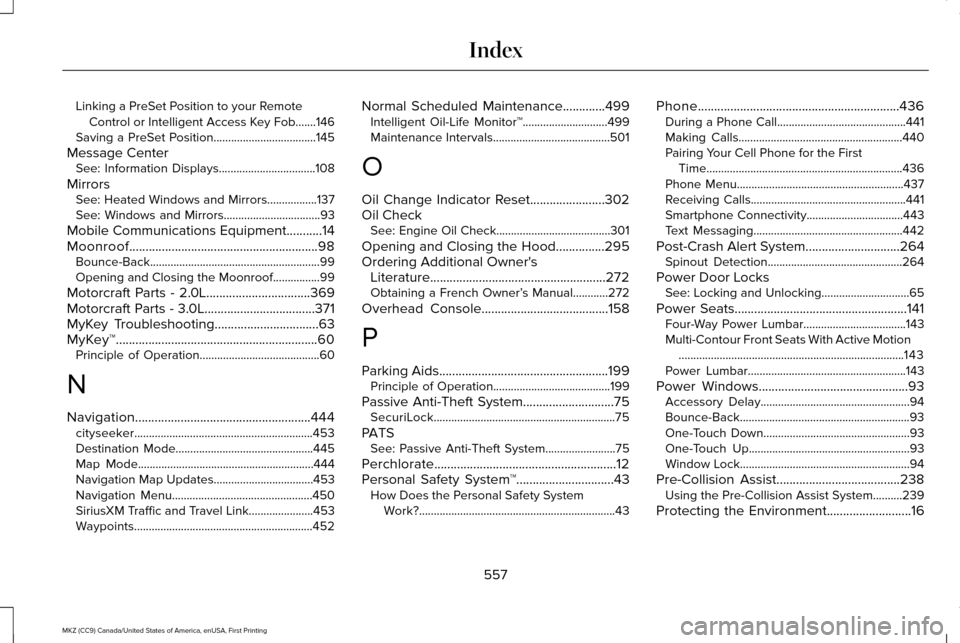
Linking a PreSet Position to your Remote
Control or Intelligent Access Key Fob.......146
Saving a PreSet Position...................................145
Message Center See: Information Displays.................................108
Mirrors See: Heated Windows and Mirrors.................
137
See: Windows and Mirrors.................................93
Mobile Communications Equipment
...........14
Moonroof..........................................................98 Bounce-Back..........................................................99
Opening and Closing the Moonroof................99
Motorcraft Parts - 2.0L................................369
Motorcraft Parts - 3.0L
..................................371
MyKey Troubleshooting................................63
MyKey™..............................................................60 Principle of Operation.........................................60
N
Navigation......................................................444 cityseeker.............................................................453
Destination Mode...............................................445
Map Mode............................................................444
Navigation Map Updates..................................453
Navigation Menu................................................450
SiriusXM Traffic and Travel Link......................
453
Waypoints.............................................................452 Normal Scheduled Maintenance
.............499
Intelligent Oil-Life Monitor™.............................499
Maintenance Intervals........................................501
O
Oil Change Indicator Reset.......................302
Oil Check See: Engine Oil Check.......................................301
Opening and Closing the Hood...............295
Ordering Additional Owner's Literature......................................................272
Obtaining a French Owner’ s Manual............272
Overhead Console.......................................158
P
Parking Aids
....................................................199
Principle of Operation........................................199
Passive Anti-Theft System............................75 SecuriLock..............................................................75
PATS See: Passive Anti-Theft System........................75
Perchlorate........................................................12
Personal Safety System ™
..............................43
How Does the Personal Safety System
Work?...................................................................43 Phone..............................................................436
During a Phone Call............................................441
Making Calls........................................................440
Pairing Your Cell Phone for the First
Time...................................................................436
Phone Menu.........................................................437
Receiving Calls.....................................................441
Smartphone Connectivity.................................443
Text Messaging...................................................442
Post-Crash Alert System.............................264 Spinout Detection..............................................264
Power Door Locks See: Locking and Unlocking..............................65
Power Seats.....................................................141 Four-Way Power Lumbar...................................143
Multi-Contour Front Seats With Active Motion
........................................................................\
.....143
Power Lumbar......................................................143
Power Windows
..............................................93
Accessory Delay...................................................94
Bounce-Back..........................................................93
One-Touch Down..................................................93
One-Touch Up.......................................................93
Window Lock..........................................................94
Pre-Collision Assist......................................238 Using the Pre-Collision Assist System..........239
Protecting the Environment..........................16
557
MKZ (CC9) Canada/United States of America, enUSA, First Printing Index