light LINCOLN MKZ 2018 Service Manual
[x] Cancel search | Manufacturer: LINCOLN, Model Year: 2018, Model line: MKZ, Model: LINCOLN MKZ 2018Pages: 595, PDF Size: 5.06 MB
Page 156 of 595
WARNING
People who are unable to feel pain totheir skin because of advanced age,chronic illness, diabetes, spinal cord injury,medication, alcohol use, exhaustion or otherphysical conditions, must exercise care whenusing the heated seat. The heated seat maycause burns even at low temperatures,especially if used for long periods of time.Do not place anything on the seat thatinsulates against heat, such as a blanket orcushion. This may cause the heated seat tooverheat. Do not puncture the seat with pins,needles or other pointed objects. This maydamage the heating element which maycause the heated seat to overheat. Anoverheated seat may cause serious personalinjury.
Do not do the following:
•Place heavy objects on the seat.
•Operate the heated seat if water or anyother liquid spills on the seat. Allow theseat to dry thoroughly.
•Operate the heated seats unless theengine is running. Doing so can causethe battery to lose charge.
Touch the heated seat symbol to cyclethrough the various heat settings and off.More indicator lights indicate warmersettings.
Cooled Seats
The cooled seats will only function when theengine is running.
To operate the cooled seats:
Press the cooled seat symbol to cyclethrough the various cooling settings and off.More indicator lights indicate cooler settings.
If the engine falls below 350 RPM while thecooled seats are on, the feature will turn itselfoff. You will need to reactivate it.
Climate controlled seat air filterreplacement
Your vehicle is equipped with lifetime airfilters that are integrated with the seats.Regular maintenance or replacement is notneeded.
153
MKZ (CC9) Canada/United States of America, enUSA, Edition date: 201706, First Printing
SeatsE146322 E146309
Page 158 of 595
HomeLink Wireless Control System
WARNINGS
Make sure that the garage door andsecurity device are free fromobstruction when you are programming. Donot program the system with the vehicle inthe garage.
Do not use the system with any garagedoor opener that does not have thesafety stop and reverse feature as requiredby U.S. Federal Safety Standards (thisincludes any garage door openermanufactured before April 1, 1982). A garagedoor opener which cannot detect an object,signaling the door to stop and reverse, doesnot meet current federal safety standards.Using a garage door opener without thesefeatures increases the risk of serious injuryor death.
Note:Make sure you keep the originalremote control transmitter for use in othervehicles as well as for future systemprogramming.
Note:We recommend that upon the sale orlease termination of your vehicle, you erasethe programmed function buttons for securityreasons. See Erasing the Function ButtonCodes.
Note:You can program a maximum of threedevices. To change or replace any of thethree devices after it has been initiallyprogrammed, you must first erase the currentsettings. See Erasing the Function ButtonCodes.
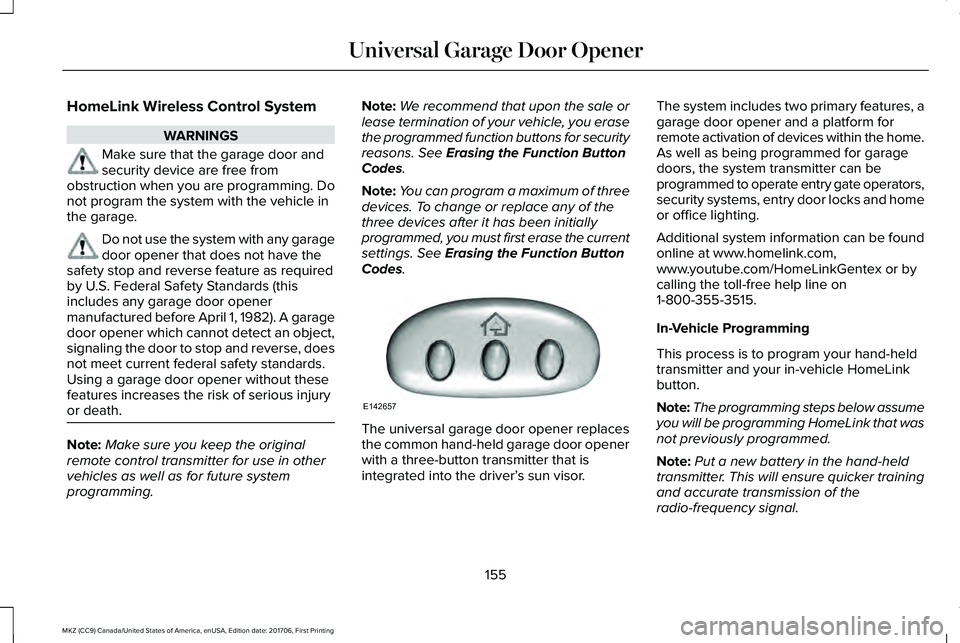
The universal garage door opener replacesthe common hand-held garage door openerwith a three-button transmitter that isintegrated into the driver’s sun visor.
The system includes two primary features, agarage door opener and a platform forremote activation of devices within the home.As well as being programmed for garagedoors, the system transmitter can beprogrammed to operate entry gate operators,security systems, entry door locks and homeor office lighting.
Additional system information can be foundonline at www.homelink.com,www.youtube.com/HomeLinkGentex or bycalling the toll-free help line on1-800-355-3515.
In-Vehicle Programming
This process is to program your hand-heldtransmitter and your in-vehicle HomeLinkbutton.
Note:The programming steps below assumeyou will be programming HomeLink that wasnot previously programmed.
Note:Put a new battery in the hand-heldtransmitter. This will ensure quicker trainingand accurate transmission of theradio-frequency signal.
155
MKZ (CC9) Canada/United States of America, enUSA, Edition date: 201706, First Printing
Universal Garage Door OpenerE142657
Page 159 of 595
1. With your vehicle parked outside of thegarage, turn your ignition to the onposition, but do not start your vehicle.
2. Hold your hand-held garage doortransmitter 2–6 in (5–14 cm) away fromthe HomeLink button you want toprogram.
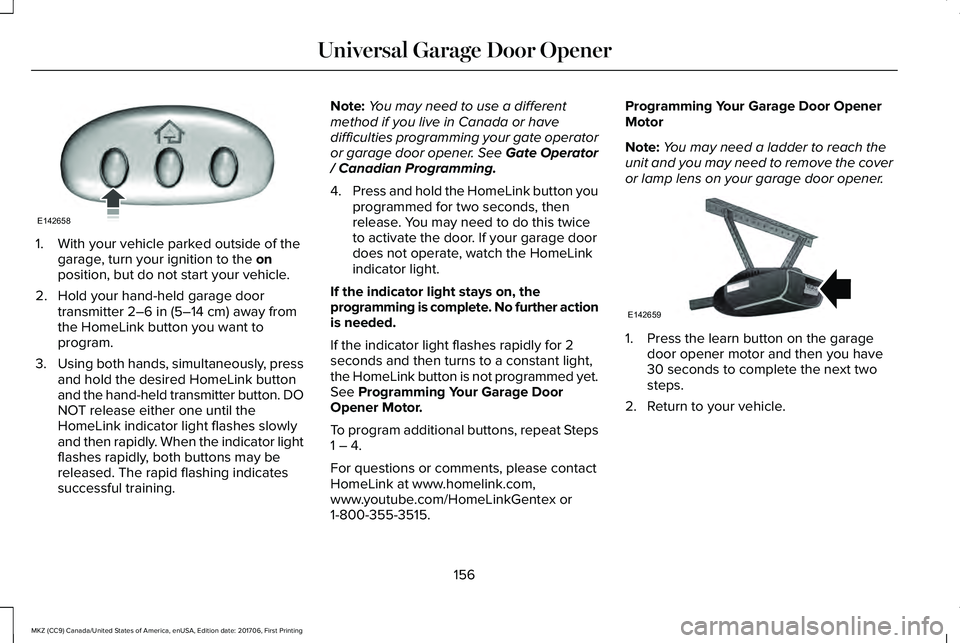
3.Using both hands, simultaneously, pressand hold the desired HomeLink buttonand the hand-held transmitter button. DONOT release either one until theHomeLink indicator light flashes slowlyand then rapidly. When the indicator lightflashes rapidly, both buttons may bereleased. The rapid flashing indicatessuccessful training.
Note:You may need to use a differentmethod if you live in Canada or havedifficulties programming your gate operatoror garage door opener. See Gate Operator/ Canadian Programming.
4.Press and hold the HomeLink button youprogrammed for two seconds, thenrelease. You may need to do this twiceto activate the door. If your garage doordoes not operate, watch the HomeLinkindicator light.
If the indicator light stays on, theprogramming is complete. No further actionis needed.
If the indicator light flashes rapidly for 2seconds and then turns to a constant light,the HomeLink button is not programmed yet.See Programming Your Garage DoorOpener Motor.
To program additional buttons, repeat Steps1 – 4.
For questions or comments, please contactHomeLink at www.homelink.com,www.youtube.com/HomeLinkGentex or1-800-355-3515.
Programming Your Garage Door OpenerMotor
Note:You may need a ladder to reach theunit and you may need to remove the coveror lamp lens on your garage door opener.
1. Press the learn button on the garagedoor opener motor and then you have30 seconds to complete the next twosteps.
2. Return to your vehicle.
156
MKZ (CC9) Canada/United States of America, enUSA, Edition date: 201706, First Printing
Universal Garage Door OpenerE142658 E142659
Page 160 of 595
3. Press and hold the function button youwant to program for 2 seconds, thenrelease. Repeat this step. Depending onyour brand of garage door opener, youmay need to repeat this sequence a thirdtime.
Gate Operator / Canadian Programming
Canadian radio-frequency laws requiretransmitter signals to “time-out” (or quit) afterseveral seconds of transmission – which maynot be long enough for HomeLink to pick upthe signal during programming. Similar tothis Canadian law, some U.S. gate operatorsare designed to “time-out” in the samemanner.
Note:If programming a garage door openeror gate operator, it is advised to unplug thedevice during the “cycling” process toprevent possible overheating.
1. Press and hold the HomeLink buttonwhile you press and release, every twoseconds, your hand-held transmitter untilthe HomeLink indicator light changesfrom a slow to a rapidly blinking light.
2. Release both the HomeLink andhand-held transmitter buttons.
3. Continue programing HomeLink. SeeIn-Vehicle Programming.
Erasing the Function Button Codes
Note:You cannot erase individual buttons.
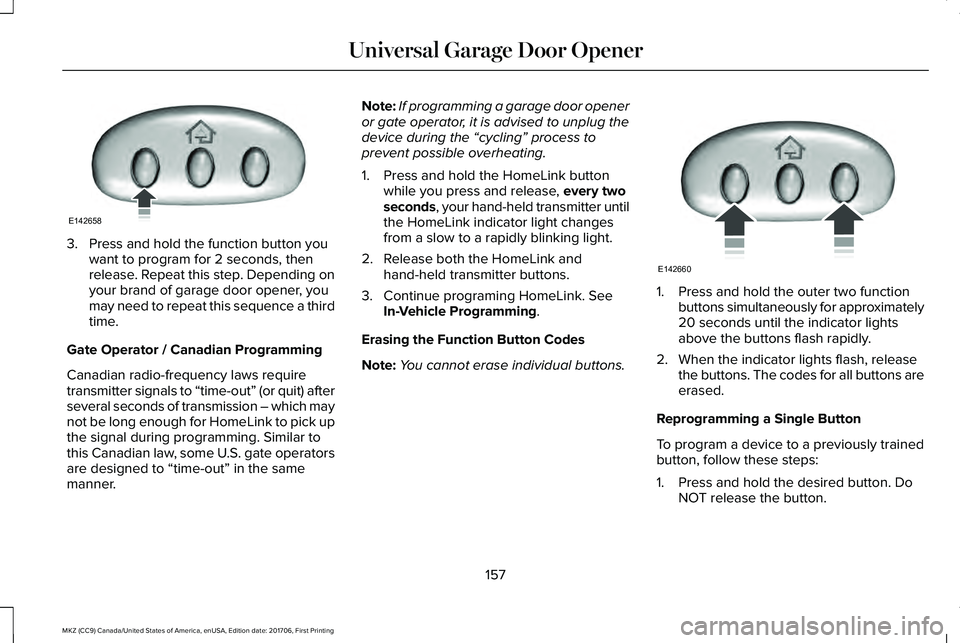
1. Press and hold the outer two functionbuttons simultaneously for approximately20 seconds until the indicator lightsabove the buttons flash rapidly.
2. When the indicator lights flash, releasethe buttons. The codes for all buttons areerased.
Reprogramming a Single Button
To program a device to a previously trainedbutton, follow these steps:
1. Press and hold the desired button. DoNOT release the button.
157
MKZ (CC9) Canada/United States of America, enUSA, Edition date: 201706, First Printing
Universal Garage Door OpenerE142658 E142660
Page 161 of 595
2.The indicator light will begin to flash after20 seconds. Without releasing thebutton, follow Step 1 in the Programmingsection.
For questions or comments, contactHomeLink at www.homelink.com,www.youtube.com/HomeLinkGentex or1-800-355-3515.
Programming to a Genie Intellicode 2Garage Door Opener
Note:The Genie Intellicode 2 transmittermust already be programmed to operatewith the garage door opener.
Note:To program HomeLink to thetransmitter you must first put the transmitterinto programming mode.
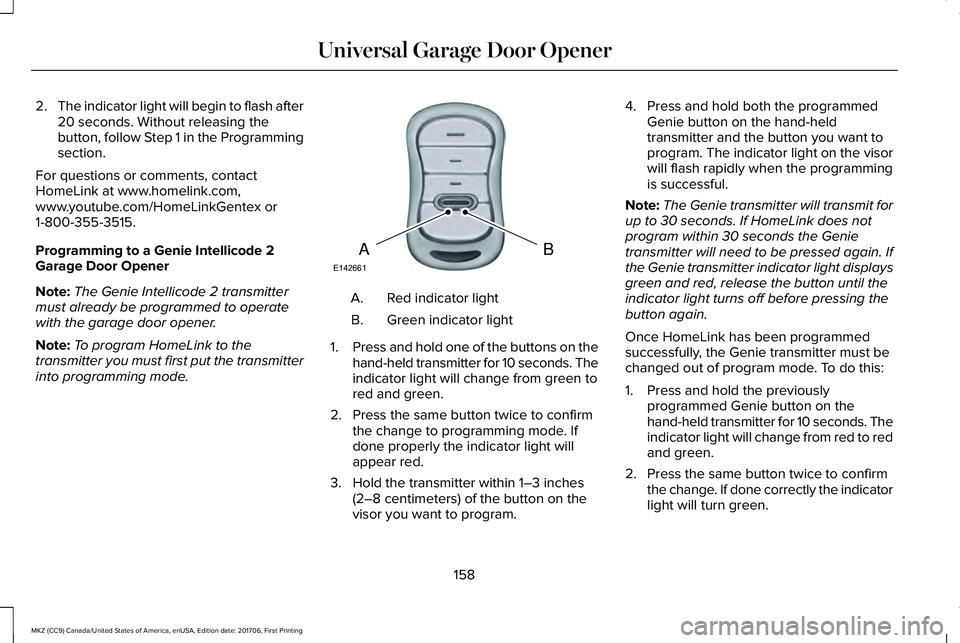
Red indicator lightA.
Green indicator lightB.
1.Press and hold one of the buttons on thehand-held transmitter for 10 seconds. Theindicator light will change from green tored and green.
2. Press the same button twice to confirmthe change to programming mode. Ifdone properly the indicator light willappear red.
3. Hold the transmitter within 1–3 inches(2–8 centimeters) of the button on thevisor you want to program.
4. Press and hold both the programmedGenie button on the hand-heldtransmitter and the button you want toprogram. The indicator light on the visorwill flash rapidly when the programmingis successful.
Note:The Genie transmitter will transmit forup to 30 seconds. If HomeLink does notprogram within 30 seconds the Genietransmitter will need to be pressed again. Ifthe Genie transmitter indicator light displaysgreen and red, release the button until theindicator light turns off before pressing thebutton again.
Once HomeLink has been programmedsuccessfully, the Genie transmitter must bechanged out of program mode. To do this:
1. Press and hold the previouslyprogrammed Genie button on thehand-held transmitter for 10 seconds. Theindicator light will change from red to redand green.
2. Press the same button twice to confirmthe change. If done correctly the indicatorlight will turn green.
158
MKZ (CC9) Canada/United States of America, enUSA, Edition date: 201706, First Printing
Universal Garage Door OpenerBAE142661
Page 162 of 595
Programming HomeLink to the GenieIntellicode Garage Door Opener Motor
Note:You may need a ladder to access thegarage door opener motor.
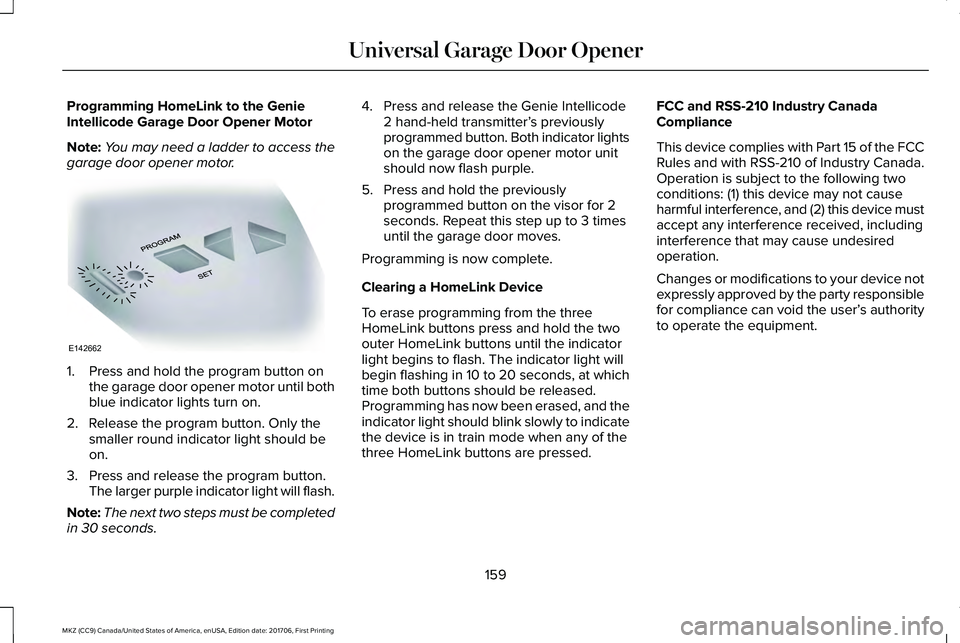
1. Press and hold the program button onthe garage door opener motor until bothblue indicator lights turn on.
2. Release the program button. Only thesmaller round indicator light should beon.
3. Press and release the program button.The larger purple indicator light will flash.
Note:The next two steps must be completedin 30 seconds.
4. Press and release the Genie Intellicode2 hand-held transmitter’s previouslyprogrammed button. Both indicator lightson the garage door opener motor unitshould now flash purple.
5. Press and hold the previouslyprogrammed button on the visor for 2seconds. Repeat this step up to 3 timesuntil the garage door moves.
Programming is now complete.
Clearing a HomeLink Device
To erase programming from the threeHomeLink buttons press and hold the twoouter HomeLink buttons until the indicatorlight begins to flash. The indicator light willbegin flashing in 10 to 20 seconds, at whichtime both buttons should be released.Programming has now been erased, and theindicator light should blink slowly to indicatethe device is in train mode when any of thethree HomeLink buttons are pressed.
FCC and RSS-210 Industry CanadaCompliance
This device complies with Part 15 of the FCCRules and with RSS-210 of Industry Canada.Operation is subject to the following twoconditions: (1) this device may not causeharmful interference, and (2) this device mustaccept any interference received, includinginterference that may cause undesiredoperation.
Changes or modifications to your device notexpressly approved by the party responsiblefor compliance can void the user’s authorityto operate the equipment.
159
MKZ (CC9) Canada/United States of America, enUSA, Edition date: 201706, First Printing
Universal Garage Door OpenerE142662
Page 163 of 595
12 Volt DC Power Point
WARNING
Do not plug optional electricalaccessories into the cigar lightersocket. Incorrect use of the cigar lighter cancause damage not covered by the vehiclewarranty, and can result in fire or seriousinjury.
Note:When you switch the ignition on, youcan use the socket to power 12 voltappliances with a maximum current ratingof 15 amps.
If the power supply does not work after youswitch the ignition off, switch the ignition on.Note:Do not hang any accessory from theaccessory plug.
Note:Do not use the power point over thevehicle capacity of 12 volt DC 180 watts ora fuse may blow.
Note:Always keep the power point capsclosed when not in use.
Do not insert objects other than an accessoryplug into the power point. This damages thepower point and may blow the fuse.
Run the vehicle for full capacity use of thepower point.
To prevent the battery from running out ofcharge:
•Do not use the power point longer thannecessary when the vehicle is notrunning.
•Do not leave devices plugged inovernight or when you park your vehiclefor extended periods.
Locations
Power points may be in the followinglocations:
•On the front of the center console.
•Inside the center console.
•On the rear of the center console.
110 Volt AC Power Point
WARNING
Do not keep electrical devices pluggedin the power point whenever thedevice is not in use. Do not use anyextension cord with the 110 volt AC powerpoint, since it will defeat the safety protectiondesign. Doing so may cause the power pointto overload due to powering multiple devicesthat can reach beyond the 150 watt load limitand could result in fire or serious injury.
Note:The power point turns off when youswitch the ignition off, or when the batteryvoltage drops below 11 volts.
You can use the power point for electricdevices that require up to 150 watts. It is onthe rear of the center console.
160
MKZ (CC9) Canada/United States of America, enUSA, Edition date: 201706, First Printing
Auxiliary Power Points
Page 164 of 595
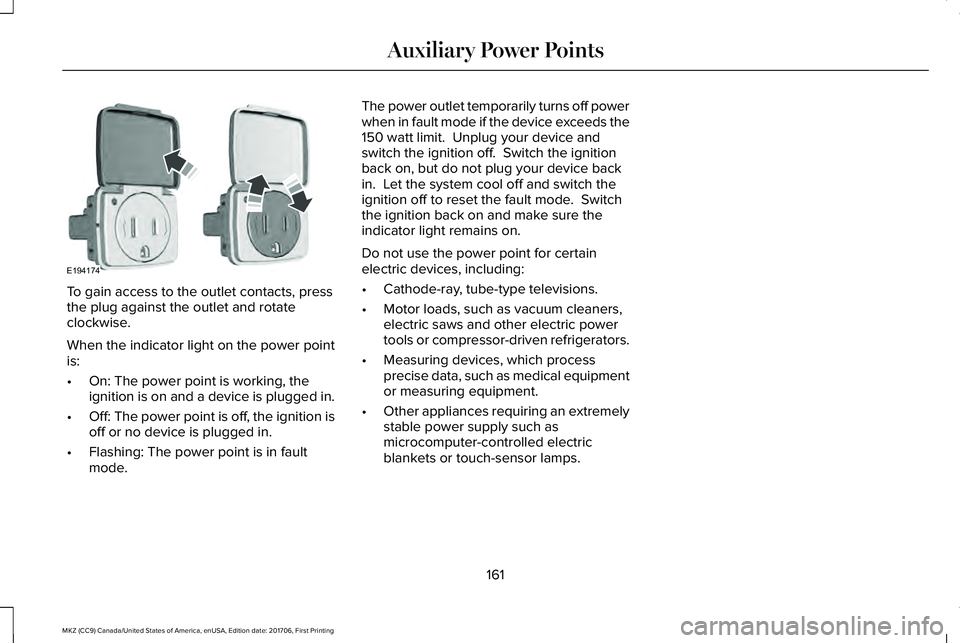
To gain access to the outlet contacts, pressthe plug against the outlet and rotateclockwise.
When the indicator light on the power pointis:
•On: The power point is working, theignition is on and a device is plugged in.
•Off: The power point is off, the ignition isoff or no device is plugged in.
•Flashing: The power point is in faultmode.
The power outlet temporarily turns off powerwhen in fault mode if the device exceeds the150 watt limit. Unplug your device andswitch the ignition off. Switch the ignitionback on, but do not plug your device backin. Let the system cool off and switch theignition off to reset the fault mode. Switchthe ignition back on and make sure theindicator light remains on.
Do not use the power point for certainelectric devices, including:
•Cathode-ray, tube-type televisions.
•Motor loads, such as vacuum cleaners,electric saws and other electric powertools or compressor-driven refrigerators.
•Measuring devices, which processprecise data, such as medical equipmentor measuring equipment.
•Other appliances requiring an extremelystable power supply such asmicrocomputer-controlled electricblankets or touch-sensor lamps.
161
MKZ (CC9) Canada/United States of America, enUSA, Edition date: 201706, First Printing
Auxiliary Power PointsE194174
Page 167 of 595
The keyless starting system has threemodes:
•Off: Turns the ignition off.
•Without applying the brake pedal,press and release the button oncewhen the ignition is in the on mode,or when the vehicle is running but isnot moving.
•On: All electrical circuits are operationaland the warning lamps and indicatorsilluminate.
•Without applying the brake pedal,press and release the button once.
•Start: Starts the vehicle. The engine maynot start when the vehicle starts.
•Press the brake pedal, and then pressthe button until the vehicle starts. Anindicator light on the buttonilluminates when the ignition is onand when the vehicle starts.
STARTING A GASOLINE ENGINE
When you start the engine, the idle speedincreases, this helps to warm up the engine.If the engine idle speed does not slow downautomatically, have your vehicle checked byan authorized dealer.
Before starting the engine, check thefollowing:
•Make sure all occupants have fastenedtheir safety belts.
•Make sure the headlamps and electricalaccessories are off.
•Make sure the parking brake is on.
•Put the transmission in P.
Note:Do not touch the accelerator pedal.
1. Fully press the brake pedal.
2. Press the button.
The system does not function if:
•The key frequencies are jammed.
•The key battery has no charge.
If you are unable to start the engine, do thefollowing:
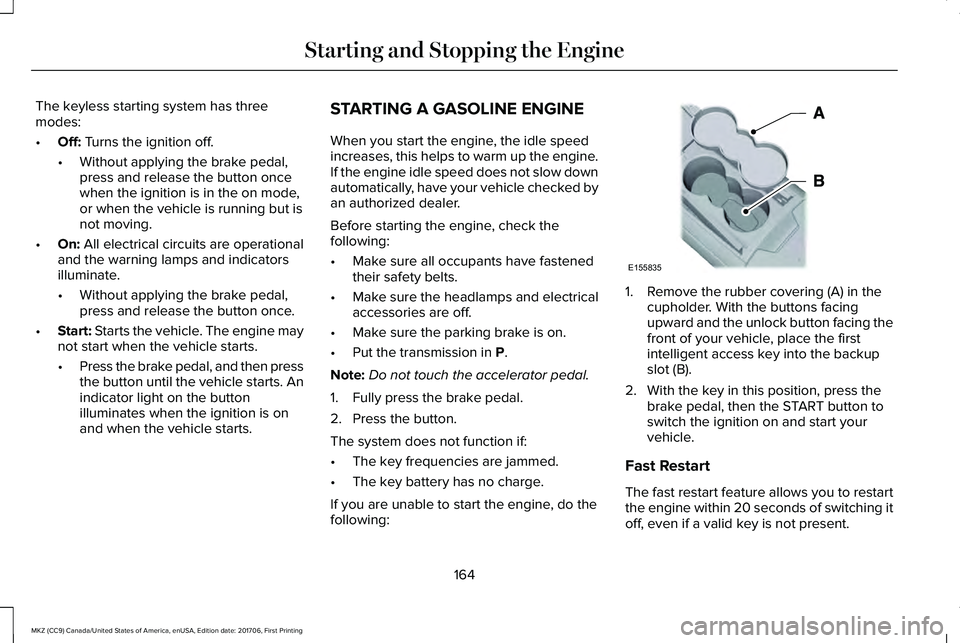
1. Remove the rubber covering (A) in thecupholder. With the buttons facingupward and the unlock button facing thefront of your vehicle, place the firstintelligent access key into the backupslot (B).
2. With the key in this position, press thebrake pedal, then the START button toswitch the ignition on and start yourvehicle.
Fast Restart
The fast restart feature allows you to restartthe engine within 20 seconds of switching itoff, even if a valid key is not present.
164
MKZ (CC9) Canada/United States of America, enUSA, Edition date: 201706, First Printing
Starting and Stopping the EngineE155835
Page 172 of 595
We recommend regular unleaded gasolinewith a minimum pump (R+M)/2 octane ratingof 87. Some stations offer fuels posted asregular with an octane rating below 87,particularly in high altitude areas. We do notrecommend fuels with an octane ratingbelow 87. To provide improved performance,we recommend premium fuel for severe dutyusage such as trailer tow.
Do not use any fuel other than thoserecommended because they could lead toengine damage that may not be covered bythe vehicle Warranty.
Note:Use of any fuel other than thoserecommended can impair the emissioncontrol system and cause a loss of vehicleperformance.
Do not use:
•Diesel fuel.
•Fuels containing kerosene or paraffin.
•Fuel containing more than 15% ethanolor E85 fuel.
•Fuels containing methanol.
•Fuels containing metallic-based additives,including manganese-based compounds.
•Fuels containing the octane boosteradditive, methylcyclopentadienylmanganese tricarbonyl (MMT).
•Leaded fuel (using leaded fuel isprohibited by law).
The use of fuels with metallic compoundssuch as methylcyclopentadienyl manganesetricarbonyl (commonly known as MMT), whichis a manganese-based fuel additive, willimpair engine performance and affect theemission control system.
Do not be concerned if the enginesometimes knocks lightly. However, if theengine knocks heavily while using fuel withthe recommended octane rating, contact anauthorized dealer to prevent any enginedamage.
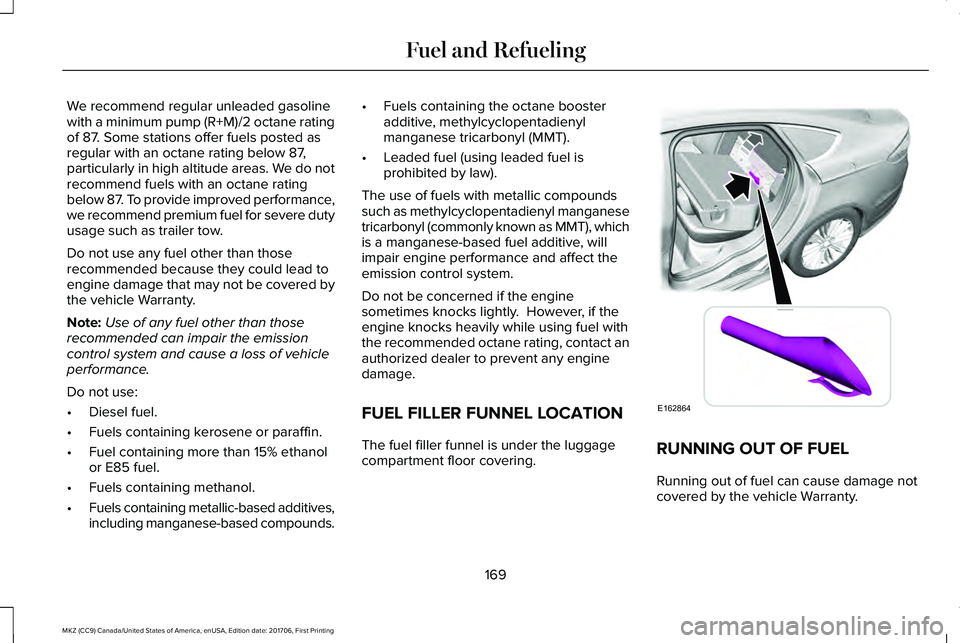
FUEL FILLER FUNNEL LOCATION
The fuel filler funnel is under the luggagecompartment floor covering.RUNNING OUT OF FUEL
Running out of fuel can cause damage notcovered by the vehicle Warranty.
169
MKZ (CC9) Canada/United States of America, enUSA, Edition date: 201706, First Printing
Fuel and RefuelingE162864