ignition LINCOLN MKZ 2018 Repair Manual
[x] Cancel search | Manufacturer: LINCOLN, Model Year: 2018, Model line: MKZ, Model: LINCOLN MKZ 2018Pages: 595, PDF Size: 5.06 MB
Page 213 of 595
If the transmission is in neutral (N), the sidesensing system provides visual distanceindication only when your vehicle is movingbelow a speed of 5 mph (8 km/h) and thereis a front or rear parking aid obstacledetected, and the side obstacle is within24 in (60 cm) from the side of your vehicle.When you stop your vehicle the visualdistance indication stops after four seconds.
If the side sensing system is not available,the side distance indicator blocks do notappear.
The side sensing system is not availableunder the following condition:
•If you switch the traction control systemoff.
The side sensing system may not beavailable until you have driven approximatelythe length of your vehicle in order for thesystem to reinitialize if:
•You switch the ignition on, off and backon.
•Your vehicle remains stationary for overtwo minutes.
•The anti-lock brake system is activated.
•The traction control system is activated.
•When the steering wheel angleinformation is not available, the sidesensing system is not available. Thevehicle must be driven at least 492 ft(150 m) above 19 mph (30 km/h) torecover the steering wheel angleinformation.
ACTIVE PARK ASSIST (If Equipped)
Parallel Parking, PerpendicularParking, Parallel Park Out Assist
WARNINGS
You must remain in your vehicle whenthe system turns on. At all times, youare responsible for controlling your vehicle,supervising the system and intervening, ifrequired. Failure to take care may result inthe loss of control of your vehicle, seriouspersonal injury or death.
The sensors may not detect objects inheavy rain or other conditions thatcause interference.
WARNINGS
Active park assist does not apply thebrakes under any circumstances.
The system is designed to aid thedriver. It is not intended to replace yourattention and judgment. You are stillresponsible to drive with due care andattention.
Note:Active Park Assist is a multi-stepprocess and may require you to shift yourtransmission multiple times. Follow theon-screen instructions until you complete theparking process.
Note:The Blind Spot Information Systemdoes not detect traffic alongside or behindyour vehicle during an Active Park Assistmaneuver.
The system detects an available parallel orperpendicular parking space andautomatically steers your vehicle into thespace (hands-free) while you control theaccelerator, gearshift and brakes. The systemvisually and audibly guides you to park yourvehicle.
210
MKZ (CC9) Canada/United States of America, enUSA, Edition date: 201706, First Printing
Parking Aids
Page 226 of 595
Switching Cruise Control Off
Note:You erase the set speed when youswitch the system off.
Press OFF when the system is in stand bymode, or switch the ignition off.
USING ADAPTIVE CRUISE
CONTROL (If Equipped)
WARNINGS
Always pay close attention to changingroad conditions when using adaptivecruise control. The system does not replaceattentive driving. Failing to pay attention tothe road may result in a crash, serious injuryor death.
Do not use the adaptive cruise controlwhen entering or leaving a highway,on roads with intersections or roundaboutsor non-vehicular traffic or roads that arewinding, slippery, unpaved, or steep slopes.
Do not use the system in poor visibility,for example fog, heavy rain, spray orsnow.
WARNINGS
Do not use the system when towing atrailer with aftermarket trailer brakecontrols. Aftermarket trailer brakes will notfunction properly when you switch thesystem on because the brakes areelectronically controlled. Failing to do so mayresult in loss of vehicle control, which couldresult in serious injury.
Do not use tire sizes other than thoserecommended because this can affectthe normal operation of the system. Failureto do so may result in a loss of vehiclecontrol, which could result in serious injury.
Adaptive cruise control may not detectstationary or slow moving vehiclesbelow 6 mph (10 km/h).
Adaptive cruise control does not detectpedestrians or objects in the road.
Adaptive cruise control does not detectoncoming vehicles in the same lane.
Adaptive cruise control is not a crashwarning or avoidance system.
Note:It is your responsibility to stay alert,drive safely and be in control of the vehicleat all times.
The system adjusts your vehicle speed tomaintain the set gap between you and thevehicle in front of you in the same lane. Youcan select four gap settings.
The system uses a radar sensor that projectsa beam directly in front of your vehicle.
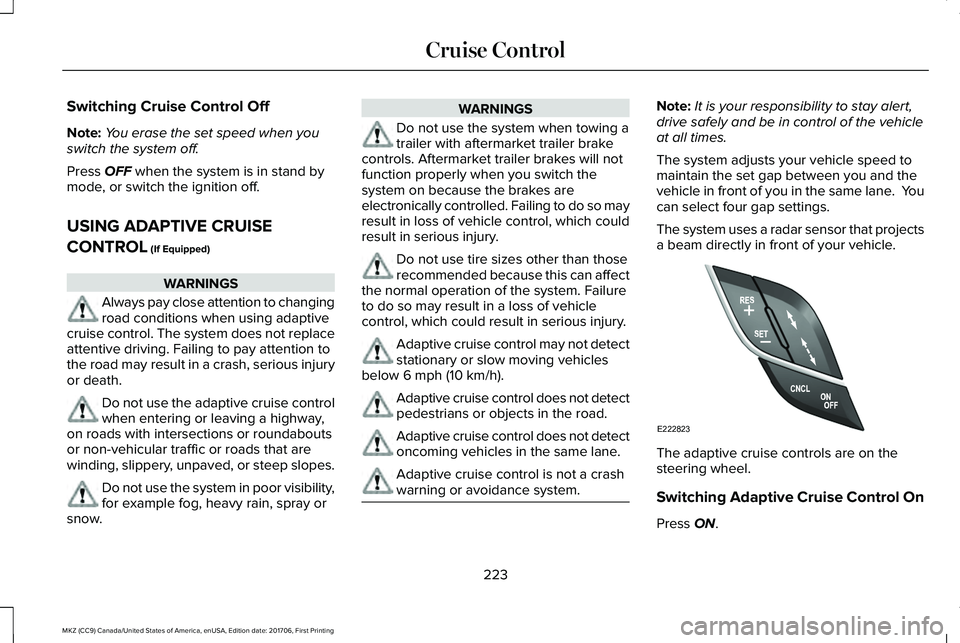
The adaptive cruise controls are on thesteering wheel.
Switching Adaptive Cruise Control On
Press ON.
223
MKZ (CC9) Canada/United States of America, enUSA, Edition date: 201706, First Printing
Cruise ControlE222823
Page 230 of 595
Park Brake Application
Automatic parking brake application andcancellation occurs if:
•You unbuckle the seatbelt and open thedoor after you stop the vehicle.
•You hold the vehicle at a stopcontinuously for more than three minutes.
Hilly Condition Usage
Note:An audible alarm sounds and thesystem shuts down if it applies brakes for anextended period of time. This allows thebrakes to cool. The system functionsnormally again after the brakes cool.
Select a lower gear when the system isactive in situations such as prolongeddownhill driving on steep grades, forexample in mountainous areas. The systemneeds additional engine braking in thesesituations to reduce the load on the vehicle’sregular brake system to prevent it fromoverheating.
Switching Adaptive Cruise Control Off
Note:You erase the set speed and gapsetting when you switch the system off.
Press OFF when the system is in standbymode, or switch the ignition off.
Detection Issues
WARNINGS
On rare occasions, detection issuescan occur due to the roadinfrastructures, for example bridges, tunnelsand safety barriers. In these cases, thesystem may brake late or unexpectedly. Atall times, you are responsible for controllingyour vehicle, supervising the system andintervening, if required.
If the system malfunctions, have yourvehicle checked as soon as possible.
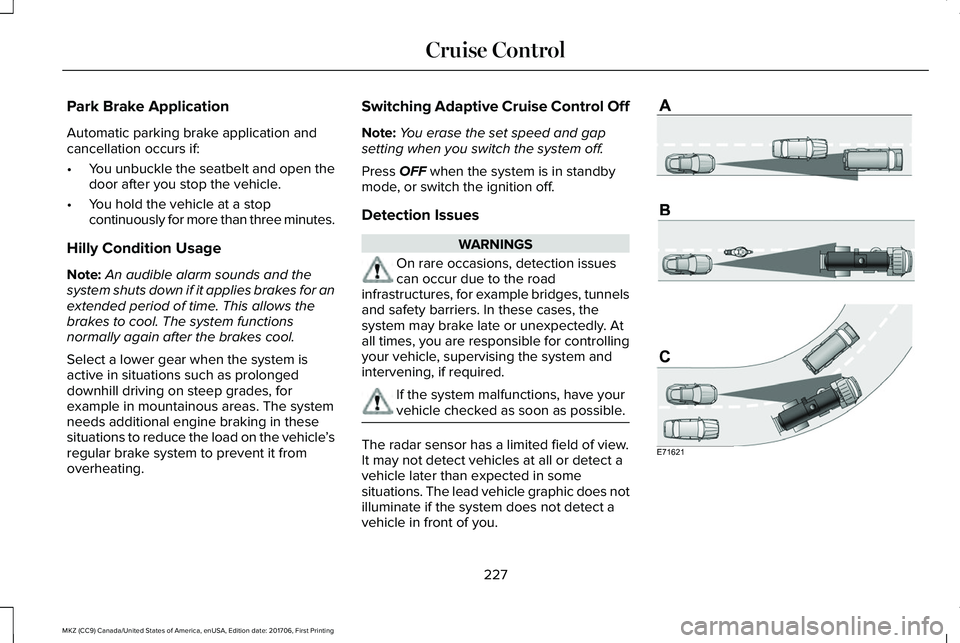
The radar sensor has a limited field of view.It may not detect vehicles at all or detect avehicle later than expected in somesituations. The lead vehicle graphic does notilluminate if the system does not detect avehicle in front of you.
227
MKZ (CC9) Canada/United States of America, enUSA, Edition date: 201706, First Printing
Cruise ControlE71621
Page 235 of 595
When active, the system monitors youralertness level based upon your drivingbehavior in relation to the lane markings andother factors.
System Warnings
Note:The system does not issue warningsbelow approximately 40 mph (64 km/h).
The warning system has two stages. First,the system issues a temporary warning thatyou need to take a rest. This message onlyappears for a short time. If the systemdetects further reduction in driving alertness,it may issue another warning that remains inthe information display for a longer time. Youcan press OK on the steering wheel controlto clear the warning.
System Display
When active, the system runs automaticallyin the background and only issues a warningif required. You can view the status at anytime using the information display. SeeGeneral Information (page 111).
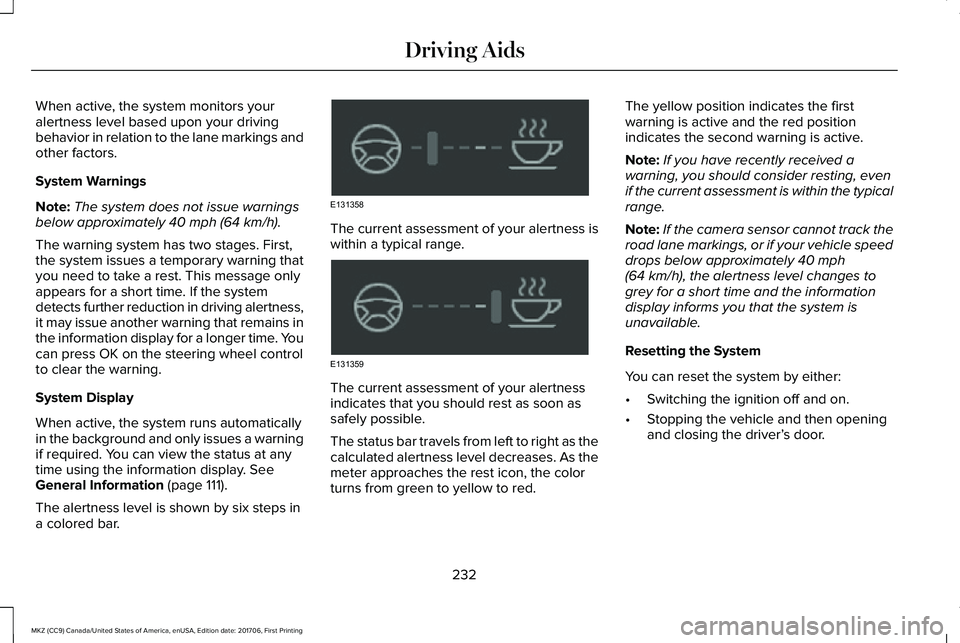
The alertness level is shown by six steps ina colored bar.
The current assessment of your alertness iswithin a typical range.
The current assessment of your alertnessindicates that you should rest as soon assafely possible.
The status bar travels from left to right as thecalculated alertness level decreases. As themeter approaches the rest icon, the colorturns from green to yellow to red.
The yellow position indicates the firstwarning is active and the red positionindicates the second warning is active.
Note:If you have recently received awarning, you should consider resting, evenif the current assessment is within the typicalrange.
Note:If the camera sensor cannot track theroad lane markings, or if your vehicle speeddrops below approximately 40 mph(64 km/h), the alertness level changes togrey for a short time and the informationdisplay informs you that the system isunavailable.
Resetting the System
You can reset the system by either:
•Switching the ignition off and on.
•Stopping the vehicle and then openingand closing the driver’s door.
232
MKZ (CC9) Canada/United States of America, enUSA, Edition date: 201706, First Printing
Driving AidsE131358 E131359
Page 247 of 595
Note:The system turns on each time youswitch the ignition on and you shift intoreverse (R). If you temporarily switch thesystem off, it turns on the next time youswitch the ignition on.
Note:The system may not correctly operatewhen towing a trailer. For vehicles with atrailer tow module and tow bar approved byus, the system turns off when you attach atrailer. For vehicles with an aftermarkettrailer tow module or tow bar, werecommend that you switch the system offwhen you attach a trailer.
To permanently switch the system off,contact an authorized dealer.
STEERING
Electric Power Steering
WARNINGS
The electric power steering system hasdiagnostic checks that continuouslymonitor the system. If a fault is detected, amessage displays in the information display.Stop your vehicle as soon as it is safe to doso. Switch the ignition off. After at least 10seconds, switch the ignition on and watchthe information display for a steering systemwarning message. If a steering systemwarning message returns, have the systemchecked by an authorized dealer.
If the system detects an error, you maynot feel a difference in the steering,however a serious condition may exist.Obtain immediate service from an authorizeddealer, failure to do so may result in loss ofsteering control.
Your vehicle has an electric power steeringsystem. There is no fluid reservoir. Nomaintenance is required.
If your vehicle loses electrical power whileyou are driving, electric power steeringassistance is lost. The steering system stilloperates and you can steer your vehiclemanually. Manually steering your vehiclerequires more effort.
Extreme continuous steering may increasethe effort required for you to steer yourvehicle. This increased effort preventsoverheating and permanent damage to thesteering system. You do not lose the abilityto steer your vehicle manually. Typicalsteering and driving maneuvers allow thesystem to cool and return to normaloperation.
Steering Tips
If the steering wanders or pulls, check for:
•Correct tire pressures.
•Uneven tire wear.
•Loose or worn suspension components.
•Loose or worn steering components.
•Improper vehicle alignment.
244
MKZ (CC9) Canada/United States of America, enUSA, Edition date: 201706, First Printing
Driving Aids
Page 249 of 595
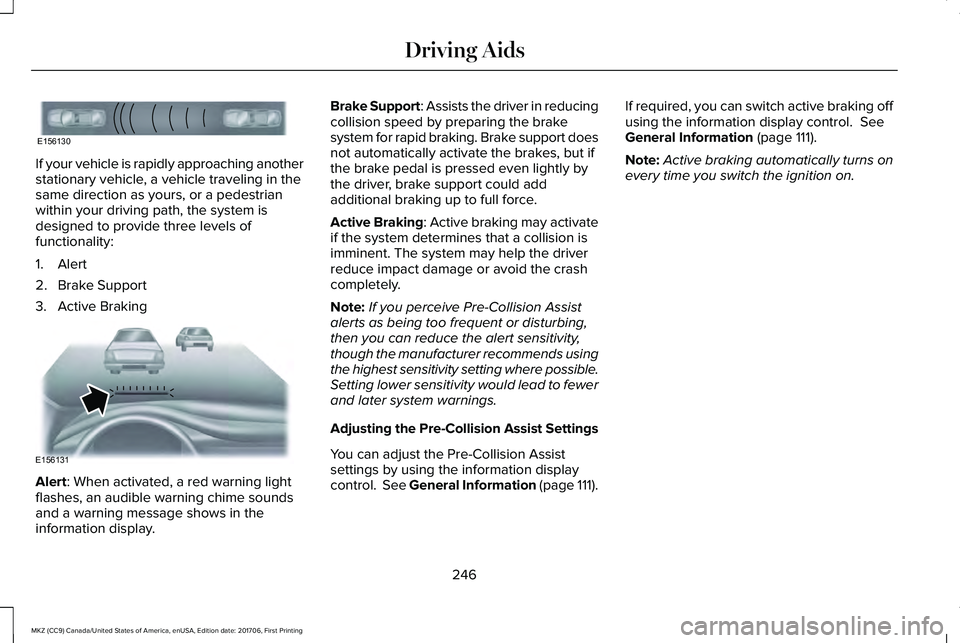
If your vehicle is rapidly approaching anotherstationary vehicle, a vehicle traveling in thesame direction as yours, or a pedestrianwithin your driving path, the system isdesigned to provide three levels offunctionality:
1. Alert
2. Brake Support
3. Active Braking
Alert: When activated, a red warning lightflashes, an audible warning chime soundsand a warning message shows in theinformation display.
Brake Support: Assists the driver in reducingcollision speed by preparing the brakesystem for rapid braking. Brake support doesnot automatically activate the brakes, but ifthe brake pedal is pressed even lightly bythe driver, brake support could addadditional braking up to full force.
Active Braking: Active braking may activateif the system determines that a collision isimminent. The system may help the driverreduce impact damage or avoid the crashcompletely.
Note:If you perceive Pre-Collision Assistalerts as being too frequent or disturbing,then you can reduce the alert sensitivity,though the manufacturer recommends usingthe highest sensitivity setting where possible.Setting lower sensitivity would lead to fewerand later system warnings.
Adjusting the Pre-Collision Assist Settings
You can adjust the Pre-Collision Assistsettings by using the information displaycontrol. See General Information (page 111).
If required, you can switch active braking offusing the information display control. SeeGeneral Information (page 111).
Note:Active braking automatically turns onevery time you switch the ignition on.
246
MKZ (CC9) Canada/United States of America, enUSA, Edition date: 201706, First Printing
Driving AidsE156130 E156131
Page 264 of 595
Replace the rear axle lubricant anytime yousubmerge the rear axle in water. Water maycontaminate the rear axle lubricant, which isnot a normal maintenance inspection itemunless there is a possibility of a leak or otheraxle repair is required.
TOWING THE VEHICLE ON FOUR
WHEELS
Emergency Towing
WARNING
If your vehicle has a steering wheellock make sure the ignition is in theaccessory or on position when being towed.
You can flat-tow (all wheels on the ground,regardless of the powertrain/transmissionconfiguration) your disabled vehicle (withoutaccess to wheel dollies, car-hauling trailer,or flatbed transport vehicle) under thefollowing conditions:
•Your vehicle is facing forward so you towit in a forward direction.
•You place the transmission in position N.If you cannot place the transmission inposition N, you may need to override it.See Transmission (page 180).
•Maximum speed is 35 mph (56 km/h).
•Maximum distance is 50 miles (80kilometers).
Recreational Towing
Note: Put your climate control system inrecirculated air mode to prevent exhaustfumes from entering the vehicle. SeeClimate Control (page 137).
Follow these guidelines if you have a needfor recreational (RV) towing. An example ofrecreational towing would be towing yourvehicle behind a motorhome. Theseguidelines are to make sure you do notdamage the transmission during towing.
Vehicles Equipped with a 2.0L Engine
Front-wheel drive (FWD) vehicles CANNOTbe flat-towed (all wheels on the ground) asvehicle or transmission damage may occur.You must place the front wheels on atwo-wheel tow dolly. If you are using a towdolly, follow the instructions specified by theequipment provider.
All-wheel drive (AWD) vehicles CANNOT beflat-towed (all wheels on the ground), asvehicle or transmission damage may occur.It is recommended to tow your vehicle withall four (4) wheels off the ground such aswhen using a car-hauling trailer. Otherwise,you cannot tow your vehicle.
261
MKZ (CC9) Canada/United States of America, enUSA, Edition date: 201706, First Printing
Towing
Page 265 of 595
Vehicles Equipped with a 3.0L Engine
You can tow your vehicle with all four wheelson the ground using the Neutral Tow feature,or with all four wheels off the ground usinga vehicle transport trailer. If you are using avehicle transport trailer, follow the instructionspecified by the equipment provider.
If you tow your vehicle with all four wheelson the ground:
•Tow only in the forward direction.
•Release the parking brake.
Neutral Tow
Enter Neutral Tow mode by doing thefollowing:
1. Put the ignition in accessory mode bypressing the engine START buttonwithout pressing the brake pedal.
2. Select the neutral tow option under thevehicle settings menu in the informationdisplay. See General Information (page111).
3.Press and hold the OK button to start theneutral tow process.
4. Press the brake pedal and select N onthe push-button transmission.
5. Turn the ignition off by pressing theengine START button without pressingthe brake pedal.
If the process completes successfully:
•the N on the push-button transmissionblinks slowly
•A confirmation message appears in theinformation display.
Note:If the parking brake is applied, amessage appears in the information display.
Note:Do not exceed 65 mph (105 km/h).
Note:Start the engine and allow it to run forfive minutes at the beginning of each dayand every six hours (or fewer). Shut theengine off and verify that a messageappears indicating neutral tow has beenengaged, before continuing to tow.
Exit Neutral Tow mode, make sure theignition is on (engine can be on or off ), pressthe brake pedal and select P on thepush-button transmission.
If the process is completed successfully, amessage appears indicating that neutral towhas disengaged in both the instrumentcluster and push-button transmission displayP.
262
MKZ (CC9) Canada/United States of America, enUSA, Edition date: 201706, First Printing
Towing
Page 270 of 595
If you need to arrange roadside assistancefor yourself, Lincoln Motor Companyreimburses a reasonable amount for towingto the nearest Lincoln dealership within100 mi (160 km). To obtain reimbursementinformation, United States clients, call1-800-521-4140. Clients need to submit theiroriginal receipts.
Vehicles Sold in Canada: GettingRoadside Assistance
To fully assist you should you have a vehicleconcern, Lincoln Motor Company offers acomplimentary roadside assistance program. This program is eligible within Canada or thecontinental United States.
This program is separate from the NewVehicle Limited Warranty, beginning fromthe original warranty start date and lasts thelife of the vehicle for the original owner.Subsequent owners receive coverage thatis concurrent with the 6 years or 70,000 mi(110,000 km) (whichever occurs first)powertrain warranty coverage period.
If you purchased your vehicle in Canada andrequire roadside assistance, please call1-800-387-9333.
Vehicles Sold in Canada: UsingRoadside Assistance
Complete the roadside assistanceidentification card and place it in your walletfor quick reference.
In Canada, this card is found in the WarrantyGuide in the glove compartment of yourvehicle.
Vehicles Sold in Canada: RoadsideAssistance Program Coverage
The service is available 24 hours a day,seven days a week.
Canadian roadside coverage and benefitsmay differ from the U.S. coverage.
For complete program coverage detailsreview your warranty guide, contact yourdealer, call us in Canada at 1-800-387-9333,or visit our website atwww.lincolncanada.com.
HAZARD FLASHERS
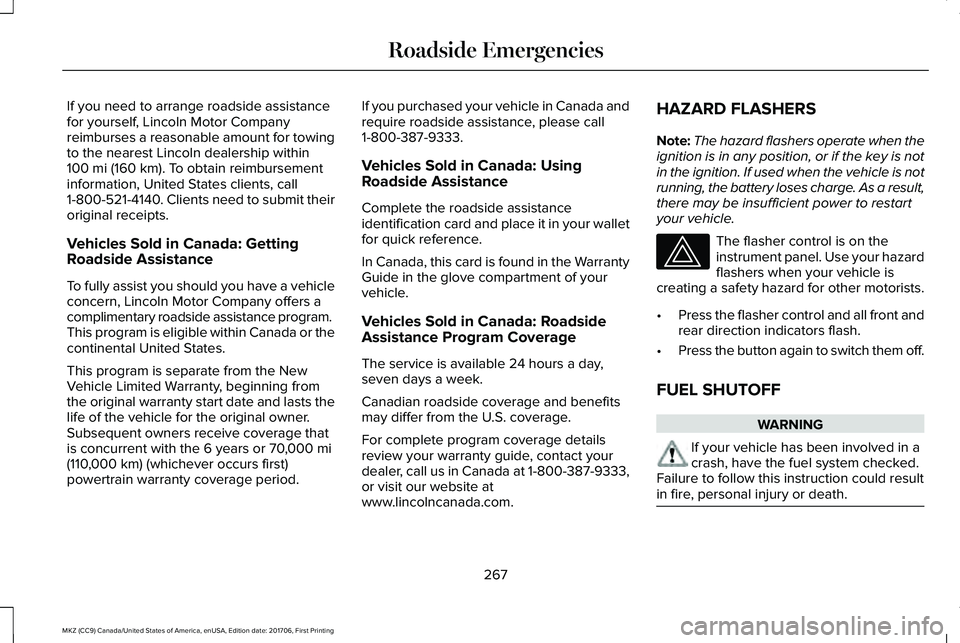
Note:The hazard flashers operate when theignition is in any position, or if the key is notin the ignition. If used when the vehicle is notrunning, the battery loses charge. As a result,there may be insufficient power to restartyour vehicle.
The flasher control is on theinstrument panel. Use your hazardflashers when your vehicle iscreating a safety hazard for other motorists.
•Press the flasher control and all front andrear direction indicators flash.
•Press the button again to switch them off.
FUEL SHUTOFF
WARNING
If your vehicle has been involved in acrash, have the fuel system checked.Failure to follow this instruction could resultin fire, personal injury or death.
267
MKZ (CC9) Canada/United States of America, enUSA, Edition date: 201706, First Printing
Roadside Emergencies
Page 287 of 595
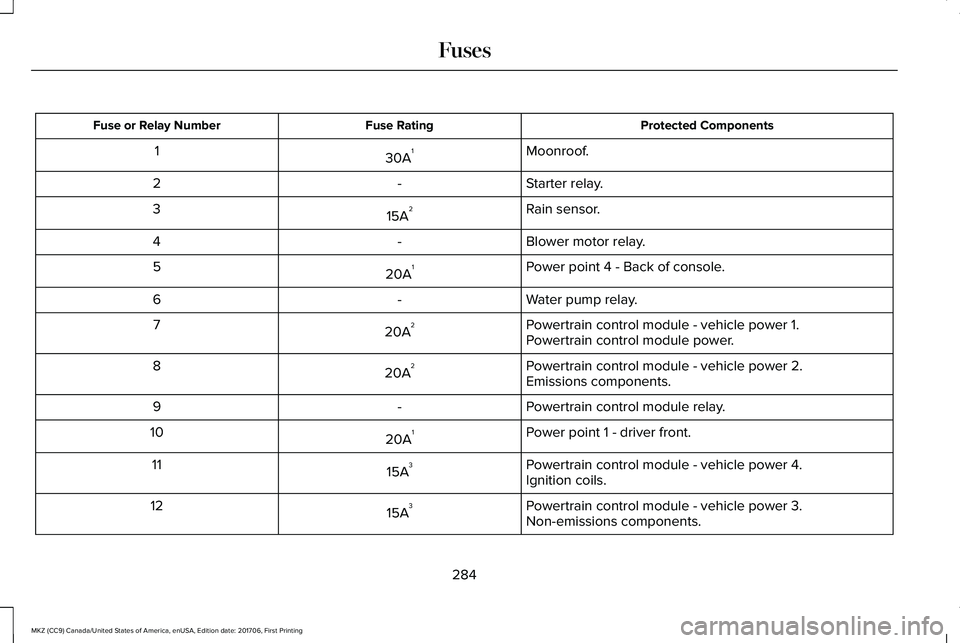
Protected ComponentsFuse RatingFuse or Relay Number
Moonroof.30A11
Starter relay.-2
Rain sensor.15A23
Blower motor relay.-4
Power point 4 - Back of console.20A15
Water pump relay.-6
Powertrain control module - vehicle power 1.20A27Powertrain control module power.
Powertrain control module - vehicle power 2.20A28Emissions components.
Powertrain control module relay.-9
Power point 1 - driver front.20A110
Powertrain control module - vehicle power 4.15A311Ignition coils.
Powertrain control module - vehicle power 3.15A312Non-emissions components.
284
MKZ (CC9) Canada/United States of America, enUSA, Edition date: 201706, First Printing
Fuses